

C1708 on 2011-2015 Nissan LEAF: TPMS 'No Data' Causes and Fixes
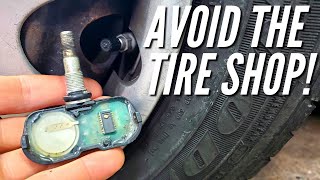
On a 2011-2015 Nissan LEAF, code C1708 means the front-left tire pressure sensor is not sending a signal. The most common cause is a dead sensor battery, which is expected for this vehicle's age. The fix is to replace the 315 MHz sensor (~$40-$110) and have it programmed, which requires a tire shop. Before replacing, unplug all aftermarket 12V accessories like dash cams and phone chargers to rule out radio frequency interference.
- C1708 on a 2011-2015 LEAF means the front-left TPMS sensor is not communicating.
- Before assuming the sensor is bad, unplug all phone chargers and dash cams to rule out radio frequency interference, a known issue for this car.
- The most likely cause is a dead battery in the original sensor, which has a 5-10 year lifespan.
- Repair is not DIY-friendly; it requires tire dismounting and a special tool to program the new sensor's ID to the car.
What's Unique About the 2011-2015 Nissan LEAF
For the 2011-2015 LEAF, two factors are particularly relevant for code C1708. First, as an early electric vehicle, owners often use aftermarket 12V accessories like dash cams or phone chargers. Nissan issued a Technical Service Bulletin (NTB13088A) warning that these devices can cause radio frequency (RF) interference, blocking the 315 MHz signal and triggering a C1708 code. 🎬 Watch: Diagnostic walkthrough for troubleshooting the C1708 fault code. Second, the original TPMS sensors from this era have batteries with a 5-10 year lifespan, meaning they are at or beyond their expected service life, making battery failure the most probable cause. Owners on forums have confirmed both scenarios are common.
Diagnostic Flowchart
Tap your situation to follow the diagnostic path that matches what you're seeing on this vehicle.
Symptoms You May Notice
- The TPMS warning light on the dashboard flashes for approximately one minute after starting the car, then stays on continuously.
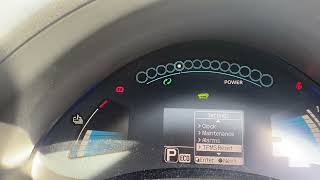
- The vehicle information display may show a TPMS system error message.
- Inability to see the pressure reading for the front-left tire on displays that show individual pressures.
- With a capable scan tool like Leaf Spy Pro, the DTC C1708 will be logged, indicating 'No Data' from the front-left sensor.
- Replacing the wrong sensor. Tires are frequently rotated, but the sensor positions are not always updated in the car's computer. A code for the front-left (C1708) might point to a sensor that is now physically on a different corner of the car. Always use a TPMS tool to activate and identify the failing sensor at its physical location before removal.
Most Likely Causes
- Dead TPMS Sensor Battery 🔴 High Probability → Shop Tire Pressure Monitoring System (TPMS) Sensor The original sensors have a finite battery life of 5-10 years. Vehicles in the 2011-2015 range are now at an age where battery failure is the most common reason for the sensor to stop transmitting. Forum discussions on MyNissanLeaf.com frequently conclude with sensor replacement due to age being the fix.
How to confirm: A professional TPMS diagnostic tool can be used to 'ping' the sensor at the wheel. If the tool does not receive a response (ID, pressure, temperature), its battery is almost certainly dead.
Typical fix: Replace the front-left TPMS sensor. It is often recommended to replace all four sensors at once if they are original, as the others are likely to fail soon, saving on future labor costs.
Est. part cost: $40-$110 per sensor - Radio Frequency (RF) Interference 🟡 Medium Probability As noted in Nissan TSB NTB13088A, aftermarket devices plugged into the 12V power outlet (like phone chargers, dash cams, or GPS units) can emit RF noise that blocks the 315 MHz TPMS signal. LEAF owners on forums have confirmed this is a common issue, sometimes traced to specific dash cams or cheap, unshielded USB power adapters.
How to confirm: Unplug all aftermarket electronic devices from the vehicle's power outlets. Clear the codes if possible, or drive the vehicle for 10-15 minutes. If the TPMS light turns off and the code clears, one of the devices was the cause. One owner on MyNissanLeaf.com noted the issue disappeared after switching back to their old phone charging adapter.
Typical fix: Remove the interfering device or replace it with a higher-quality, better-shielded version. Adding a ferrite core to the power cable of the offending device can sometimes resolve the issue.
Est. part cost: $0-$50 - Faulty TPMS Sensor ⚪ Low Probability → Shop Tire Pressure Monitoring System (TPMS) Sensor Excluding battery death, the sensor itself can fail from physical damage (e.g., during a tire change) or internal corrosion, sometimes exacerbated by the use of tire sealant products, which Nissan warns against.
How to confirm: If the sensor's battery is confirmed to be good (which is rare without replacement) but it still fails to transmit data correctly, the sensor itself has failed internally. This is confirmed with a TPMS tool.
Typical fix: Replace the front-left TPMS sensor and register the new ID with the vehicle.
Est. part cost: $40-$110
Rare But Worth Checking
- Faulty TPMS Control Unit (BCM) or Receiver: This is very uncommon. Before suspecting the BCM, all sensors should be tested and confirmed to be working. A failure here would typically affect more than one sensor (e.g., C1708, C1709, C1710, C1711 all present) and may be accompanied by other electrical issues not related to the TPMS system. The BCM is located on the lower left side of the dash.
Diagnosis Steps
- Read the trouble codes with an OBD-II scanner capable of accessing the Chassis (C-codes) system to confirm C1708 is present.
- Unplug all aftermarket accessories from the 12V power outlets (e.g., phone chargers, dash cams, GPS).
- Drive the vehicle for 10-15 minutes at speeds above 16 MPH (25 km/h) to see if the system resets and the light goes out. If it does, the issue was RF interference.
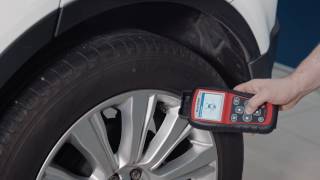
- If the light remains, use a TPMS diagnostic tool (e.g., Autel TS408) to attempt to read the sensor data directly from the front-left wheel by placing the tool against the tire's sidewall near the valve stem.
- If the tool cannot get a response (No ID, No Data) from the sensor, the sensor has failed (most likely a dead battery) and must be replaced.
- If the tool *can* read the sensor but the car cannot, there may be a registration issue or a problem with the vehicle's TPMS receiver/BCM, which is less common.
- Verify the failing sensor's location. Use the TPMS tool to check all four wheels to ensure the sensor for C1708 hasn't been rotated to a different position.
- Replace the faulty sensor. This requires breaking the tire bead and removing the old sensor from inside the wheel.
- Install the new sensor and re-mount/balance the tire.
- Use a TPMS tool to register the new sensor's unique ID to the vehicle's BCM. This is a required step for the car to recognize the new part.
- Clear any stored TPMS codes and verify the light does not return after a short drive.
Parts You'll Likely Need
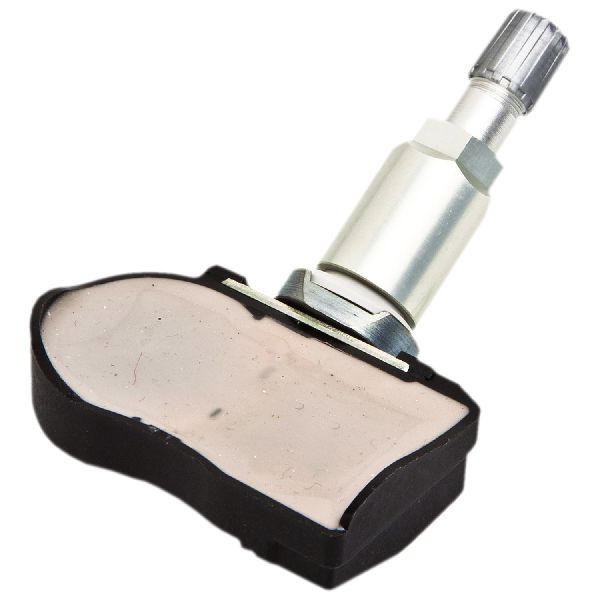
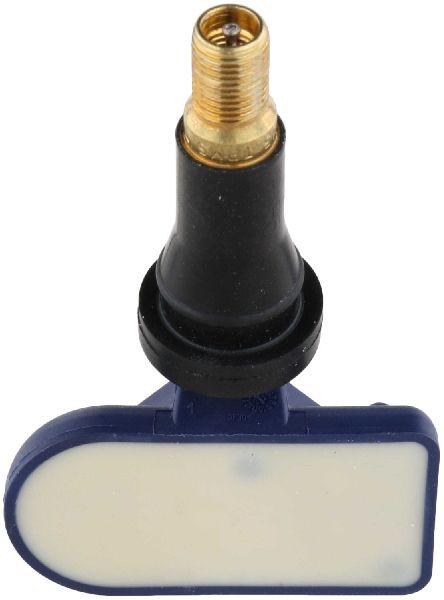
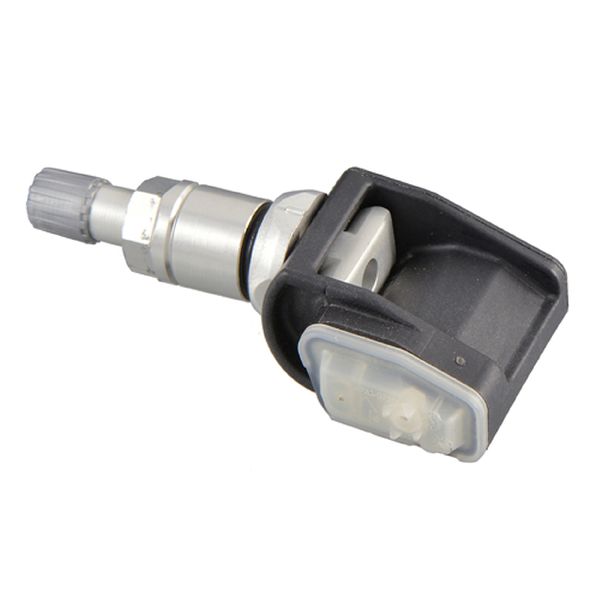
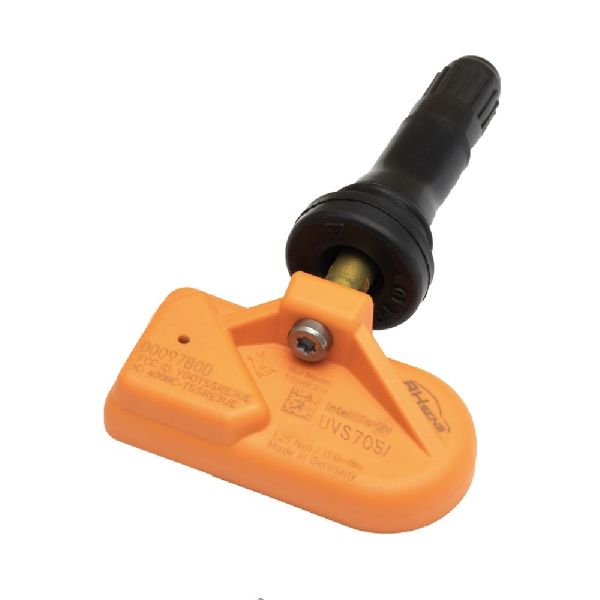
- Tire Pressure Monitoring System (TPMS) Sensor
(OEM #40700-3AN1B)— This is the direct cause for C1708, most often due to an expired internal battery. The entire unit must be replaced as the battery is not serviceable. This part number supersedes 40700-3AN1A.
Trusted brands: Nissan Genuine, Schrader (often the OEM supplier), Continental/VDO, Huf/BH Sens, Autel MX-Sensor (programmable), Dorman
OEM price range: $75-$110
Aftermarket price range: $40-$70
Related Codes That Often Appear With This One
- C1709, C1710, C1711 — These are the codes for the other three wheels (Front-Right, Rear-Right, Rear-Left). If multiple codes appear at once, it's a very strong indicator that the sensor batteries are failing due to age, or there is a significant source of RF interference affecting the entire system.
Technical Service Bulletins (TSBs) & Recalls
- NTB13088A: Provides service information for the TPMS system and specifically calls out radio frequency interference from devices like 'cell phone chargers' as a cause for 'No Data' codes like C1708. It also details the diagnostic procedure.
Platform-Specific Known Issues
- Per Nissan TSB NTB13088A, the 2011-2015 LEAF is susceptible to radio frequency interference from aftermarket electronics, which can cause a 'No Data' condition and trigger codes C1708, C1709, C1710, or C1711.
- The vehicle lacks a spare tire, instead providing a tire repair kit with a sealant. Using this sealant can damage the TPMS sensor, leading to its failure. Owners on forums advise against using the sealant unless absolutely necessary.
Scan Tool Commands That Help
- Nissan CONSULT-III plus: ID REGIST (under 'Work Support' for the BCM/TPMS) — This is the official dealer procedure used after replacing a TPMS sensor. The tool puts the BCM in learn mode, and the technician then uses an activator tool at each wheel to force the new sensor to transmit its ID, which is then registered by the BCM.
- LeafSpy Pro App: Read/Write TPMS IDs — This popular third-party app allows owners to manually read the IDs of the installed sensors and write them directly to the BCM via an OBD-II adapter. This is a powerful DIY alternative to a dealer visit for registering new sensors or correcting locations after a tire rotation.
- Aftermarket TPMS Tool (e.g., Autel, Foxwell): OBD Relearn — These tools combine a sensor activator and an OBD-II interface. After selecting the vehicle, the tool guides the user to activate each sensor in sequence (starting with front-left) and then plugs into the OBD-II port to write all four new IDs to the BCM in one step.
Wiring & Ground Locations
- Body Control Module (BCM) — Located on the lower left side of the dashboard, often behind the fuse block/kick panel area.. The BCM contains the TPMS receiver antenna. In the very rare case of a system-wide failure where all sensors are good and RF interference is ruled out, a fault in the BCM or its ground connection could be the cause. A wiring diagram would be needed to check its power and ground pins.
Real Owner Repair Stories
- MyNissanLeaf.com user @GerryAZ (2011-2015 Nissan LEAF (specific year not stated, but thread is from 2015)) — TPMS light on after getting new tires installed at Costco. The tire positions were likely mixed up and not re-registered.
❌ Tried (didn't work) Initially, the shop failed to perform the registration procedure, leaving the light on.
✅ What actually fixed it The owner returned to the tire shop (Costco), who then used a proximity-based TPMS registration tool. The tool had an OBD-II dongle to put the car in learn mode, and then a handheld unit was used at each wheel to wake up the sensor and register its ID with the BCM. This successfully turned off the warning light.
OEM Part Supersession History
40700-3AN1A→40700-3AN1B— Standard part revision by the manufacturer. The parts are functionally identical.
Heads up: Both parts are clamp-in style, operate at 315 MHz, and are cross-compatible for the 2013-2017 LEAF. Some parts catalogs show 40700-3AN1B as the primary fitment for 2013+ models.
Model Year Variations Within This Range
- 2013-2015: Models from 2013 onward feature the 'Easy Fill Tire Alert' system. When inflating a tire with the ignition ON, the hazard lights flash, and the horn beeps once when the correct pressure is reached. This feature is for convenience and does not change the underlying TPMS sensors or the C1708 diagnostic procedure.
- 2011-2012 vs 2013-2015: While the core TPMS system and sensor part numbers are largely consistent, the 2013 model year refresh introduced a different BCM part number. However, the registration procedure and causes for C1708 remain the same across the 2011-2015 range. The significant change in TPMS frequency (to 433MHz) did not occur until the second generation LEAF (2018+).
Helpful Videos

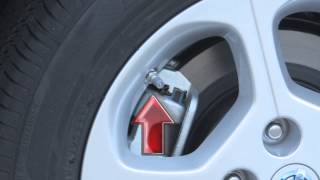
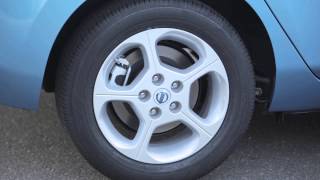
![[EN] How to program TMPS valve on a Nissan Leaf | Masters of Motion](https://img.youtube.com/vi/-4k0UvGk4TU/mqdefault.jpg)


We Have This Part in Stock



The information in this article is provided for general reference and educational purposes only. Vehicle specifications, procedures, and part compatibility can vary by production date, trim level, and region. Always consult your vehicle's factory service manual and verify part numbers before purchasing or performing repairs. Safety-critical components such as airbags, seat belts, and braking systems should be installed by a qualified professional.
- Nissan LEAF:
- 🧭 Diagnostic Flowchart
- 🎬 Helpful Videos
- 🛍️ Shop This Part
- What's Unique About the 2011-2015 Nissan LEAF
- Symptoms You May Notice
- Most Likely Causes
- Rare But Worth Checking
- Diagnosis Steps
- Parts You'll Likely Need
- Related Codes That Often Appear With This One
- Technical Service Bulletins (TSBs) & Recalls
- Platform-Specific Known Issues
- Scan Tool Commands That Help
- Wiring & Ground Locations
- Real Owner Repair Stories
- OEM Part Supersession History
- Model Year Variations Within This Range
- 🎟️ Get 5% Off