

C1708 on 2005-2012 Nissan XTERRA: Causes and Fixes for TPMS 'No Data' from Front Left Sensor
Code C1708 on a 2005-2012 Nissan Xterra means the front left tire pressure sensor is not communicating with the vehicle. This is most often due to a dead battery inside the sensor, which has a 7-10 year lifespan. The fix is to replace the sensor, which costs about $50-$100 for the part plus labor for tire dismounting and programming. Before replacing, rule out RF interference from aftermarket phone chargers, a known issue for this platform.
- C1708 specifically points to a communication failure with the front left TPMS sensor.
- The most likely cause on a 2005-2012 Xterra is a dead battery in the original sensor.
- Before buying parts, unplug all aftermarket phone chargers and electronics to rule out radio frequency (RF) interference, as noted in a Nissan TSB.
- Sensor replacement is not a simple DIY job; it requires dismounting the tire and using a special tool to register the new sensor with the vehicle's computer.
What's Unique About the 2005-2012 Nissan XTERRA
For this generation of Xterra and other Nissans of the era, the manufacturer issued a specific Technical Service Bulletin (TSB NTB13-088a) highlighting that radio frequency (RF) interference can cause a 'No Data' condition for TPMS sensors. This means that before assuming the sensor is bad, owners should check for and unplug any aftermarket electronics like phone chargers, dash cams, or power inverters, as they can disrupt the 315 MHz signal between the sensor and the vehicle's receiver. This adds a unique and important diagnostic step that is often overlooked, with many owner accounts confirming a cheap charger was the root cause.
Diagnostic Flowchart
Tap your situation to follow the diagnostic path that matches what you're seeing on this vehicle.
Symptoms You May Notice
- TPMS warning light flashing for approximately one minute after startup, then remaining illuminated solid.
- Inability to read the front left tire pressure with a capable scan tool.
- With a scan tool, code C1708 will be present as 'current' or 'past'.
- Replacing the BCM before ruling out a dead sensor or RF interference.
- Replacing the wrong TPMS sensor if the codes are not correctly identified (e.g., mixing up C1708 with C1709/10/11).
- Assuming the TPMS light is on for low pressure when the flashing pattern indicates a system fault.
- Replacing the sensor without first unplugging all 12V accessories to check for RF interference.
Most Likely Causes
- Dead TPMS Sensor Battery 🔴 High Probability → Shop Tire Pressure Monitoring System (TPMS) Sensor The original sensors have a non-replaceable battery with a typical lifespan of 7-10 years. The 2005-2012 model years are now well beyond this age, making battery failure the most common reason for this code. Forum users with Xterras from this era frequently report sensor failure due to age.
How to confirm: Use a TPMS activation tool to try and 'wake' the sensor. If the tool gets no response, the sensor's battery is dead and the sensor needs to be replaced.
Typical fix: Replace the front left TPMS sensor and perform the TPMS ID registration procedure. 🎬 See how to use a reset tool for the relearn.
Est. part cost: $40-$110 - Radio Frequency (RF) Interference 🟡 Medium Probability As documented in Nissan TSB NTB13-088a, these vehicles are susceptible to RF interference from aftermarket electronics plugged into the power outlets (e.g., cheap USB phone chargers, dash cams, power inverters). These devices can generate noise that blocks the 315 MHz TPMS signal.
How to confirm: Unplug all aftermarket electronic devices from the vehicle's power ports. Clear the code and drive the vehicle to see if the code returns. If it does not, one of the devices was causing the interference. An owner on a forum confirmed this fixed his issue after a dealer couldn't.
Typical fix: Remove or replace the interfering electronic device with a higher quality, better-shielded one. No parts replacement on the vehicle is necessary.
Est. part cost: $0 - Faulty TPMS Sensor ⚪ Low Probability → Shop Tire Pressure Monitoring System (TPMS) Sensor Sensors can be damaged during tire installation or by road impacts. They can also fail electronically for reasons other than the battery, though this is less common than battery expiration.
How to confirm: If the sensor responds to an activation tool but the code persists and RF interference has been ruled out, the sensor itself may be faulty. This assumes the relearn procedure was performed correctly.
Typical fix: Replace the front left TPMS sensor and perform the relearn procedure.
Est. part cost: $40-$110 - Faulty Body Control Module (BCM) or TPMS Receiver ⚪ Low Probability → Shop Body Control Module BCM failure is rare but can happen, sometimes due to water intrusion on the passenger side floor where the BCM is located. This can cause a variety of electrical issues, including TPMS problems.
How to confirm: This is diagnosed by exclusion. If a new, known-good sensor cannot be registered to the BCM (and the relearn procedure is done correctly) and all wiring is intact, the BCM itself may be the issue. This requires advanced diagnostics and should be the last resort.
Typical fix: Replace the Body Control Module and have it programmed by a dealer or qualified shop.
Est. part cost: $400-$800
Rare But Worth Checking
- Faulty HVAC Blower Motor: → Shop HVAC Blower Motor While documented for other Nissan models like the 370Z and Versa in TSBs NTB19-062 and NTB10-111, a failing HVAC blower motor can generate enough RF interference to disrupt TPMS signals. Xterra owners frequently report blower motor and resistor failures. If the C1708 code appears intermittently, especially with the fan on high, this is a possibility worth considering.
Diagnosis Steps
- Verify the code is C1708 using a scan tool capable of reading BCM/Chassis codes.
- Note the behavior of the TPMS light on the dash: a flashing light for ~1 minute followed by a solid light indicates a system malfunction, not low pressure.
- CRITICAL STEP: Unplug ALL aftermarket devices from the vehicle's 12V power outlets (phone chargers, dash cams, etc.) to eliminate potential RF interference, as per TSB NTB13-088a.
- Clear the DTCs and drive the vehicle for at least 10 minutes at speeds above 25 MPH to see if the code returns.
- If the code returns, use a TPMS activation tool (like an Autel or VXDAS model) to test the front left sensor. If the tool receives no signal, the sensor is dead and must be replaced.
- If the sensor does respond, attempt the TPMS relearn procedure. This can be done with a tool or via the 'paperclip method'.
- Paperclip Relearn Method: Locate the single-wire TPMS service connector under the dash (often a white connector taped to another harness near the OBD-II port). Insert a paperclip into the back of the connector. Turn the ignition to ON (engine off). Ground the paperclip to a metal surface (like the OBD-II bracket) 6 times within 10 seconds. 🎬 Watch a demonstration of this paperclip reset method. The TPMS light should begin to flash slowly, indicating it's in relearn mode. Start the engine and drive until the light goes out (can take up to 10 minutes).
- If replacing the sensor, ensure the new sensor is the correct frequency (315 MHz for this Xterra) and perform the TPMS ID registration procedure.
- If a new sensor cannot be registered and RF interference is ruled out, investigate the BCM and its wiring for faults.
Parts You'll Likely Need
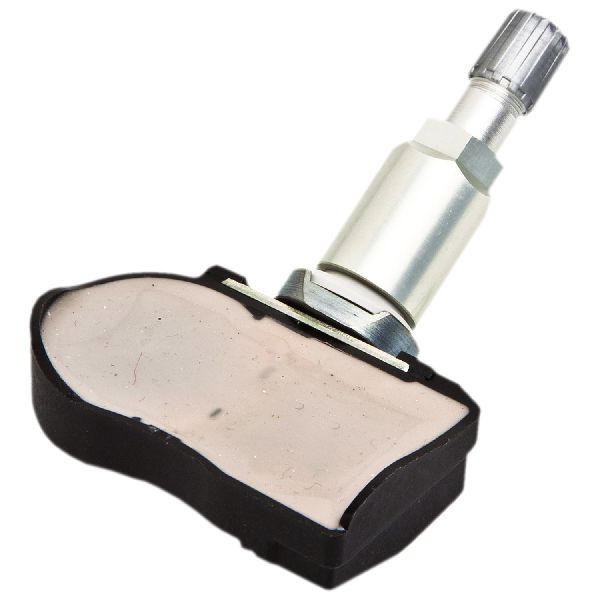
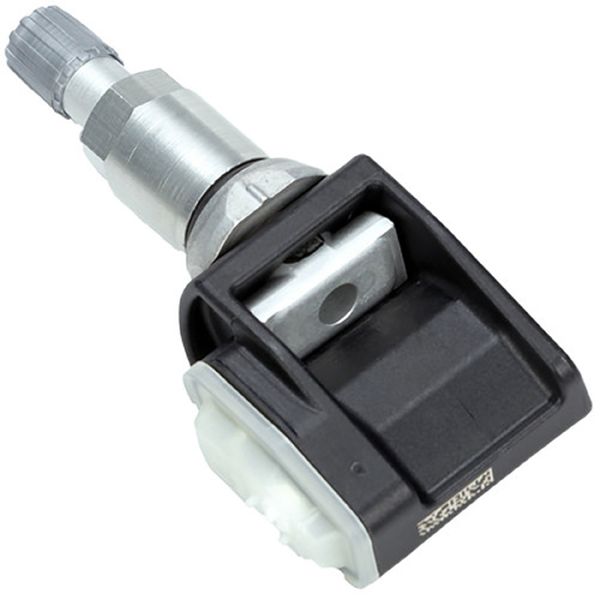
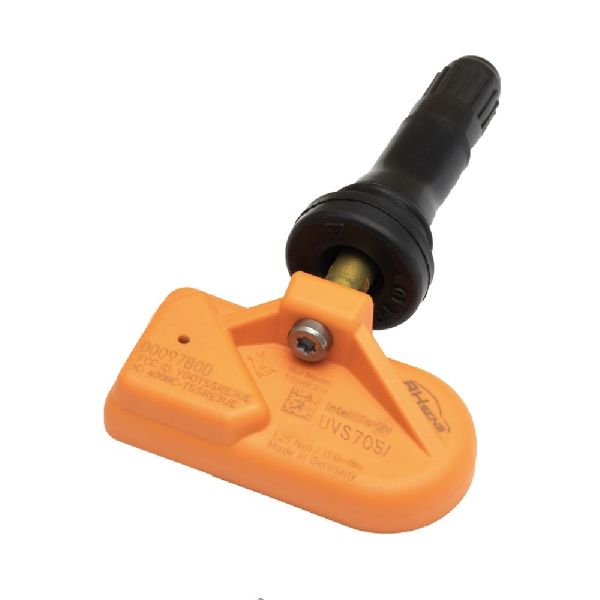
- TPMS Sensor (Front Left)
(OEM #40700-CK001, 40700-JA01B (supersedes CK001))— This is the direct cause of the C1708 code, most often due to an expired internal battery. The entire unit must be replaced. The part number 40700-JA01B is a common replacement that supersedes older numbers like 40700-CK001.
Trusted brands: Schrader (OEM supplier), Pacific (OEM supplier), Autel (programmable), VDO, Nissan Genuine
OEM price range: $80-$110
Aftermarket price range: $40-$70
Related Codes That Often Appear With This One
- C1709, C1710, C1711 — These codes correspond to the Front-Right, Rear-Right, and Rear-Left sensors, respectively. It is common for multiple sensor batteries to fail around the same time due to similar age, resulting in multiple 'No Data' codes appearing together.
Technical Service Bulletins (TSBs) & Recalls
- NTB13-088a: The primary TSB for this issue. It explicitly names 'Cell phone chargers' and other aftermarket devices as potential causes of RF interference leading to 'No Data' codes C1708, C1709, C1710, and C1711.
- NTB10-111: Documents how a faulty HVAC blower motor can cause intermittent TPMS codes on the Nissan Versa, a relevant example of component-generated RF interference.
Platform-Specific Known Issues
- Susceptibility to Radio Frequency (RF) interference from aftermarket accessories is a documented issue in Nissan TSB NTB13-088a.
- A DIY-friendly TPMS relearn procedure exists using a paperclip to ground a service connector under the dashboard, avoiding the need for expensive dealer tools if done correctly.
- The BCM is located in the passenger footwell area and can be susceptible to damage from water leaks originating from a clogged sunroof drain or A/C evaporator drain, potentially causing this and other electrical faults.
Mechanic-Grade Diagnostic Values
- TPMS Sensor RF Signal Frequency — expected: 315 MHz. Failure: No signal detected by a TPMS tool, or a signal blocked by interference.
Scan Tool Commands That Help
- Nissan CONSULT 3+: ID REGIST (ID Registration) — This function is used to register the unique ID of a new or moved TPMS sensor to the BCM. It is required after replacing a sensor or rotating tires to ensure the BCM knows which wheel position each sensor ID corresponds to.
- Nissan Signal Tech II (J-50190) or Transmitter Activation tool (J-45295-A): Sensor Activation ('Wake Up') — This specialty tool is used to force a TPMS sensor to transmit its data. It's used during the ID Registration procedure with the CONSULT scanner to identify each sensor one by one. It's also the primary tool for confirming if a sensor's battery is dead (if it fails to activate).
Wiring & Ground Locations
- Body Control Module (BCM) — Under the driver's side of the dashboard.. The BCM is the control unit that receives signals from the TPMS receiver, interprets the data, and sets codes like C1708. All diagnostic signals and power for the system route through or are controlled by the BCM.
- TPMS Receiver / Main Computer — Located behind the glove box.. This is the antenna and receiver that picks up the 315 MHz radio signals from the individual wheel sensors before passing the data to the BCM. A fault with this unit could prevent communication with all sensors.
- TPMS Service Connector — A single-wire white female connector, often taped to a wiring harness under the driver's side dash, near the OBD-II port.. This connector is the key to the DIY 'paperclip' relearn method. Grounding the pin in this connector 6 times within 10 seconds after turning the ignition on puts the BCM into learning mode without needing a scan tool.
- Fuse #19 (2005-2009 models) — In the fuse box located inside the glove compartment.. This 10A fuse provides power to the Tire Pressure Monitoring System, as well as the combination meter and data link connector. A blown fuse would cause the entire system to be inoperative.
Real Owner Repair Stories
- YouTube channel '_Moes_Garage_' (2006 Nissan Xterra) — Flashing then solid TPMS light after installing new wheels and TPMS sensors.
❌ Tried (didn't work) Initially, just driving the vehicle did not resolve the light.
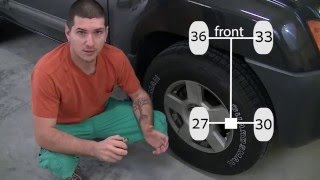
✅ What actually fixed it The owner successfully performed the DIY 'paperclip' relearn method, but by using different pressures in each tire (e.g., 35, 32, 29, 26 PSI). After grounding the service connector and driving, the light went out, then came back on solid (as expected due to the low pressure). After reinflating all tires to the correct 35 PSI and driving briefly, the light turned off completely, confirming a successful relearn. - YouTube channel 'Modding Addiction' (Nissan (model appears to be Frontier, similar system to Xterra)) — TPMS light on for 3 years, flashing then solid.
❌ Tried (didn't work) The owner attempted the pressure-differential relearn procedure three separate times. Each time, after putting the system in learn mode and driving, the light would go from flashing to solid instantly, indicating the relearn was not completing successfully.
✅ What actually fixed it The relearn procedure repeatedly failing led the owner to conclude that the problem was not the procedure but a bad TPMS sensor that was unable to communicate, preventing the system from completing the registration sequence. The final fix was to replace the faulty sensor.
OEM Part Supersession History
40700-JA01B→40700-JK01C— Part consolidation and revision by Nissan.
Heads up: The part number 40700-JK01C is a widely used replacement that supersedes a large number of previous part numbers, including 40700-JA01B, 40700-JA01C, and many others. Using the latest part number is recommended for best compatibility.
Model Year Variations Within This Range
- 2009-2012: For models 2009 and newer, the TPMS system may automatically reset the warning light after tire pressures are corrected to the proper specification. Models from 2008 and older are more likely to require a manual reset procedure (either with a scan tool or the 'paperclip method') even after pressures are corrected.
- 2005-2009 vs 2010-2015: The fuse box layout and numbering in the passenger compartment changed starting with the 2010 model year. While the system function is the same, the specific fuse number for the TPMS may differ. For 2005-2009, it is fuse #19.
Helpful Videos
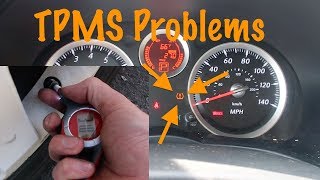
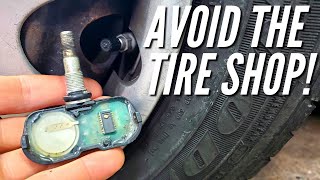
We Have This Part in Stock




The information in this article is provided for general reference and educational purposes only. Vehicle specifications, procedures, and part compatibility can vary by production date, trim level, and region. Always consult your vehicle's factory service manual and verify part numbers before purchasing or performing repairs. Safety-critical components such as airbags, seat belts, and braking systems should be installed by a qualified professional.
- Nissan XTERRA:
- 🧭 Diagnostic Flowchart
- 🎬 Helpful Videos
- 🛍️ Shop This Part
- What's Unique About the 2005-2012 Nissan XTERRA
- Symptoms You May Notice
- Most Likely Causes
- Rare But Worth Checking
- Diagnosis Steps
- Parts You'll Likely Need
- Related Codes That Often Appear With This One
- Technical Service Bulletins (TSBs) & Recalls
- Platform-Specific Known Issues
- Mechanic-Grade Diagnostic Values
- Scan Tool Commands That Help
- Wiring & Ground Locations
- Real Owner Repair Stories
- OEM Part Supersession History
- Model Year Variations Within This Range
- 🎟️ Get 5% Off