

C1709 on 2004-2009 Nissan 350Z: Front Right TPMS Sensor Fault Explained
Code C1709 on a Nissan 350Z means the front right TPMS sensor is not sending a signal, usually due to a dead battery. The fix is to replace the sensor at a tire shop and register the new one, costing around $80-$150 for the part and labor. Before replacement, unplug all aftermarket phone chargers to rule out radio frequency interference, a known issue for this platform.
- C1709 means the front right TPMS sensor has failed, most likely from an old battery.
- The symptom is a TPMS light that flashes for a minute at startup, then stays on.
- Before replacing the sensor, unplug all phone chargers and aftermarket electronics to rule out radio frequency interference, a known Nissan issue detailed in TSB NTB13088A.
- Replacement requires a tire shop to dismount the tire and a special tool to register the new sensor, although a manual relearn procedure is possible for DIYers.
- When one sensor fails, the others are likely near the end of their life as well. Consider replacing all four if you are already getting new tires.
What's Unique About the 2004-2009 Nissan 350Z
For the 2004-2009 Nissan 350Z, this code is extremely common due to the age of the vehicle. The original TPMS sensors contain non-serviceable batteries with a lifespan of 7-10 years, meaning most are failing or have already failed. Additionally, as noted in Nissan TSB NTB13088A, these models are susceptible to radio frequency (RF) interference from aftermarket electronics like 'Smart cell phone chargers', which can mimic a sensor failure and trigger this code. The 350Z, being a popular enthusiast car, is often modified with various electronics, increasing the likelihood of this issue.
Diagnostic Flowchart
Tap your situation to follow the diagnostic path that matches what you're seeing on this vehicle.
Symptoms You May Notice
- TPMS warning light on the dashboard flashes for approximately one minute at startup, then stays on solid.
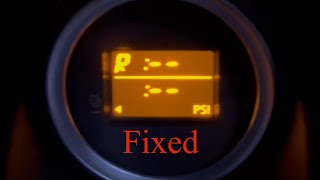
- Inability to see the front right tire pressure reading on the vehicle's display (if equipped), which will typically show as '--'.
- A 'Check Tire Pressure' message may appear on the information display for some models.
- Replacing the TPMS sensor without first checking for RF interference from chargers.
- Replacing the wrong wheel's sensor because the tires were rotated without relearning their positions. A TPMS tool should be used to trigger each sensor to confirm its location before replacement.
- Assuming the BCM is bad when it is almost always the sensor itself.
- Using cheap, un-programmable aftermarket sensors that fail to register with the vehicle, as reported by some owners.
Most Likely Causes
- Dead TPMS Sensor Battery 🔴 High Probability → Shop Tire Pressure Monitoring System (TPMS) Sensor The sensors have a finite battery life of 7-10 years. For the 2004-2009 model years, all original sensors are at or beyond their expected service life. This is the most common reason for C1709.
How to confirm: Use a TPMS diagnostic tool to attempt to activate the sensor at the front right wheel. If the tool cannot get a reading (no ID, pressure, or temperature), the sensor is not transmitting and is considered dead. A tire shop can perform this test in minutes.
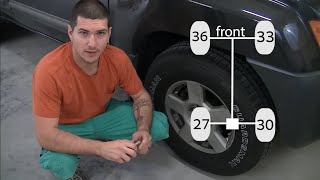
Typical fix: Replace the front right TPMS sensor and register the new sensor ID to the vehicle's BCM. Many owners on forums like my350z.com debate replacing just one or all four, with the consensus being that if one has failed due to age, the others are not far behind.
Est. part cost: $30-$115 - Radio Frequency (RF) Interference 🟡 Medium Probability Nissan TSB NTB13088A specifically calls out this issue for many models of this era. Aftermarket 12V accessories, especially cheap phone chargers, dash cams, and power inverters, can emit RF noise that blocks the 315 MHz signal from the TPMS sensor.
How to confirm: Unplug all aftermarket devices from the 12V power outlets. Clear the codes (if possible) and drive the vehicle above 16-25 MPH for several minutes to see if the code returns or the light goes out. If the light turns off, one of the accessories was the cause.
Typical fix: Remove or replace the interfering electronic device.
Est. part cost: $0 - Faulty TPMS Sensor ⚪ Low Probability → Shop Tire Pressure Monitoring System (TPMS) Sensor Physical damage during tire service is a common cause of premature failure. Internal electronic failure (separate from the battery) can also occur, though it's less common than battery death.
How to confirm: If the sensor's battery is confirmed to be good with a TPMS tool but it still won't register or provides erratic data, the sensor itself is faulty. This is a less common scenario.
Typical fix: Replace the front right TPMS sensor and perform the registration procedure.
Est. part cost: $30-$115
Rare But Worth Checking
- Faulty Body Control Module (BCM) / TPMS Receiver: This is very rare. A BCM failure typically presents with multiple, unrelated electrical issues like erratic lights, door locks, or starting problems. A Reddit user with a 2006 350Z reported a no-start condition that was ultimately diagnosed as a failed BCM, which is a more severe symptom than just a TPMS light. If a new, known-good sensor cannot be registered and RF interference is ruled out, the BCM's receiver may be the issue, though this would likely affect more than one sensor.
Diagnosis Steps
- Verify the symptom: Confirm the TPMS light flashes for ~60 seconds on startup before going solid. A solid light on its own usually just means low pressure.
- Scan for codes with a scanner capable of reading BCM/Chassis codes to confirm C1709 is present.
- Rule out RF interference: Unplug ALL aftermarket accessories (phone chargers, dash cams, GPS, etc.). Clear the code and drive above 16 MPH to see if it returns.
- Use a TPMS diagnostic tool at the front right wheel to attempt to 'wake up' the sensor and read its ID, pressure, temperature, and battery status.
- If the tool gets no response or shows a low battery, the sensor has failed and must be replaced.
- If the tool gets a response, there may be an issue with the vehicle's receiver or a past tire rotation has confused the sensor locations. Attempt a TPMS relearn procedure.
- If the sensor is replaced, a TPMS relearn/registration procedure must be performed. This can be done with a TPMS tool or by attempting the manual relearn procedure.
- If a new sensor cannot be registered, double-check that it is a compatible brand (OEM, Schrader, VDO, Autel are commonly used) and that there is no RF interference. If problems persist, the BCM/receiver may need to be investigated, though this is rare.
Parts You'll Likely Need
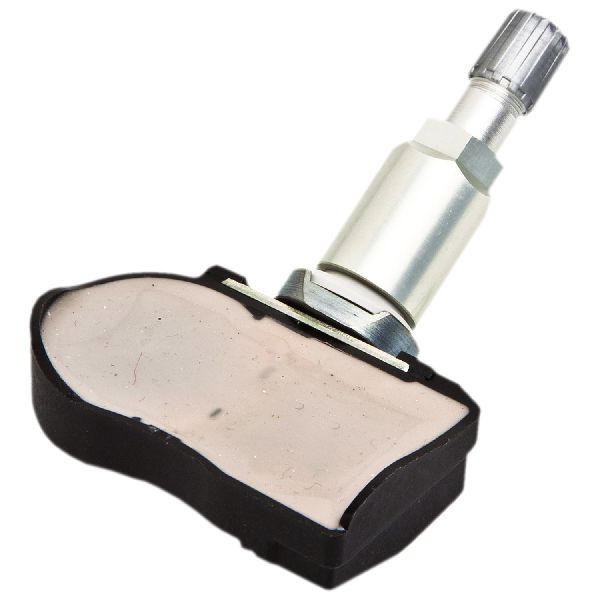
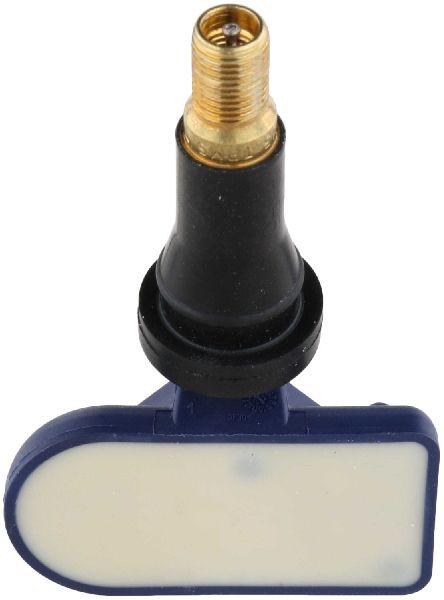
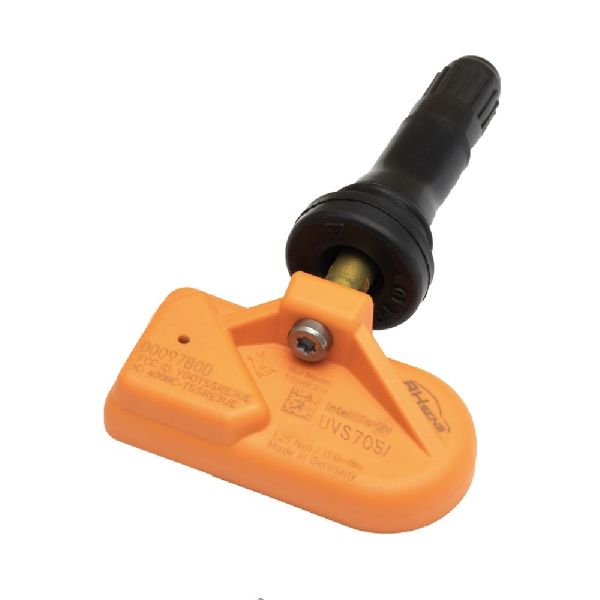
- Tire Pressure Monitoring System (TPMS) Sensor
(OEM #40700-CD001, 40700-JA01C)— This is the component that fails, almost always due to its internal battery expiring. The entire unit is non-serviceable and must be replaced. Part number 40700-CD001 is the original for early models and replaces 40700-CD000. Later models may use 40700-JA01C or other supersessions.
Trusted brands: Schrader (OEM supplier), Continental/VDO, Autel (Programmable), Huf, Dorman
OEM price range: $75-$115
Aftermarket price range: $30-$70 - TPMS Sensor Service Kit
(OEM #N/A (e.g., Schrader 20014))— If reusing a sensor after a tire change, it is best practice to replace the valve stem components (grommet, nut, valve core, cap) to prevent leaks. New sensors typically include these parts.
Trusted brands: Schrader, Dorman
OEM price range: $5-$10
Aftermarket price range: $3-$8
Related Codes That Often Appear With This One
- C1708 — This is the code for the front left sensor. It's common for sensor batteries to fail around the same time due to age, leading to multiple codes at once.
- C1710 — This is the code for the rear right sensor. Seeing multiple codes at once suggests either several sensors are failing from age or a central issue like RF interference or a receiver problem.
- C1711 — This is the code for the rear left sensor.
Technical Service Bulletins (TSBs) & Recalls
- NTB13088A - Details how Radio Frequency (RF) interference from aftermarket accessories like 'Smart cell phone chargers' can cause a 'No Data' condition, triggering codes C1708, C1709, C1710, or C1711. It advises removing these devices before performing further diagnostics.
Platform-Specific Known Issues
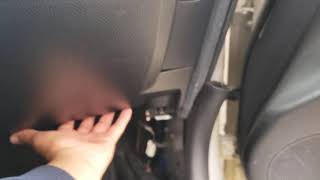
- A manual TPMS registration procedure is possible and well-documented by owners. It involves locating a single-wire white connector under the driver's side dash near the OBD-II port, 🎬 Watch: How to find the hidden TPMS reset connector location. turning the ignition ON, and grounding the pin in the connector to the chassis multiple times (typically 6 times in 10 seconds) to put the BCM into learning mode. The TPMS light will start flashing slowly. Driving the car for several minutes should then allow the BCM to learn the new sensor ID.
- Some owners on Reddit have reported difficulty with the manual relearn procedure, stating that it would not complete, while others had success using an inexpensive TPMS reset tool from Amazon.
Mechanic-Grade Diagnostic Values
- TPMS Sensor Signal Strength — expected: ~12-14 dBm. Failure: A significantly lower reading, or no reading, indicates a weak or dead sensor.
- Live Tire Pressure Data (PID) — expected: Actual tire pressure in PSI or kPa.. Failure: A reading of '0' or '--' for a specific wheel after driving above 25 MPH indicates a non-communicating sensor.
Scan Tool Commands That Help
- OBD Fusion (with Nissan Enhanced Diagnostics): Connect to 'Network D' to access the Body Control Module (BCM). From there, select 'Tire Pressures' from the PID menu. — This is used to view live pressure data from all four sensors in real-time to confirm which sensor is not reporting. The vehicle must be driven over ~25 MPH (40 km/h) to wake the sensors from sleep mode.
- Nissan CONSULT-II / CONSULT-III: Work Support function for 'ID REGIST'. — This is the dealer-level tool function used to manually register new TPMS sensor IDs to the BCM after a sensor replacement.
Wiring & Ground Locations
- Body Control Module (BCM) — Located in the driver's side kick panel area, typically mounted to or near the interior fuse block.. The BCM is the primary control unit for the TPMS. It receives data from the TPMS receiver and reports the trouble code. A poor connection or ground at the BCM can cause various electrical issues.
- TPMS Receiver — A separate module located in the passenger side dashboard area, often described as being to the right of the center stack and near the blower motor housing.. This is the dedicated antenna/receiver for the TPMS sensor signals. A failure or disconnection of this module would cause a loss of signal from all sensors and is a rare but possible cause for TPMS codes if the sensors themselves are good.
- Tire Pressure Warning Check Connector — For 2006 and newer models, this is a single-wire white connector tucked away under the dashboard on the PASSENGER side, sometimes requiring partial removal of trim to access. Note: This contradicts some information for earlier models which place it on the driver's side.. This connector is intentionally grounded multiple times to put the BCM into the manual 'learning mode' for registering new TPMS sensors without a scan tool.
- Ground Point M30 — Located behind the instrument cluster.. This is one of the main grounding points for many dash components. A poor ground here could potentially cause communication issues with the BCM or gauge cluster, although it would likely present with multiple other symptoms.
Real Owner Repair Stories
- my350z.com forum user (2007 Nissan 350Z Roadster) — Owner was bothered by the lack of an individual tire pressure display on the center gauges, a feature present on earlier models.
❌ Tried (didn't work) Accepting the factory 'idiot light' functionality.
✅ What actually fixed it The owner purchased a center gauge cluster from a 2005 350Z and swapped it into their 2007 model. The swap was plug-and-play and successfully restored the individual tire pressure display function that was removed in the 2007+ models. - YouTube user @SchraderTPMS (2006 Nissan 350Z) — Implicit need to register new TPMS sensors after installation.
✅ What actually fixed it After installing new Schrader EZ-Sensors, the manual self-relearn procedure was performed. This involved setting specific pressures in each tire, grounding the passenger-side TPMS reset connector 6 times with the ignition on, and then driving over 20 MPH for 12-15 minutes until the flashing TPMS light went out, confirming the new sensors were learned successfully. - NICOclub.com forum user (2006 Nissan 350Z Coupe Base) — Needed to perform a TPMS reset/relearn after replacing a bad sensor.
❌ Tried (didn't work) Searching for the 'Tire Pressure Warning Check Connector' on the driver's side of the dash based on information for other models.
✅ What actually fixed it The user eventually found the correct connector location for their 2006 model by consulting the Factory Service Manual. It was located on the passenger side, tucked up under the airbag cover, requiring partial trim removal to access.
OEM Part Supersession History
40700-CD000→40700-CD001— Standard part revision/update.
Heads up: This part number is specific to the 2003-2006 model years.40700-CD001→40700-1AA0B / 40700-JA01C (and others)— System change for the model year facelift.
Heads up: The 40700-CD001 sensor for early models is NOT compatible with 2007-2009 350Z models. Later models require a different part, such as 40700-1AA0B or its supersessions. Using the wrong sensor will result in a failure to register with the BCM.
Model Year Variations Within This Range
- 2007-2009 only: The individual tire pressure display on the center triple-gauge cluster was removed. These models only have a TPMS warning light, whereas 2003-2006 models could show the pressure for each tire.
- 2007-2009: The OEM TPMS sensor part number changed. Early models use 40700-CD001, while later models (2007+) use a different sensor, such as 40700-1AA0B. The parts are not interchangeable.
- 2006-2009 (unconfirmed for all, but reported for these years): The location of the manual 'Tire Pressure Warning Check Connector' moved from the driver's side to the passenger's side, under the dash.
Helpful Videos
We Have This Part in Stock



The information in this article is provided for general reference and educational purposes only. Vehicle specifications, procedures, and part compatibility can vary by production date, trim level, and region. Always consult your vehicle's factory service manual and verify part numbers before purchasing or performing repairs. Safety-critical components such as airbags, seat belts, and braking systems should be installed by a qualified professional.
- Nissan 350Z:
- 🧭 Diagnostic Flowchart
- 🎬 Helpful Videos
- 🛍️ Shop This Part
- What's Unique About the 2004-2009 Nissan 350Z
- Symptoms You May Notice
- Most Likely Causes
- Rare But Worth Checking
- Diagnosis Steps
- Parts You'll Likely Need
- Related Codes That Often Appear With This One
- Technical Service Bulletins (TSBs) & Recalls
- Platform-Specific Known Issues
- Mechanic-Grade Diagnostic Values
- Scan Tool Commands That Help
- Wiring & Ground Locations
- Real Owner Repair Stories
- OEM Part Supersession History
- Model Year Variations Within This Range
- 🎟️ Get 5% Off