

C1709 on 2011-2015 Nissan JUKE: Front Right TPMS Sensor Fault Causes and Fixes
C1709 means the front right TPMS sensor is not communicating, most often due to a dead internal battery. The fix is to replace the sensor and have it programmed to the vehicle, which typically requires a tire shop. Expect to pay $35-$105 for the part. Before any repair, unplug all aftermarket 12V accessories to rule out radio frequency interference, a known Nissan issue.
- C1709 points specifically to a communication failure with the front right TPMS sensor, not low tire pressure.
- The most common cause is the sensor's internal battery dying due to age (5-10 years).
- Before replacing any parts, unplug all aftermarket phone chargers and electronics from the 12V outlets to rule out radio frequency interference, a known Nissan issue documented in TSB NTB13088A.
- Sensor replacement is not a DIY job; it requires a tire shop's tools to dismount the tire and a special scanner to register the new sensor with the car's computer.
What's Unique About the 2011-2015 Nissan JUKE
For the Nissan Juke and similar models, a common cause for TPMS communication codes like C1709 🎬 Watch: Diagnosing C1709 'No Data' codes on a Nissan system. is radio frequency (RF) interference from aftermarket accessories plugged into the 12V power outlets. Nissan issued a Technical Service Bulletin (NTB13088A) acknowledging that devices like 'Smart' phone chargers, dash cams, or GPS units can disrupt the sensor signals, causing a 'No Data' condition. This should always be checked before replacing any parts, as the interference is not a warrantable defect.
Diagnostic Flowchart
Tap your situation to follow the diagnostic path that matches what you're seeing on this vehicle.
Symptoms You May Notice
- TPMS warning light on the dashboard that flashes for approximately one minute after startup, then stays on solid.
- Inability to get a pressure reading for the front right tire on a multi-tire display (if equipped).
- A 'TPMS Error See Owner's Manual' message may appear on the instrument cluster display.
- Replacing the TPMS sensor without first checking for radio frequency interference from a phone charger.
- Assuming the TPMS light indicates low tire pressure, when a flashing light signifies a system fault.
- Replacing the sensor on the wrong wheel. C1709 is for the front right wheel.
- Using aftermarket tire sealants, which can damage the TPMS sensor and is not covered by warranty.
Most Likely Causes
- Dead TPMS Sensor Battery 🔴 High Probability → Shop Tire Pressure Monitoring System (TPMS) Sensor The sealed batteries inside TPMS sensors have a finite lifespan of 5-10 years. Vehicles in the 2011-2015 year range are at or beyond the typical life expectancy of the original sensors, making battery failure the most common cause.
How to confirm: A professional tire shop can use a TPMS activation tool to try and read the sensor. If the tool gets no response, the battery is dead and the sensor has failed. The tool may also show a 'Low Battery' status even if it gets a weak reading; a remaining life below 15 months is a failure indicator.
Typical fix: Replace the front right TPMS sensor. The entire unit must be replaced as the battery is not serviceable. It is often recommended to replace all four sensors at once on an older vehicle to avoid future repeat repairs.
Est. part cost: $35-$105 - Radio Frequency (RF) Interference 🟡 Medium Probability As documented in Nissan TSB NTB13088A, these vehicles are susceptible to RF interference from aftermarket electronics (especially 'smart' phone chargers, dash cams, or GPS units) plugged into the 12V outlets. Cheap or poorly-shielded chargers are common culprits.
How to confirm: Unplug all aftermarket accessories from the 12V power sockets. Turn the car off and on again and drive for a few minutes above 16 MPH (25 km/h) to see if the TPMS light turns off.
Typical fix: Remove or replace the interfering electronic device. No parts replacement is necessary.
Est. part cost: $0 - Failed TPMS Sensor (Internal Fault) ⚪ Low Probability → Shop Tire Pressure Monitoring System (TPMS) Sensor Sensors can fail from internal electronic faults or physical damage from impacts like hitting a pothole, curb, or during a tire change. Corrosion of the valve stem can also damage the sensor.
How to confirm: Even if a TPMS tool can read the sensor, it may have an intermittent fault. If RF interference is ruled out and the battery status appears good, the sensor itself is the next logical point of failure.
Typical fix: Replace the front right TPMS sensor and register it to the vehicle.
Est. part cost: $35-$105
Rare But Worth Checking
- Faulty Body Control Module (BCM):
Diagnosis Steps
- Confirm the symptom: Start the vehicle and verify the TPMS warning light flashes for about 60 seconds and then remains solid.
- Check for RF Interference: Unplug ALL aftermarket accessories (phone chargers, dash cams, etc.) from the 12V power outlets. Drive the vehicle for several minutes above 16 MPH to see if the light extinguishes.
- Scan for Codes: Use an OBD-II scanner capable of reading Chassis ('C') codes to confirm C1709 is present and to check for other related codes.
- Activate Sensor with TPMS Tool: A technician should use a dedicated TPMS tool near the front right tire's valve stem to attempt to read the sensor's ID, pressure, temperature, and battery status.
- Analyze Tool Response: If the tool cannot get a response, the sensor has failed (likely a dead battery) and must be replaced. If the tool reads 'Low Battery' (e.g., <15 months life remaining), the sensor is failing. If the tool gets no response from a new sensor, attempt to 'wake' it from sleep mode.
- Check for BCM Issues: If new sensors fail to register or the problem is intermittent across multiple wheels, investigate the BCM for fault codes, connection issues, or signs of water intrusion. The BCM is located in the driver's side footwell, behind the fuse box.
- Replace and Relearn: If the sensor is determined to be faulty, replace it. The new sensor's unique ID must then be registered to the vehicle's BCM using a TPMS programming/relearn tool, often the Nissan CONSULT system.
Parts You'll Likely Need
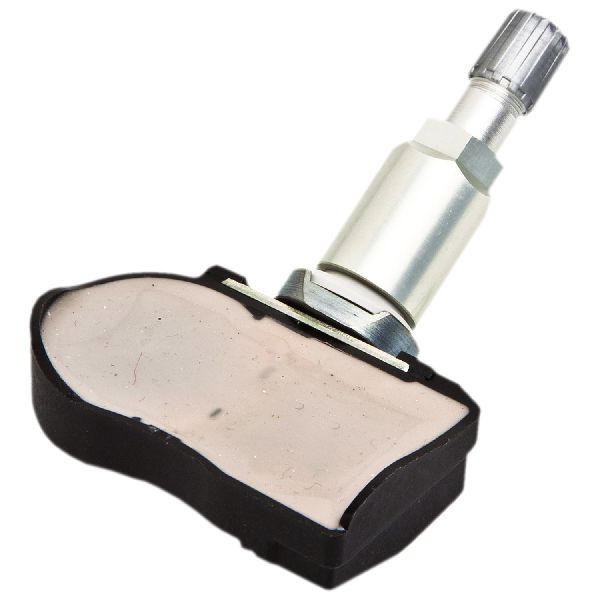
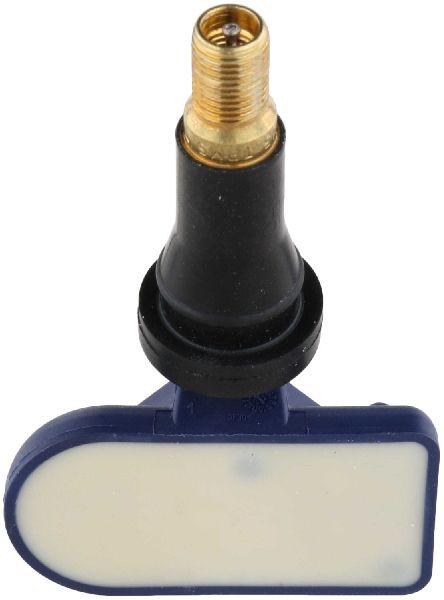
- TPMS Sensor
(OEM #40700-JK01C)— This is the direct cause of the code when the internal battery dies or the sensor fails. The part number 40700-JK01C is a common service part that supersedes many previous numbers like 40700-JK00B, 40700-JK00E, and others. Always verify the correct part number with the vehicle's VIN, as models with or without 'Intelligent Key' may use different parts like 40700-3AN1B.
Trusted brands: Schrader (Often the OEM supplier), Continental/VDO, Denso, Huf/Beru
OEM price range: $70-$105
Aftermarket price range: $35-$60
Related Codes That Often Appear With This One
- C1708 — This is the code for the Front Left sensor. Seeing both codes together may indicate that multiple sensor batteries are failing around the same time due to age, or a stronger source of RF interference is affecting both front sensors.
- C1710 — This is the code for the Rear Right sensor. Multiple TPMS codes appearing at once make RF interference or a fault with the BCM (TPMS receiver) more likely than multiple simultaneous sensor failures.
- C1711 — This is the code for the Rear Left sensor. TSB NTB13088A groups all four codes (C1708, C1709, C1710, C1711) as having the same potential causes.
Technical Service Bulletins (TSBs) & Recalls
- NTB13088A: Discusses Low Tire Pressure Warning System (LTPWS) information, including radio frequency interference causing 'No Data' conditions for codes C1708, C1709, C1710, and C1711. It explicitly warns against warranty claims for this issue and advises removing aftermarket electronics as the first step.
Platform-Specific Known Issues
- Nissan TSB NTB13088A specifically calls out that radio frequency interference from devices like 'Smart cell phone chargers' can cause a 'No Data' condition, leading to codes C1708, C1709, C1710, or C1711. This is a well-documented issue and should be the first diagnostic check.
- Some owners on forums have reported persistent TPMS issues even after replacing sensors, with the problem ultimately being traced to a faulty BCM or needing genuine Nissan OEM sensors to resolve the fault, suggesting the system can be sensitive.
Mechanic-Grade Diagnostic Values
- TPMS Sensor Retaining Screw Torque — expected: 1.4 ± 0.1 N.m. Failure: An improperly torqued screw can lead to sensor damage or air leaks.
- TPMS Sensor Battery Life (via TPMS Tool) — expected: New sensors report ~120 months.. Failure: A reading below 15 months indicates the sensor is at the end of its life and can cause intermittent faults.
Scan Tool Commands That Help
- Nissan CONSULT-III Plus: ID REGIST (Work Support) — This function is used to register the unique IDs of new TPMS sensors to the BCM after replacement. The tool prompts the technician to use an activator at each wheel in sequence.
- Nissan CONSULT-III Plus: WRITE CONFIGURATION — This function is mandatory when replacing the Body Control Module (BCM). It writes the vehicle's specific configuration data to the new module. Failure to perform this step will result in system malfunctions.
- Nissan CONSULT-III Plus: READ CONFIGURATION — Used to extract the vehicle's configuration from the old BCM before removal, which can then be used as a reference for programming the new BCM.
Wiring & Ground Locations
- Body Control Module (BCM) — Located on the driver's side (left side) of the vehicle, behind the dash and inboard of the A-pillar, tucked behind the interior fuse box.. The BCM is the receiver for all TPMS sensor signals. A fault with the BCM, its power, or its ground connection can mimic a failed sensor and cause a C1709 code.
- BCM Connector M76 — The main electrical connector plugged into the BCM in the driver's side kick panel area.. A loose or corroded pin in this connector could interrupt power, ground, or data lines to the BCM, preventing it from receiving TPMS signals.
- Ground Point E104 — A primary ground point located at the left end of the dashboard.. This ground serves multiple components in the dash area. A loose or corroded connection here could create a floating ground for the BCM, causing unpredictable electronic issues, including TPMS communication failures.
Real Owner Repair Stories
- Go-Parts.com article citing XterraNation Forum (2006 Nissan Xterra (Analogous TPMS system)) — Flashing TPMS light, code C1709 present, sometimes intermittent.
❌ Tried (didn't work) Replaced the front right TPMS sensor with a new one., Performed the TPMS relearn procedure multiple times., Checked for RF interference by unplugging all accessories.
✅ What actually fixed it The owner took the vehicle to a dealer who diagnosed and replaced a faulty Body Control Module (BCM). Programming the new BCM resolved the C1709 code permanently.
When the Usual Fixes Don't Work
- While a failed sensor is the most common cause for C1709, it is not the only cause. Multiple owner and technician reports confirm that if a new, known-good OEM sensor is installed and correctly registered but the code persists (and RF interference is ruled out), the root cause is likely a faulty Body Control Module (BCM). In these cases, replacing the sensor repeatedly will not fix the issue; the BCM itself must be diagnosed and replaced.
OEM Part Supersession History
40700-JK00B, 40700-JK00E→40700-JK01C— Standard part evolution and consolidation.40700-3AN1A→40700-3AN1B— Part revision.
Heads up: Part listings indicate that different sensors may be used for Juke models with or without the 'Intelligent Key' (push-to-start) system. Using the wrong sensor type may result in failure to register with the BCM. Always verify by VIN.
Model Year Variations Within This Range
- 2011-2015: The primary parts variation within this generation is not year-based, but feature-based. Vehicles equipped with Nissan's 'Intelligent Key' system may require a different TPMS sensor part number than base models with a traditional key.
Helpful Videos
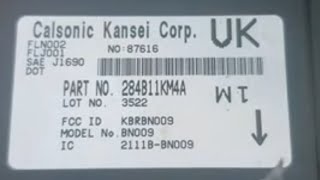
We Have This Part in Stock




The information in this article is provided for general reference and educational purposes only. Vehicle specifications, procedures, and part compatibility can vary by production date, trim level, and region. Always consult your vehicle's factory service manual and verify part numbers before purchasing or performing repairs. Safety-critical components such as airbags, seat belts, and braking systems should be installed by a qualified professional.
- Nissan JUKE:
- 🧭 Diagnostic Flowchart
- 🎬 Helpful Videos
- 🛍️ Shop This Part
- What's Unique About the 2011-2015 Nissan JUKE
- Symptoms You May Notice
- Most Likely Causes
- Rare But Worth Checking
- Diagnosis Steps
- Parts You'll Likely Need
- Related Codes That Often Appear With This One
- Technical Service Bulletins (TSBs) & Recalls
- Platform-Specific Known Issues
- Mechanic-Grade Diagnostic Values
- Scan Tool Commands That Help
- Wiring & Ground Locations
- Real Owner Repair Stories
- When the Usual Fixes Don't Work
- OEM Part Supersession History
- Model Year Variations Within This Range
- 🎟️ Get 5% Off