

C1709 on 2011-2015 Nissan LEAF: TPMS 'No Data' Fault Explained
Code C1709 on a 2011-2015 Nissan LEAF means the system is not receiving data from a tire pressure sensor, most commonly the front-right. This is usually caused by a dead sensor battery or radio frequency (RF) interference from an aftermarket device like a phone charger. Before any repairs, unplug all 12V accessories. Replacing the sensor costs about $40-$100 per part, plus labor.
- C1709 means the TPMS sensor (usually front-right) is not sending a signal.
- Before buying any parts, unplug all phone chargers and aftermarket electronics from the 12V outlets to rule out radio frequency interference, a known Nissan issue.
- The most likely cause on a 2011-2015 model is a dead battery inside the TPMS sensor, which has a 5-10 year lifespan.
- A weak 12V accessory battery can cause this and other random electronic faults on a LEAF; test it if it's over 3 years old.
- Sensor replacement requires tire removal and a special tool to register the new sensor ID with the car.
What's Unique About the 2011-2015 Nissan LEAF
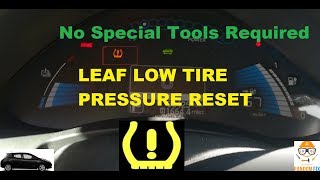
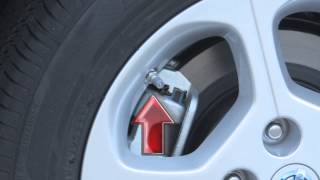
The Nissan LEAF, like many other Nissan models, is particularly susceptible to radio frequency (RF) interference, which can disrupt the signal from the TPMS sensors and trigger codes like C1709. Nissan issued a Technical Service Bulletin (TSB NTB13088A) 🎬 Watch: Official 2013 Nissan LEAF TPMS overview and operation specifically about this issue, warning that devices like aftermarket phone chargers, dash cams, or even wireless phone charging docks plugged into the 12V outlet can cause a 'No Data' condition. Additionally, as an electric vehicle, the LEAF's entire electronic ecosystem depends on a healthy 12-volt accessory battery to boot up the car's computers before the main high-voltage battery engages. A weak or failing 12V battery can cause a variety of seemingly unrelated electronic issues, including TPMS faults, before any other starting problems are noticed.
Diagnostic Flowchart
Tap your situation to follow the diagnostic path that matches what you're seeing on this vehicle.
Symptoms You May Notice
- TPMS warning light flashes for approximately one minute after startup, then remains on solid.
- Tire pressure reading for one wheel is missing from the vehicle information display.
- Using a diagnostic tool like Leaf Spy Pro shows one or more tire pressure readings as frozen or absent.
- Replacing the TPMS sensor without first unplugging all 12V accessories to check for RF interference.
- Assuming the TPMS light indicates low tire pressure, when a flashing light signifies a system fault.
- Replacing only one sensor when all are of the same age, leading to another failure a few months later.
Most Likely Causes
- Dead TPMS Sensor Battery 🔴 High Probability → Shop Tire Pressure Monitoring System (TPMS) Sensor TPMS sensors contain non-rechargeable batteries with a finite lifespan of 5-10 years. For vehicles in the 2011-2015 range, these original sensors are at or beyond their expected service life, making battery failure the most common cause.
How to confirm: Use a TPMS diagnostic tool to attempt to activate the sensor. If the tool receives no response or shows a low battery status, the sensor has failed. This is the definitive test before replacing the part.
Typical fix: Replace the failed TPMS sensor. It is often recommended to replace all four sensors at the same time, especially if they are original and new tires are being mounted, to save on future labor costs.
Est. part cost: $40-$100 - Radio Frequency (RF) Interference 🟡 Medium Probability As documented in Nissan TSB NTB13088A, aftermarket electronics (especially 'smart' phone chargers, dash cams, or wireless chargers) plugged into the 12V power outlets can emit RF noise that blocks the 315 MHz signal from the TPMS sensors. Owners on forums have specifically identified cheap USB chargers and wireless charging docks as culprits.
How to confirm: Unplug all aftermarket devices from the 12V power sockets. Turn the vehicle off and on again, and drive for several minutes above 16 MPH to see if the TPMS light turns off and the code clears.
Typical fix: Remove or replace the interfering electronic device. Sometimes, using a high-quality power cord with a ferrite core can solve the issue.
Est. part cost: $0 - Weak 12-Volt Accessory Battery ⚪ Low Probability The Nissan LEAF relies on a conventional 12V battery to power its electronics and computers before the main high-voltage battery engages. The car's charging system for the 12V battery is not as robust as an alternator in a gas car, sometimes leading to a chronically undercharged state. A weak or failing 12V battery can cause low-voltage conditions that lead to numerous, seemingly random electronic faults, including in the BCM and TPMS.
How to confirm: Test the 12V battery with a multimeter after the car has been off for several hours. A healthy battery should read approximately 12.6-12.7 volts. A reading between 12.3V and 12.5V indicates sulfation and a weak battery, while anything lower suggests it needs immediate replacement. A service manual may also specify a DTC B2562 (LOW VOLTAGE) if the BCM voltage remains below 8.8V for 120 seconds or more.
Typical fix: Replace the 12V accessory battery. Many owners on MyNissanLeaf.com recommend upgrading to an AGM battery for better longevity. Ensure the new battery is fully charged before installation, as a new but undercharged battery can still cause issues.
Est. part cost: $150-$250
Rare But Worth Checking
- Faulty Body Control Module (BCM) or TPMS Receiver: If a new, known-good sensor cannot be registered to the vehicle and RF interference has been ruled out, the BCM or its integrated TPMS receiver may be at fault. This is uncommon and should be diagnosed by a professional after all other causes are eliminated.
Diagnosis Steps
- Verify the code with an OBD-II scanner capable of reading 'C' (Chassis) codes.
- Note the TPMS light behavior: a light that flashes for a minute at startup before turning solid confirms a system fault, not low pressure.
- Crucial First Step: Unplug ALL aftermarket electronics from the 12V power outlets (phone chargers, dash cams, etc.) to rule out Radio Frequency (RF) interference, as per TSB NTB13088A.
- Drive the vehicle for several minutes above 16 MPH to see if the system resets and the light goes out.
- If the light remains, test the 12V accessory battery. With the car off for at least an hour, a healthy battery should show ~12.6V. Readings below 12.4V indicate a weak battery that can cause random electronic faults. Check for BCM code B2562 (LOW VOLTAGE) with an advanced scanner.
- If the 12V battery is healthy and RF interference is ruled out, use a TPMS activation tool at the front-right wheel to check the sensor's battery status and signal.
- If the tool gets no response or shows a low battery, the sensor has failed and must be replaced.
- If a new sensor is installed, it must be registered to the vehicle using a compatible TPMS programming tool, such as an Autel TS508 or Delphi BlueTech, or with the Leaf Spy Pro app.
Parts You'll Likely Need
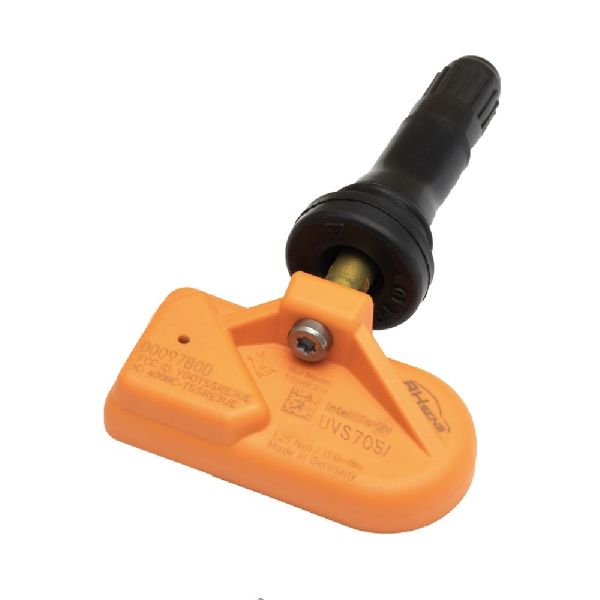
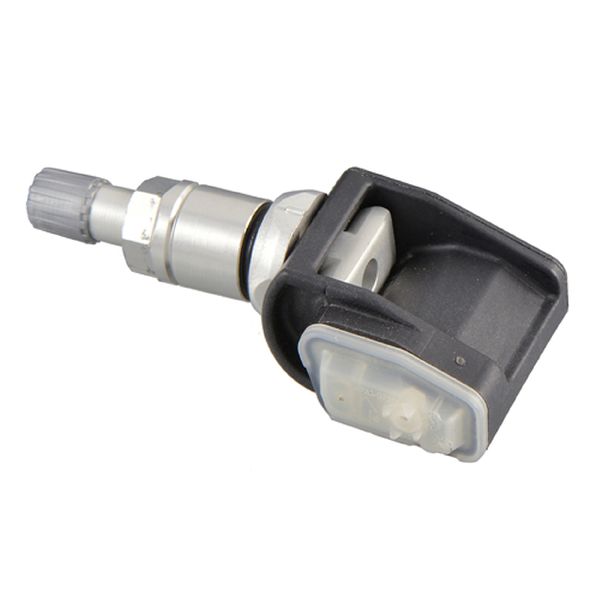
- Tire Pressure Monitoring System (TPMS) Sensor
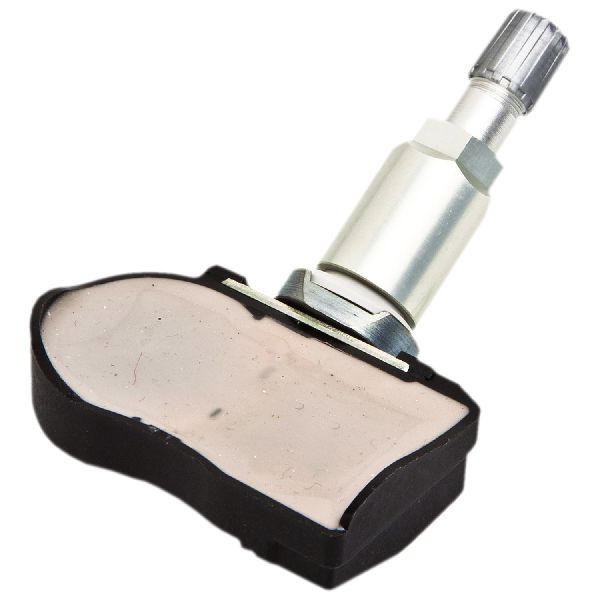
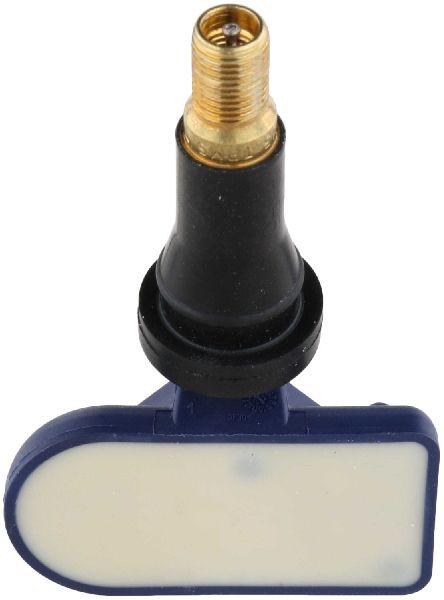
(OEM #40700-3AN1B)— This is the most common failure. The non-serviceable battery inside the sensor dies, causing the loss of signal that triggers code C1709. This part number supersedes the older 40700-3AN1A. It is a 315 MHz clamp-in style sensor.
Trusted brands: Nissan Genuine OEM, Continental/VDO (often the OEM supplier), Schrader, Huf, Autel (programmable MX-Sensor)
OEM price range: $70-$100
Aftermarket price range: $35-$60
Related Codes That Often Appear With This One
- C1708 — This is the 'No Data' code for the Front-Left sensor. Seeing it with C1709 suggests multiple sensors are failing from age or a significant RF interference issue is affecting both front sensors.
- C1710 — This is the 'No Data' code for the Rear-Right sensor. When multiple TPMS codes appear, it's highly likely the sensor batteries are failing around the same time.
- C1711 — This is the 'No Data' code for the Rear-Left sensor. The presence of multiple codes points towards a systemic issue like RF interference or multiple aged-out sensors.
Technical Service Bulletins (TSBs) & Recalls
- NTB13088A: Summarizes common TPMS/LTPWS issues, specifically mentioning RF interference from devices like phone chargers as a cause for 'No Data' codes C1708-C1711 across many Nissan models.
Platform-Specific Known Issues
- Nissan TSB NTB13088A directly addresses codes C1708, C1709, C1710, and C1711, identifying Radio Frequency (RF) interference from aftermarket electronics as a primary cause for a 'No Data' condition.
- The 12V battery charging logic in early LEAFs can lead to premature battery degradation, causing a wide range of phantom electrical problems, of which TPMS faults are a common symptom.
Mechanic-Grade Diagnostic Values
- BCM Power Supply Voltage — expected: 9 - 16 Volts at BCM connector M69, pin 70.. Failure: DTC B2562 may be set if voltage remains less than 8.8V for 120 seconds or more, indicating a severe 12V battery or charging system issue.
Scan Tool Commands That Help
- Nissan CONSULT-III: ID REGIST — This is the dealer-level function used to write the unique ID of a new TPMS sensor to the Body Control Module (BCM). It is found under BCM > Air Pressure Monitor > Work Support.
- Leaf Spy Pro: TPMS Management Screen — This function within the app allows a user to view currently registered TPMS sensor IDs and write new IDs to the BCM, which is necessary after replacing a sensor or rotating tires to new positions.
- Aftermarket TPMS Tool (e.g., Autel, Bartec, Delphi): OBD Relearn / ID Learning Function — Used to register new sensor IDs to the BCM via the OBD-II port. This is the standard procedure for independent shops or DIYers after installing a new sensor.
Wiring & Ground Locations
- Body Control Module (BCM) — Located behind the instrument cluster/glove box area.. The BCM acts as the TPMS receiver, processing signals from all four tire sensors. A fault in the BCM, its power supply, or its ground connection can mimic a failed sensor and cause a C1709 code.
- BCM Ground — At connector M69, pin 67.. A poor ground connection at this specific pin can cause a variety of BCM-related issues, including the inability to receive or process TPMS signals, leading to a 'No Data' fault code.
- TPMS Reset Connector (Manual Relearn) — A single-wire white connector taped to the wiring harness under the dashboard, near the OBD-II port.. For some first-generation models, this connector can be used to put the TPMS into a relearn mode without a scan tool by grounding it six times in ten seconds. This is typically for relearning sensor positions after a tire rotation, not for registering a brand new sensor ID.
Real Owner Repair Stories
- MyNissanLeaf.com Forum User (2011 Nissan LEAF) — Car would not go into 'Ready' mode, displayed a red 12V battery error light, and showed zero charge on the main battery, even after installing a new 12V battery.
❌ Tried (didn't work) Jumping the old battery, installing a new 12V battery (which initially seemed to work but failed again after 5 hours of charging).
✅ What actually fixed it The user was advised to fully charge the *new* 12V battery with an external charger before installation and then use Leaf Spy Pro to clear all Diagnostic Trouble Codes (DTCs). The underlying issue was that the new battery was not fully charged off the shelf, and the car's 12V charging system couldn't recover it, leading to a cascade of electronic faults. - MyNissanLeaf.com Forum User (2013 Nissan LEAF) — Car would not shift into gear, made an odd grinding sound on startup, and had numerous error codes across multiple systems (ABS, Brakes, HV System).
❌ Tried (didn't work) Replacing the 12V battery did not solve the problem. Clearing codes individually was only partially successful.
✅ What actually fixed it The user reported that many codes were U-codes (CAN communication faults). The fix required clearing the DTCs in a specific, albeit unknown, sequence using Leaf Spy Pro. Forum veterans noted that CAN bus faults are almost always caused by a weak 12V system or a bad ground, and that clearing CAN DTCs first can sometimes allow other codes to be cleared.
OEM Part Supersession History
40700-3AN1A→40700-3AN1B— Standard part revision and update by the manufacturer.
Heads up: None found. The new part number is a direct, compatible replacement for the original.
Model Year Variations Within This Range
- 2011-2015: First-generation LEAFs do not display individual tire pressures on the dashboard display. An external tool like the Leaf Spy Pro app is required to view the pressure and temperature reading from each specific sensor.
- 2011-2012 vs 2013-2015: Nissan made significant software changes to the BCM starting with the 2013 model year refresh. As a result, some TPMS registration procedures that work on a 2013+ model may not work on a 2011 or 2012 model, making a compatible scan tool even more critical for earlier years.
Helpful Videos




We Have This Part in Stock



The information in this article is provided for general reference and educational purposes only. Vehicle specifications, procedures, and part compatibility can vary by production date, trim level, and region. Always consult your vehicle's factory service manual and verify part numbers before purchasing or performing repairs. Safety-critical components such as airbags, seat belts, and braking systems should be installed by a qualified professional.
- Nissan LEAF:
- 🧭 Diagnostic Flowchart
- 🎬 Helpful Videos
- 🛍️ Shop This Part
- What's Unique About the 2011-2015 Nissan LEAF
- Symptoms You May Notice
- Most Likely Causes
- Rare But Worth Checking
- Diagnosis Steps
- Parts You'll Likely Need
- Related Codes That Often Appear With This One
- Technical Service Bulletins (TSBs) & Recalls
- Platform-Specific Known Issues
- Mechanic-Grade Diagnostic Values
- Scan Tool Commands That Help
- Wiring & Ground Locations
- Real Owner Repair Stories
- OEM Part Supersession History
- Model Year Variations Within This Range
- 🎟️ Get 5% Off