

C1709 on 2013-2015 Nissan NV200: Front Right TPMS Sensor Fault Causes and Fixes
On a 2013-2015 Nissan NV200, code C1709 means the system is not receiving a signal from the front-right tire pressure (TPMS) sensor. The most common cause is a dead battery in the original sensor, which has a 7-10 year lifespan. Before replacing parts, unplug all aftermarket phone chargers and dash cams to rule out radio frequency (RF) interference, a known Nissan issue detailed in TSB NTB13088A.
- C1709 means the front-right TPMS sensor is not communicating with the vehicle.
- Before replacing any parts, unplug all 12V accessories (phone chargers, dash cams, etc.) to rule out radio frequency interference, a known Nissan issue confirmed by TSB NTB13088A.
- The most likely cause is a dead battery in the original sensor, which has a 7-10 year lifespan and requires replacing the entire sensor unit.
- Sensor replacement is not a simple DIY job; it requires dismounting the tire and using a special tool like an Autel TS508 to program the new sensor to the van's computer via the OBD-II port.
What's Unique About the 2013-2015 Nissan NV200
Like many other Nissan models from this era, the NV200's TPMS is known to be sensitive to radio frequency (RF) interference. Nissan issued Technical Service Bulletin NTB13088A, which specifically warns that aftermarket electronics like cell phone chargers (especially wireless Qi chargers), dash cams, and power inverters can block the 433 MHz signal from the TPMS sensors, triggering 'No Data' codes such as C1709. This makes ruling out interference a critical first step before assuming a part has failed. There are multiple owner accounts across different Nissan models confirming that unplugging a cheap or poorly shielded charger resolved their TPMS issues.
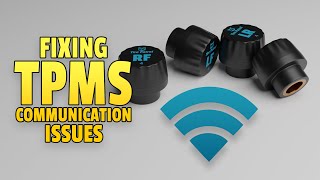
🎬 Watch this to understand how electronics cause TPMS communication issuesDiagnostic Flowchart
Tap your situation to follow the diagnostic path that matches what you're seeing on this vehicle.
Symptoms You May Notice
- TPMS warning light flashes for approximately one minute at startup, then stays on solid.
- Inability to read the front-right tire pressure on a scan tool or vehicle information display.
- A TPMS-specific scan tool will show 'No Data' or fail to activate the front-right sensor.
- Replacing the TPMS sensor without first checking for radio frequency interference from accessories.
- Assuming the tire pressure is low. A solid light from startup indicates low pressure, while a flashing light that turns solid indicates a system fault like C1709.
- Replacing the wrong sensor. C1709 is specific to the front-right wheel location. Always confirm the code before beginning work.
Most Likely Causes
- Dead or Weak TPMS Sensor Battery 🔴 High Probability → Shop Tire Pressure Monitoring System (TPMS) Sensor TPMS sensors contain a non-replaceable battery with a finite lifespan, typically 7-10 years. For vehicles in the 2013-2015 range, these original batteries are at or beyond their expected service life, making this the most common failure point.
How to confirm: Use a TPMS activation tool at the front-right wheel. If the tool cannot get a response or shows a 'low battery' status, the sensor has failed.
Typical fix: Replace the front-right TPMS sensor and use a TPMS tool to register the new sensor ID to the vehicle's BCM via the OBD-II port.
Est. part cost: $35-$100 - Radio Frequency (RF) Interference 🟡 Medium Probability As documented in Nissan TSB NTB13088A, these vehicles are susceptible to RF interference from aftermarket 12V accessories like cell phone chargers, dash cams, and power inverters. Poorly shielded electronics can emit radio noise that jams the 433MHz TPMS signal. Owners on forums for other Nissan models have specifically identified wireless phone chargers as a cause.
How to confirm: Unplug all aftermarket devices from the 12V power outlets. Clear the codes and drive the vehicle for 10-15 minutes above 16 mph. If the C1709 code does not return, one of the accessories was the cause.
Typical fix: Identify and remove the source of the RF interference. Replacing the offending device with a higher-quality, better-shielded version may also solve the problem.
Est. part cost: $0 - Damaged TPMS Sensor ⚪ Low Probability → Shop Tire Pressure Monitoring System (TPMS) Sensor Sensors can be physically damaged during tire mounting or dismounting if the technician is not careful or aware of the sensor's location. Using tire sealant can also clog and ruin the sensor.
How to confirm: Visual inspection of the sensor after dismounting the tire from the wheel. The sensor housing may be cracked or the valve stem broken.
Typical fix: Replace the damaged TPMS sensor and register the new sensor to the vehicle.
Est. part cost: $35-$100
Rare But Worth Checking
- Faulty Body Control Module (BCM) or TPMS Receiver: This is very rare and should only be considered if a new, known-good sensor will not register and RF interference has been ruled out. A faulty BCM or its ground connection would typically cause codes for multiple sensors (e.g., C1708, C1710, C1711), not just C1709.
Diagnosis Steps
- Verify that the TPMS warning light flashes for about a minute on startup and then stays solid. This confirms a system fault.
- Unplug all aftermarket accessories from the 12V power outlets (phone chargers, dash cams, etc.). This is a critical first step for any Nissan TPMS issue.
- Clear the DTCs with a scan tool and drive the vehicle for 10-15 minutes at speeds over 16 mph to see if the light and code return. If they do not, an accessory was the cause.
- If the code returns, use a TPMS activation tool (like an Autel TS508) to attempt to read the sensor data from the front-right wheel.
- If the tool cannot read the sensor or reports a dead battery, the sensor has failed and must be replaced.
- If the tool *can* read the sensor, but the code persists, the issue may be with the vehicle's TPMS receiver or BCM, which is a more complex and rare diagnosis.
- After replacing the sensor, the tire must be remounted and balanced.
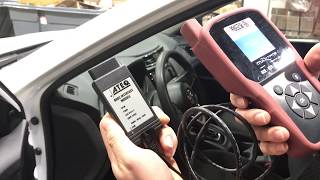
- Use a TPMS tool connected to the OBD-II port to perform the 'OBD Relearn' or 'Position Relearn' procedure to register the new sensor ID to the BCM. This step is mandatory. 🎬 See a walkthrough of the OBD relearn procedure using a scan tool
Parts You'll Likely Need
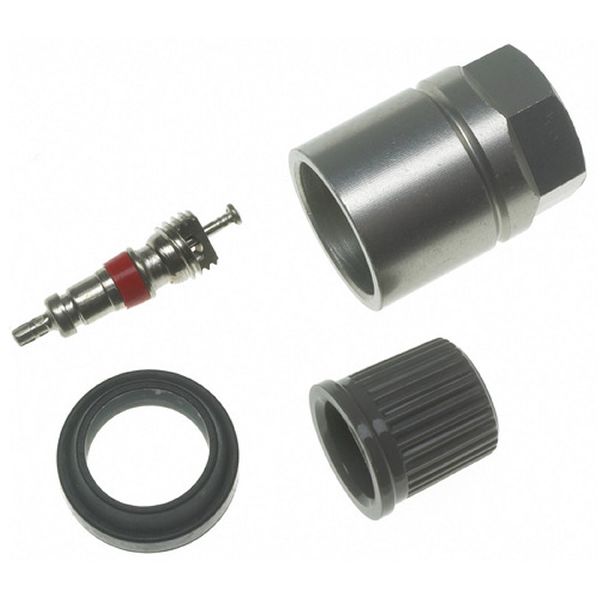
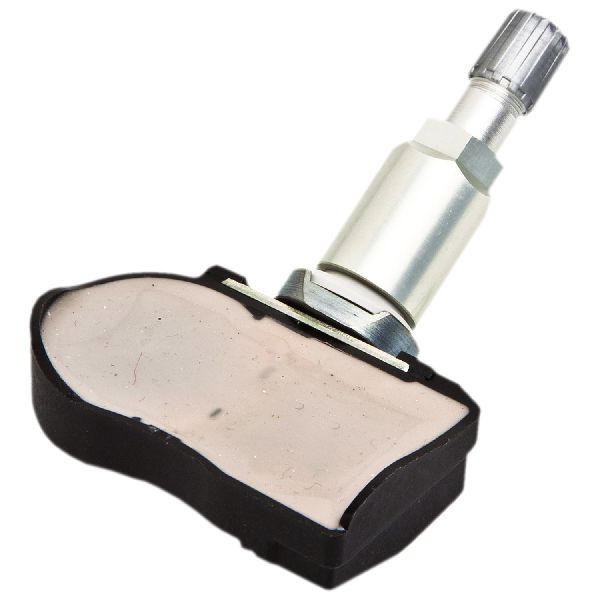
- Tire Pressure Monitoring System (TPMS) Sensor
(OEM #40700-3VU0A)— This is the most common cause of failure. The internal, non-serviceable battery dies, requiring the entire sensor to be replaced. This part operates at 433MHz.
Trusted brands: Schrader, Continental/VDO, Huf (OEM Supplier), Autel (Programmable), Denso
OEM price range: $70-$105
Aftermarket price range: $35-$60
Related Codes That Often Appear With This One
- C1708 — This is the code for the Front-Left sensor. If multiple sensors are failing due to age, or if there is a strong source of RF interference, you may see codes for other wheels simultaneously.
- C1710 — This is the code for the Rear-Right sensor. Seeing multiple 'No Data' codes points towards a systemic issue or multiple aged-out sensors.
- C1711 — This is the code for the Rear-Left sensor. Its presence alongside C1709 suggests more than one sensor has failed or there is a common interference issue.
Technical Service Bulletins (TSBs) & Recalls
- NTB13088A: Service information regarding TPMS diagnosis, including radio frequency interference causing 'No Data' conditions (C1708, C1709, C1710, C1711).
- NTB19-060a: While not directly related to C1709, this TSB addresses various CVT issues on the 2015-2018 NV200, showing another area of common electronic/mechanical concern for this platform.
- NTB22-070: Addresses a clicking noise from the front axle on 2013-2021 NV200 models during acceleration, which is unrelated to TPMS but useful platform context.
Platform-Specific Known Issues
- This vehicle is covered by Nissan Technical Service Bulletin NTB13088A, which details how radio frequency interference from aftermarket electronics can cause a 'No Data' condition and trigger codes C1708, C1709, C1710, or C1711.
- Owner experiences on forums confirm that even common devices like USB phone chargers and dash cams can be the root cause, making the 'unplug everything' test the most important first diagnostic step.
Mechanic-Grade Diagnostic Values
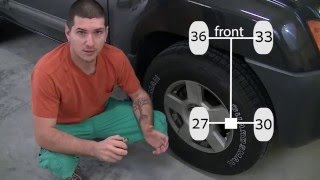
- Manual Relearn Tire Pressure Differentials — expected: A specific sequence of different pressures, e.g., Front-Left: 34-36 PSI, Front-Right: 31-33 PSI, Rear-Right: 29-30 PSI, Rear-Left: 26-27 PSI. The key is the specific pressure difference between wheels.. 🎬 Watch: How to reset Nissan TPMS without using special tools Failure: The TPMS light does not begin flashing after grounding the test connector, or does not go out after driving, indicating the BCM did not learn the sensor positions.
Scan Tool Commands That Help
- Nissan CONSULT-III plus: Re/programming, Configuration > TPMS configuration — This function is mandatory after replacing the Body Control Module (BCM). Failure to perform this configuration will prevent new TPMS sensor IDs from being registered successfully.
- Nissan CONSULT-III plus or advanced aftermarket (Autel, etc.): TPMS ID Registration / Work Support — This is the standard function used to register the unique ID of a new TPMS sensor to the BCM after replacement. The tool puts the BCM in learn mode, and each sensor is then activated to complete the pairing.
Wiring & Ground Locations
- TPMS Test Connector — A single-wire white connector, often taped to the OBD-II port wiring harness under the driver's side dash.. This connector is used for a tool-free manual relearn procedure. Grounding the pin in this connector 6-10 times with the ignition on puts the BCM into learning mode, which can force registration of sensors without a scan tool.
- Body Control Module (BCM) — Located at the left end of the dash, accessible after removing lower dash panels.. The BCM is the computer that receives and interprets the TPMS sensor signals. A fault within the BCM can cause a C1709 code even with a good sensor, making it a critical, though rare, point of failure.
- Ground Points M61, M93, M96 — Located at the left end of the dash, near the BCM.. These are chassis ground points for modules in the driver's side dash area. A poor or corroded ground connection for the BCM or TPMS receiver could cause intermittent communication issues and trigger 'No Data' faults like C1709.
- TPMS Receiver / Antenna — While not explicitly located in diagrams, parts lists confirm a separate TPMS antenna/module exists (P/N 40740-EH10A or 40720-3LM0A). It is a separate component from the BCM.. If this receiver fails, no sensor signals can reach the BCM, leading to 'No Data' codes for one or more wheels. This can be misdiagnosed as a faulty BCM.
Real Owner Repair Stories
- Go-Parts.com Repair Guide (citing XterraNation Forum) (2006 Nissan Xterra (different model, but same C1709 code and Nissan system logic)) — Persistent, intermittent C1709 code and flashing TPMS light.
❌ Tried (didn't work) Replacing the front-right TPMS sensor with a new one., Performing the TPMS relearn procedure multiple times., Checking for RF interference by unplugging all accessories.
✅ What actually fixed it The owner took the vehicle to a dealer who diagnosed a faulty Body Control Module (BCM). Replacing and programming the BCM finally resolved the C1709 code. - Reddit user on r/Nissan (Nissan vehicle with non-functional TPMS for 10 years.) — No tire pressure readings displayed on the nav system.
❌ Tried (didn't work) Previous attempts to fix had failed for years.
✅ What actually fixed it The owner successfully performed the manual relearn procedure by setting differential tire pressures and grounding the TPMS test connector near the OBD-II port. All four tires began registering pressure. However, two sensors stopped reporting soon after, indicating the fix may not be permanent for underlying issues but proves the procedure works for forcing registration.
"I Checked Everything" — The Actual Cause
- The equivalent scenario for this electronic fault is when a new, known-good TPMS sensor is installed, RF interference is ruled out, and the sensor still fails to register, causing a persistent C1709. In this situation, the root cause is almost always a failure higher up the chain. A documented case on a similar Nissan platform showed the final repair was replacing the Body Control Module (BCM) after all standard fixes failed.
When the Usual Fixes Don't Work
- While a dead sensor battery is the most common cause, technicians should not immediately stop there if a new sensor doesn't fix the issue. A documented case for code C1709 on a similar Nissan platform required a BCM replacement after a new sensor and multiple relearn attempts failed to resolve the code, highlighting that the fault can lie within the vehicle's control module.
OEM Part Supersession History
40700-3VU0A→40700-3VU0B, 40700-5663R, 40700-4CB0A, 40700-4CB0B— Standard part revisions and cross-compatibility across different Nissan/Infiniti models.
Heads up: All listed part numbers are for the 433MHz frequency used on the 2013-2015 NV200. Do not use 315MHz sensors from other Nissan models, as they are incompatible.
Model Year Variations Within This Range
- 2013-2015: No significant variations in the TPMS system, causes, or fixes have been documented within this specific model year range for the NV200. The system consistently uses 433MHz sensors and the same diagnostic principles apply across all three years.
Helpful Videos
We Have This Part in Stock



The information in this article is provided for general reference and educational purposes only. Vehicle specifications, procedures, and part compatibility can vary by production date, trim level, and region. Always consult your vehicle's factory service manual and verify part numbers before purchasing or performing repairs. Safety-critical components such as airbags, seat belts, and braking systems should be installed by a qualified professional.
- Nissan NV200:
- 🧭 Diagnostic Flowchart
- 🎬 Helpful Videos
- 🛍️ Shop This Part
- What's Unique About the 2013-2015 Nissan NV200
- Symptoms You May Notice
- Most Likely Causes
- Rare But Worth Checking
- Diagnosis Steps
- Parts You'll Likely Need
- Related Codes That Often Appear With This One
- Technical Service Bulletins (TSBs) & Recalls
- Platform-Specific Known Issues
- Mechanic-Grade Diagnostic Values
- Scan Tool Commands That Help
- Wiring & Ground Locations
- Real Owner Repair Stories
- "I Checked Everything" — The Actual Cause
- When the Usual Fixes Don't Work
- OEM Part Supersession History
- Model Year Variations Within This Range
- 🎟️ Get 5% Off