

C1710 on 2004-2008 Infiniti G35: TPMS 'No Data' from Rear Right Sensor Causes and Fixes
On a 2004-2008 Infiniti G35, code C1710 means the TPMS control unit isn't receiving a signal from the rear right tire pressure sensor. The most common cause is a dead sensor battery due to age. Before replacing anything, unplug all aftermarket phone chargers and electronics, as they are a known cause of interference. If the sensor is bad, expect to pay a tire shop $75-$200 to replace the sensor and register it.
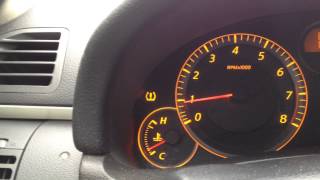
- C1710 means the rear right TPMS sensor is not communicating, usually indicated by a flashing, then solid, TPMS light.
- Before buying parts, unplug all phone chargers and aftermarket electronics to rule out radio interference, a known issue for this car per TSB ITB13039A.
- Due to the vehicle's age, the most likely cause is a dead battery inside the sensor, requiring sensor replacement.
- Sensor replacement requires tire removal, so it's best done at a tire shop. Consider replacing all four if they are original.
- After replacement, the new sensor must be registered to the car using a scan tool or a specific manual 'paper clip' procedure.
What's Unique About the 2004-2008 Infiniti G35
The 2004-2008 G35 spans two generations (V35 and V36), but both use a direct TPMS system where the sensors have an internal, non-replaceable battery with a finite lifespan of about 7-10 years. Given the age of these vehicles, original sensor failure is now extremely common. Unlike many modern cars, the G35 does not automatically learn new sensor IDs; a specific relearn procedure is required after replacement. This can be done with a professional scan tool or, on some models, via a manual procedure involving grounding a specific pin on the OBD-II connector and driving.
🎬 Watch: How to perform the manual TPMS relearn procedure.Diagnostic Flowchart
Tap your situation to follow the diagnostic path that matches what you're seeing on this vehicle.
Generation note: This range covers the first generation V35 (2004-2006 sedan, 2004-2007 coupe) and the second generation V36 (2007-2008 sedan). While the TPMS systems are similar, part numbers for the sensors can differ. The V35 models (approx. 2004-2006) typically use part number 40700-CD001. Later V36 models (2007-2008) often use 40700-JK00B or its successors like 40700-JK01C. Always verify the part number with your vehicle's VIN.
Symptoms You May Notice
- TPMS warning light flashing for 60-90 seconds after startup, then staying on solid.
- A solid TPMS light (without initial flashing) usually indicates actual low tire pressure, not a system fault.
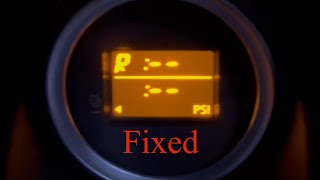
- Inability to view individual tire pressures on the vehicle's information display (if equipped).
- A TPMS scan tool will read the specific code C1710, often with the description '[NO-DATA]-RR'.
- Replacing the TPMS control module before confirming the individual sensor has failed.
- Replacing a functional sensor when the actual problem is RF interference from a phone charger or other aftermarket accessory.
- Assuming the TPMS light is a sensor fault when it's on solid, which usually just means low tire pressure.
Most Likely Causes
- Dead TPMS Sensor Battery 🔴 High Probability → Shop Tire Pressure Monitoring System (TPMS) Sensor The original sensors have a 7-10 year battery life, and the batteries are non-replaceable. All vehicles in this 2004-2008 range are well beyond that, making battery failure due to age the most likely cause. It's common for multiple sensors to fail around the same time.
How to confirm: Use a TPMS diagnostic tool (activation tool) to try and trigger a response from the sensor at the rear right wheel. If the tool gets no response, but can read the other three sensors, the sensor has failed.
Typical fix: Replace the TPMS sensor in the rear right wheel and perform the TPMS registration procedure. It is highly recommended to replace all four sensors if they are original, as the others are likely to fail soon.
Est. part cost: $30-$75 - Radio Frequency (RF) Interference 🟡 Medium Probability Infiniti/Nissan TSB #ITB13039A and NTB13-088 specifically call out that aftermarket devices, especially cell phone chargers, dash cams, or power inverters plugged into the 12V power outlets, can interfere with the 315 MHz TPMS signal and cause 'No Data' codes like C1710. The location of the power outlets relative to the TPMS receiver can make this a common issue.
How to confirm: Unplug all aftermarket electronic devices from the vehicle's power sockets. Clear the codes (if possible) or simply drive the vehicle for 15-20 minutes to see if the light extinguishes on its own. If the light goes out, one of the devices was the cause.
Typical fix: Remove or replace the interfering device. Use high-quality, well-shielded chargers to prevent future issues.
Est. part cost: $0-$50 - Faulty or Damaged TPMS Sensor ⚪ Low Probability → Shop Tire Pressure Monitoring System (TPMS) Sensor Sensors can be physically damaged during tire changes if the technician is not careful. They can also be damaged by road impacts or corrosion over time. The internal electronics can also fail, even if the battery has some life left.
How to confirm: A visual inspection after dismounting the tire may show physical damage like a cracked housing. If a TPMS tool shows the battery is good but the sensor still won't communicate with the car, the sensor itself is faulty.
Typical fix: Replace the damaged TPMS sensor and register the new one.
Est. part cost: $30-$75
Rare But Worth Checking
- Faulty TPMS Control Module / Receiver: This is rare. On the G35, the TPMS receiver is part of the Body Control Module (BCM) or a separate remote keyless entry receiver module, often located behind the glove box or under the driver's kick panel. Before suspecting this module, all sensors and potential RF interference should be thoroughly ruled out. If multiple or all sensor codes (e.g., C1708, C1709, C1710, C1711) are present and do not resolve after checking for interference, it slightly increases the possibility of a receiver issue.
- Incorrectly Installed Aftermarket Wheels: Some aftermarket wheels may be too thick or have a shape that positions the sensor at an angle that prevents it from transmitting its signal correctly, especially once the wheel is rotating at speed.
- Wiring or Connector Issues: A damaged wire or corroded connector for the TPMS receiver/BCM could cause communication loss with all sensors. This is very rare and would typically be accompanied by other electrical issues.
Diagnosis Steps
- Verify the symptom: Is the TPMS light flashing for a minute at startup, then staying solid? This indicates a system fault like C1710. A solid light from the start means check tire pressure first.
- Unplug ALL aftermarket devices from power outlets (phone chargers, dash cams, etc.) to eliminate potential RF interference, as noted in TSB ITB13039A. Drive for 10-15 minutes to see if the light returns.
- If the light returns, use a TPMS activation tool to attempt to read the signal from the rear right sensor. Also, check the other three sensors to confirm they are transmitting and to read their battery status if the tool supports it.
- If the tool cannot get a signal from the rear right sensor, the sensor has failed (likely a dead battery) and needs to be replaced.
- If all sensors are transmitting but the code persists, there may be an issue with the TPMS receiver or its wiring. This is rare and requires more advanced diagnostics.
- After replacing the sensor, the new sensor ID must be registered to the vehicle's BCM. This can be done with a compatible scan tool that has TPMS functions.
- Alternatively, a manual relearn procedure exists for some models. This often involves setting tires to specific, different pressures, then grounding a wire on the OBD-II connector harness 5-6 times to put the system in learning mode, and then driving until the light goes off.
Parts You'll Likely Need
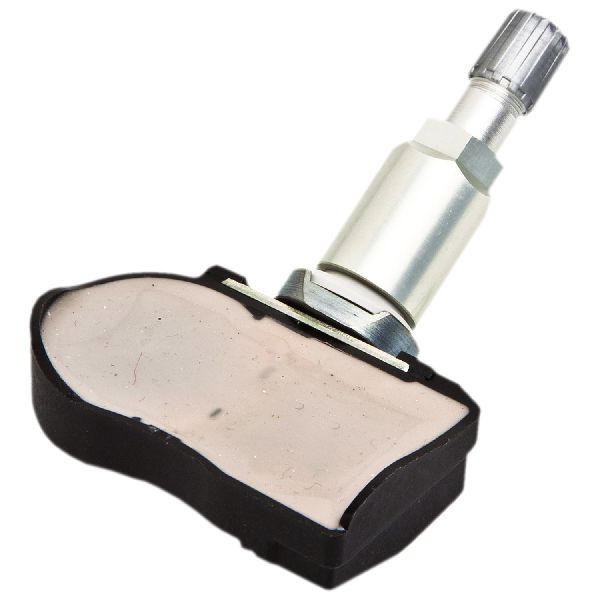
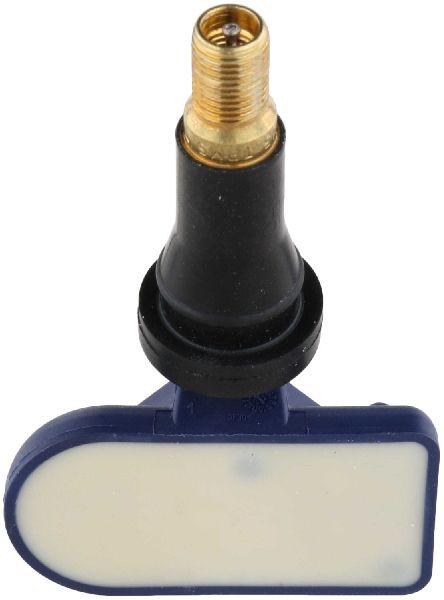
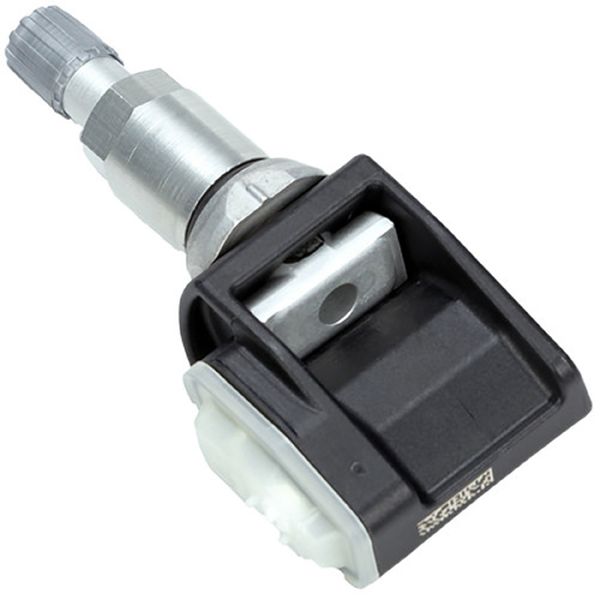
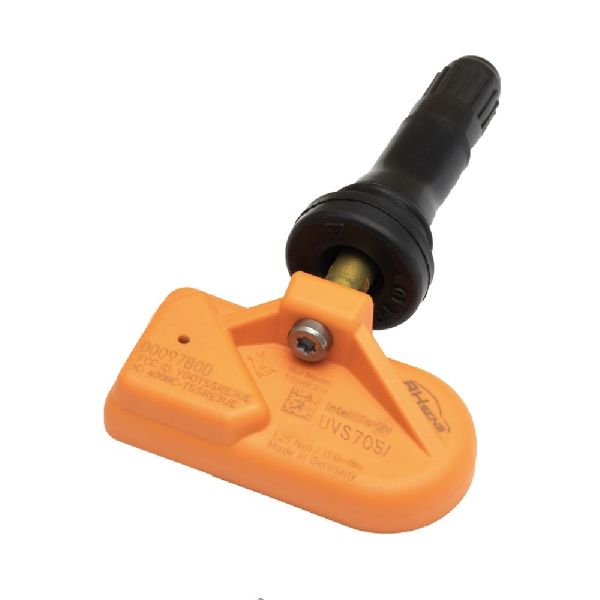
- Tire Pressure Monitoring System (TPMS) Sensor
(OEM #40700-JK00B (V36) / 40700-CD001 (V35))— This is the component that fails, usually due to an exhausted internal battery. The code C1710 directly points to a communication failure with this sensor at the rear right wheel.
Trusted brands: Schrader, Continental, Denso, Autel, Huf
OEM price range: $65-$105
Aftermarket price range: $30-$60
Related Codes That Often Appear With This One
- C1708 — Corresponds to the Front Left wheel sensor. If multiple sensor batteries are failing around the same time due to age, you may see several of these codes together.
- C1709 — Corresponds to the Front Right wheel sensor. Seeing multiple 'No Data' codes points towards a systemic issue like RF interference or multiple aged-out sensors.
- C1711 — Corresponds to the Rear Left wheel sensor. The presence of all four codes (C1708, C1709, C1710, C1711) strongly suggests an RF interference issue or a failed TPMS receiver/BCM.
Technical Service Bulletins (TSBs) & Recalls
- ITB13039A / NTB13-088 - Details diagnostic information for the TPMS system, including troubleshooting 'No Data' conditions (C1708, C1709, C1710, C1711) caused by radio frequency interference.
Platform-Specific Known Issues
- The official Infiniti TSB ITB13039A specifically highlights that radio frequency interference from accessories plugged into the car's power outlets is a known cause for C1708-C1711 codes.
- A DIY-friendly manual relearn procedure is possible, as documented by many owners. It involves grounding a pin on a connector near the OBD-II port multiple times to enter learning mode, often combined with setting specific differential tire pressures before driving.
Mechanic-Grade Diagnostic Values
- Manual Diagnostic Flash Codes — expected: By grounding the TPMS service connector, the TPMS light will flash two-digit codes. The first digit is a long blink, the second is a series of short blinks.. Failure: A code of '18' indicates an issue with the Rear Left tire, '45' indicates a low battery on the Front Left sensor, and '47' indicates a low battery on the Rear Right sensor. C1710 corresponds to a 'No Data' condition for the Rear Right wheel.
Scan Tool Commands That Help
- Infiniti CONSULT-II / Advanced TPMS Tool: ID REGIST (ID Registration) — This function is required after replacing a TPMS sensor to write the new, unique sensor ID to the Body Control Module (BCM). The vehicle will not recognize the new sensor until this is performed.
Wiring & Ground Locations
- Body Control Module (BCM) — On V36 models (2007-2008), it is often located behind the glove box. On earlier V35 models (2004-2006), it is typically found under the driver's side kick panel, attached to the fuse block.. The BCM contains the TPMS receiver. A failure in the BCM or its wiring/ground can cause a loss of signal from one or all sensors. Its location is critical for advanced diagnosis or replacement.
- TPMS Service Connector — A single-wire connector, often with a white wire, taped to the main wiring harness directly behind or near the OBD-II port under the driver's side dashboard.. This connector is used for the manual diagnostic and relearn procedures. Grounding this connector's pin in specific sequences allows a technician or owner to put the BCM into self-diagnosis mode (to flash codes) or learning mode (to register new sensors).
Real Owner Repair Stories
- G35Driver.com user (2007 G35) — TPMS light would come on after 12-20 miles of highway driving. Keyless remote range was also severely reduced.
❌ Tried (didn't work) Dealer replaced all four TPMS sensors., Dealer replaced the Body Control Unit (BCU/BCM).
✅ What actually fixed it The owner discovered the root cause was Radio Frequency (RF) interference from an aftermarket car computer setup. Disconnecting the power supply (Carnetix) and audio adapter (Pac AAI-NIS2) for a Mac Mini installed in the car resolved both the TPMS and keyless entry issues. - G35Driver.com user (2006 G35X) — Persistent TPMS light with all four 'No Data' codes (C1708, C1709, C1710, C1711).
❌ Tried (didn't work) Replacing all four sensors with aftermarket VDO sensors and retraining them., Replacing the VDO sensors with new OEM factory sensors and retraining them.
✅ What actually fixed it The story was unresolved, but highlights a critical diagnostic step. Even after installing and successfully training new OEM sensors, the user's Snap-On scan tool read '0 PSI' from all four wheels, indicating a communication breakdown between the sensors and the BCM, or a faulty BCM/receiver, despite the sensors themselves being new and functional.
When the Usual Fixes Don't Work
- In one documented case, a dealership's standard procedure of replacing all TPMS sensors and even the Body Control Module (BCM) failed to resolve recurring TPMS codes. The actual cause was severe radio frequency interference from an aftermarket car computer system. This demonstrates that even when multiple hardware components of the TPMS system are replaced, the root cause can be an external factor that must be physically removed from the vehicle to solve the problem.
OEM Part Supersession History
40700-CD000→40700-CD001— Standard revision and replacement for early V35 models.40700-JK00B→40700-JK01C— Standard revision for V36 models. The 40700-JK01C part is a consolidated replacement for a large number of previous part numbers (40700-JK00A, JK00B, JK00C, JK00D, JK00E, JK01A, JK01B, etc.), making it the most current and reliable option.
Heads up: Using an older part number from this series when a newer one is available may lead to premature failure or communication issues.
Model Year Variations Within This Range
- 2004-2006 (V35) vs 2007-2008 (V36): The physical location and integration of the TPMS receiver/BCM can vary. V35 models typically have the BCM under the driver's kick panel, while V36 models often have the receiver/BCM located behind the glove compartment. Furthermore, the BCMs themselves are not interchangeable between years and have different part numbers and connector configurations.
Helpful Videos
We Have This Part in Stock



The information in this article is provided for general reference and educational purposes only. Vehicle specifications, procedures, and part compatibility can vary by production date, trim level, and region. Always consult your vehicle's factory service manual and verify part numbers before purchasing or performing repairs. Safety-critical components such as airbags, seat belts, and braking systems should be installed by a qualified professional.
- Infiniti G35:
- 🧭 Diagnostic Flowchart
- 🎬 Helpful Videos
- 🛍️ Shop This Part
- What's Unique About the 2004-2008 Infiniti G35
- Symptoms You May Notice
- Most Likely Causes
- Rare But Worth Checking
- Diagnosis Steps
- Parts You'll Likely Need
- Related Codes That Often Appear With This One
- Technical Service Bulletins (TSBs) & Recalls
- Platform-Specific Known Issues
- Mechanic-Grade Diagnostic Values
- Scan Tool Commands That Help
- Wiring & Ground Locations
- Real Owner Repair Stories
- When the Usual Fixes Don't Work
- OEM Part Supersession History
- Model Year Variations Within This Range
- 🎟️ Get 5% Off