

C1710 on 2014-2016 Infiniti QX50: Rear Right TPMS Sensor Failure Causes and Fixes
On a 2014-2016 Infiniti QX50, code C1710 means the rear right tire pressure sensor is not sending data. The most common cause is a dead sensor battery, as the original sensors are at the end of their lifespan. Before replacing the sensor, unplug all aftermarket 12V accessories to rule out RF interference. Expect to pay $100-$265 for a new sensor and installation at a tire shop or dealer.
- C1710 specifically points to a communication failure with the Rear Right TPMS sensor.
- The most likely cause on a 2014-2016 model is a dead battery inside the sensor, requiring sensor replacement.
- Before going to a shop, unplug all aftermarket devices from your 12V power outlets to rule out radio frequency interference, a known issue confirmed by a TSB and owner experiences.
- This is not a DIY-friendly repair, as it requires tire mounting equipment and a specialized OBD-II tool to register the new sensor.
- Do not ignore the flashing TPMS light; it indicates a fault in a key safety system, not low tire pressure.
What's Unique About the 2014-2016 Infiniti QX50
Infiniti and its parent company Nissan have documented a specific sensitivity to Radio Frequency (RF) interference on their TPMS systems. An official Technical Service Bulletin (TSB ITB13-039A) acknowledges that codes like C1710 can be triggered by external RF sources like aftermarket phone chargers, dash cams, or even faulty vehicle components like the HVAC blower motor. While the sensor itself is the most common failure point, this platform-specific issue is a known and important diagnostic step.
Diagnostic Flowchart
Tap your situation to follow the diagnostic path that matches what you're seeing on this vehicle.
Symptoms You May Notice
- TPMS warning light flashes for approximately one minute upon startup, then remains solidly lit.
- A "Check Tire Pressure" message may appear in the vehicle's information display.
- Inability to see the real-time pressure reading for the rear right tire on the information display (if equipped).
- A TPMS scan tool will read the code C1710, often with the description '[NO-DATA]-RR'.
- Replacing the BCM before confirming the TPMS sensor has failed.
- Replacing a good sensor without first checking for simple RF interference from a phone charger.
- Ignoring the specific wheel location and replacing the wrong TPMS sensor.
- Replacing a sensor when only the valve stem service kit (gaskets) has failed, causing a leak (this would typically cause a solid light, not a flashing one).
Most Likely Causes
- Dead TPMS Sensor Battery 🔴 High Probability → Shop Tire Pressure Monitoring System (TPMS) Sensor TPMS sensor batteries are non-replaceable and have a typical lifespan of 7-10 years. Vehicles from 2014-2016 are now in the age range where battery failure is common. Forum users on MyG37 and Infiniti Scene confirm failures starting around the 5-7 year mark.
How to confirm: A tire shop can use a TPMS diagnostic tool to attempt to 'wake up' or read the sensor. If the tool gets no response after several attempts, the sensor is dead.
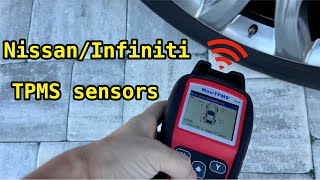
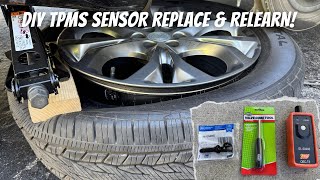
Typical fix: Replace the rear right TPMS sensor and register the new sensor ID to the vehicle using an OBD-II programming tool. 🎬 Watch: How to program new sensors to your Infiniti
Est. part cost: $40-$120 - Faulty TPMS Sensor 🟡 Medium Probability → Shop Tire Pressure Monitoring System (TPMS) Sensor Beyond the battery, the sensor's electronics can fail from age, vibration, or internal corrosion from moisture. Overtightening the valve stem nut during a tire change can also damage the sensor.
How to confirm: Similar to a dead battery, if a TPMS tool cannot get a signal from the sensor, it is considered faulty.
Typical fix: Replace the rear right TPMS sensor and perform the ID registration.
Est. part cost: $40-$120 - Radio Frequency (RF) Interference ⚪ Low Probability Infiniti TSB ITB13-039A specifically mentions RF interference as a cause for C1710. Common sources are cheap, poorly-shielded aftermarket devices plugged into the 12V power outlets, such as cell phone chargers (especially wireless ones), dash cams, or power inverters.
How to confirm: Unplug all aftermarket electronic devices from all 12V sockets. Clear the code (if possible) or turn the car off and on. Drive the vehicle to see if the light goes out or fails to return. If it does not return, plug devices back in one by one to isolate the source.
Typical fix: Remove or replace the interfering electronic device with a higher-quality, better-shielded alternative.
Est. part cost: $0-$50
Rare But Worth Checking
- Faulty TPMS Receiver or Body Control Module (BCM): This is rare. Before suspecting the BCM, all sensors should be confirmed as working and all sources of RF interference should be ruled out. A failure of the receiver often results in codes for all four sensors (C1708, C1709, C1710, C1711) simultaneously. This is typically the last item to check in the diagnostic process.
- HVAC Blower Motor Interference: Extremely rare, but documented in Nissan/Infiniti TSBs (NTB19-062 / ITB19-018) for some 2018+ models. A faulty blower motor can emit RF interference that blocks TPMS signals. The diagnostic step is to test drive with the HVAC fan on max cool to see if it triggers the code after it has been cleared.
Diagnosis Steps
- Verify the TPMS warning light behavior: flashes for ~60 seconds, then stays on. This confirms a system fault.
- Unplug all aftermarket 12V accessories (phone chargers, dash cams, etc.) to eliminate RF interference as a possibility.
- Use a professional TPMS diagnostic tool to attempt to read the data stream from the rear right sensor. This will test its battery and broadcast function. If the tool gets 'NO TPM FOUND' or a similar error, the sensor has failed.
- If the sensor does not respond, it has failed and must be replaced. It is wise to test all four sensors, as others may be close to failure.
- If the sensor *does* respond to the tool, the issue is likely intermittent communication. Clear the DTCs. Per TSB ITB19-018, test drive the vehicle at 25 MPH or more for 3 minutes, and then continue driving at any speed for 10 minutes to see if the code returns.
- If the code does not return after unplugging accessories, the issue was RF interference. If it does return with a known-good sensor, inspect the wiring and connectors for the TPMS receiver/BCM.
- As a final, rare check, perform the test drive with the HVAC blower on its highest setting to check for blower motor interference.
- If all else fails, the TPMS receiver or BCM may be at fault, which requires advanced diagnostics at a dealership or specialized shop.
Parts You'll Likely Need
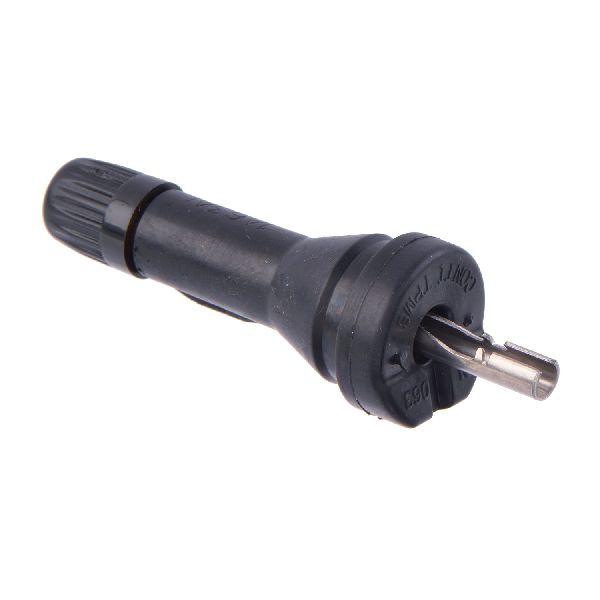
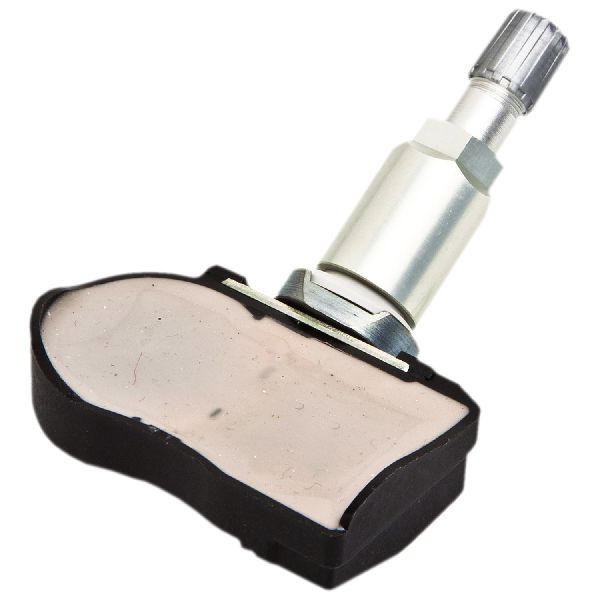
- Tire Pressure Monitoring System (TPMS) Sensor
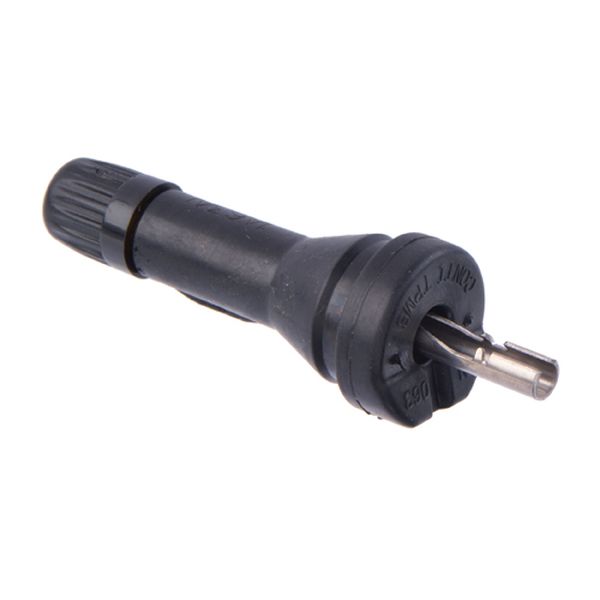
(OEM #40700-3AN0C, 40700-3AN0D, 40700-3AN0B, 40700-3AN1B)— This is the most common failure point. The internal battery dies or the electronics fail, causing the loss of signal that triggers code C1710. The sensor operates at 315 MHz for this vehicle.
Trusted brands: Infiniti/Nissan (OEM), Schrader (Often the OEM manufacturer), VDO, Denso, Dorman, Autel
OEM price range: $80-$120
Aftermarket price range: $40-$70
Related Codes That Often Appear With This One
- C1708 — Indicates a 'No Data' fault from the Front Left sensor. Seeing multiple codes (C1708, C1709, C1710, C1711) may point towards a systemic issue like RF interference, a faulty TPMS receiver, or multiple sensors failing around the same time due to age.
- C1709 — Indicates a 'No Data' fault from the Front Right sensor. Seeing it with C1710 could mean two sensors have failed.
- C1711 — Indicates a 'No Data' fault from the Rear Left sensor. Seeing it with C1710 could mean both rear sensors have failed. One user on MyG37.com reported having both C1710 and C1711, which was resolved by replacing both rear sensors.
Technical Service Bulletins (TSBs) & Recalls
- ITB13-039A - This bulletin summarizes information for Low Tire Pressure Warning Systems, and explicitly mentions that radio frequency interference can cause a 'No Data' condition resulting in codes C1708, C1709, C1710, or C1711.
- ITB19-018 / NTB19-062 - While for a newer model, these TSBs establish a rare but possible precedent for the HVAC blower motor causing RF interference that triggers the same 'No Data' TPMS codes.
Platform-Specific Known Issues
- As per TSB ITB13-039A, this vehicle platform is susceptible to radio frequency interference from aftermarket electronics, which can cause a 'No Data' condition and trigger codes C1708, C1709, C1710, or C1711.
- The 2014-2016 QX50 is a rebadged Infiniti EX37. Therefore, repair stories and forum discussions for the 2008-2013 EX37 are directly applicable, such as a documented dealer repair for a failed sensor battery costing $265.
Mechanic-Grade Diagnostic Values
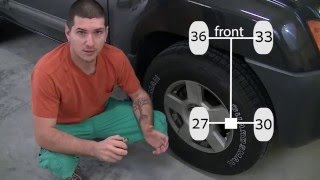
- Tire pressures for manual relearn procedure — expected: LF: 34 psi, RF: 31 psi, 🎬 Watch: How to reset TPMS without using special tools RR: 29 psi, LR: 26 psi. Failure: The manual relearn procedure will not initiate or complete if the pressures are not set to these specific, distinct values.
Scan Tool Commands That Help
- Nissan Consult III / Consult 3+: ID REGIST (ID Registration) — This function is required after replacing a TPMS sensor to write the new, unique sensor ID to the Body Control Module (BCM). The tool prompts the technician to activate each sensor, and then it uploads all IDs to the vehicle.
- Aftermarket TPMS Tool (e.g., Autel, ATEQ): OBD Relearn / Write Sensor IDs — Used as an alternative to the dealer tool for registering new TPMS sensor IDs to the vehicle's ECU/BCM via the OBD-II port after sensor replacement.
Wiring & Ground Locations
- Body Control Module (BCM) — Located in the passenger kick panel area.. The BCM contains the TPMS receiver. A loose connection, corrosion from water intrusion (e.g., from a clogged sunroof drain), or a bad ground at the BCM can cause C1710 and other related codes.
- BCM Ground — A representative ground point for similar BCMs is GD233, located on the cowl side behind the A-pillar trim on the left side of the vehicle.. A poor ground connection for the BCM can cause a wide range of difficult-to-diagnose electrical issues, including the loss of communication with TPMS sensors.
- TPMS Reset Connector — A single-wire white connector, often found taped to the main OBD-II port harness under the driver's side dashboard.. This connector is used for a manual, no-tools relearn procedure. Grounding this wire in a specific sequence puts the TPMS system into learning mode, which can help diagnose if the issue is with registration or a hard part failure.
Real Owner Repair Stories
- MyG37 Forum User (Infiniti G37 (platform mate)) — TPMS light on with codes C1710 [NO DATA]RR and C1711 [NO DATA]RL.
❌ Tried (didn't work) Initial diagnosis was unclear, pointing to either sensors or the receiver.
✅ What actually fixed it The problem was resolved by replacing the TPMS Antenna (Receiver), part number 40740-1NC2A. This fixed the 'no data' issue from the rear sensors when the sensors themselves were likely okay. - Reddit user u/jugaloo_ (Infiniti (model not specified, but G/Q platform)) — A long list of error codes including C1708, C1709, C1710, and C1711, plus CAN communication codes, appeared after having an aftermarket remote starter professionally removed.
❌ Tried (didn't work) The dealership that did the work was not helpful in diagnosing the cause.
✅ What actually fixed it The strong implication from commenters was that the issue was not the TPMS components themselves, but a CAN bus communication problem caused by improper removal of the remote starter wiring from the BCM harness. The fix would be to inspect and restore the BCM wiring to factory configuration.
When the Usual Fixes Don't Work
- While C1710 most often points to a failed sensor in the rear right wheel, it is not the only cause. In one documented case for a related Infiniti model, persistent C1710 and C1711 codes were not resolved by addressing the sensors, but were ultimately fixed by replacing the central TPMS receiver module (antenna). This indicates that if a new sensor fails to register or the code immediately returns, the fault may lie further upstream in the system with the receiver itself.
OEM Part Supersession History
40700-3AN1A→40700-3AN1B— Standard part revision or manufacturer change.
Heads up: These parts are generally interchangeable for the specified applications.40700-JA00C, 40700-JA01B, 40700-JA02B→40700-3AN1B— Part consolidation and revision over time.
Heads up: 40700-3AN1B is listed as a replacement for these older part numbers, indicating broad compatibility on Nissan/Infiniti vehicles.
Helpful Videos
We Have This Part in Stock




The information in this article is provided for general reference and educational purposes only. Vehicle specifications, procedures, and part compatibility can vary by production date, trim level, and region. Always consult your vehicle's factory service manual and verify part numbers before purchasing or performing repairs. Safety-critical components such as airbags, seat belts, and braking systems should be installed by a qualified professional.
- Infiniti QX50:
- 🧭 Diagnostic Flowchart
- 🎬 Helpful Videos
- 🛍️ Shop This Part
- What's Unique About the 2014-2016 Infiniti QX50
- Symptoms You May Notice
- Most Likely Causes
- Rare But Worth Checking
- Diagnosis Steps
- Parts You'll Likely Need
- Related Codes That Often Appear With This One
- Technical Service Bulletins (TSBs) & Recalls
- Platform-Specific Known Issues
- Mechanic-Grade Diagnostic Values
- Scan Tool Commands That Help
- Wiring & Ground Locations
- Real Owner Repair Stories
- When the Usual Fixes Don't Work
- OEM Part Supersession History
- 🎟️ Get 5% Off