

C1710 on 2017-2018 Nissan 370Z: Right Rear TPMS Fault Causes and Fixes
On a 2017-2018 Nissan 370Z, code C1710 means the right rear tire pressure sensor is not communicating with the car. The most common cause is a dead battery inside the sensor. Before replacing the sensor, unplug all aftermarket electronics like phone chargers to rule out radio frequency interference. The fix is to replace the sensor at a tire shop, which involves dismounting the tire and programming the new sensor.
- C1710 means the right rear TPMS sensor is not communicating with your 370Z.
- The most likely cause is a dead battery in the sensor, which is a normal wear-and-tear item with a 5-10 year lifespan.
- Before paying for a repair, unplug all aftermarket phone chargers and dash cams to rule out radio frequency interference, a known issue on this platform.
- This is not a DIY repair for most; it requires a tire shop to dismount the tire and use a special tool to program the new sensor.
- For safety, manually check your tire pressures with a gauge until the system is repaired.
What's Unique About the 2017-2018 Nissan 370Z
For the Z34 generation 370Z, this code is a very common and predictable maintenance item. The original TPMS sensors have a non-serviceable battery with a lifespan of 7-10 years, and 2017-2018 models are now entering that failure window. Additionally, Nissan platforms, including the 370Z, are known to be sensitive to radio frequency (RF) interference from aftermarket electronics, a fact confirmed by Nissan TSB NTB13088A and owner experiences on forums. Forum users have specifically mentioned cheap USB chargers and hardwired dash cams as culprits for triggering TPMS faults.
Diagnostic Flowchart
Tap your situation to follow the diagnostic path that matches what you're seeing on this vehicle.
Symptoms You May Notice
- TPMS warning light flashing for approximately one minute after startup, then staying on solid.
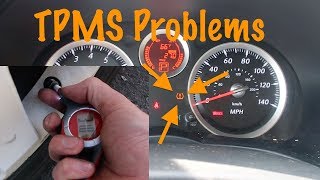
- Inability to read the tire pressure for the right rear wheel on the vehicle information display 🎬 Watch: Overview of the 370Z tire pressure monitoring system, which may show '--' instead of a pressure value.
- Replacing the BCM or TPMS receiver before confirming the individual sensor has failed or ruling out RF interference.
- Ignoring the flashing TPMS light as just a low tire pressure issue, when it actually indicates a system fault.
- Replacing a sensor but failing to properly program the new sensor's ID to the vehicle, which will prevent the code from clearing.
Most Likely Causes
- Dead TPMS Sensor Battery 🔴 High Probability → Shop Tire Pressure Monitoring System (TPMS) Sensor The sealed, non-replaceable batteries in TPMS sensors have a finite lifespan of 5-10 years. Vehicles from 2017-2018 are now reaching this age, making battery failure a common maintenance issue.
How to confirm: A tire shop can use a TPMS activation tool to test the sensor. If the tool receives no signal or shows a 'low battery' status, the sensor has failed.
Typical fix: Replace the right rear TPMS sensor. It is often recommended to replace all four sensors at the same time, as their batteries tend to fail around the same age. This prevents repeat visits to the tire shop in the near future.
Est. part cost: $40-$150 - Radio Frequency (RF) Interference 🟡 Medium Probability Nissan TSB NTB13088A specifically notes that aftermarket electronics can interfere with the 315 MHz TPMS signal, causing 'No Data' codes like C1710. Owners on various forums report that cheap, unshielded phone chargers, wireless charging pads, and dash cams are common sources of this interference.
How to confirm: Unplug all aftermarket accessories from the 12V power sockets and USB ports (e.g., phone chargers, dash cams, power inverters). Clear the code and drive to see if it returns. If the light stays off, one of the removed devices was the cause.
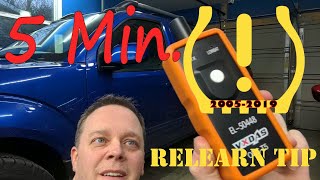
Typical fix: Remove or replace the interfering electronic device. Using high-quality, well-shielded chargers or adding a ferrite core 🎬 See how to diagnose and fix TPMS communication issues to the power cable can sometimes resolve the issue.
Est. part cost: $0-$50 - Faulty TPMS Sensor ⚪ Low Probability → Shop Tire Pressure Monitoring System (TPMS) Sensor Beyond battery death, the sensor's electronics can fail due to physical damage during tire service or from moisture intrusion.
How to confirm: If a TPMS tool can read the sensor's ID but the code persists even after ruling out RF interference, the sensor's transmitter may have failed. A wheel swap diagnosis can confirm this: if the code follows the wheel to a new position, the sensor is bad.
Typical fix: Replace the faulty TPMS sensor.
Est. part cost: $40-$150
Rare But Worth Checking
- Faulty HVAC Blower Motor: Extremely rare, but documented in Nissan TSB NTB19-062 for the 2018 370Z. A failing blower motor can create excessive RF interference. Check if the TPMS light appears when the fan is on its highest setting.
- Faulty Body Control Module (BCM) or TPMS Receiver: This is very unlikely if only the C1710 code is present. It becomes a possibility if codes for all four wheels (C1708, C1709, C1710, C1711) are stored and persist after replacing the sensors. The TPMS receiver is located in the passenger-side A-pillar area or under the dash to the right of the center console. A user on a G37 forum fixed persistent TPMS issues that weren't solved by new sensors by replacing the TPMS module located behind the glovebox.
Diagnosis Steps
- Read the code with an OBD-II scanner that can access Chassis codes to confirm C1710 is active.
- Unplug all aftermarket accessories from 12V power outlets and USB ports (phone chargers, dash cams, etc.) to eliminate potential RF interference.
- Clear the code and drive the vehicle at speeds above 16 MPH to see if the code and warning light return.
- If the light returns, visit a tire shop and have them use a TPMS activation tool (like an Autel or Bartec tool) to test the signal and battery status of the right rear sensor.
- If the tool confirms the sensor is dead or not transmitting, proceed with replacement.
- If the sensor appears to be transmitting, investigate further for intermittent faults or RF interference. A rare check is to run the HVAC fan at full speed to see if it triggers the fault, per TSB NTB19-062.
- After replacement, ensure the shop uses a TPMS tool to register the new sensor's unique ID to the BCM and clears all related fault codes.
Parts You'll Likely Need
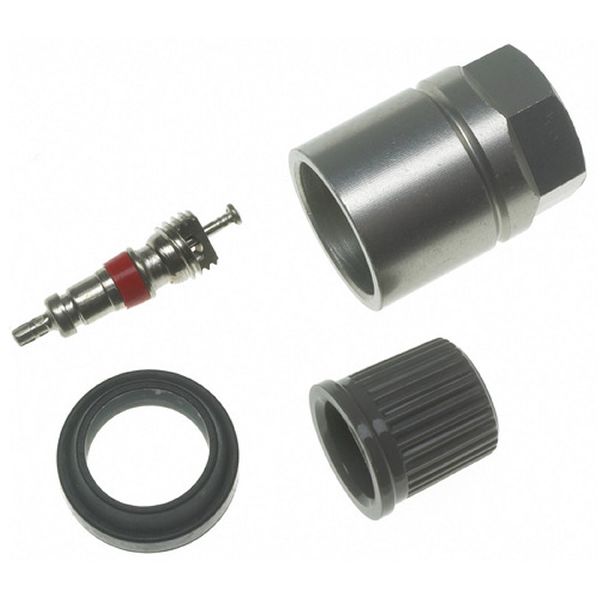
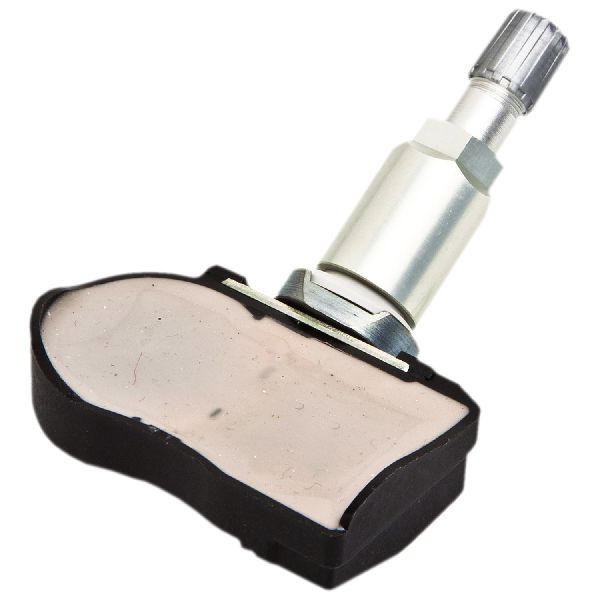
- Tire Pressure Monitoring System (TPMS) Sensor
(OEM #40700-1LA0E)— This is the component that fails, almost always due to its internal battery dying. The code C1710 directly points to a communication failure with this specific sensor. This part number supersedes 40700-1LA0A, 40700-1LA0B, 40700-1LA0C, and 40700-1LA0D.
Trusted brands: Nissan (OEM), Continental/VDO, Schrader, Autel (programmable), Standard Motor Products
OEM price range: $70-$120
Aftermarket price range: $30-$80
Related Codes That Often Appear With This One
- C1708 — Indicates a 'No Data' fault from the Front Left sensor. Seeing multiple TPMS codes together often means all sensor batteries are failing from old age.
- C1709 — Indicates a 'No Data' fault from the Front Right sensor. Common to see with C1710 if multiple sensors are failing due to age.
- C1711 — Indicates a 'No Data' fault from the Rear Left sensor. Seeing both rear codes (C1710 and C1711) could point to RF interference originating from the rear of the cabin or both sensors failing simultaneously.
Technical Service Bulletins (TSBs) & Recalls
- NTB19-062: Confirms C1710 as a '[NO DATA] RR' fault for the 2018 370Z and notes a rare potential cause from HVAC blower motor interference.
- NTB13088A: Discusses general TPMS diagnostics and explicitly mentions radio frequency interference from aftermarket accessories as a potential cause for 'No Data' codes (C1708-C1711).
- NTB14-075 / ITB13-039A: While for other Nissan/Infiniti models, these TSBs corroborate the meaning of C1710 and the diagnostic procedure, including checking for RF interference and identifying faulty sensor batches.
Platform-Specific Known Issues
- Owner Experience with RF Interference: An owner on a Nissan Leaf forum discovered their wireless phone charging dock would instantly cause the TPMS readings to freeze. Unplugging the charger immediately restored function, confirming RF interference as the cause. Another user on a CR-V forum noted that cheap, failing gas station chargers were particularly prone to causing this issue.
Scan Tool Commands That Help
- Nissan CONSULT-III plus: Work Support > ID Registration — This function is used to register the unique IDs of new TPMS sensors to the BCM after replacement. The tool guides the technician to activate each sensor in a specific order (LF, RF, RR, RL) to complete the programming.
- Nissan CONSULT-III plus: Re/programming, Configuration > Air Pressure Monitor > Manual Configuration — This specific configuration must be performed after replacing the Body Control Module (BCM). If this step is skipped, the BCM will not be able to learn or register any TPMS sensor IDs.
- Aftermarket TPMS Tool (e.g., Autel, Bartec): OBD Relearn / ID Registration — Used to write the new sensor IDs to the BCM via the OBD-II port after sensor replacement. This is the standard procedure for most independent tire shops.
Wiring & Ground Locations
- TPMS Receiver Module — On the related 350Z platform, the receiver is located under the dashboard in the passenger footwell, to the right of the center console, often high up and difficult to access.. This module receives the radio signals from all four tire sensors. In the rare event that all sensors fail to communicate simultaneously, or if a single-wheel fault persists after sensor replacement, a fault with this module or its connector could be the cause.
- TPMS Reset/Warning Check Connector — A single-wire white female plug, typically taped to the OBD-II port wiring harness under the driver's side dash, near the left knee.. This connector is used for a manual, tool-free TPMS relearn procedure. By grounding this wire in a specific sequence, the BCM can be put into a learning mode to recognize sensor IDs, although this method is less reliable than using a scan tool.
Real Owner Repair Stories
- Nissan TSB NTB14-075 (2013-2014 Nissan Titan (similar platform)) — Intermittent flashing TPMS light with DTC C1710 and/or C1711 stored.
❌ Tried (didn't work) Testing the TPMS sensor with a handheld tool (Signal Tech II), which showed the sensor was 'good'., Ensuring no aftermarket electronics were plugged in causing RF interference.
✅ What actually fixed it The root cause was an intermittent internal fault in a specific batch of original sensors (P/N 40700-1AA0D). The official fix was to replace all four TPMS sensors with the updated part number (40700-3AN0C), as the original sensors could not be trusted even if they passed a simple activation test. - Project:Keira blog post (Nissan Titan (similar platform)) — TPMS light on after a sensor was broken during a tire change and replaced with a cheap eBay part.
❌ Tried (didn't work) Attempting to program a cheap aftermarket TPMS sensor from eBay. A Nissan dealer confirmed the sensor itself was faulty and would not communicate with their diagnostic tool.
✅ What actually fixed it The owner purchased a genuine OEM Nissan TPMS sensor from a dealer. After installing the OEM sensor, they successfully performed a manual relearn procedure by setting specific tire pressures, grounding the TPMS reset connector under the dash 6 times in 10 seconds to enter learn mode, and then driving the vehicle.
Helpful Videos
We Have This Part in Stock




The information in this article is provided for general reference and educational purposes only. Vehicle specifications, procedures, and part compatibility can vary by production date, trim level, and region. Always consult your vehicle's factory service manual and verify part numbers before purchasing or performing repairs. Safety-critical components such as airbags, seat belts, and braking systems should be installed by a qualified professional.
- Nissan 370Z:
- 🧭 Diagnostic Flowchart
- 🎬 Helpful Videos
- 🛍️ Shop This Part
- What's Unique About the 2017-2018 Nissan 370Z
- Symptoms You May Notice
- Most Likely Causes
- Rare But Worth Checking
- Diagnosis Steps
- Parts You'll Likely Need
- Related Codes That Often Appear With This One
- Technical Service Bulletins (TSBs) & Recalls
- Platform-Specific Known Issues
- Scan Tool Commands That Help
- Wiring & Ground Locations
- Real Owner Repair Stories
- 🎟️ Get 5% Off