

C1710 on 2009-2014 Nissan CUBE: TPMS 'No Data' Causes and Fixes
On a 2009-2014 Nissan CUBE, code C1710 means the rear-right TPMS sensor is not communicating with the vehicle. The most common cause is a dead battery in the sensor, which has a 5-10 year lifespan. The fix is to replace the sensor and register it to the car, costing about $40-$110 for the part. Before replacing, unplug all aftermarket 12V accessories to rule out radio frequency interference.
- C1710 on a Nissan CUBE means the rear-right TPMS sensor is not sending a signal.
- The most likely cause is a dead sensor battery due to the vehicle's age.
- Always check for and eliminate Radio Frequency (RF) interference from 12V accessories before replacing parts.
- Sensor replacement requires tire dismounting and a special tool to register the new sensor ID with the car's computer.
- This issue is shared with other Nissans like the Versa, Juke, and Sentra from the same era.
What's Unique About the 2009-2014 Nissan CUBE
The Nissan CUBE, built on the Nissan B platform, shares its TPMS architecture with numerous other Nissan vehicles like the Versa and Juke, which also report these issues. These platforms are particularly susceptible to radio frequency (RF) interference that can block the 315MHz TPMS sensor signals and trigger codes like C1710. Nissan issued a Technical Service Bulletin (NTB13-088A) acknowledging that simple devices like aftermarket phone chargers, dash cams, or even certain USB cables can cause this 'No Data' condition. Additionally, 2009-2010 CUBE models were subject to a recall for TPMS sensor retaining nut corrosion in road salt regions, which could lead to air loss and sensor damage.
Diagnostic Flowchart
Tap your situation to follow the diagnostic path that matches what you're seeing on this vehicle.
Symptoms You May Notice
- TPMS warning light flashes for approximately one minute at startup, then stays on continuously.
- Inability to monitor the tire pressure of the rear-right wheel via the vehicle's information display (if equipped).
- A TPMS-capable scan tool will read code C1710 and may show the status as '[NO-DATA]-RR'.
- Replacing the BCM when the sensor is the actual problem. The sensor is the most common point of failure by a large margin.
- Ignoring the possibility of RF interference and immediately replacing the sensor. Always perform the simple check of unplugging 12V accessories first, as it is a known issue on Nissans and costs nothing to test.
- Replacing a sensor but failing to perform the ID registration (relearn) procedure. The BCM will not recognize the new sensor until it is properly programmed to the vehicle.
Most Likely Causes
- Dead TPMS Sensor Battery 🔴 High Probability → Shop Tire Pressure Monitoring System (TPMS) Sensor The non-replaceable lithium-ion batteries inside TPMS sensors have a finite lifespan of 5-10 years. Vehicles in the 2009-2014 range are at or beyond the typical end-of-life for their original sensors, making this the most common cause of failure.
How to confirm: Use a TPMS diagnostic tool to attempt to 'wake' or read the sensor at the rear-right wheel. If the tool cannot get a reading (no signal, no ID, no battery status), the sensor has failed and is not transmitting.
Typical fix: Replace the rear-right TPMS sensor. The new sensor's unique ID must then be registered to the Body Control Module (BCM) using a TPMS tool. It is often recommended to replace all four sensors if they are original, as the others are likely to fail soon.
Est. part cost: $40-$110 - Radio Frequency (RF) Interference 🟡 Medium Probability Nissan TSB #NTB13-088A specifically calls out this issue for many models, including those on the CUBE's platform. Aftermarket devices plugged into the 12V power outlets (especially 'smart' phone chargers, dash cams, or DVD players) can transmit RF signals that interfere with the 315MHz TPMS frequency, preventing the BCM from hearing the sensor.
How to confirm: Unplug all aftermarket electronic devices from the vehicle's power outlets. This includes any USB adapters, chargers, and their cables. Clear the trouble codes and drive the vehicle for several minutes above 16 mph to see if the code returns. If the light stays off, one of the devices was the cause.
Typical fix: Remove or replace the interfering electronic device. Using a higher quality, better-shielded charger often resolves the issue. This is not a vehicle fault and is not covered by warranty.
Est. part cost: $0 - Damaged or Faulty TPMS Sensor ⚪ Low Probability → Shop Tire Pressure Monitoring System (TPMS) Sensor Sensors can be physically damaged during tire mounting/dismounting, especially if the technician is not aware of the sensor's location. Also, the retaining nut was subject to a corrosion recall on 2009-2010 models (NHTSA 09V393000), which could damage the sensor or its seal if it failed.
How to confirm: Visually inspect the sensor and valve stem for cracks, corrosion, or other damage after dismounting the tire. Check for leaks around the valve stem using soapy water.
Typical fix: Replace the damaged TPMS sensor and/or the service kit (valve stem, core, cap, nut, and grommet).
Est. part cost: $10-$110
Rare But Worth Checking
- Faulty Body Control Module (BCM) or TPMS Receiver: This is very unlikely. A faulty receiver would typically cause codes for all four sensors (C1708, C1709, C1710, C1711) to appear simultaneously, or intermittently for multiple wheels. This should only be considered after all other possibilities, including the specific sensor and RF interference, have been exhaustively ruled out. A persistent C1710 that does not move with the wheel when tires are rotated can point to a faulty receiver.
Diagnosis Steps
- Verify the TPMS warning light behavior: confirm it flashes for ~1 minute then stays solid, indicating a system fault. A solid light from startup indicates low pressure, not a fault.
- Scan the Body Control Module (BCM) with an advanced scan tool (not a basic engine code reader) to confirm C1710 is the active code and to check for any other TPMS codes.
- Rule out RF Interference: Unplug ALL aftermarket devices from 12V power outlets (phone chargers, dash cams, GPS, etc.). Clear the code and drive the vehicle for several minutes above 16 mph to see if the light returns.
- Use a TPMS activation tool at the rear-right wheel to attempt to read the sensor's pressure, temperature, ID, and battery status. If the tool cannot get a response, the sensor has failed.
- If the sensor does respond, use the TPMS tool to verify that its unique ID is correctly registered in the BCM for the rear-right wheel position.
- If the sensor is confirmed bad, dismount the tire from the wheel and replace the TPMS sensor. Be sure to also replace the service kit (nut, grommet, valve core).
- Using a TPMS tool, perform the TPMS sensor ID registration (relearn) procedure to teach the BCM the new sensor's ID. Some Nissan models have a manual relearn procedure involving grounding a wire, but using a tool is the standard professional method.
- Inflate all tires to the pressure specified on the door jamb placard, clear codes, and test drive to ensure the light remains off.
Parts You'll Likely Need
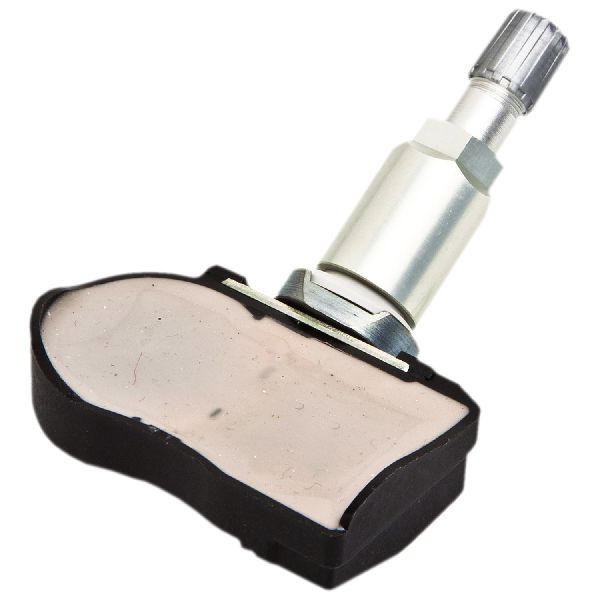
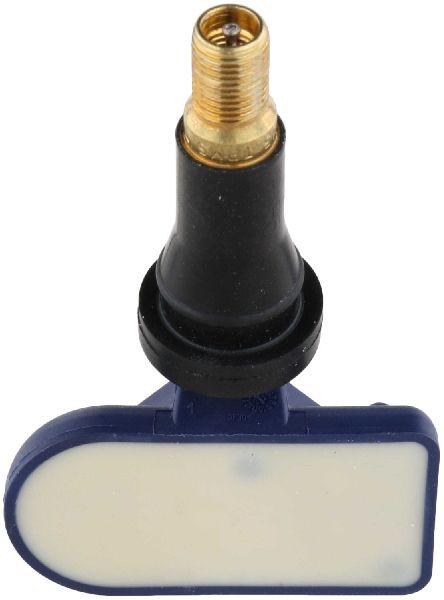
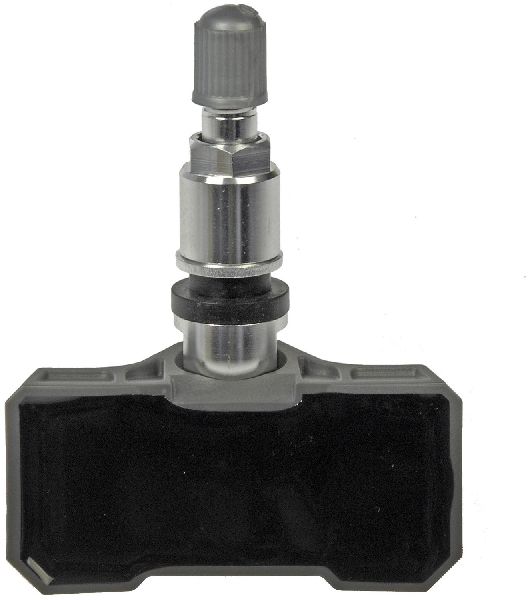
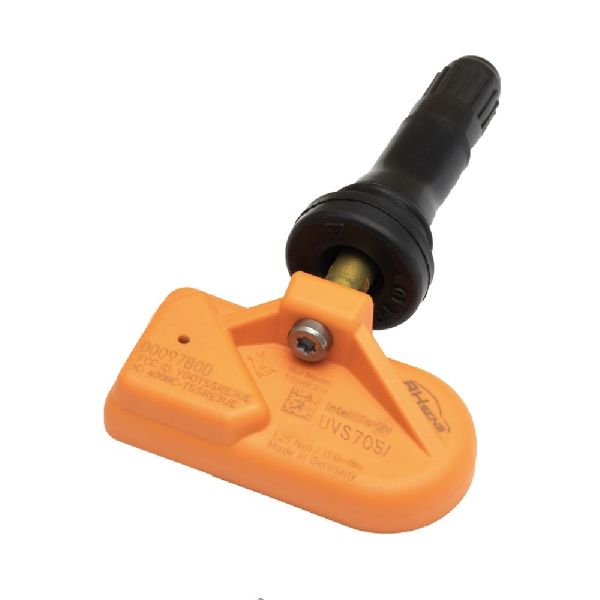
- Tire Pressure Monitoring System (TPMS) Sensor
(OEM #40700-1AA0B)— This is the most common failure point. The internal, non-replaceable battery dies, causing the 'No Data' condition of code C1710.
Trusted brands: Schrader, Continental/VDO, Denso, Dorman, VXDAS
OEM price range: $70-$110
Aftermarket price range: $40-$80
Related Codes That Often Appear With This One
- C1708 — This is the code for the Front-Left sensor. Seeing multiple TPMS codes together often means all sensor batteries are failing around the same time due to age.
- C1709 — This is the code for the Front-Right sensor. When seen with C1710, it suggests either multiple sensors are failing or a significant RF interference source is present.
- C1711 — This is the code for the Rear-Left sensor. Seeing C1710 and C1711 together points to the failure of both rear sensors, which is common as they age together.
Technical Service Bulletins (TSBs) & Recalls
- NTB13-088A (also referenced as WT13-005 or NTB13088A): Discusses diagnosing the Low Tire Pressure Warning System (LTPWS), including 'No Data' conditions (C1708, C1709, C1710, C1711) caused by radio frequency interference from aftermarket accessories.
Platform-Specific Known Issues
- Recall for TPMS Nut Corrosion: NHTSA Campaign ID 09V393000 was issued for 2009-2010 models where the sensor retaining nut could corrode and crack in road salt states, leading to rapid air loss. Owners should verify if this recall was performed on their vehicle.
- High Susceptibility to RF Interference: As documented in TSB NTB13-088A, this platform is known to be sensitive to interference from aftermarket electronics plugged into the power outlets. Forum users frequently report solving TPMS issues by simply changing their phone charger.
Mechanic-Grade Diagnostic Values
- TPMS Sensor Signal Frequency — expected: 315 MHz. Failure: No signal detected by a TPMS tool.
- TPMS Sensor Battery Status — expected: OK / Good. Failure: A TPMS tool reads 'Low' or 'N/A' for battery status, or fails to get any reading at all.
Scan Tool Commands That Help
- Nissan CONSULT III / CONSULT 3+: ID REGIST — This function is used after replacing a TPMS sensor. It allows the technician to write the new sensor's unique ID into the BCM's memory for the correct wheel position. Without this step, the BCM will not recognize the new sensor.
- Advanced Aftermarket TPMS Tool (e.g., Autel, Bartec): OBD Relearn / ID Registration — This is the aftermarket equivalent of the CONSULT function. It is used to program the new sensor ID into the BCM via the OBD-II port after a sensor has been replaced.
Wiring & Ground Locations
- Body Control Module (BCM) — Located under the driver's side of the dashboard, often behind the main dash fuse box.. The BCM acts as the TPMS receiver and control unit. All sensor signals are sent to the BCM. A poor connection, faulty ground, or internal failure of the BCM can prevent it from receiving the signal from the rear-right sensor, causing a C1710 code.
- Tire Pressure Warning Check Connector — A single-wire white plug typically located under the driver's side dash, near the OBD-II connector.. This connector is intentionally placed for the manual TPMS relearn/reset procedure. By grounding this wire in a specific sequence, it's possible to put the BCM into a learning mode without a scan tool on some Nissan models.
Real Owner Repair Stories
- Go-Parts.com forum summary for a similar Nissan model (Nissan Maxima (similar TPMS architecture)) — Persistent C1710 code.
❌ Tried (didn't work) Replacing the TPMS sensor multiple times., Rotating wheels to see if the code followed the sensor (it did not).
✅ What actually fixed it The TPMS receiver module was faulty and had to be replaced. The fact that the C1710 code stayed at the rear-right position regardless of which wheel/sensor was there was the key diagnostic clue.
OEM Part Supersession History
40700-1AA0B→40700-JK01C— Part consolidation and revision by Nissan.
Heads up: The part 40700-JK01C is a wide-ranging replacement for over a dozen older sensor part numbers, including 40700-1AA0A, 40700-1AA0C, 40700-JA01B, and others. It is critical to verify fitment with a VIN, but this part is the standard service replacement for the CUBE.
Model Year Variations Within This Range
- 2009-2010: These model years were subject to NHTSA recall 09V393000 for TPMS sensor retaining nuts that could corrode and crack in states using road salt. This could lead to sudden air loss and potential sensor damage. Later models used improved hardware.
Helpful Videos

We Have This Part in Stock



The information in this article is provided for general reference and educational purposes only. Vehicle specifications, procedures, and part compatibility can vary by production date, trim level, and region. Always consult your vehicle's factory service manual and verify part numbers before purchasing or performing repairs. Safety-critical components such as airbags, seat belts, and braking systems should be installed by a qualified professional.
- Nissan CUBE:
- 🧭 Diagnostic Flowchart
- 🎬 Helpful Videos
- 🛍️ Shop This Part
- What's Unique About the 2009-2014 Nissan CUBE
- Symptoms You May Notice
- Most Likely Causes
- Rare But Worth Checking
- Diagnosis Steps
- Parts You'll Likely Need
- Related Codes That Often Appear With This One
- Technical Service Bulletins (TSBs) & Recalls
- Platform-Specific Known Issues
- Mechanic-Grade Diagnostic Values
- Scan Tool Commands That Help
- Wiring & Ground Locations
- Real Owner Repair Stories
- OEM Part Supersession History
- Model Year Variations Within This Range
- 🎟️ Get 5% Off