

C1710 on 2012-2016 Nissan Maxima: Rear-Right TPMS Fault Explained
On a 2012-2016 Nissan Maxima, code C1710 means the rear-right TPMS sensor is not sending data. The most common cause is a dead sensor battery. Before replacing it, unplug all phone chargers to rule out radio frequency interference, a known Nissan issue. A new sensor costs $40-$120.
- C1710 means the rear-right TPMS sensor isn't communicating with your Maxima.
- Before buying any parts, unplug all phone chargers and dash cams to rule out radio frequency interference, a known issue.
- The most likely cause is a dead battery in the original sensor, which requires replacing the entire sensor unit.
- Sensor replacement is not a simple DIY job; it requires tire dismounting and a special tool to register the new sensor's ID to the car.
- If your vehicle is over 7 years old, it's wise to consider replacing all four TPMS sensors at once to prevent future failures.
What's Unique About the 2012-2016 Nissan MAXIMA
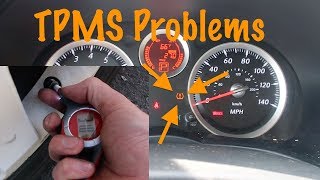
The 2012-2016 Maxima spans two generations (7th and 8th), but the TPMS architecture is similar. What's notable for this era of Nissan vehicles is the system's documented susceptibility to radio frequency (RF) interference. Nissan issued a Technical Service Bulletin (NTB13088A) specifically warning that aftermarket devices like phone chargers and dash cams can block the TPMS sensor signals, causing codes like C1710 🎬 Watch: A detailed guide on troubleshooting the C1710 error code. even when the sensor is perfectly fine. Owners on various forums have confirmed that low-quality or unshielded USB chargers are common culprits. Always rule out this simple cause before paying for parts and labor.
Diagnostic Flowchart
Tap your situation to follow the diagnostic path that matches what you're seeing on this vehicle.
Generation note: This range covers the end of the 7th generation Maxima (2012-2014, model A35) and the start of the 8th generation (2016, model A36), as there was no 2015 model year. While the body styles are different, the TPMS systems operate on the same principles. A critical difference is the sensor frequency: 2012-2015 models use 315 MHz sensors, while 2016 and newer models use 433 MHz sensors. Using the wrong frequency will not work. The causes and fixes for C1710 are otherwise consistent across this year range.
Symptoms You May Notice
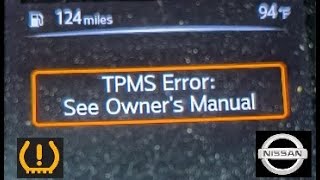
- TPMS warning light flashes for approximately 60 seconds on startup, then remains illuminated.
- Driver information center may display a 'Tire Pressure System Fault' message.
- Inability to see the tire pressure reading for the rear-right tire on the display (if equipped).
- On some models, the tire pressure display might show '0 kPa' or dashes for the affected wheel after driving.
- Replacing the TPMS sensor without first checking for RF interference. This can lead to unnecessary expense when the problem was a cheap phone charger.
- Replacing the wrong sensor. If tires have been rotated but the sensors were not re-registered, the position in the computer may not match the physical location. However, C1710 is defined as the RR position, so the fault is with whatever sensor is registered to that location.
- Forgetting to register the new sensor. A new sensor's ID must be written to the BCM using a tool or a manual relearn procedure; it is not plug-and-play.
Most Likely Causes
- Failed TPMS Sensor (Dead Internal Battery) 🔴 High Probability → Shop Tire Pressure Monitoring System (TPMS) Sensor TPMS sensors are powered by small, non-replaceable batteries with a finite lifespan of 5-10 years. Vehicles in the 2012-2016 range are now at an age where original sensor batteries are expected to fail, making this the most common cause.
How to confirm: Use a TPMS diagnostic tool (like an Autel TS508 or similar) to attempt to activate or read the sensor at the rear-right wheel. If the tool cannot get a response, or it reports a 'low battery' status, the sensor has failed.
Typical fix: Replace the rear-right TPMS sensor, balance the wheel, and register the new sensor ID to the vehicle's BCM. It is often recommended to replace all four sensors if they are original to avoid repeat failures.
Est. part cost: $35-$120 - Radio Frequency (RF) Interference 🟡 Medium Probability Nissan TSB NTB13088A specifically identifies RF interference from aftermarket accessories (phone chargers, dash cams, GPS units, power inverters) as a cause for 'No Data' TPMS codes like C1710. Low-quality electronics plugged into the 12V outlets can emit signals that block the TPMS receiver. Forum users frequently report that cheap USB adapters for phones or even Nintendo Switch chargers have caused this exact issue.
How to confirm: Unplug all aftermarket devices from the vehicle's power outlets. Clear the trouble codes and drive the vehicle for several minutes at speeds above 20 MPH. If the code does not return, one of the accessories was the cause.
Typical fix: Identify and remove the interfering device. Replace it with a higher-quality, better-shielded version if needed. Sometimes simply moving a device can resolve the issue.
Est. part cost: $0 - Damaged TPMS Sensor ⚪ Low Probability → Shop Tire Pressure Monitoring System (TPMS) Sensor Sensors can be physically damaged during tire replacement by inexperienced technicians or by hitting a large pothole. The valve stem itself can also become corroded and break. One owner on a forum reported a tire shop broke their sensor during a routine rotation.
How to confirm: Visual inspection after dismounting the tire. The sensor may be cracked, broken, or show signs of corrosion. The damage is often obvious once the tire is off the rim.
Typical fix: Replace the damaged TPMS sensor and register the new one.
Est. part cost: $35-$120
Rare But Worth Checking
- Faulty TPMS Receiver / BCM: In some Nissan models, the TPMS receiver is part of the remote keyless entry module, located under the driver's side dash. If you have replaced the sensor and ruled out RF interference, but the C1710 code persists specifically for the rear-right position (even after rotating tires), the receiver or the BCM itself could be the issue. This is rare and should be the last item to diagnose, as the RR sensor is the furthest from the receiver, making its signal the weakest and most susceptible to reception issues.
Diagnosis Steps
- Verify the symptom: Confirm the TPMS light flashes for ~1 minute at startup, then stays on. A solid light on startup typically indicates low pressure, not a system fault.
- Scan for codes with a tool that can read Nissan BCM/Chassis codes to confirm C1710 is present.
- Rule out RF Interference: Unplug ALL aftermarket accessories from 12V power outlets (phone chargers, dash cams, etc.).
- Clear the codes and drive the vehicle for at least 10 minutes at speeds over 20 mph. If the light and code do not return, an accessory was the cause.
- If the code returns, use a TPMS activation tool to test the rear-right sensor. Check its reported battery life, pressure, and temperature. If the tool cannot get a response, the sensor has failed.
- If the tool can read the sensor but the car cannot, attempt a TPMS relearn procedure. For some 7th gen models, a manual relearn exists by grounding a specific wire near the OBD-II port. 8th gen models may use a menu in the instrument cluster.
- As an advanced step, rotate the rear-right tire to the front-right position and re-register the sensors. If the code changes to C1709 (Front-Right), the sensor is confirmed bad. If the code stays as C1710, the problem is likely in the vehicle's receiver/BCM.
Parts You'll Likely Need
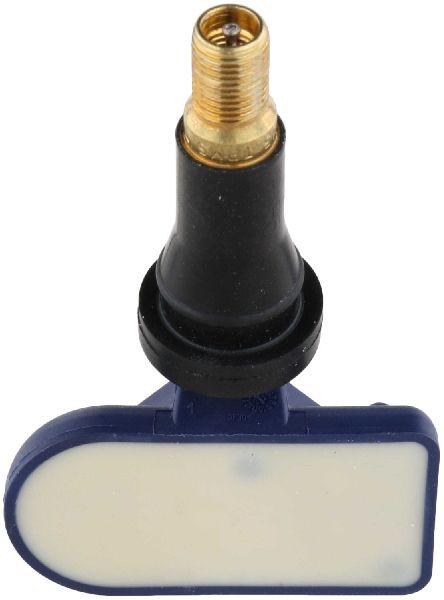
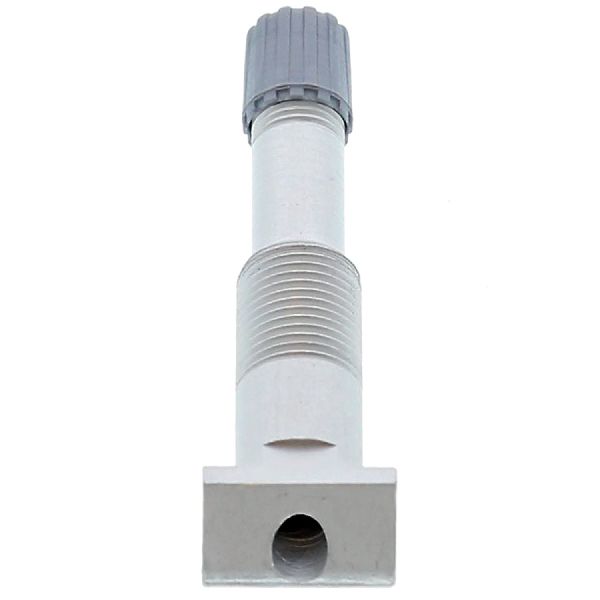
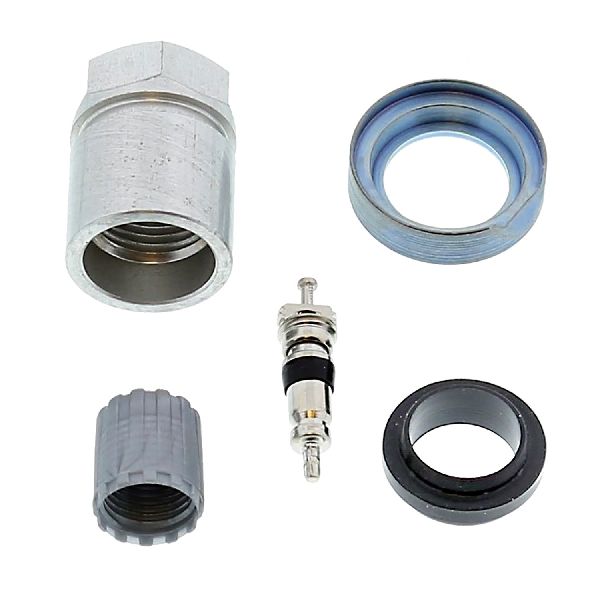
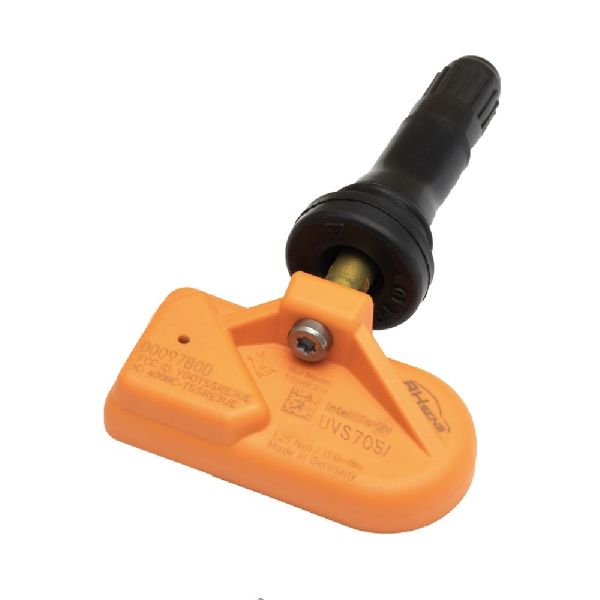
- Tire Pressure Monitoring System (TPMS) Sensor
(OEM #40700-3JA0B)— This is the most common failure point, typically due to an expired internal battery. Note that this part number supersedes 40700-3JA0A. It is crucial to get the correct frequency: 315 MHz for 2012-2015 models and 433 MHz for 2016 models.
Trusted brands: Schrader, Continental, Denso, Autel, Huf
OEM price range: $70-$110
Aftermarket price range: $35-$70
Related Codes That Often Appear With This One
- C1708 — Indicates 'No Data' from the Front-Left sensor. Seeing multiple codes like this suggests the sensors are failing from age at the same time.
- C1709 — Indicates 'No Data' from the Front-Right sensor. Common to see with C1710 as sensor batteries have a similar lifespan.
- C1711 — Indicates 'No Data' from the Rear-Left sensor. If both rear sensor codes are present (C1710 and C1711), it could point to multiple dead batteries, significant RF interference, or a specific issue noted in TSB NTB14-073 for some Nissan models.
Technical Service Bulletins (TSBs) & Recalls
- NTB13088A: Summarizes common TPMS issues and explicitly lists 'Radio frequency interference causing a "No Data" (C1708, C1709, C1710, C1711) condition' as a key diagnostic point.
- NTB14-073: While for the Nissan Titan, this TSB is relevant as it specifically addresses C1710 and C1711 codes caused by a faulty batch of sensors, showing a precedent for sensor quality issues from Nissan.
Platform-Specific Known Issues
- Per TSB NTB13088A, these vehicles are known to be sensitive to radio frequency interference from aftermarket electronics, which can mimic a failed sensor.
- A manual relearn procedure involving grounding a wire near the OBD-II port is possible on some 7th generation (2012-2014) models, potentially saving a trip to the dealer for programming.
- The 2016 model year marked a switch in TPMS sensor frequency from 315 MHz to 433 MHz. It is essential to verify the correct frequency for the specific vehicle year before purchasing parts.
Mechanic-Grade Diagnostic Values
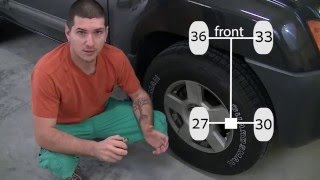
- Manual Relearn Staggered Tire Pressures (7th Gen) — expected: Front-Left: 34-36 PSI, Front-Right: 31-33 PSI, Rear-Right: 29-30 PSI, Rear-Left: 26-27 PSI.. Failure: If the pressures are not set in this specific, unequal sequence, the BCM cannot identify each wheel's position, and the manual relearn process will fail.
Scan Tool Commands That Help
- Nissan CONSULT-III / CONSULT-III plus: ID Read (under BCM > TIRE PRESSURE MONITOR > Work Support) — Use this function to display the unique TPMS sensor IDs currently stored in the Body Control Module. This is a critical first step to verify which sensor ID the vehicle *thinks* is in the rear-right position before you start replacing parts.
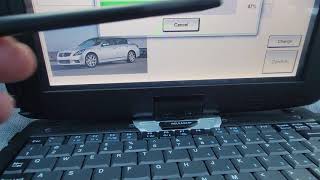
- Nissan CONSULT-III / CONSULT-III plus: ID Regist (ID Registration) — This is the primary function used to write the new, unique sensor ID to the BCM after a sensor has been replaced. The tool guides the technician to activate each sensor in sequence to complete the registration.
- Nissan CONSULT-III / CONSULT-III plus: Re/programming, Configuration (TPMS Configuration) — This function is absolutely required if the Body Control Module (BCM) itself is replaced. If this configuration is not performed on the new BCM, the 'ID Regist' function will fail, and the vehicle will not be able to learn any TPMS sensors.
- Aftermarket (e.g., Autel, Bartec): OBD Relearn / ID Registration — Most professional aftermarket TPMS tools can perform the same function as the dealer's CONSULT tool, writing the new sensor IDs directly to the BCM via the OBD-II port. This is the most common method used by independent tire shops.
Wiring & Ground Locations
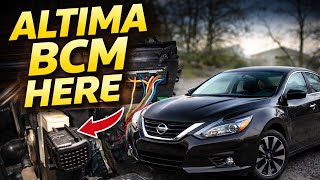
- Body Control Module (BCM) / TPMS Receiver — For the 2012-2014 (7th Gen) Maxima, the BCM is typically located behind the driver's side kick panel or integrated into the fuse block area. For the 2016 (8th Gen) Maxima, it is located behind the instrument cluster.. The BCM acts as the receiver for all TPMS sensor signals. In the rare event that the C1710 code persists after sensor replacement and ruling out RF interference, a poor connection or fault at the BCM itself could be the cause.
- TPMS Relearn Connector (Manual Reset) — On 7th generation (2012-2014) models, this is a single-wire white female plug, often taped to the main OBD-II port wiring harness loom. It is located under the driver's side dash, near the driver's left knee.. This connector is used for the tool-free manual relearn procedure. By grounding the pin in this connector six times with the key on, the BCM is put into 'learning mode', allowing a DIY-er to register new sensors without a specialized scan tool.
Real Owner Repair Stories
- maxima.org Forum User (7th Generation Nissan Maxima (2009-2015)) — TPMS warning light was on after installing new wheels/sensors.
❌ Tried (didn't work) Taking the car to the dealer, who would charge $50-$90 for each relearn.
✅ What actually fixed it The user successfully performed a manual relearn procedure at home. They set the tires to specific staggered pressures (34/31/29/26 PSI), located the white TPMS interface plug near the OBD-II port, and grounded its pin six times with the key on to enter learning mode. The TPMS light began to flash slowly, confirming it was in relearn mode. - Nissan Forum User (350Z, applicable procedure) (2006 Nissan 350Z) — TPMS light on after replacing a bad sensor.
❌ Tried (didn't work) Searching for the TPMS reset connector only near the OBD-II port on the driver's side., Trying a relearn method from a different forum that did not work.
✅ What actually fixed it The user eventually found the single-pin TPMS reset connector tucked away under the airbag cover on the PASSENGER side of the vehicle, which was required to initiate the manual relearn process. This highlights that the location can vary between Nissan models and may require consulting a factory service manual to find.
OEM Part Supersession History
40700-3JA0A→40700-3JA0B— Minor revision and update by the manufacturer. The parts are interchangeable.
Heads up: This part number is for 315 MHz systems (2012-2015 Maxima). It is NOT compatible with 2016+ models which use a 433 MHz system.
Model Year Variations Within This Range
- 2012-2015: These models use a 315 MHz frequency for the TPMS sensors. Part numbers like 40700-3JA0B are appropriate. A manual relearn procedure by grounding a connector is possible.
- 2016: This model year uses a 433 MHz frequency for the TPMS sensors. Using a 315 MHz sensor will not work. The BCM is in a different location (behind the instrument cluster). The manual ground-wire relearn procedure may not be applicable; relearn is typically done via the OBD-II port with a tool.
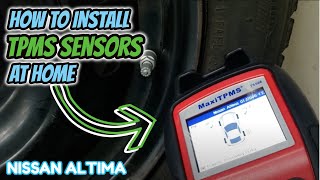
Helpful Videos

We Have This Part in Stock



The information in this article is provided for general reference and educational purposes only. Vehicle specifications, procedures, and part compatibility can vary by production date, trim level, and region. Always consult your vehicle's factory service manual and verify part numbers before purchasing or performing repairs. Safety-critical components such as airbags, seat belts, and braking systems should be installed by a qualified professional.
- Nissan MAXIMA:
- 🧭 Diagnostic Flowchart
- 🎬 Helpful Videos
- 🛍️ Shop This Part
- What's Unique About the 2012-2016 Nissan MAXIMA
- Symptoms You May Notice
- Most Likely Causes
- Rare But Worth Checking
- Diagnosis Steps
- Parts You'll Likely Need
- Related Codes That Often Appear With This One
- Technical Service Bulletins (TSBs) & Recalls
- Platform-Specific Known Issues
- Mechanic-Grade Diagnostic Values
- Scan Tool Commands That Help
- Wiring & Ground Locations
- Real Owner Repair Stories
- OEM Part Supersession History
- Model Year Variations Within This Range
- 🎟️ Get 5% Off