

C1711 on 2014-2016 Infiniti QX50: Rear-Left TPMS Sensor Failure Causes and Fixes
Code C1711 on a 2014-2016 Infiniti QX50 means the rear-left tire pressure sensor is not sending a signal. The most common cause is a dead sensor battery, requiring sensor replacement. Before replacing, unplug all aftermarket electronics to rule out RF interference, a known issue for this platform. Expect to pay $50-$100 for the part and 0.5-1.0 hours of labor for installation and programming.
- C1711 means the rear-left TPMS sensor is not communicating with your QX50.
- The most probable cause is a dead battery inside the sensor, which is a common issue for vehicles of this age.
- Before buying parts, rule out radio frequency interference by unplugging any aftermarket chargers or dash cams, as per a factory TSB.
- Sensor replacement requires a tire shop to dismount the tire and a special tool to register the new sensor.
- After a fix, a persistent warning message may require a TPMS-capable scan tool to clear the fault code from the BCM.
What's Unique About the 2014-2016 Infiniti QX50
For this generation of Infiniti vehicles, the manufacturer issued a specific Technical Service Bulletin (TSB #ITB13039A) acknowledging that codes like C1711 can be caused by radio frequency (RF) interference. This means that while a failed sensor is the most common culprit, external or even other internal electronic devices can disrupt the 315MHz signal, a documented quirk of the platform. Forum users have specifically identified cheap, aftermarket cell phone chargers and dash cams as common sources of this interference.
Diagnostic Flowchart
Tap your situation to follow the diagnostic path that matches what you're seeing on this vehicle.
Symptoms You May Notice
- TPMS warning light flashing for approximately one minute upon startup, then staying on solid.
- Vehicle information display shows dashes (--) instead of a pressure reading for the rear-left tire.
- "Check Tire Pressure" or "Flat Tire Visit Dealer" message may appear on the information display.
- Inability to complete the TPMS relearn procedure; the system may enter learn mode but fail to register the new sensor.
- Replacing the wrong wheel's sensor. It is crucial to confirm that C1711 corresponds to the rear-left wheel before beginning repairs.
- Assuming the TPMS control module is bad before properly testing the wheel sensor and thoroughly checking for RF interference from all aftermarket accessories.
- Replacing a sensor without having the proper tool to register the new sensor ID to the vehicle, leading to the code returning.
Most Likely Causes
- Failed Rear-Left TPMS Sensor 🔴 High Probability → Shop Tire Pressure Monitoring System (TPMS) Sensor The internal, non-replaceable battery in the original TPMS sensors has a typical lifespan of 7-10 years. Vehicles from the 2014-2016 model years are now at an age where widespread battery failure is the most common reason for this code.
How to confirm: A technician can use a TPMS activation tool (like an Autel or Foxwell unit) at the rear-left wheel. If the tool cannot get a response (reading for pressure, temperature, and battery status), the sensor is dead and not transmitting.
Typical fix: Replace the rear-left TPMS sensor. The new sensor's unique ID must then be registered to the vehicle's computer (a process called relearning) using a compatible OBD-II 🎬 Watch: How to register new sensor IDs using a programming tool scan tool. It is often recommended to replace all four sensors at once, as the others are likely near the end of their service life.
Est. part cost: $40-$125 - Radio Frequency (RF) Interference 🟡 Medium Probability Infiniti TSB #ITB13039A specifically 🎬 See how to avoid common TPMS signal interference issues mentions RF interference as a cause for C1711. Common sources include aftermarket phone chargers, dash cams, and power inverters plugged into the 12V outlets. Owners on forums for related Nissan/Infiniti vehicles have confirmed that unplugging a cheap USB charger or dash cam resolved intermittent C17xx codes.
How to confirm: Remove all aftermarket electronic devices plugged into the vehicle's power outlets. Clear the code (if possible) and drive the vehicle for 10-15 minutes at speeds above 25 MPH to see if the code returns. If the problem is intermittent, note where it occurs, as external RF sources can also be a factor.
Typical fix: Identify and remove the source of the RF interference. No parts are typically required. Using higher-quality, well-shielded electronics can prevent recurrence.
Est. part cost: $0 - Faulty TPMS Control Module (Receiver) ⚪ Low Probability
How to confirm: This is diagnosed by exclusion. If all sensors are confirmed to be transmitting properly with a TPMS tool, and RF interference has been ruled out, the control module becomes the primary suspect. A professional scan tool can check the module's status and communication with the BCM. This is a rare failure.
Typical fix: Replace the TPMS control module and program it to the vehicle. This requires a dealer or specialized shop.
Est. part cost: $70-$200
Rare But Worth Checking
- Incorrect Sensor Installed or Not Registered:
Diagnosis Steps
- Verify the code is C1711 using an OBD-II scanner capable of reading Chassis (C-codes).
- Confirm the TPMS warning light behavior: flashes for ~60 seconds at startup, then stays solid.
- Unplug all aftermarket accessories (phone chargers, dash cams, GPS units, etc.) from all 12V power outlets to eliminate RF interference as a possible cause.
- Drive the vehicle for 10-15 minutes above 25 MPH to see if the system resets and the code clears.
- If the code persists, use a TPMS activation tool to attempt to read the sensor data from the rear-left wheel. Note the pressure, temperature, and battery status if available.
- If the tool gets no reading or shows a 'LOW BATT' status, the sensor has failed and needs replacement.
- If the tool gets a good reading, the sensor is likely transmitting. The issue may be with the TPMS receiver, its wiring, or an incorrect sensor ID stored in the BCM. This requires more advanced diagnostics.
- After any repair (like sensor replacement), perform the TPMS relearn procedure to register the new sensor ID with the BCM using a compatible TPMS tool.
Parts You'll Likely Need
- Tire Pressure Monitoring System (TPMS) Sensor
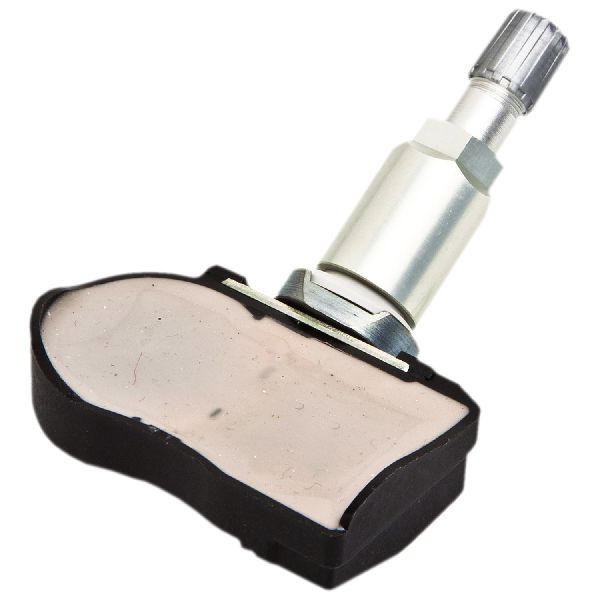
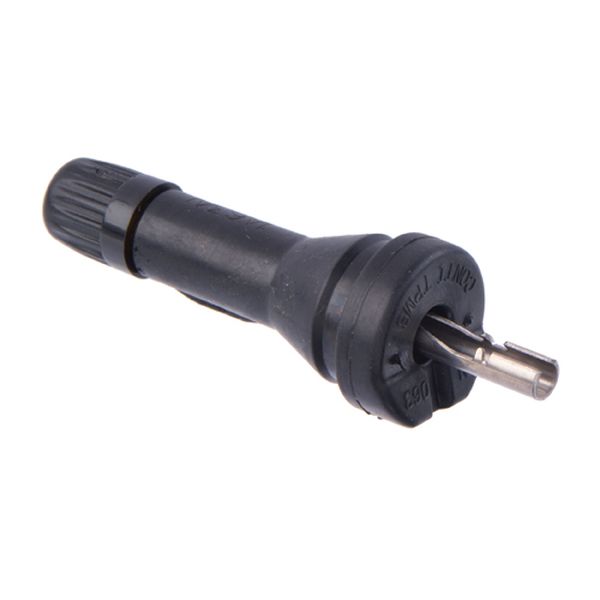
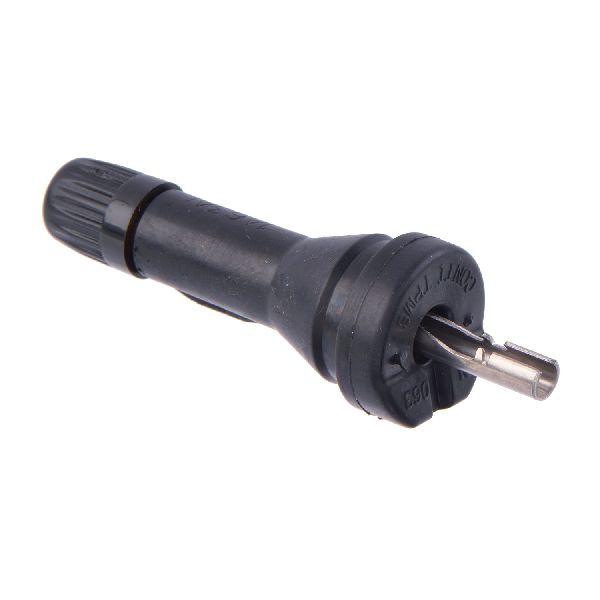
(OEM #40700-4CB1B)— This is the sensor and transmitter inside the wheel. The internal battery is the most common failure point, causing the loss of signal indicated by code C1711. This part number supersedes 40700-4CB1A and 40700-4CB0B. Another compatible part number may be 40700-3JA0B.
Trusted brands: Infiniti/Nissan (OEM), Continental/VDO, Schrader, Huf/BH Sens, Autel MX-Sensor
OEM price range: $90-$125
Aftermarket price range: $40-$75
Related Codes That Often Appear With This One
- C1708 — This code indicates a signal loss from the Front-Left TPMS sensor. Seeing multiple codes (C1708, C1709, C1710, C1711) together may point towards a systemic issue like a faulty TPMS receiver or significant RF interference rather than multiple dead sensors at once.
- C1710 — This code is for the Rear-Right TPMS sensor. If seen with C1711, it could indicate both rear sensors are failing due to age, or an issue with the rear TPMS antenna/receiver circuit. An owner on a My Nissan Leaf forum reported seeing C1710 and C1711 together intermittently before identifying RF interference as the cause.
Technical Service Bulletins (TSBs) & Recalls
- ITB13039A - Discusses TPMS/LTPWS systems, including radio frequency interference from devices like phone chargers as a cause for 'No Data' codes like C1711.
Platform-Specific Known Issues
- As documented in TSB ITB13039A, this vehicle platform is susceptible to radio frequency interference that can cause a 'No Data' condition and trigger codes C1708, C1709, C1710, or C1711. The TSB explicitly calls out 'Smart cell phone chargers' as a potential source.
- Some owners report that even after fixing the root cause (e.g., inflating a tire or replacing a sensor), a persistent "Flat Tire Visit Dealer" message remains and can only be cleared by erasing codes from the TPMS module with a capable scan tool, not a basic code reader.
Mechanic-Grade Diagnostic Values
- TPMS Receiver Connector Voltage — expected: 12V DC on the violet wire, Ground (0V) on the orange wire.. Failure: No voltage on the violet wire indicates a power supply issue; high resistance on the orange wire indicates a bad ground. Both can prevent the receiver from functioning.
Scan Tool Commands That Help
- Infiniti CONSULT-III (or equivalent professional scanner): ID REGISTRATION — This function is required after replacing a TPMS sensor to write the new sensor's unique ID to the Body Control Module. The path is typically: Select BCM > AIR PRESSURE MONITOR > WORK SUPPORT > ID REGISTRATION.
Wiring & Ground Locations
- TPMS Control Module (Receiver) — Located behind the glove box. Access requires removing the glove box assembly and a plastic cover behind it.. This module receives the signals from all four tire sensors. If it fails or its wiring is compromised, it can cause communication loss codes for one or more wheels, even if the sensors themselves are good.
- Body Control Module (BCM) — Located in the passenger side kick panel area, near the floor.. The BCM is the central computer that processes the information from the TPMS receiver and communicates with the instrument cluster. A fault in the BCM, often due to water damage on this platform, can manifest as TPMS codes.
- Ground Point M95 — Located on the right side of the dash.. This is a potential grounding point for the BCM or related systems. A poor ground connection can cause a wide range of difficult-to-diagnose electrical issues, including intermittent module communication.
Real Owner Repair Stories
- G35Driver Forum (Infiniti G35 (platform mate)) — Persistent TPMS warning light and codes after other vehicle repairs.
❌ Tried (didn't work) Verifying tire pressures., Attempting a manual reset procedure., Replacing the TPMS receiver module located behind the glove box.
✅ What actually fixed it The issue was not fully resolved in the thread, but the critical diagnostic step was provided by an expert: even though a tire shop's tool confirmed all sensors were transmitting a 'strong signal', the next step was to test the receiver's wiring for power and ground (12V on violet wire, ground on orange wire) or swap the rear wheels to see if the location-specific code (e.g., C1711) moved with the wheel, which would definitively condemn the sensor despite it transmitting. - Reddit r/G37 (Infiniti G37 (platform mate)) — Initial symptoms were random electrical issues after rain (key fob not working, car not starting). After BCM replacement, a TPMS light appeared.
❌ Tried (didn't work) Waiting for the car to dry out, which provided a temporary fix.
✅ What actually fixed it The root cause was a water-damaged Body Control Module (BCM) due to a clogged sunroof drain flooding the passenger footwell. The ultimate fix was replacing the BCM and having the keys reprogrammed. The appearance of a TPMS light after the fix confirms the BCM's central role in the TPMS system.
OEM Part Supersession History
40700-4CB0A, 40700-4CB1A→40700-4CB1B— Standard part revision and update by the manufacturer.
Heads up: The 2014-2016 Infiniti QX50 requires a 315MHz frequency sensor. Later generation Infiniti vehicles (2019+) switched to 433MHz. Using a 433MHz sensor on this vehicle will result in it failing to register and will not fix the code.
Model Year Variations Within This Range
- 2014-2016: The TPMS system, including sensor frequency (315MHz) and component locations, is consistent across the 2014, 2015, and 2016 model years for the QX50 (J50 chassis).
Helpful Videos

![[New Tool Review] Programming my TPMS Sensors for the G37 Rims Using Autel TS508👌](https://img.youtube.com/vi/2qAQozHaDp4/mqdefault.jpg)
We Have This Part in Stock




The information in this article is provided for general reference and educational purposes only. Vehicle specifications, procedures, and part compatibility can vary by production date, trim level, and region. Always consult your vehicle's factory service manual and verify part numbers before purchasing or performing repairs. Safety-critical components such as airbags, seat belts, and braking systems should be installed by a qualified professional.
- Infiniti QX50:
- 🧭 Diagnostic Flowchart
- 🎬 Helpful Videos
- 🛍️ Shop This Part
- What's Unique About the 2014-2016 Infiniti QX50
- Symptoms You May Notice
- Most Likely Causes
- Rare But Worth Checking
- Diagnosis Steps
- Parts You'll Likely Need
- Related Codes That Often Appear With This One
- Technical Service Bulletins (TSBs) & Recalls
- Platform-Specific Known Issues
- Mechanic-Grade Diagnostic Values
- Scan Tool Commands That Help
- Wiring & Ground Locations
- Real Owner Repair Stories
- OEM Part Supersession History
- Model Year Variations Within This Range
- 🎟️ Get 5% Off