

C1711 on 2012-2016 Nissan NV: Rear Left TPMS Sensor Failure Causes and Fixes
On a 2012-2016 Nissan NV, code C1711 means the rear-left tire pressure sensor is not communicating. The most likely cause is a dead sensor battery or radio interference from an aftermarket charger. The fix is to replace the sensor, which requires a tire shop for installation and programming.
- C1711 on a Nissan NV means the rear-left TPMS sensor is not sending a signal.
- Before replacing any parts, unplug all aftermarket phone chargers and dash cams to rule out radio frequency interference, a known issue for this vehicle documented in TSB NTB13088A.
- The most likely cause is a dead battery in the original sensor, which has a 5-10 year lifespan.
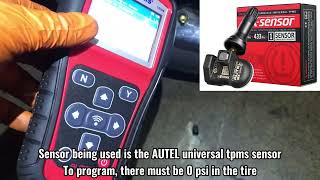
- Replacement of the sensor is not a DIY-friendly job; it requires a tire shop's equipment for mounting and a special tool for programming the new sensor to the van.
- If one sensor has failed due to age, it is cost-effective to consider replacing all four at the same time to avoid repeat labor costs in the near future.
What's Unique About the 2012-2016 Nissan NV
For this generation of Nissan vans, a notable and well-documented issue is sensitivity to radio frequency (RF) interference. Nissan issued Technical Service Bulletin NTB13088A, which is cited for this exact issue, warning that aftermarket devices like cell phone chargers and dash cams can disrupt the TPMS signal and trigger codes C1708 through C1711. This is a common problem across many vehicle brands, but particularly noted on Nissan's F-Alpha platform. Forum users have confirmed that cheap or unshielded USB chargers are often the culprit, and the issue can be resolved simply by unplugging the device. While a failed sensor is still the most common cause due to age, this susceptibility to interference is a critical and unique first diagnostic step for the NV platform before any parts are replaced.
Diagnostic Flowchart
Tap your situation to follow the diagnostic path that matches what you're seeing on this vehicle.
Symptoms You May Notice
- TPMS warning light flashes for approximately 60 seconds at startup, then stays on continuously.
- Inability to see the tire pressure reading for the rear-left tire on the vehicle information display (if equipped).
- The TPMS light may appear intermittently, especially after plugging in or using a specific 12V accessory like a phone charger.
- Replacing the Body Control Module (BCM) or TPMS receiver without first confirming the sensor has failed or ruling out RF interference.
- Assuming the tire itself is faulty when the issue is the sensor inside the wheel.
- Replacing the wrong wheel's sensor. Always confirm the location indicated by the code (C1711 is Rear Left).
Most Likely Causes
- Dead or Failing TPMS Sensor Battery 🔴 High Probability → Shop Tire Pressure Monitoring System (TPMS) Sensor TPMS sensors have a finite internal battery life of 5-10 years. Vehicles from the 2012-2016 model years are now at an age where battery failure is the most common cause for this code.
How to confirm: Use a dedicated TPMS activation tool to try and 'wake' the sensor at the rear-left wheel. If the tool cannot get a response or shows a low battery status, the sensor has failed and its battery is dead. Most tire shops can perform this test quickly.
Typical fix: Replace the rear-left TPMS sensor. It is often recommended to replace all four sensors at once, especially if getting new tires, as the others are likely near the end of their service life and will fail soon.
Est. part cost: $30-$70 - Radio Frequency (RF) Interference 🟡 Medium Probability As noted in Nissan TSB NTB13088A, these vehicles are susceptible to RF interference from aftermarket devices plugged into the 12V power outlets (cigarette lighters). This is often caused by poorly shielded, low-quality electronics like phone chargers, dash cams, or power inverters that emit RF noise and block the TPMS signal.
How to confirm: Unplug any and all aftermarket devices (phone chargers, dash cams, GPS units, power inverters). Clear the code (or allow the system to reset by turning the vehicle off and on) and drive the vehicle for several minutes above 25 MPH. If the code does not return, interference was the cause. One owner confirmed the TPMS readings would freeze as soon as their phone started charging and resume when unplugged.
Typical fix: Remove or replace the offending electronic device with a high-quality, well-shielded alternative. Sometimes using a power cord with a ferrite core can also solve the problem.
Est. part cost: $0 - Failed TPMS Sensor (Internal Malfunction) ⚪ Low Probability → Shop Tire Pressure Monitoring System (TPMS) Sensor Harsh conditions, vibrations, and age can cause the sensor's electronics to fail, even if the battery has some life left. Damage can also occur during tire changes.
How to confirm: Even if the sensor responds intermittently to a TPMS tool, it may be faulty. If a new, known-good sensor can be programmed and solves the issue, the original sensor was faulty.
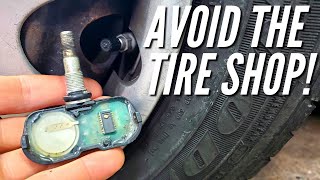
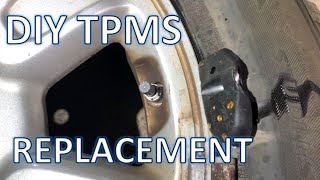
Typical fix: Replace the TPMS sensor in the rear-left wheel. 🎬 Watch: A helpful walkthrough on how to replace TPMS sensors.
Est. part cost: $30-$70
Rare But Worth Checking
- Failed Body Control Module (BCM) or TPMS Receiver:
Diagnosis Steps
- Read the trouble codes with an OBD-II scanner capable of reading Chassis (C-codes) to confirm C1711 is present.
- CRITICAL FIRST STEP: Unplug any and all aftermarket devices from the vehicle's power ports (phone chargers, dash cams, etc.) as per Nissan TSB NTB13088A.
- Clear the trouble codes. Drive the vehicle for at least 10 minutes at speeds over 25 MPH.
- If the code returns, use a TPMS activation tool to test the sensor at the rear-left wheel. This will confirm if the sensor is transmitting a signal.
- If the tool cannot get a response, the sensor has failed (likely a dead battery) and must be replaced.
- If the sensor *does* respond to the tool, the issue may be with the sensor's registration to the BCM. Attempting a TPMS ID registration procedure with a scan tool is the next step.
- If a new sensor is installed and programmed but the code persists, investigate the wiring and connectors between the TPMS receiver and the BCM for damage or corrosion.
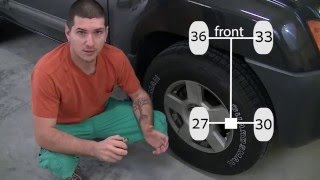
- For advanced DIYers, a manual relearn procedure may be attempted. This involves setting specific, different pressures in each tire (e.g., LF: 36, RF: 33, RR: 30, LR: 27 psi), grounding a specific pin near the OBD-II port six times to enter learn mode, and then driving until the light goes out. 🎬 Watch: Step-by-step guide for the manual DIY relearn procedure. This is complex and not always successful.
Parts You'll Likely Need
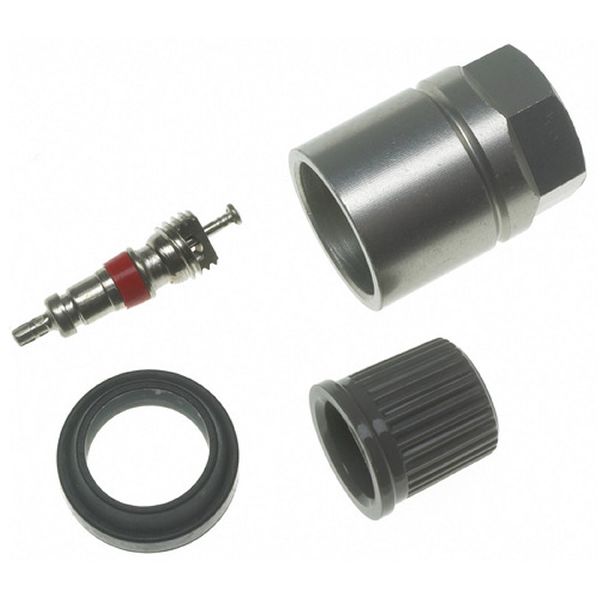
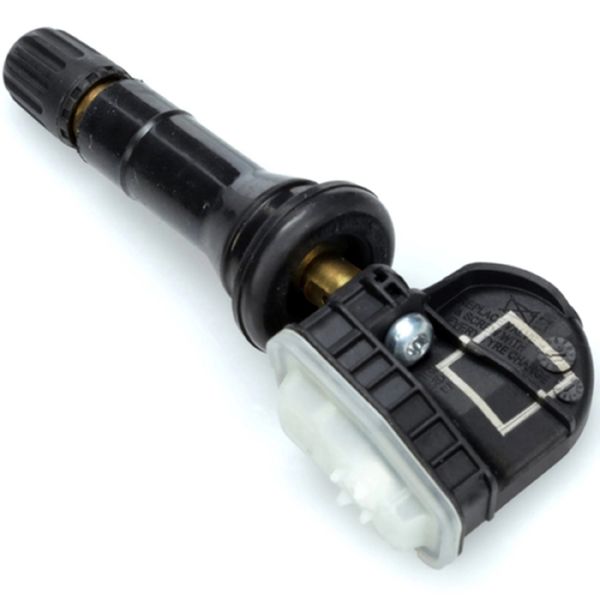
- Tire Pressure Monitoring System (TPMS) Sensor
(OEM #40700-1PA0A)— This is the component that fails, usually due to an exhausted internal battery, causing the C1711 code. This part number is specified for the Nissan NV full-size van.
Trusted brands: Schrader (often the OEM manufacturer), Denso, Hitachi, Autel, VDO
OEM price range: $70-$100
Aftermarket price range: $30-$70
Related Codes That Often Appear With This One
- C1708 — Code for the Front-Left sensor. Seeing multiple TPMS codes together often indicates that all sensor batteries are failing around the same time due to age.
- C1709 — Code for the Front-Right sensor. The appearance of multiple codes can also point to a significant RF interference issue affecting the whole system.
- C1710 — Code for the Rear-Right sensor. If seen with C1711, it suggests a common issue like multiple aging sensors or interference affecting the rear of the vehicle.
Technical Service Bulletins (TSBs) & Recalls
- NTB13088A - This TSB explains that radio frequency interference from devices like phone chargers can cause a 'No Data' condition for the TPMS system, resulting in codes C1708, C1709, C1710, or C1711. It is a key diagnostic document for this issue.
Platform-Specific Known Issues
- Nissan issued Technical Service Bulletin NTB13088A specifically addressing how radio frequency interference from aftermarket electronics can cause 'No Data' TPMS codes, including C1711.
- The Nissan NV is built on the F-Alpha platform, which is shared with the Nissan Titan and Armada. These vehicles exhibit the exact same TPMS faults and causes, making their repair stories and diagnostic information highly relevant.
Scan Tool Commands That Help
- Nissan CONSULT-II / CONSULT-III: Work Support > ID REGIST — This is the primary function used to register the unique IDs of new TPMS sensors to the Body Control Module (BCM) after a sensor has been replaced. It is the dealership-level method to make the vehicle recognize the new hardware.
- Nissan CONSULT-II / CONSULT-III: Data Monitor > AIR PRESS — This function allows a technician to view the live data the BCM is receiving (or not receiving) from each TPMS sensor. For code C1711, a technician would use this to confirm that no data packets are being received from the sensor ID assigned to the rear-left wheel position.
- Nissan CONSULT-III: WRITE CONFIGURATION — This function is only used when the entire Body Control Module (BCM) is replaced. It writes the vehicle's specific configuration (including TPMS setup) to the new module. Failure to perform this after a BCM replacement will cause multiple system failures.
Wiring & Ground Locations
- BCM (Body Control Module) — Located behind the instrument cluster on the driver's side.. The BCM is the central computer that receives and processes the signals from the TPMS receiver. All diagnostic paths ultimately lead to the BCM, and checking its connections is a final step if sensors and the receiver are known-good.
- Tire Pressure Warning Check Connector — A single-wire white plug, typically found taped to a wiring harness near the OBD-II port in the driver's side footwell.. This connector is essential for the DIY manual relearn procedure. It must be grounded multiple times to put the TPMS system into learning mode without a professional scan tool.
- Ground Point B7 — Under the driver's seat.. A wiring diagram for the 2012 NV indicates that the 'low tire pressure warning control unit' is grounded at this location. A corroded or loose ground at this point could cause intermittent communication issues for the entire TPMS system, potentially triggering codes like C1711.
Real Owner Repair Stories
- Project:Keira (Nissan Xterra Forum) (Nissan Xterra (shares F-Alpha platform and TPMS system with the NV)) — TPMS light was on after a tire shop broke the original front-left sensor during a tire rotation.
❌ Tried (didn't work) Installed a cheap replacement TPMS sensor purchased from eBay., Attempted to program the eBay sensor multiple times without success., Took the vehicle to a Nissan dealership, where their professional TPMS tool could not get a reading from the new eBay sensor, confirming it was faulty out of the box.
✅ What actually fixed it The owner purchased a new, genuine OEM Nissan TPMS sensor from a different dealership. After a tire shop installed it, the owner successfully programmed it themselves using the manual relearn procedure (adjusting tire pressures, then grounding the TPMS check connector near the OBD-II port 6 times in 10 seconds to enter learn mode, and driving until the light went off).
When the Usual Fixes Don't Work
- A common assumption is that any aftermarket TPMS sensor will function as a cheaper alternative to the OEM part. However, a well-documented repair story from a user with a similar Nissan platform vehicle shows this is not always the case. The owner first installed a cheap aftermarket sensor from eBay which was dead on arrival and could not be programmed, even by a Nissan dealer with professional tools. The problem was only resolved by purchasing a genuine OEM sensor and programming it. This demonstrates that opting for low-cost, unverified aftermarket electronics can lead to wasted time and additional labor costs, negating any initial savings.
OEM Part Supersession History
40700-1PA0A→N/A— No supersession data was found for this specific part number during research. It appears to be the correct and current part for the entire 2012-2021 NV model run.
Model Year Variations Within This Range
- 2012-2016: No significant variations to the TPMS system itself are noted within this year range. The system consistently uses 315MHz sensors and the same diagnostic/relearn procedures. Model year updates in 2015 and 2016 were primarily focused on the NissanConnect infotainment system and trim-level features, not the underlying chassis or body control systems related to TPMS.
Helpful Videos
We Have This Part in Stock


The information in this article is provided for general reference and educational purposes only. Vehicle specifications, procedures, and part compatibility can vary by production date, trim level, and region. Always consult your vehicle's factory service manual and verify part numbers before purchasing or performing repairs. Safety-critical components such as airbags, seat belts, and braking systems should be installed by a qualified professional.
- Nissan NV:
- 🧭 Diagnostic Flowchart
- 🎬 Helpful Videos
- 🛍️ Shop This Part
- What's Unique About the 2012-2016 Nissan NV
- Symptoms You May Notice
- Most Likely Causes
- Rare But Worth Checking
- Diagnosis Steps
- Parts You'll Likely Need
- Related Codes That Often Appear With This One
- Technical Service Bulletins (TSBs) & Recalls
- Platform-Specific Known Issues
- Scan Tool Commands That Help
- Wiring & Ground Locations
- Real Owner Repair Stories
- When the Usual Fixes Don't Work
- OEM Part Supersession History
- Model Year Variations Within This Range
- 🎟️ Get 5% Off