

P0460 on 2021-2022 Nissan LEAF: Why This 'Fuel' Code Appears on an EV and How to Fix It
P0460 is an invalid 'ghost' code for a Nissan LEAF, as it refers to a fuel level sensor that doesn't exist on an EV. Its appearance almost always points to a failing 12V auxiliary battery (around $150-$250) or the use of a generic OBD-II scanner that is misinterpreting the vehicle's data. The most common fix is replacing the 12V battery, typically a Group Size 51R.
- P0460 is a 'ghost code' on a Nissan LEAF; the vehicle has no fuel level sensor.
- Do not waste time or money diagnosing the fuel system.
- The most likely cause is a failing 12V auxiliary battery (Group Size 51R), which should be tested immediately.
- Using a generic, cheap OBD-II scanner can cause false codes like this to appear; use an EV-aware scanner like one compatible with the LeafSpy app.
- If the 12V battery is healthy, the issue may be a more complex communication network problem or a parasitic draw, possibly from the telematics unit, requiring professional diagnosis.
What's Unique About the 2021-2022 Nissan LEAF
The Nissan LEAF, being a 100% electric vehicle, does not use gasoline and lacks the entire fuel system that the P0460 code is designed to monitor. The appearance of this code is a classic example of a 'phantom' or 'ghost' code. It typically occurs when a generic OBD-II scanner, not designed to properly communicate with the LEAF's specific control modules, misinterprets data from the vehicle's Controller Area Network (CAN bus). It can also be a significant indicator of an unstable 12V electrical system, often due to a failing 12V auxiliary battery, which can cause widespread, nonsensical communication errors across the vehicle's modules.
Diagnostic Flowchart
Tap your situation to follow the diagnostic path that matches what you're seeing on this vehicle.
Symptoms You May Notice
- The P0460 code is present when read by a scan tool.
- Other random, seemingly unrelated warning lights may appear on the dash, sometimes flashing.
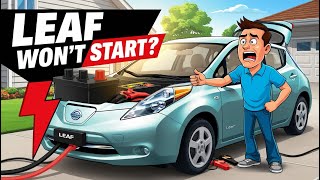
- Potential issues with starting the car (if the 12V battery is very weak), sometimes accompanied by a screen message about a faulty battery. 🎬 Watch: Troubleshooting a Nissan Leaf that won't start.
- The Check Engine Light (Malfunction Indicator Lamp) may be illuminated.
- In some cases, no symptoms are noticeable other than the code itself.
- Searching for a problem with a fuel level sensor or fuel pump.
- Attempting to diagnose the EVAP system.
- Replacing the main high-voltage battery or onboard charger.
- Assuming the Check Engine Light indicates a major powertrain fault.
Most Likely Causes
- Incompatible or Generic OBD-II Scanner 🔴 High Probability EVs like the LEAF have unique control modules and data parameters that many generic, low-cost scanners are not programmed to understand, leading to misinterpretation of data packets as fault codes.
How to confirm: Rescan the vehicle with a high-quality scanner known to be compatible with EVs and the LeafSpy app, such as OBDLink MX+, LELink, or Vgate iCar Pro models. 🎬 See how LeafSpy and OBDII scanners work together. If the code does not appear on the better scanner, the tool is the cause.
Typical fix: Disregard the code and use a compatible scanner for any future diagnostics.
Est. part cost: $0 - Failing 12V Auxiliary Battery 🔴 High Probability → Shop Vehicle Battery The 12V battery powers the car's computers and communication networks before the main high-voltage battery is engaged. A weak or failing 12V battery provides unstable voltage (often dropping below 12.4V at rest), causing communication glitches (like phantom codes) between modules. The LEAF's 12V charging logic can be insufficient, especially with many short trips, leading to premature battery failure in 3-5 years.
How to confirm: Test the 12V battery's voltage and health. With the car off, a healthy battery should read above 12.4V. A reading below 12.0V indicates a problem. A load test at an auto parts store is the most definitive way to confirm its condition. LeafSpy Pro can also monitor 12V battery voltage as seen by the car's systems.
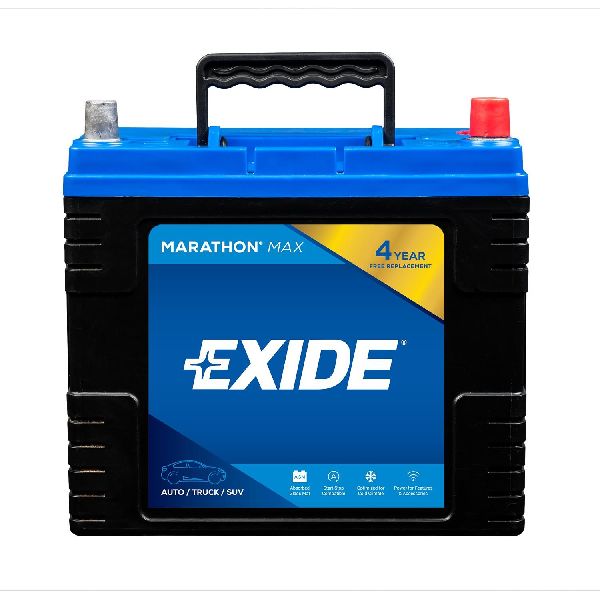
Typical fix: Replace the 12V auxiliary battery. The common size is BCI Group 51R.
Est. part cost: $150-$250 - CAN Bus Communication Error ⚪ Low Probability This is typically a secondary effect of a failing 12V battery but can, in rare cases, be caused by a loose connector or a faulty module disrupting the network.
How to confirm: Scan for other Diagnostic Trouble Codes (DTCs). The presence of a U-code, especially U1000 (CAN Comm Circuit), alongside P0460 strongly suggests a network communication problem. This code is best read by an EV-aware tool like LeafSpy Pro or the Nissan CONSULT tool.
Typical fix: Diagnose the root cause of the communication failure, which usually leads back to replacing the 12V battery. If the battery is good, a technician will need to check network wiring and modules.
Est. part cost: $0-$500+
Rare But Worth Checking
- Telematics Control Unit (TCU) Parasitic Drain:
Diagnosis Steps
- Acknowledge that P0460 is not a real code for the LEAF. Do not attempt to diagnose a fuel system.
- If possible, rescan the vehicle with an EV-aware tool (like LeafSpy Pro with a compatible OBD-II dongle) to see if the code persists. If it disappears, the original scanner was the issue.
- Locate the 12V auxiliary battery in the engine bay. Use a multimeter to test its voltage with the car completely off. A reading below 12.4V suggests it is weak and a reading below 12.0V is a strong indicator of failure.
- Have the 12V battery professionally load-tested at an auto parts store or repair shop to confirm its health. This is often a free service.
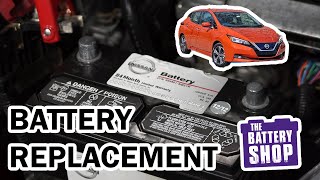
- If the 12V battery is confirmed to be weak or is over 3-5 years old, replace it. The correct size is typically Group 51R. 🎬 Watch this step-by-step 12V battery installation guide.
- After replacing the battery, clear all DTCs with a scanner and drive the vehicle to see if any codes return.
- If the code returns with a known-good 12V battery, a deeper diagnosis of the CAN communication network or a parasitic draw test by a qualified technician is necessary.
Parts You'll Likely Need
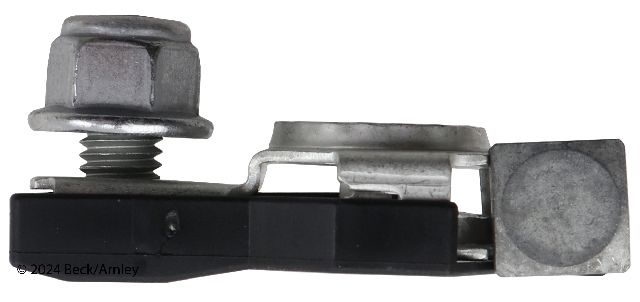
- 12V Auxiliary Battery
(OEM #24410-6MA0A (superceded by 24410-6MA0B))— This is the most common cause of phantom electrical and communication codes on a Nissan LEAF. It provides the stable power needed for all vehicle computers to communicate correctly. The original battery has a limited lifespan and is a frequent failure point.
Trusted brands: Duralast Gold (Part: 51R-DLG), DieHard Platinum AGM (Part: 51R-AGM), Optima Yellow Top (Part: D51R), EverStart Maxx
OEM price range: $200-$300
Aftermarket price range: $150-$250
Related Codes That Often Appear With This One
- U1000 — This is a Nissan-specific code for a CAN communication circuit failure. Its presence with P0460 strongly indicates the root cause is a network or power supply (12V battery) issue, not a component failure.
Technical Service Bulletins (TSBs) & Recalls
- NTB22-026: While this TSB was provided and mentions P0460, it explicitly refers to gasoline fuel systems and parts like fuel pumps. It is NOT applicable to the Nissan LEAF and should be disregarded for this vehicle.
Platform-Specific Known Issues
- The LEAF's 12V battery charging system, managed by the DC-to-DC converter, can be inadequate for users who take frequent short trips or let the car sit for extended periods, leading to chronic undercharging and premature battery sulfation.
- Some owners on forums have noted that the car's battery management system may not fully charge the 12V battery to prolong its life, but this can backfire and cause it to fail sooner. A user on Reddit detailed how disconnecting the battery current sensor on the negative terminal forced a more consistent, higher-voltage charge, solving their premature failure issues.
Mechanic-Grade Diagnostic Values
- 12V Battery Resting Voltage (Car Off) — expected: 12.5V to 13.0V. Failure: A reading below 12.5V indicates a potential problem; below 12.0V strongly indicates a failing battery.
- 12V System Voltage (Car in 'READY' mode) — expected: 13.0V to 14.7V. Failure: If the voltage drops below 12.5V while the car is on, especially with accessories running, it points to a faulty DC-DC converter that is not charging the 12V battery.
- CAN Bus Voltage (High-Speed CAN) — expected: CAN High (CAN-H) and CAN Low (CAN-L) lines should both be at ~2.5V when recessive. During communication (dominant state), CAN-H rises to ~3.5V and CAN-L drops to ~1.5V.. Failure: Voltages stuck high or low, or no voltage difference between the two lines, indicates a bus or module failure.
Wiring & Ground Locations
- OBD-II Port CAN Bus Pins — The OBD-II diagnostic port is located beneath the steering column.. The LEAF has three CAN buses. The primary 'Car-CAN' is on the standard pins 6 (CAN-H) and 14 (CAN-L). The 'EV-CAN', which communicates with the battery and VCM, is on pins 12 (CAN-L) and 13 (CAN-H). A scanner must be able to read these specific buses to get accurate data and avoid misinterpretations like P0460.
- Main Body Ground — A primary body ground connection point is located on the driver's side of the engine bay, where the thick black wire from the 12V battery's negative terminal bolts directly to the chassis frame.. A loose or corroded main ground can cause unstable voltage and resistance throughout the vehicle's electrical systems, leading to communication errors and phantom codes like P0460. Ensuring this connection is clean and tight is a critical step in diagnosing electrical faults.
Real Owner Repair Stories
- Reddit user /u/Berberis (2015 Nissan LEAF (24kWh, 66,848 miles)) — Vehicle went into 'turtle mode' (restricted speed), would not recognize charging attempts, and displayed multiple CAN communication errors and system warnings.
❌ Tried (didn't work) Replacing the 12V auxiliary battery.
✅ What actually fixed it The diagnosis pointed to a failed DC-DC converter. Even with a new 12V battery, the system voltage would drop to ~12.0V when the car was turned on, instead of rising to the normal 13.5-14V charging voltage. This confirmed the DC-DC converter was not recharging the 12V system, causing the widespread communication failures.
Model Year Variations Within This Range
- 2021-2022: No significant variations in the 12V system, charging logic, or common causes for this specific phantom code have been documented between the 2021 and 2022 model years. The primary change for the 2021 model year was the introduction of the larger 62kWh battery pack option (Leaf e+), but this did not alter the fundamental 12V architecture that leads to this issue.
Helpful Videos




We Have This Part in Stock


The information in this article is provided for general reference and educational purposes only. Vehicle specifications, procedures, and part compatibility can vary by production date, trim level, and region. Always consult your vehicle's factory service manual and verify part numbers before purchasing or performing repairs. Safety-critical components such as airbags, seat belts, and braking systems should be installed by a qualified professional.
- Nissan LEAF:
- 🧭 Diagnostic Flowchart
- 🎬 Helpful Videos
- 🛍️ Shop This Part
- What's Unique About the 2021-2022 Nissan LEAF
- Symptoms You May Notice
- Most Likely Causes
- Rare But Worth Checking
- Diagnosis Steps
- Parts You'll Likely Need
- Related Codes That Often Appear With This One
- Technical Service Bulletins (TSBs) & Recalls
- Platform-Specific Known Issues
- Mechanic-Grade Diagnostic Values
- Wiring & Ground Locations
- Real Owner Repair Stories
- Model Year Variations Within This Range
- 🎟️ Get 5% Off