

P0461 on 2016-2020 Nissan LEAF: Why This Invalid Code Appears and How to Find the Real Problem
P0461 is a trouble code for a gasoline car's 'Fuel Level Sensor'. The all-electric Nissan LEAF does not have this part, so the code is not valid. If you see this code, it is almost certainly an error from a generic OBD-II scanner misinterpreting a different, LEAF-specific fault, often related to the 12V battery.
- P0461 is a code for gasoline cars and is invalid for a Nissan LEAF.
- If you see P0461 on a LEAF, the fault lies with your generic diagnostic scanner, not your car.
- Use a LEAF-specific tool like the 'LEAF Spy' app to find the real trouble code.
- Before chasing phantom codes, always check the health of the 12V accessory battery (Group 51R), as it's a very common source of widespread electrical issues on the LEAF.
What's Unique About the 2016-2020 Nissan LEAF
The Nissan LEAF, as a battery electric vehicle (BEV), uses a sophisticated Battery Management System (BMS) to monitor the high-voltage battery's state of charge, temperature, and overall health. This system is far more complex than the simple float-based fuel level sensor used in combustion engine cars. A generic OBD-II scanner, designed primarily for gasoline cars, may not be able to correctly interpret the proprietary diagnostic codes generated by the LEAF's unique modules (like the VCM or BMS) and may erroneously display a familiar but incorrect 'P' code like P0461. The LEAF is not required to be fully OBD-II compliant because it has no tailpipe emissions.
Diagnostic Flowchart
Tap your situation to follow the diagnostic path that matches what you're seeing on this vehicle.
Generation note: The 2016-2020 year range covers the end of the first generation (2016-2017) and the beginning of the second generation (2018-2020). This issue is not generation-specific; P0461 is invalid for all model years of the Nissan LEAF because they are all fully electric.
Symptoms You May Notice
- Check Engine Light may be on (triggered by the actual, underlying code)
- No symptoms related to driving performance
- Inaccurate battery range display (if the underlying issue is with the BMS)
- Other seemingly random electronic glitches (if the underlying issue is the 12V battery).
- A dashboard lit up with multiple, unrelated warnings, often described as a "Christmas tree" effect, is a classic sign of a failing 12V battery.
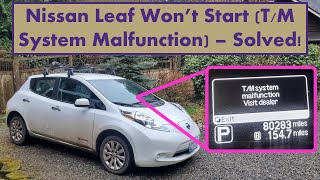
- "T/M System Malfunction" message appearing on the dash, which is a known false flag for a weak 12V battery on startup. 🎬 Watch: How to fix the T/M System Malfunction error.
- Searching for a fuel level sensor or fuel pump to replace. These parts do not exist on a Nissan LEAF.
- Replacing the instrument cluster without confirming the 12V battery health first.
Most Likely Causes
- Generic OBD-II Scan Tool Error 🔴 High Probability The LEAF uses many manufacturer-specific diagnostic codes (B, C, and U-codes) that generic scanners can't understand and may misinterpret as a standard P-code.
How to confirm: Use a diagnostic tool known to be compatible with the Nissan LEAF, such as the 'LEAF Spy' app and a compatible OBD-II Bluetooth/Wi-Fi dongle, to read the correct trouble codes.
Typical fix: Disregard the P0461 code and diagnose the actual LEAF-specific DTC reported by a compatible scanner. Clear the codes using Leaf Spy. 🎬 See how to connect LeafSpy for better diagnostics.
Est. part cost: $0 - Failing 12V Accessory Battery 🟡 Medium Probability → Shop Vehicle Battery Like many EVs, the LEAF is very sensitive to the health of its 12V battery. A weak or failing 12V battery is known to cause a wide range of random, nonsensical electronic faults and error codes, which a generic scanner might misread as P0461. The typical lifespan for the OEM 12V battery is often only 3-5 years.
How to confirm: Turn the vehicle completely off. Let it sit for 20-30 minutes. Test the 12V battery terminals with a multimeter. A healthy battery should read 12.2 volts or higher. A load test at an auto parts store is a more definitive test, as a failing battery can show good voltage but collapse under load.
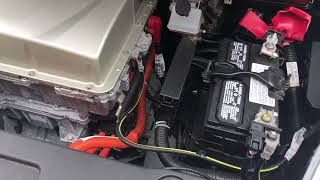
Typical fix: Replace the 12V accessory battery. The common size is Group 51R. Many owners recommend upgrading to an AGM (Absorbent Glass Mat) battery 🎬 Watch this step-by-step 12V battery replacement walkthrough. for better longevity.
Est. part cost: $150-$250
Diagnosis Steps
- Acknowledge that P0461 is not a real code for the LEAF and do not attempt to diagnose a fuel system problem.
- Acquire a LEAF-compatible OBD-II scanner, specifically the 'LEAF Spy' app (Pro version recommended) and a well-regarded OBD-II dongle (e.g., Carista, Veepeak, LELink²).
- Connect the compatible scanner to the vehicle's OBD-II port and use Leaf Spy to read the actual Diagnostic Trouble Codes (DTCs) from all vehicle modules.
- Identify the actual, specific DTCs stored in the vehicle's modules (e.g., VCM, BMS, EV/HEV). These are the codes that require diagnosis.
- If multiple random codes are present or no codes are found but electrical issues persist, immediately test the health of the 12V accessory battery. A simple voltage check is a start, but a load test is more conclusive.
- If the 12V battery is weak or old (over 3 years), replace it as a primary troubleshooting step before chasing other codes.
- Diagnose and repair the fault indicated by the *correct* trouble code(s) found by Leaf Spy.
Parts You'll Likely Need
- LEAF-Compatible OBD-II Diagnostic Tool — This is required to read the true error codes that a generic scanner may misinterpret as P0461. The 'LEAF Spy' app with a quality OBD-II dongle is the most common and recommended choice for owners.
Trusted brands: LEAF Spy Pro (app), Carista Bluetooth (Recommended by Leaf Spy Pro), Vgate iCar Pro, LELink²
OEM price range: $N/A
Aftermarket price range: $30-$100 - 12V AGM Accessory Battery
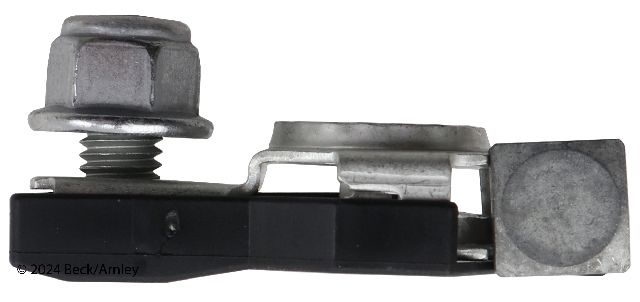
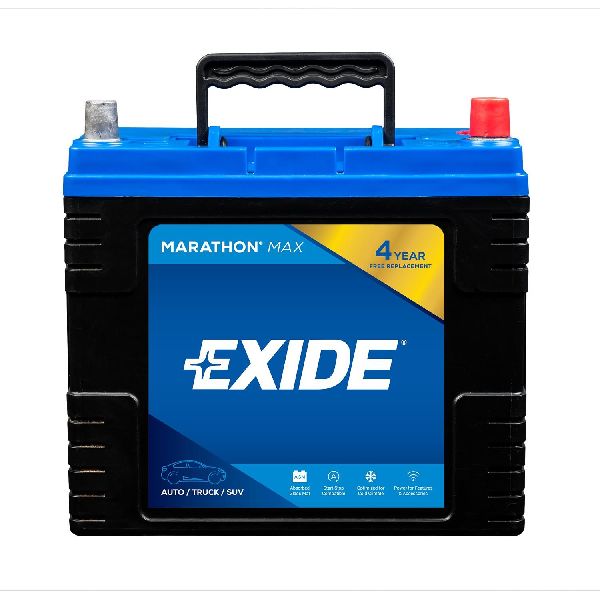
(OEM #24410-4EA1A (Varies by region/year, confirm with dealer))— A failing 12V battery is a frequent cause of unexplained electronic errors on the Nissan LEAF. The standard size is Group 51R.
Trusted brands: Optima (Yellow Top), Duralast Platinum AGM, Bosch AGM
OEM price range: $200-$300
Aftermarket price range: $150-$250
Related Codes That Often Appear With This One
- Various B, C, or U codes — A generic scanner may be misinterpreting a Body (B-code), Chassis (C-code), or Network (U-code) fault as P0461. The true code is what needs to be diagnosed. CAN communication errors (U-codes) are particularly common when the 12V battery is failing.
Technical Service Bulletins (TSBs) & Recalls
- NTB22-026: This TSB for gasoline-powered Nissans confirms that P0461 relates to a fuel level sensor, proving by exclusion that it is not applicable to the LEAF.
Platform-Specific Known Issues
- 12V Battery Sensitivity: → Shop Vehicle Battery The Nissan LEAF is notoriously sensitive to the state of its 12V battery. Unlike a gas car where the battery's main job is a brief, high-current start, the LEAF's 12V battery powers all the car's computers and control modules before the main traction battery relay is engaged. A low voltage state can prevent these modules from booting correctly, leading to a cascade of communication errors and phantom fault codes.
Mechanic-Grade Diagnostic Values
- 12V Battery Resting Voltage (Car Off) — expected: 12.5V to 13.0V.. Failure: A reading below 12.5V indicates a problem; below 12.2V suggests the battery is heavily discharged or failing.
- 12V Battery Voltage (Car in 'Ready' Mode) — expected: 13.0V to 14.5V.. Failure: The DC-to-DC converter should be actively charging the 12V battery. A voltage near the resting voltage (e.g., below 13.0V) indicates a charging system problem, possibly with the Power Delivery Module (PDM).
- 12V Battery Voltage (During HV Battery Charging) — expected: The DC-to-DC converter should maintain a float charge, typically around 13.0V.. Failure: If the voltage drops significantly over time while the car is plugged in, it indicates the 12V battery is not being properly maintained.
- CAN Bus Network Resistance — expected: ~60 Ohms between CAN High (Pin 6) and CAN Low (Pin 14) at the OBD-II port with the 12V battery disconnected.. Failure: A reading of ~120 Ohms indicates a missing terminating resistor (often in a disconnected module). A reading of ~40 Ohms suggests an extra terminating resistor. A reading of 0 Ohms indicates a short between the CAN lines.
Hidden / Shadow Codes Worth Checking
- U1000: CAN Communication Circuit. This is a very common code triggered by low 12V battery voltage, causing modules to fail to communicate properly during startup. (see via A LEAF-compatible scanner like Leaf Spy or a dealer's CONSULT tool is required. Generic scanners often misinterpret this as a 'P' code or fail to see it at all.)
- P31E7: Restart Inhibition. This code is set by the EV/HEV system when another critical fault is detected (like a high-voltage isolation fault, P0AA6), preventing the car from entering 'Ready' mode for safety. (see via Leaf Spy or a professional-grade scanner. This is a primary code that a generic scanner might misread as P0461.)
Scan Tool Commands That Help
- Leaf Spy Pro: Read/Clear DTCs from All Modules — This is the primary function needed to identify the true trouble codes stored in modules like the VCM, BMS, and EV/HEV system, which are invisible to generic scanners.
- Leaf Spy Pro: Service Menu > Door Lock/Unlock Settings — While not directly related to P0461, this demonstrates the app's ability to perform body control customizations, a bidirectional function. The service menu is where other advanced functions are located.
- Leaf Spy Pro: Service Menu > Special Functions > Resolver Write — This is an advanced, mechanic-grade function used to program the resolver offset value after swapping a motor or inverter, demonstrating the depth of control possible with specialized tools.
Wiring & Ground Locations
- Vehicle Control Module (VCM) — Located inside the cabin, behind the glove box assembly.. The VCM is the central computer for the powertrain. Electrical issues stemming from a weak 12V battery can cause communication errors originating from or involving the VCM, which a generic scanner might misinterpret.
- Main Body Ground — Follow the thick black wire from the negative (-) terminal of the 12V battery to where it bolts directly to the vehicle's chassis, typically on the driver's side inner fender.. A loose or corroded main ground connection can cause a host of electrical gremlins identical to a failing 12V battery, including no-start conditions and random warning lights. This should always be checked when diagnosing electrical issues.
Real Owner Repair Stories
- My Nissan Leaf Forum user (2015 LEAF SL) — Car would not start, displayed "T/M System Malfunction" error message.
❌ Tried (didn't work) Fearing a major transmission problem based on the error message.
✅ What actually fixed it The user found the 12V battery voltage was only 8.3V. After charging the battery, the car started normally. They then replaced the 3-year-old battery to permanently resolve the issue. - YouTube user Christopher Lum (Nissan LEAF (year not specified)) — Car would not start after being left plugged in for a week. Displayed "T/M System Malfunction" and flickering dash lights.
❌ Tried (didn't work) Leaving the vehicle plugged into the charger, which did not maintain the 12V battery.
✅ What actually fixed it The user measured the 12V battery and found it was at 6.9V. He disconnected the battery from the car, charged it externally until it read over 14V, reconnected it, and the car started perfectly. The "T/M System Malfunction" was a false error caused by the depleted 12V battery. - Reddit user r/leaf (2019 Nissan Leaf) — Car would not power on, displaying "T/M system malfunction" and "Service EV system Power reduced". Problem was worse in cold, damp weather.
❌ Tried (didn't work) Dealer diagnosed a 12V battery problem; user charged and then replaced the 12V battery, but the problem persisted., Dealer then incorrectly diagnosed a fault within the main Li-ion battery pack.
✅ What actually fixed it The user self-diagnosed the issue to a failing M/C (main contactor) relay located in the fuse/relay box above the 12V battery. The relay would click but fail to engage properly, especially when cold. Replacing this relay fixed the issue.
Model Year Variations Within This Range
- 2016-2017: These first-generation models came with either a 24kWh or 30kWh main battery pack. The Vehicle Control Module (VCM) is specific to the battery size. When replacing a VCM, it is critical to match it to the original battery size (VIN 4th digit 'A' for 24kWh, 'B' for 30kWh). Installing the wrong VCM will result in a no-start condition.
- 2018-2020: These second-generation models have a different VCM and electrical architecture than the first generation. While the root cause of phantom codes is often still the 12V battery, the specific LEAF-only DTCs that are generated may differ from earlier models.
Helpful Videos

We Have This Part in Stock




The information in this article is provided for general reference and educational purposes only. Vehicle specifications, procedures, and part compatibility can vary by production date, trim level, and region. Always consult your vehicle's factory service manual and verify part numbers before purchasing or performing repairs. Safety-critical components such as airbags, seat belts, and braking systems should be installed by a qualified professional.
- Nissan LEAF:
- 🧭 Diagnostic Flowchart
- 🎬 Helpful Videos
- 🛍️ Shop This Part
- What's Unique About the 2016-2020 Nissan LEAF
- Symptoms You May Notice
- Most Likely Causes
- Diagnosis Steps
- Parts You'll Likely Need
- Related Codes That Often Appear With This One
- Technical Service Bulletins (TSBs) & Recalls
- Platform-Specific Known Issues
- Mechanic-Grade Diagnostic Values
- Hidden / Shadow Codes Worth Checking
- Scan Tool Commands That Help
- Wiring & Ground Locations
- Real Owner Repair Stories
- Model Year Variations Within This Range
- 🎟️ Get 5% Off