

P0500 on 2003-2008 Honda Pilot: Vehicle Speed Sensor Malfunction Causes and Fixes
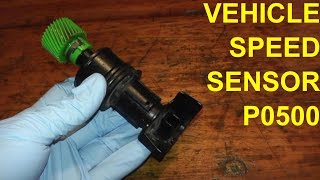
For a 2003-2008 Honda Pilot, code P0500 almost always points to a failed Vehicle Speed Sensor (VSS) located on the transmission. This can cause an erratic speedometer, harsh shifting, and a blinking 'D' light. A new sensor is inexpensive and the replacement is a simple DIY job, often requiring only the removal of the air intake tube for access.
- The P0500 code on a 2003-2008 Pilot is most likely caused by a faulty Vehicle Speed Sensor (VSS), OEM part number 28810-PPW-013.
- Symptoms include an erratic speedometer, harsh shifting, and a blinking 'D' light, which can be mistaken for a major transmission problem.
- Before considering expensive transmission repairs, always check and replace the VSS first; it's a common failure point.
- The VSS is located on the transmission and is held by a single 10mm bolt, making it a simple and inexpensive DIY repair, though access requires removing the air intake tube.
- Always inspect the wiring and connector for damage before replacing the sensor.
What's Unique About the 2003-2008 Honda Pilot
The first-generation Honda Pilot (2003-2008) uses a single Vehicle Speed Sensor (VSS) on the transmission to report vehicle speed, unlike newer vehicles that often derive this from wheel-mounted ABS sensors. While generally reliable, these Pilots are of an age where sensor failure is common. The symptoms can be alarming, often mimicking a serious transmission failure with harsh shifting and a blinking 'D' light, but the actual cause is frequently this inexpensive and easy-to-replace sensor.
Symptoms You May Notice
- Check Engine Light is on
- Erratic or non-functional speedometer
- Harsh, jerky, or delayed automatic transmission shifting
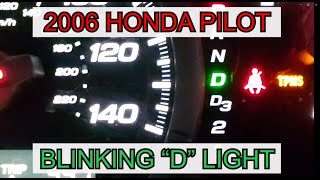
- Blinking 'D' (Drive) indicator light (often accompanied by other transmission pressure switch codes)
- Cruise control not working
- ABS and/or Traction Control warning light may illuminate
- Transmission Failure: The harsh shifting and blinking 'D' light often lead owners to believe the transmission has failed. Always diagnose the P0500 code first, as replacing the VSS is a cheap and easy fix that often resolves these symptoms.
- ABS Wheel Speed Sensor: While a bad wheel speed sensor can cause issues, the P0500 code on this generation Pilot specifically points to the main Vehicle Speed Sensor on the transmission, not the individual ABS sensors at the wheels. Later Pilot generations do use ABS sensors for vehicle speed.
Most Likely Causes
- Failed Vehicle Speed Sensor (VSS) 🔴 High Probability → Shop Drive Shaft Sensor The sensor is an electronic component that can fail with age due to heat cycles and vibration. It is the most common point of failure for this code on this platform.
How to confirm: The VSS is located on the top of the transmission housing, near the firewall. Access often requires removing the air intake tube. After locating it, check for a signal using a scan tool with live data while driving. If the speed reading is erratic or zero while the vehicle is moving, the sensor is likely bad. You can also test the sensor's voltage output with a multimeter.
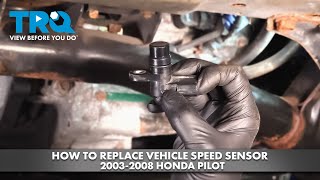
Typical fix: Replace the Vehicle Speed Sensor. This is a simple repair held in by a single 10mm bolt. 🎬 Watch this step-by-step walkthrough for replacing the sensor yourself. The OEM part number is often 28810-PPW-013.
Est. part cost: $20-$90 - Damaged Wiring or Connector 🟡 Medium Probability The wiring harness to the VSS can become brittle, corroded, or damaged over time, leading to a poor connection or a short/open circuit. Rodent damage is also a possibility.
How to confirm: Visually inspect the wiring and 3-pin connector leading to the VSS for any signs of damage, corrosion, or loose pins. Use a multimeter to check for continuity and proper voltage (typically power, ground, and signal) at the connector.
Typical fix: Repair the damaged section of wiring or replace the connector pigtail. Pigtails are readily available due to this being a common issue.
Est. part cost: $10-$30
Rare But Worth Checking
- Faulty Powertrain Control Module (PCM): This is very rare. The PCM is the vehicle's main computer. Before condemning the PCM, all other possibilities, including the sensor and wiring, must be exhaustively ruled out.
- Faulty Instrument Cluster: → Shop Instrument Cluster In some cases, a failure within the instrument cluster can disrupt the speed signal, but this is less common than a sensor or wiring fault and would typically present with other cluster-wide issues.
Diagnosis Steps
- Retrieve the P0500 code using an OBD-II scanner.
- Check for any Technical Service Bulletins (TSBs) related to this code for your vehicle. No active TSBs for this specific issue were found.
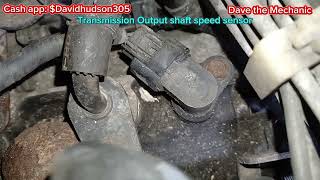
- Visually inspect the Vehicle Speed Sensor (VSS) and its electrical connector for obvious damage, corrosion, or loose connections. The sensor is located on the top of the transmission housing, often requiring removal of the air intake tube 🎬 Watch this video to see the exact sensor locations on the transmission. for access.
- Inspect the wiring harness leading to the sensor for any signs of fraying, melting, or breaks.
- If a scan tool with live data is available, monitor the vehicle speed PID while driving. If the reading is 0 mph or is erratic while the vehicle is clearly moving, this points strongly to a bad sensor or wiring issue.
- If no signal is present, use a multimeter to test the 3-pin connector. Check for a reference voltage (usually 5V or 12V), a good ground, and a fluctuating signal on the third wire when a wheel is spun.
- If power and ground are present but there is no signal, the VSS has likely failed. Replace the sensor. It is held by a single 10mm bolt torqued to 8 ft-lbs.
- If power or ground is missing, trace the wiring back to the PCM to find the break in the circuit.
- After repairs, clear the code and perform a test drive to ensure the speedometer is working correctly, shifts are smooth, and the Check Engine Light does not return.
Parts You'll Likely Need
- Vehicle Speed Sensor (VSS)
(OEM #28810-PPW-013)— This is the most common cause of a P0500 code on the 2003-2008 Pilot, directly responsible for reporting vehicle speed to the PCM.
Trusted brands: Honda (OEM), NGK/NTK (VB0088), Standard Motor Products (SC233), Delphi, Dorman (917-633)
OEM price range: $70-$100
Aftermarket price range: $20-$60
Related Codes That Often Appear With This One
- P0720 — This code points to an Output Speed Sensor Circuit Malfunction. On the Pilot, the VSS is the output speed sensor, so these codes frequently appear together and point to the same part.
- P0740 — This code indicates a Torque Converter Clutch Solenoid Circuit Malfunction. While not directly caused by the VSS, it can appear alongside P0500 if the erratic speed signal causes general transmission control confusion or if there are multiple transmission issues, which is common on high-mileage Pilots.
Platform-Specific Known Issues
- Real Owner Repair Experience: An owner on Piloteers.org with a 2004 Pilot experiencing a blinking D4 light, no speedometer, and code P0500 was able to completely resolve all symptoms by replacing the VSS. They noted the part was about $50 and the replacement took only 15 minutes after removing the air intake.
- Access Can Be Tight: While the VSS is held by only one bolt, its location on top of the transmission under the cowl can be tight. Most DIY guides and videos recommend removing the flexible air intake tube between the air filter box and the throttle body to gain sufficient access to the sensor and its connector.
Mechanic-Grade Diagnostic Values
- VSS Connector Pin 2 to Body Ground (Key On, Engine Off) — expected: Battery Voltage. Failure: No voltage indicates an open in the power wire from the fuse.
- VSS Signal (at ECM/PCM) while rotating wheel — expected: Pulsing voltage between 0V and 5V (or battery voltage, depending on sensor type).. Failure: No pulsing voltage indicates a bad sensor or an open/short in the signal or ground wire.
- VSS mounting bolt torque — expected: 8 ft-lbs (96 in-lbs). Failure: N/A - This is an installation specification.
Scan Tool Commands That Help
- Honda Diagnostic System (HDS) or equivalent: Live Data / Data List for 'Vehicle Speed' — This is the primary diagnostic step. While driving or with wheels raised, this PID should show a smooth increase in speed. A reading of '0' or erratic jumping while the vehicle is moving confirms a problem in the VSS circuit.
- Honda Diagnostic System (HDS) or equivalent: Clear Learned Values / Reset Transmission Adaptive Values — After replacing the VSS and fixing the P0500 code, if shifting still feels slightly off, this command will force the Transmission Control Module (TCM) to relearn shift points using the now-correct speed data.
Wiring & Ground Locations
- G101 — At the rear of the engine, typically on the thermostat housing.. This is a primary power and logic ground for the ECU/PCM. A poor connection at G101 can cause a wide variety of difficult-to-diagnose electronic issues, including erratic sensor readings. While not a direct cause of P0500, checking that this ground is clean and tight is a crucial step in any electrical diagnosis on a Honda.
- VSS Connector — On top of the transmission, near the firewall, below the air intake tube.. This is the 3-pin connector for the sensor itself. It's where voltage and signal tests are performed. Pin 2 should have battery voltage with the key on.
- G1 / G2 / G3 — Main engine compartment grounds. G1 is on the left side of the engine compartment, G2 on the right, and G3 under the left front.. These are the main chassis and engine ground points. Corrosion or looseness at these points can cause floating grounds and unpredictable electrical behavior throughout the vehicle.
OEM Part Supersession History
28810-PPW-013→28810-PPW-013— No supersession found. This part number appears to be consistent for the entire 2003-2008 generation.
Model Year Variations Within This Range
- 2003-2008: While there was a mid-cycle refresh in 2006 with styling and some feature changes, there is no evidence that the Vehicle Speed Sensor part, its location, or the diagnostic procedure for P0500 differs across the first generation.
Diagnostic Flowchart
Other Known Issues on This Vehicle
Issues unrelated to this code that are worth knowing about as an owner of this generation:
- Automatic Transmission Failure 🔴 High → Shop Transmission Assembly — Very common, especially on 2003-2005 models. Often occurs between 90,000-150,000 miles. Caused by overheating, premature clutch pack wear, and torque converter issues. (Ref: NHTSA Recall #04V176000 was issued for a defect that could cause the 2nd gear to fail and the transmission to lock up.)
- Failing/Cracked Engine Mounts 🟠 Medium — Common after 80,000 miles. The hydraulic front and side mounts are prone to cracking and leaking fluid, causing engine vibration and noise.
- Takata Airbag Inflator Recall 🔴 High — Affects all model years from 2003-2008. This is a critical safety recall involving airbag inflators that can rupture and project metal fragments. (Ref: Multiple NHTSA recalls; owners should verify their VIN on Honda's or the NHTSA's website.)
- Power Steering Pump Failure/Leaks 🟠 Medium — Commonly reported issue leading to whining noises, fluid leaks, and eventual loss of power assist. Often the O-rings on the inlet hose are a source of air leaks causing noise.
- Water Leaking into Cabin 🟡 Low — Frequently reported on owner forums. Leaks can originate from clogged sunroof drains, deteriorated windshield seals, or clogged A-pillar drains behind the mud flaps, leading to wet floorboards.
- Low Beam Headlight Failure 🟡 Low — A common issue where the low beams stop working due to a wiring problem in the combination (multifunction) switch. (Ref: Honda Service Bulletins 12-023 and 12-056 address this issue.)
Used vs. New Parts: Buying Guide for This Vehicle
When a used part is the smart pick: A used OEM sensor from a junkyard is a potentially viable option for a very tight budget, as it's a simple electronic component. However, given the low cost of a new, warrantied aftermarket part and the fact that the labor is the same, most owners should opt for a new part.
Donor-vehicle mileage cap: roughly under 120000 miles for the part to have meaningful remaining life.
What to inspect on the donor part:
- Inspect the plastic housing for any cracks or signs of heat damage.
- Check the electrical connector pins for any corrosion, moisture, or being bent.
- If possible, choose a part from a vehicle that was in a rear-end collision, suggesting the engine and transmission were running prior to the accident.
OEM-only on this vehicle (don't cheap out):
- For this specific P0500 repair, no parts are considered 'OEM-only'. Reputable aftermarket sensors are widely available and considered reliable.
Aftermarket brands forum-validated for this vehicle:
- NTK
- Delphi
- Standard Motor Products (SMP)
- Dorman
Brands owners have reported issues with on this vehicle:
- No-name, unbranded sensors sold at a very deep discount on marketplace websites often have higher failure rates and should be avoided.
Real Owner Stories
Aggregated from forums and TSBs cited above. Mileages and costs reflect what owners reported in those sources.
2004 Honda Pilot
Symptoms: Blinking D4 light, no speedometer, and code P0500.
What fixed it: Replaced the Vehicle Speed Sensor (VSS).
Cost: $50-$50
Source hint: piloteers.org: 'P0500 VSS code' - A thread where a 2004 Pilot owner details the classic symptoms (blinking D4, no speedo)
2005 Honda Pilot
Symptoms: Speedometer not working, VSA light on, and check engine light on.
What fixed it: Replacement of the VSS (Vehicle Speed Sensor).
Source hint: piloteers.org: 'Speedometer not working, VSA light on, check engine light on'
Related OBD-II Codes
Frequently Asked Questions
Where is the Vehicle Speed Sensor (VSS) located on my 2003-2008 Honda Pilot?
My 2004 Pilot has a blinking 'D' light and the speedometer isn't moving. Is there a specific part number I should look for?
Is there a TSB for the P0500 code on the first-generation Honda Pilot?
Can I use a VSS from an Acura MDX to fix my P0500 code?
What is the torque specification for the VSS bolt on a Honda Pilot?
Why is my cruise control not working along with the Check Engine Light?
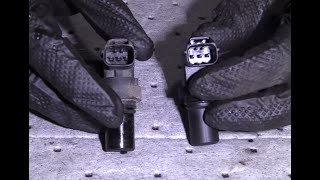
Helpful Videos

We Have This Part in Stock


The information in this article is provided for general reference and educational purposes only. Vehicle specifications, procedures, and part compatibility can vary by production date, trim level, and region. Always consult your vehicle's factory service manual and verify part numbers before purchasing or performing repairs. Safety-critical components such as airbags, seat belts, and braking systems should be installed by a qualified professional.
- Honda Pilot:
- 🧭 Diagnostic Flowchart
- 🎬 Helpful Videos
- 🛍️ Shop This Part
- What's Unique About the 2003-2008 Honda Pilot
- Symptoms You May Notice
- Most Likely Causes
- Rare But Worth Checking
- Diagnosis Steps
- Parts You'll Likely Need
- Related Codes That Often Appear With This One
- Platform-Specific Known Issues
- Mechanic-Grade Diagnostic Values
- Scan Tool Commands That Help
- Wiring & Ground Locations
- OEM Part Supersession History
- Model Year Variations Within This Range
- Other Known Issues on This Vehicle
- Used vs. New Parts: Buying Guide for This Vehicle
- Real Owner Stories
- 2004 Honda Pilot
- 2005 Honda Pilot
- Related OBD-II Codes
- Frequently Asked Questions
- 🎟️ Get 5% Off