

P0513 on 2019-2022 GMC Canyon: Incorrect Immobilizer Key Causes and Fixes
This code means your truck's anti-theft system doesn't recognize the key, causing a no-start condition. The most likely cause is a weak key fob battery or a software issue requiring a dealer update, as noted in GM TSB #23-NA-165. This TSB addresses a BCM memory corruption that can happen after a low voltage event like a jump-start. Always try your spare key and replace the fob battery first.
- P0513 on your Canyon means the anti-theft system has disabled the engine because it cannot verify your key.
- Before seeking professional help, always try your spare key and replace the battery in the non-working key fob.
- A known GM Technical Service Bulletin (23-NA-165) addresses this exact code and symptom, often requiring a dealer to perform a software reset.
- The vehicle is not drivable when this code is active, as it is designed to prevent theft.
- Avoid replacing expensive parts like the BCM or ignition switch until simple fixes and the TSB procedure have been attempted.
What's Unique About the 2019-2022 Gmc CANYON
For this generation of GMC Canyon and its platform mates, P0513 is specifically addressed by manufacturer Technical Service Bulletin #23-NA-165. The TSB acknowledges that a low voltage condition—such as from a jump-start, battery replacement, or battery disconnect—can cause a "memory corruption event in the BCM." This requires a specific dealer procedure called a "Special Data Reset" to correct, rather than just a simple key or battery failure. GM explicitly warns technicians *not* to perform a standard immobilizer relearn or replace modules before following the TSB procedure.
Diagnostic Flowchart
Tap your situation to follow the diagnostic path that matches what you're seeing on this vehicle.
Symptoms You May Notice
- Engine will not crank or start.
- "No Remote Detected" or similar message on the driver information center.
- Vehicle will not lock or unlock using the key fob (Loss of Active Functions).
- Security indicator light on the dashboard may be illuminated or flashing.
- Remote start function does not work. 🎬 See common reasons why your remote start isn't working.
- Engine cranks but does not fire.
- Replacing the vehicle's main 12V battery without cause. While a low battery can trigger this issue by corrupting the BCM, the battery itself is not usually the root problem once the no-start condition exists.
- Replacing the ignition switch. The problem is almost always related to the electronic security handshake, not the mechanical switch itself.
- Replacing the BCM before performing the TSB-specified software reset. GM explicitly warns against this, as it's an unnecessary expense in most cases.
Most Likely Causes
- Weak or Dead Key Fob Battery 🔴 High Probability → Shop Vehicle Battery Key fobs with passive entry systems transmit signals more frequently, leading to a typical battery life of 2-4 years. This is the most common and simplest cause to check.
How to confirm: Try using the spare key fob. If the spare key works perfectly, the issue is with the primary key fob, most likely its battery. You can also try the emergency start procedure by placing the fob in the designated pocket in the center console. If the vehicle starts, it confirms the fob's transponder is good but the battery is too weak to transmit.
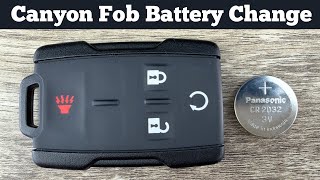
Typical fix: Replace the CR2032 coin battery inside the key fob.
Est. part cost: $2-$10 - Body Control Module (BCM) Software Issue 🟡 Medium Probability → Shop Body Control Module As documented in TSB #23-NA-165, these vehicles can experience a BCM memory corruption after a low voltage event, jump-start, or battery replacement, leading to a loss of key communication.
How to confirm: This must be confirmed by a GM dealer or a qualified shop with access to GM's Service Programming System (SPS). They will check for the condition described in the TSB, which often includes P0513 and potentially other codes like B389A 00.
Typical fix: The technician will perform a special data reset and immobilizer relearn procedure on the Body Control Module as outlined in TSB #23-NA-165. The specific SPS path is K9 Body Control Module “Programming A Per Bulletin 23-NA-163 and 23-NA-165 Only.”
Est. part cost: $0 (labor cost for programming applies) - Faulty Key Fob ⚪ Low Probability → Shop Keyless Entry Transmitter Internal components of the key fob, like the transponder chip or antenna, can fail from being dropped, water damage, or age.
How to confirm: If replacing the battery and trying the spare key do not resolve the issue, and the vehicle starts with the spare key, the original key fob is likely defective.
Typical fix: Replace the key fob and have it professionally programmed to the vehicle by a dealer or automotive locksmith. The OEM part number for the 4-button remote is often 13577771 or 13580082 (FCC ID: M3N-32337100).
Est. part cost: $75-$250 - Radio Frequency (RF) Interference ⚪ Low Probability Aftermarket electronics, such as low-quality phone chargers, dash cams, or LED interior lights, can emit RF noise that interferes with the low-frequency signal from the key fob to the immobilizer antenna.
How to confirm: Remove all aftermarket plug-in devices and revert any aftermarket lighting to stock bulbs. If the key fob begins working correctly, one of the removed devices was the cause. Reintroduce them one by one to find the culprit.
Typical fix: Remove or replace the interfering device with a higher-quality, better-shielded alternative.
Est. part cost: $0-$50
Rare But Worth Checking
- Faulty Immobilizer Antenna: → Shop Antenna The antenna ring (part of the Keyless Entry Control Module) around the ignition switch or push-button start reads the key's transponder. Though uncommon, a failure in the antenna or its wiring can prevent the key from being detected.
- Faulty Body Control Module (BCM): → Shop Body Control Module In rare cases where a software update doesn't work and all wiring is confirmed good, the BCM itself could have an internal hardware failure, requiring replacement and programming. GM TSBs strongly advise against this step until all software procedures have been exhausted.
Diagnosis Steps
- Attempt to start the vehicle with your spare key fob. If it works, the problem is isolated to your primary key.
- If the spare key also fails, replace the battery in one of the key fobs with a new CR2032 battery. This is the most common and inexpensive first step.
- If a new battery does not work, try the vehicle's emergency start procedure. For push-button start models, this involves placing the key fob in a specific pocket located in the center console storage area, then pressing the start button. This allows the vehicle to read the fob's chip directly, even with a weak battery.
- Remove any aftermarket electronic devices plugged into the vehicle's power outlets (phone chargers, dash cams, etc.) and test again to rule out RF interference.
- If the vehicle still won't start, it requires professional diagnosis. Inform the service advisor about TSB #23-NA-165, especially if the issue occurred after a battery replacement or jump-start.
- A technician will use a scan tool (GDS2) to check for active codes in the BCM and other modules, looking for P0513 and B389A.
- The technician must then follow the procedure in TSB #23-NA-165, performing the "Special Data Reset A" or "Programming A" for the BCM *before* attempting any other repairs.
- If the TSB procedure does not resolve the issue, further diagnostics will be needed to test the immobilizer antenna, key fobs, and BCM wiring.
Parts You'll Likely Need
- Key Fob Battery
(OEM #CR2032)— This is the most frequent and simple cause of a P0513 code, as the key fob's signal becomes too weak for the vehicle to recognize.
Trusted brands: Energizer, Duracell, Panasonic
OEM price range: $5-$10
Aftermarket price range: $2-$8 - Keyless Entry Remote Fob
(OEM #13577771 / 13580082 (FCC ID: M3N-32337100))— If the internal transponder chip fails or the fob is damaged, the entire key fob must be replaced and programmed to the vehicle.
Trusted brands: ACDelco, Dorman
OEM price range: $150-$250
Aftermarket price range: $75-$150
Related Codes That Often Appear With This One
- B389A 00: This BCM code is mentioned in TSBs related to P0513 and can indicate the memory corruption event has occurred.
Technical Service Bulletins (TSBs) & Recalls
- 23-NA-165: Vehicle Will Not Lock and Unlock (Loss of Active Functions) Crank or Start (Loss of Passive Functions) with DTC P0513 Set.
- 21-NA-277: A related TSB that also discusses BCM memory corruption, no-start conditions, and P0513 after low voltage events, emphasizing the need for specific software recovery procedures before replacing parts.
Platform-Specific Known Issues
- TSB #23-NA-165 directly addresses a condition on 2019-2022 GMC Canyons (and other GM models) where the vehicle will not lock, unlock, crank, or start, and sets DTC P0513. The cause is identified as a BCM memory corruption following a low voltage event. The fix is a specific software procedure performed by a dealer, not parts replacement.
Mechanic-Grade Diagnostic Values
- Immobilizer Signal Circuit Voltage — expected: Less than 1 V. Failure: A reading of 1 V or greater indicates a short to voltage in the signal circuit between the immobilizer module and the BCM.
- BCM Low Reference Circuit Resistance — expected: Less than 2 Ω. Failure: A reading of 2 Ω or greater indicates an open or high resistance in the BCM's low reference circuit.
Hidden / Shadow Codes Worth Checking
- B389A 00: Immobilizer Environment Identifier Not Programmed. This code is a strong indicator that the BCM has experienced the memory corruption glitch described in TSBs 23-NA-165 and 21-NA-277. (see via GM GDS2 or equivalent professional-grade scan tool capable of reading BCM codes.)
- B2955 00: Security Sensor Data Circuit Malfunction. This code indicates a circuit fault between the BCM and the immobilizer control module, pointing to a potential wiring or module communication issue rather than just a key problem. (see via GM GDS2 or equivalent professional-grade scan tool.)
Scan Tool Commands That Help
- GM GDS2 / SPS: K9 Body Control Module “Programming A Per Bulletin 23-NA-163 and 23-NA-165 Only” — This is the specific software reset required to fix BCM memory corruption after a low-voltage event, as mandated by the TSB. It should be performed before any parts are replaced.
- GM GDS2 / SPS: Proxy Configuration Alignment — This function is required after replacing a major control module like the PCM or BCM to ensure all modules on the vehicle's network recognize the new part and share the correct security information.
- Various (OEM, Autel, DIY Programmers): Add/Replace Key Fobs — When programming new or existing keys. The common procedure involves initiating the learn mode, then pressing and holding the Lock and Unlock buttons on the fob for ~15 seconds until the vehicle provides an audible confirmation.
Wiring & Ground Locations
- K9 Body Control Module (BCM) — Behind the passenger side kick panel, below the glove box.. The BCM is the central hub for the immobilizer system. All key data, security handshakes, and the TSB-related software glitch reside within this module.
- G218 (Ground) — Common GM ground point located under the driver's side dash, near the A-pillar.. A poor ground at this location can cause intermittent and difficult-to-diagnose BCM faults, including communication errors that can mimic the P0513 software glitch. Verifying this ground is clean and tight is a critical diagnostic step.
- OBD-II Port — Under the driver's side dashboard, to the left of the steering column.. This is the connection point for the scan tool required to diagnose codes, perform BCM reprogramming, and execute key learning procedures.
OEM Part Supersession History
13577771 / 13580082→Interchangeable part numbers include 84652615, 84540859, 13577764, 22859392, and others.— Standard part revisions and supplier changes over the vehicle's production run.
Heads up: The critical factor for compatibility is matching the FCC ID (M3N-32337100) and button configuration to the vehicle's original remote. Using a fob with a different FCC ID will not work.
Helpful Videos

We Have This Part in Stock



The information in this article is provided for general reference and educational purposes only. Vehicle specifications, procedures, and part compatibility can vary by production date, trim level, and region. Always consult your vehicle's factory service manual and verify part numbers before purchasing or performing repairs. Safety-critical components such as airbags, seat belts, and braking systems should be installed by a qualified professional.
- Gmc CANYON:
- 🧭 Diagnostic Flowchart
- 🎬 Helpful Videos
- 🛍️ Shop This Part
- What's Unique About the 2019-2022 Gmc CANYON
- Symptoms You May Notice
- Most Likely Causes
- Rare But Worth Checking
- Diagnosis Steps
- Parts You'll Likely Need
- Related Codes That Often Appear With This One
- Technical Service Bulletins (TSBs) & Recalls
- Platform-Specific Known Issues
- Mechanic-Grade Diagnostic Values
- Hidden / Shadow Codes Worth Checking
- Scan Tool Commands That Help
- Wiring & Ground Locations
- OEM Part Supersession History
- 🎟️ Get 5% Off