

P1005 on 2019-2020 GMC Sierra 1500: Causes and Fixes for Fuel Module Faults
On a 2019-2020 GMC Sierra 1500, the P1005 code almost always means the Fuel Pump Driver Control Module (FPDCM) has failed due to an internal software error. The fix is to replace the module with an updated part from GM. This is a known issue covered by Technical Service Bulletin (TSB) PIT5636D, which also applies to the Chevrolet Silverado. The module is located on the frame rail, typically under the spare tire area, making it a straightforward DIY replacement.
- P1005 on a 2019-2020 Sierra is a very specific code pointing to the Fuel Pump Driver Control Module (FPDCM).
- The cause is a known internal software error, not typical wear and tear, as confirmed by GM TSB PIT5636D.
- The official fix from GM is to replace the module with an updated part (P/N 13540028 for most gas engines).
- This is a relatively simple DIY repair for those with basic tools (T30 Torx), with the module being accessible on the vehicle's frame rail.
- Do not replace the fuel pump; it is almost certainly not the cause of this specific code.
- The same issue affects the 2019-2020 Chevrolet Silverado 1500, its direct platform mate.
What's Unique About the 2019-2020 Gmc SIERRA 1500

This issue is so specific to the 2019-2020 GMC Sierra 1500 and its sibling, the Chevrolet Silverado 1500, on the T1XX platform that GM released multiple Technical Service Bulletins. The initial bulletin in 2018 (PIT5636) acknowledged the problem was under investigation and explicitly told technicians NOT to replace the module. Later versions (like PIT5636B and PIT5636D) confirmed the cause was a software error in the original FPDCM and provided updated part numbers for the replacement. This isn't a generic part failure; it's a documented, widespread component issue on this specific truck platform.
Diagnostic Flowchart

Tap your situation to follow the diagnostic path that matches what you're seeing on this vehicle.
Symptoms You May Notice

- Check Engine Light (SES MIL) is on.
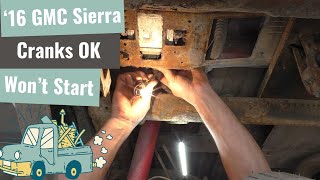
- Vehicle may not start (cranks but does not fire). 🎬 See a diagnostic demo of a truck that cranks but won't start.
- Intermittent no-start condition (may start after sitting for a while).
- Engine may stall while driving, sometimes at highway speeds.
- Long crank time before the engine starts.
- Rough idle or poor engine performance.
- Replacing the fuel pump. The fuel pump itself is rarely the cause of a P1005 code. The issue lies with the module that controls the pump. TSB PIT5636D directly identifies the module's software as the fault.
- Blaming a bad gas cap. While a loose gas cap can cause an EVAP-related Check Engine Light, it will not cause a P1005 code.
Most Likely Causes

- Faulty Fuel Pump Driver Control Module (FPDCM) 🔴 High Probability → Shop Fuel Pump GM has identified an internal software error in the original modules installed on these trucks, as documented in TSB PIT5636D. The initial bulletin PIT5636 from 2018 shows GM was investigating the issue and initially advised against replacement, confirming it was a known problem from the start of the generation.
How to confirm: Confirm the presence of code P1005 with an OBD-II scanner. Check vehicle history for TSB PIT5636D applicability. Diagnosis involves ruling out wiring issues before condemning the module. The module is typically located on the driver's side frame rail, near or under the spare tire.
Typical fix: Replace the Fuel Pump Driver Control Module with the updated GM part. While many owners report success with a simple swap, GM service information specifies a 'Fuel Pump Driver Control Module Configuration' procedure should be performed with the GDS2 scan tool after replacement.
Est. part cost: $70-$150 - Wiring Harness Issue ⚪ Low Probability While not the primary cause for P1005, General Motors has issued TSB 21-NA-149 for potential engine wire harness chafing on these trucks, which can cause a variety of electrical issues and DTCs. A specific chafe point has been identified where the harness can rub on the plastic ECM mounting bracket. The FPDCM connector itself can also have pins that lose tension, causing a poor connection.
How to confirm: Visually inspect the wiring harness and connectors leading to the Fuel Pump Driver Control Module for any signs of damage, corrosion, or loose connections. Check for power on the red/white wire (pin 32) and ground on the black wire (pin 1) at the FPDCM connector. Also inspect the harness near the ECM bracket for chafing.
Typical fix: Repair the damaged section of the wire or replace the connector. Secure the harness to prevent future chafing. If a pin has backed out, the connector terminal may need to be replaced or re-tensioned.
Est. part cost: $10-$50
Diagnosis Steps
- Read the diagnostic trouble codes (DTCs) with an OBD-II scanner to confirm P1005 is present.
- Check for applicable Technical Service Bulletins (TSBs). TSB PIT5636D directly addresses this code for 2019-2020 Sierra and Silverado models.
- Locate the Fuel Pump Driver Control Module. It is typically mounted to the inside of the driver's side frame rail, often above the spare tire. Lowering the spare tire may be necessary for access.
- Inspect the wiring and the large electrical connector at the FPDCM. Check for 12V power at Pin 32 (Red/White wire) and a good ground at Pin 1 (Black wire) with the key on.
- Inspect known harness chafe points, particularly where the harness passes the ECM mounting bracket and near the transfer case.
- If the wiring appears intact and has proper power/ground, the most probable cause is a faulty FPDCM due to the known software issue.
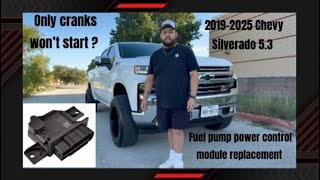
- Replace the Fuel Pump Driver Control Module. This typically requires removing two bolts. Disconnect the 🎬 Watch this video for a step-by-step module replacement walkthrough. negative battery terminal before starting.
- Install the new module with the updated part number. Reconnect the electrical harness, ensuring the locking tab clicks into place.
- Reconnect the battery and clear the DTCs. Per GM bulletin PIP5728A, a 'Fuel Pump Driver Control Module Configuration' should be performed using a GDS2 scan tool to ensure proper function, though some users report the vehicle starts without this step.
Parts You'll Likely Need
- Fuel Pump Driver Control Module
(OEM #13565641)— This is the latest updated part specified by GM to correct the internal software error that causes code P1005. This part number supersedes earlier faulty versions including 13531875 and 13540028.
Trusted brands: ACDelco (GM Genuine)
OEM price range: $70-$150
Aftermarket price range: $50-$120
Related Codes That Often Appear With This One
- In some cases, owners have reported P1005 alongside other codes like P1176 or U18A2, though P1005 is often the sole code present for this specific FPDCM failure.
Technical Service Bulletins (TSBs) & Recalls
- PIT5636D: Published Oct 2023, this is the definitive bulletin. It states that a Service Engine Soon (SES) light with DTC P1005 is caused by a software error in the FPDCM and instructs technicians to replace it with an updated part (13540028 for most gas engines). It allows for 0.5 hours of labor under warranty.
- PIT5636B: An earlier version from Feb 2020 that also identified the FPDCM software error and provided a then-current updated part number (13531875).
- PIT5636: The original preliminary bulletin from Oct 2018, indicating that GM was investigating the root cause and advised technicians to clear the code and not replace parts at that time.
- 21-NA-149: While not specific to P1005, this TSB details common wire harness chafing points on 2019+ Sierra/Silverado models that can cause various electrical faults and is a good reference for ruling out wiring issues.
- PIP5728A: Details a GDS2 software update to correct a missing 'Fuel Pump Driver Control Module Configuration' function, indicating a programming/setup step is intended after module replacement.
Platform-Specific Known Issues
- A known software error in the original Fuel Pump Driver Control Module is the primary cause for this code on 2019-2020 models, as documented by GM in TSB PIT5636D.
- The progression of the TSB from PIT5636 (investigating, do not replace) to PIT5636D (confirmed software error, replace with new part) shows this was a well-documented factory issue.
Mechanic-Grade Diagnostic Values
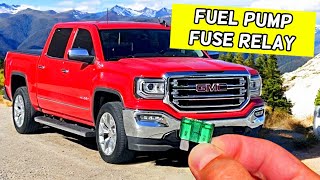
- FPDCM Connector Power Supply — expected: Battery voltage (approx. 12V) with key on. Failure: 0V or low voltage indicates a problem with the power feed from the fuse box. 🎬 Check out this guide to locate your fuel pump fuses and relays.
- FPDCM Connector Ground — expected: Near 0V, good continuity to chassis ground.. Failure: Voltage present on the ground wire or high resistance to ground indicates a bad ground connection.
- FPDCM Signal Wire from ECM — expected: Voltage present when cranking.. Failure: No voltage when cranking could indicate a broken wire between the ECM (Pin 50) and the FPDCM.
Scan Tool Commands That Help
- GDS2 (GM Global Diagnostic System 2): Fuel Pump Driver Control Module Configuration — This function should be performed after replacing the FPDCM to ensure the new module is properly configured to the vehicle. GM issued bulletin PIP5728A to address this function being missing in older GDS2 software versions and provided a workaround.
- GDS2 (GM Global Diagnostic System 2): Service Only Mode — When performing bidirectional tests or module configurations, the vehicle may need to be put into 'Service Only Mode' (foot off brake, press and hold start button for 5+ seconds) for the scan tool to have full control.
Wiring & Ground Locations
- FPDCM Connector (X411) — At the Fuel Pump Driver Control Module, located on the driver's side frame rail above the spare tire.. This is the primary connection point for testing power (Pin 32), ground (Pin 1), and the control signal from the ECM. A poor connection here can mimic a failed module.
- Engine Harness Chafe Point 1 — Where the engine wiring harness passes the plastic ECM mounting bracket.. A documented chafe point on the 5-volt reference circuit can cause an open, leading to various codes including fuel pressure and fuel pump performance codes. This can be misdiagnosed as a failed sensor or module.
- FPDCM Harness Chafe Point 2 — Where the harness for the FPDCM runs near the transfer case and drive shaft.. The signal wire (Green/White) from the ECM to the FPDCM is known to chafe and break in this area, causing a loss of communication and triggering a P1005 code.
Real Owner Repair Stories
- Reddit user in r/MechanicAdvice (2019 GMC Sierra AT4 6.2L with ~100,000 miles) — Check Engine Light on, intermittent long crank/no-start condition.
❌ Tried (didn't work) User was in the diagnostic phase.
✅ What actually fixed it The user scanned the codes and found P1005, P1176, and U18A2, pointing towards the common FPDCM failure. The story serves as a real-world example of the symptoms and associated codes before the fix.
When the Usual Fixes Don't Work
- While many DIY forums and videos suggest the FPDCM replacement is a simple 'plug and play' fix, official GM service documents contradict this. TSB PIP5728A was issued specifically to address a problem where the 'Fuel Pump Driver Control Module Configuration' function was missing from the GDS2 scan tool for these trucks. This confirms that a dealer-level software configuration step is intended after installation to ensure the module communicates correctly with the vehicle, even if the truck appears to run without it.
OEM Part Supersession History
13531875→13540028— Updated part to correct internal software error.
Heads up: This was the part number specified in the earlier TSB PIT5636B.13540028→13565641— Further part revision by the manufacturer.
Heads up: This was the part number specified in the later TSB PIT5636D for gas engines.13526238, 13558812→13565641— Consolidation of older part numbers into the latest revision.
Heads up: These are additional previous part numbers that are now replaced by 13565641.
Model Year Variations Within This Range
- 2019-2020: The FPDCM part number differs between gasoline and diesel engines. TSB PIT5636D specifies part #13540028 for gas engines (LV3, L3B, L82, L84, L87, L8T) and part #13540026 for diesel engines (LM2, L5P). Using the wrong module will not work.
Helpful Videos
Used OEM Parts in Stock
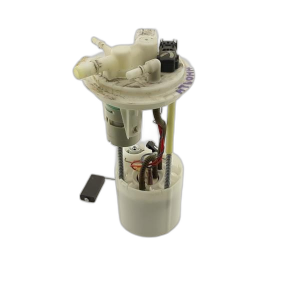
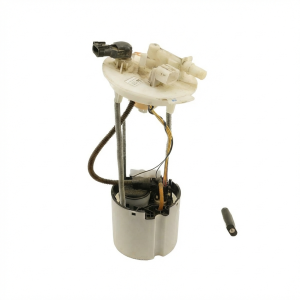
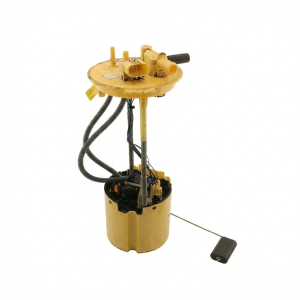
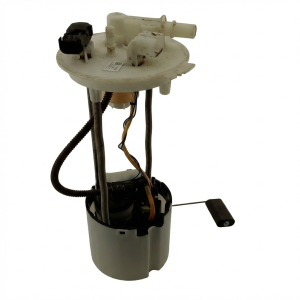
New Aftermarket Parts Available



The information in this article is provided for general reference and educational purposes only. Vehicle specifications, procedures, and part compatibility can vary by production date, trim level, and region. Always consult your vehicle's factory service manual and verify part numbers before purchasing or performing repairs. Safety-critical components such as airbags, seat belts, and braking systems should be installed by a qualified professional.
- Gmc SIERRA 1500:
- 🧭 Diagnostic Flowchart
- 🎬 Helpful Videos
- 🛍️ Shop This Part
- What's Unique About the 2019-2020 Gmc SIERRA 1500
- Symptoms You May Notice
- Most Likely Causes
- Diagnosis Steps
- Parts You'll Likely Need
- Related Codes That Often Appear With This One
- Technical Service Bulletins (TSBs) & Recalls
- Platform-Specific Known Issues
- Mechanic-Grade Diagnostic Values
- Scan Tool Commands That Help
- Wiring & Ground Locations
- Real Owner Repair Stories
- When the Usual Fixes Don't Work
- OEM Part Supersession History
- Model Year Variations Within This Range
- 🎟️ Get 5% Off