

P1621 on 2022-2026 Genesis GV70: Immobilizer & Smart Key Faults Explained
On a 2022-2026 Genesis GV70, P1621 almost certainly indicates a problem with the anti-theft immobilizer system, preventing the car from starting. The most common and simple fix is to replace the dead battery in your smart key fob, which costs less than $5.
- P1621 on a GV70 means the car won't start due to an anti-theft system fault.
- Before panicking, spend a few dollars to replace the battery in your key fob (CR2032). This is the most likely fix.
- Always try your spare key to quickly determine if the problem is the key or the car.
- Do not replace parts like the A/C relay; this is based on outdated information for different vehicles.
- If a new key battery doesn't work, the fob may have lost its programming and needs to be reprogrammed by a dealer, which should be a warranty repair.
What's Unique About the 2022-2026 Genesis GV70
The Genesis GV70 uses a sophisticated smart key and digital key system, making this code's interpretation different from older vehicles. While some databases list P1621 as an A/C or fuel system fault for the Hyundai brand, this is legacy data. For the GV70, the fault is almost always related to the complex communication between the smart key, the vehicle's antennas, and the immobilizer control module. Problems can range from a simple dead key fob battery to software glitches with the digital key system, or even a key that has become de-synced from the vehicle.
Symptoms You May Notice
- Engine will not start (cranks but does not fire)
- Engine does not crank at all
- Flashing key or immobilizer warning light on the dashboard
- "Key Not Detected" message on the instrument cluster
- Remote functions (lock/unlock) may fail, even if the car can be started by holding the fob to the start button.
- Replacing the starter motor. A 'crank, no start' symptom can lead people to suspect the starter, but if the immobilizer is active, the engine is being prevented from starting by the computer, not a mechanical failure.
- Replacing the A/C relay. This is a common misdiagnosis based on outdated information for older Hyundai models where P1621 did indicate an A/C circuit fault. It is not relevant to a modern GV70.
Most Likely Causes
- Dead or Weak Smart Key Fob Battery 🔴 High Probability → Shop Keyless Entry Transmitter Smart keys constantly transmit a low-power signal and the battery life is typically 1-3 years. It's the most common failure point for any keyless ignition system.
How to confirm: Try using the spare key fob. If the spare key works, the battery in the primary key is the issue. You can also try holding the 'dead' fob directly against the push-to-start button, which can sometimes allow the car to start via a low-power passive antenna. A dealership can also use a specialized tool to test the signal strength of the fob.
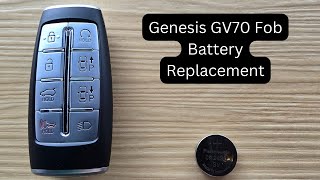
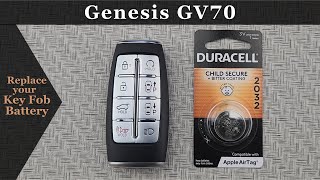
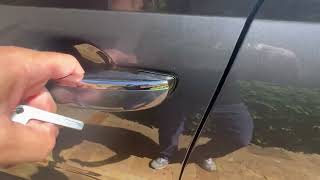
Typical fix: Replace the CR2032 battery inside the key fob. 🎬 Watch: How to replace your GV70 key fob battery
Est. part cost: $1-$5 - Low Main Vehicle Battery Voltage 🟡 Medium Probability → Shop Vehicle Battery Modern vehicles have a high parasitic draw, and a weak 12V battery can cause communication errors between various electronic modules, including the immobilizer system.
How to confirm: Test the main 12V vehicle battery with a multimeter. Voltage should be above 12.4V with the engine off. If it drops below 9.6V during cranking, it is too low and can cause module errors.
Typical fix: Recharge or replace the main 12V vehicle battery. 🎬 Watch: How to jump start and replace the 12V battery
Est. part cost: $200-$400 - De-Synced or Faulty Smart Key Fob ⚪ Low Probability → Shop Keyless Entry Transmitter Key fobs can be damaged by being dropped or getting wet, but sometimes they can simply lose their programming (de-sync) from the vehicle. This can happen randomly and is a known issue on Genesis platforms.
How to confirm: After confirming the key fob battery is good, if the key still does not work while the spare key does, the fob itself has likely failed or de-synced. In some cases, the remote lock/unlock buttons will stop working, but the car will still start, indicating a partial failure or sync issue.
Typical fix: Replace and/or reprogram the smart key fob. This must be done at a dealership or by a qualified automotive locksmith under warranty if applicable.
Est. part cost: $300-$600 - Faulty Immobilizer Antenna ⚪ Low Probability → Shop Antenna The antenna reads the transponder chip in the key. While generally reliable, it can fail due to a wiring issue or internal fault.
How to confirm: This requires professional diagnosis. A technician will use a scan tool to check for a signal from the antenna. The antenna is typically located around the push-to-start button. A simple way to check for antenna activity is with a specialized LED tester ring.
Typical fix: Replace the immobilizer antenna coil.
Est. part cost: $70-$150
Rare But Worth Checking
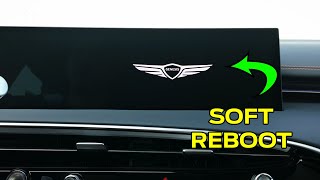
- Software Glitch: The GV70 relies on complex software for its digital key and infotainment systems. A reboot of the infotainment system (often by holding the 'MAP' and 'SETUP' buttons) has been noted by owners to solve some key-related issues and is worth trying.
- Failed Smart Key Module (SMK): This is the control unit for the immobilizer system. While rare, a failure of the module itself will prevent any key from being recognized. This is an expensive repair and should only be considered after all other possibilities are exhausted.
Diagnosis Steps
- Replace the battery in the smart key fob. This is the most common and cheapest fix. The correct battery is a CR2032.
- Try using your spare key. If the spare key works, the problem is with your primary key fob.
- Attempt to start the vehicle by holding the key fob directly against the push-to-start button. This uses a passive antenna that may work even if the fob's battery is very low.
- Check the voltage of the main 12V vehicle battery. A weak battery can cause widespread electronic communication errors.
- Reboot the vehicle's infotainment system by pressing and holding the 'MAP' and 'SETUP' buttons simultaneously, as some owners report this can clear communication glitches.
- If the vehicle still won't start, professional diagnosis is required. A technician will use a manufacturer-specific scan tool to read security system data and determine if the fault lies in the antenna, wiring, or the Smart Key Module itself. They can also check the fob's signal strength and reprogram it if needed.
Parts You'll Likely Need
- Key Fob Battery
(OEM #CR2032)— This is the most frequent cause of a 'Key Not Detected' issue and the P1621 code.
Trusted brands: Duracell, Energizer, Panasonic
OEM price range: $1-$5
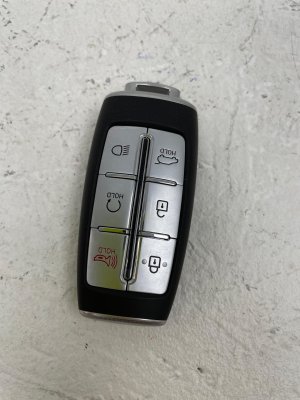
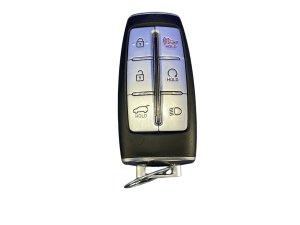
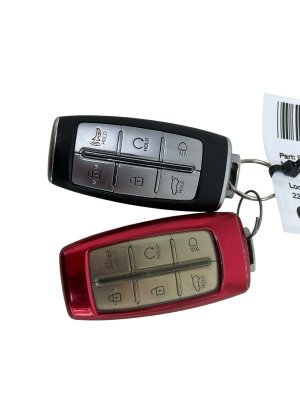
Aftermarket price range: $1-$5 - Smart Key Fob (6-Button)
(OEM #95440-AR000 / 95440-AR001)— If the key fob itself is damaged internally or has lost its programming, it must be replaced and programmed by a dealer or certified locksmith. This 6-button version is for models without Remote Smart Parking Assist.
Trusted brands: Genesis (Genuine OEM)
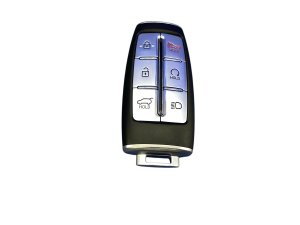
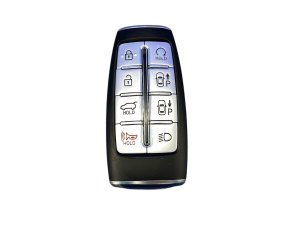
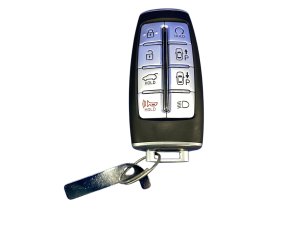
OEM price range: $300-$600 - Smart Key Fob (8-Button with RSPA)
(OEM #95440-AR011)— For models equipped with Remote Smart Parking Assist (RSPA), this 8-button key is required. It is not interchangeable with the 6-button version.
Trusted brands: Genesis (Genuine OEM)
OEM price range: $350-$650
Related Codes That Often Appear With This One
- P1690 — This code also indicates a 'No Response from Smartra' (the immobilizer module) and strongly confirms the fault is within the anti-theft system.
- B1688 — This is a Hyundai/Genesis specific body code for 'SMARTRA Antenna Error', which would point directly to a faulty immobilizer antenna coil.
Platform-Specific Known Issues
- Key Fob De-syncing: → Shop Keyless Entry Transmitter Owners of the related Genesis G70 have reported instances where the key fob's remote functions (lock/unlock) suddenly stop working, even with a new battery, while the car is still able to start. The dealer resolved this by reprogramming the key under warranty, stating it had 'de-synced'. This suggests a potential software or firmware issue in the key or vehicle's receiver.
- Digital Key Communication Failure: A GV70 owner on Reddit described an issue where the Digital Key (using their Android phone) worked initially but then stopped being able to find the vehicle after setup, despite multiple resets and re-pairing attempts. This points to potential software bugs within the Genesis Digital Key app or the vehicle's Connected Services communication module.
Scan Tool Commands That Help
- Genesis GDS (Global Diagnostic System): Key Teaching / Key Registration — This function is required to program new or existing keys to the vehicle's immobilizer module. It is necessary after replacing a key fob or the Smart Key Module. A PIN code from a dealer is required.
- Genesis GDS (Global Diagnostic System): Neutralization Mode — This function returns a module, such as the ECM or Smart Key Module, to a 'virgin' (un-programmed) state. This is necessary when installing a used module from another vehicle before it can be programmed to the new vehicle.
- Genesis GDS (Global Diagnostic System): Immobilizer Parameter Check — This function allows a technician to check the status of the immobilizer system, including how many keys are currently programmed to the vehicle. This helps determine if a key has been de-synced or if the module has an issue.
Wiring & Ground Locations
- Main 12V Battery — Located in the trunk/cargo area, under the floor panel and spare tire.. A weak or failing main battery is a common cause of electronic module communication errors, including immobilizer faults. Direct access is needed for testing or replacement.
- Jump-Start Terminals — Located in the engine bay for convenience. The positive (+) terminal is under a red plastic cover in a fuse box, and the negative (-) post is a marked metal point on the chassis.. If the main battery is dead, these terminals must be used to jump-start the vehicle or supply power for diagnostics. Using them avoids having to access the battery in the trunk.
- Body Control Module (BCM) / Chassis Domain Control Module (CDCM) — Typically located under the driver's side of the dashboard, often behind the lower trim panel or near the interior fuse box.. The BCM/CDCM is a central hub for the immobilizer system. A fault with this module or its wiring can cause a P1621 code. Access is needed for advanced diagnostics or replacement.
- Immobilizer Antenna Coil — A ring-shaped antenna located around the Engine Start/Stop button.. This antenna powers the key fob's transponder and receives its code. A failure of the coil or its wiring directly causes a communication failure and a P1621 code.
Real Owner Repair Stories
- Autel MaxiIM IM608 II Key Fob Programming Tool Case Study (2023 Genesis GV70) — Vehicle arrived at a workshop with no functional keys, triggering 'Key Not Detected' errors.
❌ Tried (didn't work) Not specified, but the implication is the vehicle was in a no-start condition that standard methods (like battery changes) could not resolve.
✅ What actually fixed it A technician successfully programmed new keys to the vehicle using an aftermarket professional tool (Autel IM608 II), restoring functionality. This confirms that key registration is the definitive fix when keys have been lost or de-synced.
OEM Part Supersession History
95440-AR000→95440-AR001— Standard part number revision or supplier change for the 6-button smart key (without park assist).
Heads up: The 6-button key (FCC ID: TQ8-FOB-4F36) and the 8-button key with RSPA (FCC ID: TQ8-FOB-4F35) are not interchangeable. The vehicle's system will only recognize the type of key it was originally equipped with.
Diagnostic Flowchart
Other Known Issues on This Vehicle
Issues unrelated to this code that are worth knowing about as an owner of this generation:
- Rear Differential Whining Noise 🟠 Medium — A widely reported issue, particularly on earlier 2022-2024 models, sometimes at very low mileage. The noise is most common between 40-60 mph under light throttle. (Ref: TSB 23-DS-004G instructs dealers to first re-torque a pinion nut, and if that fails, replace the entire rear differential assembly.)
- Infotainment/Instrument Cluster Blank Screen 🔴 High → Shop Instrument Cluster — Affects a large number of 2025-2026 models, causing the main screen and/or digital dash to intermittently reboot or go blank while driving. (Ref: NHTSA Recall 26V019000 (Genesis Recall 031G) was issued to fix a software logic error. The remedy is a software update performed by the dealer or over-the-air (OTA).)
- Failing Fuel Pump 🔴 High → Shop Fuel Pump — A recall was issued for 2022-2023 models where the fuel pump could fail, leading to a sudden loss of drive power. (Ref: Hyundai/Genesis recall 016G (NHTSA 23V-621) covers the replacement of the fuel pump assembly.)
- Exploding Seat Belt Pretensioners 🔴 High — Affects 2022-2023 models. In a crash, the pretensioner could deploy abnormally and project metal fragments into the cabin. (Ref: Hyundai/Genesis recall 012G (NHTSA 22V-690) involves installing a protective cap on the pretensioner.)
- Engine Misfires (2.5T) 🟠 Medium — Some owners of the 2.5T engine have reported check engine lights for misfire codes at relatively low mileage. Dealers have sometimes attributed this to fuel quality, but it can also be related to fuel injectors or the recalled fuel pump.
Used vs. New Parts: Buying Guide for This Vehicle
When a used part is the smart pick: A used OEM key fob is a viable option to save money, as long as it is the correct part number and FCC ID. Aftermarket 'clone' fobs should be avoided. However, even a used OEM fob is not plug-and-play and will require professional programming.
What to inspect on the donor part:
- Verify the FCC ID (e.g., TQ8-FOB-4F36 for 6-button) and part number (e.g., 95440-AR001) match exactly.
- Ensure the button configuration (6-button vs. 8-button for RSPA) is identical to the original key.
- Visually inspect for cracks, water damage, or excessive wear that could indicate internal damage.
OEM-only on this vehicle (don't cheap out):
- Smart Key Fob: While used OEM is an option, brand new OEM is the safest bet. Avoid cheap, unbranded aftermarket fobs as their transponder chips may not program correctly.
- Smart Key Module (SMK) / Body Control Module (BCM): Due to the complex programming and security integration (VIN-locking), these modules should only be replaced with new OEM parts by a dealer or specialist to ensure proper function.
Brands owners have reported issues with on this vehicle:
- Unbranded or generic key fob clones sold on auction sites. They frequently fail during the programming process or have very short operational lifespans.
Real Owner Stories
Aggregated from forums and TSBs cited above. Mileages and costs reflect what owners reported in those sources.
2022 Genesis G70
Symptoms: The key was not recognized by the vehicle, preventing it from starting.
What fixed it: Changed the key fob battery as a first step; if the issue persists with both keys, a dealer visit for reprogramming is required.
Source hint: r/GenesisG70 - A thread titled 'Key not recognized'
Genesis G70
Symptoms: Remote functions (lock/unlock) failed to operate, but the car would still start.
What fixed it: The dealer reprogrammed the key under warranty after confirming it had 'de-synced'.
Source hint: r/GenesisG70 - A thread titled 'Key Fob Issue'
2022 Genesis GV70
Symptoms: Digital Key using an Android phone worked initially but then stopped being able to find the vehicle despite resets and re-pairing.
What fixed it: Identified as a potential software bug within the Genesis Digital Key app or the vehicle's Connected Services communication module.
Source hint: r/GenesisGV70 - vehicle_specific_issues: Digital Key Communication Failure
Related OBD-II Codes
Frequently Asked Questions
My 2022 GV70 won't start and says 'Key Not Detected.' Can I still drive it?
What battery do I need for my Genesis GV70 smart key?
My GV70's digital dash keeps going blank; is this related to the P1621 code?
The remote lock/unlock buttons on my G70 stopped working, but the car still starts. Is the key broken?
Can a weak car battery cause a P1621 immobilizer error on a GV70?
My Genesis Digital Key app on my Android phone can't find my GV70. How do I fix it?
Helpful Videos
We Have This Part in Stock

The information in this article is provided for general reference and educational purposes only. Vehicle specifications, procedures, and part compatibility can vary by production date, trim level, and region. Always consult your vehicle's factory service manual and verify part numbers before purchasing or performing repairs. Safety-critical components such as airbags, seat belts, and braking systems should be installed by a qualified professional.
- Genesis GV70:
- 🧭 Diagnostic Flowchart
- 🎬 Helpful Videos
- 🛍️ Shop This Part
- What's Unique About the 2022-2026 Genesis GV70
- Symptoms You May Notice
- Most Likely Causes
- Rare But Worth Checking
- Diagnosis Steps
- Parts You'll Likely Need
- Related Codes That Often Appear With This One
- Platform-Specific Known Issues
- Scan Tool Commands That Help
- Wiring & Ground Locations
- Real Owner Repair Stories
- OEM Part Supersession History
- Other Known Issues on This Vehicle
- Used vs. New Parts: Buying Guide for This Vehicle
- Real Owner Stories
- 2022 Genesis G70
- Genesis G70
- 2022 Genesis GV70
- Related OBD-II Codes
- Frequently Asked Questions
- 🎟️ Get 5% Off