

U0020 on 2017-2019 GMC Sierra 1500: Low-Speed CAN Bus Faults Explained
On a 2017-2019 GMC Sierra, code U0020 often appears without symptoms and may be a false code that should be ignored, per GM TSB #PIT5631. If symptoms like inoperative HVAC or fluctuating gauges occur, it points to a known issue with the Serial Data Gateway Module (SDGM). GM TSB #20-NA-212 (superseding #PIT5586G) outlines a two-step fix: first, attempt to reprogram the SDGM to resolve a software glitch; if that fails, repair the connector terminals at the SDGM.
- Code U0020 on a 2017-2019 Sierra should first be treated as a potential false code, especially if no symptoms are present. Simply clear it and see if it returns.
- If you have symptoms like failing climate controls or no turn signal sound, the problem is most likely a loose wire or bad connection, not a failed expensive module.
- Do not replace parts like the radio, BCM, or HVAC controller before a technician has professionally diagnosed the network wiring.
- This is not a DIY-friendly repair due to the need for specialized diagnostic tools for network communication analysis.
What's Unique About the 2017-2019 Gmc SIERRA 1500
What makes the 2017-2019 Sierra and its K2XX platform mates unique regarding code U0020 is that General Motors has issued specific technical bulletins advising technicians to treat it with skepticism. TSB #PIT5631 explicitly states that the Video Processing Control Module can set a false U0020 code, which should be ignored. More importantly, TSB #20-NA-212, which supersedes the older #PIT5586G, provides a clear, two-path solution for symptomatic vehicles. It instructs technicians to first try reprogramming the Serial Data Gateway Module (SDGM) for a known software lock-up condition. If that does not resolve the issue, the bulletin directs them to inspect and repair the X1 and X2 connector terminals at the SDGM, indicating a known physical connection problem rather than a random component failure.
Diagnostic Flowchart
Tap your situation to follow the diagnostic path that matches what you're seeing on this vehicle.
Generation note: This range covers two generations of the Sierra 1500: the third generation (K2XX, 2017-2018) and the fourth generation (T1XX, 2019). The 2019 model year was a transition, with both the new T1XX and the previous generation sold as the 'Sierra 1500 Limited'. The cited TSBs apply across this range, but module locations and specific part numbers (like for the BCM) differ between the K2XX and T1XX platforms.
Symptoms You May Notice
- No symptoms at all (false code)
- Turn signal indicator sound is not audible
- HVAC / climate controls are inoperative or unresponsive
- Radio or infotainment display is blank or not working
- Instrument panel cluster (IPC) gauges are inoperative or fluctuate wildly.
- Service Airbag or Service Suspension messages on the Driver Information Center (DIC).
- Vehicle may fail to crank, or may start and immediately stall.
- Other communication-related U-codes may be present
- 'Shift to Park' message on DIC when already in park.
- Replacing the radio or infotainment module
- Replacing the HVAC control module
- Replacing the Body Control Module (BCM)
- Replacing the Instrument Panel Cluster (IPC)
Most Likely Causes
- Poor Connection at Serial Data Gateway Module (SDGM) 🔴 High Probability → Shop Telematics Interface Module This is the most common cause, documented extensively by GM in TSBs #PIT5586G and its successor #20-NA-212. The terminals in the X1 and X2 connectors at the SDGM are known to have poor tension, become bent, or back out, disrupting the low-speed network.
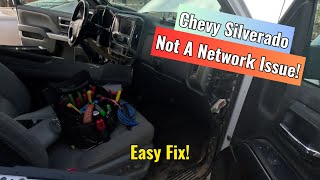
How to confirm: After ruling out a software issue, a technician will access the SDGM (typically behind the glove box 🎬 Watch: A real-world fix for communication loss at the SDGM.), disconnect the X1 and X2 connectors, and visually inspect for bent, loose, or corroded terminals. Gently tugging on each wire can reveal a backed-out pin.
Typical fix: Repair the affected terminal(s) by correcting the pin tension or replacing the specific terminal with a new pigtail. The connector housing may also be replaced if damaged. Applying dielectric grease is not the primary fix; ensuring mechanical connection is key.
Est. part cost: $10-$50 - SDGM Software Error / Logic Lock 🟡 Medium Probability GM identified a condition where the SDGM's microcontroller can freeze or 'logic lock', causing it to stop communicating. TSB #20-NA-212 provides a specific software update to correct this.
How to confirm: A technician using GM's diagnostic software can check the current software calibration of the SDGM against the latest version. A temporary confirmation can be a 'fuse pull reset': removing the SDGM fuse for 60 seconds may temporarily restore function, pointing to a logic lock.
Typical fix: Reprogram the Serial Data Gateway Module with the latest calibration using GM's Service Programming System (SPS). This must be done at a dealership or a properly equipped independent shop. 🎬 See how the Serial Data Gateway Module functions in this overview.
Est. part cost: $0 - False Code from Video Processing Control Module ⚪ Low Probability This is a known glitch documented by GM in Technical Service Bulletin #PIT5631.
How to confirm: Check if the code is stored without any accompanying symptoms. If the truck operates normally, it is likely the false code mentioned in the TSB.
Typical fix: Ignore and clear the Diagnostic Trouble Code (DTC). No parts replacement is necessary.
Est. part cost: $0
Rare But Worth Checking
- Failing Control Module: A single module on the low-speed network (e.g., radio, HVAC module, BCM) can fail internally and disrupt the entire network. This is less common than an SDGM connection/software issue and should only be considered after the SDGM has been thoroughly checked per TSBs.
- Aftermarket Device Interference: Improperly installed aftermarket accessories like remote starters, alarms, or audio equipment can be spliced into the low-speed GMLAN wire, causing interference and setting code U0020.
- Poor BCM Ground Connection (G218): Though less common for U0020 specifically, TSB PIT5405C points to a poor ground at location G218 (under the driver's dash) as a cause for widespread electrical and communication issues on this platform. This is worth checking if other fixes fail.
Diagnosis Steps
- Connect a professional-grade OBD-II scanner (like GM GDS2) and perform a full vehicle scan. Note all 'U' codes and which modules are not communicating.
- If U0020 is the only code and there are no symptoms, clear the code, perform a drive cycle, and re-scan. It may be the false code from TSB #PIT5631.
- If symptoms are present, refer to TSB #20-NA-212. As a quick test, you can try resetting the SDGM by pulling its fuse (often F28 in the driver-side dash fuse panel on related SUVs) for 60 seconds.
- A dealer or qualified shop should first attempt to reprogram the SDGM with the latest software calibration, as this is the least invasive official fix.
- If reprogramming does not work or is not applicable, locate the SDGM (typically by removing the glove box). Disconnect the X1 and X2 connectors and inspect the terminals for damage, corrosion, or poor pin tension.
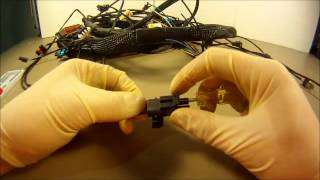
- Perform a 'pin drag' test on female terminals and visually inspect male pins. Repair or replace any faulty terminals. 🎬 Watch: Professional tips for repairing GM connector terminals.
- Note: This is a single-wire GMLAN bus. Standard two-wire CAN bus resistance tests (looking for 60 ohms) are not applicable and will lead to misdiagnosis.
- If the SDGM connections and software are confirmed good, a technician may then proceed to isolate other modules on the bus one-by-one to find a faulty unit.
Parts You'll Likely Need
- No Parts or Connector Terminals — The most common fixes are reprogramming the SDGM (no parts) or repairing a loose terminal in a connector (minor parts), neither of which requires replacing a major module.
Trusted brands: ACDelco
OEM price range: $0-$50
Aftermarket price range: $0-$25 - Serial Data Gateway Module (SDGM)
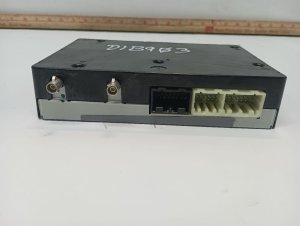
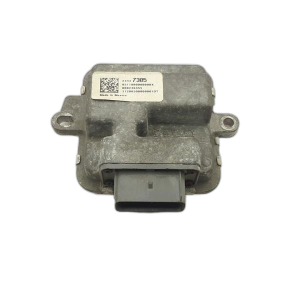
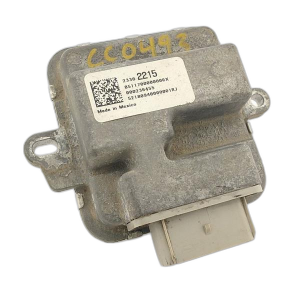
(OEM #13599318 (for 2017-2018 K2XX models))— If the module is found to be internally faulty after extensive diagnostics (and reprogramming fails), it will need replacement. This is an uncommon fix and requires programming.
Trusted brands: ACDelco, GM Genuine Parts
OEM price range: $75-$150
Aftermarket price range: $60-$120 - Body Control Module (BCM)
(OEM #13528941 (for 2017-2019 K2XX/Limited models))— The BCM is a central hub for body electronics but is rarely the cause of this specific code. It is often misdiagnosed. Requires programming upon replacement. Note: The 2019 T1XX platform uses a different part (e.g., 13534086).
Trusted brands: ACDelco, GM Genuine Parts
OEM price range: $250-$450
Aftermarket price range: $150-$350
Related Codes That Often Appear With This One
- U0140 — Lost Communication With Body Control Module. This often appears with U0020 as the BCM is a central hub for the low-speed network.
- U0155 — Lost Communication With Instrument Panel Cluster (IPC) Control Module. The IPC is another key module on the low-speed bus and its failure is a common symptom.
- U0164 — Lost Communication With HVAC Control Module. This code is common when HVAC controls are inoperative, a primary symptom mentioned in TSB #PIT5586G.
- U0184 — Lost Communication With Radio. The radio is a frequent source of low-speed network issues and a common symptom is a blank screen.
Technical Service Bulletins (TSBs) & Recalls
- Bulletin #PIT5631: Advises that the Video Processing Control Module can set a false DTC U0020 and it should be ignored if no symptoms are present.
- Bulletin #PIT5586G: The older bulletin that first detailed the cluster of communication codes (including U0020) and symptoms (inoperative HVAC, no turn signal audio), pointing towards loose connections at the SDGM.
- Bulletin #20-NA-212: Supersedes PIT5586G. Provides the current two-step repair process: first, reprogram the SDGM to fix a software lock-up; second, if the issue persists, inspect and repair terminals at the SDGM X1/X2 connectors.
Platform-Specific Known Issues
- A false U0020 code can be set by the Video Processing Control Module and should be ignored per TSB #PIT5631 if no symptoms are present.
Mechanic-Grade Diagnostic Values
- Low-Speed GMLAN Bus Voltage (Single Wire) — expected: The bus toggles rapidly. With a multimeter, you may see an average voltage between 0.5V and 4.5V. With an oscilloscope, the signal should switch between a low (recessive) state near 0.2V and a high (dominant) state near 4.0V or higher.. Failure: A voltage that is stuck consistently high (near 5V or battery voltage) or low (near 0V) indicates a short or open circuit, or a faulty module pulling the bus down.
Scan Tool Commands That Help
- GM GDS2 (Global Diagnostic System 2): Vehicle DTC Information / Module Diagnostics — This function performs a full network scan, listing all modules on the vehicle. It will show which modules are communicating and which are not, which is critical for diagnosing a U-code. A list of modules with 'No Comm' status points to a network-wide failure.
- GM GDS2 (Global Diagnostic System 2): Control Functions — After identifying a non-communicating module (e.g., the Radio), a technician can use bidirectional controls to command other modules on the bus (like lights or locks) to function. If other modules work, it helps isolate the fault to a specific module or its branch circuit.
Wiring & Ground Locations
- Low-Speed GMLAN Wire — Runs throughout the cabin connecting various modules like the Radio, HVAC, and Instrument Cluster. It is Pin 1 on the Data Link Connector (DLC).. This is the physical network wire. On these GM trucks, it is typically a Dark Green wire. Damage to this single wire will bring down the entire low-speed network.
- G218 — Located on the driver's side A-pillar, near the floor, behind the plastic kick panel and under the dash insulation.. This is a major ground point for many interior electronics, including the BCM. TSB PIT5405C identifies a poor connection here (often due to trapped insulation) as a cause for widespread, intermittent electrical issues that can mimic network faults.
- SDGM Connectors X1 & X2 — At the Serial Data Gateway Module, typically located behind the glove box on the K2XX platform.. These connectors are the single most common failure point for this code, as documented in TSBs #PIT5586G and #20-NA-212. The low-speed GMLAN wire passes through these connectors, and a loose pin here will cause a network failure.
Real Owner Repair Stories
- gm-trucks.com forum user (2018 Chevrolet Silverado) — Flickering dash, no radio, no A/C, multiple 'U' codes including U0020.
❌ Tried (didn't work) Replacing the battery, Checking all related fuses
✅ What actually fixed it The final repair was finding and re-seating a loose pin in one of the main connectors at the Serial Data Gateway Module (SDGM), exactly as described in GM's technical service bulletins. - gmtruckforums.com user (2017 GMC Sierra Denali) — Radio screen went black, no turn signal audio, HVAC controls were dead, multiple communication codes stored.
❌ Tried (didn't work) The dealership first attempted to reprogram the SDGM, which only fixed the issue for a few days before it returned.
✅ What actually fixed it The problem was permanently resolved by replacing the Serial Data Gateway Module (SDGM) itself. This indicates the module had an internal hardware failure that reprogramming could not fix.
OEM Part Supersession History
13599318 (SDGM)→13509768, 13524297, 13524298, 13599317 are listed as parts that 13599318 replaces. Newer potential replacements include 13529374 or 13538999.— Part consolidation and design updates.
Heads up: The correct SDGM part number is dependent on the vehicle's specific RPO codes (options). The module requires programming with GM's SPS software after installation.13599685 (BCM)→13528941— Standard part revision.
Heads up: This part number is generally for the K2XX platform (2017-2018 and 2019 Limited). The new body style 2019 (T1XX) uses a different BCM. Programming is required upon replacement.
Model Year Variations Within This Range
- 2019: The 2019 model year is a split between the outgoing K2XX platform (sold as 'Sierra 1500 Limited') and the new T1XX platform. The TSBs regarding the SDGM connector and software primarily apply to the K2XX models. While the T1XX platform also has a low-speed network, its electrical architecture, module part numbers (e.g., BCM), and connector locations are different.
Helpful Videos


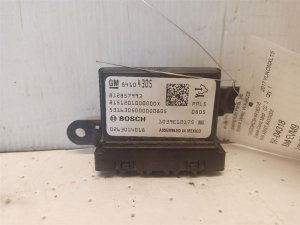
We Have This Part in Stock

The information in this article is provided for general reference and educational purposes only. Vehicle specifications, procedures, and part compatibility can vary by production date, trim level, and region. Always consult your vehicle's factory service manual and verify part numbers before purchasing or performing repairs. Safety-critical components such as airbags, seat belts, and braking systems should be installed by a qualified professional.
- Gmc SIERRA 1500:
- 🧭 Diagnostic Flowchart
- 🎬 Helpful Videos
- 🛍️ Shop This Part
- What's Unique About the 2017-2019 Gmc SIERRA 1500
- Symptoms You May Notice
- Most Likely Causes
- Rare But Worth Checking
- Diagnosis Steps
- Parts You'll Likely Need
- Related Codes That Often Appear With This One
- Technical Service Bulletins (TSBs) & Recalls
- Platform-Specific Known Issues
- Mechanic-Grade Diagnostic Values
- Scan Tool Commands That Help
- Wiring & Ground Locations
- Real Owner Repair Stories
- OEM Part Supersession History
- Model Year Variations Within This Range
- 🎟️ Get 5% Off