

U0028 on 2013-2016 Cadillac SRX: MOST Bus Communication Failure Causes and Fixes
This code indicates a communication failure on the Media Oriented Systems Transport (MOST) fiber-optic network, which controls your infotainment system. This usually results in a blank screen and no audio. The most common cause is a failed module on the network, like the amplifier or radio, which breaks the communication 'ring'. Diagnosis requires a special MOST bypass loop to find the faulty component.
- U0028 on a Cadillac SRX means the fiber-optic (MOST) network for your infotainment system has failed.
- Symptoms are severe: a completely blank CUE screen and no audio are the most common complaints.
- The cause is almost always one of the modules on the network (like the amp or radio) failing internally, which breaks the communication 'ring'.
- Diagnosis requires a special 'MOST bypass loop' tool to find the broken link in the chain. This is not a typical code that can be diagnosed with just a code reader.
- Do not assume the CUE screen itself is bad; the problem is a network failure that requires a specific diagnostic procedure.
What's Unique About the 2013-2016 Cadillac SRX
The Cadillac SRX of this generation relies heavily on the fiber-optic MOST bus for all its CUE infotainment functions. Unlike a traditional copper wire network where one failed module might not disable the entire system, the MOST bus operates as a ring. A single break in the ring—whether from a bad module or a damaged cable—will take down the entire infotainment system, leading to the common 'black screen' and no audio complaint. GM has issued specific service bulletins related to diagnosing this exact issue, confirming that if the fault is present at startup, a blank screen and no audio will occur.
Diagnostic Flowchart
Tap your situation to follow the diagnostic path that matches what you're seeing on this vehicle.
Symptoms You May Notice
- Blank or black infotainment (CUE) screen, especially on startup.
- No sound from the audio system.
- Radio controls are inoperative.
- Steering wheel audio controls do not work.
- Navigation system is unavailable.
- Loss of warning chimes or turn signal sounds that play through the speakers.
- CUE system may appear to be completely dead with no response.
- If the fault occurs while driving, the display may stay on but the clock and presets disappear.
- Replacing the CUE touchscreen for a black screen issue. While a faulty touchscreen causes its own problems (cracking, phantom touches), it does not typically cause a U0028 code and a total communication loss. The U0028 code points to a network failure, not just a screen failure.
Most Likely Causes
- Failed Module on the MOST Bus (Amplifier, Radio, HMI, etc.) 🔴 High Probability The ring topology means any single module failure breaks the entire network. The amplifier and radio/CD player are common points of failure. The amplifier, often located in the rear cargo area or under the driver's side dash, can be susceptible to moisture or internal failure.
How to confirm: Use a MOST bus bypass loop (like GM tool EL-51578) to bypass each module one at a time. When the faulty module is bypassed, the rest of the system will begin working again. A professional scan tool can also read MOST bus data to see the 'Number of MOST Communication Breaks' or the 'Surrogate MOST Master Node Upstream Position' to help pinpoint the fault location electronically.
Typical fix: Replace the identified faulty module. The amplifier, radio (tuner), or HMI (CUE screen) module are the most frequent culprits. Replacement modules often require programming by a dealer or specialist.
Est. part cost: $200-$1500 - Damaged Fiber-Optic Cable or Connector 🟡 Medium Probability Cables can be damaged during unrelated repairs, especially around the dash or center console. Connectors can become loose, contaminated, or damaged from improper disconnection.
How to confirm: Visually inspect the fiber-optic cables for a visible red light. At each connector, one cable should emit a red light (input) and the module should send out a red light from its other port (output). If light goes into a module but does not come out, the module is likely bad. If a cable is dark when it should be lit, trace it back to the previous module or check for physical damage.
Typical fix: Repair or replace the damaged section of the fiber-optic cable or clean/re-seat the connector.
Est. part cost: $50-$200 - Loss of Power or Ground to a Module ⚪ Low Probability
How to confirm: Once a non-communicating module is suspected (e.g., after using a bypass loop), use a multimeter to check for proper 12V power and a solid ground connection at that module's electrical connector. A fault in a module's power or ground circuit can cause the U0028 code.
Typical fix: Repair the associated wiring for the power or ground circuit, or replace a blown fuse.
Est. part cost: $5-$50
Diagnosis Steps
- Perform a full vehicle scan to confirm which modules are setting the U0028 code. The radio is the 'master' of the MOST bus and is a key module to check.
- Confirm the symptoms. A blank screen and no audio at startup strongly point to a MOST bus failure.
- The most effective method is to use a MOST bus bypass loop (GM tool EL-51578 or equivalent).
- Locate the modules on the MOST ring. This typically includes the radio (behind CUE screen), HMI module (behind glove box), and amplifier (in the rear cargo area or under the driver's side dash panel).
- Start with the easiest module to access. Disconnect its fiber-optic connector and plug the bypass loop in its place, completing the circuit without the module.
- Turn the ignition on. If the radio screen and audio function return, the module you just bypassed is the faulty one.
- If the system does not work, remove the bypass loop, reconnect the module, and move to the next module in the ring. Repeat the process until the faulty module is identified.
- If all modules are bypassed and the system still doesn't work, inspect the fiber-optic cables themselves for damage and check power/ground circuits for the radio (master module).
Parts You'll Likely Need
- Audio Amplifier
(OEM #20918769, 23362376, 84597293, 22977748)— The amplifier is a common failure point on the MOST bus that will break the communication ring, causing this code. Failure can manifest as a total loss of audio and warning chimes.
Trusted brands: ACDelco, Bosch
OEM price range: $400-$700
Aftermarket price range: $250-$500 - Radio Tuner Module
(OEM #84336757)— The radio acts as the master of the MOST bus. Its internal failure will bring down the entire network.
Trusted brands: ACDelco
OEM price range: $300-$600
Aftermarket price range: $200-$450 - Human Machine Interface (HMI) Module
(OEM #23442598, 23243167)— This module controls the CUE display and user interface. It is another critical node on the MOST ring that can fail, leading to a black screen.
Trusted brands: ACDelco
OEM price range: $600-$1200
Aftermarket price range: $400-$800 - MOST Bus Bypass Loop
(OEM #EL-51578)— This is an essential diagnostic tool for finding the failed module. It can also be used as a temporary fix to restore the rest of the system if a non-essential module (like a CD player) has failed.
OEM price range: $50-$100
Aftermarket price range: $15-$30
Related Codes That Often Appear With This One
- U0029 — U0029 can be set along with U0028. While U0028 often indicates a complete break in the ring, U0029 can signify that the ring integrity is present but a specific module is failing to communicate properly, helping to narrow down the fault.
Technical Service Bulletins (TSBs) & Recalls
- PIC6073E: Diagnostic Tip: EL-51578 MOST Bus Diagnostic Tool Kit. Mentions U0028 in relation to blank radio displays and other infotainment failures, recommending the use of a bypass tool kit for diagnosis.
- PI1149A: Intermittent Radio Blank Display With or Without Audio and MOST BUS Diagnostic Aid. Describes a 'MOST bus down' condition as the cause for a blank display and no audio, directly linking it to DTC U0028. It provides crucial diagnostic distinctions, such as if the failure occurs while driving, the display may remain on but lose clock/preset data.
Platform-Specific Known Issues
- GM has released multiple Technical Service Bulletins regarding diagnosis of the MOST bus and code U0028. TSB PIC6073E specifically mentions using a MOST Bus Diagnostic Tool Kit (EL-51578) to diagnose concerns like a blank radio display and inoperative controls associated with this code.
- TSB PI1149A provides a detailed diagnostic aid for intermittent blank displays and no audio, pointing directly to a MOST bus down condition when U0028 is set. It clarifies that a blank screen with no audio on startup is the key symptom.
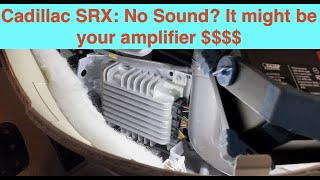
- Owner experiences frequently point to the amplifier as the first part to check. In a YouTube repair video for a similar 2010 SRX, a failed amplifier caused a loss of all audio, including turn signal clicks. Replacing the amplifier, which the owner purchased for around $135, resolved the issue.
Mechanic-Grade Diagnostic Values
- MOST Control Circuit Voltage (Wake-up signal) — expected: Each device on the network provides 12V B+ on the control circuit. The radio (master) pulls this voltage to 0V for 100 milliseconds to wake up the bus.. Failure: A failure of a module to provide 12V or the radio's inability to pull the circuit to 0V can prevent the bus from waking up, causing a U0028.
- GDS2 Scan Tool PID: 'Surrogate MOST Master Node Upstream Position' — expected: This value in the Radio module's data list indicates the position of the module immediately before the communication break.. Failure: If the value is '2', for example, the fault is likely with the module at node position 2 in the ring (e.g., the CD player). This allows for electronic diagnosis before physically accessing modules.
- GDS2 Scan Tool PID: 'Number of MOST Communication Breaks' — expected: Should be 0 on a healthy network.. Failure: This counter increments each time the radio sends a wake-up signal and does not receive it back from all modules, indicating a ring break. However, if DTC U0029 is also present, this value may be 0 because the ring integrity is technically present but a module is internally malfunctioning.
Hidden / Shadow Codes Worth Checking
- U0028 sym00: This is a specific symptom code identified in GM Technical Service Bulletin PIC6073C. It refers to a general MOST bus fault and directs technicians to follow the standard U0028 diagnostic procedure using the bypass loop tool. (see via GM GDS2 or equivalent professional scan tool.)
Scan Tool Commands That Help
- GDS2 (Global Diagnostic System 2): Radio Data Display -> 'Surrogate MOST Master Node Upstream Position' — This is a primary electronic diagnostic step. Before physically bypassing modules, this data PID in the radio module can point directly to the location of the break in the MOST ring, saving significant diagnostic time.
- GDS2 (Global Diagnostic System 2): Data Bus Diagnostic Tool — This function actively polls the bus to determine which modules are communicating and which are not. It helps confirm the findings of a bypass loop test or the 'Upstream Position' PID by showing a list of responsive vs. non-responsive modules.
- SPS (Service Programming System): Module Programming/Setup — This is required after replacing a major infotainment module like the HMI or Radio. These modules are VIN-locked and will not function until they are programmed to the specific vehicle using SPS, which downloads the correct software and configuration.
Wiring & Ground Locations
- Amplifier Location — Underneath the driver's side of the dashboard, along the center console.. The amplifier is a common failure point on the MOST bus. Knowing its location is critical for performing a bypass loop test or checking its power and ground connections.
- HMI Module Location — Behind the glove box.. The HMI module is another key node on the MOST ring. Access is required for bypass testing or replacement.
- Radio/Tuner Module Location — Located directly behind the CUE infotainment screen assembly.. The radio is the master of the MOST bus. While it cannot be bypassed with a loop tool, checking its connections is a key diagnostic step if all other modules check out.
- General Ground Naming Scheme — GM uses a G-prefix system: G1xx grounds are in the engine bay, G2xx are in the front passenger compartment/dash area, G3xx are in the rear passenger area, and G4xx are in the cargo/rear of the vehicle.. Understanding this scheme helps locate relevant grounds when using wiring diagrams. A bad ground at any module on the MOST ring can cause it to fail and bring down the network.
Real Owner Repair Stories
- Reddit user comment (2015 Cadillac SRX) — Screen only responded intermittently, had ghost touches, and long-delayed responses. The screen itself had no visible cracks or bubbles.
❌ Tried (didn't work) Replacing only the CUE touchscreen digitizer (from cuescreens) resulted in only minimal improvement.
✅ What actually fixed it The entire center HMI module was faulty. Replacing the complete module from a third-party supplier (ISS Automotive) resolved all the issues.
Model Year Variations Within This Range
- 2013-2015 vs 2016: The 2013-2015 SRX used the 'HMI 2.0' infotainment system. The 2016 SRX was upgraded to 'HMI 2.5', which added Apple CarPlay and Android Auto functionality. The HMI modules are different and not directly interchangeable, and replacement requires careful part selection and programming.
- 2013: The 2013 model year, being the first for the CUE system in the SRX, may require a radio (tuner) software update via SPS to display all necessary diagnostic parameters (like 'Surrogate MOST Master Node Upstream Position') on a GDS2 scan tool, per TSB PI1149A.
Helpful Videos
![[2013-2016 SRX] Cadillac CUE Complete HD Module Removal *Easy Method* 10 mins](https://img.youtube.com/vi/ec3cIh6Bm6c/mqdefault.jpg)


The information in this article is provided for general reference and educational purposes only. Vehicle specifications, procedures, and part compatibility can vary by production date, trim level, and region. Always consult your vehicle's factory service manual and verify part numbers before purchasing or performing repairs. Safety-critical components such as airbags, seat belts, and braking systems should be installed by a qualified professional.
- Cadillac SRX:
- 🧭 Diagnostic Flowchart
- 🎬 Helpful Videos
- What's Unique About the 2013-2016 Cadillac SRX
- Symptoms You May Notice
- Most Likely Causes
- Diagnosis Steps
- Parts You'll Likely Need
- Related Codes That Often Appear With This One
- Technical Service Bulletins (TSBs) & Recalls
- Platform-Specific Known Issues
- Mechanic-Grade Diagnostic Values
- Hidden / Shadow Codes Worth Checking
- Scan Tool Commands That Help
- Wiring & Ground Locations
- Real Owner Repair Stories
- Model Year Variations Within This Range
- 🎟️ Get 5% Off