

U0028 on 2015-2017 GMC Sierra: Causes and Fixes for Communication Bus Faults
Code U0028 on a 2015-2017 GMC Sierra indicates a network communication failure, specifically on the infotainment (MOST) bus. The most common cause, cited in GM Technical Service Bulletin #PIT5288E, is a pinched wire harness behind the left side of the instrument panel. A weak battery or a poor ground connection (G218) can also trigger this code. Repairing the harness or a failed module on the MOST ring (like the CD player or HMI module) is the most likely fix.
- U0028 on a 2015-2017 Sierra is a serious network fault; do not continue to drive the vehicle.
- The most likely cause is a pinched wire harness behind the left side of the dashboard, as documented in GM TSB #PIT5288E.
- Always check the battery's health and primary ground connections before assuming a more complex failure.
- This code is almost always accompanied by a host of other 'U' codes, confirming a widespread network problem.
- Do not replace expensive modules until the wiring harness has been thoroughly inspected and cleared as the cause.
What's Unique About the 2015-2017 Gmc SIERRA
For this specific generation of GMC Sierra (K2XX platform), there is a well-documented manufacturing flaw that is a primary suspect for code U0028. GM issued Technical Service Bulletin #PIT5288E (and later revisions) specifically pointing technicians to inspect the main dash wire harness behind the left side of the instrument panel for being pinched between a metal mounting bracket and the body. 🎬 Watch: How to diagnose U0028 and blank display issues. This known issue makes diagnosis much more direct than on other vehicles where the cause is less obvious.
Diagnostic Flowchart
Tap your situation to follow the diagnostic path that matches what you're seeing on this vehicle.
Symptoms You May Notice
- Multiple warning lights on the dashboard (Check Engine, ABS, Stabilitrak/ESC, Power Steering)
- "Service Power Steering" or "Steering Assist is Reduced Drive with Care" messages on the driver information center
- Loss of power steering assist
- Radio or infotainment display is blank or inoperative, especially on startup
- No audio from the stereo, including chimes and turn signal sounds
- Vehicle may not start or has an intermittent no-crank condition
- Parasitic battery drain leading to a dead battery
- Gauges on the instrument cluster behave erratically or drop to zero
- Backup camera guidelines disappear or the camera feed is black
- Replacing a control module (like the HMI or Radio) without first thoroughly inspecting the wiring harness per TSB #PIT5288E. The pinched harness is a very common cause, and replacing expensive modules will not fix the underlying wiring problem.
- Replacing the battery without performing a proper load test. A battery can have sufficient voltage to start the truck but still cause communication glitches under electrical load.
Most Likely Causes
- Pinched Wire Harness at Left Instrument Panel 🔴 High Probability This is a known manufacturing defect documented by GM in TSB #PIT5288E. The harness routing in this specific location makes it highly susceptible to being pinched and damaged by a sharp metal I/P mounting bracket.
How to confirm: Visually and physically inspect the wiring harness under the driver's side dash, near the parking brake assembly and the A-pillar. You may need to remove the driver's side kick panel and dash end cap. Feel for the harness being trapped between the metal bracket and the body; it should move freely.
Typical fix: Disconnect the battery. Loosen the I/P bracket bolts to free the harness. Carefully cut open the harness loom, identify the damaged wires (often for the MOST bus), and repair them by splicing in new wire with solder and heat shrink tubing. Wrap the repaired section in anti-abrasion tape and re-route it to prevent future pinching.
Est. part cost: $10-$50 - Weak or Failing Battery 🟡 Medium Probability → Shop Vehicle Battery The K2XX platform's complex electrical systems are highly sensitive to voltage. A weak battery can cause modules to glitch and lose communication during startup, triggering network codes like U0028. TSB #PIT5405C also lists a faulty battery as a potential cause for similar communication issues.
How to confirm: Test the battery voltage with the engine off (should be above 12.4V). Perform a load test using a digital battery tester, as a battery can show good voltage but fail under load. Check alternator output with the engine running (should be 13.7-14.7V).
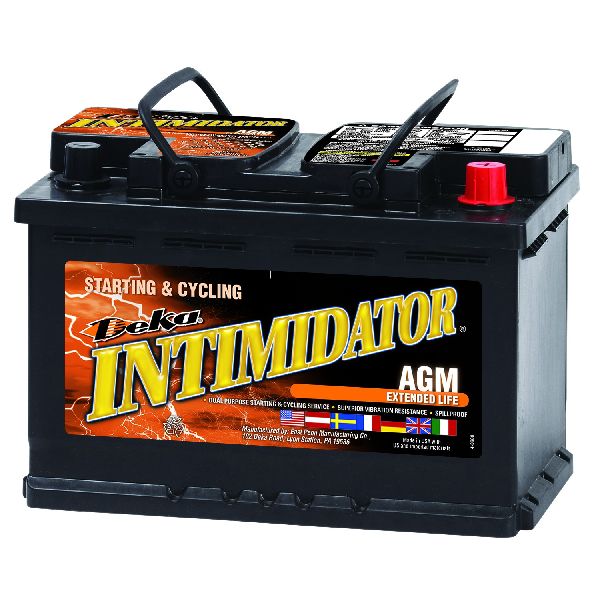
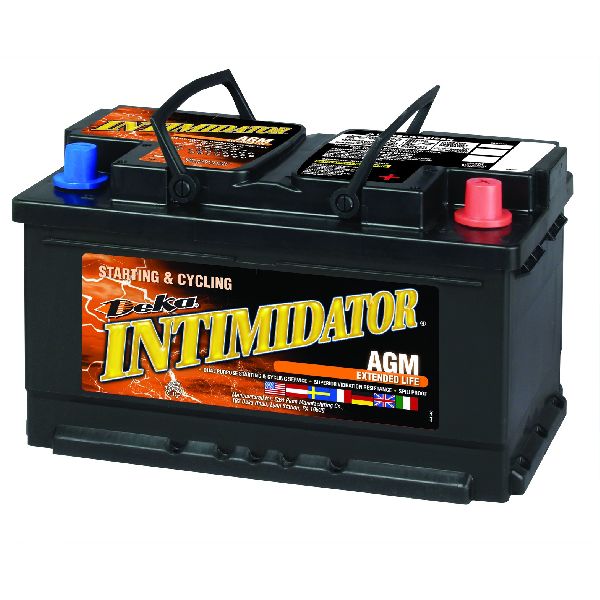
Typical fix: Replace the battery with a high-quality AGM battery. The OEM ACDelco part number for many of these trucks is 88865244 (Group 48PS) or 88864541 (Group 48AGM).
Est. part cost: $150-$350 - Poor Ground Connection at G218 🟡 Medium Probability Ground G218, located under the driver's side dash near the A-pillar, is a critical ground point for the BCM and other modules. It's known to be loose, cross-threaded, or have sound-deadening material trapped under the terminal from the factory, creating high resistance and disrupting module communication.
How to confirm: Remove the driver's side A-pillar trim and dash side panel to access the G218 ground stud. Check if the 10mm nut is tight. Remove the nut and eyelet terminals, clean the stud and terminal surfaces with a wire brush, and ensure no insulation is trapped underneath. 🎬 Watch: How to find and fix the G218 ground connection.
Typical fix: Clean or repair the ground connection point and cable terminal. Ensure the nut is torqued down securely on a clean metal-to-metal surface.
Est. part cost: $5-$20
Rare But Worth Checking
- Failed Control Module (HMI, Radio, CD Player): An internal failure in any module on the MOST bus ring can take the entire network down. The CD player and HMI module are common failure points. Diagnosis requires using a MOST bypass loop (GM tool EL-51578) to sequentially bypass each module. 🎬 See this simple walkthrough for testing the MOST bus ring. When the faulty module is bypassed, the rest of the system (e.g., radio screen) will come back to life.
- Damaged MOST Bus Fiber Optic Cable: While many K2XX trucks use twisted-pair wiring for the MOST bus, some configurations may use fiber optics. If symptoms are limited to the infotainment system (blank screen, no audio), the issue may be a break in the fiber optic ring. A visible red light should be present at the output port of a functioning module's fiber optic cable when the system is active. A break in this ring or a failed module on it can cause U0028.
Diagnosis Steps
- Check Battery Health: Start by ensuring the battery is fully charged (>12.4V) and passes a load test. Check that battery terminals are clean and tight. A weak battery is a known cause of network glitches.
- Perform a Full Vehicle Scan: Use a professional-grade scan tool (like a GM MDI with GDS2 software) to retrieve codes from all modules. Note which modules are not communicating and look for U0029 in addition to U0028.
- Inspect for TSB #PIT5288E: This is the most critical step. Remove the driver's side kick panel and dash end-cap. Carefully inspect the wiring harness near the parking brake mechanism and left I/P mounting bracket for any signs of being pinched, chafed, or damaged.
- Inspect Ground G218: While the dash trim is removed, locate and inspect ground G218 near the A-pillar. Remove the 10mm nut and clean the terminals and stud to ensure a perfect connection, making sure no insulation is trapped.
- MOST Bus Isolation (Advanced): If wiring and grounds are good, use a MOST bypass loop (GM tool EL-51578) to diagnose the ring. Start by bypassing the CD player, then the HMI module. If the radio screen turns on after bypassing a module, that module is the source of the fault.
- CAN Bus Resistance Check (Advanced): With the battery disconnected, measure the resistance between pins 6 (CAN High) and 14 (CAN Low) at the OBD-II port. A healthy network should read approximately 60 ohms. A reading of 120 ohms indicates a missing terminating resistor or a break in the bus.
Parts You'll Likely Need
- Wiring Repair Supplies — This is needed to fix the commonly found pinched or chafed wiring harness as described in TSB #PIT5288E.
Trusted brands: 3M, Tesa
Aftermarket price range: $10-$50 - Battery (AGM)
(OEM #88864541 (ACDelco Gold, Group 48AGM))— A weak or failing battery is a common cause of various electrical issues, including communication faults, as noted in TSB #PIT5405C.
Related Codes That Often Appear With This One
- U0029 — This code for 'Vehicle Communication Bus A Performance' is frequently set alongside U0028. While U0028 can indicate a complete break in the MOST ring, U0029 can mean the ring has integrity but a module is not communicating correctly.
- U0126 — Loss of Communication with Steering Angle Sensor Module. This is a direct result of the main network failure indicated by U0028, often leading to Stabilitrak warnings.
- C0544 — Steering Assist Control Actuator. This code sets because the power steering module cannot communicate with other necessary modules to function correctly, often causing a 'Service Power Steering' message. [NHTSA]
- U0073 — Control Module Communication Bus 'A' Off. This is a very similar code and points to the same general network failure, often listed in the same TSBs as U0028. [NHTSA]
- U0100, U0101, U0140, U0151 — These are all 'Loss of Communication' codes for the ECM, TCM, BCM, and Restraints Control Module, respectively. They are symptoms of the network failure reported by U0028, especially when the pinched harness issue is the cause. [12, NHTSA]
Technical Service Bulletins (TSBs) & Recalls
- Bulletin #PIT5288E: The primary TSB for this issue. Details intermittent no-start, dead battery, and inoperative infotainment caused by a pinched dash harness at the left I/P bracket, setting codes U0028 and U0029. [13, NHTSA]
- Bulletin #PIT5405C: Lists U0028 among many other communication codes that can be caused by a poor ground at G218 or a faulty battery, especially when turning the steering wheel at low speeds. [22, NHTSA]
- Bulletin #PI1149A: A diagnostic aid for blank radio displays caused by MOST bus issues. Confirms a blank display at startup with no audio is a classic symptom of the MOST bus being down and recommends using bypass tool EL-51578 for diagnosis.
Platform-Specific Known Issues
- Per TSB #PIT5288E, a pinched wire harness at the left instrument panel is a known cause for U0028 and a cluster of other communication codes on these trucks. The damage occurs where the harness is routed between a metal dash bracket and the body.
- The G218 ground point under the driver's side dash is a known weak point, often having sound deadening material caught under the terminal from the factory, leading to poor grounding for the BCM and other modules.
Mechanic-Grade Diagnostic Values
- High-Speed CAN Bus Resistance — expected: Approximately 60 Ohms. Failure: A reading of 120 Ohms indicates an open circuit or a faulty terminating resistor in one of the primary modules (like the ECM or BCM).
- Battery Cable Clamp Nut Torque — expected: 7 Nm (62 lb in). Failure: Loose clamps can cause intermittent voltage drops, triggering various communication codes.
- Negative Battery Cable-to-Engine Block Nut Torque — expected: 45 Nm (33 ft lb). Failure: A loose main engine ground can cause widespread electrical issues, including stalling and communication faults.
- GDS2 Scan Tool Data: 'Surrogate MOST Master Node Upstream Position' — expected: 0. Failure: A non-zero value (e.g., '2') indicates a communication break. The number points to the module *before* the break in the ring, counting backward from the end of the line (IPC). A value of '2' points to the HMI module being preceded by a fault (likely the CD player).
- GDS2 Scan Tool Data: 'Number of MOST Communication Breaks' — expected: 0. Failure: A value greater than 0 indicates a physical break in the MOST ring (e.g., broken wire, unplugged module). If this value is 0 but code U0029 is present, it suggests ring integrity is good but a module has failed internally.
Scan Tool Commands That Help
- GDS2 (GM Dealer Software): Data Bus Diagnostic Tool — This function actively pings all modules on the CAN bus and displays which ones are responding. It's used to quickly identify which modules are offline, helping to pinpoint the location of a network break.
- GDS2 (GM Dealer Software): Module Diagnostics > Radio > Data Display — Used to view MOST-specific data parameters like 'Surrogate MOST Master Node Upstream Position' and 'Number of MOST Communication Breaks'. This data is critical for determining if the fault is a ring break or an internal module failure without physically accessing the modules first.
- EL-51578 MOST Bypass Loop: Module Bypass — This is a physical tool, not a software command. It's used to physically bypass one module at a time in the MOST ring. When the faulty module is bypassed, the communication ring is completed, and the other infotainment functions (like the screen and audio) will be restored, confirming which module has failed.
Wiring & Ground Locations
- G218 — Under the driver's side dash, near the A-pillar, behind the side kick panel. It is a stud with a 10mm nut.. This is a primary ground for the Body Control Module (BCM). TSB #PIT5405C identifies a poor connection here (often due to sound deadening material trapped under the terminal) as a direct cause for a long list of communication codes, including U0028.
- Pinched Harness Location — Under the driver's side dash, specifically where the main instrument panel harness passes a sharp metal mounting bracket near the parking brake assembly.. This is a well-documented manufacturing/design flaw covered in TSB #PIT5288E. The bracket can chafe through the harness and damage the MOST bus wires, causing an open circuit and triggering U0028.
- HMI Module — Located behind the glove box assembly.. This is a key module on the MOST bus ring. It is a common point of internal failure. Access is required to either replace it or use a MOST bypass loop for diagnosis.
- CD Player (Media Player) — Located in the center stack, below the HVAC controls.. This is another key module on the MOST bus ring and a known point of failure. It is often the first module to bypass during diagnosis due to its relative ease of access.
Real Owner Repair Stories
- iATN (International Automotive Technicians Network) Forum Post (2015 Chevrolet Silverado) — MyLink display is dark, radio will not play, control buttons are non-functional.
❌ Tried (didn't work) Initial thought was to check powers and grounds, but the multiplicity of failures pointed to a network issue.
✅ What actually fixed it A scan revealed U0028 in the radio and U0029 in the HMI. GDS2 data showed the fault was upstream of the HMI module, pointing to the CD player. The technician could not communicate with the CD player. After removing the CD player and installing a MOST bypass loop in its place, the MyLink display lit up and the radio functioned normally. The root cause was an internal failure of the CD player module. - YouTube video by 'FrugalPrepper's Extras' (2014 GMC Sierra) — Power steering assist loss, dash goes blank, intermittent no-start, multiple warning lights.
❌ Tried (didn't work) The owner was experiencing numerous, seemingly random electrical faults.
✅ What actually fixed it The problem was traced to the G218 ground connection under the driver's side dash. Sound deadening insulation from the factory was trapped between the ground terminal and the body stud, creating a poor connection. After removing the 10mm nut, cutting away the interfering insulation, and re-securing the ground terminal, the electrical issues were resolved.
OEM Part Supersession History
Multiple, e.g., 23243167, 23212442, 84089011→Multiple, e.g., 84513027, 84852089— GM frequently updates HMI modules to fix bugs, improve performance, and account for hardware revisions.
Heads up: Part numbers for HMI modules are numerous and specific to the vehicle's options (RPO codes like IO5 vs. IO6) and model year. A 2016+ module (HMI 2.5) is required for Apple CarPlay/Android Auto and is not a direct plug-and-play replacement for a 2015 model without other changes. Always order by VIN to ensure compatibility.
Model Year Variations Within This Range
- 2015: These trucks use an earlier version of the HMI module (often called HMI 2.0) which does not support Apple CarPlay or Android Auto from the factory.
- 2016-2017: These trucks were equipped with an updated HMI module (HMI 2.5) which introduced support for Apple CarPlay and Android Auto. The hardware and software are different from the 2015 models, making the modules generally non-interchangeable without additional programming or parts.
Helpful Videos

We Have This Part in Stock



The information in this article is provided for general reference and educational purposes only. Vehicle specifications, procedures, and part compatibility can vary by production date, trim level, and region. Always consult your vehicle's factory service manual and verify part numbers before purchasing or performing repairs. Safety-critical components such as airbags, seat belts, and braking systems should be installed by a qualified professional.
- Gmc SIERRA:
- 🧭 Diagnostic Flowchart
- 🎬 Helpful Videos
- 🛍️ Shop This Part
- What's Unique About the 2015-2017 Gmc SIERRA
- Symptoms You May Notice
- Most Likely Causes
- Rare But Worth Checking
- Diagnosis Steps
- Parts You'll Likely Need
- Related Codes That Often Appear With This One
- Technical Service Bulletins (TSBs) & Recalls
- Platform-Specific Known Issues
- Mechanic-Grade Diagnostic Values
- Scan Tool Commands That Help
- Wiring & Ground Locations
- Real Owner Repair Stories
- OEM Part Supersession History
- Model Year Variations Within This Range
- 🎟️ Get 5% Off