

U0101 on 2007-2014 GMC Yukon XL: Lost Communication with TCM Causes and Fixes
On a 2007-2014 GMC Yukon XL, code U0101 usually indicates a wiring problem, not a failed Transmission Control Module (TCM). Before replacing any parts, inspect the wiring and connectors at the transmission and under the driver's side door sill for damage or corrosion, as detailed in GM TSB #08-07-30-021H.
- U0101 on a 2007-2014 Yukon XL means the Transmission Control Module (TCM) is offline.
- This is a serious fault that makes the vehicle unsafe to drive; do not continue driving.
- The most common cause is a wiring or connector problem, not a failed TCM. Follow the diagnostic path in TSB #08-07-30-021H.
- Thoroughly inspect the transmission connector, associated wiring harnesses, and ground points before considering replacing the TCM.
- If the TCM does need to be replaced, it will require programming by a professional with GM-specific tools.
What's Unique About the 2007-2014 Gmc YUKON XL
The GMT900 platform, which the 2007-2014 Yukon XL is built on, is known for specific electrical issues that can cause a U0101 code. A primary culprit, identified in GM Technical Service Bulletin #08-07-30-021H, is damage or corrosion in the wiring harness, particularly at the 16-way connector to the transmission and at various ground points. Another common failure point is water intrusion in the wiring channel under the driver's side door sill plate, which can corrode a major network junction block. This means the problem is often found in the wiring, not the expensive Transmission Electro-Hydraulic Control Module (TEHCM) itself, making a thorough inspection of the wiring harness a critical first step.
Diagnostic Flowchart
Tap your situation to follow the diagnostic path that matches what you're seeing on this vehicle.
Symptoms You May Notice
- Transmission may not shift or gets stuck in one gear (limp mode).
- Check Engine Light is on.
- STABILITRAK OFF message on the dashboard.
- Gear position indicator on the dash is blank or incorrect.
- Harsh or erratic shifting, especially 1-2 or 2-3 shifts.
- Intermittent door lock cycling or chime operation.
- Various other warning lamps illuminated on the instrument panel.
- Engine may not crank or start intermittently.
- Slower than normal acceleration from a stop.
- Replacing the Transmission Control Module (TEHCM) without first thoroughly inspecting all related wiring and grounds. Many owners replace the module only to find the problem was a chafed wire or corroded connector.
- Replacing the entire transmission. U0101 is an electrical/communication fault, not a mechanical failure inside the transmission.
- Replacing the battery without confirming it was the root cause. While low voltage can cause communication codes, a good battery won't fix a wiring short or faulty module.
Most Likely Causes
- Damaged or Corroded Wiring/Connectors 🔴 High Probability TSB #08-07-30-021H specifically highlights issues with terminals backing out of the 16-way transmission connector, harness chafing near the bell housing, and corrosion in connectors due to water intrusion. Another known weak point is the wiring channel under the driver's door sill plate, where water can leak and corrode network junction connectors.
How to confirm: Visually inspect the main 16-way wiring harness connector at the transmission for green corrosion, bent, or backed-out pins. Check the harness for chafing where it routes over the transmission and near engine/chassis brackets. Pull up the driver's side door sill plate and inspect the wiring trough for signs of moisture or corrosion. Test the CAN bus wires (Pins 6 & 14 at OBD-II port) for continuity and resistance.
Typical fix: Repair the damaged section of the wiring harness with solder and heat-shrink. Clean corroded connectors with electrical contact cleaner or replace the connector pigtail if damage is severe. Dry out, clean, and repair any corroded connections under the sill plate.
Est. part cost: $10-$100 - Faulty Transmission Control Module (TCM/TEHCM) 🟡 Medium Probability → Shop Transmission Assembly The TEHCM is located inside the transmission oil pan, where it is subjected to constant heat cycles (180-250°F) and vibration, which can lead to eventual failure of its internal electronics or pressure switches. Debris from normal wear or a failing torque converter can also contaminate the fluid and damage the delicate solenoids within the TEHCM.
How to confirm: After confirming that all wiring, grounds, and power to the TEHCM are good, the module itself becomes the primary suspect. A professional scan tool will show "No Communication" with the TCM while other modules are online. A cluster of multiple solenoid or pressure sensor codes alongside U0101 is a strong indicator of internal TEHCM failure.
Typical fix: Replace the TEHCM. This is done by dropping the transmission pan. The new module must be programmed to the vehicle's VIN using GM-specific software.
Est. part cost: $300-$700 - Poor Ground Connections ⚪ Low Probability Ground wires can break inside the insulation near the terminal lug, especially the main grounds on the engine block. TSB PIT4853C also notes that undercoating can sometimes insulate a ground connection at G300, causing a poor connection. Poor battery cable connections are also cited in GM bulletins as a cause for intermittent module communication loss.
How to confirm: Locate the main engine and body grounds (e.g., G102, G103, G104). Check that they are clean, tight, and free of corrosion or undercoating. Perform a voltage drop test on the ground circuit. A reading of over 0.1-0.2V indicates a poor ground.
Typical fix: Remove the ground bolt, clean the terminal and mounting surface to bare metal, apply dielectric grease, and re-secure it tightly. Repair any broken wires.
Est. part cost: $1-$10
Rare But Worth Checking
- Faulty CAN Bus Termination Resistor: The CAN bus network requires a 120-ohm resistor at each end. If one of these fails (often located within the ECM or another module), communication across the entire network can be disrupted. TSB #08-07-30-021H mentions this as a possible cause. A multimeter check at the OBD-II port showing 120 ohms instead of 60 ohms points to a faulty termination resistor or a break in the CAN circuit.
Diagnosis Steps
- Check the battery. Ensure it is fully charged (above 12.4V) and the terminals are clean and tight. Low voltage can cause communication errors.
- Scan for codes in all vehicle modules, not just the engine computer. Note all 'U' codes present, as they point to a network issue.
- Inspect the fuses related to the TCM/Transmission in both the under-hood and in-cabin fuse boxes.
- Perform a thorough visual inspection of the main 16-way wiring harness connector at the transmission. Look for corrosion, moisture, and backed-out or damaged pins, as specified in TSB #08-07-30-021H.
- Inspect the wiring harness for chafing or damage, especially where it routes over the transmission bell housing and near the driver's side of the engine.
- Inspect the wiring trough under the driver's side door sill plate for any signs of water intrusion, blue/green corrosion on connectors, or damaged wires.
- Check main power and ground connections to the engine and chassis (G102, G103, G104) for tightness and corrosion.
- Test the CAN bus resistance at the OBD-II port (pins 6 and 14). With the battery disconnected, it should read approximately 60 ohms. A reading of 120 ohms indicates an open circuit or a bad terminating resistor. A reading below 60 ohms may indicate a shorted module.
- If wiring and grounds appear good, use a multimeter to test for 12V power and good ground (less than 0.5 Ohms resistance) at the TEHCM connector itself.
- If all wiring, power, and grounds test good, the TEHCM is likely faulty and requires replacement and programming.
Parts You'll Likely Need
- Transmission Control Module (TEHCM)
(OEM #24256861 (ACDelco))— If wiring and grounds are confirmed to be good, the internal electronics of the module are the next most likely point of failure due to heat and vibration. This part number is a common replacement for 2010-2013 models.
Trusted brands: ACDelco (OEM), Dorman (Remanufactured)
OEM price range: $450-$700
Aftermarket price range: $300-$550 - Transmission Harness Connector Pigtail — The main connector at the transmission is exposed to the elements and can become corroded or damaged, requiring replacement. The terminals inside can also lose tension, causing intermittent connection.
Trusted brands: ACDelco, Dorman
OEM price range: $50-$100
Aftermarket price range: $25-$60
Related Codes That Often Appear With This One
- U0073 — Control Module Communication Bus 'A' Off. This is a general GMLAN network failure code and is explicitly listed alongside U0101 in TSB #08-07-30-021H.
- P0700 — Transmission Control System (MIL Request). The ECM sets this code to turn on the check engine light because it has detected a major fault reported by (or a loss of communication with) the TCM.
- U0100 — Lost Communication with ECM/PCM. Often indicates a wider network problem affecting multiple modules, not just the TCM.
- U0140 — Lost Communication with Body Control Module (BCM). Can point to a wiring issue at a central point, like the under-sill junction block, that affects multiple systems.
Technical Service Bulletins (TSBs) & Recalls
- Bulletin #08-07-30-021H: Addresses loss of high-speed GMLAN communications, causing various symptoms including U0101, and points to wiring, connector, and ground faults as the primary causes.
- Bulletin #PIT4853C: Recommends checking ground G300 for poor connection due to factory undercoating, which can cause intermittent communication loss and no-start conditions.
Platform-Specific Known Issues
- TSB #08-07-30-021H is the primary document for this issue, detailing widespread problems with GMLAN commu
Mechanic-Grade Diagnostic Values
- 6L80 TEHCM Shift Solenoid (On/Off type) resistance — expected: 20-40 Ohms. Failure: A reading outside this range indicates a failed solenoid within the TEHCM.
- 6L80 TEHCM Pressure Control Solenoid (PWM type) resistance — expected: 3-8 Ohms. Failure: A reading outside this range points to a failed solenoid, requiring TEHCM replacement.
- 6L80 TEHCM Solenoid Feed Voltage (regulated from TCM) — expected: 8.3 - 9.3 Volts. Failure: Voltage outside this range could indicate an internal TEHCM fault or a power supply issue to the module.
- CAN Bus Network Resistance (at OBD-II Port, Pins 6 & 14) — expected: ~60 Ohms (with battery disconnected). Failure: A reading of ~120 Ohms suggests an open in the circuit or a faulty terminating resistor. A reading significantly less than 60 Ohms can indicate a shorted module.
Scan Tool Commands That Help
- GDS2 (GM Global Diagnostic System 2): Vehicle DTC Information / All DTC Check — Use this as the first step to poll all modules on the network. It quickly confirms which modules are online and which (like the TCM) are not responding.
- GDS2 (GM Global Diagnostic System 2): Solenoid Valve Cleaning Procedure — If solenoid performance codes are present with U0101, this automated test cycles all solenoids to flush out debris. If the code returns after cleaning, it points to a hard failure in the TEHCM.
- GDS2 (GM Global Diagnostic System 2): Module Setup / TCM Programming — This is a required, non-optional step after replacing the TEHCM. The new module must be programmed with the vehicle's VIN and the latest software calibration to function.
- Professional Scan Tool: Bypass TCM on CAN Bus — By disconnecting the TCM connector and using jumpers to connect the CAN-in to the CAN-out wires, you can test the integrity of the rest of the network. If other modules can now communicate with each other, it strongly suggests the fault is either the TCM connector or the TCM itself.
Wiring & Ground Locations
- G101 / G106 — Located at the left front of the engine on the lower block (G101), often jumpered to G106 on the front center of the frame cross rail under the crank pulley.. This is a primary ground point for the Engine Control Module (ECM) and the Transmission Control Module (TCM). A poor connection here can cause loss of power to both modules, leading to U0101.
- G103 — On the front of the right (passenger side) cylinder head.. This is another critical engine ground. On some diagrams, it is listed as a ground for the ECM.
- G104 — On the rear of the left (driver side) cylinder head.. Provides a ground path for various engine components; ensuring it's clean and tight is part of a thorough ground check.
- Driver's Side Sill Plate Trough — Under the plastic door sill trim on the driver's side floor.. This channel contains multiple wiring harnesses and splice packs/junctions for the CAN bus. Water leaks from the windshield cowl or sunroof drains can collect here, causing severe corrosion and interrupting network communication between multiple modules, including the TCM.
- X181 — The 16-pin main electrical connector at the transmission case.. This is the single point of connection for all power, ground, and communication to the TEHCM. It is the most critical connector to inspect for backed-out pins, corrosion, or damage as outlined in TSB #08-07-30-021H.
Real Owner Repair Stories
- Tahoe Yukon Forum user (2009 GMC Yukon XL 2WD, 150k miles) — Check engine light, 'STABILITRAK OFF' message, blank gear position indicator, slow acceleration from a stop, and transmission would not up-shift past a certain speed (redlining).
❌ Tried (didn't work) Checking battery voltage., Checking fluid levels., Visual inspection of easily accessible wires under the hood and car.
✅ What actually fixed it The user was leaning towards replacing the TCM, but the symptoms strongly align with known wiring issues, particularly water intrusion in the driver's side sill plate wiring channel or a chafed harness, which are more common than outright TCM failure on these models.
OEM Part Supersession History
24256861→19435614, and subsequently 19434978 for some applications.— Revisions to address internal component failures and improve reliability. The parts are often remanufactured Genuine GM units.
Heads up: While a later part number often replaces an earlier one, TEHCMs are not universally interchangeable between all years. The internal programming and hardware can differ. Always verify the correct part number for the specific vehicle VIN and year before ordering. Installing the wrong TEHCM can result in a no-start or immediate limp mode.
Model Year Variations Within This Range
- 2010-2013: The TEHCM part number 24256861 is most commonly associated with these model years for the Yukon/Yukon XL with the 6L80 transmission. Earlier years (2007-2009) may use different TEHCM hardware and software versions. It is critical to match the part number or use a VIN-lookup tool when replacing.
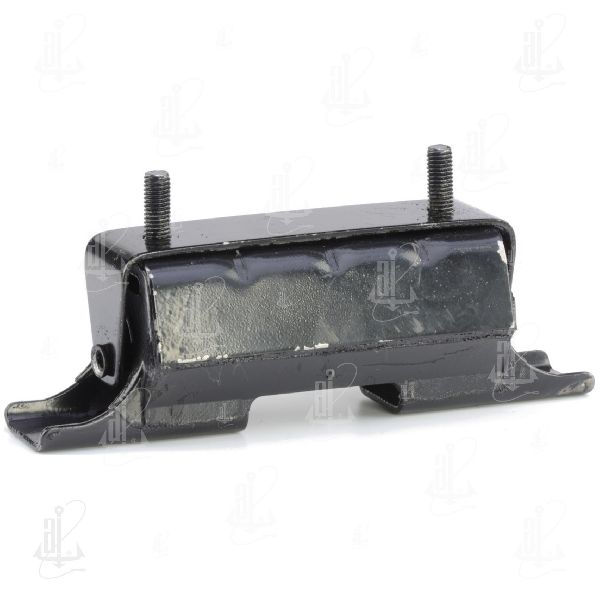
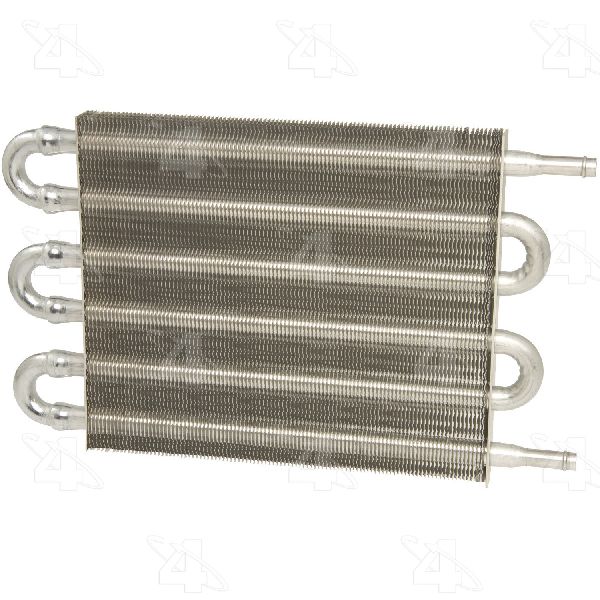
We Have This Part in Stock

The information in this article is provided for general reference and educational purposes only. Vehicle specifications, procedures, and part compatibility can vary by production date, trim level, and region. Always consult your vehicle's factory service manual and verify part numbers before purchasing or performing repairs. Safety-critical components such as airbags, seat belts, and braking systems should be installed by a qualified professional.
- Gmc YUKON XL:
- 🧭 Diagnostic Flowchart
- 🛍️ Shop This Part
- What's Unique About the 2007-2014 Gmc YUKON XL
- Symptoms You May Notice
- Most Likely Causes
- Rare But Worth Checking
- Diagnosis Steps
- Parts You'll Likely Need
- Related Codes That Often Appear With This One
- Technical Service Bulletins (TSBs) & Recalls
- Platform-Specific Known Issues
- Mechanic-Grade Diagnostic Values
- Scan Tool Commands That Help
- Wiring & Ground Locations
- Real Owner Repair Stories
- OEM Part Supersession History
- Model Year Variations Within This Range
- 🎟️ Get 5% Off