

U0102 on 2017 GMC Sierra: Lost Communication With Transfer Case Control Module Causes and Fixes
This code means the Transfer Case Control Module (TCCM) is offline. On a 2017 Sierra, this is frequently caused by wiring or connector issues under the truck, a poor ground on the driver's side frame rail, or a known issue with the Serial Data Gateway Module (SDGM) behind the dash. Before replacing parts, inspect the wiring to the TCCM and check connectors at the SDGM, as noted in GM TSB #PIT5586B. A battery disconnect for 30 minutes may also temporarily resolve the issue.
- U0102 means the Transfer Case Control Module (TCCM) has lost communication; your 4WD will not work.
- Do not immediately replace the TCCM. The most common causes on a 2017 Sierra are wiring damage, corroded connectors, or bad grounds.
- Always inspect the wiring harness to the TCCM (on the frame rail) and the connectors at the Serial Data Gateway Module (SDGM) as per TSB #PIT5586B.
- If multiple 'U' codes are present, the problem is likely network-wide, not just the TCCM.
- If the TCCM does need to be replaced, it will require programming by a dealer or a qualified shop.
What's Unique About the 2017-2017 Gmc SIERRA
On this generation of GMC Sierra (K2XX platform), communication network issues are common enough that GM has issued multiple Technical Service Bulletins (TSBs). Specifically, TSB #PIT5586B and its later versions (like PIT5586G) point technicians toward checking the X1 and X2 connectors on the Serial Data Gateway Module (SDGM) for bent or loose terminals when a U0102 code appears. The SDGM acts as a router for all network traffic, and a fault there can cause widespread communication codes. This suggests a known vulnerability in the vehicle's network wiring or central modules, meaning the problem is often not the TCCM itself but the path to it or the network gateway.
Diagnostic Flowchart
Tap your situation to follow the diagnostic path that matches what you're seeing on this vehicle.
Symptoms You May Notice
- "Service 4WD System" message on the instrument cluster.
- Four-wheel-drive (4WD) system is inoperative.
- The 4WD selector switch lights may be off 🎬 Watch this easy fix for common Service 4WD messages. or flash briefly at startup.
- Vehicle may be stuck in its last known state, usually 2WD.
- In cases of severe network disruption, other issues like transmission shifting problems, gauge cluster fluctuations, or no-start conditions can occur.
- Replacing the 4WD selector switch on the dash. A faulty switch typically sets different codes (like B-series codes) and does not cause a U0102 communication failure.
- Replacing the transfer case shift motor (encoder motor). This is a mechanical part with its own set of codes (often C-series); U0102 is purely an electrical communication fault.
Most Likely Causes
- Wiring or Connector Issues 🔴 High Probability The wiring harness to the TCCM is exposed under the vehicle on the driver's side frame rail and is susceptible to corrosion from road salt and moisture, as well as physical damage from debris. GM TSB #PIT5586B also specifically identifies poor terminal contact at the Serial Data Gateway Module (SDGM) X2 connector as a primary cause for this code.
How to confirm: Visually inspect the wiring harness leading to the TCCM on the driver's side frame rail for chafing, breaks, or corrosion. Disconnect and inspect the TCCM connector and the SDGM X1/X2 connectors (located behind the dash, left of the steering column) for bent, backed-out, or corroded terminals.
Typical fix: Clean corroded connectors with electrical contact cleaner and apply dielectric grease. Repair or replace damaged sections of the wiring harness. Ensure connectors are fully seated. If terminals are loose, they may need to be re-pinned or the connector replaced.
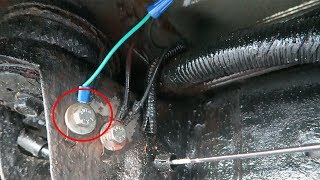
Est. part cost: $5-$50 - Poor Ground Connection 🟡 Medium Probability GM trucks of this era are known for having ground connection points on the frame and engine block that are susceptible to corrosion, leading to intermittent electrical and communication problems. The main ground for the TCCM and other components is often located on the frame rail under the driver's door area and is a common failure point.
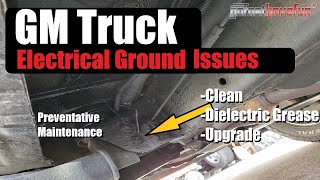
How to confirm: Locate the primary chassis ground on the frame rail under the driver's door area. Check for looseness or corrosion. Perform a voltage drop test on the ground circuit at the TCCM connector; it should be less than 100-200mV. A resistance check from the ground pin to a clean chassis point should be less than 0.2 ohms. 🎬 See how to properly clean and maintain GM ground connections.
Typical fix: Remove the ground bolt, clean the terminal eyelet and the frame surface to bare metal with a wire brush, apply dielectric grease, and securely re-tighten the connection.
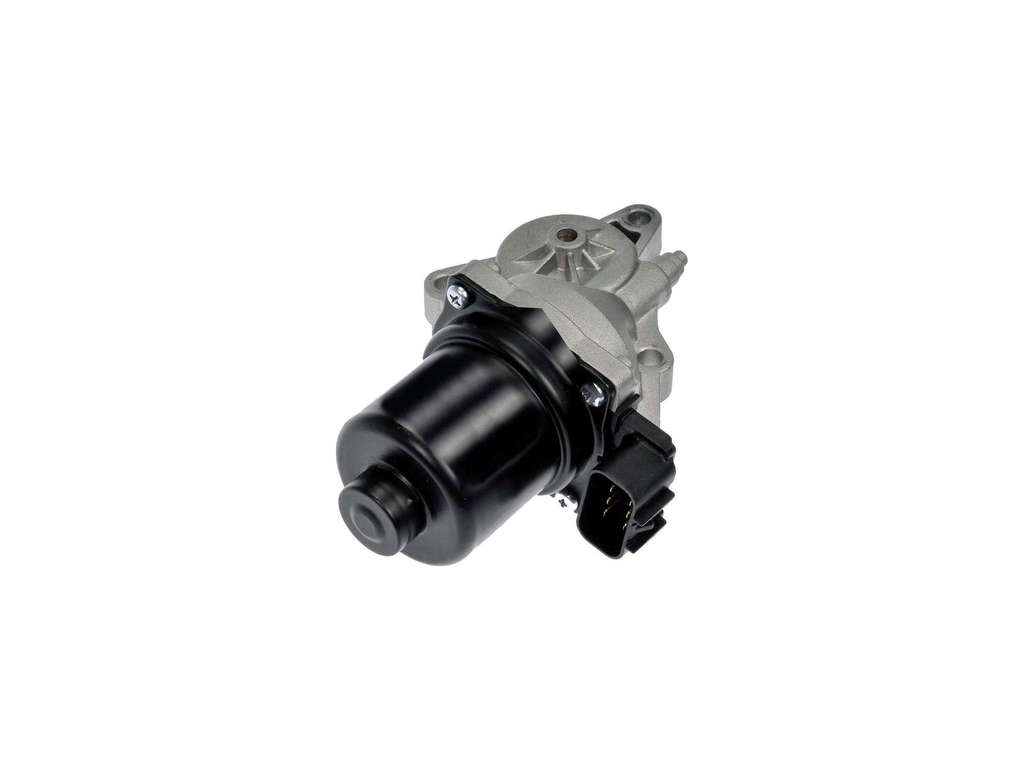
Est. part cost: $1-$10 - Faulty Transfer Case Control Module (TCCM) ⚪ Low Probability → Shop Transfer Case Motor While the module can fail, it's less common than wiring or gateway module issues on this platform. Internal circuit board damage or memory chip failure can cause it to stop communicating.
How to confirm: This should be the last part to suspect. After confirming that all wiring, connectors, power, and grounds to the module are good, the TCCM itself is the likely culprit. A professional scan tool that can attempt to communicate directly with the module is the best way to confirm it's offline.
Typical fix: Replace the Transfer Case Control Module. The new module must be programmed to the vehicle's VIN using specialized software like GM's Service Programming System (SPS). Some aftermarket suppliers offer pre-programmed modules.
Est. part cost: $150-$400 - Blown Fuse or Power Supply Issue ⚪ Low Probability
How to confirm: Check the fuses related to the 4WD system and TCCM (often labeled TREC or 4WD) in the underhood and interior fuse boxes. Use a multimeter to verify that the TCCM is receiving battery voltage at its power pin (often an orange wire) with the key on.
Typical fix: Replace the blown fuse. If the fuse blows again, a short circuit in the power wire to the TCCM must be diagnosed and repaired.
Est. part cost: $1-$5
Rare But Worth Checking
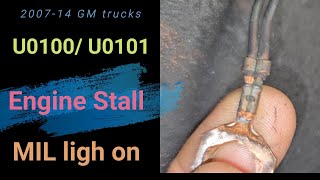
- Serial Data Gateway Module (SDGM) Logic Lock or Failure: → Shop Telematics Interface Module As mentioned in TSB #PIT5586G, the SDGM can sometimes enter a 'logic lock' state, causing a flood of communication codes. 🎬 Watch a diagnostic walkthrough for multiple lost communication codes. A hard reset (disconnecting the battery for 30 minutes) can sometimes clear this lock. In other cases, the SDGM may have failed internally or require a dealer reprogram to resolve the issue. This is a high-probability cause if many other 'U' codes are present.
Diagnosis Steps
- Perform a full vehicle scan to check for other Diagnostic Trouble Codes (DTCs). If multiple 'U' codes are present across different modules, suspect a network-wide issue (like the SDGM) rather than just a TCCM problem.
- Perform a hard reset by disconnecting the negative battery terminal for at least 30 minutes. This can sometimes clear a 'logic lock' state in a module and restore communication.
- Check the battery and charging system. Ensure battery voltage is above 12.4V with the engine off and around 14V when running. Low system voltage can cause communication errors.
- Inspect the fuses for the 4WD system and TCCM (e.g., TREC, 4WD) in both the interior and underhood fuse panels.
- Locate the TCCM on the driver's side frame rail, near the transmission crossmember. Visually inspect its connector and the surrounding wiring harness for any signs of corrosion, water intrusion, or physical damage like chafing or breaks.
- Inspect the main chassis ground connection, typically located on the frame under the driver's door. Ensure it is clean, tight, and free of corrosion.
- Following TSB #PIT5586B/G, locate the Serial Data Gateway Module (SDGM) behind the driver's side dash, to the left of the steering column. Inspect its X1 and X2 connectors for any terminals that are loose, bent, or backed out.
- If visual inspections reveal no issues, use a multimeter to test for power (typically 12V+) and ground (less than 0.2 ohms resistance to chassis) directly at the TCCM connector with the key on.
- With the battery disconnected, measure the resistance between the two CAN bus wires (pins 6 and 14 at the diagnostic port). The reading should be approximately 60 ohms. A reading of 120 ohms indicates an open circuit or a missing terminating resistor, while a reading near 0 ohms indicates a short circuit.
- If all wiring, power, grounds, and the SDGM are confirmed to be good, the Transfer Case Control Module (TCCM) is the most likely failed component.
Parts You'll Likely Need
- Transfer Case Control Module (TCCM)
(OEM #84108307 (ACDelco GM Genuine), 23285501 (Verify by VIN))— This module is the final suspect after all wiring, connector, and ground issues have been ruled out. It is the computer that controls the 4WD system and requires VIN programming upon replacement.
Trusted brands: ACDelco (GM Genuine), Dorman, Cardone
OEM price range: $200-$400
Aftermarket price range: $150-$300 - Connector Pigtail — If the connector at the TCCM or SDGM is found to be heavily corroded or damaged, replacing the connector pigtail is often necessary to ensure a reliable connection.
Trusted brands: ACDelco, Dorman
Aftermarket price range: $20-$50
Related Codes That Often Appear With This One
- U0100 — Lost Communication with ECM. If multiple 'U' codes are present, it points towards a larger network problem, such as a faulty Serial Data Gateway Module (SDGM) or a major wiring issue on the main CAN bus, rather than an isolated TCCM problem.
- U0101 — Lost Communication with TCM. Similar to U0100, its presence alongside U0102 suggests a broader network failure affecting multiple critical modules, often originating from the SDGM.
- U0140 — Lost Communication with Body Control Module. When seen with U0102, this is another strong indicator of a network-wide fault, often related to the SDGM or main bus wiring.
Technical Service Bulletins (TSBs) & Recalls
- PIT5586B / PIT5586G: Addresses a multitude of communication codes, including U0102, caused by loose terminals at the SDGM connectors or an internal SDGM logic lock.
- 08-07-30-021H: A broad bulletin for GMLAN communication failures that points to checking for chafed wiring harnesses and poor grounds before module replacement.
- 19-NA-206: Points to high resistance in battery cables or poor grounds as a cause for various communication DTCs.
Platform-Specific Known Issues
- TSB #PIT5586B/G specifically calls out checking the Serial Data Gateway Module (SDGM) X1 and X2 connectors for terminal connection issues as a potential cause for U0102 and other communication codes.
- Owners on forums like gm-trucks.com frequently report that cleaning the frame ground under the driver's door resolves intermittent 'Service 4WD' messages and U0102 codes.
- A hard reset by disconnecting the battery for 30+ minutes is a commonly reported temporary fix, suggesting a module 'logic lock' state as described in TSBs.
Mechanic-Grade Diagnostic Values
- CAN Bus Network Resistance — expected: ~60 Ω (Ohms) when measured between Pin 6 (CAN-H) and Pin 14 (CAN-L) at the OBD-II port with the battery disconnected.. Failure: A reading of ~120 Ω indicates an open circuit or a missing terminating resistor (often in the ECM or another module). A reading near 0 Ω indicates a short between the CAN High and Low wires.
- CAN Bus Voltage (Key On, Engine Off) — expected: CAN High (Pin 6) should be ~2.6V. CAN Low (Pin 14) should be ~2.4V. Both lines should total approximately 5V.. Failure: A line stuck near 0V or 5V, or significant deviation from the 2.5V midpoint, indicates a short to ground or power on that leg of the bus.
- TCCM Power Supply Voltage — expected: 12V (Battery Voltage) at the power supply pin of the TCCM connector with the key on.. Failure: Voltage below 12V or no voltage indicates a blown fuse, faulty relay, or a break in the power wire.
- TCCM Ground Circuit Resistance — expected: Less than 0.2 Ω between the TCCM connector ground pin and a clean chassis ground point.. Failure: Higher resistance indicates a corroded or loose ground connection, which is a common cause of intermittent communication.
- TCCM Ground Circuit Voltage Drop — expected: Less than 100-200mV.. Failure: A higher voltage drop under load indicates a poor ground connection that can't handle the required current, leading to module malfunction.
Scan Tool Commands That Help
- GM GDS2 (Global Diagnostic System 2): Module Diagnostics > Transfer Case Control Module > Data Display — To see if the scan tool can establish any communication with the TCCM at all. If the module is listed but all data parameters are blank or show 'Not Available', it confirms the module is powered but not communicating on the bus. If the TCCM doesn't appear in the module list, it's completely offline.
- GM GDS2 (Global Diagnostic System 2): Vehicle DTC Information > Clear All DTCs — After performing a physical repair (like cleaning a ground or fixing a wire), this command clears the code from all modules. If U0102 immediately returns, it indicates a hard fault is still present.
- GM GDS2 (or similar professional scan tool): Special Functions > TCCM Programming/Setup — This is required after replacing the TCCM. The new module must be programmed with the vehicle's VIN and specific configuration using GM's Service Programming System (SPS) software, which is accessed through GDS2.
- High-end Bi-Directional Scan Tool (e.g., XTOOL D7S): Actuation Test > Automatic Transfer Case > Motor Control / Indicator Lights — While this won't work if U0102 is active (as the module is offline), if communication is intermittent, these tests can be used to command the transfer case motor and indicator lights on and off to verify the TCCM's ability to control its outputs when it *is* communicating.
Wiring & Ground Locations
- K56 Serial Data Gateway Module (SDGM) — Located in the driver's side under-dash area, typically up and to the left of the steering column, often with a black and a gray connector.. This module is the central router for CAN bus traffic. TSB #PIT5586B points to poor terminal connections in its X2 connector as a primary cause of U0102 and other communication codes. A fault here can isolate the TCCM from the rest of the network.
- G300 / G303 / G304 — These are key chassis ground points. G300 is typically located on the frame rail under the driver's door area. G303/G304 are located on the B-pillars behind the trim panels.. The frame ground under the driver's door is a notorious spot for corrosion from road salt and moisture. A poor ground here can cause a floating voltage reference for the TCCM, leading to communication loss.
- TCCM Connector — On the driver's side frame rail, often near the transmission crossmember, exposed to the elements.. This is the direct interface to the module. The power, ground, and CAN bus wires all terminate here. Corrosion or damage to this connector or its wiring is a very high probability cause for an isolated U0102 code.
- Engine Block to Chassis Ground — A braided strap running from the rear of the engine block (driver's side) to the firewall/chassis.. While not the primary ground for the TCCM, a degraded main engine ground can introduce electrical noise and voltage instability across the entire vehicle, leading to intermittent communication faults in sensitive modules.
Real Owner Repair Stories
- YouTube channel 'Automotive Diagnostics & Programming' (2017 Chevy Silverado) — Intermittent no-start, gauges dropping out, loss of RPM/oil pressure readings, power steering failure, multiple communication codes.
❌ Tried (didn't work) Initial diagnosis was confusing due to multiple communication failures.
✅ What actually fixed it The root cause was twofold: 1) A previous, improper repair using butt connectors on the CAN bus wires at the Transmission Control Module (TCM) connector was failing. 2) The Engine Control Module (ECM) itself had an internal resistance issue. The final recommendation was to properly repair the TCM connector first, and if issues persisted, replace the ECM. This highlights how a fault in one module's wiring (TCM) can disrupt the bus and cause communication loss codes for other modules (like the TCCM).
Helpful Videos
Used OEM Parts in Stock
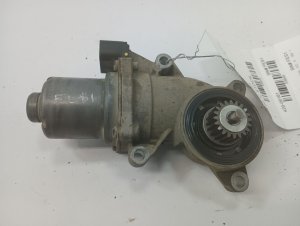
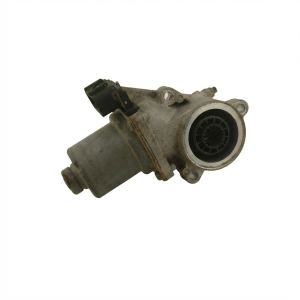
New Aftermarket Parts Available
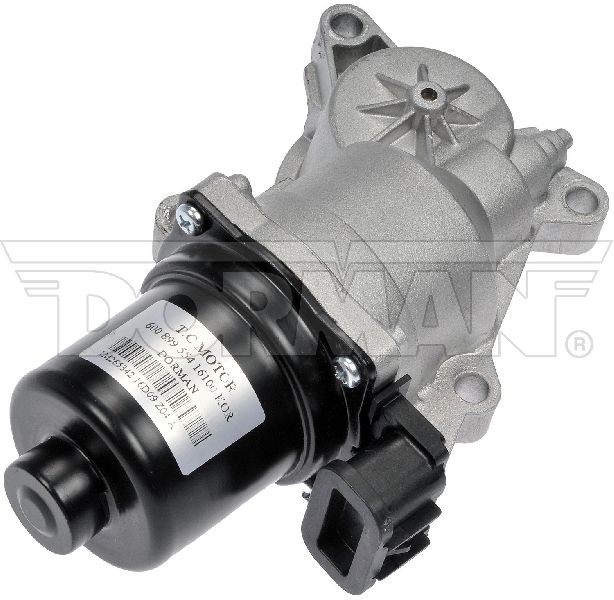

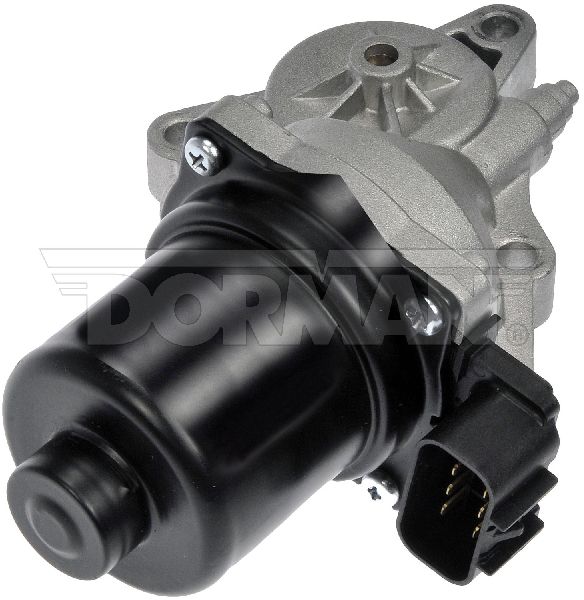


The information in this article is provided for general reference and educational purposes only. Vehicle specifications, procedures, and part compatibility can vary by production date, trim level, and region. Always consult your vehicle's factory service manual and verify part numbers before purchasing or performing repairs. Safety-critical components such as airbags, seat belts, and braking systems should be installed by a qualified professional.
- Gmc SIERRA:
- 🧭 Diagnostic Flowchart
- 🎬 Helpful Videos
- 🛍️ Shop This Part
- What's Unique About the 2017-2017 Gmc SIERRA
- Symptoms You May Notice
- Most Likely Causes
- Rare But Worth Checking
- Diagnosis Steps
- Parts You'll Likely Need
- Related Codes That Often Appear With This One
- Technical Service Bulletins (TSBs) & Recalls
- Platform-Specific Known Issues
- Mechanic-Grade Diagnostic Values
- Scan Tool Commands That Help
- Wiring & Ground Locations
- Real Owner Repair Stories
- 🎟️ Get 5% Off