

U0126 on 2015-2019 Chevrolet Silverado 3500: Lost Communication Causes and Fixes
On a 2015-2019 Silverado 3500, code U0126 is almost always caused by a wiring issue, not a failed sensor. The most common culprits are a pinched wire harness behind the driver's side dash near the parking brake, chafed wires under the door sill plates, or a poor BCM ground at G218. Inspecting and repairing these specific, well-documented harness and ground locations is the most likely fix.
- For code U0126 on a 2015-2019 Silverado 3500, always suspect a wiring or ground issue before replacing any parts.
- The two most likely problem areas are the wire harness behind the driver's side dash/fuse panel and the harness running under the door sill plates.
- A poor ground at the BCM (G218) is another common cause.
- This code disables critical safety systems (StabiliTrak, ABS) and should be addressed promptly.
- Do not replace the Steering Angle Sensor unless all TSB-documented wiring and ground checks have been completed.
What's Unique About the 2015-2019 Chevrolet SILVERADO 3500
For this generation of Silverado (K2XX platform), the U0126 code is very frequently caused by specific, well-documented wiring harness issues rather than a failed sensor. Multiple GM Technical Service Bulletins (TSBs) point directly to harnesses being pinched in the dashboard (TSB PIT5288G), chafed under the door sill plates (TSB PIT5457D), or a poor ground connection for the Body Control Module (BCM) at a location known as G218 (TSB PIT5405C). These platform-specific wiring faults are so common they should always be the first area of investigation before any parts are replaced.
Diagnostic Flowchart
Tap your situation to follow the diagnostic path that matches what you're seeing on this vehicle.
Symptoms You May Notice
- "Service StabiliTrak" or "Service Stability System" message on the instrument panel.
- ABS and Traction Control warning lights illuminated.
- Loss of power steering assist or "Steering Assist is Reduced Drive with Care" message, making the wheel feel heavy.
- Intermittent operation of the rear wiper or a dead battery (as noted in TSB #PIT5288G).
- Cruise control may be inoperative.
- Other seemingly unrelated electrical issues like flickering dash lights, radio/display blanking out, or the hood ajar message flashing, especially when turning at low speeds (related to G218 ground issue in TSB #PIT5405C).
- Replacing the Steering Angle Sensor without first checking for wiring and ground issues. This is the most common misdiagnosis, as the wiring is the most frequent point of failure on this truck.
Most Likely Causes
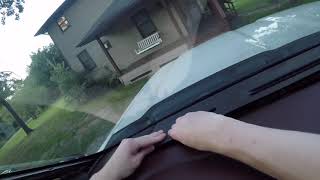
- Pinched or Damaged Wiring Harness 🔴 High Probability Multiple TSBs (#PIT5288G, #PIT5457D) identify specific weak points. The harness can be pinched by the left instrument panel mounting bracket near the parking brake pedal, or chafe on sharp edges under the driver and passenger door sill plates.
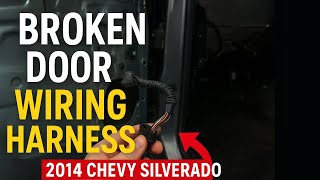
How to confirm: Visually inspect the harness at the left end of the dashboard (fuse panel area) for pinching against the metal bracket. Remove the door sill plates and lift the carpet/harness channel cover to inspect for chafing, 🎬 Watch: Finding and repairing damaged wiring in the door sill. corrosion (green crust), or broken wires, paying close attention to the Communication Enable Circuit (wire 5986, often a pink or purple wire).
Typical fix: Repair the damaged wire(s) using approved splicing techniques (solder and heat shrink are recommended) and protect the harness with anti-abrasion tape or reroute it to prevent future damage.
Est. part cost: $5-$25 - Poor Body Control Module (BCM) Ground (G218) 🟡 Medium Probability → Shop Body Control Module TSB #PIT5405C notes that sound-deadening insulation can get trapped under the G218 ground terminal during assembly, causing a poor connection that leads to various communication codes, including U0126. This is a very common issue across the K2XX platform.
How to confirm: Locate the G218 ground, which is on the driver's side A-pillar, behind the dash end panel or speaker. Disassemble the ground connection (it's a nut on a stud) and check for the black dash insulator mat being trapped under the eyelet terminal or for any corrosion. A confirmed dealer fix involved finding and removing this trapped material. 🎬 Watch: How to fix the G218 ground issue step-by-step.
Typical fix: Remove the ground nut, cut away any trapped insulation from the terminal and the body stud, clean the contact surfaces to bare metal, and re-secure the connection firmly.
Est. part cost: $0 - Low Battery Voltage or Poor Connections ⚪ Low Probability → Shop Vehicle Battery Control modules require stable voltage to operate correctly. A weak battery or poor main ground connections can cause random communication faults during startup. TSB #PIT5405C also lists checking battery cable connections as a diagnostic step.
How to confirm: Test the battery with a digital battery tester. Ensure battery terminals and the main chassis ground straps (at the engine block and frame) are clean and tight. Check the charging system voltage (should be ~14V with the engine running).
Typical fix: Charge or replace the battery. Clean and tighten all main power and ground connections.
Est. part cost: $150-$300
Rare But Worth Checking
- Failed Steering Angle Sensor (SAS) Module: → Shop Steering Angle Sensor While this is the part named in the code definition, it is an uncommon cause of failure on this platform compared to wiring issues. Only consider replacing it after all wiring and ground faults have been ruled out. The sensor can fail internally in a way that static multimeter tests do not always detect.
- Power Steering Control Module (PSCM) Calibration Error: TSB #20-NA-113 and #21-NA-099 mention that a software glitch can cause U0126 to stay as a current code even after the root cause (like a dead battery) is fixed. The fix is reprogramming the PSCM using a dealer's TIS2WEB service.
- Failed Electronic Brake Control Module (EBCM): → Shop ABS Control Module The EBCM is the primary module that uses the SAS data. In rare cases, an internal EBCM failure can disrupt the network and cause this code. This is usually a last resort after all other diagnostics fail.
- Aftermarket OBD-II Device Interference: Some owners have reported that leaving an aftermarket Bluetooth OBD-II scanner or other plug-in device connected can cause network communication errors, including the Service Stabilitrak message. Unplugging the device resolved the issue.
Diagnosis Steps
- Scan for all DTCs in all modules. Note any other communication (U-codes) or chassis (C-codes) that are present.
- Check battery voltage and charging system health. Ensure the battery is fully charged and terminals are clean and tight.
- Unplug any aftermarket devices from the OBD-II port.
- Following TSB #PIT5288G, remove the driver's side dash end cap/fuse panel cover and inspect the wire harness for signs of being pinched by the instrument panel mounting bracket, especially near the parking brake pedal.
- Following TSB #PIT5457D, remove the driver's and passenger's door sill plates and inspect the main wire harness for chafing, corrosion, or breaks. Specifically check the Communication Enable Circuit 5986.
- Following TSB #PIT5405C, locate and inspect the BCM ground G218 (under the driver's dash on the A-pillar) for trapped insulation or a loose connection.
- If no visible damage is found, use a multimeter to check for power, ground, and CAN bus network continuity at the Steering Angle Sensor connector. TSB #PIT5457D suggests a specific voltage drop test on circuit 5986 using a 194 bulb to load the circuit.
- If wiring and grounds are confirmed to be good, the Steering Angle Sensor module itself may be faulty.
- After any repair, clear all DTCs and perform the Steering Angle Sensor calibration procedure using a professional scan tool. Note that a PSCM reprogram may be needed per TSB #20-NA-113.
Parts You'll Likely Need
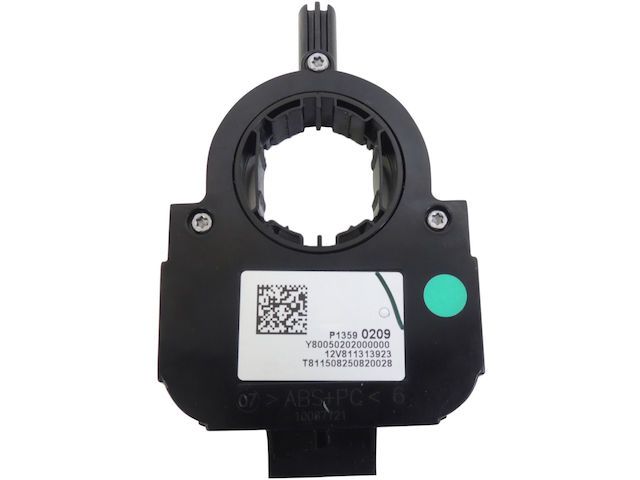
- Steering Angle Sensor
(OEM #13590209)— This part is only needed if all wiring and ground issues have been ruled out, but the module still will not communicate. This part requires programming after installation.
Trusted brands: ACDelco, Dorman
OEM price range: $80-$150
Aftermarket price range: $50-$100 - Wiring Repair Supplies — Used to fix the common pinched or chafed wires in the dash and sill plate harnesses, which is the most frequent cause of U0126. Includes solder, heat shrink, and anti-abrasion tape.
OEM price range: $5-$25
Aftermarket price range: $5-$25
Related Codes That Often Appear With This One
- U0077 — This code indicates a general communication fault on the High-Speed CAN bus and is often set alongside specific module codes like U0126 when a wiring issue is present. (Cited in TSB #PIT5288G, #PIT5457D)
- U0121 — Lost Communication With Anti-Lock Brake System (ABS) Control Module. The ABS and SAS modules are on the same chassis network and are often affected by the same wiring or ground problems. (Cited in TSB #PIT5457D).
- U0415 — Invalid Data Received From ABS Control Module. This often appears with U0126 because the StabiliTrak system, managed by the ABS module, relies on valid data from the Steering Angle Sensor. (Cited in TSB #PIT5288G, #PIT5457D).
- C0544 — This is a more direct code for a Steering Wheel Angle Sensor fault and can appear when the module itself has an internal issue or is failing to communicate. (Cited in TSB #PIT5405C).
Technical Service Bulletins (TSBs) & Recalls
- PIT5288G: Diagnostic aid for multiple communication codes
- PIT5457D: Diagnostic aid for loss of communication on circuit 5986
- PIT5405C: Diagnostic aid for various electrical issues including U0126, related to G218 ground
- 20-NA-113: PSCM reprogramming after certain DTCs are set
- 21-NA-099: Update to PSCM reprogramming bulletin
Platform-Specific Known Issues
- TSB #PIT5288G: Points to a pinched wire harness at the left instrument panel causing multiple communication DTCs, including U0126.
- TSB #PIT5457D: Cites loss of communication codes like U0126 due to the Communication Enable Circuit (5986) being damaged under the driver and passenger sill plates.
- TSB #PIT5405C: Details how the G218 ground for the BCM can be faulty due to trapped dash insulation, causing U0126 and a wide range of other electrical issues.
Mechanic-Grade Diagnostic Values
- High-Speed CAN Bus Resistance — expected: 60 Ω (± 5 Ω) across DLC pins 6 and 14 with battery disconnected.. Failure: A reading of ~120 Ω indicates an open in the bus or a missing termination resistor. A reading below ~55 Ω suggests a short between the CAN wires.
- Communication Enable Circuit (5986) Voltage — expected: ~12V (battery voltage) with key in ACC, ON, or START.. Failure: Low or no voltage indicates an open, short, or high resistance in the circuit. The BCM will disable the circuit if it draws more than 0.88 amps.
- Communication Enable Circuit (5986) Load Test — expected: At least 11V measured across a 194 bulb connected between the circuit (at the module) and a good ground.. Failure: If the bulb (which draws ~250mA) does not light or voltage is below 11V, it confirms high resistance in the circuit that a simple voltmeter test might miss.
- Module Ground Resistance — expected: Less than 0.1 Ω between the module's ground pin and a clean chassis point.. Failure: Higher resistance indicates a poor ground connection, causing intermittent communication dropouts.
- High-Speed CAN Bus Voltage (Key-On, Engine-Off) — expected: CAN High (Pin 6) should be ~2.6V. CAN Low (Pin 14) should be ~2.4V.. Failure: Voltages stuck at 0V, 5V, or battery voltage, or no voltage differential between the two lines, indicates a hard fault on the bus.
Scan Tool Commands That Help
- GDS2 / Professional Scan Tool: Steering Angle Sensor Calibration / Reset — Required after replacing the Steering Angle Sensor, performing a wheel alignment, or after some suspension repairs to zero the sensor's position. Failure to calibrate will cause the StabiliTrak system to malfunction.
- GM TIS2WEB: Power Steering Control Module (PSCM) Reprogramming — Used to fix a specific software glitch per TSB #20-NA-113 where U0126 remains a current DTC even after the physical fault (like a weak battery) has been corrected. This is a software fix, not a parts issue.
- GM Data Bus Diagnostic Tool: High Speed LAN Diagnosis — This is a GM-specific tool available in their Service Information (SI) system since 2015 to aid technicians in systematically diagnosing network communication issues.
Wiring & Ground Locations
- G218 — Under the driver's side of the dashboard, on the left A-pillar, often behind the side dash panel or speaker.. This is a primary ground for the Body Control Module (BCM). TSB #PIT5405C identifies that sound-deadening insulation can get trapped under the ground terminal, causing high resistance and a multitude of communication DTCs, including U0126.
- Circuit 5986 — Runs from the BCM in the main body harness under both the driver's and passenger's side door sill plates.. This is the 'Communication Enable' circuit. It provides a 12V 'wake-up' signal to modules like the SAS. TSB #PIT5457D notes it's highly prone to chafing and corrosion in this location, causing modules to not power on and communicate.
- DLC (Data Link Connector) Pins 6 & 14 — Under the driver's side dashboard.. Pin 6 is CAN High and Pin 14 is CAN Low. These are the primary test points for measuring the overall health (resistance and voltage) of the high-speed CAN bus network.
- I/P Harness Pinch Point — Behind the left side of the instrument panel, where the harness passes the metal I/P mounting bracket near the parking brake assembly.. TSB #PIT5288G specifically calls out this location where the main dash harness can be pinched during assembly, damaging communication wires and causing codes like U0126.
Real Owner Repair Stories
- YouTube video documentation of a dealer repair, cited by multiple diagnostic sites. (2014-2015 Chevrolet Silverado) — "Service Stabilitrak" message, multiple communication codes including U0121 and others.
❌ Tried (didn't work) Owner was unable to diagnose the issue at home.
✅ What actually fixed it A dealership technician performed a voltage drop test and found high resistance at ground point G218. The technician accessed the ground under the driver's dash, discovered sound-deadening material trapped under the ground wire terminal, cut the material away, cleaned the contact surfaces, and re-secured the ground. This permanently resolved the communication issues.
"I Checked Everything" — The Actual Cause
- According to GM TSB #20-NA-113, a technician can confirm all wiring, grounds, and the sensor itself are functioning perfectly, yet code U0126 may remain as a 'current' code that cannot be cleared. The actual cause is not a physical fault but a software glitch in the Power Steering Control Module (PSCM) that incorrectly prevents the DTC from moving to 'history' after the initial problem (e.g., a low battery event) is resolved. The only fix is to reprogram the PSCM with updated dealer software.
OEM Part Supersession History
13590209→13590209 (current)— No supersession found, part number appears stable for the model years.
Heads up: This part requires programming and calibration with a scan tool after installation. Aftermarket cross-references include NTK/NGK part number SJ0042.
Model Year Variations Within This Range
- 2017-2018: Models from these years are specifically mentioned in relation to TSB #20-NA-113, which details a software glitch in the Power Steering Control Module (PSCM) that can cause U0126 to remain as a current code after the initial fault is fixed. The fix is a PSCM reprogram.
Helpful Videos

We Have This Part in Stock

The information in this article is provided for general reference and educational purposes only. Vehicle specifications, procedures, and part compatibility can vary by production date, trim level, and region. Always consult your vehicle's factory service manual and verify part numbers before purchasing or performing repairs. Safety-critical components such as airbags, seat belts, and braking systems should be installed by a qualified professional.
- Chevrolet SILVERADO 3500:
- 🧭 Diagnostic Flowchart
- 🎬 Helpful Videos
- 🛍️ Shop This Part
- What's Unique About the 2015-2019 Chevrolet SILVERADO 3500
- Symptoms You May Notice
- Most Likely Causes
- Rare But Worth Checking
- Diagnosis Steps
- Parts You'll Likely Need
- Related Codes That Often Appear With This One
- Technical Service Bulletins (TSBs) & Recalls
- Platform-Specific Known Issues
- Mechanic-Grade Diagnostic Values
- Scan Tool Commands That Help
- Wiring & Ground Locations
- Real Owner Repair Stories
- "I Checked Everything" — The Actual Cause
- OEM Part Supersession History
- Model Year Variations Within This Range
- 🎟️ Get 5% Off