

U0126 on 2015-2020 Chevrolet Suburban: Causes and Fixes for Lost Communication with Steering Angle Sensor
On a 2015-2020 Suburban, code U0126 almost always points to a wiring problem, not a failed sensor. Per GM Technical Service Bulletins, check for a pinched wire harness under the driver's side dash near the parking brake pedal and for a corroded harness under the driver's door sill plate before replacing any parts. This is a very common and well-documented issue on the GM K2XX platform (Tahoe, Yukon, Escalade).
- U0126 on a 2015-2020 Suburban indicates a loss of communication with the Steering Angle Sensor, which will disable the StabiliTrak and ABS systems.
- Before suspecting a bad sensor, thoroughly inspect the vehicle's wiring harnesses. The two most common failure points are under the driver's side dash and beneath the door sill plates, as documented in GM service bulletins.
- A wiring repair is a much cheaper fix than replacing the sensor.
- If the sensor does require replacement, it must be calibrated with a professional scan tool for the repair to be complete.
- Driving with this code is possible but risky, as key safety features will not be active.
What's Unique About the 2015-2020 Chevrolet SUBURBAN
The 2015-2020 (11th generation, K2XX platform) Suburban is highly susceptible to this code due to specific wiring harness routing issues. General Motors has issued multiple Technical Service Bulletins (TSBs) acknowledging that wire harnesses can become pinched or chafed under the instrument panel and corroded along the door sills. This makes a wiring fault a much more likely cause than a failed sensor, which might be the primary culprit on other vehicles. The specific location of the pinch point is often between the left I/P dash mounting bracket and the body, viewable from under the dash.
Diagnostic Flowchart
Tap your situation to follow the diagnostic path that matches what you're seeing on this vehicle.
Symptoms You May Notice
- "Service StabiliTrak" or "Service Suspension System" message on the dashboard.
- ABS and Traction Control warning lights are on.
- Steering may feel heavy or like power steering assist is reduced, especially at low speeds.
- In some cases, related electrical issues like an inoperative rear wiper or a dead battery may occur (as noted in TSB PIT5288H).
- A/C fan speed may suddenly decrease when the warning message appears.
- "Service Trailer Brake System" message may appear intermittently.
- Replacing the Steering Angle Sensor without first inspecting the wiring harnesses. Given the known TSBs for this Suburban, the problem is far more likely to be a simple wire repair than a faulty sensor.
Most Likely Causes
- Pinched/Chafed Wire Harness at Left Instrument Panel 🔴 High Probability This is a known issue documented by GM in TSB #PIT5288H. The harness routing makes it vulnerable to being pinched between the left I/P dash mounting bracket and the body, near the parking brake pedal.
How to confirm: Visually inspect the wiring harness from underneath the driver's side dash. Look for a harness pressed against the metal I/P mounting bracket. The damage may be hidden and require loosening the bracket bolts to free the harness for a full inspection.
Typical fix: Repair the damaged section of the wire harness. This typically involves cutting out the damaged section, splicing in new wire, and protecting it with loom or electrical tape. Re-route the harness to prevent future pinching.
Est. part cost: $5-$25 for wiring repair supplies - Chafed/Corroded Wire Harness Under Door Sill Plates 🔴 High Probability This is another known issue documented in TSB #PIT5457D. The harness that runs along the floor under the driver and/or passenger door sill plates can get damaged from moisture, foot traffic, or improper installation. This can affect the Communication Enable circuit (5986), causing widespread communication faults.
How to confirm: Remove the plastic door sill trim plates and lift the carpet to inspect the main wiring harness channel. Look for signs of corrosion (green or white powder), chafing, broken wires, or evidence of water intrusion.
Typical fix: Repair the damaged wires (especially circuit 5986) and ensure the area is clean and dry. Protect the repaired harness from future moisture intrusion.
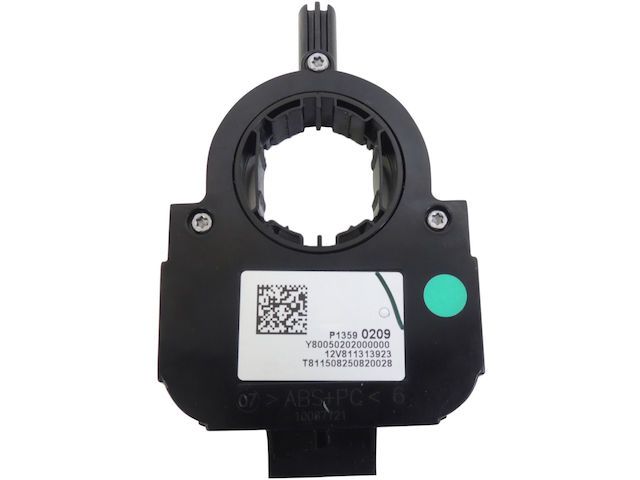
Est. part cost: $5-$25 for wiring repair supplies - Failed Steering Angle Sensor (SAS) Module ⚪ Low Probability → Shop Steering Angle Sensor
How to confirm: If a thorough inspection of the wiring harnesses reveals no damage, the sensor itself may be faulty. This is confirmed by testing the power, ground, and communication lines at the sensor connector with a multimeter. If all wiring is good, the sensor is the likely failure point.
Typical fix: Replace the steering angle sensor, which is located in the steering column. After replacement, the new sensor must be calibrated using a professional scan tool.
Est. part cost: $100-$250 - Low Battery Voltage or Dead Battery ⚪ Low Probability → Shop Vehicle Battery
How to confirm: Test the battery voltage with the vehicle off. A healthy battery should read approximately 12.4-12.6 volts. If the voltage is low, the battery may be weak or there could be a parasitic drain (which could be related to the wiring issues mentioned in TSB PIT5288H).
Typical fix: Charge or replace the vehicle's battery. Clear the codes and see if U0126 returns.
Est. part cost: $150-$300 for a new battery
Rare But Worth Checking
- Failed Electronic Brake Control Module (EBCM): → Shop ABS Control Module The EBCM is one of the primary modules that listens for the SAS signal. While rare, an internal failure of the EBCM can cause it to falsely report a communication loss. This should only be considered after all wiring and the SAS itself have been proven to be good.
- Power Steering Control Module (PSCM) Calibration Error: A known calibration error can cause the PSCM to keep communication DTCs (like U0126) as 'current' even after the root cause is fixed. This can be misleading. A PSCM software update via a dealer tool may be required after the primary repair.
Diagnosis Steps
- Scan for Codes: Use an OBD-II scanner capable of reading Chassis (C) and Network (U) codes to confirm U0126 and any other related codes. Note which modules have stored the code.
- Inspect Left Instrument Panel Harness (TSB PIT5288H): Carefully inspect the wiring harness located on the left side of the instrument panel, near the driver's kick panel and parking brake pedal. Look for any signs of pinching, chafing, or damage, especially where the harness may contact the sharp metal I/P mounting bracket.
- Inspect Sill Plate Harness (TSB PIT5457D): Remove the driver's and passenger's side front door sill plates. Lift the carpet and inspect the wiring channel for any signs of water intrusion, corrosion (green/white powder), or physical damage to the harness, paying close attention to the Communication Enable circuit (5986).
- Repair Wiring: If any damage is found in the previous steps, repair the affected wires. Ensure the repair is sealed and protect the harness from future damage.
- Check Power and Ground at SAS: If no wiring damage is found, access the Steering Angle Sensor connector at the steering column. Use a multimeter to verify it is receiving proper battery voltage (12.0-12.6V) and has a good ground connection (less than 0.05 Ω resistance to chassis).
- Test CAN Bus Wires: With the battery disconnected, check the resistance between the two CAN lines (pins 6 and 14 at the DLC) with a multimeter. It should be approximately 60 ohms. If it's 120 ohms, there's an open circuit or a missing terminating resistor. If it's close to 0 ohms, the wires are shorted together.
- Replace Steering Angle Sensor: If all wiring, power, and ground tests pass, the Steering Angle Sensor is likely faulty and should be replaced.
- Calibrate New Sensor: After replacement, the new sensor must be calibrated using a compatible scan tool to ensure it reads correctly.
- Clear Codes and Test Drive: Clear all diagnostic trouble codes and perform a test drive to ensure the warning lights do not return and that StabiliTrak functions correctly.
Parts You'll Likely Need
- Wiring Repair Supplies — The most common cause is a damaged wire harness, which requires basic supplies like wire, butt connectors, solder, and electrical tape to repair.
Trusted brands: 3M
OEM price range: $5-$25
Aftermarket price range: $5-$25 - Steering Angle Sensor — If wiring is confirmed to be intact, the sensor itself is the next most likely point of failure. Note: The part number from Pass 1 was incorrect. This part is often integrated with the steering column assembly.
Trusted brands: ACDelco, Dorman
OEM price range: $150-$250
Aftermarket price range: $100-$200
Related Codes That Often Appear With This One
- U0077 — This code indicates a general communication bus fault, often seen alongside specific module communication loss codes like U0126 when a wiring issue is present. It is mentioned in both TSBs PIT5288H and PIT5457D.
- U0121 — Lost Communication with Anti-Lock Brake System (ABS) Control Module. This often appears with U0126 because the ABS/EBCM relies on steering angle data. It is cited in TSB PIT5457D.
- U0415 — Invalid Data Received From Anti-Lock Brake System Control Module. This code can be set in other modules when the EBCM is not functioning correctly due to the loss of SAS data. It is mentioned in TSBs PIT5288H and PIT5457D.
- U0131 — Lost Communication With Power Steering Control Module. A GM document notes that the EBCM can sometimes incorrectly map a U0126 fault and log it as a U0131 instead. If you have a U0131, the root cause may still be the SAS communication circuit.
Technical Service Bulletins (TSBs) & Recalls
- PIT5288H: Documents various electrical issues, including U0126, caused by a pinched wire harness at the left instrument panel mounting bracket.
- PIT5457D: Details communication loss codes, including U0126, caused by an open or corroded wire harness under the driver/passenger door sill plates, specifically affecting the Communication Enable circuit 5986.
- GM Document ID 5457939: Explains how the EBCM can incorrectly log a U0131 code when the actual fault is a U0126, aiding in correct diagnosis.
- GM Bulletin 19-NA-206 (replaces PIT5593B): Describes a PSCM calibration error that can cause communication DTCs to remain current after a fix, requiring a software update.
Platform-Specific Known Issues
- The TSBs Are the Key: For the 2015-2020 GM full-size SUVs and trucks, the diagnostic process for U0126 should always start with the known wiring issues documented in TSBs PIT5288H and PIT5457D. Owners and technicians report that a vast majority of these cases are resolved by finding and repairing a chafed wire under the dash or a corroded wire under the sill plate, not by replacing the sensor itself. Going straight to sensor replacement is a common misdiagnosis that leads to wasted money and the problem returning.
- Owner Experience: More Than Just a Warning Light: Owners on forums report a variety of seemingly unrelated symptoms that accompany the 'Service StabiliTrak' message. One owner noted their A/C fan would slow down at the exact moment the warning appeared. Another noted the 'Service Trailer Brake System' message would also show up. These experiences corroborate the TSBs, which point to a fault in a major harness that carries circuits for many different vehicle functions, not just the steering angle sensor.
Mechanic-Grade Diagnostic Values
- CAN Bus Network Resistance — expected: Approximately 60 Ω when measured between pins 12 and 13 at the DLC (with battery disconnected).. Failure: A reading of 120 Ω indicates an open in the circuit or that one of the two terminating resistors (often in the EBCM or another module) is offline. A reading near 0 Ω indicates the CAN High and CAN Low wires are shorted together.
- Steering Angle Sensor Power Supply — expected: 12.0 - 12.6 Volts at the SAS module connector with the key on.. Failure: Low or no voltage indicates a problem in the power supply circuit (fuse, wiring).
- Steering Angle Sensor Ground Circuit — expected: Less than 0.05 Ω of resistance between the ground pin at the SAS connector and a clean chassis ground.. Failure: High resistance indicates a poor ground connection, which can cause intermittent communication loss.
Hidden / Shadow Codes Worth Checking
- U-codes remaining 'Current': A known calibration error in the Power Steering Control Module (PSCM) can prevent communication DTCs like U0126 from transitioning to 'History' status after the underlying fault has been repaired. The code remains 'Current' on a scan tool, misleading the technician into believing the fault is still present. (see via This is observed with a professional scan tool (like GDS2) where a code cannot be cleared or immediately returns as 'Current' despite the wiring/part fix being complete. The fix is a PSCM software update.)
Scan Tool Commands That Help
- GDS2 (GM Dealer Software): Steering Angle Sensor Learn/Calibration — This procedure is required after replacing the steering angle sensor, steering column, or performing a wheel alignment to zero the sensor's position. Failure to calibrate will cause the U0126 code to persist. The function is typically found under the Electronic Brake Control Module (EBCM) or Power Steering Control Module (PSCM) menus.
- GDS2 (GM Dealer Software): PSCM Programming via TIS2WEB — This is used to update the Power Steering Control Module software. It is the specific fix for the edge case where a calibration error prevents DTCs like U0126 from clearing to 'History' after a repair.
Wiring & Ground Locations
- G218 — Located inside the cabin, on the left-hand (driver's side) kick panel area, behind the dash.. This is a primary ground for the Body Control Module (BCM). A poor connection at G218 is cited in a GM TSB as a cause for numerous communication DTCs, including U0126, and other strange electrical issues.
- G303 — Located on the floor, under the carpet in the driver's legroom area.. This is a body ground point in the vicinity of the harness routing mentioned in TSBs. A compromised ground here can affect modules in the driver's area.
- G304 — Located under the right front seat.. This ground serves components on the passenger side. Since the sill plate harness runs along both sides, a bad ground here could contribute to network instability.
- DLC Pins 12 & 13 — The Data Link Connector (OBD-II port) under the driver's side dashboard.. On these trucks, the Steering Angle Sensor communicates on the 'Chassis High-Speed CAN network', which uses pins 12 and 13. This is different from the primary High-Speed GMLAN on pins 6 and 14. Diagnostic resistance tests for the SAS network must be performed on these specific pins.
Real Owner Repair Stories
- Tahoe Yukon Forum (2015+ GM SUV) — Multiple DTCs related to the steering angle sensor (U0415, U0428, C0710, C0544) and disabled StabiliTrak after fixing a steering alignment issue.
❌ Tried (didn't work) Using a CGSulit SC530 scan tool to perform the SAS reset., Using a Launch X431 CRP919x scan tool to perform the SAS reset.
✅ What actually fixed it The user's problem highlighted that even advanced aftermarket scan tools that claim to support the SAS reset function may fail on this specific platform. The implicit solution is the need for a more capable, likely dealer-level tool like the GM GDS2, to successfully perform the calibration.
OEM Part Supersession History
13513905, 13579709, 13584209, 13589257, 20959922→13589991— Part consolidation and design updates by the manufacturer.
Heads up: Always verify the part number with the vehicle's VIN. While these parts are superseded, other sensors like 13590209 also exist for this platform, possibly depending on specific options like magnetic ride control or steering rack type.
Helpful Videos
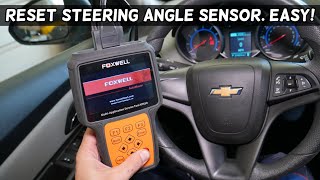
We Have This Part in Stock

The information in this article is provided for general reference and educational purposes only. Vehicle specifications, procedures, and part compatibility can vary by production date, trim level, and region. Always consult your vehicle's factory service manual and verify part numbers before purchasing or performing repairs. Safety-critical components such as airbags, seat belts, and braking systems should be installed by a qualified professional.
- Chevrolet SUBURBAN:
- 🧭 Diagnostic Flowchart
- 🎬 Helpful Videos
- 🛍️ Shop This Part
- What's Unique About the 2015-2020 Chevrolet SUBURBAN
- Symptoms You May Notice
- Most Likely Causes
- Rare But Worth Checking
- Diagnosis Steps
- Parts You'll Likely Need
- Related Codes That Often Appear With This One
- Technical Service Bulletins (TSBs) & Recalls
- Platform-Specific Known Issues
- Mechanic-Grade Diagnostic Values
- Hidden / Shadow Codes Worth Checking
- Scan Tool Commands That Help
- Wiring & Ground Locations
- Real Owner Repair Stories
- OEM Part Supersession History
- 🎟️ Get 5% Off