

U0140 on 2007-2014 Chevrolet Silverado 1500: Causes and Fixes for Lost BCM Communication
On a 2007-2014 Silverado, code U0140 almost always points to a poor ground connection for the Body Control Module (BCM), specifically ground G218. This ground is located inside the cab on the driver's side, behind the kick panel below the A-pillar. This known factory defect can cause a wide range of erratic electrical issues, including a no-start condition. Cleaning the ground is a very low-cost fix (under $10) and is a DIY difficulty of 2/5.
- U0140 on a 2007-2014 Silverado means the Body Control Module (BCM) has stopped communicating on the vehicle's network.
- The most likely cause is a poor ground connection at location G218, located under the driver's side dashboard.
- Symptoms are widespread and severe, including a no-start condition, flickering lights, blank radio/HVAC displays, and loss of power windows/locks.
- Do NOT replace the BCM until you have thoroughly inspected and cleaned the G218 ground connection, as this simple, low-cost fix resolves the issue in most cases.
- Due to the risk of stalling or a no-start condition, the vehicle should not be driven until the issue is repaired.
What's Unique About the 2007-2014 Chevrolet SILVERADO 1500

The GMT900 (2007-2013) and K2XX (2014) Silverado platforms are well-documented to have issues with a specific ground point, G218, which serves the Body Control Module. Multiple GM Technical Service Bulletins (TSBs), including PIT5405C, explicitly state that sound-deadening dash insulator material often gets trapped under the ground terminal from the factory. This prevents a solid connection, leading to intermittent communication loss and a host of electrical gremlins. This known issue makes a bad ground the most likely cause for U0140, far more so than actual BCM failure, which is often misdiagnosed.
🎬 Watch: Common causes and fixes for the U0140 code.Diagnostic Flowchart

Tap your situation to follow the diagnostic path that matches what you're seeing on this vehicle.
Generation note: This range covers two Silverado 1500 generations: the GMT900 (2007-2013) and the first year of the K2XX (2014). The primary cause, a poor BCM ground at G218, is a known issue on both generations covered in this range, as detailed in TSBs PIT5405B and PIT5405C.
Symptoms You May Notice

- Check Engine Light is on
- Multiple warning lights on the instrument panel (e.g., Service Stabilitrak, Service Trailer Brake System, ABS, Airbag).
- Radio and/or HVAC controls go blank or are inoperative.
- Power windows and door locks stop working or cycle erratically.
- Remote keyless entry (key fob) does not work.
- Engine will not crank or start, or stalls while driving.
- Transmission may not shift correctly or may default to 2nd gear.
- Headlights, interior lights, and dash lights flicker or behave unpredictably.
- Loss of electric power steering assist.
- Wipers may continue to run after being turned off or park in the wrong position.
- Replacing the Body Control Module (BCM) without first checking its ground connection at G218. The TSBs specifically warn that a BCM may appear offline, leading to unnecessary replacement when the actual fault is a simple bad ground.
- Replacing the BCM when the fault is an intermittent short in the GMLAN wiring harness, which can mimic a failed module.
Most Likely Causes

- Poor Body Control Module (BCM) Ground (G218) 🔴 High Probability → Shop Body Control Module Multiple TSBs (PIT5405C, PIT5405B, PIT5405) confirm this is a common factory assembly issue where the dash insulation mat gets trapped under the ground terminal, preventing a solid connection. The ground nut can also be loose or cross-threaded from the factory.
How to confirm: Locate ground G218 on the driver's side, under the dash behind the kick panel, near the A-pillar. Visually inspect if the black dash insulation is pinched under the metal eyelet. A voltage drop test on the ground would show high resistance.
Typical fix: Disconnect the battery. Remove the ground nut (typically 10mm). Pull the eyelet off the stud. Cut or trim away the interfering dash insulation mat. Clean the terminal eyelet and the body mounting stud surface with a wire brush or sandpaper until they are bare, shiny metal. Reinstall the eyelet directly against the metal body, tighten the nut securely, and apply dielectric grease to prevent future corrosion.
Est. part cost: $0-$10 - Damaged Wiring or Poor Connections 🟡 Medium Probability Vibrations and wear can cause wiring to chafe or connectors to become loose. TSB PIT4730B notes that intermittent shorts in the GMLAN data circuits (circuits 2500 & 2501) can cause the BCM to go offline, often when driving over bumps. TSB 08-07-30-021H also points to potential chafing on the engine harness or backed-out terminals in the transmission harness connector affecting the network.
How to confirm: Visually inspect the wiring harnesses going to the BCM for any signs of chafing, corrosion, or damage, especially near brackets or sharp edges. Disconnect and inspect the BCM connectors for corrosion, moisture, or bent/backed-out pins. A multimeter can be used to check for continuity on the power, ground, and CAN bus wires.
Typical fix: Repair any damaged wires with solder and heat shrink. Clean corroded connectors and pins. Ensure all connectors are fully seated and their locking tabs are engaged.
Est. part cost: $5-$50 - Low Battery Voltage or Faulty Charging System ⚪ Low Probability → Shop Vehicle Battery
How to confirm: Test the battery voltage with the engine off (should be ~12.6V) and with the engine running (should be ~13.7-14.7V). Low system voltage can cause various modules to drop off the communication network unpredictably. TSB PIT5405C also recommends performing a loaded voltage drop test on the battery cables.
Typical fix: Recharge or replace the battery. If the charging voltage is low, diagnose and replace the alternator.
Est. part cost: $150-$400 - Faulty Body Control Module (BCM) ⚪ Low Probability → Shop Body Control Module
How to confirm: This should be the last resort after all other possibilities (grounds, power, wiring) have been thoroughly checked and confirmed to be good. TSB PIT4730B specifically warns against replacing the BCM unnecessarily, as an intermittent network short can make a good BCM appear to be offline. If a professional scan tool cannot communicate with the BCM after verifying its power and ground circuits are perfect, the module itself may have failed.
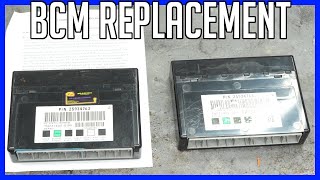
Typical fix: Replace the Body Control Module. The new BCM will require programming to the vehicle's specific VIN and options using specialized software like GM's Techline Connect. Some companies offer a cloning service where they transfer data from your old BCM to the replacement.
Est. part cost: $250-$500
Rare But Worth Checking
- Aftermarket Device Interference: Poorly installed aftermarket accessories like remote starters, alarms, or audio equipment can tap into the CAN bus wiring incorrectly, causing communication errors. A user on a 2CarPros forum noted they had to remove an aftermarket alarm to resolve a no-start with code U0140.
- Water Intrusion: On vehicles with sunroofs, a clogged sunroof drain can cause water to run down the A-pillar and drip directly onto the BCM and its connectors, causing corrosion and short circuits. After fixing the leak, the connectors must be dried and packed with dielectric grease.
Diagnosis Steps
- Check Battery and Charging System: Ensure the battery is fully charged and the alternator is working correctly. Voltage should be ~12.6V with the engine off and 13.7-14.7V when running.
- Scan for All Codes: Use a quality OBD-II scanner that can read codes from all modules (BCM, ECM, TCM, ABS, etc.). Note all communication 'U' codes present.
- Inspect BCM Ground G218: This is the most critical step. Disconnect the battery. Locate G218 under the driver's side dash, behind the plastic kick panel near the A-pillar. Remove the 10mm ground nut, clean the eyelet terminal and the mounting stud on the body until they are bare, shiny metal. Trim away any plastic dash insulation that might interfere with the connection.
- Re-secure Ground and Retest: Reinstall the ground terminal and tighten the nut securely. Reconnect the battery, clear all codes, and start the vehicle to see if symptoms and codes return.
- Inspect BCM Connectors and Wiring: If the problem persists, disconnect the BCM connectors and inspect for any signs of corrosion, moisture, or bent/damaged pins. Check the wiring harness for any visible damage or chafing, paying attention to areas where it might rub against brackets or other components.
- Verify BCM Power: Use a multimeter to confirm the BCM is receiving constant battery power and ignition power at the appropriate pins on its connectors. A wiring diagram for your specific year is needed for this step.
- Test CAN Bus Network: This is an advanced step. With the battery disconnected, measure the resistance between the two CAN bus wires at the OBD-II port (pins 6 and 14). A healthy network should read approximately 60 ohms. TSB 08-07-30-021H provides extensive detail on diagnosing GMLAN circuit issues.
- Suspect BCM: If all power, ground, and network wiring tests pass, the Body Control Module itself may have failed and requires replacement and programming.
Parts You'll Likely Need
- Body Control Module (BCM)
(OEM #Varies by year/options. Ex: 25835966 (2008-2011), 13594692 (2014). Always verify with VIN.)— This part is only needed if it is confirmed to be faulty after all wiring and ground issues have been ruled out. It is the central computer for body electronics.
Trusted brands: ACDelco (GM Genuine)
OEM price range: $300-$500
Aftermarket price range: $200-$400
Related Codes That Often Appear With This One
- U0073 — This code means 'Control Module Communication Bus A Off'. It often sets alongside U0140 because a problem with the BCM or its wiring can bring down the entire high-speed communication network.
- U0100 — Lost Communication with ECM/PCM. When the BCM is offline, other modules may also log communication loss codes with the main engine computer.
- U0101 — Lost Communication with TCM. Similar to U0100, this indicates the transmission control module is also affected by the network communication fault.
- U0121 — Lost Communication With Anti-Lock Brake System (ABS) Control Module. This is another common code that appears in a general network failure scenario.
Technical Service Bulletins (TSBs) & Recalls
- PIT5405C
- PIT5405B
- PIT5405
- 08-07-30-021H
- PIT4730B
Platform-Specific Known Issues
- TSB #PIT5405C: Explicitly calls out the dash insulator mat being trapped between the G218 ground eyelet and the body stud as a primary cause for a host of electrical issues and communication DTCs, including U0140.
- TSB #08-07-30-021H: A comprehensive bulletin for GMLAN communication loss. It details checking for backed-out terminals in the transmission harness connector and inspecting for chafed wiring as potential causes for codes like U0140.
- TSB #PIT4730B: Warns that an intermittent short-to-ground on the GMLAN circuits can cause the BCM to go completely offline for an entire ignition cycle, leading to a misdiagnosis of a failed BCM. The issue often occurs on rough roads.
Mechanic-Grade Diagnostic Values
- High-Speed GMLAN Bus Voltage (Idle/Recessive State) — expected: ~2.5V on both GMLAN-High (DLC Pin 6) and GMLAN-Low (DLC Pin 14) wires.. Failure: Significant deviation from 2.5V, or voltage stuck high or low, indicates a short to power or ground.
- High-Speed GMLAN Bus Voltage (Active/Dominant State) — expected: GMLAN-High (Pin 6) rises to ~3.5V and GMLAN-Low (Pin 14) drops to ~1.5V.. Failure: Inability to switch between states or incorrect voltages indicates a module or wiring fault.
- BCM Ground Circuit Resistance — expected: < 0.1 Ω. Failure: Higher resistance indicates a poor ground connection (like at G218), which is the most common cause of this code.
- BCM Battery Positive Voltage — expected: 12.2V - 12.8V with ignition on.. Failure: Low or no voltage indicates a blown fuse, fusible link, or wiring issue supplying power to the BCM.
Scan Tool Commands That Help
- GDS2/Tech2: Module Communication Status — Used as the first step to see which modules are online. If the BCM is not listed or shows 'No Communication', it confirms the module is offline and directs diagnosis toward its power, ground, and network connections.
- GDS2/Techline Connect: BCM Programming/Reprogramming — This is required after replacing the BCM. For 2014 models specifically, a BCM reprogram was issued via a service bulletin to correct software issues that could cause a no-crank condition.
Wiring & Ground Locations

- G218 — Under the driver's side dash, behind the plastic kick panel, attached to the A-pillar body structure.. This is the primary ground for the Body Control Module. A poor connection here due to trapped insulation or looseness is the single most common cause of code U0140 and related electrical issues.
- BCM Connectors (e.g., X1, X2, X3) — Plugged into the BCM, which is located to the left of the steering column under the driver's side dash.. These connectors house the power, ground, and GMLAN data lines. For a 2008 model, BCM connector X3 contains the High-Speed GMLAN wires and primary power/ground pins.
- Splice Pack JX221 (or SP205) — Located in the instrument panel wiring harness, behind the left side of the dashboard.. The GMLAN network wires from multiple modules meet at these splice packs. Corrosion or a bad connection inside the pack can disrupt the entire network, mimicking a BCM failure.
- BCM Power Pins (2008 Example) — On a 2008 Silverado, connector X3, pins 2 (RD/WH) and 3 (RD/WH) are battery positive voltage inputs.. Verifying battery voltage at these specific pins is a critical step to confirm the BCM is receiving power before condemning the module.
- BCM Ground Pin (2008 Example) — On a 2008 Silverado, connector X3, pin 1 (BK/WH) is the main ground pin leading to G218.. Performing a voltage drop test on this pin can quickly identify a bad ground connection without having to fully disassemble the G218 ground point first.
Real Owner Repair Stories
- Consensus from multiple threads on silveradosierra.com and chevytrucks.org (2007-2013 Chevrolet Silverado / GMC Sierra (GMT900)) — Sudden onset of flickering dash lights, radio and HVAC cutting out, door locks cycling on their own, multiple 'Service' messages (Stabilitrak, Trailer Brake), and a flood of communication codes including U0140 and U0073.
❌ Tried (didn't work) Replacing the battery, Checking all visible fuses, Replacing the alternator
✅ What actually fixed it The definitive fix in the vast majority of cases was cleaning the BCM ground G218. This involved removing the driver's side kick panel, locating the 10mm ground nut on the A-pillar, finding the black dash insulation mat pinched under the ground terminal, cutting the insulation away, cleaning the terminal and body stud to bare metal, and securely retightening the nut.
"I Checked Everything" — The Actual Cause
- In the context of this electrical code, the equivalent of a 'smoke test clean' scenario is when BCM power and grounds (including G218) test perfectly, yet the communication loss persists. The actual cause, as noted in GM TSB PIT4730B, is often an intermittent short-to-ground or short-to-voltage in the GMLAN wiring harness (circuits 2500/2501). This is frequently caused by the harness chafing against a metal bracket or frame member, and the fault may only appear with vibration or when driving over bumps, making it difficult to find with a static continuity test.
OEM Part Supersession History
e.g., 15940214, 25790508 (for GMT900)→e.g., 25971917— Hardware revisions and software updates to address bugs and improve reliability.
Heads up: A replacement BCM must be programmed with the vehicle's specific VIN and RPO codes. A used module from another truck will not work correctly without being reprogrammed or having the original module's data cloned to it.e.g., 13580690, 13593214 (for K2XX)→e.g., 13594692, 13594769— Hardware and software changes for the updated K2XX platform electrical architecture.
Heads up: These parts are specific to the 2014+ generation and are not backward compatible with GMT900 trucks. VIN programming is mandatory for all replacements.
Model Year Variations Within This Range
- 2007-2013 (GMT900) vs. 2014 (K2XX): While the symptom and primary cause (G218 ground) are consistent, the BCM itself is different. The 2014 K2XX models use a different series of part numbers (e.g., 13594692) compared to the GMT900 models (e.g., 25971917), reflecting an updated electrical architecture. Additionally, a specific BCM reprogramming campaign (Bulletin #13-08-47-001A) was issued for some 2014 models to fix a no-crank condition, which may not apply to earlier years.
Helpful Videos




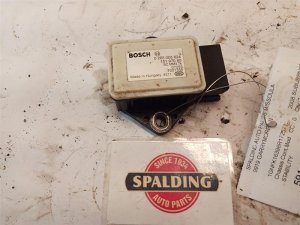
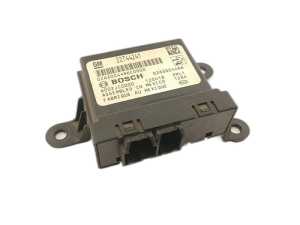
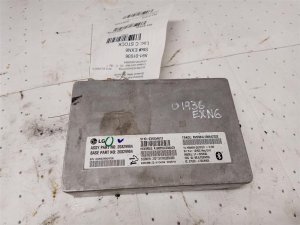
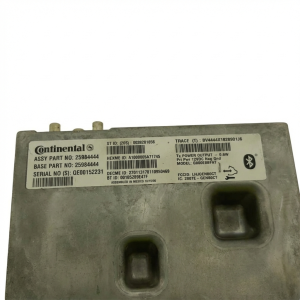
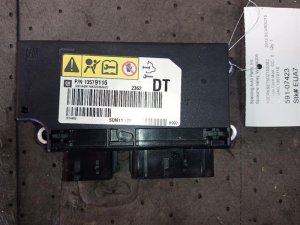
We Have This Part in Stock

The information in this article is provided for general reference and educational purposes only. Vehicle specifications, procedures, and part compatibility can vary by production date, trim level, and region. Always consult your vehicle's factory service manual and verify part numbers before purchasing or performing repairs. Safety-critical components such as airbags, seat belts, and braking systems should be installed by a qualified professional.
- Chevrolet SILVERADO 1500:
- 🧭 Diagnostic Flowchart
- 🎬 Helpful Videos
- 🛍️ Shop This Part
- What's Unique About the 2007-2014 Chevrolet SILVERADO 1500
- Symptoms You May Notice
- Most Likely Causes
- Rare But Worth Checking
- Diagnosis Steps
- Parts You'll Likely Need
- Related Codes That Often Appear With This One
- Technical Service Bulletins (TSBs) & Recalls
- Platform-Specific Known Issues
- Mechanic-Grade Diagnostic Values
- Scan Tool Commands That Help
- Wiring & Ground Locations
- Real Owner Repair Stories
- "I Checked Everything" — The Actual Cause
- OEM Part Supersession History
- Model Year Variations Within This Range
- 🎟️ Get 5% Off