

U0140 on 2007-2010 GMC Sierra 2500: Lost Communication With BCM Fixes
On a 2007-2010 GMC Sierra 2500, code U0140 almost always points to a bad ground connection for the Body Control Module (BCM) at ground G218, wiring issues under the driver's dash, or a faulty BCM. Checking and cleaning the G218 ground connection, located behind the driver's side kick panel, is the most common, well-documented, and inexpensive first step that solves the majority of cases.
- U0140 means the Body Control Module (BCM) has stopped communicating on the vehicle's network.
- The most common cause on a 2007-2010 Sierra 2500 is a poor ground connection for the BCM, located behind the driver's kick panel.
- Before replacing any parts, always check the battery, fuses, and visually inspect wiring and ground connections.
- Symptoms can be severe, including a no-start condition or the transmission failing to shift properly.
- Replacing the BCM or SDGM is not a simple DIY job, as it requires special programming tools to sync the new module to the truck.
What's Unique About the 2007-2010 Gmc SIERRA 2500
On the GMT900 platform, which includes the 2007-2010 Sierra 2500, electrical and network issues are exceptionally common. Manufacturer bulletins and extensive owner forums specifically point to a factory assembly flaw where sound-deadening insulation gets trapped under the main BCM ground lug (G218), preventing a solid connection. This high-resistance ground is the root cause for a host of intermittent and difficult-to-diagnose electrical gremlins, making the U0140 code on these trucks a very specific and well-documented problem, far more likely to be a bad ground than a failed module.
Diagnostic Flowchart
Tap your situation to follow the diagnostic path that matches what you're seeing on this vehicle.
Symptoms You May Notice
- Multiple warning lights on the instrument panel cluster (IPC), such as 'Service Stabilitrak' or 'Service Trailer Brake'.
- Transmission may not shift correctly or may go into a default 'limp' mode.
- No chimes or turn signal sounds.
- Power windows, door locks, or wipers not working or operating on their own.
- Interior or exterior lights malfunctioning, flickering, or staying on.
- Radio and A/C controls may go blank or reset intermittently.
- Vehicle may not start or may stall, especially at low speeds.
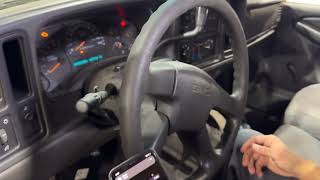
- Instrument cluster gauges dropping to zero and then sweeping back up. 🎬 See a real-world example of these electrical symptoms in action.
- Replacing the BCM without first thoroughly checking and cleaning the G218 ground connection. The problem is overwhelmingly a simple connection issue, not a failed module.
Most Likely Causes
- Poor Body Control Module (BCM) Ground Connection at G218 🔴 High Probability → Shop Body Control Module This is the most common cause. GM TSB #PIT5405C and countless owner forums identify a factory defect where dash insulation gets pinched under the G218 ground terminal, causing a poor, high-resistance connection that leads to intermittent communication loss.
How to confirm: Locate ground G218 behind the driver's side kick panel, attached to the A-pillar body structure. Disconnect the battery, remove the 10mm ground nut, and inspect for the black insulation mat being trapped under the wire eyelet, or for any corrosion.
Typical fix: Remove the nut, pull the wire terminal back, and cut or trim away the section of insulation mat that is interfering with the connection. Clean the ground terminal, the chassis stud surface, and the wire eyelet with a wire brush or sandpaper to ensure bare metal contact. Re-secure the ground tightly. This is a well-documented fix in owner forums. 🎬 Watch this step-by-step guide to cleaning and upgrading your grounds.
Est. part cost: $0-$10 - Damaged Wiring or Loose Connectors 🟡 Medium Probability Wiring harnesses under the dash, especially near the parking brake mechanism, under the driver's door sill plate, or where they pass through the firewall, can chafe over time, causing shorts or open circuits in the CAN bus wiring.
How to confirm: Visually inspect the wiring harnesses connected to the BCM and the Serial Data Gateway Module (SDGM) for any signs of chafing, breaks, or corrosion. Check that connectors (e.g., BCM connectors X1, X2, X3) are fully seated and free of moisture.
Typical fix: Repair any damaged wires by soldering and heat-shrinking. Secure the harness away from any sharp edges or moving parts using zip ties. Apply dielectric grease to connectors to prevent future moisture intrusion.
Est. part cost: $5-$50 - Low Battery Voltage 🟡 Medium Probability → Shop Vehicle Battery
How to confirm: Test the battery voltage with a multimeter. It should be above 12.4V with the engine off and between 13.7V and 14.7V when running. These trucks are very sensitive to low voltage, which can cause modules to drop off the network.
Typical fix: Charge or replace the battery. Clean battery terminals and check the main battery cables for corrosion or damage.
Est. part cost: $150-$300 - Faulty Serial Data Gateway Module (SDGM) ⚪ Low Probability → Shop Telematics Interface Module TSB #PIT5586E mentions that the SDGM can enter a 'logic lock' state, causing multiple communication DTCs, including U0140. This module acts as a traffic cop for network data.
How to confirm: This is difficult to confirm without a high-end scan tool that can check the status of the SDGM. A common diagnostic step is to disconnect the module temporarily to see if communication is restored on other networks. Also inspect its connectors (X1, X2) for loose or corroded terminals.
Typical fix: A 'hard reset' by disconnecting the battery for 30 minutes may clear a logic lock. Otherwise, the module may need to be reprogrammed by a dealer or replaced. Replacement requires programming to the vehicle's VIN.
Est. part cost: $100-$250 - Failed Body Control Module (BCM) ⚪ Low Probability → Shop Body Control Module
How to confirm: This should be the last resort. After confirming all power, ground (especially G218), and network wiring to the BCM are intact, and the BCM still does not communicate with a scan tool, the module itself is likely faulty.
Typical fix: Replace the Body Control Module. The new BCM must be programmed by a dealership or a qualified shop with the correct software for your vehicle's options and VIN. Pre-programmed modules are available online.
Est. part cost: $250-$500
Rare But Worth Checking
- Blown BCM Fuses: Always check the simple things first. The BCM is powered by several fuses. On a 2009 Sierra, for example, fuse #15 in the interior fuse box (driver's side of dash) is a key fuse to check.
- Faulty Aftermarket Accessories: Improperly installed remote starters, alarms, or even plug-in OBD-II devices can interfere with the CAN bus network and cause communication codes.
- Water Intrusion: On platform mates like the Yukon, known issues with leaking windshield seals or clogged sunroof drains can allow water to drip directly onto the BCM and its connectors, causing corrosion and failure.
Diagnosis Steps
- Check Battery Health: Ensure the battery is fully charged and the charging system is working correctly. Voltage should be >12.4V at rest and 13.7-14.7V running.
- Scan for All Codes: Use a professional scan tool capable of reading codes from all modules (BCM, ECM, TCM, ABS, etc.). Note all 'U' codes present and see if the BCM is responsive.
- Check Fuses: Inspect all fuses related to the BCM in the interior (driver's side dash) and under-hood fuse boxes. For a 2009 model, check fuse #15 inside.
- Inspect and Clean BCM Ground G218: THIS IS THE MOST CRITICAL STEP. Disconnect the battery. Locate the main BCM ground point G218 behind the driver's side kick panel on the A-pillar. Remove the 10mm nut, trim away any trapped insulation, clean all contact points to bare metal, and securely re-fasten.
- Inspect BCM and SDGM Connectors: Visually inspect the connectors at the Body Control Module (under the driver's dash) and the Serial Data Gateway Module for corrosion, moisture, or backed-out pins.
- Check CAN Bus Wiring: If the above steps don't resolve the issue, check the CAN bus wiring for opens or shorts. With the battery disconnected, measure the resistance between pins 6 (CAN High) and 14 (CAN Low) on the OBD-II port. A reading of approximately 60 ohms indicates the main network wiring and terminating resistors are likely intact.
- Isolate Modules: If the issue persists, a professional may need to disconnect modules one by one (e.g., electronic suspension module, OnStar module) to see if a single faulty module is crashing the network.
Parts You'll Likely Need
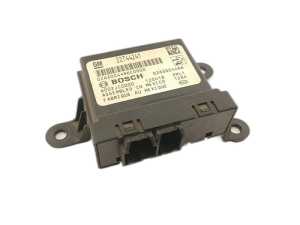
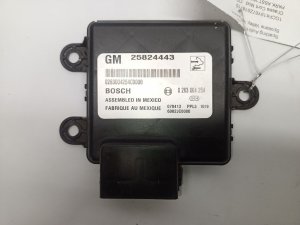
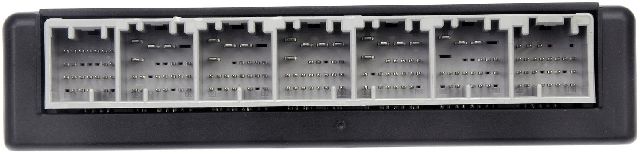
- Body Control Module (BCM)
(OEM #25844479 (Other common numbers for the platform include 15901388, 25971917, 13529041). Part numbers are frequently superseded; always verify with VIN.)— If all wiring, grounds (especially G218), and other modules are confirmed to be good, the BCM itself may have failed internally. This is a last resort replacement.
Trusted brands: ACDelco (OEM)
OEM price range: $300-$500
Related Codes That Often Appear With This One
- U0073 — This is a general 'Control Module Communication Bus 'A' Off' code that often accompanies more specific codes like U0140, indicating a widespread network problem.
- U0100 — Lost Communication with ECM/PCM. If the BCM acts as a gateway or the entire network is down, communication with the engine computer can be lost.
- U0101 — Lost Communication with TCM. The BCM failure can interrupt the signal path to the transmission controller, which is why shifting problems are a common symptom.
- U0121 — Lost Communication With Anti-Lock Brake System (ABS) Control Module. This indicates the network fault is affecting multiple critical systems.
Technical Service Bulletins (TSBs) & Recalls
- TSB #PIT5405A: Addresses multiple DTCs including U0140, where symptoms include a blank radio/HVAC display and stalling. It directs technicians to check the BCM ground. Later versions (PIT5405C) specifically call out sound-deadening insulation getting trapped under the G218 ground lug from the factory.
- TSB #PIT5586E: Mentions that the Serial Data Gateway Module (SDGM) can enter a 'logic lock' state, causing a flood of communication codes like U0140.
- TSB #08-07-30-021H: Covers intermittent no-crank/stall conditions, erratic warning lamps, and a list of 'U' codes including U0140, pointing towards intermittent network failures caused by poor connections or chafed wiring in main vehicle harnesses.
Platform-Specific Known Issues
- TSB #PIT5405A points directly to checking the body control module ground for a list of communication codes including U0140.
- TSB #PIT5586E suggests a 'logic lock' of the Serial Data Gateway Module can cause U0140 and many other U-codes.
- TSB #08-07-30-021H links U0140 with symptoms like the transmission not shifting and various warning lamps being illuminated.
Mechanic-Grade Diagnostic Values
- CAN Bus Network Resistance — expected: ~60 Ohms (Ω) when measured between Pin 6 (CAN High) and Pin 14 (CAN Low) of the OBD-II port with the battery disconnected.. Failure: A reading of ~120 Ω suggests an open circuit or a faulty terminating resistor in one of the modules (e.g., ECM or BCM). A reading near 0 Ω indicates a short circuit between the CAN High and Low wires.
- BCM Ground Circuit Resistance — expected: < 1.0 Ohm from the BCM ground pin at the connector to a clean chassis ground.. Failure: Resistance greater than 1.0 Ohm indicates a poor ground connection, which is the classic symptom of the G218 ground fault.
- BCM Ground Circuit Voltage Drop — expected: < 0.1 Volts (100 mV) measured between the BCM ground pin and the negative battery terminal with the circuit active.. Failure: A reading higher than 0.1V-0.2V indicates excessive resistance in the ground circuit, confirming a poor connection without disconnecting the component.
- CAN Bus Voltage — expected: Key On, Engine Off: CAN High (Pin 6) should be ~2.5V and CAN Low (Pin 14) should be ~2.5V. During communication (dominant state), CAN High goes to ~3.5V and CAN Low drops to ~1.5V.. Failure: Voltages that are stuck high or low, or do not mirror each other around the 2.5V center point, indicate a short to power, short to ground, or a faulty module driver.
Hidden / Shadow Codes Worth Checking
- U0073 sym71: This is a GM-specific symptom code that may accompany U0140. TSB PIT4730B advises that this combination points toward an intermittent short in the High Speed GMLAN data circuits (2500 & 2501). (see via Requires a GM dealer-level scan tool like a Tech 2 or GDS2 to view symptom codes (sym). Basic OBD-II readers will only show U0073.)
Scan Tool Commands That Help
- GDS2 / Tech 2: BCM Bidirectional Controls / Output Controls — Use this to command the BCM to perform a function, like turning on the interior lights or locking the doors. If the command works, it proves the BCM has power, ground, and is partially functional, shifting the diagnosis towards a network wiring issue rather than a completely failed BCM.
- GDS2 / Tech 2: Setup SDM Primary Key in BCM — This function is required after replacing the BCM. If the new BCM is not properly synced with the Sensing and Diagnostic Module (SDM), the airbag (SIR) warning light may remain illuminated. This command establishes the communication link between the two modules.
Wiring & Ground Locations
- G218 — Behind the driver's side kick panel, bolted to the A-pillar structure, near the floor.. This is the primary ground for the Body Control Module. A factory assembly issue often leaves sound deadening material under the terminal, causing high resistance and intermittent loss of communication, making it the number one cause for U0140 on this platform.
- Harness Chafe Point: Parking Brake Area — The wiring harness running along the floor under the driver's side dash near the parking brake pedal assembly.. Movement of the parking brake mechanism can, over time, rub through the insulation of the nearby CAN bus wires, causing intermittent shorts to ground or to each other, which can take the BCM offline.
- Harness Chafe Point: Engine Bay — The engine wiring harness can chafe against the ECM/TCM bracket, upper control arm, or shock tower bolts in the driver's side wheel well area.. While less common for a BCM-specific code, TSB 08-07-30-021H notes that damage to the GMLAN wiring in the engine harness can cause widespread communication issues, including U0140.
Real Owner Repair Stories
- Consensus from multiple owner forums (gm-trucks.com, gmtruckclub.com) (2008 GMC Sierra 2500) — Truck would intermittently not start (no crank), radio and dash lights would flicker, 'Service Stabilitrak' message would appear, and power door locks would stop working. Multiple 'U' codes were stored, including U0140.
❌ Tried (didn't work) Replacing the battery., Checking all BCM-related fuses., Getting a quote from a dealer to replace the BCM for over $800.
✅ What actually fixed it The owner found forum posts describing the G218 ground issue. They removed the driver's side kick panel, located the ground stud on the A-pillar, and found the black insulation mat was pinched under the ground terminal. They cut away the insulation, cleaned the terminal and stud to bare metal with sandpaper, and re-secured the 10mm nut tightly. All electrical issues and the U0140 code were resolved immediately and did not return.
OEM Part Supersession History
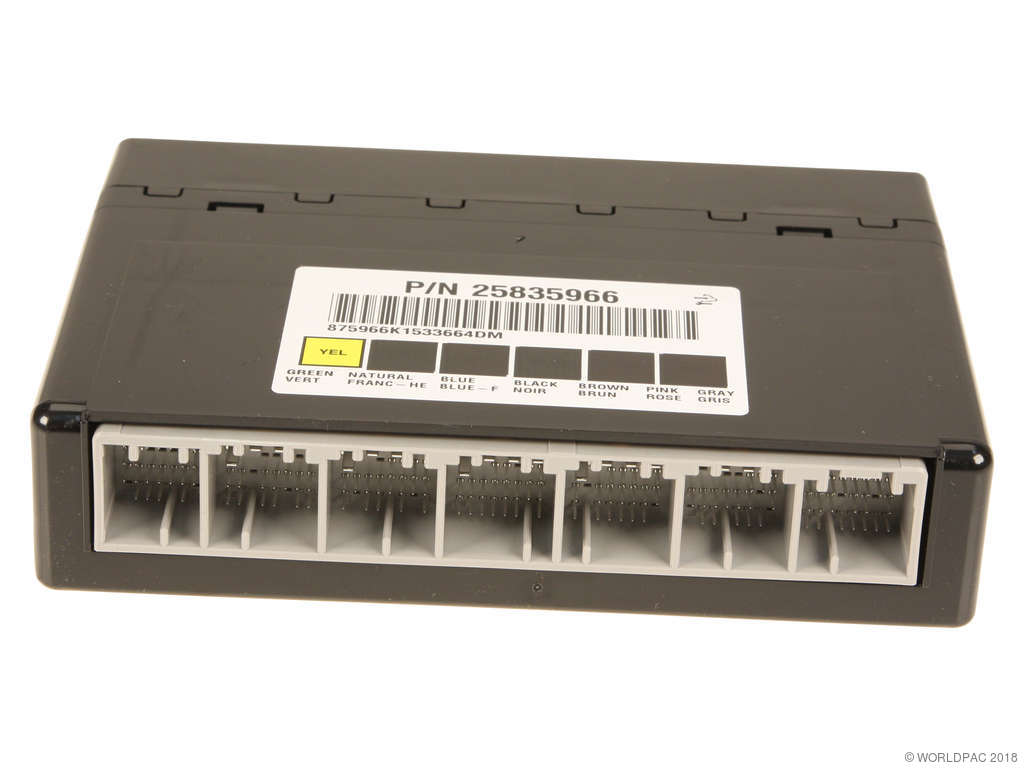
Multiple (e.g., 15943678, 25835966, 20939137)→25844479 (common service replacement)— Part consolidation and minor revisions by the manufacturer.
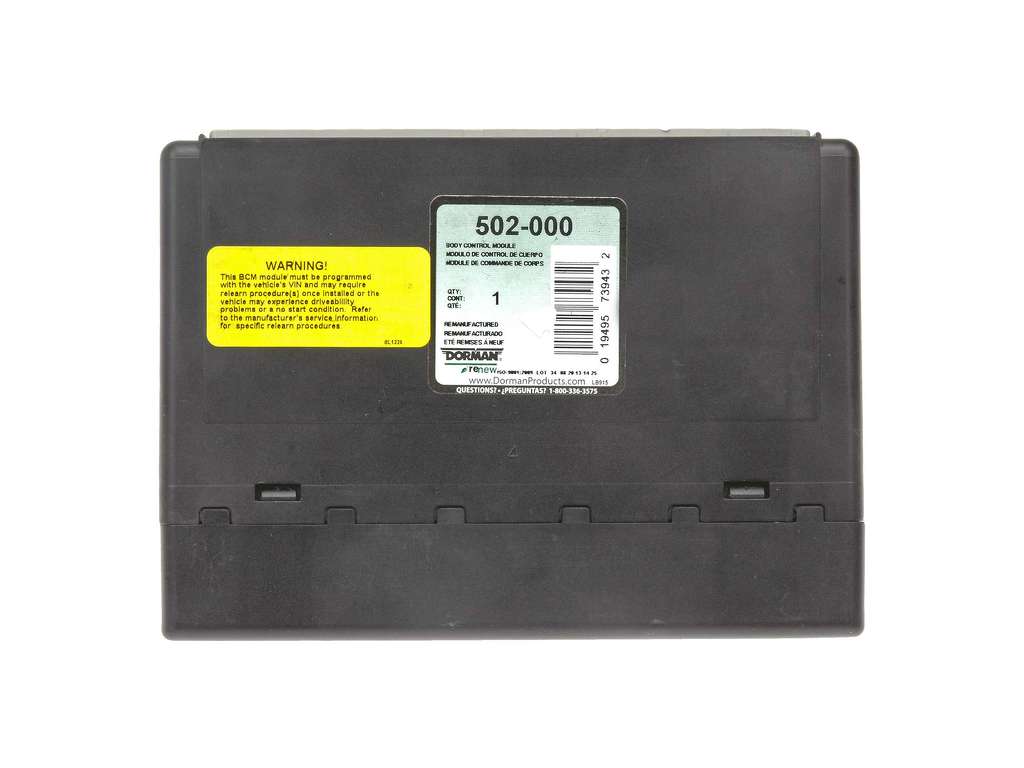
Heads up: This BCM is NOT plug-and-play. It MUST be programmed to the vehicle's VIN to function correctly. Some online vendors sell 'pre-programmed' units, but this requires you to provide your VIN at purchase. Critically, after installation, if the airbag (SIR) light is on, a scan tool function 'Setup SDM Primary Key in BCM' must be performed to sync the BCM with the airbag module.
Model Year Variations Within This Range
- 2007: The 2007 model year was a transition period. GM sold both the old body style as the 'Classic' and the new GMT900 platform. This article and its common fixes (like the G218 ground) apply specifically to the 'New' 2007-2010 body style, not the 'Classic'.
Helpful Videos
Used OEM Parts in Stock
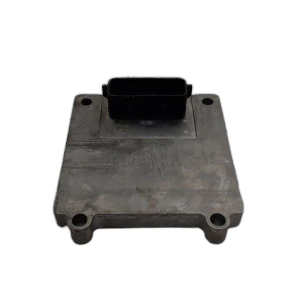
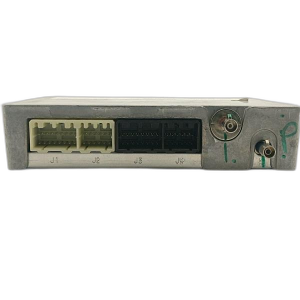
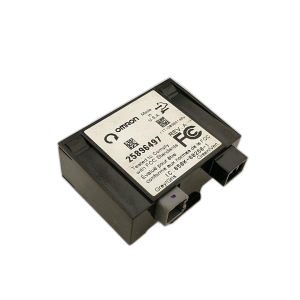
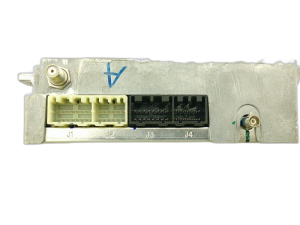
New Aftermarket Parts Available

The information in this article is provided for general reference and educational purposes only. Vehicle specifications, procedures, and part compatibility can vary by production date, trim level, and region. Always consult your vehicle's factory service manual and verify part numbers before purchasing or performing repairs. Safety-critical components such as airbags, seat belts, and braking systems should be installed by a qualified professional.
- Gmc SIERRA 2500:
- 🧭 Diagnostic Flowchart
- 🎬 Helpful Videos
- 🛍️ Shop This Part
- What's Unique About the 2007-2010 Gmc SIERRA 2500
- Symptoms You May Notice
- Most Likely Causes
- Rare But Worth Checking
- Diagnosis Steps
- Parts You'll Likely Need
- Related Codes That Often Appear With This One
- Technical Service Bulletins (TSBs) & Recalls
- Platform-Specific Known Issues
- Mechanic-Grade Diagnostic Values
- Hidden / Shadow Codes Worth Checking
- Scan Tool Commands That Help
- Wiring & Ground Locations
- Real Owner Repair Stories
- OEM Part Supersession History
- Model Year Variations Within This Range
- 🎟️ Get 5% Off