

U0140 on 2017-2019 GMC Sierra 3500: Lost Communication with BCM Causes & Fixes
On a 2017-2019 GMC Sierra 3500, code U0140 is most often caused by a poor wiring connection at the Serial Data Gateway Module (SDGM). GM issued service bulletins (PIT5586B, PIT5586C) advising technicians to check the X2 connector on this module for terminal issues. Another common cause is a poor BCM ground at location G218. This is a network problem, not usually a faulty BCM.
- U0140 on a 2017-2019 Sierra 3500 means the Body Control Module (BCM) has stopped communicating with other modules on the vehicle.
- The most likely cause, according to GM's own service bulletins, is a poor connection at the Serial Data Gateway Module (SDGM), not a failed BCM.
- Before replacing any parts, inspect the SDGM X2 connector, check battery voltage, and verify the main BCM ground connection (G218).
- Due to the complexity of network diagnostics, professional service is recommended if the problem isn't an obvious loose connector or bad ground.
- Driving with this code is risky as essential functions like exterior lights and wipers can become inoperative without warning.
What's Unique About the 2017-2019 Gmc SIERRA 3500
For this generation of GMC Sierra (K2XX platform), GM has specifically identified intermittent connection problems as a common source of network failures leading to code U0140. Manufacturer Technical Service Bulletins (TSBs) point directly to terminal issues—like bent, backed-out, or loose-tension pins—in the X1 and X2 connectors of the Serial Data Gateway Module (SDGM) as a primary culprit. The SDGM acts as a critical bridge between the vehicle's different data networks, and a poor connection there can bring down multiple systems at once. Additionally, TSB PIT5405C highlights a factory assembly issue where sound-deadening insulation gets trapped under the main BCM ground (G218), causing high resistance and intermittent communication loss.
Diagnostic Flowchart
Tap your situation to follow the diagnostic path that matches what you're seeing on this vehicle.
Symptoms You May Notice
- Check Engine Light is on
- Multiple warning lights on the instrument cluster (ABS, traction control, 'Service StabiliTrak' message)
- Power windows and door locks not working
- Interior or exterior lights malfunctioning (flickering, staying on, or not turning on)
- Wipers behaving erratically or not working
- Remote keyless entry or remote start failure
- Vehicle may not start or may stall while driving, especially at low speeds
- Radio/infotainment screen is blank or freezes
- Instrument panel gauges drop to zero or fluctuate wildly
- Replacing the Body Control Module (BCM) without first thoroughly inspecting the SDGM connectors (per TSB PIT5586C) and cleaning the G218 ground point (per TSB PIT5405C). The problem is very often in the wiring or grounds, not the module itself.
Most Likely Causes
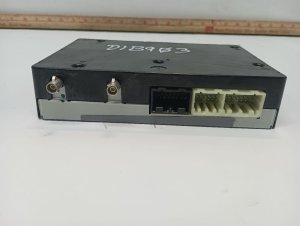
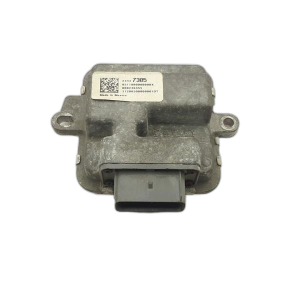
- Poor connection at the Serial Data Gateway Module (SDGM) 🔴 High Probability → Shop Telematics Interface Module This is a well-documented issue acknowledged by GM in Technical Service Bulletins PIT5586B and PIT5586C. The bulletins state that terminals in the X1 (black) and X2 (gray) connectors can be bent, backed out, or have poor tension, causing intermittent communication loss.
How to confirm: Visually inspect the X1 and X2 connectors at the SDGM, located under the driver's side dashboard near the OBD-II port. Check for any loose, corroded, or damaged terminals. Gently wiggling the connectors with the ignition on may cause symptoms to appear or disappear. A 'logic lock' state can also occur; pulling the SDGM fuse for a minute may temporarily restore communication, pointing to an issue with the module or its connections.
Typical fix: Repair the affected terminal(s) or replace the connector pigtail. Applying a small amount of dielectric grease can help prevent future corrosion. If terminals are damaged, the connector pigtail may need to be spliced in.
Est. part cost: $10-$60 - Poor BCM Ground at G218 🔴 High Probability TSB PIT5405C specifically identifies a factory assembly defect where the dash insulator mat gets trapped between the G218 ground eyelet and the vehicle body, causing a high-resistance connection. This is a very common failure point for this platform.
How to confirm: Locate ground G218 behind the driver's side kick panel, near the A-pillar. Disconnect the battery, then remove the 10mm nut. Check for any black sound-deadening material under the ground terminal's contact surface.
Typical fix: Remove the nut, pull the ground terminal away, and cut or trim the interfering insulation mat. Scrape the body stud and the terminal eyelet to ensure clean metal-to-metal contact, then securely retighten the nut.
Est. part cost: $0-$10 - Low Battery Voltage or Poor Main Grounds 🟡 Medium Probability → Shop Vehicle Battery Modern trucks with many electronic modules are highly sensitive to voltage. A weak battery or poor ground can cause modules to drop off the communication network intermittently. TSB PIT5405C also notes to check main battery cable connections.
How to confirm: Test the battery voltage at rest (should be >12.4V) and the alternator output when running (13.7-14.7V). Inspect the main battery cables and chassis ground points for corrosion or looseness. Ensure the battery cable clamps are properly tightened and that the battery posts protrude 1-2mm above the clamps.
Typical fix: Charge or replace the battery. Clean and tighten all main power and ground connections at the battery, engine block, and frame.
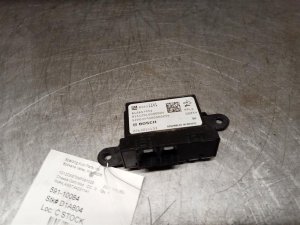
Est. part cost: $0-$250 - Failed Body Control Module (BCM) ⚪ Low Probability → Shop Body Control Module While possible, outright BCM failure is less common than the connection and wiring issues described above. Misdiagnosis is frequent.
How to confirm: This is a diagnosis of exclusion. If all wiring, connectors, power, and grounds to the BCM (including G218) and SDGM test good, the module itself is the likely culprit. This requires an advanced scan tool to confirm the BCM is unresponsive after ruling out all other possibilities.
Typical fix: Replace the Body Control Module. This new module will require programming by a dealer or a qualified shop with GM-specific software (Techline Connect).
Est. part cost: $250-$500
Rare But Worth Checking
- Failed Serial Data Gateway Module (SDGM): → Shop Telematics Interface Module While the connector is the most common point of failure, the module itself can fail internally or enter a 'logic lock' state that may require a software update or replacement.
- Interference from Aftermarket Electronics: Poorly installed remote starters, alarms, or audio equipment can introduce noise onto the CAN bus, disrupting communication and triggering U-codes. Even plug-in OBD-II devices have been reported to cause issues.
- Blown BCM Fuses: The BCM is powered by multiple fuses. A single blown fuse can cause it to lose communication. On this platform, check fuses in both the left (driver) and right (passenger) instrument panel fuse blocks. 🎬 See this guide for locating and replacing BCM fuses. Relevant fuses include F6, F7, F8, F17, F28, F45, and F46 in various locations.
- Faulty Trailer Brake Control Module or Wiring: Corrosion in the 7-pin trailer connector or an internal failure of the trailer brake control module (located near the spare tire) can cause network communication issues that may manifest as a U0140 code.
Diagnosis Steps
- Check the battery. Ensure it is fully charged and the terminals are clean and tight. Voltage should be above 12.4V at rest and 13.7-14.7V when running.
- Perform a full vehicle DTC scan with a tool that can read codes from all modules. Note all 'U' (communication) codes present and which modules are offline.
- Inspect BCM Ground G218. As per TSB PIT5405C, locate G218 behind the driver's side kick panel. Disconnect the battery, remove the ground nut, and check for trapped insulation. Clean the terminal and body surface to bare metal and re-secure it.
- Inspect the SDGM Connectors. As per TSBs PIT5586B/C, locate the Serial Data Gateway Module (SDGM) under the driver's side of the dashboard. Carefully inspect the SDGM's X1 (black) and X2 (gray) connectors for any signs of corrosion, damage, or terminals that are not fully seated.
- Check BCM related fuses. Inspect fuses in both the left and right side instrument panel fuse boxes. Key fuses include F6, F7, F8, F17, F28, F45, and F46.
- If no obvious issues are found, perform a CAN bus integrity test. With the battery disconnected, measure the resistance between Pin 6 (CAN High) and Pin 14 (CAN Low) at the OBD-II port. A healthy network should read approximately 60 ohms.
- If all wiring, grounds, and connections are confirmed to be good, the issue may be an internal failure of the BCM or SDGM, which requires professional diagnosis and programming upon replacement.
Parts You'll Likely Need
- Body Control Module
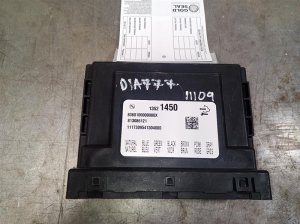
(OEM #13595583)— This is the OEM part number for the BCM in a 2017 model. It is often replaced unnecessarily when the fault is in the wiring, but can fail internally. It supersedes part numbers 13528945 and 13521450. - Serial Data Gateway Module
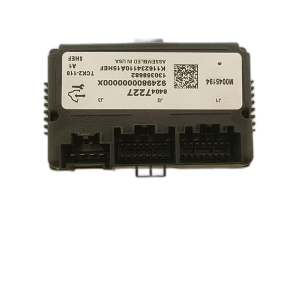
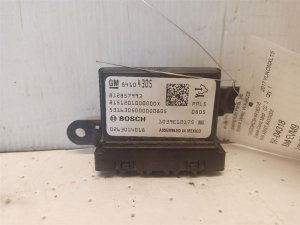
(OEM #13599318)— The SDGM can fail, though connector issues are more common. This part number replaces the previous version, 13599317.
Related Codes That Often Appear With This One
- U0073 — Control Module Communication Bus 'A' Off. This is a general network failure code that often appears alongside more specific codes like U0140.
- U0100 — Lost Communication with ECM/PCM. If the network is down, communication with the engine computer can also be lost.
- U0101 — Lost Communication with TCM. Similar to U0100, the network fault can interrupt communication with the transmission controller.
- U0155 — Lost Communication With Instrument Panel Cluster (IPC) Control Module. This is another module on the network that can lose communication during this fault, as cited in GM's TSBs.
Technical Service Bulletins (TSBs) & Recalls
- PIT5586B: Instructs dealers to check the Serial Data Gateway Module X2 connector for terminal concerns when a variety of communication DTCs, including U0140, are present.
- PIT5586C: A later revision of the same bulletin with the same instruction to check the SDGM X1 and X2 connectors, covering up to 2019 models.
- PIT5405C: Details the issue of the dash insulator mat being trapped under the G218 ground, causing high resistance and numerous electrical faults including U0140.
Platform-Specific Known Issues
- TSB PIT5586C: SDGM Connector Failure: This TSB is the primary diagnostic path for U0140. It instructs technicians to inspect the X1 and X2 connectors at the Serial Data Gateway Module for bent, backed-out, or loose terminals as the cause for a wide array of communication DTCs.
- TSB PIT5405C: G218 Ground Fault: This TSB identifies a poor BCM ground at G218 as a root cause for U0140 and other electrical issues like stalling and flickering lights. The cause is specified as the dash insulator mat being trapped under the ground terminal from the factory. The fix is to trim the mat away and clean the connection.
Mechanic-Grade Diagnostic Values
- High-Speed CAN Bus Resistance — expected: Approximately 60 Ohms (± 5 Ohms). Failure: A reading of ~120 Ohms indicates an open in the circuit or a missing terminating resistor. A reading near 0 Ohms indicates a short between the CAN High and CAN Low wires.
- BCM Ground Circuit Resistance (G218) — expected: < 1.0 Ohm. Failure: Resistance greater than 1.0 Ohm indicates a poor ground connection, which is a known issue for this platform.
- CAN Bus Voltage (Key On, Engine Off) — expected: CAN High (Pin 6): Fluctuates between ~2.5V and ~3.5V. CAN Low (Pin 14): Fluctuates between ~2.5V and ~1.5V.. Failure: Voltages that are stuck high, low, or at 0V indicate a short or open in the wiring.
- BCM Power Supply Voltage — expected: 12.2V - 12.8V (Key On, Engine Off). Failure: Voltage below the module's minimum threshold (typically ~9V) will cause it to drop off the network.
Hidden / Shadow Codes Worth Checking
- Uxxxx SYMxx (e.g., U0140 SYM00): GM uses 2-digit 'symptom bytes' to provide more specific detail for generic 'U' (network) codes. For example, SYM00 often means 'No Communication', while other symptom bytes can indicate 'Invalid Data' or other specific failure types. (see via These codes are typically only visible on a dealer-level scan tool like the GM GDS2 (Global Diagnostic System 2) or a high-end professional scanner with GM-specific software.)
Scan Tool Commands That Help
- GDS2 (GM Global Diagnostic System 2): Module Communication Status / Network Topology — This is the primary function to use at the start of diagnosis. It provides a visual map of all control modules on the network and clearly shows which ones are online (communicating) and which are offline (not responding), immediately confirming if the BCM is the source of the U0140 code.
- GDS2 (GM Global Diagnostic System 2): Reprogram Module — If a module like the BCM or SDGM is replaced, it must be programmed to the vehicle. This function is also used to apply software updates issued by GM, which can sometimes resolve communication glitches without replacing parts.
Wiring & Ground Locations
- G218 — Behind the driver's side kick panel, near the A-pillar. You must pull back the carpet and sound insulation mat to access the 10mm ground nut on the body stud.. This is the primary ground for the Body Control Module. TSB PIT5405C identifies that the factory sound insulation mat is often trapped under the ground terminal, causing high resistance and intermittent loss of communication for the BCM.
- SDGM Connectors X1 & X2 — The Serial Data Gateway Module is located under the driver's side dashboard, often near the OBD-II port. The X1 connector is black and the X2 connector is gray.. TSBs PIT5586B and PIT5586C specifically call out these connectors for having terminal issues (poor pin tension, backed-out pins) that cause intermittent network communication failures, including code U0140.
- Trailer Brake Control Module — Underneath the truck, mounted to a bracket above the spare tire.. This module is exposed to the elements and is a known failure point due to water intrusion. A failure here can disrupt the low-speed CAN network and cause communication codes in other modules.
Real Owner Repair Stories
- Reddit user on r/Silverado (2019 Chevrolet Silverado) — After replacing the battery, the cooling fan would not shut off after the engine was turned off. A scan revealed code U0140.
❌ Tried (didn't work) Disconnecting the battery for 5 hours to perform a hard reset.
✅ What actually fixed it The code was a history code set during the power interruption of the battery change. Driving the truck for a few days allowed it to complete several drive cycles, and the history code cleared on its own without any mechanical repair.
OEM Part Supersession History
13528945, 13521450→13595583— Standard part revision and consolidation by the manufacturer.
Heads up: The newest part number (13595583) is the correct service replacement for a 2017 model year.13599317→13599318— Standard part revision by the manufacturer.
Model Year Variations Within This Range
- 2017-2019: The 2017-2019 model years with the L5P Duramax engine represent a stable period for the K2XX platform's electrical architecture before the major shift to the T1XX platform in 2020. The causes and fixes, particularly related to the G218 ground and SDGM connectors, are highly consistent across these years. However, aftermarket accessories like the AutoSync require a specific SDGM bypass harness for 2017+ trucks with IO5/IO6 radio systems, indicating subtle changes in the gateway module's function.
Helpful Videos

We Have This Part in Stock

The information in this article is provided for general reference and educational purposes only. Vehicle specifications, procedures, and part compatibility can vary by production date, trim level, and region. Always consult your vehicle's factory service manual and verify part numbers before purchasing or performing repairs. Safety-critical components such as airbags, seat belts, and braking systems should be installed by a qualified professional.
- Gmc SIERRA 3500:
- 🧭 Diagnostic Flowchart
- 🎬 Helpful Videos
- 🛍️ Shop This Part
- What's Unique About the 2017-2019 Gmc SIERRA 3500
- Symptoms You May Notice
- Most Likely Causes
- Rare But Worth Checking
- Diagnosis Steps
- Parts You'll Likely Need
- Related Codes That Often Appear With This One
- Technical Service Bulletins (TSBs) & Recalls
- Platform-Specific Known Issues
- Mechanic-Grade Diagnostic Values
- Hidden / Shadow Codes Worth Checking
- Scan Tool Commands That Help
- Wiring & Ground Locations
- Real Owner Repair Stories
- OEM Part Supersession History
- Model Year Variations Within This Range
- 🎟️ Get 5% Off