

U0140 on 2007-2009 Saturn Aura: Lost Communication with BCM Causes and Fixes
On a 2007-2009 Saturn Aura, code U0140 is most often caused by a poor electrical connection at the Body Control Module (BCM) connectors due to fretting corrosion, a known issue addressed by GM Safety Recall 13036. Before suspecting a bad BCM, inspect and clean the BCM connectors (specifically the X2 connector), apply dielectric grease, and check for related wiring and ground issues.
- Do not immediately replace the BCM. The most likely cause of U0140 on a 2007-2009 Saturn Aura is a poor connection at the BCM itself.
- Check for the completion of GM Safety Recall 13036B, which directly addresses this connection issue.
- A thorough inspection of BCM connectors, grounds (G201, G203), and wiring harnesses is the most critical diagnostic step.
- This is a complex electrical issue. DIY diagnosis is difficult without proper tools and experience with CAN bus systems.
- If the BCM does need to be replaced, it requires professional programming to function correctly.
What's Unique About the 2007-2009 Saturn Aura
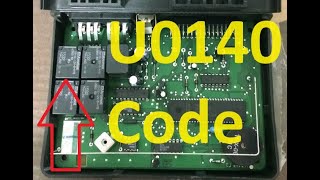
The Saturn Aura is based on the GM Epsilon platform, and for this vehicle and its platform mates (like the Chevy Malibu and Pontiac G6), the U0140 code is frequently linked to a known weakness in the BCM's physical connectors. GM issued a safety recall (13036, NHTSA #14V252000) for 2007-2010 Auras to address increased resistance from fretting corrosion at the BCM connection, which causes voltage fluctuations. Owner and technician experiences confirm that intermittent electrical chaos, often triggered by vibration or movement, is commonly traced back to poor pin connections at the BCM rather than an actual failure of the module itself. 🎬 Watch: Understanding the U0140 code and how to fix it. The recall procedure involves securing the harness, applying dielectric lubricant to the connectors, and relearning the brake pedal position.
Symptoms You May Notice
- Intermittent failure of power windows, door locks, or remote keyless entry.
- Exterior or interior lights flickering, staying on, or not working at all (brake lights may illuminate without pedal press, or not light up when pressed).
- Instrument cluster gauges dropping to zero or warning lights flashing erratically (e.g., ABS, Traction Control, Security).
- Wipers operating on their own or not responding.
- Radio or audio system cutting out.
- Vehicle may not start, or may crank but not start due to the anti-theft system being affected.
- "Service ESC" or "Service Traction" messages appearing on the dash.
- Inability to shift the gear selector out of 'PARK' without extra brake pedal effort.
- Replacing the Body Control Module (BCM) without first thoroughly inspecting its connectors for fretting corrosion, and verifying all power and ground circuits. The fault is very often external to the BCM itself, as highlighted by GM's own recall campaign.
Most Likely Causes
- Poor Connection at BCM Connectors (Fretting Corrosion) 🔴 High Probability This is a documented weak point addressed by GM Safety Recall 13036 (NHTSA #14V252000). Micro-vibrations cause fretting corrosion, leading to high resistance. GM TSB #08-05-22-009 also identified this as the root cause, specifically at the BCM C2 connector. Technicians can often reproduce the fault by wiggling the connectors.
How to confirm: With the battery disconnected, unplug the BCM connectors (especially the X2/C2 connector) and inspect for a fine, dark dust (fretting corrosion), backed-out pins, or moisture. The BCM is located on the passenger side of the center console, accessible by removing a trim panel.
Typical fix: The official recall fix involves attaching the wiring harness to the BCM with a spacer/zip-tie to reduce movement, applying dielectric lubricant to the BCM and Brake Apply Sensor (BAS) connectors, and relearning the brake pedal home position. Many owners and shops successfully resolve the issue by cleaning the connector pins and terminals with a quality electrical contact cleaner before applying dielectric grease.
Est. part cost: $10-$25 for electrical contact cleaner, dielectric grease, and zip ties. - Damaged or Chafed Wiring Harness 🟡 Medium Probability Wiring harnesses can rub against chassis or engine components, eventually wearing through the insulation and causing shorts. A SaturnFans forum post described symptoms that occurred when accelerating in gear, suggesting a harness was being stressed by engine/transmission movement. GM has also noted issues with chafing in A-pillar and rocker panel areas on similar platforms.
How to confirm: Visually inspect the wiring harnesses leading to the BCM, underhood fuse block, and between the engine and firewall. Look for any signs of rubbing, melting, or physical damage. Pay close attention to areas where the harness bends or is secured by clips.
Typical fix: Repair the damaged section of wire with a new piece of wire, using solder and heat-shrink tubing for a durable, weather-proof repair.
Est. part cost: $10-$30 for wiring repair supplies. - Poor BCM Ground Connection 🟡 Medium Probability Corrosion or looseness at ground points is a common cause of difficult-to-diagnose electrical problems. A poor ground can cause voltage drops that make modules behave erratically.
How to confirm: Locate the primary BCM grounds. On the Saturn Aura, a key ground point is G201, located under the dash on the right side of the center console, near the floor. Check that it is clean, tight, and free of corrosion. A voltage drop test from the BCM ground pin to the battery negative post should show less than 200mV.
Typical fix: Remove the ground bolt/nut, clean the terminal and the chassis surface with a wire brush or sandpaper to bare metal, and re-secure it tightly. Applying a conductive protectant can prevent future corrosion.
Est. part cost: $0-$5 for cleaning supplies. - Failed Body Control Module (BCM) ⚪ Low Probability → Shop Body Control Module While the module can fail internally due to cracked solder joints or component failure (sometimes from water intrusion), it is far more common for the issue to be with the wiring or connections leading to it. Misdiagnosing a bad BCM is very common.
How to confirm: This should be the last resort after all wiring, power, and ground inputs to the BCM have been tested and confirmed to be good using a multimeter and wiring diagrams. A professional scan tool that cannot communicate with the BCM (when the network wiring is known to be good) points to a failed module.
Typical fix: Replace the Body Control Module. The new module must be programmed to the vehicle's VIN and options using dealer-level software (SPS - Service Programming System).
Est. part cost: $240-$450 for a new BCM, plus programming costs.
Rare But Worth Checking
- Low Battery Voltage or Failing Alternator: → Shop Vehicle Battery Control modules can behave erratically when system voltage is low. Before diving into complex diagnostics, ensure the battery is fully charged (12.4V+ with engine off) and the alternator is charging correctly (13.2-14.5V with engine running). A weak battery can cause a host of communication codes.
- Interference from Aftermarket Accessories: Improperly installed remote starters, alarms, or audio equipment tapped into the CAN bus/GMLAN wiring can introduce noise or data collisions, causing modules to drop off the network.
Diagnosis Steps
- Check Battery Health: Ensure the battery is fully charged and the terminals are clean and tight. Low system voltage is a common cause of network codes.
- Scan for All Codes: Use a full-system scanner to see which other modules are reporting communication loss. Note if the BCM is responsive to the scan tool. This helps map the scope of the failure.
- Inspect BCM Connectors (Recall Fix): Disconnect the battery. Locate the BCM on the passenger side of the center console. Unplug its connectors (especially the X2/C2 connector) and inspect for fretting corrosion (dark dust), moisture, or damaged pins. This is the most likely cause.
- Apply Dielectric Grease: Clean the connector pins with electrical contact cleaner and apply a small amount of dielectric grease to the connector seals to prevent future moisture and vibration issues. Secure the harness with a zip tie as per the recall.
- Check BCM Fuses: Inspect all fuses related to the BCM in both the interior and underhood fuse panels. Check for power at the BCM connector's power input pins.
- Inspect BCM Grounds: Locate and inspect ground G201 under the dash near the console for tightness and corrosion. Perform a voltage drop test on the ground circuit.
- Inspect Wiring Harnesses: Visually trace the BCM wiring harness for any signs of chafing, especially where it might contact the chassis, engine, or steering components.
- Test CAN Bus Network: If you have the tools, check for 60 ohms of resistance across pins 6 (CAN High) and 14 (CAN Low) of the OBD-II port with the battery disconnected. This confirms the integrity of the main High-Speed GMLAN network wiring.
- Confirm BCM Failure: If all wiring, power, and grounds are confirmed good, and the BCM still will not communicate, the module itself has likely failed.
Parts You'll Likely Need
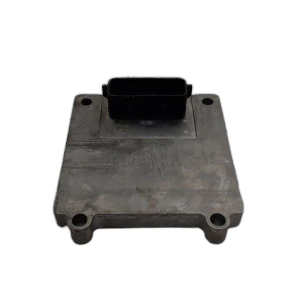
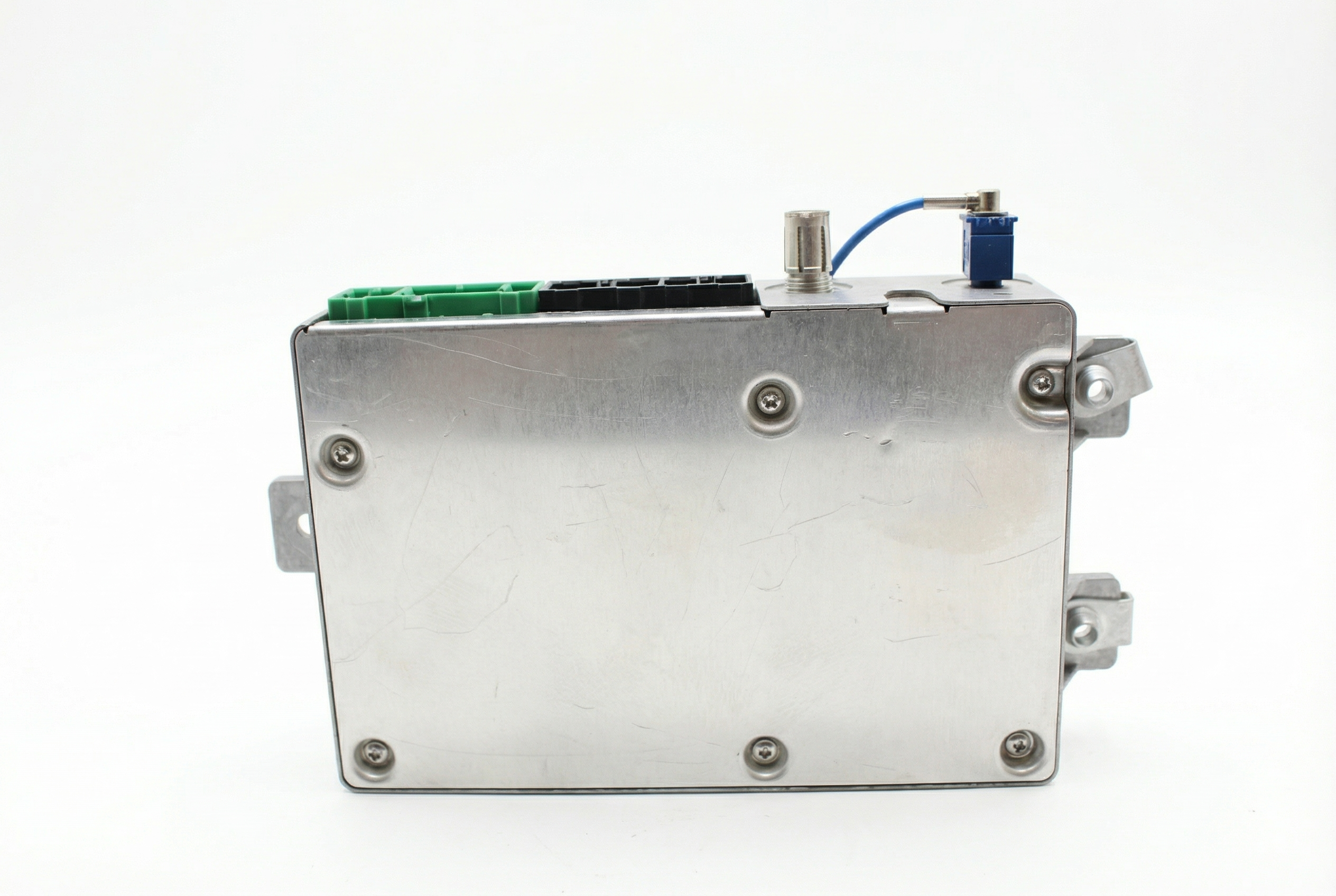
- Body Control Module (BCM)
(OEM #20943341 (supersedes 15829740, 25940348, 25885305, and others))— This part is only needed if it is confirmed to be internally faulty after all wiring and connection issues have been ruled out.
Trusted brands: ACDelco (Genuine GM)
OEM price range: $240-$430
Aftermarket price range: $150-$300 (Remanufactured) - Electrical Connector Cleaner and Dielectric Grease — Needed for the most common fix: cleaning and protecting the BCM connectors to ensure a solid connection and prevent a recurrence of fretting corrosion.
Trusted brands: CRC, Permatex
OEM price range: $15-$25
Aftermarket price range: $10-$20
Related Codes That Often Appear With This One
- U0100 — Lost Communication with ECM/PCM
- U0101 — Lost Communication with TCM
- U0121 — Lost Communication with ABS Control Module
- U0073 — Control Module Communication Bus 'A' Off. These codes often appear together because the BCM acts as a gateway module; when it goes offline, it can disrupt communication between many other modules on the network.
Technical Service Bulletins (TSBs) & Recalls
- GM Safety Recall 13036 / NHTSA Campaign #14V252000: Addresses increased resistance in the BCM connection causing voltage fluctuations and various electrical failures, including brake light malfunction.
- GM TSB #08-05-22-009: Precursor to the recall, this TSB identified fretting corrosion in the BCM C2 connector as the root cause of brake light issues and recommended applying dielectric grease.
- GM PIT4730B: A diagnostic tip for technicians dealing with an intermittent 'BCM offline' condition (U0140/U0073), relevant to a wide range of GM vehicles including the Aura.
Platform-Specific Known Issues
- GM Safety Recall 13036B (NHTSA #14V252000) was issued for 2007-2010 Saturn Auras to address fretting corrosion in the BCM connector causing voltage fluctuations. The official fix involves adding a harness spacer/tie, applying dielectric grease, and a brake sensor relearn.
- A post on SaturnFans.com highlights a scenario where symptoms were only reproducible while accelerating in gear, pointing to a wiring harness issue aggravated by engine/drivetrain movement.
- A Reddit thread about the platform-mate Pontiac G6 confirms that even after the recall is performed, the symptoms can return, suggesting the connector cleaning and application of dielectric grease is the critical step.
Mechanic-Grade Diagnostic Values
- High-Speed GMLAN Bus Resistance — expected: 60 ohms (+/- 5 ohms) when measured across pins 6 and 14 of the DLC with the battery disconnected.. Failure: A reading of 120 ohms indicates an open in the bus or that one of the two terminating resistors (in the BCM and ECM) is offline. A reading near 0 ohms indicates the CAN High and CAN Low wires are shorted together.
- BCM Power Supply Voltage — expected: 12.2 - 12.8 V at the BCM's power input pins with the ignition on.. Failure: Voltage below 12V indicates a power supply issue (fuse, wiring, battery) that must be corrected before diagnosing the BCM.
- BCM Ground Circuit Resistance — expected: Less than 1.0 ohm between the BCM harness connector ground pin and a clean chassis ground.. Failure: Resistance higher than 1.0 ohm indicates a poor ground connection (like at G201), which can cause erratic module behavior.
- GMLAN Bus Voltage (Oscilloscope) — expected: CAN High (Pin 6) should toggle between 2.5V and 3.5V. CAN Low (Pin 14) should mirror this, toggling between 2.5V and 1.5V.. Failure: A flat line at 0V, 2.5V, or battery voltage, or a signal that does not show clean toggling, indicates a bus fault (short to ground, short to power, or module interference).
Scan Tool Commands That Help
- Tech2 / GDS2: Module Status / Network Test — To see which modules are currently online and communicating on the GMLAN bus. If the BCM is not listed or shows 'Not Responding', it confirms the communication loss from the perspective of the scan tool.
- Tech2 / GDS2 with SPS (Service Programming System): BCM Programming and Setup — This is required after installing a new or used BCM. The function writes the vehicle's VIN and specific configuration (options like remote start, specific lighting, etc.) to the module, allowing it to integrate with the other vehicle systems.
Wiring & Ground Locations
- BCM (Body Control Module) — Located on the passenger side of the center console, accessible by removing the side trim panel.. This is the module that has lost communication. Its connectors, specifically X2, are the primary point of failure due to fretting corrosion as per GM recall 13036.
- BCM Connector X2 — This is one of the main multi-pin connectors on the BCM.. The High-Speed GMLAN +/- circuits pass through this connector. On a 2008 Aura, pins 1 and 2 are for GMLAN High-Speed, and pins 19 and 20 are for GMLAN Low-Speed. A poor connection here directly interrupts network communication.
- G201 — A primary chassis ground point located under the dash on the right side of the center console, near the floor.. This is a key ground for the BCM. Corrosion or looseness at this point can cause a floating ground, leading to voltage drops and erratic BCM behavior, which can manifest as a communication loss.
- G103 — Ground point located on the left rear of the engine compartment, on top of the strut tower.. While not the primary BCM ground, it serves other modules in the engine bay. A poor ground here can introduce electrical noise onto the network, potentially disrupting communication.
- DLC (Data Link Connector) — Lower left side of the dashboard, under the steering column.. This is the diagnostic port. Pins 6 (CAN High) and 14 (CAN Low) are used to test the resistance and voltage of the entire High-Speed GMLAN bus.
Real Owner Repair Stories
- BL Automotive on YouTube (2008 Saturn Aura) — Multiple communication codes, no communication with the ECM, corrupt CAN bus waveform observed on an oscilloscope.
❌ Tried (didn't work) Initial checks did not immediately pinpoint the source.
✅ What actually fixed it The fault was traced to the BCM's X2 connector. Wiggling the connector caused the corrupt CAN bus signal to appear and disappear. The technician noted that someone had previously packed the connector with dielectric grease, indicating a history of issues. The problem was confirmed to be poor pin connection within that specific connector. - Saturn Forum user (2007 Saturn Aura XE 3.5L) — Intermittent loss of front speaker audio, chimes not working, key fob failure, instrument cluster flashing, and gauge needles not lighting up.
❌ Tried (didn't work) The user was considering replacing the BCM but was seeking advice first.
✅ What actually fixed it The thread did not have a final confirmed fix, but another user strongly advised against condemning the BCM, stating that 90-95% of the time the module is fine and the problem lies in the power or ground circuits, recommending load testing the circuits before replacement. This reinforces that the root cause is often external to the BCM.
OEM Part Supersession History
15829740→25940348 (and others)— Part revision and consolidation for Epsilon platform vehicles.
Heads up: A replacement BCM, whether new or used, MUST be programmed to the vehicle's VIN and specific options using GM's Service Programming System (SPS). A used module from another car will not be plug-and-play and will cause system malfunctions or a no-start condition until it is properly programmed.
Diagnostic Flowchart
Used vs. New Parts: Buying Guide for This Vehicle
When a used part is the smart pick: A used BCM from a donor vehicle can be a cost-effective alternative to a new part, BUT ONLY if you have access to a professional with the correct tools (GM Tech2 or GDS2 with SPS subscription) to reprogram it. Without programming, a used BCM is useless.
Donor-vehicle mileage cap: roughly under 150000 miles for the part to have meaningful remaining life.
What to inspect on the donor part:
- Verify the part number matches or is a known compatible replacement for your original BCM.
- Inspect the connectors on the donor BCM for any signs of corrosion, bent pins, or physical damage.
- Source the part from a vehicle that was not involved in a flood or fire.
- Ensure the seller has a return policy in case the module is internally faulty.
OEM-only on this vehicle (don't cheap out):
- Body Control Module (BCM) - While used OEM is an option, avoid no-name aftermarket BCMs. Programming and compatibility issues are highly likely with non-OEM modules for a component this critical to the vehicle's network.
Aftermarket brands forum-validated for this vehicle:
- Cardone (Remanufactured OEM)
- Dorman OE Solutions
Brands owners have reported issues with on this vehicle:
- Unbranded, no-name modules from online marketplaces without a warranty or programming support.
Real Owner Stories
Aggregated from forums and TSBs cited above. Mileages and costs reflect what owners reported in those sources.
2007-2009 Saturn Aura
Symptoms: The vehicle experienced various electrical issues and set code U0140, but the symptoms would only appear when accelerating while the car was in gear.
What fixed it: The symptoms being tied to engine movement strongly suggested the cause was a wiring harness rubbing against the chassis or engine, which would need to be located and repaired.
Source hint: SaturnFans.com thread titled 'aura electrical issues'
Related OBD-II Codes
Frequently Asked Questions
Is there a recall for the U0140 code and related electrical problems on my Saturn Aura?
What is the official fix for Recall 13036, and can I do it myself?
I had the recall performed, but my Aura's electrical problems are back. What's next?
Where is the BCM located on a 2007-2009 Saturn Aura?
My mechanic says I need a new BCM. Is this likely?
My brake lights are staying on and I have a 'Service ESC' message. Is this related to U0140?
Helpful Videos
We Have This Part in Stock

The information in this article is provided for general reference and educational purposes only. Vehicle specifications, procedures, and part compatibility can vary by production date, trim level, and region. Always consult your vehicle's factory service manual and verify part numbers before purchasing or performing repairs. Safety-critical components such as airbags, seat belts, and braking systems should be installed by a qualified professional.
- Saturn Aura:
- 🧭 Diagnostic Flowchart
- 🎬 Helpful Videos
- 🛍️ Shop This Part
- What's Unique About the 2007-2009 Saturn Aura
- Symptoms You May Notice
- Most Likely Causes
- Rare But Worth Checking
- Diagnosis Steps
- Parts You'll Likely Need
- Related Codes That Often Appear With This One
- Technical Service Bulletins (TSBs) & Recalls
- Platform-Specific Known Issues
- Mechanic-Grade Diagnostic Values
- Scan Tool Commands That Help
- Wiring & Ground Locations
- Real Owner Repair Stories
- OEM Part Supersession History
- Used vs. New Parts: Buying Guide for This Vehicle
- Real Owner Stories
- 2007-2009 Saturn Aura
- Related OBD-II Codes
- Frequently Asked Questions
- 🎟️ Get 5% Off