

U0184 on 2015-2020 Cadillac Escalade: Radio Communication Loss Fixes
On a 2015-2020 Escalade, U0184 almost always means the radio has a software glitch and has stopped communicating. The most common fix is a software update performed by a dealer as per TSB #16-NA-107. If that fails, or if the screen displays 'Waiting for Update Media', the radio (HMI) module itself has likely failed and needs replacement.
- U0184 on your Escalade means the radio has stopped talking to the rest of the vehicle's computers.
- The most common symptoms are a dead radio and a blank or blue screen.
- Before spending any money, try a simple reset: pull the radio fuse for one minute and put it back in. If this works, you need a software update from the dealer.
- The official permanent fix from GM is a radio software update (TSB #16-NA-107), which requires a trip to the dealer.
- Only if the software update fails should you consider replacing the expensive radio/HMI module.
What's Unique About the 2015-2020 Cadillac ESCALADE
The fourth-generation Escalade's infotainment system (part of the K2XX platform) is known to be susceptible to software-related issues that can cause it to lock up and stop communicating. General Motors has issued multiple Technical Service Bulletins (TSBs) acknowledging this exact problem. The primary fix is often not a hardware replacement, but a specific radio software reprogramming procedure that a dealer must perform using their Service Programming System (SPS). This is different from many other vehicles where a communication code might more directly imply a wiring or module failure.
Diagnostic Flowchart
Tap your situation to follow the diagnostic path that matches what you're seeing on this vehicle.
Symptoms You May Notice
- Radio is inoperative, with no sound.
- Infotainment screen is blank, black, or blue.
- Touchscreen is unresponsive.
- Loss of Bluetooth or USB media playback.
- A scan tool cannot communicate with the radio module.
- AM radio may have a clipping noise.
- Multiple warning lights may be on due to network disruption.
- Message on screen: 'Waiting for Update Media' - this is a definitive sign of HMI module failure.
- Replacing the radio module without first attempting a software update. The most common cause is a software glitch, and replacing the hardware would be an unnecessary expense.
- Replacing the infotainment screen. A black screen is most often caused by a lack of video signal from the HMI module, not a failure of the screen itself. 🎬 Watch: Troubleshooting blank screens and Bluetooth errors on GM displays.
Most Likely Causes
- Radio Software Corruption/Glitch 🔴 High Probability GM has explicitly identified this as a common issue and released TSB #16-NA-107 to address it with a software update. The module can enter a logic-locked state, failing to wake up and communicate on the network.
How to confirm: A temporary fix can be achieved by power-cycling the radio (pulling its fuse for a minute), as suggested in TSB #PIT5401E. 🎬 Watch: How to perform a hard reset on your CUE system. If communication returns temporarily, a software issue is confirmed. The permanent fix is reprogramming.
Typical fix: Reprogram the radio module with the latest calibrations using the GM Service Programming System (SPS). This must be done by a dealer or qualified independent shop. The labor operation code for this procedure is 2810335.
Est. part cost: $0 - Failed Radio/HMI Module 🟡 Medium Probability → Shop Audio System If a software update doesn't resolve the issue, or if the module won't communicate even after a hard reset, the internal electronics of the radio module itself have likely failed. These modules are known to fail between 6-8 years of service.
How to confirm: After confirming good power, ground, and data lines to the module, and after a reprogramming attempt fails, the module is condemned. A professional scan tool will be unable to establish communication with it. A message 'Waiting for Update Media' is also a direct indicator of a failed module.
Typical fix: Replace the radio/HMI module. The new module will require programming to the vehicle's VIN. Some aftermarket suppliers sell pre-programmed modules.
Est. part cost: $400-$900 - Serial Data Gateway Module (SDGM) Fault ⚪ Low Probability → Shop Telematics Interface Module TSB #PIT5586G lists U0184 as a possible code when the SDGM or its connectors have issues. The SDGM can experience a logic lock, similar to the radio, or have poor pin connections at its X1 and X2 connectors, disrupting communication for multiple modules.
How to confirm: This is diagnosed when multiple 'U' codes for different modules are present along with U0184. A technician would inspect the SDGM connectors for loose or corroded terminals and may attempt to reset the module by pulling its dedicated fuse (e.g., F28DL in SUVs).
Typical fix: Repairing the connector terminals or, if necessary, replacing the Serial Data Gateway Module and programming it.
Est. part cost: $150-$300 - Wiring or Connector Issue ⚪ Low Probability While less common than software issues, any vehicle can suffer from a loose connector or damaged wire behind the dashboard. Aftermarket radio installations are a common cause of wiring problems that can trigger this code.
How to confirm: Visually inspect the connectors at the back of the radio module. Check for power (Pin 44 on the 44-pin connector), ground, and data line continuity using a digital multimeter. The low-speed GMLAN data line is circuit 5060.
Typical fix: Repair the damaged wire or secure the loose connector.
Est. part cost: $5-$20
Rare But Worth Checking
- Low Battery Voltage: A weak or dying battery can cause various modules to stop communicating properly during vehicle startup. Before diving into complex diagnostics, always ensure the battery is fully charged and healthy by having it load tested.
- Aftermarket Radio Interface Module Failure: If an aftermarket head unit has been installed, the interface module (like a PAC RP5-GM31) used to retain factory features can fail or cause data corruption on the CAN bus, leading to U0184 and other communication codes.
Diagnosis Steps
- Scan all vehicle modules for DTCs. Note which modules are logging U0184. A flood of 'U' codes may point to the SDGM.
- Attempt to communicate directly with the Radio/HMI module using a professional scan tool. If it fails, the problem is confirmed.
- Perform a hard reset. Locate the fuse for the radio/infotainment system in the fuse box (check owner's manual), remove it for 60 seconds, and then reinstall it. This is a temporary fix suggested by GM TSB #PIT5401E.
- If the radio begins working after the reset, the issue is almost certainly software-related. The vehicle needs to be taken to a dealer for the software update outlined in TSB #16-NA-107.
- If the reset does not work, check the vehicle's battery. A low or weak battery can cause communication issues.
- If the battery is good, check for power and ground at the radio module connector using a multimeter. The main power wire is often at Pin 44 of the large connector.
- If power and ground are good, inspect the Low-Speed GMLAN data line (circuit 5060) for continuity and ensure it's not shorted to power or ground.
- If multiple communication codes are present, inspect the connectors (X1, X2) at the Serial Data Gateway Module (SDGM) for corrosion or backed-out pins, per TSB #PIT5586G.
- If all wiring, connections, and power/grounds are good, and the module still won't communicate (or shows 'Waiting for Update Media'), the radio/HMI module has failed and requires replacement and programming.
Parts You'll Likely Need
- Radio / Human Machine Interface (HMI) Module
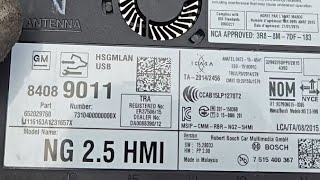
(OEM #23493430, 84096817, 84513027 (part numbers vary by year and options, VIN verification is critical))— This is the part that fails if software reprogramming does not solve the communication issue. It is the central computer for the infotainment system.
Trusted brands: ACDelco (OEM)
OEM price range: $400-$900
Aftermarket price range: $300-$600 (Remanufactured/Pre-programmed) - Serial Data Gateway Module (SDGM)
(OEM #13599318, 13534928 (part numbers supersede and vary by year, VIN verification is critical))— In the less common scenario where multiple modules lose communication, the SDGM is the likely culprit. It manages data traffic between networks.
Trusted brands: ACDelco (OEM)
OEM price range: $150-$300
Aftermarket price range: $100-$200
Related Codes That Often Appear With This One
- U0100, U0101, U0140, U0155, etc. — If the Serial Data Gateway Module (SDGM) is the root cause, you will likely see a flood of other 'Lost Communication' codes for various other modules, as documented in TSB #PIT5586G.
- U0214 — Lost communication with the Remote Control Door Lock Receiver (RCDLR). This can sometimes appear alongside U0184, especially if an aftermarket radio installation has disrupted the CAN bus network.
Technical Service Bulletins (TSBs) & Recalls
- 16-NA-107: The primary TSB for this issue. Advises reprogramming the radio with updated software to fix U0184, an inoperative radio, a blue screen, and other related infotainment glitches.
- PIT5401D/E/F: Describes the radio being inoperative w
Platform-Specific Known Issues
- A known software calibration issue causes the radio to lock up or fail to wake on startup, setting code U0184. TSB #16-NA-107 provides a software update as the official fix.
- Preliminary TSBs like #PIT5401E advised technicians to simply power-cycle the radio fuse as a temporary fix while a permanent software solution was being developed.
- Faults in the Serial Data Gateway Module (SDGM) or its connectors can cause a wide array of communication codes, including U0184, as noted in TSB #PIT5586G.
- Owners report a 50/50 chance of the screen powering on at startup, which is a classic symptom of the software lock-up issue.
Mechanic-Grade Diagnostic Values
- Low-Speed GMLAN (Circuit 5060) Voltage — expected: Toggles between 0V-5V during communication. A rest state (logic '1') is approx. 0.2V, while an active state (logic '0') is driven to ~4.0V or higher.. Failure: A constant 0V, 5V, or 12V indicates a short to ground, short to power, or other wiring fault. No voltage activity indicates the module is not attempting to communicate.
- Low-Speed GMLAN Wake-Up Pulse — expected: A brief pulse of 10-12V is sent to wake modules on the bus.. Failure: Absence of this pulse may indicate an issue with the controlling module (like the BCM) initiating communication.
- Low-Speed GMLAN Resistance to Ground — expected: Greater than 100 Ohms with the battery disconnected and the module unplugged.. Failure: A reading of less than 100 Ohms indicates a short to ground in the wiring harness.
Scan Tool Commands That Help
- GM GDS2 (Global Diagnostic System 2): Module Diagnostics > Radio — This is the first step to verify if the scan tool itself can establish communication with the radio/HMI module. A failure to communicate here confirms the fault seen by other modules.
- GM SPS (Service Programming System): Radio Reprogramming — This is the specific function required to perform the fix outlined in TSB #16-NA-107. It updates the HMI module's software with the latest calibration to fix known glitches that cause U0184.
- GM GDS2 (Global Diagnostic System 2): Data Bus Diagnostic Tool — This is a specific GDS2 function available for 2015+ models to help diagnose network-wide communication issues. It can be used if multiple 'U' codes are present to help isolate a module that may be corrupting the entire bus.
Wiring & Ground Locations
- HMI Module — Behind the glove box assembly. The glove box must be removed for access.. This is the physical location of the 'radio' module that has lost communication. Access is required for checking connectors, power, ground, and for replacement.
- Serial Data Gateway Module (SDGM) — Typically located behind the instrument panel, to the left of the steering column, near the BCM. TSB #PIT5586G instructs checking its X1 and X2 connectors.. A fault in the SDGM or its connectors can cause U0184 along with many other communication codes. It acts as a bridge between different data networks in the vehicle.
- G305 — On the left (driver's side) 'B' pillar, behind the plastic trim panel.. This is a major interior body ground point. While not exclusive to the radio, a loose or corroded ground here can cause a variety of difficult-to-diagnose electronic issues, including module communication problems.
- Low-Speed GMLAN Circuit 5060 — This single tan wire runs from the Body Control Module (BCM) to all low-speed devices, including the radio/HMI module, and terminates at Pin 1 of the Data Link Connector (DLC).. This is the specific data wire that the radio uses to communicate. A short or open on this wire is a direct cause of code U0184.
Real Owner Repair Stories
- Tahoe Yukon Forum user 'claustralia' (Chevrolet Tahoe (platform-mate to Escalade)) — After installing an aftermarket Sony head unit with a PAC RP5-GM31 interface, the key fob became intermittent and TPMS monitors went blank. Scan tool showed codes U0184 (Lost Communication with Radio) and U0214 (Lost Communication with RCDLR).
❌ Tried (didn't work) The user confirmed fuses and wiring were visually okay.
✅ What actually fixed it The final resolution was not posted, but the user correctly identified the aftermarket PAC interface module as the likely culprit disrupting the CAN bus network. The next diagnostic step was to reinstall the factory radio to confirm the fault disappeared, which is the correct professional procedure. This story highlights how aftermarket components can induce this code.
"I Checked Everything" — The Actual Cause
- A common scenario for U0184 is that all wiring, power, and ground tests will pass, leaving a technician confused. The actual cause is often internal software corruption within the HMI module, which can be triggered by a voltage fluctuation from a weak battery, a jump-start, or even just random failure. This is why GM issued TSB #16-NA-107, as the only fix is not a physical repair but a software re-flash using the dealer's SPS software.
OEM Part Supersession History
84331503, 84331776, 84546904→84513027— Standard part evolution for bug fixes, hardware revisions, or component supplier changes.
Heads up: These part numbers are for the HMI 2.5 system with Navigation (RPO IO6). While physically similar, they are not interchangeable with non-nav modules or the later HMI 3.0 architecture. VIN verification is critical when ordering.
Model Year Variations Within This Range
- 2015-2020: These Escalades use the HMI 2.5 architecture, which consists of a separate HMI module and a separate radio/tuner module. This is important because later GM trucks and SUVs (some starting 2019+) switched to an entirely different HMI 3.0 architecture where the HMI and radio are a single integrated unit. The systems are not cross-compatible, and an 'upgrade' is not feasible due to fundamental wiring and network differences.
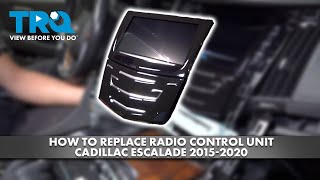
Helpful Videos

The information in this article is provided for general reference and educational purposes only. Vehicle specifications, procedures, and part compatibility can vary by production date, trim level, and region. Always consult your vehicle's factory service manual and verify part numbers before purchasing or performing repairs. Safety-critical components such as airbags, seat belts, and braking systems should be installed by a qualified professional.
- Cadillac ESCALADE:
- 🧭 Diagnostic Flowchart
- 🎬 Helpful Videos
- What's Unique About the 2015-2020 Cadillac ESCALADE
- Symptoms You May Notice
- Most Likely Causes
- Rare But Worth Checking
- Diagnosis Steps
- Parts You'll Likely Need
- Related Codes That Often Appear With This One
- Technical Service Bulletins (TSBs) & Recalls
- Platform-Specific Known Issues
- Mechanic-Grade Diagnostic Values
- Scan Tool Commands That Help
- Wiring & Ground Locations
- Real Owner Repair Stories
- "I Checked Everything" — The Actual Cause
- OEM Part Supersession History
- Model Year Variations Within This Range
- 🎟️ Get 5% Off