

U0198 on 2018-2019 Ford Mustang: Lost Communication With Telematics Control Unit Fixes
On a 2018-2019 Ford Mustang, code U0198 almost always points to a temporary glitch with the Telematics Control Unit (TCU), which manages FordPass app features. The most common and effective fix is to reset the module by pulling the TCU fuse for five minutes, a simple DIY task acknowledged by Ford in a TSB.
- U0198 on your Mustang means the FordPass app won't work because of a communication loss with the telematics modem (TCU).
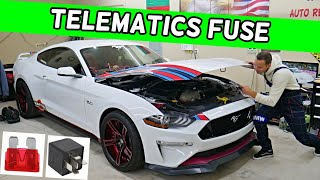
- The most common fix is completely free and takes less than 10 minutes: pull the TCU fuse (likely #10 or #11 in the passenger footwell), wait 5 minutes, and put it back in.
- This is a known issue acknowledged by Ford in TSB SSM 48267, and it does not affect the car's ability to be driven safely.
- If the fuse pull doesn't work, the TCU module itself, located in the trunk, may need to be replaced and programmed, which can be a costly repair at a dealer but is possible for advanced DIYers.
What's Unique About the 2018-2019 Ford MUSTANG
On this generation of Mustang (the S550), the U0198 code is very specifically tied to the FordPass Connect system. 🎬 Watch: A quick explanation of the U0198 trouble code. Unlike in some other vehicles where it could point to a wide array of wiring or module failures, Ford issued a Technical Service Bulletin (TSB SSM 48267) for this exact issue on 2018-2020 models. The TSB acknowledges that the module can simply lock up, and the primary fix is a simple power reset, indicating this is a common and known software or firmware glitch rather than a consistent hardware failure. 🎬 Watch: How to reboot your modem by disconnecting the battery. This issue is also common on other Ford vehicles from the same era that use the same TCU, such as the F-150 and Edge.
Diagnostic Flowchart
Tap your situation to follow the diagnostic path that matches what you're seeing on this vehicle.
Symptoms You May Notice
- FordPass mobile app features (remote start, lock/unlock, vehicle location) are inoperative.
- A message on the SYNC 3 screen may indicate a connection error.
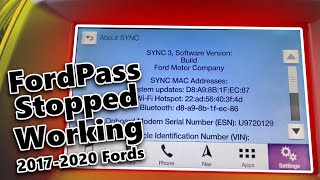
- The modem Electronic Serial Number (ESN) is missing from the 'About SYNC' screen.
- Inability to authorize a new user for FordPass.
- The telematics warning light may be illuminated on the instrument cluster.
- Emergency-call (e-Call) or other connected services may be disabled.
- Replacing the APIM (SYNC screen/module). While the APIM is involved in the communication chain, it is usually just reporting the fault. The U0198 code specifically points to a problem with the TCU, not the APIM itself.
Most Likely Causes
- Telematics Control Unit (TCU) Software Glitch 🔴 High Probability → Shop Telematics Interface Module As identified in Ford's Technical Service Bulletins (SSM 48267 and the earlier SSM 47229), the TCU module can become unresponsive after software updates or due to temporary glitches, requiring a hard reset.
How to confirm: The symptoms are present and code U0198 is stored. This is the first and most likely cause, confirmed by numerous owner experiences and Ford's own documentation.
Typical fix: Perform a hard reset of the TCU by removing its fuse for at least 5 minutes. This is often referred to as a 'fuse pull' and is the official preliminary fix recommended by Ford.
Est. part cost: $0 - Faulty Telematics Control Unit (TCU) 🟡 Medium Probability → Shop Telematics Interface Module
How to confirm: The fuse pull reset does not resolve the issue, or the problem returns frequently. A diagnostic scan tool may show the module is offline and unresponsive even after a power cycle. A dealer or qualified technician can confirm internal failure.
Typical fix: The TCU needs to be replaced. This requires removing trim panels in the trunk to access the module. A new module must be programmed to the vehicle using tools like the Ford IDS or FORScan. This can be a DIY job for advanced users with the right tools.
Est. part cost: $150-$400 - Poor Power or Ground Connection ⚪ Low Probability
How to confirm: Use a multimeter to check for 12V power and a solid ground connection at the TCU's wiring harness connector. Visually inspect the wiring for any damage, corrosion, or loose pins.
Typical fix: Repair the damaged section of the wiring harness or clean and secure the ground connection. Applying dielectric grease can help prevent future corrosion.
Est. part cost: $5-$50
Rare But Worth Checking
- Faulty Gateway Module (GWM) or APIM: In some cases, other modules on the network can cause communication issues. TSB 23-2034 for the Ford Transit notes that a GWM software issue can trigger a U0198 code without any actual TCU fault. A faulty GWM can prevent programming of a new TCU. This is less likely but possible if other communication codes are also present.
Diagnosis Steps
- Confirm the symptoms, such as the FordPass app not connecting and the Modem ESN missing from the SYNC screen.
- Use an OBD-II scanner to confirm that code U0198 is stored in the APIM.
- Locate the passenger compartment fuse box, which is in the passenger's footwell behind a kick panel.
- Refer to your owner's manual or a reliable diagram to identify the fuse for the Telematics Control Unit (TCU). Forum and video evidence for similar Fords suggests it may be fuse #10 or part of a dual fuse like #10/11.
- With the ignition off, pull the identified fuse. Some sources recommend waiting at least 5 minutes to ensure the module fully powers down and resets.
- Reinstall the fuse securely.
- Turn the ignition on and wait a few minutes for the system to reboot. Check the 'About SYNC' screen to see if the Modem ESN has reappeared.
- Test the FordPass app functions. If they work, the issue is resolved.
- If the code returns, consider a Master Reset of the SYNC system via the settings menu, and remove/re-add the vehicle from your FordPass app.
- If symptoms persist, the next step is to access the TCU in the trunk to inspect its wiring and connections for damage or corrosion.
- If wiring is intact, the TCU module itself is likely faulty and requires replacement and programming using Ford's IDS or a tool like FORScan.
Parts You'll Likely Need
- Telematics Control Unit (TCU)
(OEM #JL3T-14G087-Cx (or KT1T-14G087-Fx). Base numbers 14G087 and 14G229 are interchangeable.)— This is the module that fails or glitches, causing the U0198 code. If a fuse pull doesn't permanently fix the issue, the module itself is the next logical part to replace.
Trusted brands: Motorcraft
OEM price range: $250-$400
Aftermarket price range: $150-$250
Technical Service Bulletins (TSBs) & Recalls
- SSM 48267: For 2018-2020 Ford/Lincoln vehicles, addresses inoperative remote features and APIM DTC U0198, recommending a TCU fuse pull for 5 minutes to correct the condition.
- SSM 47229: An earlier version of the bulletin for 2018 models with the same symptoms and recommended fuse pull fix.
- TSB 23-2034: For 2022 Ford Transit, notes that U0198 can be caused by a software issue in the Gateway Module (GWM), not the TCU itself.
Platform-Specific Known Issues
- Ford Technical Service Bulletin SSM 48267 directly addresses this code on 2018-2020 Mustangs (and other models). It notes that inoperative remote features via the FordPass app and DTC U0198 can be corrected by removing the TCU fuse for 5 minutes and then reinstalling it.
- An earlier TSB, SSM 47229, provided the same guidance for 2018 models, indicating this has been a known issue since the platform's early days.
Mechanic-Grade Diagnostic Values
- CAN Bus Network Resistance — expected: 54 to 69 Ω. Failure: Resistance outside this range indicates a problem with the CAN bus wiring or a faulty terminating resistor.
- TCU Power Supply Voltage — expected: 11 to 14 V. Failure: Voltage below 11V indicates a power supply issue (fuse, wiring, battery).
- TCU Ground Circuit Resistance — expected: Below 1.0 Ω. Failure: Resistance higher than 1.0 Ω indicates a poor ground connection, which can cause intermittent module operation.
- CAN Bus High Voltage (CAN-H) — expected: Swings between 2.5 V and 3.5 V. Failure: A static voltage or one that doesn't swing correctly indicates a bus communication failure.
Hidden / Shadow Codes Worth Checking
- U0198:00: The ':00' suffix is a Fault Type Code indicating a 'No Sub Type Information' failure. It confirms the loss of communication without pointing to a more specific reason like 'invalid data' or 'signal failure', which is consistent with the module simply being offline. (see via This extended code is typically visible on dealer-level scan tools like Ford's IDS/FDRS or advanced aftermarket tools like FORScan.)
- PID: TCU_AUTHSTATE: This is not a trouble code, but a live data Parameter ID that shows the authorization status of the TCU. A status of 'Factory Mode' on a vehicle in service indicates the module has not been properly provisioned, which can cause this code. (see via Viewable in the live data or datalogger section for the TCU in Ford's IDS/FDRS or FORScan.)
Scan Tool Commands That Help
- FORScan: TCU On-Demand Self-Test — Use this if a simple fuse pull or a 'TCU Module Reset' command does not restore function. This command actively queries the module and can sometimes re-establish communication when a simple reset fails.
- FORScan: TCU Module Reset — This is a software-based equivalent of pulling the fuse. It's a quick first step to try before physically accessing the fuse box.
- Ford IDS / FDRS: Reset KAM (Keep Alive Memory) for TCU — This is the dealer-level procedure to clear the module's adaptive and learned data. It is a more thorough reset than a simple power cycle and is critical after certain software updates or if the module is behaving erratically.
- FORScan: TCU Authorization / Provisioning — This is required after installing a new or used TCU. It involves writing specific values to the TCU's 'as-built' data to put it into a provisioning mode, then using the FordPass app to authorize the new module with Ford's servers.
Wiring & Ground Locations
- G400 — In the trunk (luggage compartment) area, on the driver's side.. The TCU is located in the trunk. G400 is a major chassis ground point in this vicinity, grounding other critical components like the Fuel Pump Driver Module. A loose or corroded G400 could cause a poor ground for the TCU, leading to communication loss.
- TCU Connector (O150) — The main electrical connector on the Telematics Control Unit module in the trunk.. This is the direct interface for the module. Technicians test for power, ground, and CAN bus signals at this connector's pins to diagnose the fault. Key pins are 1 (+B Power), 4 (Ground), 15 (CAN+), and 16 (CAN-).
Real Owner Repair Stories
- 2021+ Ford Bronco Sport Forum (2021+ Ford Bronco Sport (similar TCU system)) — FordPass app stopped updating vehicle location; remote commands failed.
❌ Tried (didn't work) A 'TCU module reset' using FORScan did not solve the problem.
✅ What actually fixed it Running the 'TCU on-demand self test' using FORScan successfully restored telematics connectivity. - CyanLabs Official Community Forum (2018 Ford Mustang) — Attempting to retrofit a TCU, but the SYNC system would not recognize the module's serial number and hotspot features were non-functional.
❌ Tried (didn't work) Installing and programming a TCU with part number LR3T-14G229-AM.
✅ What actually fixed it The user was informed that the 'L' series TCU was for the newer HS4 CAN bus network and was incompatible. The issue was resolved by sourcing and installing a compatible 'J' series TCU (JL3T-14G087-CF) which works on the HS3 CAN bus used in the 2018 Mustang.
OEM Part Supersession History
JL3T-14G087-Cx (J-Series)→KT1T-14G087-Fx (K-Series)— Standard part evolution and updates.
Heads up: A 'K' series TCU may require a firmware downgrade using FORScan to work correctly in a vehicle that originally came with a 'J' series, even though they are physically and electrically compatible.J-Series / K-Series (e.g., JL3T-14G087-CF)→L-Series and newer (e.g., LR3T-14G229-AM)— Transition to a new vehicle network architecture.
Heads up: CRITICAL: TCUs with part numbers starting in 'L' or later are designed for the HS4 CAN bus network and are NOT backward compatible with 2018-2019 Mustangs, which use the HS3 CAN bus. They will not communicate, and this will cause a persistent U0198 code.
Model Year Variations Within This Range
- 2018-2019: While there were minor changes to the Mustang between these years (e.g., new audio system brand, new paint colors), the telematics system (TCU) and its communication protocol (HS3 CAN) remained consistent. The critical variation is not year-to-year within this range, but ensuring any replacement TCU is from the correct hardware generation (J or K series) and not from a newer (L series or later) vehicle.
Helpful Videos


The information in this article is provided for general reference and educational purposes only. Vehicle specifications, procedures, and part compatibility can vary by production date, trim level, and region. Always consult your vehicle's factory service manual and verify part numbers before purchasing or performing repairs. Safety-critical components such as airbags, seat belts, and braking systems should be installed by a qualified professional.
- Ford MUSTANG:
- 🧭 Diagnostic Flowchart
- 🎬 Helpful Videos
- What's Unique About the 2018-2019 Ford MUSTANG
- Symptoms You May Notice
- Most Likely Causes
- Rare But Worth Checking
- Diagnosis Steps
- Parts You'll Likely Need
- Technical Service Bulletins (TSBs) & Recalls
- Platform-Specific Known Issues
- Mechanic-Grade Diagnostic Values
- Hidden / Shadow Codes Worth Checking
- Scan Tool Commands That Help
- Wiring & Ground Locations
- Real Owner Repair Stories
- OEM Part Supersession History
- Model Year Variations Within This Range
- 🎟️ Get 5% Off