

U0198 on 2017-2019 GMC Sierra 3500: Lost Communication With Telematic Control Module Fixes
On a 2017-2019 Sierra 3500, code U0198 almost always points to a wiring issue at the Serial Data Gateway Module (SDGM) connector, not the Telematic (OnStar) module itself. This is a known issue covered by GM Technical Service Bulletins. The fix often involves repairing connector terminals or reseating the connectors, which is a low parts cost but requires diagnostic time. In some cases, the SDGM may require a software update or replacement.
- U0198 on your Sierra 3500 means the OnStar/GPS module has stopped communicating.
- Do not immediately replace the OnStar module. The most likely cause is a poor connection at the Serial Data Gateway Module (SDGM), located above the driver's footwell.
- Inspect the gray X2 connector on the SDGM for loose or damaged pins, as this is a known issue documented by GM.
- This is not a simple DIY fix. Diagnosing network issues and programming replacement modules requires professional tools.
- The truck is safe to drive, but safety features like automatic crash response are disabled while the fault is present.
What's Unique About the 2017-2019 Gmc SIERRA 3500
For this generation of GMC Sierra and its platform mates (K2XX platform), the Serial Data Gateway Module (SDGM) and its wiring are known weak points. GM has issued multiple Technical Service Bulletins (TSBs), including PIT5586B, PIT5586C, and the superseding bulletin 20-NA-212, that directly link code U0198 to problems with the SDGM's X1 (black) and X2 (gray) electrical connectors. Unlike on many other vehicles where this code might point to a failed OnStar module, on the Sierra 3500, the diagnostic path almost always starts at the gateway module that controls the entire communication network.
Diagnostic Flowchart
Tap your situation to follow the diagnostic path that matches what you're seeing on this vehicle.
Symptoms You May Notice
- OnStar system inoperative (red light or no light on mirror)
- GPS navigation not working or showing incorrect location
- Service messages on the instrument cluster (e.g., "Service Telematics System")
- Inability to use remote app functions (e.g., remote start, lock/unlock)
- Multiple other warning lights may be on if the network fault is widespread
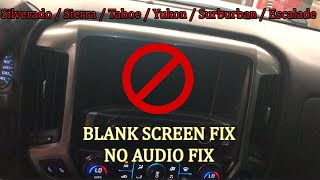
- Radio display may be blank or show incorrect information
- Turn signal clicks may be inaudible
- Bluetooth may not function correctly 🎬 Watch: Troubleshooting blank screens, no audio, and blinker sound issues.
- Replacing the Telematic (OnStar) module without first inspecting the wiring and connectors at the Serial Data Gateway Module (SDGM). The TSBs clearly indicate the SDGM connection is the most likely culprit.
Most Likely Causes
- Poor Connection at Serial Data Gateway Module (SDGM) Connector 🔴 High Probability → Shop Telematics Interface Module This is a well-documented issue cited in GM Technical Service Bulletins #PIT5586B, #PIT5586C, and the later #20-NA-212. Terminals in the X1 (black) and X2 (gray) connectors can back out, corrode, or have insufficient tension, causing intermittent communication loss.
How to confirm: Visually inspect the SDGM connectors, located to the left of the steering column, above the driver's footwell area. Check for backed-out, bent, or corroded terminals. A 'wiggle test' on the harness while monitoring communication status with a scan tool can confirm an intermittent connection.
Typical fix: Repair the affected wiring or replace the connector terminal. In many cases, simply disconnecting and firmly reseating the connectors can restore the connection. A technician may use a special tool to re-tension the female terminals. Applying dielectric grease can help prevent future corrosion.
Est. part cost: $5-$50 - Faulty Telematic Control Module (OnStar Module) 🟡 Medium Probability While wiring is the primary suspect, the module itself can fail internally like any electronic component. These modules have a reported high failure rate across the GM truck and SUV lineup.
How to confirm: After confirming the wiring and SDGM are functioning correctly, a technician uses a specialized scan tool to attempt direct communication with the Telematic module. If it doesn't respond despite having good power and ground, the module itself is likely faulty. The module is typically located behind the glove box on this platform.
Typical fix: Replace the Telematic Control Module. The new module must be programmed to the vehicle by a dealership or a properly equipped independent shop using GM's Service Programming System (SPS). In some cases, OnStar support must also provision the new module on their end for full functionality.
Est. part cost: $200-$450 - Low Battery Voltage or Failing Battery ⚪ Low Probability
How to confirm: Test the battery with a digital multimeter or electronic battery tester. A resting voltage below 12.4V or a failure under load indicates a problem. Modern trucks are very sensitive to voltage fluctuations.
Typical fix: Recharge or replace the vehicle's battery. Ensure the new battery meets or exceeds OEM specifications.
Est. part cost: $150-$350 - Damaged CAN Bus Wiring Harness ⚪ Low Probability Wiring can be damaged by previous improper repairs, aftermarket accessory installation, or chafing against sharp metal edges under the dash. A poor ground at location G218 has also been noted as a potential cause of network issues.
How to confirm: Visually inspect the wiring harness for chafing, cuts, or corrosion, particularly around the SDGM and Telematic module. Check for continuity and resistance on the CAN bus wires (typically pins 6 and 14 at the DLC should measure ~60 ohms) with a multimeter.
Typical fix: Repair the damaged section of the wiring harness and secure it away from sharp edges or moving parts. GM specifies using terminated leads for such repairs.
Est. part cost: $10-$100
Rare But Worth Checking
- Faulty Serial Data Gateway Module (SDGM): → Shop Telematics Interface Module While the connectors are the most common failure point, the module itself can fail internally. This is often seen with a flood of 'U' codes and requires replacement and programming.
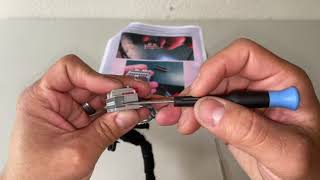
- Serial Data Gateway Module (SDGM) Software 'Logic Lock': → Shop Telematics Interface Module TSB 20-NA-212 describes a condition where the SDGM's software can freeze or 'lock up'. This can sometimes be resolved temporarily by disconnecting the battery for 30 minutes 🎬 Watch: A simple trick to try if your infotainment screen is blank., or permanently by having a dealer reprogram the module with updated software.
Diagnosis Steps
- Check and record all Diagnostic Trouble Codes (DTCs) with a professional scan tool. A long list of 'U' codes points towards a network issue (SDGM), not a single module failure.
- Check the battery state of charge and health. Low voltage can cause communication errors. Ensure a stable voltage of 12.6V or higher.
- Locate the Serial Data Gateway Module (SDGM) to the left of the steering column, above the driver's footwell.
- Disconnect the battery. Carefully inspect the SDGM's X1 (black) and X2 (gray) connectors for loose, backed-out, bent, or corroded terminals, paying close attention to both connectors as specified in TSBs.
- If terminals are loose, attempt to repair or replace them. Re-seat the connectors firmly until the locking levers click into place. Reconnect the battery and re-check for codes.
- If wiring appears intact, a next step for a professional is to attempt to reprogram the SDGM, as some logic issues can be resolved with a software update per TSB 20-NA-212.
- If wiring is good and the SDGM is responsive (or has been replaced), attempt to communicate directly with the Telematic Control Module (located behind the glove box). If it fails to respond, it is the likely point of failure.
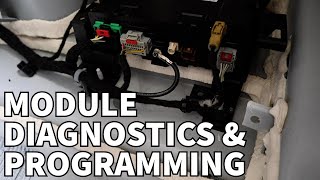
- If a module is replaced (either SDGM or Telematic), it must be programmed by a qualified shop with access to GM's Techline Connect software.
Parts You'll Likely Need
- Connector Terminals/Pigtail
(OEM #84619127)— To repair the known common failure point at the Serial Data Gateway Module's X1 or X2 connector, as cited in GM TSBs. GM recommends using terminated leads for repairs rather than replacing individual terminals.
Trusted brands: ACDelco, GM Genuine
OEM price range: $10-$40
Aftermarket price range: $5-$25 - Serial Data Gateway Module
(OEM #13534928)— If the module itself has failed internally, which can happen after ruling out wiring. This part acts as the central router for network traffic and may have been superseded by other part numbers.
Trusted brands: ACDelco, GM Genuine
OEM price range: $150-$250
Aftermarket price range: $100-$200 - Telematic Control Module (OnStar Module)
(OEM #84221924)— This is the module the code directly refers to. It is replaced only after confirming all wiring, connectors, and the SDGM are functioning correctly. Part number can vary, always confirm with VIN.
Trusted brands: ACDelco, GM Genuine
OEM price range: $250-$450
Aftermarket price range: $200-$350
Related Codes That Often Appear With This One
- U0100 — Lost Communication with ECM. Often appears with U0198 when the SDGM has a connection issue, affecting multiple modules.
- U0101 — Lost Communication with TCM (Transmission Control Module). Also points to a central network fault at the SDGM.
- U0140 — Lost Communication with Body Control Module. A large number of U-codes appearing together strongly suggests a network-wide problem originating from the SDGM, as listed in TSB PIT5586C.
Technical Service Bulletins (TSBs) & Recalls
- PIT5586B: Instructs dealers to check the Serial Data Gateway Module X1/X2 connectors for terminal issues when U0198 and other communication codes are present.
- PIT5586C: A later revision of the same bulletin, expanding the model years and providing the same diagnostic direction.
Platform-Specific Known Issues
- GM Technical Service Bulletins PIT5586B, PIT5586C, and the newer 20-NA-212 specifically identify a high number of communication DTCs, including U0198, on 2017-2019 models. The bulletins instruct dealers to first check for software updates for the SDGM, and then inspect the SDGM X1 and X2 connectors for terminal concerns and repair as needed before replacing any modules.
Mechanic-Grade Diagnostic Values
- High-Speed GMLAN Bus Resistance — expected: ~60 Ohms. Failure: A reading of ~120 Ohms indicates an open circuit or a missing terminating resistor. A reading near 0 Ohms suggests a short between the CAN High and Low wires.
- Module Ground Circuit Resistance — expected: Less than 0.2 Ohms. Failure: A reading higher than 0.2 Ohms indicates a poor or corroded ground connection, which can cause intermittent communication faults.
Scan Tool Commands That Help
- GM GDS2: Data Bus Diagnostic Tool — To actively poll the CAN bus and get a live list of all communicating modules. This is used to quickly verify which modules are online and which are not, confirming if the U0198 is an isolated issue or part of a larger network failure.
- GM GDS2 with SPS (Service Programming System): SDGM Reprogramming — This is a primary diagnostic step recommended by GM TSB 20-NA-212. It is used to fix a software 'logic lock' within the Serial Data Gateway Module that can cause it to stop communicating, triggering U0198 and other codes.
- GM GDS2 with SPS (Service Programming System): Replace and Program ECU — This function is mandatory after replacing either the Serial Data Gateway Module or the Telematic Control Module. It downloads the correct VIN-specific software from GM and configures the new module to work with the vehicle.
Wiring & Ground Locations
- Serial Data Gateway Module (SDGM) — Located to the left of the steering column, often above the driver's footwell area or near the dashboard fuse box.. This is the central hub for network communication. TSBs PIT5586B and PIT5586C specifically call out the X1 (black) and X2 (gray) connectors on this module as the primary failure point for U0198.
- Telematic Control Module (OnStar Module) — Typically located behind the glove box assembly. Access requires removing the glove box.. This is the module that the code reports as being offline. All power, ground, and communication wires must be verified at this module's connector before condemning the module itself.
- G218 — Location can vary, but it is often found under the driver's side dash, behind the kick panel.. This is a shared ground point for multiple modules, including the Body Control Module (BCM). A poor connection here due to trapped insulation or corrosion can cause widespread, intermittent network issues that may manifest as a U0198 code, even though it's not the direct ground for the Telematic module.
Real Owner Repair Stories
- Reddit user 'bikeguy1959' and others in the thread (2022-2023 GMC Sierra / Yukon (newer platform, but identical failure mode)) — Check engine light on, GPS/Maps/OnStar not working.
❌ Tried (didn't work) In some cases, dealers replaced the Telematic module, but the issue persisted until a secondary step was taken.
✅ What actually fixed it The Telematic Control Module (OnStar module) was faulty and required replacement. Multiple users confirmed this is a very high-failure-rate part, often on backorder. One user noted that after a dealer replaced the module, the fix was not complete until OnStar provisioned the new module on their end.
OEM Part Supersession History
13518851, 13524378, 13524379, 13524970, 13526301, 13526314, 13532107, 13532121, 13533150→13534928— Standard part evolution for bug fixes, hardware revisions, or supplier changes.
Heads up: When replacing the Serial Data Gateway Module, it is critical to use the latest part number available for the vehicle's VIN. Using an older or incorrect part number can lead to programming failures or persistent communication issues.
Model Year Variations Within This Range
- 2019: The 2019 model year marked a complete redesign for the GMC Sierra. While the U0198 fault and its primary causes related to the SDGM remained consistent with 2017-2018 models, the available engines, trims (like the new Elevation trim), and some interior/exterior features were significantly different.
Helpful Videos


The information in this article is provided for general reference and educational purposes only. Vehicle specifications, procedures, and part compatibility can vary by production date, trim level, and region. Always consult your vehicle's factory service manual and verify part numbers before purchasing or performing repairs. Safety-critical components such as airbags, seat belts, and braking systems should be installed by a qualified professional.
- Gmc SIERRA 3500:
- 🧭 Diagnostic Flowchart
- 🎬 Helpful Videos
- What's Unique About the 2017-2019 Gmc SIERRA 3500
- Symptoms You May Notice
- Most Likely Causes
- Rare But Worth Checking
- Diagnosis Steps
- Parts You'll Likely Need
- Related Codes That Often Appear With This One
- Technical Service Bulletins (TSBs) & Recalls
- Platform-Specific Known Issues
- Mechanic-Grade Diagnostic Values
- Scan Tool Commands That Help
- Wiring & Ground Locations
- Real Owner Repair Stories
- OEM Part Supersession History
- Model Year Variations Within This Range
- 🎟️ Get 5% Off