

U0422 on 2017-2019 Chevrolet Silverado 2500: Causes and Fixes for Invalid BCM Data
On a 2017-2019 Silverado 2500, code U0422 is almost always caused by a faulty Serial Data Gateway Module (SDGM) or poor connections to it. This is a known issue documented in GM Technical Service Bulletins (like PIT5586E). The fix usually involves inspecting the module's connectors for loose terminals, resetting the module by pulling its fuse, or replacing the module itself.
- U0422 on a 2017-2019 Silverado 2500 is a network code that points to a problem with the Serial Data Gateway Module (SDGM), not usually the Body Control Module (BCM).
- The most common causes are poor terminal connections at the SDGM's X1/X2 connectors or a software 'logic lock' in the module itself.
- Diagnosis should start with the simple step of resetting the SDGM by pulling its fuse (F26DL) for one minute.
- Do not replace the BCM unless the SDGM and its wiring have been completely ruled out, as this is the most common misdiagnosis.
- This is a known issue across the entire GM K2XX truck and SUV platform, including the GMC Sierra, Tahoe, Suburban, and Escalade.
What's Unique About the 2017-2019 Chevrolet SILVERADO 2500

For this generation of Silverado HD trucks (K2XX platform), GM has explicitly identified issues with the Serial Data Gateway Module (SDGM) and its electrical connectors as the root cause for a host of communication codes, including U0422. Manufacturer-issued service bulletins (TSBs) instruct technicians to check for logic lock-ups in the SDGM or terminal issues in its X1 and X2 connectors, rather than immediately suspecting the Body Control Module (BCM) which the code definition points to. This makes diagnosis more direct than on other vehicles where U0422 could have dozens of potential causes.
Diagnostic Flowchart

Tap your situation to follow the diagnostic path that matches what you're seeing on this vehicle.
Symptoms You May Notice

- Multiple warning lights on the instrument cluster, including Check Engine, ABS, and Airbag lights
- Instrument panel cluster gauges dropping to zero or fluctuating wildly 🎬 Watch: Troubleshooting an intermittent blank dashboard on a 2018 Silverado
- No audible chimes for turn signals or warnings
- Erratic operation of power windows, door locks, or lights
- Radio or infotainment screen is blank or glitches
- Vehicle may not start or may enter a reduced power "Limp Mode"
- "Service 4WD" or "Service Stabilitrak" message may appear
- Replacing the Body Control Module (BCM) first. The TSBs for this vehicle strongly indicate the problem is more likely with the Serial Data Gateway Module (SDGM) or its wiring.
- Replacing the instrument panel cluster or radio because they are blank, when the issue is actually a loss of communication from the SDGM.
Most Likely Causes

- Faulty Serial Data Gateway Module (SDGM) 🔴 High Probability → Shop Telematics Interface Module This is a well-documented issue for this platform, cited in multiple GM Technical Service Bulletins (PIT5586E, 20-NA-212). The module can suffer from an internal 'logic lock' software glitch or hardware failure.
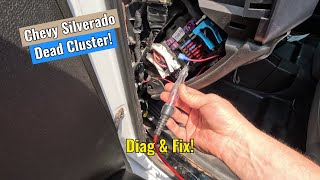
How to confirm: A technician with a GM-compatible scan tool can check for communication with the SDGM. A common diagnostic step is to pull the fuse for the SDGM (F26DL in the driver-side interior fuse panel), wait a minute, and reinstall it 🎬 See how to fix a no network communication issue to see if the issue temporarily resolves, which points to a module logic lock.
Typical fix: Replacement of the Serial Data Gateway Module, followed by programming it to the vehicle.
Est. part cost: $75-$150 - Poor Connection at SDGM Connectors 🟡 Medium Probability TSB #PIT5586E specifically calls out checking the X1 and X2 connectors for terminal issues like backed-out pins or poor tension. Vibrations and time can lead to these intermittent connections.
How to confirm: Visually inspect the X1 and X2 connectors at the SDGM for any backed-out terminals, bent pins, or signs of corrosion. A wiggle test on the harness while monitoring network status with a scan tool can also identify intermittent connections. Forum users have noted visible corrosion on the power pins.
Typical fix: Repairing the connector terminals or cleaning the connections. This may involve re-seating pins, applying dielectric grease, or replacing the connector pigtail if damaged.
Est. part cost: $10-$50 - Low Battery Voltage or Failing Alternator ⚪ Low Probability → Shop Vehicle Battery
How to confirm: Test the battery voltage with the engine off (should be ~12.4-12.6V) and with the engine running (should be ~13.7-14.7V). A weak or failing battery can cause unpredictable behavior in various electronic modules.
Typical fix: Replace the battery or alternator.
Est. part cost: $150-$600 - Poor Ground Connection (G218) ⚪ Low Probability Body grounds on trucks can become loose or corroded over time. The G218 ground, located under the driver's side dashboard area, is a known weak point on this platform that can cause widespread electrical issues mimicking an SDGM failure. 🎬 Watch: How to find and fix the G218 ground issue
How to confirm: Locate and inspect the G218 ground connection for tightness and corrosion. A voltage drop test at the ground point can confirm a poor connection.
Typical fix: Clean the ground contact point and re-secure the ground bolt.
Est. part cost: $0-$5
Rare But Worth Checking
- Faulty Body Control Module (BCM): → Shop Body Control Module While the code definition points to the BCM, it is rarely the actual cause on this vehicle. It should only be considered after the SDGM and its wiring have been thoroughly checked and ruled out.
- CAN Bus Wiring Issue: A short or open in the communication wiring between modules can cause this code, but it's less common than a module or connector fault. This requires advanced diagnostics with a multimeter and wiring diagrams.
Diagnosis Steps
- Scan the vehicle for all stored trouble codes. Note all 'U' (network) codes present, as a cluster of them points to a gateway issue.
- Check battery voltage and charging system health to rule out a power supply issue.
- Locate the Serial Data Gateway Module. It is typically found behind the driver's side of the dashboard, to the left of the steering column, near the OBD-II port.
- Following GM TSB #PIT5586E, perform a module reset. Pull the SDGM fuse (F26DL for trucks in the interior fuse panel), wait 60 seconds, and reinstall it. If symptoms disappear temporarily, an SDGM logic lock is confirmed.
- If the reset does not work, disconnect the battery and carefully inspect the SDGM's X1 and X2 connectors for loose pins, corrosion, or damage. Pay close attention to the power and ground terminals.
- If connectors look good, use an advanced scan tool to monitor the CAN bus network status and check for data packets from the BCM and SDGM.
- Inspect known problematic ground locations, such as G218 under the driver's dash, for tightness and corrosion.
- If the SDGM, its connectors, and grounds are confirmed to be good, further diagnosis of the BCM and network wiring would be necessary, but this is rare.
Parts You'll Likely Need
- Serial Data Gateway Module (SDGM)
(OEM #13599318)— This module is the most frequent point of failure leading to code U0422 on this platform, as identified by GM service bulletins for either logic lock or internal failure.
Trusted brands: ACDelco (Genuine GM)
OEM price range: $100-$150
Aftermarket price range: $75-$120
Related Codes That Often Appear With This One
- U0100 — Lost Communication With ECM/PCM
- U0101 — Lost Communication with TCM
- U0140 — Lost Communication With Body Control Module
- U0151 — Lost Communication With Restraints Control Module
- U0155 — Lost Communication With Instrument Panel Cluster (IPC) Control Module
Technical Service Bulletins (TSBs) & Recalls
- PIT5586E: Instructs dealers to check for logic lock of the Serial Data Gateway Module or for terminal concerns in its connectors for a wide range of communication codes, including U0422.
- PIT5586B: An earlier bulletin that also directs dealers to check the Serial Data Gateway Module X2 connector for terminal issues.
- 20-NA-212: A newer TSB that supersedes parts of PIT5586E, providing information on a potential software update and confirming the diagnostic procedure of resetting the module before replacement.
Platform-Specific Known Issues
- GM Technical Service Bulletin #PIT5586E specifically addresses a list of communication DTCs, including U0422, on 2017-2019 Silverado models. It directs technicians to check for a 'logic lock' of the Serial Data Gateway Module or for terminal issues in its X1 and X2 connectors.
- An earlier version of the bulletin, #PIT5586B, also pointed to terminal concerns in the SDGM's X2 connector as a likely cause.
- TSB #20-NA-212 is a later bulletin that also covers this issue, providing updated software information and reinforcing the diagnostic path of checking connectors and resetting the module before replacement.
Mechanic-Grade Diagnostic Values
- CAN Bus Network Resistance — expected: Approximately 60 Ohms when measured between the CAN High and CAN Low pins at the OBD-II port (pins 6 and 14 for High Speed CAN) with the battery disconnected.. Failure: A reading of 120 Ohms indicates one of the two terminating resistors (often in the ECM or BCM/SDGM) is not being seen by the network, suggesting an open circuit or a faulty module. A reading significantly less than 60 Ohms (e.g., near 0) indicates a short between the CAN High and Low wires.
- CAN Bus Voltage — expected: With the key on and engine off, CAN High (Pin 6) should be ~2.5-3.5V and CAN Low (Pin 14) should be ~1.5-2.5V. Both should total approximately 5V.. Failure: A CAN line shorted to ground will read 0V. A line shorted to power will read battery voltage. If both lines are at 2.5V and do not change, they may be shorted together.
Hidden / Shadow Codes Worth Checking
- U0422-71: The '-71' is a GM-specific symptom byte meaning 'Invalid Serial Data Received'. While the base code points to the BCM, this specific variant often appears alongside other codes (like wheel speed sensor faults) when the SDGM is failing and corrupting multiple data streams. (see via A professional-grade scan tool capable of reading GM-specific symptom bytes, such as the GM GDS2/Techline Connect software.)
Scan Tool Commands That Help
- GM GDS2: Module Diagnostics > Serial Data Gateway Module > Control Functions — This area allows a technician to attempt to communicate directly with the SDGM and see its status. If the module is in a 'logic lock,' it may not respond here, confirming it's the point of failure.
- GM GDS2: Vehicle DTC Information > Clear All DTCs — After a repair, such as fixing a connector or reprogramming a module, a full vehicle DTC clear is required. Per GM documents, some communication codes will not clear until the vehicle is allowed to fully 'sleep' (all modules power down) and then wake up.
- GM SPS (Service Programming System): Serial Data Gateway Module Learn Procedure — This function is mandatory after replacing the SDGM. It teaches the new module which other modules are present on the vehicle's networks. Failure to perform this step will cause the new module to set communication codes.
Wiring & Ground Locations
- G218 — Located on the left front dash frame, behind the driver-side kick panel or under the dash near the A-pillar. It is a common ground point for many interior modules, including the BCM.. A loose or corroded G218 ground is a known cause for a wide range of electrical issues on this platform, including communication codes like U0422. It can cause voltage drops that mimic module failures. TSB PIT5405C specifically calls out inspecting this ground for looseness or trapped insulation.
- SDGM Connectors X1 and X2 — On the Serial Data Gateway Module, which is located behind the driver's side of the dashboard, often to the left of the steering column and near the OBD-II port. On some diagrams, X1 may be identified by a blue Terminal Position Assurance (TPA) lock, while X2 is black.. These are the main data and power connectors for the gateway module. TSBs PIT5586E and 20-NA-212 specifically instruct technicians to inspect these connectors for backed-out pins, poor terminal tension, or corrosion as a primary cause for U0422.
Real Owner Repair Stories
- 2CarPros Forum User (2018 Chevrolet Silverado 5.3L V8 4WD, 70,063 miles) — A massive list of 'U' codes including U0100, U0073, U0101, U0140, and others, indicating a total loss of high-speed network communication.
❌ Tried (didn't work) Initial diagnosis was confusing due to the sheer number of codes across 8 pages of modules.
✅ What actually fixed it The technician advised that the most likely cause was a bad module pulling the network down, or a shorted network wire. The primary recommendation was to start by physically inspecting the modules most exposed to the elements, specifically the Trailer Brake Control Module and Chassis Control Module located under the rear of the truck, for corrosion or water intrusion in the connectors.
OEM Part Supersession History
13509768, 13524297, 13524298, 13599317→13599318— Part consolidation and potential internal revisions by the manufacturer to improve reliability.
Heads up: Part number 13599318 is the current service replacement for the listed older numbers. When replacing, programming via the GM Service Programming System (SPS) is required to ensure it learns the vehicle's specific configuration.
Helpful Videos


The information in this article is provided for general reference and educational purposes only. Vehicle specifications, procedures, and part compatibility can vary by production date, trim level, and region. Always consult your vehicle's factory service manual and verify part numbers before purchasing or performing repairs. Safety-critical components such as airbags, seat belts, and braking systems should be installed by a qualified professional.
- Chevrolet SILVERADO 2500:
- 🧭 Diagnostic Flowchart
- 🎬 Helpful Videos
- What's Unique About the 2017-2019 Chevrolet SILVERADO 2500
- Symptoms You May Notice
- Most Likely Causes
- Rare But Worth Checking
- Diagnosis Steps
- Parts You'll Likely Need
- Related Codes That Often Appear With This One
- Technical Service Bulletins (TSBs) & Recalls
- Platform-Specific Known Issues
- Mechanic-Grade Diagnostic Values
- Hidden / Shadow Codes Worth Checking
- Scan Tool Commands That Help
- Wiring & Ground Locations
- Real Owner Repair Stories
- OEM Part Supersession History
- 🎟️ Get 5% Off