

U0422 on 2017-2019 GMC Sierra 3500: Causes for Invalid BCM Data
On a 2017-2019 GMC Sierra 3500, code U0422 is most often caused by a communication fault, not a bad Body Control Module (BCM). The primary suspect is a poor connection at the Serial Data Gateway Module (SDGM) X2 connector, as identified in GM Technical Service Bulletins. The SDGM is located under the driver's side dash to the left of the steering column. Inspecting and repairing this connector is the most likely fix.
- U0422 on your 2017-2019 Sierra 3500 is a network communication code, not necessarily a failed part.
- Before considering any expensive part replacements, have a technician inspect the X2 connector on the Serial Data Gateway Module (SDGM) as recommended by GM's own service bulletins.
- Do not immediately replace the Body Control Module (BCM); this is a common misdiagnosis for this specific issue.
- This problem requires professional diagnosis due to the complexity of vehicle communication networks.
What's Unique About the 2017-2019 Gmc SIERRA 3500
For this generation of GMC Sierra (K2XX platform), the U0422 code is specifically called out in a series of manufacturer-issued Technical Service Bulletins (TSBs). These bulletins direct technicians to investigate a known issue with terminal connections at the Serial Data Gateway Module (SDGM), which acts as the central router for all module communications. The SDGM is located under the driver's dash, left of the steering column. 🎬 Watch: How to access and work with the SDGM harness This makes a wiring or connector issue at the SDGM a much more likely cause than a failure of the BCM itself.
Diagnostic Flowchart
Tap your situation to follow the diagnostic path that matches what you're seeing on this vehicle.
Symptoms You May Notice
- Erratic or non-functioning interior or exterior lights.
- Power door locks not responding to the remote or interior switch.
- Power windows behaving erratically.
- Warning lights on the instrument cluster, such as for the service 4WD system, Service Airbag, or Service Suspension.
- Radio or infotainment screen may be blank or reset intermittently.
- Instrument panel cluster (IPC) gauges inoperative or fluctuating.
- Steering wheel controls (SWC) not illuminated or functioning.
- No audible feedback (chime) from turn signals.
- Vehicle may not start (no-crank) or may start and then immediately stall.
- Replacing the Body Control Module (BCM) without first inspecting the SDGM connector and related wiring. The TSBs for this vehicle point to the connector as the primary culprit, making a premature BCM replacement a costly and often ineffective repair.
- Replacing symptomatic components like the instrument cluster or radio when they are simply not receiving data due to the network fault at the SDGM.
Most Likely Causes
- Poor Connection at Serial Data Gateway Module (SDGM) 🔴 High Probability → Shop Telematics Interface Module This is a widely documented issue in GM Technical Service Bulletins #PIT5586B, #PIT5586C, and later revisions for this specific vehicle platform. The terminals within the X1 (Gray) or X2 (Black) connectors can become loose, bent, or backed-out, causing intermittent data loss.
How to confirm: A technician will locate the SDGM under the driver's side dash, left of the steering column. After disconnecting the battery, they will inspect the X1 and X2 connectors for any loose, spread, or corroded terminals. A 'wiggle test' on the harness while monitoring network status with a scan tool 🎬 Watch: Diagnosing a CAN bus failure and gauge dropouts can also confirm an intermittent connection.
Typical fix: Repairing the affected terminals in the connector. This may involve cleaning, tightening, or replacing the individual wire terminals with new, often gold-plated, terminals for better conductivity.
Est. part cost: $5-$50 - Wiring Harness Damage 🟡 Medium Probability Trucks are often subjected to harsh conditions, and harnesses can be damaged by chafing, corrosion, or water intrusion. A known weak point on this platform is the G218 ground connection, which can have insulation trapped under it from the factory, leading to poor grounding and various electrical faults.
How to confirm: Visually inspect the CAN bus wiring harnesses between the BCM, SDGM, and other modules for any signs of physical damage, corrosion, or water entry. Specifically inspect the G218 ground point. A continuity and resistance test with a multimeter may be required.
Typical fix: Repairing the damaged section of the wiring harness and ensuring it is properly routed and protected. Cleaning and re-securing the G218 ground connection.
Est. part cost: $10-$100 - Faulty Body Control Module (BCM) ⚪ Low Probability → Shop Body Control Module
How to confirm: This is diagnosed by exclusion. If all wiring, connections (especially at the SDGM), grounds, and other modules on the network are confirmed to be good, the BCM itself may be the source of the invalid data. A high-end scan tool can monitor the BCM's data output.
Typical fix: Replacement of the BCM. The new module must be programmed to the vehicle's VIN and specific options by a dealer or qualified shop.
Est. part cost: $250-$450
Rare But Worth Checking
- Serial Data Gateway Module (SDGM) 'Logic Lock': → Shop Telematics Interface Module Later TSBs (like PIT5586G and 20-NA-212) note that the SDGM can sometimes enter an error state or 'logic lock'. This can sometimes be temporarily resolved by a hard reset or by pulling the SDGM fuse (F26DL in the driver-side dash panel) for 60 seconds. If this temporarily fixes the issue, it points to a module software problem that may require a dealer-installed update.
- Low Battery Voltage or Poor Grounds: → Shop Vehicle Battery Modern vehicle electronics are very sensitive to voltage. A weak battery or a corroded main ground strap can cause a wide range of unpredictable communication errors, including U0422. Resting voltage should be above 12.4V.
- Software Glitch: In some cases, a module may have a software anomaly that can be resolved with a firmware update from the manufacturer. GM has issued bulletins for other models regarding software updates for similar communication issues.
Diagnosis Steps
- Connect a professional-grade scan tool capable of reading all vehicle modules, not just the powertrain.
- Scan all modules and record all present Diagnostic Trouble Codes (DTCs). Note the long list of U-codes that often accompany U0422, as mentioned in TSB #PIT5586B.
- Check and verify battery voltage and the integrity of major ground connections. Resting voltage should be >12.4V, and running voltage should be ~13.7-14.7V.
- As a quick test, attempt to reset the SDGM by pulling fuse F26DL from the driver-side interior fuse panel for 60 seconds. If symptoms temporarily clear, it points to an SDGM logic lock or software issue.
- Follow the guidance in TSB #PIT5586C: Locate the Serial Data Gateway Module (SDGM) under the driver's side dash, to the left of the steering column.
- Disconnect the negative battery terminal. Carefully inspect the SDGM's gray X1 and black X2 connectors for any signs of loose, spread, backed-out, or corroded terminals.
- Perform a 'wiggle test' on the SDGM harness while monitoring network status on the scan tool to check for intermittent faults.
- If a faulty terminal is found, repair it using the proper tools and replacement terminals (gold-plated recommended).
- If the connector and terminals are in good condition, inspect the main CAN bus wiring harnesses and the G218 ground for any physical damage, chafing, or corrosion.
- If all wiring and connections are confirmed to be good, further diagnosis would be required to determine if the BCM or the SDGM itself is internally faulty.
Parts You'll Likely Need
- Connector Terminals — The most common cause cited by GM is faulty terminals within the SDGM connector, requiring repair or replacement of the small metal pins. Gold-plated terminals are recommended for CAN bus repairs for superior conductivity.
Trusted brands: ACDelco, Delphi
OEM price range: $5-$20
Aftermarket price range: $2-$10 - Body Control Module (BCM) — If all wiring and connection issues are ruled out, the BCM itself may have failed and be the source of the invalid data. This is a less common cause.
Trusted brands: ACDelco
OEM price range: $300-$450
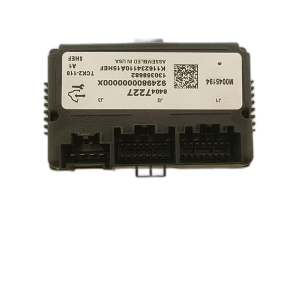
Aftermarket price range: $200-$350 - Serial Data Gateway Module (SDGM) — If the connector terminals are good but the module is still causing issues (e.g., confirmed logic lock or internal failure), the SDGM itself may need replacement. It requires programming by the dealer.
Trusted brands: ACDelco
OEM price range: $80-$200
Related Codes That Often Appear With This One
- U0100 — Lost Communication With ECM/PCM
- U0101 — Lost Communication with TCM
- U0140 — Lost Communication With Body Control Module
- U0155 — Lost Communication With Instrument Panel Cluster (IPC) Control Module
- And many others — TSB PIT5586C lists over 20 different 'U' codes that can be set along with U0422, all pointing to the central SDGM communication failure.
Technical Service Bulletins (TSBs) & Recalls
- PIT5586B: Instructs dealers to check the Serial Data Gateway Module X2 connector for terminal concerns when U0422 and other U-codes are present.
- PIT5586C: An updated version of the previous bulletin with the same instruction to check the SDGM X1 and X2 connectors for bent, backed out, or loose terminals.
- 18-NA-355: While not directly for U0422, this TSB identifies a poor G218 ground connection as a cause for widespread electrical and communication issues on this platform, which could be a contributing factor.
Platform-Specific Known Issues
- GM Technical Service Bulletins #PIT5586B and #PIT5586C specifically identify a problem with the Serial Data Gateway Module's X1 and X2 connector terminals causing U0422 and a host of other communication codes on 2017-2019 models.
- The SDGM is located under the driver's side dashboard, to the left of the steering column, making access for inspection possible for a knowledgeable
Mechanic-Grade Diagnostic Values
- High-Speed GMLAN Bus Resistance — expected: 60 ohms (+/- 5 ohms). Failure: A reading of 120 ohms indicates an open circuit (e.g., one of the terminating resistors is not being seen). A reading significantly less than 60 ohms indicates the CAN high and low wires are shorted together. An unsteady reading suggests a poor connection.
- High-Speed GMLAN Bus Voltage (Key On, Engine Off) — expected: CAN High (Pin 6 at DLC): ~2.6 Volts. CAN Low (Pin 14 at DLC): ~2.4 Volts.. Failure: Voltages that are stuck high (e.g., near 5V or 12V) or low (near 0V), or that do not mirror each other, indicate a short to power or ground on the bus.
- G218 Ground Circuit Resistance — expected: Less than 1.0 ohm. Failure: Resistance higher than 1.0 ohm between the G218 ground stud and the negative battery terminal indicates a poor ground connection that needs to be cleaned and re-secured.
Hidden / Shadow Codes Worth Checking
- U0422-71: Invalid Serial Data Received. This GM-specific symptom byte indicates the module setting the code is receiving illogical data from the BCM. It confirms a data integrity problem rather than a complete loss of communication, pointing towards issues like network interference, a logic fault in the SDGM, or a faulty input to the BCM. (see via A professional-grade scan tool that supports GM-specific codes, such as the GM GDS2 (Global Diagnostic System 2).)
Scan Tool Commands That Help
- GM GDS2: Vehicle DTC Information — This is the first step. It performs a full network scan to see which modules are reporting codes and, more importantly, which modules are not communicating at all. A long list of 'U' codes from many modules points to a central network fault at the SDGM.
- GM GDS2: Module Diagnostics > BCM > Output Controls — After confirming the BCM is online, you can use bidirectional controls to command functions like lights, locks, and windows. If the BCM can successfully activate these components via the scan tool, it proves the BCM's internal logic and output drivers are likely working, shifting the focus to the network communication path (SDGM, wiring).
- GM GDS2: Clear All DTCs — Used after a repair (like reseating the SDGM connector or fixing a ground) to clear all network codes. If the U0422 code returns immediately, it indicates a hard fault. If it returns intermittently, it points to a remaining connection or wiring issue that may require a 'wiggle test' to pinpoint.
Wiring & Ground Locations
- SDGM Connectors X1 (Gray) & X2 (Black) — Under the driver's side dashboard, to the left of the steering column. The module is typically mounted to a bracket in this area.. These are the main connectors for the Serial Data Gateway Module. TSBs #PIT5586B and #PIT5586C specifically identify poor terminal connections within these connectors as the primary cause of U0422 and other network codes.
- G218 Ground — Located on the driver's side A-pillar, behind the plastic kick panel and under the dash insulation foam.. This is a major ground point for several modules, including the BCM. GM has noted that insulation can be trapped under the ground nut from the factory, causing a high-resistance connection. This poor ground can lead to a wide range of electrical issues, including communication codes like U0422.
- DLC (Data Link Connector) Pins 6 & 14 — The OBD-II port under the driver's side dashboard.. Pin 6 is CAN High and Pin 14 is CAN Low for the high-speed GMLAN network. A technician will measure the resistance between these two pins (with the battery disconnected) to test the health of the entire network backbone. A reading of 60 ohms is healthy.
OEM Part Supersession History
13599318→13514249— Part number consolidation and potential internal revisions by the manufacturer.
Heads up: These parts are generally interchangeable for the specified model years, but the replacement module will always require programming by a dealer or a qualified shop with a GM SPS subscription to function in the vehicle.
Helpful Videos


We Have This Part in Stock

The information in this article is provided for general reference and educational purposes only. Vehicle specifications, procedures, and part compatibility can vary by production date, trim level, and region. Always consult your vehicle's factory service manual and verify part numbers before purchasing or performing repairs. Safety-critical components such as airbags, seat belts, and braking systems should be installed by a qualified professional.
- Gmc SIERRA 3500:
- 🧭 Diagnostic Flowchart
- 🎬 Helpful Videos
- 🛍️ Shop This Part
- What's Unique About the 2017-2019 Gmc SIERRA 3500
- Symptoms You May Notice
- Most Likely Causes
- Rare But Worth Checking
- Diagnosis Steps
- Parts You'll Likely Need
- Related Codes That Often Appear With This One
- Technical Service Bulletins (TSBs) & Recalls
- Platform-Specific Known Issues
- Mechanic-Grade Diagnostic Values
- Hidden / Shadow Codes Worth Checking
- Scan Tool Commands That Help
- Wiring & Ground Locations
- OEM Part Supersession History
- 🎟️ Get 5% Off