

U0423 on 2016-2019 Mazda CX-3: Invalid Instrument Cluster Data Fixes
On a 2016-2019 Mazda CX-3, code U0423 almost always indicates a software glitch, not a failed part. It often appears with codes U0323 and U3000, causing warning lights that cannot be cleared. The fix is typically a specific TSB reset procedure that an owner can perform or a software update performed by a Mazda dealer.
- U0423 on a 2016-2019 CX-3 is almost certainly a software issue, not a hardware failure.
- Do not replace the instrument cluster or ABS module unless a Mazda dealer has performed all software updates and reset procedures first.
- The problem is often seen with codes U0323 and U3000, and symptoms include TCS/DSC and TPMS warning lights.
- Ensure the vehicle's battery is healthy, as low voltage can trigger this specific software glitch.
- This is not a DIY-friendly fix; professional service with Mazda-specific tools is required to resolve the root cause.
What's Unique About the 2016-2019 Mazda CX-3
This issue is a well-documented software problem on many Mazda vehicles from this era equipped with the MAZDA CONNECT infotainment system. The problem is so specific that Mazda issued Technical Service Bulletins (TSBs) detailing a scenario where this code, along with U0323 and U3000, cannot be deleted using standard scan tools. The glitch can be triggered if the ignition is cycled OFF within 20 seconds of being ON while the battery is low or if the Connectivity Master Unit (CMU) is disconnected. This is not a typical part failure but a logic error that requires a specific software-based solution.
Diagnostic Flowchart
Tap your situation to follow the diagnostic path that matches what you're seeing on this vehicle.
Symptoms You May Notice
- TCS/DSC (Traction Control System/Dynamic Stability Control) indicator lights are illuminated. 🎬 Watch: How to reset the TPMS light on your Mazda CX-3
- TPMS (Tire Pressure Monitoring System) warning light is flashing.
- Unable to clear the U0423 code, often along with U0323 and/or U3000, with a standard OBD-II scanner.
- Smart Brake Support (SBS) or Smart City Brake Support (SCBS) warning lights may be on.
- Cruise control may be disabled.
- Electronic parking brake fault light may be illuminated.
- Replacing the ABS module. The ABS module is typically the one *reporting* the code because it's not receiving valid data, but it is rarely the source of the problem.
- Replacing the Instrument Cluster. While possible, it is far more likely to be a software issue. Replacing the cluster is an expensive step that should only be taken after a dealer has exhausted all software and reset procedures.
Most Likely Causes
- MAZDA CONNECT Software Glitch 🔴 High Probability As documented in Mazda TSBs MT-010-18 and MTI_1137, a specific software condition can cause these codes to become 'stuck' and unable to be deleted. This can be triggered by simple events like a low battery, disconnecting the infotainment unit (CMU), or even quickly cycling the ignition.
How to confirm: The primary symptom is the inability to clear the U0423, U0323, and U3000 codes, especially if the TCS/DSC and TPMS lights are on. A Mazda dealer can confirm if the CMU software is outdated.
Typical fix: A specific reset procedure outlined in the TSBs can be performed. If that fails, a dealer must update the Connectivity Master Unit (CMU) software to the latest version (e.g., 70.00.100A or later).
Est. part cost: $0 - Low Battery Voltage or Power Interruption 🟡 Medium Probability → Shop Vehicle Battery Modern vehicles are sensitive to voltage fluctuations. A weak battery, jump-start, or disconnecting power (e.g., removing the 'ROOM' fuse) can trigger the software glitch described in Mazda's TSBs.
How to confirm: Test the battery voltage with a multimeter; it should be above 12.4V with the engine off. Check the charging system output (typically 13.5V-14.5V) with the engine running. The fault often appears immediately after a battery replacement.
Typical fix: Recharge or replace the weak battery. After restoring proper voltage, the TSB software reset procedure will almost certainly be necessary to clear the persistent codes.
Est. part cost: $150-$350
Rare But Worth Checking
- Faulty Instrument Cluster: → Shop Instrument Cluster While the code points to the instrument cluster, an actual hardware failure is extremely rare compared to the software issue. This should only be considered after all software-related fixes have been exhausted.
- CAN Bus Wiring Issue: A damaged wire or corroded connector in the communication network can cause data errors. This is uncommon but possible, especially if the vehicle has had aftermarket electronics installed or has corrosion.
- Aftermarket Devices: Devices plugged into the OBD-II port (like insurance trackers) or other non-certified electronics can interfere with the CAN bus network and cause various communication codes, including U0423.
Diagnosis Steps
- Verify the battery is fully charged and the charging system is working correctly. A weak battery is a common trigger.
- Using a scan tool, confirm the presence of U0423, U0323, and U3000. Attempt to clear them. If they cannot be cleared, this strongly indicates the TSB-documented software issue.
- Perform the TSB Reset Procedure (from TSB MTI_1137 & MT-010-18):
- Confirm the Connectivity Master Unit (CMU) is connected and the 'ROOM' fuse is installed.
- Turn ignition ON. Go into MAZDA CONNECT System Settings.
- Change the Temperature unit (Fahrenheit to Celsius or vice-versa) AND the Distance unit (Miles to Kilometers or vice-versa).
- Turn the ignition OFF.
- Remove the 'ROOM' fuse from the engine compartment fuse box.
- Press and hold the tripmeter reset button for more than 5 seconds.
- Re-install the 'ROOM' fuse.
- Turn the ignition ON.
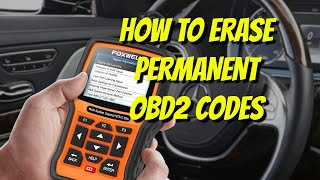
- Attempt to delete the DTC(s) again with a scan tool (M-MDS is specified, but a capable tool like FORScan may work). 🎬 See how to clear persistent codes using the FORScan tool
- If successful, return the Temperature and Distance units to their original settings.
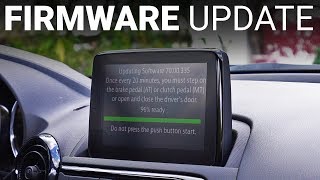
- If the reset procedure fails, the vehicle must be taken to a Mazda dealer to have the Connectivity Master Unit (CMU) software updated to the latest version.
- Only if all software updates and reset procedures fail should a technician begin diagnosing a hardware fault with the instrument cluster, ABS module, or CAN bus wiring.
Parts You'll Likely Need
- No Parts Typically Required — The most common solution is a specific reset procedure or a software update performed by a dealership, not a part replacement.
OEM price range: $0
Aftermarket price range: $0 - Vehicle Battery
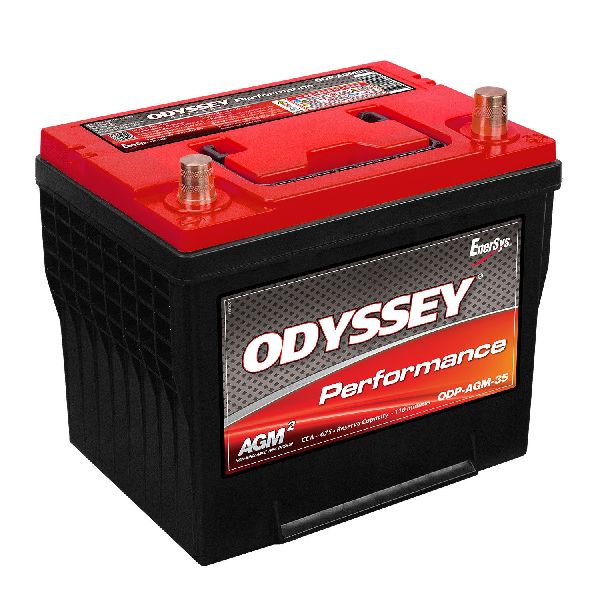
(OEM #PE1T-18-520-9U (Example, verify for specific vehicle))— A weak or failing battery is the most common trigger for the software glitch that causes this code. Replacing it may be a necessary first step before the codes can be cleared.
Trusted brands: Panasonic (OEM), Bosch, Interstate
OEM price range: $200-$400
Aftermarket price range: $150-$350
Related Codes That Often Appear With This One
- U0323 — This code, 'Software Incompatibility with Instrument Panel Control Module,' is part of the same known software glitch documented in Mazda TSBs MT-010-18 and MTI_1137.
- U3000 — This code, 'Control Module Internal Electronic Failure' (often from the Instrument Cluster), is also part of the trio of codes that get stuck due to the software issue.
Technical Service Bulletins (TSBs) & Recalls
- MT-010-18: Documents the condition where DTCs U0323, U0423, and U3000 cannot be deleted and provides a repair procedure.
- MTI_1137: An earlier bulletin also describing the inability to delete codes U0323, U0423, and U3000 on vehicles with MAZDA CONNECT and providing the detailed 10-step reset procedure.
Platform-Specific Known Issues
- A known software issue on vehicles with MAZDA CONNECT can cause DTCs U0423 (ABS), U0323 (PCM), and U3000 (Instrument Cluster) to become impossible to delete with standard tools. This can happen if the ignition is cycled quickly after a low battery event or with the CMU disconnected. The fix is a specific reset procedure or a software update.
- A recall was issued for some 2016-2021 CX-3 models for a faulty rearview camera wiring harness, which can cause flickering or failure. While not directly related to U0423, it highlights the potential for wiring issues in the vehicle.
Mechanic-Grade Diagnostic Values
- CAN Bus Network Integrity Check — expected: Approximately 60 Ω. Failure: A reading of ~120 Ω indicates a missing termination resistor or a break in one of the CAN lines. A reading significantly less than 60 Ω (e.g., near 0 Ω) indicates a short between the CAN High and CAN Low wires.
- CAN Bus Voltage (Key On, Engine Off) — expected: CAN High (Pin 6 to Ground): ~2.5-3.0V. CAN Low (Pin 14 to Ground): ~2.0-2.5V.. Failure: Voltages that are stuck high, low, or at battery/ground potential indicate a shorted wire or a faulty module transceiver.
Scan Tool Commands That Help
- FORScan: Read CMU Software Version — Before attempting a dealer update, a user with FORScan can check the current software version of the Connectivity Master Unit (CMU). If the version is below 70.00.100A, it confirms the vehicle is susceptible to the TSB glitch and requires the update.
- Mazda M-MDS: Instrument Cluster Self-Test — If a hardware failure of the instrument cluster is suspected (after software fixes fail), the dealer tool can initiate a self-test. This commands all gauges to sweep and all indicator lights to illuminate, verifying the cluster's basic functionality.
- Mazda M-MDS or FORScan: Clear DTCs — This is the required tool to attempt clearing the codes after performing the TSB's physical reset procedure (pulling fuse, holding trip button). A standard generic OBD-II reader may fail to clear the codes even after the reset, but these more advanced tools can often succeed.
Wiring & Ground Locations
- Instrument Cluster Ground — Located under the driver's side of the dashboard, typically a black wire bolted to the metal dash support frame near the steering column or above the hood release lever.. While rarely the cause for this specific software-related code, a poor instrument cluster ground can cause a wide range of erratic electrical behavior and communication errors. Verifying this ground is clean and tight is a fundamental step in any complex electrical diagnosis.
- ABS Module Ground — The main ground wire for the ABS module harness typically bolts directly to the chassis in the engine bay, near the ABS hydraulic unit itself.. The ABS module is what sets code U0423 when it receives invalid data. A poor ground connection at the ABS module can cause it to misinterpret data from other modules, even if the data itself is valid. Checking this ground is crucial if the TSB software fix does not resolve the issue.
- OBD-II Port (DLC) — Under the driver's side dashboard, to the left of the steering column.. This is the primary access point for network diagnostics. Pins 6 (CAN High) and 14 (CAN Low) are used for checking the network's resistance and voltage levels.
Real Owner Repair Stories
- YouTube video from a third-party repair shop (2017 Mazda CX-3) — Vehicle came in with the 'infinite restart' issue on the MAZDA CONNECT screen and also required a CarPlay upgrade.
❌ Tried (didn't work) The owner was unable to resolve the infotainment issues on their own.
✅ What actually fixed it The shop disassembled the dash to access the CMU. They performed a software update via USB to fix the boot loop and enable CarPlay functionality. The process involved putting the system into a diagnostic mode, loading the new software, and replacing the USB hub to a newer version that supports CarPlay. This confirms that even complex software issues can be resolved by knowledgeable independent shops, not just dealers.
Model Year Variations Within This Range
- 2016-2018: These earlier models did not come with Apple CarPlay or Android Auto from the factory. The hardware (USB hub) and software require an update to enable this functionality. The TSB for U0423 is most prevalent on these models running older CMU software versions (below 70.xx.xxx).
- 2019: The 2019 model year CX-3 received a refresh which included the availability of Apple CarPlay and Android Auto from the factory. These vehicles shipped with newer CMU hardware and software, making them less likely to experience the U0423 software glitch, though it's not impossible if triggered by a severe low-voltage event.
Helpful Videos

We Have This Part in Stock



The information in this article is provided for general reference and educational purposes only. Vehicle specifications, procedures, and part compatibility can vary by production date, trim level, and region. Always consult your vehicle's factory service manual and verify part numbers before purchasing or performing repairs. Safety-critical components such as airbags, seat belts, and braking systems should be installed by a qualified professional.
- Mazda CX-3:
- 🧭 Diagnostic Flowchart
- 🎬 Helpful Videos
- 🛍️ Shop This Part
- What's Unique About the 2016-2019 Mazda CX-3
- Symptoms You May Notice
- Most Likely Causes
- Rare But Worth Checking
- Diagnosis Steps
- Parts You'll Likely Need
- Related Codes That Often Appear With This One
- Technical Service Bulletins (TSBs) & Recalls
- Platform-Specific Known Issues
- Mechanic-Grade Diagnostic Values
- Scan Tool Commands That Help
- Wiring & Ground Locations
- Real Owner Repair Stories
- Model Year Variations Within This Range
- 🎟️ Get 5% Off