

U0423 on 2016-2017 Mazda 6: Causes for Invalid Instrument Cluster Data
On a 2016-2017 Mazda 6, code U0423 almost always indicates a software glitch in the MAZDA CONNECT system, not a failed part. It typically appears with codes U0323 and U3000 and cannot be cleared with a standard scanner. The fix is a specific 10-step reset procedure that a DIYer can perform, or a software update from a Mazda dealer, as outlined in TSB MT-010-18.
- U0423 on a 2016-2017 Mazda 6 is almost always a software problem, not a hardware failure.
- The code will likely be accompanied by U0323 and U3000, and you will not be able to clear them with a standard scanner. This is a known symptom.
- Before any other diagnosis, ensure the vehicle's battery is fully charged and healthy, as low voltage is the most common trigger for this fault.
- The fix is either a specific 10-step reset procedure involving the 'ROOM' fuse that can be done at home, or a software update performed by a Mazda dealer. Do not replace expensive modules like the Instrument Cluster or ABS unit.
What's Unique About the 2016-2017 Mazda MAZDA6
The third-generation Mazda 6 relies heavily on the MAZDA CONNECT infotainment system, which is deeply integrated with other vehicle modules. A specific sequence of events, like turning the ignition off within 20 seconds of turning it on, especially during a low battery event or after a battery replacement where the 'ROOM' fuse or Connectivity Master Unit (CMU) is disconnected, can trigger a software fault state. This causes codes U0423, U0323, and U3000 to become 'stuck' and impossible to delete with normal tools, a unique and well-documented quirk addressed by Mazda's service bulletins.
Diagnostic Flowchart
Tap your situation to follow the diagnostic path that matches what you're seeing on this vehicle.
Symptoms You May Notice
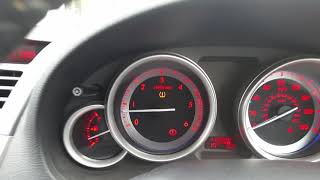
- TCS/DSC (Traction/Stability Control) indicator lights are illuminated.
- TPMS (Tire Pressure Monitoring System) warning light is flashing.
- The trouble codes U0423, U0323, and/or U3000 cannot be deleted with a standard OBD-II scanner.
- Mazda Radar Cruise Control (MRCC) and Smart Brake Support (SBS) systems may be disabled.
- E-brake fault light may be illuminated on the dash.
- Replacing the ABS module. The ABS module is almost always the one *reporting* the code because it's receiving bad data; it is not the source of the problem.
- Replacing the Instrument Cluster. This is an expensive part that is rarely the actual cause. The software glitch must be ruled out first.
- Clearing codes with a basic scanner. The inability to clear the codes is a key symptom of the specific TSB issue, not a sign that your scanner is broken.
Most Likely Causes
- MAZDA CONNECT Software Glitch 🔴 High Probability As documented in TSBs MT-010-18 and MTI_1137, a software condition can be triggered by low battery voltage, disconnecting the Connectivity Master Unit (CMU), or quickly cycling the ignition. This is a very common scenario after a DIY battery replacement, as reported by numerous owners.
How to confirm: Scan all modules. If U0423, U0323, and U3000 are present together and cannot be cleared with a standard scanner, it strongly indicates this software issue.
Typical fix: A specific 10-step reset procedure outlined in TSB MTI_1137 or MT-010-18 🎬 Watch: How to reset your Mazda 6 after battery removal can often resolve the issue without any parts. If that fails, a Mazda dealer must update the MAZDA CONNECT software.
Est. part cost: $0 - Low Battery Voltage or Failing Alternator 🟡 Medium Probability → Shop Vehicle Battery This is not a root cause itself, but a primary trigger for the software glitch described above. Modern vehicles are highly sensitive to voltage, and a weak or recently replaced (but not fully charged) battery can cause numerous communication faults.
How to confirm: Test the battery voltage with a multimeter; it should be above 12.4V with the engine off. Test the alternator output while the engine is running (typically 13.5V-14.5V).
Typical fix: Recharge or replace the battery. After restoring proper voltage, the TSB reset procedure will likely be required to clear the persistent codes.
Est. part cost: $150-$400
Rare But Worth Checking
- Faulty Instrument Panel Cluster (IPC): → Shop Instrument Cluster An actual hardware failure of the cluster is very rare compared to the software issue. This should only be considered as a last resort after all TSB procedures and software updates have been performed by a professional. A replacement would require programming to the vehicle's immobilizer system. Example Part Numbers: GLK255471E, TK4955430.
- CAN Bus Wiring Issue: A damaged wire, corroded connector, or poor ground for the ABS module or Instrument Cluster could cause data errors. This is uncommon but possible if the vehicle has corrosion or has had aftermarket electronics installed.
- Faulty Connectivity Master Unit (CMU): → Shop Audio System A hardware failure of the CMU itself is possible but much less likely than the software glitch. The CMU is the brain of the infotainment system. A replacement unit would automatically configure to the vehicle. Example Part Numbers: GEG466DH0A, GEG466DH0B.
Diagnosis Steps
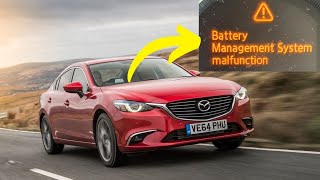
- Verify battery and charging system health. Ensure the battery is fully charged (above 12.4V) and terminals are clean. A weak or new-but-uncharged battery is a primary trigger. 🎬 Watch: Fixing the Battery Management System Malfunction warning
- Scan all vehicle modules with a professional-grade scan tool (or FORScan for advanced DIY). Note if codes U0423, U0323, and U3000 are present together.
- Attempt to clear the codes. If they cannot be deleted, this is the key symptom of the software glitch. Proceed to the next step.
- Perform TSB MTI_1137 / MT-010-18 Reset Procedure: This procedure, confirmed by owners, often resolves the issue.
- Verify the Connectivity Master Unit (CMU) is connected and the 'ROOM' fuse in the engine bay fuse box is installed properly.
- Turn the ignition ON (engine off).
- Using the MAZDA CONNECT screen, go to System Settings and change the Temperature and Distance units (e.g., Fahrenheit to Celsius, Miles to Kilometers).
- Turn the ignition OFF.
- Remove the 'ROOM' fuse from the engine compartment fuse box.
- Press and hold the tripmeter reset button on the instrument cluster for more than 5 seconds.
- Re-install the 'ROOM' fuse.
- Turn the ignition ON.
- Delete the DTCs using a capable scan tool (M-MDS or FORScan). The codes should now clear.
- Return the Temperature and Distance units in the settings to their original values.
- If the reset procedure fails, take the vehicle to a dealer for a MAZDA CONNECT software update. The latest versions (e.g., 74.00.324A or newer) are designed to prevent this issue.
- If codes could be cleared initially or are not the typical trio, proceed with standard diagnostics: inspect wiring, connectors, and grounds for the Instrument Cluster and ABS module.
Parts You'll Likely Need
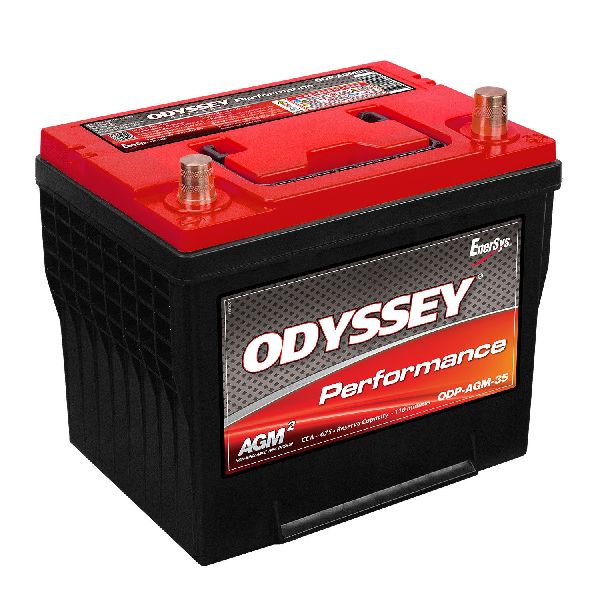
- Vehicle Battery — A weak or failing battery is the most common trigger for the software glitch that causes the U0423 code to become stuck. Replacing it is often a prerequisite to fixing the codes. Common size is Group 35.
Trusted brands: Panasonic (OEM), Interstate, DieHard, Duralast
OEM price range: $200-$400
Aftermarket price range: $150-$300 - Connectivity Master Unit (CMU)
(OEM #GEG466DH0A / GEG466DH0B / GEG466DH0C)— This part is central to the software glitch but is RARELY the cause of failure itself. It is listed here for identification purposes only. Do not replace it unless all software procedures have failed and it has been professionally diagnosed as faulty.
Trusted brands: Mazda (OEM)
OEM price range: $800-$1200
Aftermarket price range: $85-$200 (Used)
Related Codes That Often Appear With This One
- U0323 — This code is logged by the Powertrain Control Module (PCM) for software incompatibility with the instrument cluster and is part of the specific software glitch described in TSB MT-010-18.
- U3000 — This is a general internal failure code often logged by the Instrument Cluster (IC) itself during the same fault event described in TSB MT-010-18.
Technical Service Bulletins (TSBs) & Recalls
- MT-010-18 (NHTSA ID: 10152371): Documents the condition where DTCs U0323/U0423/U3000 cannot be deleted and provides the full 10-step repair procedure.
- MTI_1137: An earlier bulletin that also describes the inability to delete these codes and provides the same detailed 10-step reset procedure.
Platform-Specific Known Issues
- TSB MT-010-18 and MTI_1137 describe a specific condition on vehicles with MAZDA CONNECT where DTCs U0423 (ABS), U0323 (PCM), and U3000 (IC) cannot be deleted. This happens if the ignition is turned off within 20 seconds of being turned on when the battery is low, or if the Connectivity Master Unit (CMU) or 'ROOM' fuse is disconnected.
Mechanic-Grade Diagnostic Values
- CAN Bus Resistance — expected: ~60 Ω between CAN_H and CAN_L pins (6 and 14) at the OBD-II port with vehicle power OFF.. Failure: A reading of ~120 Ω indicates a missing termination resistor or a break in one of the CAN wires. A reading significantly lower than 60 Ω suggests an extra termination resistor or a shorted wire.
- CAN Bus Voltage (Key On, Engine Off) — expected: CAN_H (Pin 6): ~2.6V to 2.7V. CAN_L (Pin 14): ~2.2V to 2.4V.. Failure: Voltages stuck high, low, or at 0V indicate a short or open in the wiring. The two voltages should be a near mirror-image of each other when viewed on an oscilloscope.
- Instrument Cluster Ground Resistance — expected: Less than 0.1 Ω. Failure: A higher resistance value indicates a poor ground connection, which can cause communication errors.
- Instrument Cluster Power Supply — expected: 11.8V - 12.6V with ignition on.. Failure: Voltage below this range, especially during the fault, points to a power supply issue that could trigger the software glitch.
Hidden / Shadow Codes Worth Checking
- U0423:00: This is a Failure Type Code (FTC) indicating a general 'CAN system communication error' where an error is detected in the signal from the instrument cluster. (see via A professional scan tool like the Mazda M-MDS/MDARS or an advanced aftermarket tool like FORScan is needed to view these suffixes.)
- U0423:68: A less common FTC that indicates the receiving module (e.g., ABS) detected an event failure related to an error signal from the instrument cluster for a specific duration (e.g., 10 seconds). (see via Requires a professional-level scan tool (M-MDS, FORScan) capable of reading manufacturer-specific FTCs.)
Scan Tool Commands That Help
- Mazda M-MDS / MDARS: Software Update — This is the primary dealer function used to fix the non-deletable U0423 code when the TSB reset procedure fails. The technician selects 'Toolbox' -> 'Software update' and targets the CMU to load new firmware (e.g., version 74.00.324A or newer).
- FORScan: AS-BUILT format (IC) — This function is used to load the original vehicle configuration data into a *new* instrument cluster if it must be replaced. This is not a fix for the U0423 software glitch but is critical if the cluster hardware is ever changed.
- MAZDA CONNECT (Hidden Menu): DTC Clear (Codes 3 and 2) — A hidden diagnostic screen can be accessed by pressing and holding Music + Favorites + Mute. Within this menu, entering code '3' then 'CLEAR', followed by '2' then 'CLEAR', is reported to clear certain diagnostic codes from the infotainment system's perspective. Its effectiveness on the latched U0423 is unconfirmed but may be a useful diagnostic step.
Wiring & Ground Locations
- ABS Control Module — In the engine bay, located in the right front corner, often situated behind the passenger-side headlight assembly.. This is the module that most commonly logs the U0423 code, as it is expecting valid data from the Instrument Cluster and is not receiving it. Checking its connector and ground is a valid step if software fixes fail.
- 'ROOM' Fuse — Located in the main fuse box in the engine compartment.. This fuse is directly implicated in the TSB repair procedure. Removing and reinstalling this fuse at a specific point in the reset sequence is required to force a hard reset of the Connectivity Master Unit (CMU) and break the software fault loop.
- Instrument Cluster Ground — General location is under the driver's side of the dashboard, connected to the chassis. A specific ground point designator is G2.. A poor or corroded ground for the instrument cluster can cause it to send corrupted data, which is the root definition of the U0423 fault. Ensuring this ground has low resistance (<0.1 Ω) is a key electrical check.
Real Owner Repair Stories
- Mazdas247 Forum user 'VobraZero' (2016.5 Mazda CX-5 (platform mate with same MAZDA CONNECT system)) — Multiple warning lights including TPMS and Traction Control appeared immediately after a battery change. Codes U0423, U0323, and U3000 were present and could not be cleared.
❌ Tried (didn't work) Attempting to clear codes with a standard OBD-II scanner.
✅ What actually fixed it The user successfully performed the specific TSB reset procedure: changed units in Mazda Connect settings, pulled the 'ROOM' fuse, held the trip meter button, reinstalled the fuse, and then was able to clear the codes.
"I Checked Everything" — The Actual Cause
- The diagnostic equivalent for this electronic code is when standard electrical checks (e.g., checking for power and ground at the cluster) show no issues. In this scenario, the root cause is almost always the software glitch documented in TSB MT-010-18. Technicians may waste time looking for a wiring fault when the true problem is a 'latched' software state that prevents codes from being cleared. The inability to clear the codes is the primary symptom of the glitch, not a sign of a deeper hardware failure.
OEM Part Supersession History
GMY1-43-7A0A, GMY1-43-7A0C→GMY1-43-7A0D— These are part numbers for the ABS module for models WITH Smart City Brake Support (SCBS).
Heads up: Crucially, these parts are NOT interchangeable with ABS modules from vehicles WITHOUT SCBS. Installing the wrong type will cause system errors. This is a common trap in misdiagnosis; however, the ABS module is rarely the cause of U0423 on this vehicle.
Model Year Variations Within This Range
- 2016-2017: Both model years use the first-generation MAZDA CONNECT system and are susceptible to the software glitch described in TSB MT-010-18. There are no significant differences between the years regarding the cause or the fix for this specific issue. The only variation would be the factory-installed software version, but both are resolved by updating to the latest available version (e.g., 74.00.324A or newer).
Helpful Videos


We Have This Part in Stock



The information in this article is provided for general reference and educational purposes only. Vehicle specifications, procedures, and part compatibility can vary by production date, trim level, and region. Always consult your vehicle's factory service manual and verify part numbers before purchasing or performing repairs. Safety-critical components such as airbags, seat belts, and braking systems should be installed by a qualified professional.
- Mazda MAZDA6:
- 🧭 Diagnostic Flowchart
- 🎬 Helpful Videos
- 🛍️ Shop This Part
- What's Unique About the 2016-2017 Mazda MAZDA6
- Symptoms You May Notice
- Most Likely Causes
- Rare But Worth Checking
- Diagnosis Steps
- Parts You'll Likely Need
- Related Codes That Often Appear With This One
- Technical Service Bulletins (TSBs) & Recalls
- Platform-Specific Known Issues
- Mechanic-Grade Diagnostic Values
- Hidden / Shadow Codes Worth Checking
- Scan Tool Commands That Help
- Wiring & Ground Locations
- Real Owner Repair Stories
- "I Checked Everything" — The Actual Cause
- OEM Part Supersession History
- Model Year Variations Within This Range
- 🎟️ Get 5% Off