

U0428 on 2015-2018 Cadillac Escalade: Invalid Steering Angle Data Causes & Fixes
This code on a 2015-2018 Escalade is almost always caused by a wiring or ground issue, not a failed sensor. Before replacing parts, inspect the BCM ground at G218 under the driver's dash and the wiring harnesses in the driver/passenger sill plates for damage. These are known issues documented in GM Technical Service Bulletins #PIT5405C and #PIT5457C.
- Do not immediately assume the Steering Angle Sensor has failed. The problem is most likely in the wiring.
- Your first diagnostic step should be to inspect the G218 ground under the driver's side dash for interference from the insulation mat.
- Your second step should be to inspect the wiring harnesses running under the door sill plates for damage or corrosion.
- This fault disables important safety features. Drive with caution until the issue is resolved.
- Repairing a wire or cleaning a ground connection is far cheaper than replacing a module, so thorough diagnosis is key.
What's Unique About the 2015-2018 Cadillac ESCALADE
On this specific generation of Cadillac Escalade and its sister platforms (Tahoe, Yukon, Silverado, Sierra), U0428 is very frequently a symptom of a different problem. Manufacturer TSBs point to specific, well-documented issues with wiring and grounds. The most common culprits are a poor Body Control Module (BCM) ground (G218) under the dash and damaged wiring in the sill plates, rather than an actual failure of the Steering Angle Sensor module itself. Technicians often replace the sensor when the true fault lies in the vehicle's wiring.
Diagnostic Flowchart
Tap your situation to follow the diagnostic path that matches what you're seeing on this vehicle.
Symptoms You May Notice
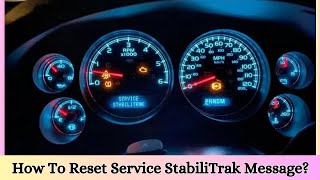
- "Service StabiliTrak" message on the driver information center
- "Service Power Steering" or "Steering Assist is Reduced Drive with Care" message
- Illuminated ABS and Traction Control (TC) warning lights
- Temporary or complete loss of electric power steering (EPS) assist, making steering feel heavy.
- Steering may feel jerky or kick back, especially at low speeds while turning.
- Cruise control may be disabled. 🎬 See a walkthrough of the most common StabiliTrak warning causes.
- Replacing the Steering Angle Sensor module without first checking the G218 ground and sill plate wiring.
- Replacing the Power Steering Control Module (PSCM) or Electronic Brake Control Module (EBCM) when the root cause is a communication line fault.
- Replacing the steering rack to solve a power steering issue when the problem is electronic, not mechanical.
Most Likely Causes
- Poor Body Control Module (BCM) Ground at G218 🔴 High Probability TSB #PIT5405C and its successor #18-NA-161 explicitly call out this issue. The front dash insulator mat can get trapped between the ground eyelet and the body stud, causing a high-resistance connection that worsens under electrical load (like turning the steering wheel). This poor ground can cause a wide array of seemingly unrelated electrical issues.
How to confirm: Locate ground G218 in the upper left corner of the driver's side footwell, near the A-pillar and speaker. Visually inspect if the dash insulator mat is caught under the ground terminal. A proper fix involves removing the 10mm nut, clearing any obstruction, cleaning the contact surfaces of the eyelet and body with a wire brush, and retightening securely.
Typical fix: Reposition or trim the insulator mat away from the ground stud, clean all contact surfaces to bare metal, and securely re-fasten the ground nut. Torque should be around 7 Nm (62 lb in). 🎬 Watch: How to locate and fix the G218 ground issue.
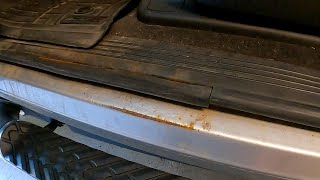
Est. part cost: $0 - Damaged Wiring in Driver/Passenger Sill Plates 🔴 High Probability TSB #PIT5457C identifies this as a common problem area. Wires in the harness that run along the floor under the sill plates can become damaged, chafed, or corroded from moisture ingress, foot traffic, or improper routing during assembly. This can lead to shorts or open circuits in the CAN bus communication lines.
How to confirm: Remove the driver and passenger front door sill plates. Carefully peel back the carpet and inspect the large wiring harnesses running in the channel. Look for any signs of green or white corrosion (verdigris), pinched wires, or broken insulation. Pay close attention to splices and connectors within the harness.
Typical fix: Repair the damaged section of wire using a quality butt connector with heat shrink to seal out moisture.
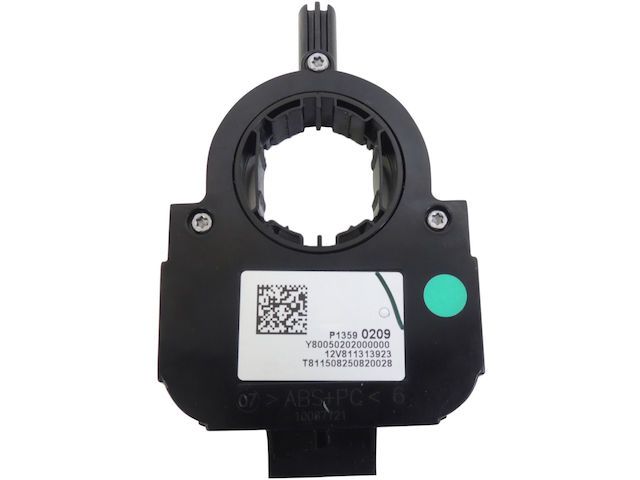
Est. part cost: $5-$50 - Faulty Steering Angle Sensor (SAS) Module ⚪ Low Probability → Shop Steering Angle Sensor While the sensor itself can fail, it is far less common than the wiring and ground issues on this platform. It is often replaced unnecessarily. The sensor is integrated with the clock spring assembly behind the steering wheel.
How to confirm: This should only be considered after confirming the G218 ground and sill plate wiring are in perfect condition. A professional scan tool can view the live data from the SAS to see if it is erratic, non-responsive, or shows an angle that doesn't match the steering wheel's position. If the data is bad and wiring is good, the sensor is the likely culprit.
Typical fix: Replace the steering angle sensor. This part is located in the steering column and requires removal of the airbag and steering wheel. After replacement, the new sensor must be calibrated using a compatible scan tool.
Est. part cost: $100-$250 for the part
Rare But Worth Checking
- Software/Calibration Issue: GM has released software updates for the Power Steering Control Module (PSCM) to address calibration errors that could cause DTCs like U0428 to remain current even after the initial fault is gone. TSB 20-NA-113 discusses this issue. Ensuring all modules have the latest software can resolve related electrical gremlins.
- Failing Battery or Poor Battery Connections: → Shop Vehicle Battery Low system voltage from a weak battery or loose/corroded terminals can cause unpredictable behavior in various electronic modules, leading to a cascade of communication codes. TSB #18-NA-161 notes that a faulty battery or loose battery cable connections can cause a host of electrical issues, including setting various U-codes.
- Aftermarket OBD-II Devices: Some owners report that leaving aftermarket devices (like insurance trackers or Bluetooth code readers) plugged into the OBD-II port can interfere with the vehicle's CAN bus, causing StabiliTrak errors. Unplugging the device often resolves the issue immediately.
Diagnosis Steps
- Scan all vehicle modules with a professional-grade scan tool (like a GM Tech 2 or equivalent) and record all stored Diagnostic Trouble Codes (DTCs). Note which are current vs. history.
- Inspect the main battery. Ensure it is fully charged and load test it to confirm its health. Clean and tighten the battery terminals, ensuring they don't spin on the posts.
- Locate and inspect the BCM ground G218 in the driver's side footwell. Per TSB #18-NA-161, ensure the dash insulation mat is not trapped under the ground terminal. Disassemble, clean all contact surfaces to bare metal, and securely retighten the ground.
- Remove the driver and passenger side front door sill plates. Pull back the carpeting and thoroughly inspect the wiring harnesses for any signs of corrosion (green/white powder), chafing, or breaks, as detailed in TSB #PIT5457C.
- If wiring and grounds are confirmed to be good, use a scan tool to monitor the live data from the Steering Angle Sensor while turning the steering wheel lock-to-lock. The angle should change smoothly and logically from approximately -540 to +540 degrees.
- If the data is erratic or absent and all wiring has been verified, the Steering Angle Sensor is the likely point of failure.
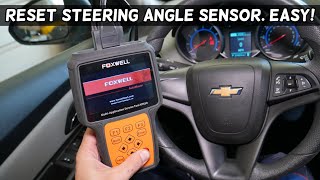
- If the sensor is replaced, a steering angle sensor calibration procedure must be performed with a scan tool. This typically involves centering the wheel, resetting old values, and then performing a learn procedure by turning the wheel lock-to-lock. 🎬 Watch: How to calibrate the steering angle sensor with a scan tool.
Parts You'll Likely Need
- Wiring Repair Supplies — The most common fixes involve repairing existing wires, not replacing major components. This includes butt connectors, heat shrink tubing, and electrical tape.
Trusted brands: 3M
Aftermarket price range: $5-$25 - Steering Angle Sensor
(OEM #13590209)— This is the part to replace if all wiring and ground issues have been ruled out. It is the source of the data that the other modules are flagging as invalid.
Trusted brands: ACDelco (GM Original Equipment), Dorman
OEM price range: $135-$200
Aftermarket price range: $90-$150
Related Codes That Often Appear With This One
- C0710 — Often seen with U0428, C0710 also relates to the steering position signal not being plausible.
- C0544 — Indicates an issue with steering wheel angle sensor data, directly related to the data being sent.
- U0126 — Indicates 'Lost Communication With Steering Angle Sensor Module', which can occur alongside U0428 if the data is not just invalid, but completely absent.
- U0077, U0121, U0131, U0401, U0415 — These are all communication codes listed in TSB #PIT5457C and #18-NA-161, indicating a broader network problem, often stemming from the same damaged wiring harness or ground fault.
Technical Service Bulletins (TSBs) & Recalls
- PIT5457C: Addresses communication codes (including U0428) caused by open, damaged, or corroded wires in the sill plate harnesses.
- PIT5405C / 18-NA-161: Points to a poor BCM ground at G218 as a cause for multiple electrical faults, including U0428 and loss of power steering.
- 20-NA-113: Describes a PSCM calibration error that can cause DTCs to remain current after a fault is resolved, requiring a software update.
Platform-Specific Known Issues
- A known issue documented in TSB #PIT5405C and #18-NA-161 is the front dash insulator mat getting trapped under the G218 ground, causing a poor connection and a host of electrical problems.
Mechanic-Grade Diagnostic Values
- High-Speed CAN Bus Resistance — expected: Approximately 60 Ω (ohms) +/- 5 Ω. Failure: A reading of ~120 Ω indicates an open circuit or one terminating resistor is offline. A reading significantly below 60 Ω (e.g., 40-45 Ω) indicates a shorted circuit or an additional, unwanted resistor on the network.
- Steering Angle Sensor Live Data (Scan Tool) — expected: Should read close to 0° when the steering wheel is centered. Should change smoothly into positive values when turning left and negative values when turning right, up to a maximum of approximately +/- 540°.. Failure: Values are stuck, jump erratically, do not change when the wheel is turned, or do not return to zero when centered.
Hidden / Shadow Codes Worth Checking
- U0428-71: Invalid Data. This is a GM-specific symptom byte that provides more detail than the base code. It specifies that the control module is receiving data from the steering angle sensor, but the data is illogical or outside the expected range, as opposed to a complete loss of communication. (see via Requires a professional scan tool capable of reading manufacturer-specific codes and symptom bytes, such as the GM GDS2 (Global Diagnostic System 2).)
Scan Tool Commands That Help
- GDS2 (or equivalent professional scanner): Steering Wheel Angle Sensor Learn / Calibration — This function is required after replacing the steering angle sensor, steering rack, EBCM, or performing a wheel alignment. It resets the sensor's zero position. Failure to perform this calibration is a common reason for the code to appear after a related repair. The function is typically found in the special functions menu of the Electronic Brake Control Module (EBCM).
Wiring & Ground Locations
- High-Speed GMLAN Bus @ DLC — Data Link Connector (OBD-II port) under the driver's side dashboard. Pin 6 is CAN High, and Pin 14 is CAN Low.. This is the primary access point for testing the overall health of the main communication network that the Steering Angle Sensor, EBCM, and other modules use.
- Chassis High-Speed CAN Bus @ DLC — On some later models (e.g., 2018 and newer sister platforms), a separate Chassis CAN bus may exist on Pins 12 and 13 of the DLC.. A technician must verify the correct bus schematic for the specific vehicle year, as testing the wrong pins will lead to an incorrect diagnosis. The steering, brake, and suspension modules often reside on this dedicated chassis bus.
- Terminating Resistors — The high-speed CAN bus has two 120-ohm resistors. One is typically integrated into the Engine Control Module (ECM). The other is at the opposite end of the bus, often within the Electronic Brake Control Module (EBCM) or, on some sister platforms, the Inflatable Restraint (Airbag) Module.. Knowing the location of the terminating resistors helps in diagnosing open circuits. If a 120-ohm reading is found at the DLC, unplugging the EBCM should cause the reading to go to open-loop (infinite resistance). If it doesn't, the break in the circuit is between the DLC and the EBCM.
Real Owner Repair Stories
- YouTube video 'U0428-71 fallo stabilitrack Chevrolet Silverado 14-21' (2014 Chevrolet Silverado (sister platform)) — Service StabiliTrak message, code U0428-71 (Invalid Data). Live data showed no angle reading from the sensor.
❌ Tried (didn't work) The technician considered immediately replacing the steering angle sensor.
✅ What actually fixed it The vehicle had a used steering rack installed previously. Instead of replacing more parts, the technician used an Xtool scanner to access the Electronic Brake Control Module and perform the 'Steering Angle Sensor Reprogramming' function. This recalibrated the system to the existing sensor, which resolved the code without replacing any parts.
Model Year Variations Within This Range
- 2018+: Later models in this generation and their sister platforms (like the 2018 Tahoe) may use multiple CAN buses accessible at the DLC. The steering and brake modules may be on a dedicated 'Chassis High-Speed CAN' network at pins 12 and 13, not the main GMLAN bus at pins 6 and 14. Technicians must verify the correct wiring diagram for the vehicle's specific year to avoid testing the wrong circuit.
Helpful Videos

We Have This Part in Stock

The information in this article is provided for general reference and educational purposes only. Vehicle specifications, procedures, and part compatibility can vary by production date, trim level, and region. Always consult your vehicle's factory service manual and verify part numbers before purchasing or performing repairs. Safety-critical components such as airbags, seat belts, and braking systems should be installed by a qualified professional.
- Cadillac ESCALADE:
- 🧭 Diagnostic Flowchart
- 🎬 Helpful Videos
- 🛍️ Shop This Part
- What's Unique About the 2015-2018 Cadillac ESCALADE
- Symptoms You May Notice
- Most Likely Causes
- Rare But Worth Checking
- Diagnosis Steps
- Parts You'll Likely Need
- Related Codes That Often Appear With This One
- Technical Service Bulletins (TSBs) & Recalls
- Platform-Specific Known Issues
- Mechanic-Grade Diagnostic Values
- Hidden / Shadow Codes Worth Checking
- Scan Tool Commands That Help
- Wiring & Ground Locations
- Real Owner Repair Stories
- Model Year Variations Within This Range
- 🎟️ Get 5% Off