

U1000 on 2000-2006 GMC Yukon: Causes and Fixes for Class 2 Communication Failure
On a 2000-2006 GMC Yukon, code U1000 is almost always caused by a broken or corroded wire, or a bad ground. The most common failure points are the data wire under the driver's door sill plate and the ground packs on the frame and under the dashboard. The fix is often a simple wiring repair, costing under $20 in materials.
- U1000 on this Yukon is a network code, not a part code. Do not replace parts until you have diagnosed the circuit.
- The problem is most likely a simple (but hard to find) wiring or ground fault. Check the known problem spots first: under the driver's carpet/sill and the main body/frame grounds.
- A professional scan tool is highly recommended. It can save hours of guesswork by showing which specific modules are offline.
- If you have an aftermarket radio, suspect it first. Disconnect it completely before starting any other diagnostic work.
- This is a challenging DIY repair due to the diagnostic complexity. Patience and a logical, step-by-step approach are critical.
What's Unique About the 2000-2006 GMC Yukon
The GMT800 platform, which this Yukon is built on, is well-known for specific electrical vulnerabilities that trigger the U1000 code. The single-wire Class 2 data bus is sensitive, and a single break or short can disable the entire network, causing a cascade of seemingly unrelated symptoms. Owner and technician forums are filled with examples tracing this code not to expensive computer failures, but to predictable wire chafe points under the driver's carpet and corroded grounds (like G201 under the dash and others on the frame rail) making it a very platform-specific diagnosis.
Symptoms You May Notice
- Intermittent no-start or cranks-but-won't-start condition
- Instrument cluster gauges drop to zero or behave erratically
- Multiple warning lights on the dash (Check Engine, ABS, Security, Airbag)
- "Service 4WD" or other messages on the Driver Information Center (DIC)
- Loss of power to windows, radio, or HVAC controls
- Inability of a standard OBD-II scanner to connect to the vehicle or communicate with any modules
- Battery light may come on
- Vehicle stalling or losing ignition input while driving
- Shifter becoming locked in Park
- Replacing the ECM/PCM: The Engine Control Module is rarely the cause of a U1000 code. The problem is almost always in the wiring, grounds, or a different module like the BCM.
- Replacing the battery: While a very weak battery can cause various electrical issues and should be tested first, it's not typically the root cause of a persistent U1000 code unless it has led to module data corruption. It's a common trigger but often not the underlying fault.
Most Likely Causes
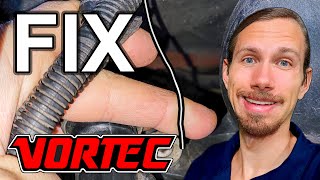
- Damaged or Corroded Class 2 Data Wire 🔴 High Probability The main data wire (a purple wire on pin 2 of the OBD-II port) is routed in vulnerable areas. It commonly chafes or breaks under the driver's side door sill plate 🎬 Watch: How to find and fix this common wire failure from foot traffic, near the parking brake mechanism, or under the under-hood fuse block where it can be damaged by rodents or corrosion.
How to confirm: Visually inspect the wiring harness in the known problem areas. Test for continuity on the Class 2 wire from the OBD-II port to the various modules or splice packs (like SP205). A short to ground or voltage on this wire will kill all communication.
Typical fix: Repair the broken or shorted section of the wire using solder and heat shrink. Ensure the repaired section is protected from future damage with loom or re-routing.
Est. part cost: $5-$20 - Bad or Corroded Grounds 🔴 High Probability The primary ground points for the electronic modules are exposed to moisture and road salt, leading to corrosion. Key failure points are the ground packs on the frame rail under the driver's door and the ground point under the driver's side of the dashboard near the A-pillar (often designated G201).
How to confirm: Locate the main ground packs. Unbolt them, and inspect for rust or corrosion on the terminals, wires, and mounting surface. A voltage drop test on the ground circuit can also confirm a bad connection. A bad ground can cause a module to lose communication or behave erratically.
Typical fix: Remove the ground bolt, clean all contact surfaces (wire terminals and frame/body) to bare metal, apply dielectric grease, and re-secure tightly.
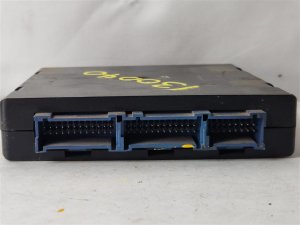
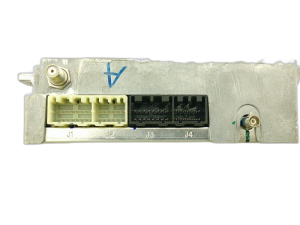
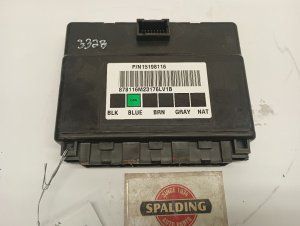
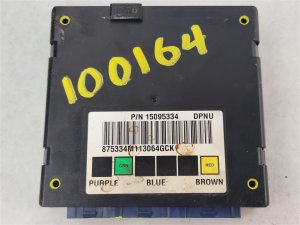
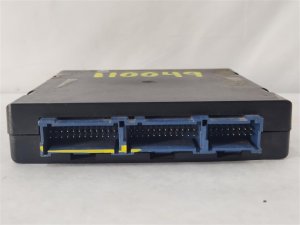
Est. part cost: $0-$10 - Faulty Body Control Module (BCM) 🟡 Medium Probability → Shop Body Control Module The BCM acts as a central hub or gateway for the Class 2 network. Internal failure of the BCM can cause it to stop communicating or, in some cases, flood the network with bad data, bringing down all other modules. Water intrusion into the cabin can also damage the BCM.
How to confirm: This is a process of elimination. If wiring and grounds are confirmed to be good, disconnect the BCM. If communication with other modules is restored, the BCM is the likely culprit. A GM-specific scan tool (like a Tech 2) can also help identify a non-responsive BCM.
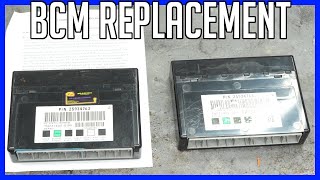
Typical fix: Replace the Body Control Module. A new BCM will require programming to the vehicle's VIN and specific options. Remanufactured units are available. 🎬 See how to replace and program a GM BCM
Est. part cost: $150-$300 - Poorly Installed Aftermarket Electronics 🟡 Medium Probability Aftermarket radios, remote starters, and alarms are often incorrectly wired by tapping into the Class 2 data wire (purple wire) for power or other signals, which disrupts network communication. GM issued TSB #00-08-47-003A regarding this specific issue.
How to confirm: Completely disconnect any aftermarket electronic devices, especially those connected to the radio wiring harness. If the symptoms disappear, the aftermarket device or its wiring is the cause.
Typical fix: Remove the device or reinstall it using the correct data interface adapter (e.g., from brands like PAC or Axxess) that is designed to work with the GM Class 2 system.
Est. part cost: $50-$150
Rare But Worth Checking
- Faulty Instrument Panel Cluster (IPC): → Shop Instrument Cluster The cluster itself is a module on the network. Bad solder joints on the cluster's circuit board, a known issue on this platform, can cause it to fail and disrupt communication. This is separate from the more common stepper motor failure, and can cause a total communication loss.
- Faulty Electronic Brake Control Module (EBCM): → Shop ABS Control Module The EBCM is located on the frame rail and is highly exposed to the elements. Corrosion can damage the module or its connector, causing it to short out the data line. Disconnecting a suspect EBCM can be a quick diagnostic step to see if network communication returns.
- Faulty Transfer Case Control Module (TCCM): → Shop Transfer Case Motor A failing TCCM can bring down the Class 2 network, causing a U1000 code. In one documented case, a faulty remanufactured TCCM was the cause of the communication issue.
Diagnosis Steps
- Check and verify battery voltage and charging system health. A weak battery or bad alternator can cause communication glitches.
- Check all relevant fuses, particularly those for the BCM, ECM, TCCM, and instrument cluster (IPC).
- Connect a scan tool. Note which modules are NOT communicating. A U1000 code in every module points to a total network failure.
- Disconnect any aftermarket accessories (radio, remote start, alarm). Clear codes and see if the problem returns.
- Visually inspect the Class 2 data wire harness (purple wire) under the driver's side door sill plate, carpet, and near the parking brake pedal for breaks, chafing, or corrosion.
- Locate, disassemble, and clean the main ground points, especially G201 under the dash near the A-pillar and the ground pack on the frame under the driver's door.
- If wiring and grounds are good, begin isolating the fault by disconnecting modules one at a time. Start with the most exposed or suspect modules like the EBCM on the frame rail or the TCCM. After unplugging each one, check if communication is restored to the other modules.
- If all other steps fail, suspect a faulty BCM or Instrument Cluster. This step often requires a professional-level scan tool for confirmation.
Parts You'll Likely Need
- Body Control Module (BCM)
(OEM #Example: ACDelco 15768288 or 15194219 (Varies by year and options, VIN verification required))— The BCM is a common failure point that can take down the entire Class 2 network. It's often the culprit if all wiring and grounds are confirmed to be good.
Trusted brands: ACDelco (OEM), Dorman (Aftermarket)
OEM price range: $250-$350
Aftermarket price range: $150-$250 - Wiring Repair Supplies — The most frequent fix is repairing a broken data wire. This requires basic supplies like automotive-grade wire, solder, and heat-shrink tubing.
Aftermarket price range: $5-$20
Related Codes That Often Appear With This One
- U1016 — Loss of Communication with PCM. This often appears in the BCM or other modules when they can't hear from the main engine computer, reinforcing the U1000 network fault.
- U1041 — Loss of Communication with EBCM (Brake Module). This code will log in other modules when the brake module is the one that has failed or is disconnected from the network.
- U1064 — Loss of Communication with BCM (Body Module). This code will log in the PCM and other modules when the BCM is the source of the network failure.
- B1000 — ECU Malfunction. This code can sometimes accompany a U1000 and may point towards an internal BCM or PCM fault, but wiring and grounds should still be checked first.
Technical Service Bulletins (TSBs) & Recalls
- GM TSB #00-08-47-003A - This bulletin addresses issues caused by improper installation of aftermarket equipment. It warns that connecting accessories directly to the Class 2 serial data line can disrupt communication and set various 'U' codes. The proper fix is to use a designated adapter harness.
Mechanic-Grade Diagnostic Values
- Class 2 Data Bus (J1850 VPW) Voltage — expected: A toggling signal between a low of <3.5V (nominally 0V) and a high of >4.25V (nominally 7V).. Failure: A constant voltage (e.g., stuck at 0V, 5V, or 12V) or no voltage indicates a short to ground, short to power, or an open circuit. An oscilloscope is required to properly view this signal.
Scan Tool Commands That Help
- GM Tech 2: Class 2 Message Monitor — When experiencing a total network failure (U1000 in all modules, no communication), this function can be used to perform a 'roll call' of all modules on the network. It will show which modules are 'active' and which are not responding, helping to pinpoint the source of the communication breakdown without needing to communicate with any specific module first.
Wiring & Ground Locations
- G201 — Located in the upper left corner of the instrument panel, near the A-pillar on the driver's side. It serves as a primary ground point for the BCM, Instrument Panel Cluster (IPC), and Data Link Connector (DLC).. A loose or corroded G201 is a very common cause for a U1000 code on GMT800 trucks, as it can interrupt the ground reference for multiple modules on the Class 2 network, causing them to lose communication.
- SP205 — Splice Pack 205 is located in the wiring harness that runs along the driver's side rocker panel, often under the plastic door sill plate.. This is a major junction point where the single Class 2 data wire (purple) splits to go to various modules. The wires in this area are highly susceptible to corrosion from water entry or physical damage from foot traffic, leading to an open circuit and a U1000 code.
- Frame Ground — On the frame rail, typically below the driver's door, to the rear of the left front tire.. This is the main ground point for the Electronic Brake Control Module (EBCM). Corrosion here is extremely common due to exposure to road salt and moisture, and a bad ground can cause the EBCM to stop communicating, bringing down the network.
Documented NHTSA Reports
NHTSA records for related GM platforms provide further insight into the U1000 code. NHTSA ODI #10171770 describes a scenario where a vehicle stalled due to a loss of ignition input, with U1000 and U1016 codes present, eventually requiring an ignition switch replacement. Another report, NHTSA ODI #10186630, notes a no-crank/no-start condition where the shifter was locked in park and the instrument cluster was intermittent while U1000 and U1016 were set. Additionally, NHTSA ODI #10259771 highlights a Class 2 data link malfunction where the instrument panel cluster stopped working entirely. For cross-manufacturer context, NHTSA ODI #10169405 mentions a U1000 code specifically identified as an electrical and ground wire problem, while NHTSA ODI #11244385 reports the vehicle losing engine power and bucking with the Stabilitrak light illuminated.
Real Owner Repair Stories
- GMTNation forum post (2006 Chevrolet Silverado) — Instrument cluster was inoperative, numerous warning lights were on, and no scan tool (neither a Snap-on MODIS nor a GM Tech 2) could communicate with any module.
❌ Tried (didn't work) Initial scan tool connection attempts failed completely.
✅ What actually fixed it The technician found that mice or rats had chewed through the wiring at the underhood fuse block, causing the Class 2 data line to short to a power wire. Repairing the chewed wires restored all communication.
OEM Part Supersession History
15136877→N/A - This is a common BCM part number for the 2003-2006 range.— N/A
Heads up: BCMs for 2000-2002 models have different part numbers and are generally not interchangeable with 2003-2006 models due to significant electrical system changes in the 2003 model year refresh.
Model Year Variations Within This Range
- 2003-2006: The 2003 model year marked a significant refresh for the GMT800 platform, including major changes to the electrical architecture. While the Class 2 data bus remained, many module part numbers, wiring, and BCM functionalities changed. BCMs and some other modules are not directly interchangeable between 2000-2002 and 2003-2006 models without significant rewiring and programming challenges.
Diagnostic Flowchart
Other Known Issues on This Vehicle
Issues unrelated to this code that are worth knowing about as an owner of this generation:
- Instrument Panel Cluster (IPC) Stepper Motor Failure 🔴 High → Shop Instrument Cluster — Extremely common on 2003-2006 models. Gauges (speedometer, tachometer, etc.) become erratic, stick, or stop working entirely. (Ref: A class-action lawsuit settlement existed but has largely expired. Not a formal recall.)
- Cracked Dashboard 🟠 Medium — Very common across all years, especially in warmer climates. The top of the dashboard develops cracks, particularly around the passenger airbag area and defroster vents.
- Fuel Pump and/or Sending Unit Failure 🔴 High — Common failure item. The pump can fail, causing a no-start condition, or the sending unit can fail, causing an inaccurate fuel gauge reading.
- 4WD Transfer Case Position Sensor/Encoder Motor Failure 🟠 Medium → Shop Transfer Case Motor — Frequent cause of the 'Service 4WD' message. The sensor or encoder motor fails, preventing the vehicle from shifting into or out of 4WD.
- Intermediate Steering Shaft Clunk 🟡 Low — A very common issue where a clunking noise is heard or felt through the steering wheel, especially at low speeds. The typical fix is to lubricate or replace the intermediate steering shaft. (Ref: Multiple TSBs exist for lubrication procedures.)
- Rusted Brake and Fuel Lines 🔴 High — Prevalent in regions that use road salt. The steel lines under the vehicle corrode and can leak, leading to brake failure or fuel leaks.
Used vs. New Parts: Buying Guide for This Vehicle
When a used part is the smart pick: For modules like the EBCM, TCCM, or Instrument Cluster, a used part from a reputable salvage yard can be a cost-effective option, provided it comes from a vehicle of the same year and with similar options. These modules often do not require programming.
Donor-vehicle mileage cap: roughly under 150000 miles for the part to have meaningful remaining life.
What to inspect on the donor part:
- Check for any signs of water damage, corrosion on the pins, or physical damage to the casing.
- If possible, get the VIN of the donor vehicle to cross-reference its options (RPO codes).
- For a BCM, ensure the seller can provide the VIN it came from, as this is required for potential reprogramming.
OEM-only on this vehicle (don't cheap out):
- Body Control Module (BCM)
Aftermarket brands forum-validated for this vehicle:
- ACDelco (Professional line for OEM quality)
Brands owners have reported issues with on this vehicle:
- Dorman: While Dorman makes many useful parts, their electronic modules, particularly for GMT800 vehicles, have a mixed reputation on owner forums. Some users report premature failure or compatibility issues with BCMs and knock sensors.
Real Owner Stories
Aggregated from forums and TSBs cited above. Mileages and costs reflect what owners reported in those sources.
2003 Yukon XL
Symptoms: Intermittent no-start condition, battery light on, and an aftermarket stereo was installed. Found a rat's nest in the under-hood fuse box.
What fixed it: Repaired damaged wiring in the under-hood fuse box area.
Source hint: TahoeYukonForum.com - 'U1000 Code - Battery Light On - Intermittent starting Issue'
2004 GMC Yukon
Symptoms: Vehicle was stuck in 4WD and a U1000 code appeared immediately after replacing the Transfer Case Control Module.
What fixed it: Replaced a bad remanufactured Dorman TCCM with another unit that worked correctly.
Source hint: TahoeYukonForum.com - 'Stuck in 4WD. Any help?'
2003 GMC Yukon
Symptoms: The instrument cluster was completely dead, though the failure started out as an intermittent issue.
What fixed it: A professional rebuild of the instrument cluster's power supply.
Source hint: GM-Trucks.com - 'Instrument cluster failure - 03 Yukon'
2000-2006 GMC Yukon
Symptoms: No-start condition with multiple U1000 codes indicating a Class 2 Serial Communication problem.
What fixed it: Systematic isolation of modules on the network and checking fuses and ground connections.
Source hint: GMTNation - 'No Start, Multiple U1000 codes, Class 2 Serial Communication Problem'
Related OBD-II Codes
Frequently Asked Questions
I installed an aftermarket stereo in my Yukon and now I have a U1000 code. Is there a specific bulletin about this?
Where are the common ground failure points on a 2000-2006 Yukon that cause communication codes?
My 2003 Yukon XL has a U1000 and the battery light is on. Could this be related to the fuse box?
Can a faulty Transfer Case Control Module (TCCM) cause a U1000 code on my GMC Yukon?
Where is the Class 2 data wire most likely to break on the GMT800 Yukon platform?
If my instrument cluster gauges are dropping to zero intermittently, do I need a new BCM?
Helpful Videos


We Have This Part in Stock

The information in this article is provided for general reference and educational purposes only. Vehicle specifications, procedures, and part compatibility can vary by production date, trim level, and region. Always consult your vehicle's factory service manual and verify part numbers before purchasing or performing repairs. Safety-critical components such as airbags, seat belts, and braking systems should be installed by a qualified professional.
- GMC Yukon:
- 🧭 Diagnostic Flowchart
- 🎬 Helpful Videos
- 🛍️ Shop This Part
- What's Unique About the 2000-2006 GMC Yukon
- Symptoms You May Notice
- Most Likely Causes
- Rare But Worth Checking
- Diagnosis Steps
- Parts You'll Likely Need
- Related Codes That Often Appear With This One
- Technical Service Bulletins (TSBs) & Recalls
- Mechanic-Grade Diagnostic Values
- Scan Tool Commands That Help
- Wiring & Ground Locations
- Documented NHTSA Reports
- Real Owner Repair Stories
- OEM Part Supersession History
- Model Year Variations Within This Range
- Other Known Issues on This Vehicle
- Used vs. New Parts: Buying Guide for This Vehicle
- Real Owner Stories
- 2003 Yukon XL
- 2004 GMC Yukon
- 2003 GMC Yukon
- 2000-2006 GMC Yukon
- Related OBD-II Codes
- Frequently Asked Questions
- 🎟️ Get 5% Off