

U1000 on 2014-2016 Nissan Versa Note: Causes and Fixes for CAN Communication Failures
Code U1000 on a 2014-2016 Versa Note indicates a network communication failure between control modules. The most common causes are a weak battery, poor ground connections, or corroded connectors, especially the main battery ground. Always test the battery and check all major grounds before suspecting a failed module, as these are frequent and low-cost fixes.
- U1000 is a network error, not a part failure. The module storing the code is usually OK.
- Always start your diagnosis by load-testing the battery and inspecting all main ground connections. This resolves a high percentage of cases.
- Do not replace the module that logged the U1000 code without first proving all other modules, wiring, and power/grounds are good.
- Diagnosing the specific cause of a U1000 code almost always requires a professional scan tool that can perform a full network test.
- If you have audio system problems along with the U1000 code, investigate TSB NTB13106E as a possible cause.
What's Unique About the 2014-2016 Nissan VERSA NOTE

While U1000 is a generic communication code 🎬 Watch: Common reasons for the U1000 code in Nissans across the Nissan lineup, the 2014-2016 Versa Note, built on the Nissan V platform, has specific documented issues. One is detailed in Nissan TSB NTB13106E, where problems with the audio or navigation unit's configuration can cause the Around View Monitor (AVM) control unit to log a U1000 code, presenting with symptoms like erratic audio volume. This is a unique quirk to be aware of if you experience audio-related problems along with this code. Additionally, like its platform mates, the Versa Note is sensitive to voltage drops and poor grounds, making these primary suspects for any U1000 code.
Diagnostic Flowchart

Tap your situation to follow the diagnostic path that matches what you're seeing on this vehicle.
Symptoms You May Notice

- Check Engine Light or other warning lights (ABS, VDC, Airbag) are on
- No-start or crank-no-start condition
- Transmission issues, such as harsh shifting or being stuck in gear (limp mode)
- Erratic or non-functional gauges on the instrument cluster
- Audio system problems, like very loud/quiet volume or sensitive adjustments (related to TSB NTB13106E)
- Loss of power features (windows, locks, etc.)
- Inability for a standard OBD-II scanner to communicate with certain modules or read the VIN
- Engine stalls unexpectedly, especially at low speeds
- Radiator fan runs continuously when the engine is on
- Replacing the control module that *stored* the U1000 code. TSB NTB10-066B specifically states this module is usually operating normally and the fault is external to it.
- Replacing expensive modules before thoroughly cleaning and tightening all battery and chassis ground connections.
Most Likely Causes

- Weak or Failing Battery 🔴 High Probability → Shop Vehicle Battery Low voltage during startup is a common trigger for communication codes on modern vehicles with sensitive electronics. Modules can fail to initialize properly, causing them to drop off the network. This is often the first thing to check, as many owners have resolved the code simply by replacing an old battery.
How to confirm: Perform a load test on the battery. A simple voltage check is not enough. Most auto parts stores can do this for free. A battery older than 5 years is a strong suspect.
Typical fix: Replace the 12V battery.
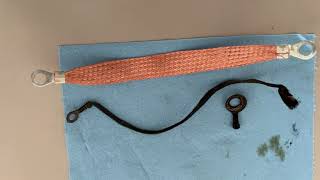
Est. part cost: $120-$250 - Poor Ground Connections 🔴 High Probability Nissan TSBs frequently point to corroded or loose ground points as a primary cause for U1000 codes. The main battery ground strap, which connects the negative terminal to the chassis and transmission, is a known weak point and can corrode, causing a host of electrical issues.
How to confirm: Visually inspect the main ground straps for corrosion (green/white powder) or looseness. Follow the main negative cable from the battery to where it bolts to the car's body and transmission case.
Typical fix: Disconnect the battery (negative terminal first), unbolt the ground connections, clean all contact points (chassis and connector) with a wire brush and a baking soda/water solution, then re-tighten securely. Applying dielectric grease can prevent future corrosion. If the cable is badly corroded, it may need replacement.
Est. part cost: $0-$50 - Corroded Connectors or Damaged Wiring 🟡 Medium Probability Moisture intrusion or physical damage can compromise the CAN bus wiring or the connectors at any control module. A single corroded pin in a major connector, like the one for the IPDM, can take down the entire network. Rodent damage to wiring is also a possible cause.
How to confirm: This requires a detailed visual inspection of wiring harnesses and connectors for the suspected non-communicating module. A professional scan tool is needed to identify which module is offline first. Wiggling connectors while observing CAN resistance on a multimeter can help pinpoint a bad connection.
Typical fix: Clean the corroded connector pins or repair the damaged section of the wiring harness. In some cases, a connector pigtail may need to be sourced and spliced in.
Est. part cost: $5-$200 - Faulty Control Module ⚪ Low Probability While less common than power or connection issues, a control module (like the TCM, BCM, or IPDM) can fail internally, causing it to stop communicating on the network. This should be the last resort after all other possibilities are exhausted.
How to confirm: This is a process of elimination. After confirming the battery, grounds, and wiring to the module are all good, the module itself becomes the primary suspect. Requires a professional diagnosis.
Typical fix: Replace the faulty control module. Some modules, like the IPDM on this platform, may not require programming, but others (like the TCM or ECM) will require programming by the dealer or a qualified shop.
Est. part cost: $200-$1000+
Rare But Worth Checking
- Incorrect Audio/Navigation Unit Configuration: As per TSB NTB13106E, if the U1000 code is stored in the AVM (Around View Monitor) and you have audio issues, this is a specific possibility worth investigating.
- Faulty IPDM (Intelligent Power Distribution Module): The IPDM acts as a smart fuse box and can cause widespread communication issues if it fails. Symptoms often include a crank-no-start or intermittent stalling. A self-test can be run on the IPDM to check its functions.
- Aftermarket Electronics: Poorly installed remote starters, alarms, or audio equipment can interfere with the CAN bus wiring by tapping into the wrong circuits, causing communication errors.
Diagnosis Steps
- Perform a full system scan with a professional-grade tool (like Nissan CONSULT) to see which module(s) are not communicating. A basic code reader will only show the U1000 code but not its source.
- Check the battery voltage and perform a load test. Ensure battery terminals are free of corrosion and tight.
- Inspect and clean all major ground connections. Key locations are the negative battery cable's connection to the chassis and the ground strap from the chassis to the transmission housing. Clean with a wire brush until shiny metal is visible.
- If a specific module is identified as offline, locate it and inspect its electrical connector for corrosion, moisture, or bent pins.
- Check fuses related to the non-communicating module in the IPDM (engine bay) and interior fuse panel (driver's side dash).
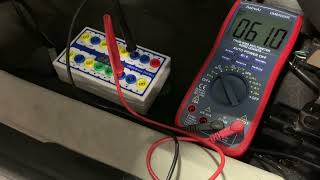
- If all power, ground, and connections are good, perform a CAN bus resistance test with a multimeter. With the battery disconnected, measure resistance between Pin 6 (CAN-H) and Pin 14 (CAN-L) at the OBD-II port. A healthy network should read approximately 60 ohms. A reading of 120 ohms suggests one of the two terminating resistors (or the wiring to it) has failed.
- As a final step, the non-communicating module is the likely culprit and may need replacement. Always confirm power and ground at the module connector before ordering a new part.
Parts You'll Likely Need
- 12V Automotive Battery — A weak or failing battery is the most frequent cause of network communication codes like U1000.
Trusted brands: Interstate, DieHard, Duralast
OEM price range: $180-$300
Aftermarket price range: $120-$250 - Battery Ground Cable
(OEM #24080-3WC0A (for MT), 24080-3WC0B (for CVT))— The factory ground strap is prone to corrosion, leading to high resistance and communication faults. Because the terminal is crimped on, the entire cable often needs replacement if cleaning is insufficient.
Trusted brands: Nissan OE, Standard Motor Products, Dorman
OEM price range: $70-$125
Aftermarket price range: $20-$60
Related Codes That Often Appear With This One
- U1001 — This is also a CAN communication code, often related to the ECM. TSB NTB10-066B groups U1000, U1001, U1002, and U1010 as related communication faults that should be diagnosed first.
- U0100 — This code specifically means 'Lost Communication With ECM/PCM'. If a Versa Note owner experiences a crank-no-start, they may see this code alongside U1000, pointing towards an issue with the ECM's ability to communicate.
- U1010 — This code indicates a control unit has an internal error, which could be the root cause of the U1000 communication loss.
Technical Service Bulletins (TSBs) & Recalls
- NTB13106E: Addresses a U1000 code in the AVM Control Unit related to audio/navigation unit configuration.
- NTB10-066B: Provides general diagnostic guidelines for U1000, stating the module reporting the code is usually not the faulty part and emphasizing checking power, grounds, and CAN resistance before replacing modules.
Platform-Specific Known Issues
- TSB NTB13106E documents an issue where an incorrect configuration of the Audio/Navigation unit can cause the Around View Monitor (AVM) Control Unit to store a DTC U1000. Symptoms include erratic audio volume and equalizer settings.
- Corrosion of the main battery-to-chassis/transmission ground strap is a very common real-world cause for the U1000 code on this platform, often leading to a no-start or intermittent electrical problems.
Mechanic-Grade Diagnostic Values

- CAN Bus Resistance (entire network) — expected: ~60 Ohms. Failure: 120 Ohms indicates an open circuit to one of the two terminating resistors. A reading below 57 Ohms may indicate a short or an extra terminating resistor on the network.
- CAN Bus Voltage (Key On, Engine Off) — expected: CAN-H to Ground: ~2.6V (average). CAN-L to Ground: ~2.4V (average).. Failure: Significant deviation from these voltages, or voltages not mirroring each other, indicates a line fault. A multimeter will only show the average voltage, an oscilloscope is needed to see the actual signal.
- CAN Line to Ground Resistance — expected: Mega-ohms or Open/Infinite resistance (OL).. Failure: Any low resistance or continuity reading indicates a short to ground on either the CAN-H or CAN-L line.
Scan Tool Commands That Help
- Manual Procedure (No Scan Tool): IPDM E/R Auto Active Test — To verify the IPDM E/R (Intelligent Power Distribution Module Engine Room) is communicating and functioning. If the test initiates, it confirms the CAN line between the BCM and IPDM is likely okay. It tests wipers, lights, A/C clutch, and fans, helping to isolate electrical faults controlled by the IPDM.
Wiring & Ground Locations
- E15 — Left rear of the engine compartment.. This is a major grounding point for engine control components. A wiring diagram for the 2014 Versa shows multiple critical engine sensors and actuators using this ground. A poor connection at E15 can cause erratic sensor readings and communication faults like U1000.
- Battery Negative Cable Ground Points — The main negative battery cable bolts directly to the vehicle chassis and also has a strap that connects to the transmission case.. This is the primary return path for the entire electrical system. Corrosion or looseness at either the chassis or transmission connection is a very common cause of low voltage and communication errors across all modules.
OEM Part Supersession History
24080-3WC0A→24080-3WC0B— Part revision or supplier change. The original part (3WC0A) is listed for the S trim with Manual Transmission, while the superseding part (3WC0B) is listed for S, SL, SR, and SV trims with the CVT.
Heads up: The parts are specific to the transmission type (Manual vs. CVT). The CVT version is noted as being more expensive. Ordering the wrong one may result in fitment issues.
Helpful Videos
![How To Test CAN BUS With A Multimeter [CAN Bus Resistance Check] Mechanic Mindset](https://img.youtube.com/vi/JPE42HSJxAk/mqdefault.jpg)


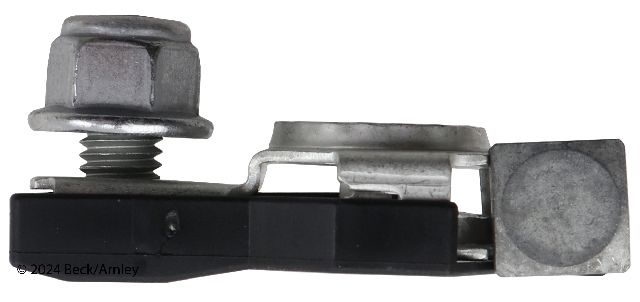
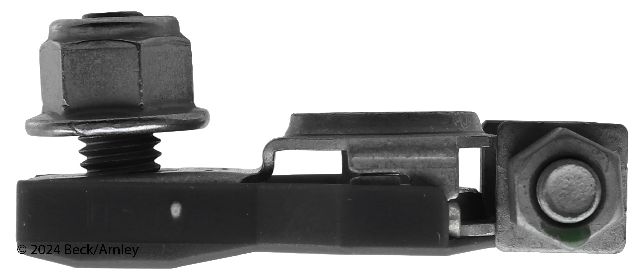
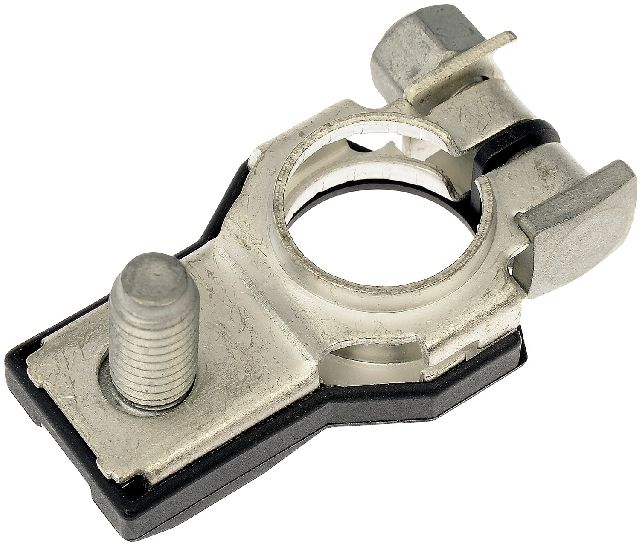
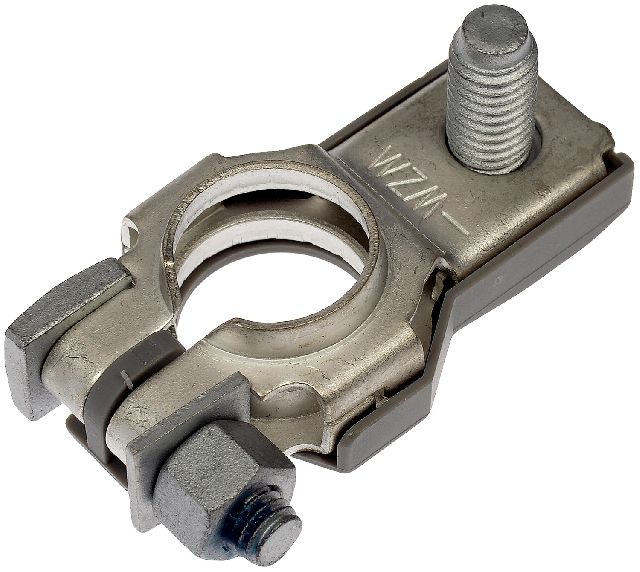
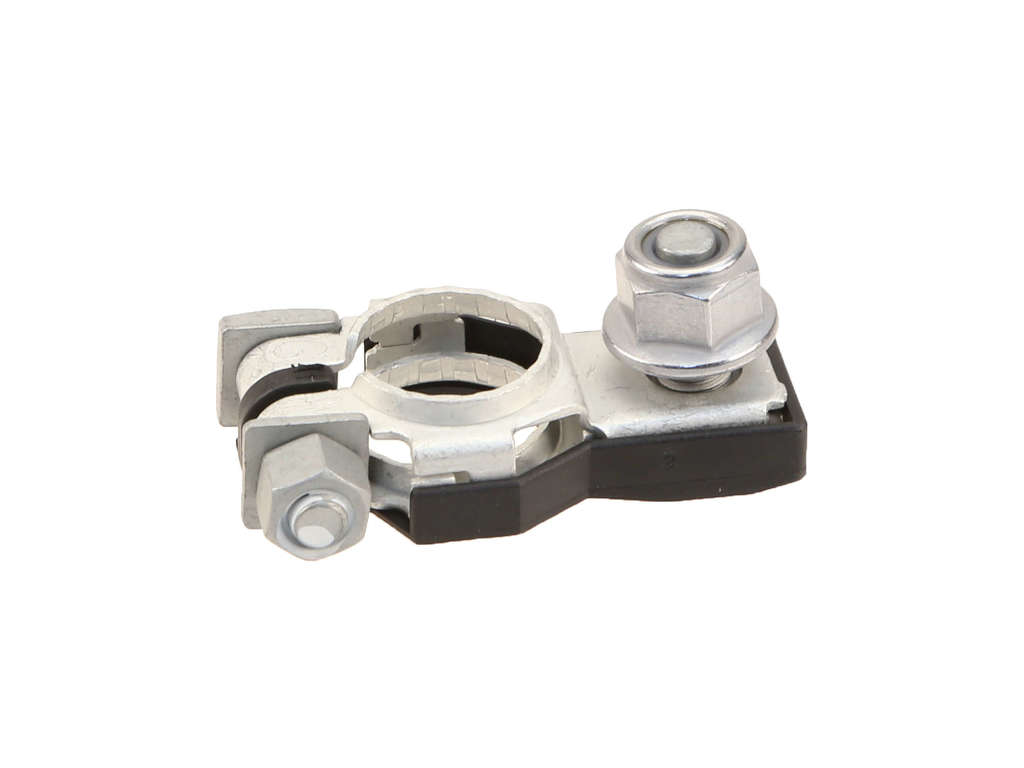
We Have This Part in Stock


The information in this article is provided for general reference and educational purposes only. Vehicle specifications, procedures, and part compatibility can vary by production date, trim level, and region. Always consult your vehicle's factory service manual and verify part numbers before purchasing or performing repairs. Safety-critical components such as airbags, seat belts, and braking systems should be installed by a qualified professional.
- Nissan VERSA NOTE:
- 🧭 Diagnostic Flowchart
- 🎬 Helpful Videos
- 🛍️ Shop This Part
- What's Unique About the 2014-2016 Nissan VERSA NOTE
- Symptoms You May Notice
- Most Likely Causes
- Rare But Worth Checking
- Diagnosis Steps
- Parts You'll Likely Need
- Related Codes That Often Appear With This One
- Technical Service Bulletins (TSBs) & Recalls
- Platform-Specific Known Issues
- Mechanic-Grade Diagnostic Values
- Scan Tool Commands That Help
- Wiring & Ground Locations
- OEM Part Supersession History
- 🎟️ Get 5% Off