

U1440 on 2015-2019 Hyundai Sonata: BCM Communication Fault Explained
This is a rare communication code indicating that the Body Control Module (BCM) has received invalid data from the front controls or display, likely the main infotainment screen or climate control panel. The cause is often a simple electrical issue like a poor connection or low battery voltage, but could also be a faulty BCM, display unit, or even the driver's side master window switch.
- U1440 on a Sonata is a communication error, not a mechanical problem.
- The most likely systems involved are the Body Control Module (BCM) and the main infotainment or climate control unit.
- Before suspecting expensive computer modules, always check the basics: battery voltage, charging system health, and all related fuses.
- This code appears to be very uncommon for this vehicle, so diagnosis will rely on standard electrical troubleshooting rather than known common fixes.
- Due to the complexity
What's Unique About the 2015-2019 Hyundai Sonata
Unlike many other manufacturers (particularly Ram and Dodge trucks) where U1440 points to a 4x4 system fault, on a front-wheel-drive sedan like the Hyundai Sonata, this code is purely an internal communication and networking issue. There is very little public documentation, TSBs, or forum discussion about this specific code for the Sonata, suggesting it is not a common problem. Troubleshooting will rely on general principles of diagnosing automotive network failures rather than a known pattern of part failures.
Symptoms You May Notice
- Malfunctioning or unresponsive infotainment screen/radio
- Climate control system not working correctly
- Erratic behavior of dashboard buttons or controls
- Other warning lights may appear on the instrument cluster due to the communication fault
- Key fob or immobilizer issues in rare cases
- Power windows, door locks, or mirror controls not working correctly
- Replacing the battery without testing it first.
- Assuming the radio or display screen is bad without checking the wiring and connectors first.
- Overlooking simpler modules like the driver's master switch as the source of the network fault.
Most Likely Causes
- Low Battery Voltage or Poor Charging System Performance 🟡 Medium Probability → Shop Vehicle Battery Modern vehicles are highly sensitive to voltage. A weak battery or failing alternator can cause unpredictable communication errors between modules before causing a no-start condition.
How to confirm: Test the battery with a multimeter or electronic battery tester. Voltage should be above 12.4V with the engine off and between 13.5V and 14.5V with the engine running.
Typical fix: Charge or replace the battery. If the charging voltage is low, diagnose the alternator.
Est. part cost: $150-$350 - Loose or Corroded BCM/Display Unit Connectors 🟡 Medium Probability Vibrations over time can cause electrical connectors to become loose. Any moisture intrusion can lead to corrosion and poor signal quality.
How to confirm: Visually inspect the wiring harnesses and connectors at the back of the infotainment/climate control unit and at the Body Control Module. Check for a secure fit and any signs of green or white corrosion.
Typical fix: Disconnect, clean with electrical contact cleaner, and securely reconnect the connectors. Repair any damaged wires.
Est. part cost: $5-$20 - Faulty Driver's Master Switch (Power Window Switch) ⚪ Low Probability The master switch is a complex module that communicates directly with the BCM over the network. An internal failure can flood the network with invalid data, causing this code.
How to confirm: This is a difficult part to test. A professional may use a scan tool to see if communication is restored when the master switch is disconnected from the network. A real-world repair for U1440 on a 2017 Sonata involved replacing this specific part.
Typical fix: Replace the driver's side master switch assembly.
Est. part cost: $150-$300 - Faulty Infotainment Head Unit or Control Panel ⚪ Low Probability → Shop Audio System
How to confirm: This is difficult to confirm without a specialized scan tool that can attempt to communicate directly with the suspect module. If the module is unresponsive, it is likely faulty.
Typical fix: Replace the faulty control unit (radio, climate control, etc.).
Est. part cost: $200-$800 (used), $800+ (new) - Body Control Module (BCM) Failure ⚪ Low Probability → Shop Body Control Module
How to confirm: This is typically a diagnosis of exclusion. If the battery, wiring, and all other modules on the network check out, the BCM itself may be the source of the invalid data. A high-end scan tool may show internal BCM fault codes.
Typical fix: Replace and reprogram the Body Control Module. This often requires dealer-level tools.
Est. part cost: $250-$600
Rare But Worth Checking
- Aftermarket Electronics:
Diagnosis Steps
- Check Battery Health: → Shop Vehicle Battery Ensure the battery has a full charge (at least 12.4V) and that the charging system is working correctly (13.5-14.5V when running). Low voltage is a common cause of communication codes.
- Scan for All Codes: Use an advanced OBD-II scanner capable of reading manufacturer-specific codes from all modules (BCM, Radio, etc.). Document all present codes.
- Inspect Fuses: Check all fuses related to the BCM, radio, and instrument panel displays. The interior fuse panel is typically located on the driver's side of the dashboard, accessible when the door is open.
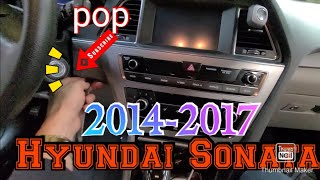
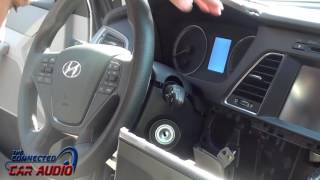
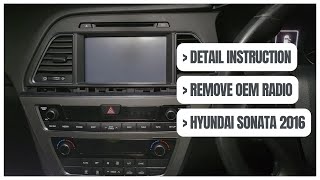
- Visual Inspection of Wiring: Access the rear of the infotainment display 🎬 Watch: How to remove the Sonata stereo and climate controls. Inspect the connectors for any signs of damage, corrosion, or looseness. Reseat the connectors firmly.
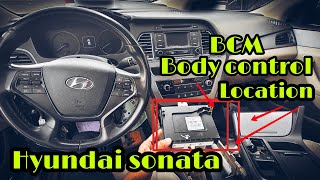
- Inspect BCM Connectors: Locate the Body Control Module (typically integrated into the interior fuse panel 🎬 See this video to locate the BCM) and inspect its main connectors for the same issues.
- Isolate Modules: As a diagnostic step, a technician may disconnect suspect modules one by one to see if the code disappears. Start with the most likely culprits: the infotainment head unit, climate control panel, and the driver's master window switch.
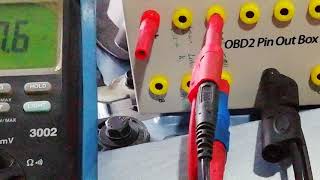
- CAN Bus Troubleshooting: If the above steps do not resolve the issue, a more advanced diagnosis of the CAN bus network is required. This involves using a multimeter or oscilloscope to check for proper resistance (typically 60 ohms between CAN High and CAN Low) and signal on the network wires and is best left to a professional. 🎬 Watch: How to diagnose a CAN bus network
- Isolate the Faulty Module: A technician may disconnect modules from the network one by one to see if communication is restored, thereby isolating the source of the invalid data.
Parts You'll Likely Need
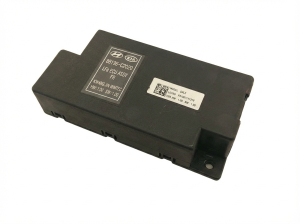
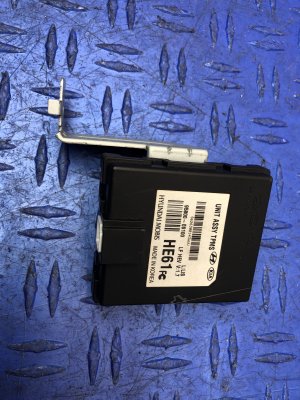
- Body Control Module (BCM)
(OEM #95400-C1100, 95400-C2100 (Varies significantly by trim and options, VIN verification is required))— If the BCM itself has an internal fault, it may send or interpret data incorrectly, triggering this code. This is a last resort after checking all wiring and other modules.
Trusted brands: Hyundai (OEM)
OEM price range: $250-$600 - Infotainment Head Unit / Display
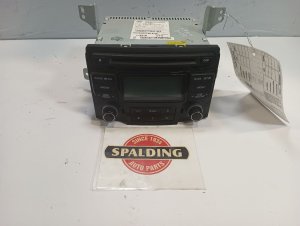
(OEM #96560-C1AA04X, 96560-C2210 (Varies by trim/nav options, VIN verification required))— The front display/interface is a primary module communicating with the BCM. An internal failure in the head unit can corrupt the data it sends over the network.
Trusted brands: Hyundai (OEM)
OEM price range: $800+
Aftermarket price range: $200-$800 (used/remanufactured) - Driver's Master Switch Assembly
(OEM #93570-C1000 (Example part number, VIN verification required))— This switch cluster is a control module on the network. A documented repair for U1440 on a Sonata involved replacing this part after it failed internally.
Trusted brands: Hyundai (OEM)
OEM price range: $150-$300
Aftermarket price range: $50-$150
Related Codes That Often Appear With This One
- U0140 — This code indicates a general loss of communication with the BCM and may appear alongside more specific codes like U1440.
Mechanic-Grade Diagnostic Values
- CAN Bus Network Resistance — expected: ~60 Ohms. Failure: A reading of ~120 Ohms indicates an open circuit or a missing terminating resistor in one of the modules. A reading near 0 Ohms indicates a short between the CAN High and CAN Low wires.
- CAN High Voltage (Pin 6 at OBD-II port to Ground, Key On) — expected: ~2.5V to 3.5V. Failure: Significant deviation from this range, or 0V, points to a short or open on the CAN High line.
- CAN Low Voltage (Pin 14 at OBD-II port to Ground, Key On) — expected: ~1.5V to 2.5V. Failure: Significant deviation from this range, or 0V, points to a short or open on the CAN Low line.
Scan Tool Commands That Help
- Hyundai GDS (Global Diagnostic System): DTC Analysis / Fault Code Searching (All Systems) — This is the primary function to use after an initial scan. It allows the technician to see which specific modules are reporting faults or are offline. For a U1440, this can help identify if the BCM is the only module with a code, or if other modules are also unable to communicate, pointing towards a wider network issue.
- Hyundai GDS (Global Diagnostic System): Vehicle S/W Management (Special Function) — This menu is critical after replacing a module like the BCM. It contains functions for VIN writing, key registration/immobilizer relearning, and resetting adaptive values. A new or used BCM will not function and will prevent the car from starting until it is programmed to the vehicle using these functions.
- Hyundai GDS (Global Diagnostic System): Actuation Test — This allows the technician to command specific functions controlled by the BCM (e.g., turn on wipers, lock doors). If the BCM receives the command from the GDS but the component doesn't activate, it suggests an issue with the BCM's output or the component itself, rather than an input signal problem from a switch.
Wiring & Ground Locations
- Body Control Module (BCM) — Under the driver's side of the dashboard, typically integrated with or mounted near the interior fuse panel.. The BCM is the central module setting this code. Checking its connectors for looseness or corrosion is a primary diagnostic step.
- Main Chassis Ground — On the driver's side inner fender in the engine bay, where the negative battery cable connects to the body.. A poor main ground can cause floating voltages and unpredictable communication errors across multiple electronic modules, including the BCM.
- OBD-II Diagnostic Port — Under the driver's side dashboard.. This is the primary access point for testing the CAN bus network's health. Technicians measure resistance between Pin 6 (CAN High) and Pin 14 (CAN Low) here to verify the integrity of the entire network.
Real Owner Repair Stories
- hyundai-forums.com user report (2017 Hyundai Sonata) — Check engine light with code U1440.
❌ Tried (didn't work) The user did not specify other parts tried, but the diagnosis was performed by a dealer.
✅ What actually fixed it Replacement of the driver's side master power window switch assembly.
Model Year Variations Within This Range
- 2018-2019: The 2018 model year marked a significant mid-cycle refresh for the Sonata. Changes included a redesigned center stack, updated infotainment with standard Apple CarPlay/Android Auto, and additional driver-assist features like standard blind-spot detection. While the fundamental BCM and CAN bus architecture remained similar, these new and updated electronic modules create more potential sources for communication errors compared to the 2015-2017 models.
Diagnostic Flowchart
Other Known Issues on This Vehicle
Issues unrelated to this code that are worth knowing about as an owner of this generation:
- Theta II Engine Failure 🔴 High — Widespread across 2.0L Turbo and 2.4L GDI engines. Can occur at various mileages, often preceded by knocking noises. (Ref: Multiple recalls (e.g., NHTSA 17V-226) and a class-action settlement extended the engine warranty for many owners. TSB 20-01-006H (Campaign 953) provided a software update to detect bearing wear.)
- 7-Speed DCT Hesitation/Shudder 🟠 Medium — Common on models equipped with the 1.6L Turbo engine and 7-speed dual-clutch transmission (DCT), particularly the 'Eco' trim. Issues include hesitation from a stop, shuddering, and rough shifting. (Ref: TSB 21-AT-014H provides a software update and diagnostic procedure for clutch judder.)
- Door Latch Malfunction 🟠 Medium — A recall was issued for early models in this generation (and prior) for a faulty door latch mechanism that could result in a door opening while driving. (Ref: Hyundai Recall 096 (NHTSA 10V-070) was issued to replace the affected front door latches.)
- Excessive Oil Consumption 🟠 Medium — Primarily affects the 2.4L GDI engine and is often a precursor to the more catastrophic engine failures. Owners report needing to add oil frequently between changes. (Ref: Often addressed as part of the broader Theta II engine class-action settlement and warranty extensions.)
Used vs. New Parts: Buying Guide for This Vehicle
When a used part is the smart pick: A used part is a smart, cost-effective choice for the Infotainment Head Unit and the Driver's Master Switch. These are typically plug-and-play components that do not require special programming. A used Body Control Module (BCM) can also be used, but it is critical to understand that it is NOT plug-and-play and will require professional programming.
Donor-vehicle mileage cap: roughly under 80000 miles for the part to have meaningful remaining life.
What to inspect on the donor part:
- For all modules, ensure the part number on the used unit EXACTLY matches the one on your original part.
- Inspect connectors for any signs of corrosion, bent pins, or physical damage.
- For infotainment screens, check for delamination, scratches, or dead pixels if possible.
- For switches, check for excessive wear on the buttons which might indicate heavy use.
OEM-only on this vehicle (don't cheap out):
- Body Control Module (BCM) - While a used OEM unit is viable, avoid aftermarket 'new' BCMs from unknown brands, as they can have compatibility and programming issues. Stick with genuine used or new Hyundai parts.
Aftermarket brands forum-validated for this vehicle:
- Dorman is a known aftermarket supplier for components like the Driver's Master Switch.
Brands owners have reported issues with on this vehicle:
- Unbranded, no-name electronic modules from online marketplaces should be avoided due to potential quality control and compatibility issues.
Real Owner Stories
Aggregated from forums and TSBs cited above. Mileages and costs reflect what owners reported in those sources.
2017 Hyundai Sonata
Symptoms: The vehicle threw a U1440 code and experienced network communication faults.
What fixed it: The dealer diagnosed and replaced the driver's side master switch assembly.
Source hint: hyundai-forums.com
Related OBD-II Codes
Frequently Asked Questions
I have a 2017 Sonata with code U1440 and my windows aren't working. Is there a specific part known to cause this?
Could my 2015-2019 Sonata's battery be the reason for this communication code?
Is there a TSB for the engine knocking I'm hearing alongside these electronic issues?
Can I use a used Body Control Module (BCM) to fix U1440 on my Sonata?
My 1.6L Turbo Sonata is shuddering and showing communication codes; is this related to a known transmission issue?
Helpful Videos
We Have This Part in Stock

The information in this article is provided for general reference and educational purposes only. Vehicle specifications, procedures, and part compatibility can vary by production date, trim level, and region. Always consult your vehicle's factory service manual and verify part numbers before purchasing or performing repairs. Safety-critical components such as airbags, seat belts, and braking systems should be installed by a qualified professional.
- Hyundai Sonata:
- 🧭 Diagnostic Flowchart
- 🎬 Helpful Videos
- 🛍️ Shop This Part
- What's Unique About the 2015-2019 Hyundai Sonata
- Symptoms You May Notice
- Most Likely Causes
- Rare But Worth Checking
- Diagnosis Steps
- Parts You'll Likely Need
- Related Codes That Often Appear With This One
- Mechanic-Grade Diagnostic Values
- Scan Tool Commands That Help
- Wiring & Ground Locations
- Real Owner Repair Stories
- Model Year Variations Within This Range
- Other Known Issues on This Vehicle
- Used vs. New Parts: Buying Guide for This Vehicle
- Real Owner Stories
- 2017 Hyundai Sonata
- Related OBD-II Codes
- Frequently Asked Questions
- 🎟️ Get 5% Off