

U1500 on 2012-2017 Buick Verano: OnStar Communication Fault Guide
On a 2012-2017 Buick Verano, code U1500 almost always points to an internal failure of the OnStar telematics module (VCIM). This typically causes a "Phone Unavailable" message, loss of OnStar functions, and a red status light. The most common and definitive fix is replacing the OnStar module itself, which is located behind the glove box and requires programming.
- U1500 on a 2012-2017 Verano is almost certainly an issue with the OnStar module.
- The primary symptom is a "Phone Unavailable" message and a non-functional OnStar system with a red status light.
- The fix is to replace the OnStar module, which is located behind the glove box.
- The replacement module will require professional programming to work correctly.
- The vehicle is safe to drive with this fault, but emergency OnStar services and potentially Bluetooth hands-free calling will not work.
- A no-cost workaround to stop the annoying voice prompt is to simply unplug the module, forgoing its functions.
What's Unique About the 2012-2017 Buick VERANO
For this generation of Buick Verano and other contemporary GM vehicles on the Delta II platform (like the Chevy Cruze), the OnStar system is deeply integrated. A failure of its module is a well-documented common failure point. The U1500 code is a very specific flag for this problem, often appearing alongside symptoms like a "Phone Unavailable" audio message, as noted in manufacturer TSBs. Unlike some network codes that can be caused by issues in various unrelated modules, U1500 on this platform is strongly correlated with the OnStar hardware itself. Some owners choose to simply disconnect the module to stop the annoying voice prompts, forgoing OnStar functionality.
Diagnostic Flowchart
Tap your situation to follow the diagnostic path that matches what you're seeing on this vehicle.
Symptoms You May Notice
- "Phone Unavailable" audio message when starting the vehicle or using the system.
- OnStar status light is red or off.
- Inability to use any OnStar services (e.g., navigation, remote unlock, emergency button).
- No response when pressing the OnStar buttons.
- Check Engine Light may or may not be illuminated.
- Inability to use the vehicle's mobile app (myBuick) for remote start, lock/unlock, or vehicle status checks.
- Loss of in-vehicle Bluetooth for hands-free phone calls, as the microphone often routes through the OnStar module.
- GPS signal loss for in-dash navigation on some models.
- Replacing the radio/infotainment head unit. While they communicate, the U1500 code points specifically to the OnStar module, not the radio.
- Blaming a faulty antenna. While an antenna issue can cause poor reception (e.g., no GPS), it typically does not set a U1500 communication code for an internal module fault.
- Replacing the main Body Control Module (BCM). The U1500 code is for a specific sub-network (inter-device dedicated bus) and points to the OnStar module, not the central BCM.
Most Likely Causes
- Internal Failure of the OnStar Module (VCIM) 🔴 High Probability → Shop Telematics Interface Module This is a documented common failure point for this generation of GM vehicles, as evidenced by multiple TSBs and widespread owner complaints in forums. The internal flash memory chip can become corrupted, rendering the module inoperative.
How to confirm: A professional scan tool can attempt to communicate directly with the Telematics Communication Interface Module. If the module is unresponsive but has power and ground at its connector, it has failed internally. The module is located behind the glove box; accessing it requires opening the glove box, pressing in the side, and lowering it completely.
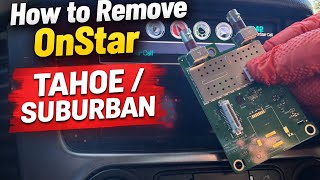
Typical fix: Replace the OnStar module (Telematics Communication Interface Module) and have it programmed to the vehicle using GM's Service Programming System (SPS). Some owners opt to simply disconnect the module's electrical connectors to stop the "Phone Unavailable" message, accepting the loss of OnStar and related features. 🎬 See this simple walkthrough for removing the OnStar hardware
Est. part cost: $250-$550 - Poor Connection or Damaged Wiring ⚪ Low Probability
How to confirm: Visually inspect the wiring and connectors at the OnStar module, which is accessible behind the glove box. Check for power, ground, and data line continuity with a multimeter. Pay close attention to the main connectors and the smaller coaxial cables for the GPS and cellular antennas.
Typical fix: Repair the damaged section of the wiring harness or clean/re-seat the connectors. Ensure the coaxial cables are securely clipped in.
Est. part cost: $5-$50
Rare But Worth Checking
- Corrupted Software due to Failed Update:
Diagnosis Steps
- Verify the complaint: Confirm the "Phone Unavailable" message or red/off OnStar light.
- Scan for Codes: Use a professional scan tool capable of reading B-codes and U-codes from all modules. Confirm the presence of U1500.
- Attempt Communication: Try to establish communication directly with the Telematics Communication Interface Module (OnStar Module).
- Access the Module: Open the glove box, press the side retaining tab to release it, and let it hang down. The silver OnStar module will be visible behind it.
- Check Power and Ground: If communication fails, unplug the connectors and use a multimeter to verify the module is receiving proper power and has a solid ground connection on the appropriate pins.
- Inspect Wiring: If power and ground are good, inspect the data line wiring between the OnStar module and the main data bus for any visible damage, corrosion, or loose pins at the connector.
- Confirm Module Failure: If power, ground, and wiring are all confirmed to be good, the OnStar module has failed internally and must be replaced.
- Optional - Disconnect: If not replacing, an owner can simply unplug the three or four electrical connectors from the module to stop the audible "Phone Unavailable" message. Secure the loose connectors to prevent rattles. 🎬 Watch: How to disconnect and delete the OnStar module
Parts You'll Likely Need
- Telematics Communication Interface Module (OnStar Module)
(OEM #23230538, 84160542)— This is the component that fails internally, causing the U1500 code and associated symptoms. Part number 23230538 has been superseded by 84160542. Always confirm the correct part number with a dealer using the vehicle's VIN.
Trusted brands: ACDelco (Genuine GM)
OEM price range: $275-$500
Aftermarket price range: N/A (Used parts available but require programming)
Related Codes That Often Appear With This One
- B1000 — The official TSBs list B1000 as a potential alternative or concurrent code for an internal OnStar module fault.
- B101D — This is another common GM code indicating an internal electronic failure within a control module. Forum users on platform-mate vehicles have reported this code alongside OnStar module failure.
Technical Service Bulletins (TSBs) & Recalls
- PIC3278G: Mentions U1500 or B1000 can be set due to an internal fault in the OnStar module, producing a "Phone Unavailable" message.
- PIC3278F: An earlier version of the same bulletin with the same information regarding U1500 and OnStar module faults.
- 15-08-44-001 series (A through H): While related to upgrading older 2G/3G OnStar hardware, these bulletins provide extensive detail on the location, function, and replacement procedures for OnStar modules across many GM vehicles, including the Verano. They confirm that replacement modules require SPS programming.
Platform-Specific Known Issues
- The NHTSA has logged Technical Service Bulletins (TSBs) #PIC3278G and #PIC3278F which directly state that a U1500 code accompanied by a "Phone Unavailable" message can be caused by an internal fault in the OnStar module.
- The OnStar module in the Verano is located behind the glove compartment, making it relatively easy to access for diagnosis or disconnection compared to models where it is in the trunk.
- Some owners who do not use OnStar services choose to simply disconnect the module to permanently silence the "Phone Unavailable" audio alert, as this is a free workaround that does not cause other driveability issues. 🎬 Watch: A mechanic's guide to removing the OnStar system
Mechanic-Grade Diagnostic Values
- LIN Bus Circuit Voltage — expected: Toggling between approximately 1V and 12V. Failure: A static voltage, 0V, or a voltage shorted to B+ (greater than 7.0V) indicates a fault in the circuit or the controlling module.
- Module Ground Circuit Resistance — expected: Less than 5.0 ohms. Failure: A reading greater than 5.0 ohms indicates high resistance in the ground circuit, which can cause communication issues.
- Module Power (Ignition) Circuit Voltage — expected: Battery Voltage (typically 12.6V with key on, engine off). Failure: A test lamp does not illuminate or voltage is significantly below battery voltage, indicating an open or short in the power supply circuit.
Hidden / Shadow Codes Worth Checking
- U1500 01: Indicates the Inter-Device Dedicated Bus (LIN Bus) has shorted to battery voltage. (see via A professional scan tool like a GM GDS2 or high-end aftermarket tool that can read manufacturer-specific symptom bytes/status codes.)
- U1500 02: Indicates the Inter-Device Dedicated Bus (LIN Bus) has shorted to ground. (see via A professional scan tool like a GM GDS2 or high-end aftermarket tool that can read manufacturer-specific symptom bytes/status codes.)
- U1500 31: Indicates an internal Electronic Control Unit (ECU) checksum failure, directly pointing to a bad module. (see via A professional scan tool like a GM GDS2 or high-end aftermarket tool that can read manufacturer-specific symptom bytes/status codes.)
Scan Tool Commands That Help
- GDS2 (GM Global Diagnostic System 2): Vehicle DTC Information — To perform a full vehicle scan and identify which module is setting the U1500 code and to view any associated symptom/status bytes.
- GDS2 (GM Global Diagnostic System 2): Module Diagnostics > Telematics Communication Interface Control Module — To attempt direct communication with the OnStar module. If the module does not respond, it confirms a major fault. This menu may also contain module-specific data and tests.
- SPS (Service Programming System): Telematics Communication Interface Control Module Programming — This is required after replacing the OnStar module. It downloads the correct software and configuration for the vehicle's VIN and links the new module's serial number to the vehicle.
Wiring & Ground Locations
- OnStar Module (VCIM) — Located behind the glove box. Requires opening the glove box, pressing the side retaining tab, and lowering it to access the silver module.. This is the primary component in question. All power, ground, and data line connections must be secure at this location.
- G103 (Likely) — On many similar GM platforms, this ground is located on the cowl in the engine compartment, above the brake booster.. This is a common ground point for the Body Control Module (BCM), Instrument Panel Cluster (IPC), and Radio. While the OnStar module may have its own ground, a poor G103 can cause widespread communication network issues that could potentially manifest as or accompany a U1500 code.
Real Owner Repair Stories
- Reddit user @deekster_caddy (2012 Buick Verano, 90,000km) — Car began stalling, then would not start at all. All kinds of warnings on the dash (Stabilitrak, power steering, etc.). Code readers were unable to connect to the vehicle's computer.
❌ Tried (didn't work) Replacing the 3-year-old battery.
✅ What actually fixed it The user suspected a bad primary battery ground or engine ground strap. The recommended fix was to locate the primary ground where it bolts to the chassis, unbolt it, clean all rust and corrosion from the contact area, and re-secure it tightly. This type of fault can cause a total loss of communication between modules.
OEM Part Supersession History
23230538→84160542 (and potentially others)— Part revision, likely to address failure modes or component changes.
Heads up: Part number 23230538 is a 'GEN 10' module. A GM bulletin notes that failure to perform a specific remote learn procedure after programming this part number can result in a 'Check Engine' light or 'Engine Power Reduced' message. Always verify the latest part number with a dealer using the vehicle's VIN, as modules for 3G vs 4G LTE systems may differ.
Model Year Variations Within This Range
- 2012-2014: These model years were originally equipped with OnStar hardware that relied on 2G/3G cellular networks. While the U1500 fault is the same (internal module failure), the services are now obsolete.
- 2015-2017: Starting with the 2015 model year, the Buick Verano came standard with OnStar 4G LTE hardware. This represents the 10th generation of OnStar hardware and may use different VCIM part numbers than the earlier models. The diagnostic and replacement procedure remains the same, but the replacement part must be correct for the 4G LTE system.
Helpful Videos



The information in this article is provided for general reference and educational purposes only. Vehicle specifications, procedures, and part compatibility can vary by production date, trim level, and region. Always consult your vehicle's factory service manual and verify part numbers before purchasing or performing repairs. Safety-critical components such as airbags, seat belts, and braking systems should be installed by a qualified professional.
- Buick VERANO:
- 🧭 Diagnostic Flowchart
- 🎬 Helpful Videos
- What's Unique About the 2012-2017 Buick VERANO
- Symptoms You May Notice
- Most Likely Causes
- Rare But Worth Checking
- Diagnosis Steps
- Parts You'll Likely Need
- Related Codes That Often Appear With This One
- Technical Service Bulletins (TSBs) & Recalls
- Platform-Specific Known Issues
- Mechanic-Grade Diagnostic Values
- Hidden / Shadow Codes Worth Checking
- Scan Tool Commands That Help
- Wiring & Ground Locations
- Real Owner Repair Stories
- OEM Part Supersession History
- Model Year Variations Within This Range
- 🎟️ Get 5% Off