

U1500 on 2004-2010 Saturn VUE: OnStar Communication Failure Causes and Fixes
Code U1500 on a 2004-2010 Saturn VUE almost always indicates an internal failure of the OnStar module, also known as the Vehicle Communication Interface Module (VCIM). Symptoms include a red OnStar light and a "Phone Unavailable" message. The fix is to replace the VCIM, which can be a DIY job, but the new module may require dealer programming to restore OnStar functions. Many owners simply disconnect the faulty module to clear the code and stop the associated symptoms, forgoing OnStar functional
- U1500 on a Saturn VUE means the OnStar module (VCIM) has failed and is no longer communicating on the vehicle's network.
- This is a common, well-documented problem and does not affect the vehicle's ability to drive.
- The main symptoms are a red OnStar light and an inability to use the service.
- The fix is to replace the OnStar module (VCIM), which is located in the rear cargo area (2004-2007) or under the back seat (2008-2010).
- A replacement module may need to be programmed by a dealer to restore full OnStar functionality, though the service itself is obsolete on original hardware due to network changes.
- Many owners simply disconnect the faulty module to resolve the error code without replacing it.
What's Unique About the 2004-2010 Saturn VUE
This is a well-documented issue on the Saturn VUE and its platform mates, with General Motors issuing multiple Technical Service Bulletins (TSBs) for this exact problem. The TSBs confirm that the U1500 code, often accompanied by a red OnStar light and a "Phone Unavailable" message, is typically caused by an internal fault within the OnStar module itself. Unlike generic communication codes that could have many causes, the evidence for the VUE points overwhelmingly to a faulty module. The issue is compounded by the fact that the 2G CDMA network these older OnStar units relied on was decommissioned, making the service non-functional even with a working module unless it was upgraded.
Diagnostic Flowchart
Tap your situation to follow the diagnostic path that matches what you're seeing on this vehicle.
Generation note: The 2004-2010 range covers two generations of the Saturn VUE: the first (2002-2007) and the second (2008-2010). The OnStar module (VCIM) is the cause of the issue in both generations, but its physical location differs. In first-generation models (2004-2007), it is located behind the interior trim in the rear driver's side cargo area. In second-generation models (2008-2010), it is found under the rear passenger-side seat cushion, requiring the seat to be removed for access.
Symptoms You May Notice
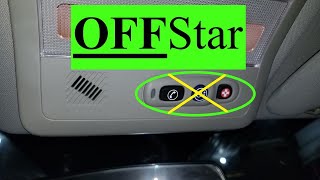
- Red indicator light on the OnStar rearview mirror or console.
- "Phone Unavailable" audio message when trying to use the system.
- Inability to connect to OnStar services.
- The OnStar light may flash red during a call attempt.
- No response when pressing the OnStar buttons.
- OnStar light may be off completely if the module has failed entirely.
- Replacing the radio/head unit. The OnStar system is separate from the audio system, although they interact. A faulty radio will not cause code U1500.
- Replacing the rearview mirror. While the indicator lights are in the mirror, the control module is located elsewhere in the vehicle and is the actual source of the problem.
Most Likely Causes
- Faulty OnStar Module (VCIM) 🔴 High Probability → Shop Telematics Interface Module Multiple manufacturer TSBs (PIC3278G, PIC3278F, PIC3718E) point to a high rate of internal failure for these modules. Forum discussions are filled with owners who have experienced this exact failure mode.
How to confirm: Confirm the presence of code U1500 with a scan tool and observe the classic symptoms (red OnStar light, no connection). If wiring is intact and the fuse is good, the module is the culprit. A common DIY diagnostic is to simply disconnect the module; if other CAN bus errors disappear, it confirms the VCIM was causing network issues.
Typical fix: Replace the Vehicle Communication Interface Module (VCIM). Alternatively, many owners choose to simply disconnect the faulty module, which silences the error messages and removes the faulty device from the network, though this permanently disables OnStar.
Est. part cost: $50-$200 (used/salvage), $200-$400+ (new/remanufactured, if available) - Wiring or Connector Issue ⚪ Low Probability While less common than module failure, the VCIM's location in the cargo area (Gen 1) or under the seat (Gen 2) can expose it to moisture or physical damage from shifting cargo or spills.
How to confirm: Locate the VCIM and visually inspect its electrical connector and surrounding harness for corrosion, moisture, or physical damage. Check for a clean, tight connection.
Typical fix: Clean the connector terminals with a contact cleaner or repair the damaged section of the wiring harness.
Est. part cost: $1-$20 - Blown Fuse ⚪ Low Probability
How to confirm: Check the fuse for the OnStar system in the vehicle's fuse box. In some GM vehicles, this fuse is labeled 'INFO' or 'OnStar'.
Typical fix: Replace the blown fuse. If it blows again, there is a short circuit that needs to be diagnosed.
Est. part cost: $1-$5
Diagnosis Steps
- Verify the symptoms: Check for a solid red OnStar indicator light and listen for a "Phone Unavailable" message.
- Scan the vehicle's modules for codes. Confirm that U1500 is present. Note if B1000 is also stored.
- Check the fuse for the OnStar/VCIM module. On many GM vehicles, this may be in the interior fuse panel and labeled 'INFO' or similar.
- Locate the VCIM. On 2004-2007 models, check behind the interior trim panels in the rear driver's side cargo area. On 2008-2010 models, flip the rear passenger-side seat forward to access the module underneath.
- Disconnect the VCIM's electrical connectors and antenna cables (GPS and cellular). Inspect the module and harness connectors for any signs of corrosion, moisture, or bent/damaged pins.
- If the connectors, wiring, and fuse appear clean and undamaged, the failure is internal to the VCIM.
- Decision Point: Replace or Disconnect. If OnStar is desired, replace the VCIM. A replacement module, especially a new one, will require programming by a GM dealer or a specialized shop to link it to the vehicle and activate services. If OnStar is not needed, many owners simply leave the module disconnected to clear the communication fault from the network.
- After replacement and programming, you must call OnStar and inform them the module was replaced to have them re-link the service to the new hardware.
Parts You'll Likely Need
- Vehicle Communication Interface Module (VCIM)
(OEM #Varies by year and options. Examples include 15864006, 22764232, 25984444, 20827036. Must verify with VIN.)— This module is the direct cause of the U1500 code and associated symptoms, as documented in manufacturer TSBs.
Trusted brands: ACDelco (OEM)
OEM price range: $200-$400+
Aftermarket price range: $50-$200 (Used/Salvage)
Related Codes That Often Appear With This One
- B1000 — The official GM service bulletins explicitly state that U1500 may be set alongside B1000, as both can indicate a fault within the OnStar module.
Technical Service Bulletins (TSBs) & Recalls
- PIC3278G: Addresses internal faults in the OnStar module causing U1500 or B1000.
- PIC3278F: An earlier version of the bulletin with the same information regarding internal OnStar module faults.
- PIC3718E: Points to VCIM replacement for a no-power/no-connect concern with code U1500, especially for modules with specific SID numbers.
- 15-08-44-001: Details the OnStar 2G CDMA network decommissioning and hardware upgrade process for Canadian vehicles, which is relevant context for why the service is unavailable.
Platform-Specific Known Issues
- TSB #PIC3718E specifically notes that for 2006 models, if the OnStar light is red and U1500 is set, the VCIM should be replaced if its Station Identification (SID) number falls within a certain range.
- TSBs #PIC3278G and #PIC3278F cover multiple model years and identify an internal fault in the OnStar module as the cause for U1500 and/or B1000, presenting with a "Phone Unavailable" message.
- Due to the 2G CDMA cellular network shutdown, even a perfectly functioning original VCIM in these vehicles can no longer connect to the OnStar service. The U1500 code, however, indicates a module *fault*, not just a lack of network service.
Mechanic-Grade Diagnostic Values
- Class 2 Serial Data Bus Voltage — expected: The bus toggles between 0V (inactive) and approximately 7V (active). A multimeter may show a fluctuating voltage that rises with data traffic.. Failure: A steady 0V may indicate a short to ground. A steady voltage close to battery positive (12V) indicates a short to power. Either condition will halt communication.
- VCIM Ground Circuit Resistance — expected: Less than 5.0 ohms between the ground circuit terminal at the VCIM connector and a known good chassis ground.. Failure: Resistance higher than 5.0 ohms indicates an open or high resistance in the ground circuit, which can cause the module to malfunction.
Hidden / Shadow Codes Worth Checking
- U1500 01: Inter-Device Dedicated Bus 1 Short to Battery. This indicates the data line is shorted to a power source. (see via A professional scan tool like the GM Tech 2 or GDS2 that can read manufacturer-specific symptom bytes.)
- U1500 02: Inter-Device Dedicated Bus 1 Short to Ground. This indicates the data line is shorted to ground. (see via A professional scan tool like the GM Tech 2 or GDS2 that can read manufacturer-specific symptom bytes.)
- U1500 31: Electronic Control Unit (ECU) Performance General Checksum Failure. This points directly to an internal module malfunction. (see via A professional scan tool like the GM Tech 2 or GDS2 that can read manufacturer-specific symptom bytes.)
Scan Tool Commands That Help
- GM Tech 2 / GDS2: Module Status / State of Health (SOH) Check — When diagnosing a U1500, a technician can use the scan tool to poll the Class 2 data bus. Each module sends a 'State of Health' message every two seconds. The absence of the SOH message from the VCIM confirms it is the module that is offline and is the source of the U-code set by other modules.
Wiring & Ground Locations
- VCIM Class 2 Serial Data Pin — On the main connector of the VCIM, the Class 2 serial data wire is typically Dark Green. For second-gen Vues (2008-2010), this is Pin 13 on the Radio X1 connector.. This is the specific pin where voltage measurements should be taken to diagnose the health of the communication line going to the module.
- G301 / G401 — For second-gen Vues (2008-2010), G301 is located under the left front seat and G401 is under the left side of the luggage compartment. For first-gen models, ground locations are often near the component, in the rear cargo area.. A poor ground connection at these points can cause the VCIM to malfunction or fail to communicate, mimicking an internal failure. Verifying a clean, tight ground connection is a critical diagnostic step.
- Splice Pack SP208 — On some GM platforms, a splice pack (like SP208, often under the right side of the instrument panel) joins the Class 2 data lines from multiple modules.. If a VUE is equipped with a similar splice pack, it provides a central point to disconnect individual modules from the bus. This can help isolate if the VCIM is pulling the whole network down or if another module is causing the issue.
OEM Part Supersession History
25984444→20827036— Standard part revision and update by the manufacturer. The original part is discontinued.
Model Year Variations Within This Range
- 2006: TSB PIC3718E specifically calls out that for 2006 models with a U1500 code, the VCIM should be replaced if its Station Identification (STID) number is in the range of 14,000,000 - 16,000,000 or 22,000,000 - 23,200,000, as these units were identified as having a high probability of internal faults.
Helpful Videos


The information in this article is provided for general reference and educational purposes only. Vehicle specifications, procedures, and part compatibility can vary by production date, trim level, and region. Always consult your vehicle's factory service manual and verify part numbers before purchasing or performing repairs. Safety-critical components such as airbags, seat belts, and braking systems should be installed by a qualified professional.
- Saturn VUE:
- 🧭 Diagnostic Flowchart
- 🎬 Helpful Videos
- What's Unique About the 2004-2010 Saturn VUE
- Symptoms You May Notice
- Most Likely Causes
- Diagnosis Steps
- Parts You'll Likely Need
- Related Codes That Often Appear With This One
- Technical Service Bulletins (TSBs) & Recalls
- Platform-Specific Known Issues
- Mechanic-Grade Diagnostic Values
- Hidden / Shadow Codes Worth Checking
- Scan Tool Commands That Help
- Wiring & Ground Locations
- OEM Part Supersession History
- Model Year Variations Within This Range
- 🎟️ Get 5% Off