

OBD-II Code U2060: Audio Unit Communication Fault
The Ultimate Guide to What U2060 Means, Why It Triggers, and How to Fix It for Good
- DTC U2060 on Jaguar and Land Rover vehicles indicates a total communication failure with the audio head unit, shutting down the entire infotainment system.
- Always test the battery first; a resting voltage below 12.2V triggers false U2060 codes on over 50% of affected JLR vehicles.
- Use a $15 MOST fiber optic bypass loop to test the network before replacing the $1,000+ head unit, as a single failed module breaks the entire loop.
- Check for water damage under the driver's seat on 2008-2015 Jaguar XF models, as clogged sunroof drains frequently destroy the Bluetooth module and trigger this code.
- Do not ignore the loss of audible safety alerts; U2060 disables parking sensor beeps and driver assistance warnings, increasing low-speed collision risks.
What Does U2060 Mean?
U2060 is a manufacturer-specific diagnostic trouble code, predominantly used by Jaguar and Land Rover, indicating the vehicle's primary control modules lost communication with the Audio Control Module (ACM). The network reports missing or invalid data from the audio unit, resulting in a complete shutdown of the infotainment system.
Technical definition: The SAE/OBD-II definition for Jaguar/Land Rover is 'Audio Unit Switch Pack Signal Fault' or 'SCP (J1850) Invalid or Missing Data for Audio Control'. On post-2009 models, this fault almost always indicates a break in the MOST (Media Oriented Systems Transport) fiber optic ring, preventing the audio module from communicating with the infotainment network.
Can I Drive With U2060?
Yes. Driving is mechanically safe as the fault does not affect the engine, transmission, or braking systems. However, you lose all audio functions, including critical safety sounds like parking sensor beeps and driver-assistance warnings. This lack of audible alerts increases the risk of low-speed collisions.
Common Causes
- Low or Faulty Vehicle Battery (Very Common) — Low battery voltage (<12.2V) causes widespread communication errors across JLR networks at startup, frequently triggering U2060. A weak battery is the leading cause of false communication codes.
- Break in MOST Fiber Optic Ring (Module or Cable Failure) (Very Common) — JLR systems use a MOST fiber optic ring to link infotainment modules. A physical break in a cable or an internal failure of any module on the ring (Bluetooth, amplifier, satellite radio) interrupts the entire loop, logging U2060.
- Blown Audio System Fuse (Common) — A blown fuse cuts power to the audio module, preventing communication. Fuses blow due to age, voltage spikes, or short circuits.
- Faulty Audio Control Module (Head Unit) (Common) — Internal failure of the radio/infotainment head unit occurs due to cracked solder joints on the mainboard, processor failure, or electronic component degradation over time.
- Wiring or Connector Issue (Power/Ground/SCP) (Less Common) — Damaged or corroded copper wiring harnesses break the power, ground, or SCP communication lines to the audio module.
- Software or Configuration Glitch (Less Common) — Module software freezes or corrupts, requiring a hard reset or a dealer-level re-flash to restore communication.
Symptoms
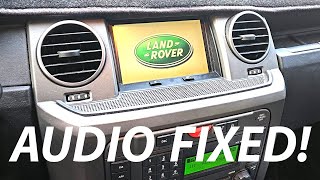
- Infotainment screen is blank or frozen on the manufacturer logo — The central display fails to turn on or gets stuck on the Jaguar 'Leaper' or Land Rover logo during boot-up 🎬 Watch: Troubleshooting Jaguar XF and XJL touchscreen and MOST ring issues, indicating a communication failure on the MOST ring.
- No sound from speakers — A complete lack of audio from the car's stereo system, including radio, CD, and Bluetooth sources.
- Complete loss of infotainment functions — Buttons on the dashboard and steering wheel are unresponsive. You cannot select radio stations, connect a phone via Bluetooth, or use the navigation system.
- No audible chimes or parking sensor beeps — Safety-related audible alerts, such as parking sensors, seat belt reminders, and turn signal clicks that play through the speakers, are absent.
Diagnostic Flowchart
Tap your situation to follow the diagnostic path that matches what you're seeing on this code.
Common Fixes & Costs
- Bypassing a Faulty MOST Ring Module
— Parts: $10-$30, Labor: $50-$150, ~1.0 hr book time
(DIY)
Universal: OEM - Replacing a Blown Fuse — Parts: $1-$10, Labor: $0-$50, ~0.5 hr book time (DIY)
- Replacing a Faulty Module on the MOST Ring (e.g., Bluetooth, Amplifier)
— Parts: $150-$600, Labor: $150-$350, ~1.5 hr book time
(Professional)
Jaguar XF (2008-2015): OEM
Range Rover L322 (2005-2009): OEM - Repairing or Replacing the Audio Control Module (Head Unit)
— Parts: $300-$1500, Labor: $200-$500, ~2.0 hr book time
(Professional)
Land Rover Discovery 3 / LR3 (2005-2007): OEM - Repairing Damaged Wiring or Connectors — Parts: $10-$50, Labor: $150-$400, ~2.5 hr book time (Intermediate)
- Reprogramming the Audio Module or Related Modules — Parts: $0, Labor: $150-$300, ~1.0 hr book time (Professional)
Used vs. New Parts: Buying Guide
When a used part is worth it: For infotainment modules like the head unit, amplifier, or Bluetooth module, a used part from a reputable salvage yard offers significant savings ($100-$500 used vs. $800-$2000+ new). This is a viable option for older vehicles on a budget.
Donor-vehicle mileage cap: roughly under 100000 miles for the part to have meaningful remaining life.
Donor quality checklist:
- Match the part number exactly. Superseded or different-suffix numbers may not be compatible.
- For modules prone to water damage, ask the seller for photos confirming the donor vehicle had no water ingress.
- Purchase from sellers offering a 30-90 day warranty to protect against dead-on-arrival parts.
Decision logic:
- If The part is a simple fuse or a universal MOST bypass loop → Buy new; the cost is minimal and ensures reliability.
- If The part is a major electronic module and a used one costs >50% of a new one → Consider buying new or professionally repaired for a longer warranty and guaranteed function.
- If The vehicle is over 10 years old and the goal is just to restore function cheaply → A used module is an acceptable risk, but budget for professional programming.
Warranty tradeoff: Used parts typically have a 30-90 day warranty. Aftermarket new parts have a 1-year warranty. OEM new parts installed by a dealer carry a 1 or 2-year warranty. Mail-in repair services offer 1-year to lifetime warranties.
Worst-case if a used part fails: $300-$600 if a used module fails after installation. This includes labor for the initial install, diagnostic time, and labor to install a second part. Programming is a non-refundable labor cost.
What Happens If You Wait — Timeline
- 0-1 month: Code U2060 is set. Infotainment system is completely inoperable. No audible safety alerts like parking sensors. (MPG impact: 0%% · Added cost: $0)
- 1-3 months: If the root cause is a faulty module, it fails to enter 'sleep' mode, creating a parasitic electrical drain. The vehicle struggles to start or has a dead battery. (MPG impact: 0%% · Added cost: $50-$100 in wasted fuel and inconvenience of jump-starts.)
- 3-6 months: Repeated deep discharging permanently damages the vehicle's AGM battery, reducing its capacity and lifespan. (MPG impact: 0%% · Added cost: $300-$500 (for a new AGM battery and installation).)
- 6+ months: Chronically low voltage and repeated jump-starts put excessive strain on the alternator, leading to premature alternator failure. (MPG impact: 0%% · Added cost: $1200-$1800+ (for a new battery and alternator replacement).)
Cost of Not Fixing It
- Immediate: Complete loss of infotainment system: no audio, no navigation, no Bluetooth. Loss of audible safety alerts like parking sensor beeps. (Added cost: Negligible)
- 1-3 months: A faulty module failing to shut down causes a parasitic battery drain, leading to a dead battery if the vehicle is not driven daily. Repeated deep cycling shortens battery lifespan. (Added cost: $200-$400 (for a new battery))
- 3+ months: Continued battery drain issues put a strain on the vehicle's alternator, accelerating wear on the charging system. (Added cost: $600-$1200 (for alternator replacement))
Diagnosis Steps
- Check and Verify Battery Health
Ensure the vehicle's battery is fully charged (at least 12.4V at rest). Use a digital battery tester to check its state of health and cranking amps. A resting voltage below 12.2V triggers false communication codes on JLR vehicles.
Tools: Multimeter, Digital Battery Tester (Beginner) - Check the Fuses
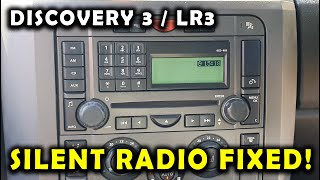
Locate the fuse box using your owner's manual. Find the fuses for the audio system, radio, and infotainment display (e.g., fuse F53 on a Discovery 3/LR3). Pull and visually inspect each relevant fuse.
Tools: Fuse puller, owner's manual, flashlight (Beginner) - Perform a Hard Reset
Disconnect the negative terminal from your car's battery, wait 15 minutes, and touch the disconnected negative cable to the positive terminal for 30 seconds to drain residual charge. Reconnect the battery to clear temporary software glitches.
Tools: Wrench (typically 10mm or 13mm) (Beginner) - Test the MOST Fiber Optic Ring (Pro Tip)
Locate the modules on the fiber optic ring (e.g., amplifier in the trunk, Bluetooth module under the seat). Unplug the fiber optic connector from a module and use a MOST bypass loop to complete the circuit. If the screen comes to life, you found the faulty module. Repeat for each module.
Tools: MOST fiber optic bypass loop, trim removal tools (Intermediate) - Scan with a JLR-Specific Tool
Use a professional scanner specific to Jaguar/Land Rover (like iCarsoft LR or Autel) to communicate with individual modules. Check for detailed codes like U1A24 ('MOST ring complete. No Comm') to confirm a fiber optic loop failure.
Tools: JLR-specific diagnostic scan tool (Intermediate) - Check for Shorted Speakers
An internally shorted speaker forces the factory amplifier into protection mode, mimicking a MOST ring failure. Go into the audio settings, turn Bass and Subwoofer levels to minimum, and see if sound returns at a low volume.
Tools: Access to infotainment screen (Intermediate) - Check for Power and Ground at the Audio Module
Using a multimeter and wiring diagram, check for constant battery voltage (12V+) and a solid ground connection at the audio module's main electrical connector. A reading of less than 0.5 ohms between the ground pin and chassis ground is required.
Tools: Multimeter, vehicle-specific wiring diagram, trim removal tools (Advanced) - Measure MOST Optical Power
Connect a fiber optic power meter to the output of a transmitting module. A healthy module produces a visible red light and an optical power reading between -10 to -20 dBm. A reading below -30 dBm confirms a faulty transmitter.
Tools: Fiber Optic Power Meter, MOST connector adapters (Advanced) - Test the SCP/CAN Network Wires
For pre-MOST systems, disconnect the battery and measure resistance between the network's High and Low lines at the OBD-II port. A healthy network reads approximately 60 ohms. 120 ohms indicates a missing terminating resistor; 0 ohms indicates a short.
Tools: Multimeter, vehicle-specific wiring diagram (Advanced) - Oscilloscope Analysis of the SCP Network
Connect a two-channel oscilloscope to SCP+ and SCP-. A healthy network displays a mirrored square wave pattern switching between 0V and 5V. Flat lines confirm a wiring or module fault.
Tools: 2-channel automotive oscilloscope, breakout leads (Professional)
When This Code Triggers (Freeze-Frame Conditions)
- Vehicle Speed: 0 mph (Vehicle is stationary during startup sequence when the fault is logged.)
- RPM: 0 or 750-900 (Fault logged at 'Key On, Engine Off' or immediately after starting, during module handshake.)
- Battery Voltage: 11.8V - 14.4V (Code is set during the initial power-up of modules; low voltage (<12.2V) is a common trigger.)
- Module Power State: Ignition ON (The fault occurs when the vehicle's ignition is turned on and the network attempts to initialize all modules.)
Related Codes
- U1A24 — A JLR code for 'MOST ring complete. No Comm'. If seen alongside U2060, the fault is definitively in the fiber optic loop (failed module or broken cable).
- U0184 — The standardized SAE code for 'Lost Communication With Radio'. U2060 is for the older JLR SCP/MOST network, while U0184 is the modern CAN bus equivalent.
- U1000 / U3000 — Generic communication failure codes. If U2060 appears with a cascade of other U-codes, it points to a bad battery or failing gateway module.
- B1A00 — A body control code pointing to a fault with a specific input to the audio system, like a steering wheel button. The head unit usually still powers on with a B-code.
Climate & Environmental Factors
- High Humidity / Heavy Rain: On Jaguar XF models (2008-2015), clogged sunroof drains cause rainwater to pool under the driver's seat. This submerges and destroys the Bluetooth and satellite radio modules, causing a MOST ring break and triggering U2060.
- Cold Weather: Extreme cold weakens marginal batteries, increasing the likelihood of voltage-related communication codes at startup. TSB N155NAS addresses newer Range Rover screens flickering in the cold.
How to Clear the Code After You Fix It
- Ensure the underlying fault (bad module, broken fiber optic cable) is fixed.
- Reconnect the vehicle battery if it was disconnected.
- Use a compatible OBD-II scan tool to perform a 'Clear All DTCs' command.
- Perform a JLR-specific drive cycle to allow all system readiness monitors to run.
Drive cycle (~30 minutes): From a cold start (coolant temp < 140°F/60°C), start the engine and idle for 2-5 minutes. Drive at a steady speed between 40-60 mph for 10-15 minutes. Perform several light-to-moderate accelerations and decelerations. Allow the vehicle to idle for another 2-3 minutes before shutting it off.
Readiness monitors affected: This is a 'U' (Network) code and does not directly affect powertrain readiness monitors. However, clearing any code resets all monitors, requiring a drive cycle to get them ready for an emissions test.
Before emissions retest: drive at least 50 miles to fully set monitors.
Watch out for:
- Clearing the code without fixing the root cause results in the code returning immediately.
- Disconnecting the battery will not clear the U2060 code from memory in most JLR vehicles.
- Taking the vehicle for an emissions test immediately after clearing codes results in a 'Not Ready' failure.
Will This Fail Emissions / State Inspection?
Yes — this code typically fails an OBD-II emissions inspection.
- California: An active 'U' code causes a failure during the OBD-II Smog Check. After clearing the code, all readiness monitors reset to 'incomplete', resulting in an automatic failure until a drive cycle is completed.
- New York: The NYS inspection includes an OBD-II scan. The presence of any diagnostic trouble code, including U2060, results in an emissions inspection failure.
- Texas: In the 17 counties requiring emissions testing, an active DTC causes the vehicle to fail the OBD-II inspection.
Most Commonly Affected Vehicles
- Jaguar XF (2008-2015) — Extremely common. Caused by a failed Bluetooth module under the driver's seat due to water ingress from clogged sunroof drains.
- Jaguar XJ (2003-2015) — The X350 (2003-2009) is prone to failures in the trunk-mounted module stack. The X351 (2010-2015) shares architecture with the XF.
- Jaguar S-Type (2002-2008) — A dead battery or a failing head unit are common causes on this SCP/D2B network.
- Jaguar XK (2007-2014) — Shares electronic architecture with the XF. A screen stuck on the 'leaper' logo is a classic symptom of a MOST ring break.
- Land Rover Range Rover (2005-2012) — L322 models are notorious for this fault due to failure of the Harman Kardon amplifier or Bluetooth module.
- Land Rover Range Rover Sport (2006-2013) — Shares the MOST fiber optic network with the LR3 and L322. The diagnostic process involving a bypass loop is identical.
- Land Rover Discovery 3 (LR3) (2005-2009) — Fuse F53 in the passenger compartment fuse panel is the primary fuse for the audio head unit.
- Ford Thunderbird (2002-2005) — Built on the Ford DEW platform shared with the Jaguar S-Type. The fault often manifests after battery issues or a failing instrument cluster.
Manufacturer-Specific Notes
- Jaguar / Land Rover: These vehicles are notoriously sensitive to battery voltage. A weak battery (<12.2V) causes dozens of communication codes, including U2060, to appear at once.
- Jaguar / Land Rover: The MOST fiber optic ring is the Achilles' heel of the infotainment system. A single point of failure brings down the entire system. A MOST bypass loop is an essential diagnostic tool.
- Jaguar: On the XF (2008-2015), water leaks from clogged sunroof drains pool under the driver's seat, destroying the Bluetooth and satellite radio modules.
- Ford: On the Thunderbird (2002-2005), internal failures within the Instrument Cluster disrupt communication and cause a U2060 code, even if the audio unit is functional.
Real Owner Stories
2011 Jaguar XF with screen stuck on logo
The infotainment screen would not boot past the Jaguar logo, and there was no audio. The problem appeared intermittently at first, then became permanent.
What they tried:
- Initially suspected a faulty head unit or software glitch.
- Read forums suggesting a MOST ring failure.
- Purchased a fiber optic bypass loop for around $15.
Outcome: The owner removed the driver's seat and found the Bluetooth module underneath. After plugging the bypass loop into the module's connector, the stereo and screen immediately started working again. The total fix took less than an hour.
Lesson: Don't assume the most expensive component (the head unit) has failed. A cheap fiber optic loop is the best first step to diagnose a MOST network failure.
2012 Jaguar XF with flickering screen and U2060 after heavy rain
After a period of rain, the touchscreen began flickering, and eventually, the audio system failed completely. Fault code U2060 was present.
What they tried:
- Replaced the battery, which did not solve the issue.
- Removed the driver's seat to inspect the modules located underneath the carpet.
- Found the Sirius XM and Aux multimedia interface modules heavily corroded from water damage.
Outcome: The owner used a MOST bypass loop to remove the corroded modules from the fiber optic ring, resolving the screen flickering and restoring audio functions. The root cause was a water leak from a clogged sunroof drain.
Lesson: On Jaguar XF models, water ingress is a primary suspect for U2060. Always check for damp carpets or corrosion on the modules under the front seats after wet weather.
Range Rover Sport with intermittent 'No Audio' and battery drain
The audio randomly cut out, the screen froze, and the battery died if the car sat for a few days. Code U2060 was stored.
What they tried:
- Charged the battery multiple times, but the drain continued.
- A mechanic suspected a faulty head unit and quoted over $1500.
- Owner performed a parasitic draw test and found a significant current draw (over 200mA) that disappeared when the radio fuse was pulled.
Outcome: Using a MOST bypass loop, the owner isolated the fault to the factory satellite radio module in the rear of the vehicle. Bypassing this module stopped the parasitic drain and restored normal infotainment operation.
Lesson: A faulty module on the MOST ring fails to shut down, causing a parasitic battery drain. If you have U2060 and a dead battery, perform a parasitic draw test before replacing parts.
How to Prevent This Code From Triggering
- Regularly clean sunroof drains (Every 6-12 months) — Clogged sunroof drains cause water to overflow into the cabin, destroying electronic modules. Pouring warm, soapy water into the drain channels prevents clogs. Avoid compressed air, which disconnects internal tubes.
- Maintain battery health with a trickle charger (If the vehicle is stored or driven infrequently) — JLR vehicles are highly sensitive to low voltage. Using an AGM-compatible trickle charger prevents the battery from discharging, stopping random communication 'U' codes.
- Inspect and clean battery terminals (Annually) — Corrosion on battery terminals increases electrical resistance, leading to voltage drops that trigger communication faults. Cleaning terminals ensures a solid connection.
- Check for moisture in known problem areas (After heavy rain or car washes) — Feel the carpets under the front seats (Jaguar XF) and in the rear cargo area (Range Rover) for dampness. Early detection of a leak prevents catastrophic module failure.
Frequently Asked Questions
Can I fix code U2060 myself?
Yes, simple fixes are very possible. Checking fuses, performing a battery hard reset, and using a $15 fiber optic bypass loop to find a bad module are DIY-friendly tasks. These steps solve the majority of U2060 cases.
What is the most common mistake when diagnosing U2060?
The most expensive mistake is immediately replacing the head unit. Always rule out a weak battery first, then test the MOST fiber optic ring with a bypass loop. Often, a much cheaper module on the ring has failed.
I have a U2060 code on my Toyota, what does it mean?
It is almost certainly not a diagnostic trouble code. On many non-JLR brands, 'U2060' is a part number (like an ignition coil), not a fault code. If your scanner shows this on a non-JLR/Ford vehicle, it is a scanner misinterpretation.
What is a MOST bypass loop?
A MOST bypass loop is a small adapter with a short loop of fiber optic cable. You plug it into a module's connector to close the optical circuit and bypass that specific component. If the rest of the system starts working, you found the faulty module.
Will my check engine light be on?
Usually, no. This is a network ('U') code related to a non-essential body system. You will experience a non-working radio or a blank screen rather than an illuminated Check Engine Light.
Can a bad speaker cause a U2060 code?
It rarely causes a U2060 directly, but it creates identical symptoms. A short-circuited speaker forces the external amplifier into protection mode, causing a total loss of sound. Test this by turning the bass/subwoofer settings to minimum to see if sound returns.
Do I need to program a new audio module?
Yes, in most cases. Replacing a major module like the head unit or amplifier requires programming with dealer-level software (SDD or Pathfinder). This configures the new module to your car's specific VIN and security network.
My screen is stuck on the logo. Is it broken?
Probably not. A screen stuck on the startup logo is the classic symptom of a broken MOST fiber optic ring. The screen is waiting for a signal from other modules that never arrives, so use a bypass loop to find the actual failed component.
Key Takeaways
- DTC U2060 on Jaguar and Land Rover vehicles indicates a total communication failure with the audio head unit, shutting down the entire infotainment system.
- Always test the battery first; a resting voltage below 12.2V triggers false U2060 codes on over 50% of affected JLR vehicles.
- Use a $15 MOST fiber optic bypass loop to test the network before replacing the $1,000+ head unit, as a single failed module breaks the entire loop.
- Check for water damage under the driver's seat on 2008-2015 Jaguar XF models, as clogged sunroof drains frequently destroy the Bluetooth module and trigger this code.
- Do not ignore the loss of audible safety alerts; U2060 disables parking sensor beeps and driver assistance warnings, increasing low-speed collision risks.
Helpful Videos


Shop the Parts Behind U2060
Below are the parts most often responsible for code U2060, ranked by how frequently each one is the actual culprit (per the diagnosis above). Tap any to see what we have for your vehicle.



The information in this article is provided for general reference and educational purposes only. Vehicle specifications, procedures, and part compatibility can vary by production date, trim level, and region. Always consult your vehicle's factory service manual and verify part numbers before purchasing or performing repairs. Safety-critical components such as airbags, seat belts, and braking systems should be installed by a qualified professional.
- 🧭 Diagnostic Flowchart
- 🎬 Helpful Videos
- 🛍️ Shop This Part
- What Does U2060 Mean?
- Can I Drive With U2060?
- Common Causes
- Symptoms
- Common Fixes & Costs
- Used vs. New Parts: Buying Guide
- What Happens If You Wait — Timeline
- Cost of Not Fixing It
- Diagnosis Steps
- When This Code Triggers (Freeze-Frame Conditions)
- Related Codes
- Climate & Environmental Factors
- How to Clear the Code After You Fix It
- Will This Fail Emissions / State Inspection?
- Most Commonly Affected Vehicles
- Manufacturer-Specific Notes
- Real Owner Stories
- 2011 Jaguar XF with screen stuck on logo
- 2012 Jaguar XF with flickering screen and U2060 after heavy rain
- Range Rover Sport with intermittent 'No Audio' and battery drain
- How to Prevent This Code From Triggering
- Frequently Asked Questions
- Can I fix code U2060 myself?
- What is the most common mistake when diagnosing U2060?
- I have a U2060 code on my Toyota, what does it mean?
- What is a MOST bypass loop?
- Will my check engine light be on?
- Can a bad speaker cause a U2060 code?
- Do I need to program a new audio module?
- My screen is stuck on the logo. Is it broken?
- Key Takeaways
- 🎟️ Get 5% Off