

U2109 on 2017-2019 Land Rover Range Rover: Causes and Fixes for 'SOS Limited Functionality'
On a 2017-2019 Range Rover, code U2109 almost always means the small backup battery for the Telematics Control Unit (TCU) has failed. This triggers the 'SOS Limited Functionality' warning. Replacing this battery, located behind the rear C-pillar interior trim, is the definitive fix for vehicles of this age.
- Code U2109 with an 'SOS Limited Functionality' warning means your telematics backup battery has almost certainly failed due to age.
- Before buying a new battery, try running the engine continuously for at least one hour to see if the battery recharges and the code can be cleared, as per official JLR guidance.
- The permanent fix is to replace the battery, which is part number LR089861 for most 2017-2019 models.
- The repair is DIY-possible for those comfortable removing interior trim panels in the rear C-pillar of the vehicle.
- This fault does not affect how the car drives, but it disables a critical emergency safety feature and may also disable the auto start/stop function.
What's Unique About the 2017-2019 Land Rover RANGE ROVER

On the L405 generation Range Rover, the telematics backup battery has a predictable service life of roughly 5-8 years. As these 2017-2019 models have aged, widespread failure of this component is common. While Land Rover issued several bulletins (SSM73299, SSM74189, SSM75647) suggesting the battery might just be discharged and could be recharged by running the engine for 60 minutes, owner experiences on forums confirm that on a vehicle of this age, the battery has typically lost its ability to hold a charge and requires replacement for a permanent fix. The recharge attempt is a valid first step but is rarely successful long-term.
Diagnostic Flowchart

Tap your situation to follow the diagnostic path that matches what you're seeing on this vehicle.
Symptoms You May Notice

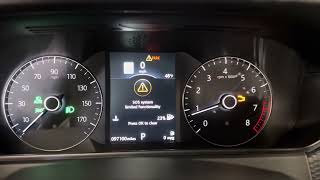
- "SOS Limited Functionality" or "SOS Not Available" message on the instrument cluster.
- The Start/Stop system may be disabled.
- Inability to use certain InControl remote app functions that rely on the telematics module.
- Replacing the main vehicle battery. While a weak main battery can trigger the warning by draining the backup battery, if the U2109 code persists after charging, the problem is the small backup battery itself, not the main one.
Most Likely Causes

- Failed Telematics Backup Battery 🔴 High Probability → Shop Vehicle Battery The internal Lithium-Ion backup battery has a natural lifespan of 5-8 years and fails after several years of service, a common occurrence for vehicles in this year range. A user on landroverforums.com noted their battery failed exactly 5 years after its manufacture date.
How to confirm: After attempting a recharge (running the engine continuously for 60+ minutes per TSB SSM75647), clear the codes with a capable scanner. If code U2109-09 returns, the battery is faulty 🎬 See this walkthrough of the U2109 battery failure and fix and cannot hold a sufficient charge. A diagnostic tool may show the battery voltage below the required threshold (e.g., a user on Reddit reported the fault with a reading of 3.8v, and TSB SSM75647 notes a failure threshold below 3.9V).
Typical fix: Replace the telematics backup battery module. The part is located inside the Telematics Control Unit.
Est. part cost: $50-$150 - Discharged Telematics Backup Battery ⚪ Low Probability → Shop Vehicle Battery If the main vehicle battery is drained, disconnected, or the vehicle sits for an extended period, the telematics unit will run on its backup battery, depleting it. This is more of a trigger than a root cause on an older vehicle, as a healthy backup battery should recharge once the main system is powered.
How to confirm: Charge the main vehicle battery fully. Then, run the engine continuously for at least 60 minutes to allow the system to recharge the telematics battery. TSB SSM75647 explicitly states the engine must be running, as ignition-on is not sufficient. Clear the DTCs and see if the fault returns.
Typical fix: Recharge the main battery and the telematics battery via engine runtime. If the fix is not permanent, the backup battery has failed and must be replaced.
Est. part cost: $0
Rare But Worth Checking
- Faulty Telematics Control Unit (TCU): → Shop Telematics Interface Module This is very rare. A Reddit user was quoted over $3,000 by a dealer to replace the entire TCU for a no-start condition, but for the U2109 code, the battery is the overwhelmingly common failure point. One technician reported a rare case of a TCU internally shorting and drawing excessive current (8+ amps), which caused a no-start and required full module replacement. Only consider this if replacing the backup battery does not resolve the code.
- Wiring or Connector Issue: Damage to the wiring harness leading to the TCU could cause this fault, but it is uncommon compared to battery failure.
- Faulty Roof 'Shark Fin' Antenna: In some cases, moisture ingress into the roof-mounted antenna module can cause similar communication faults with the telematics system. This is a secondary possibility if a new battery does not resolve the issue.
Diagnosis Steps
- Confirm the presence of code U2109-09 using a compatible OBD-II scanner like a GAP tool. Note any extended codes like (28) or (91).
- Check the health of the main vehicle battery. If it is low, charge it fully before proceeding.
- Per Land Rover TSB SSM75647, attempt to recharge the telematics backup battery by running the engine continuously for at least 60 minutes. Note: The engine must be running.
- Using the scanner, clear all Diagnostic Trouble Codes (DTCs). Some modules may require the 'clear DTC' command to be sent multiple times to clear a hard-set fault.
- Cycle the ignition and drive the vehicle. Check if the 'SOS Limited Functionality' message and the U2109 code return.
- If the code returns, the backup battery is faulty and must be replaced.
- Locate the Telematics Control Unit. In the L405 Range Rover, it is in the rear C-pillar area, typically on the driver's side in US models.
- Carefully remove the necessary interior trim panels to access the TCU. This may involve removing the rear air conditioning vent panel and other C-pillar trim.
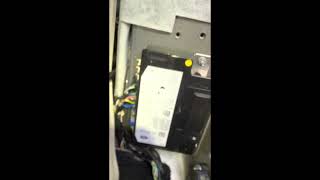
- The battery is inside a small compartment on the TCU module itself, held by a small Torx T9 or T10 screw. 🎬 Watch: A quick guide to locating and swapping the battery
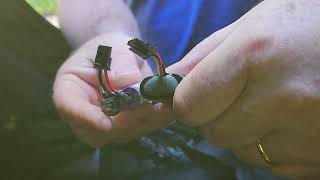
- Open the battery compartment, carefully disconnect the old battery's plug from the circuit board, and install the new one.
- Reassemble the trim panels.
- Clear the U2109 code one final time with the scanner. The warning light should extinguish immediately or after a short drive.
Parts You'll Likely Need
- Telematics Backup Battery
(OEM #LR089861)— This is the component that fails due to age, directly causing the U2109-09 fault code. It is a small 3.7V Li-ion battery pack.
Trusted brands: Genuine Land Rover
OEM price range: $70-$150
Aftermarket price range: $50-$90
Technical Service Bulletins (TSBs) & Recalls
- SSM74189: Confirms U2109-09 means 'Back up Battery Component Failures' stored in the TCU, causing the 'SOS Limited Functionality' message. It applies to 2017-2019 models of Range Rover, Sport, Discovery, and others.
- SSM75647: Notes that a flat main vehicle battery can drain the backup battery, triggering the fault. It explicitly advises running the engine (not just ignition on) for 60 minutes to recharge it as a first step.
- SSM73299: An earlier TSB for 2017 models with the same guidance to try recharging the battery for 40 minutes before replacement, acknowledging the cause is a low state of charge.
Platform-Specific Known Issues
- Land Rover has issued multiple Technical Service Bulletins (TSBs) for this exact issue, including SSM73299, SSM74189, and SSM75647. The bulletins confirm the cause is the backup battery and initially advise technicians to attempt a recharge by running the engine for an hour before resorting to replacement. For the specified vehicle years, replacement is now the most common and permanent solution, as confirmed by numerous owner experiences.
Mechanic-Grade Diagnostic Values
- Telematics Backup Battery (BuB) Voltage — expected: Above 3.9V. Failure: A reading below 3.9V indicates the battery is too low and likely requires replacement if a 60-minute engine-running charge cycle does not restore it.
Hidden / Shadow Codes Worth Checking
- U2109-09(28): An extended or sub-code for the backup battery failure, visible on some advanced diagnostic tools like the GAP tool. (see via JLR-specific diagnostic tool (Pathfinder, SDD) or a high-end aftermarket scanner with deep module access (e.g., GAP IIDTool).)
- U2109-91(2F): Another extended or sub-code related to the backup battery failure, indicating a specific failure mode or status. (see via JLR-specific diagnostic tool (Pathfinder, SDD) or a high-end aftermarket scanner with deep module access (e.g., GAP IIDTool).)
Scan Tool Commands That Help
- JLR Pathfinder (for 2018+ models): ECU Diagnostics > Telematics Control Module (TCU) > Check Back-up Battery voltage — To read the live voltage of the telematics backup battery to confirm if it is below the 3.9V failure threshold per TSB SSM75647.
- JLR Pathfinder (for 2018+ models): ECU Functions > Telematics server communication check — Used during PDI or troubleshooting to verify the TCU can communicate with JLR servers, which can be a related issue if activation fails.
- JLR Pathfinder (for 2018+ models): Replace ECU (on Telematics control unit module) — This function is used to re-flash or update the TCU software, even if the module is not being physically replaced. It can resolve software-related activation issues.
- JLR-capable Bi-directional Scanner: Clear DTC (on TCU module) — In some cases, the U2109 fault is stored as a 'hard code'. After replacing the battery, the code may not clear with a generic scanner. A tool that can directly command the TCU to clear its faults may be required, sometimes needing multiple attempts.
Real Owner Repair Stories
- Reddit user on r/LandRover (2016 Discovery Sport) — 'SOS limited functionality' message, DTC U2109-09 (permanent), backup battery voltage reading 3.8V. Noted the fault was intermittent and occurred more frequently in warm weather.
❌ Tried (didn't work) Hooking the main vehicle battery to a trickle charger., Driving the car for 50 minutes with a charger attached.
✅ What actually fixed it The consensus from the discussion was that the battery had failed and required replacement, as the recharge attempts were unsuccessful. - Technician on r/RangeRover (2019 Range Rover L405) — No-start condition, emergency speaker buzzing.
❌ Tried (didn't work) Programming two different used TCU modules using JLR Topix Cloud., Attempting to program a brand new, $1,300 TCU, which failed before the process even started.
✅ What actually fixed it The root cause was a catastrophic failure of the original TCU, which was internally shorted and drawing over 8 amps on a 5-amp circuit. This is an extreme edge case where the module itself, not just its battery, failed and prevented the vehicle from starting. The story highlights the difficulty in programming replacement modules, even for professionals using factory tools.
When the Usual Fixes Don't Work
- While replacing the backup battery is the fix in over 99% of cases for code U2109, there are rare instances where it will not solve the problem. In one documented case, a 2019 Range Rover had an internally shorted TCU that was drawing excessive electrical current, leading to a no-start condition. In this scenario, replacing the battery is ineffective as the entire control unit has failed and must be replaced and programmed, which can be a complex procedure even with dealer tools.
OEM Part Supersession History
LR089861→LR089861— This is the primary and current part number for the Land Rover telematics battery.
Heads up: The Jaguar equivalent part number is T2R23864, which may be physically and electrically compatible in some cases but using the specified Land Rover part is recommended.
Model Year Variations Within This Range
- 2018-2019: Vehicles from the 2018 model year onwards are equipped with the InControl Touch Pro Duo infotainment system and a newer generation Telematics Control Unit (referred to as 'TCU3' in TSBs). Diagnosis for these models requires the JLR Pathfinder software, whereas earlier models may use SDD. TSBs from 2018 onwards explicitly state the requirement for Pathfinder.
Helpful Videos

We Have This Part in Stock



The information in this article is provided for general reference and educational purposes only. Vehicle specifications, procedures, and part compatibility can vary by production date, trim level, and region. Always consult your vehicle's factory service manual and verify part numbers before purchasing or performing repairs. Safety-critical components such as airbags, seat belts, and braking systems should be installed by a qualified professional.
- Land Rover RANGE ROVER:
- 🧭 Diagnostic Flowchart
- 🎬 Helpful Videos
- 🛍️ Shop This Part
- What's Unique About the 2017-2019 Land Rover RANGE ROVER
- Symptoms You May Notice
- Most Likely Causes
- Rare But Worth Checking
- Diagnosis Steps
- Parts You'll Likely Need
- Technical Service Bulletins (TSBs) & Recalls
- Platform-Specific Known Issues
- Mechanic-Grade Diagnostic Values
- Hidden / Shadow Codes Worth Checking
- Scan Tool Commands That Help
- Real Owner Repair Stories
- When the Usual Fixes Don't Work
- OEM Part Supersession History
- Model Year Variations Within This Range
- 🎟️ Get 5% Off