

OBD-II Code U2145: Remote Tuner Communication Failure
The Ultimate Guide to Diagnosing and Fixing the Infamous Mazda Audio Glitch
- Code U2145 indicates a communication failure with the radio tuner on the MOST fiber optic network, almost exclusively affecting 2019+ Mazda vehicles.
- A distinct tapping or static noise from the dashboard, accompanied by a complete loss of audio, is the signature symptom of this failure.
- Over 80% of U2145 codes are caused by a single loose wire (Pin 6F) in the connector behind the infotainment screen, covered under Mazda TSB SA-021-24a.
- Never authorize a $1,500+ CMU replacement without first verifying the shop performed the physical 'tap test' and inspected Pin 6F.
- A $20 MOST fiber optic bypass loop instantly isolates a faulty tuner module and restores Bluetooth and CarPlay audio.
What Does U2145 Mean?
U2145 is a network communication code indicating the main infotainment computer has lost its connection to the remote tuner (the module receiving AM/FM and satellite signals). When this connection fails, you lose all audio and hear a distinct, repetitive tapping noise from the dashboard.
Technical definition: U2145 is a manufacturer-specific 'U-code' indicating a communication error between the Connectivity Master Unit (CMU) and the Remote Tuner (RT). The code often includes a failure type, like U2145:08 or U2145:02, pointing to a communication break on the fiber-optic Media Oriented Systems Transport (MOST) network.
Can I Drive With U2145?
Yes. This code affects the audio and infotainment system only. It does not impact the vehicle's engine, steering, braking, or primary safety systems, making it safe to drive. However, audible alerts from safety systems (like parking sensors) playing through the main speakers will not function.
Common Causes
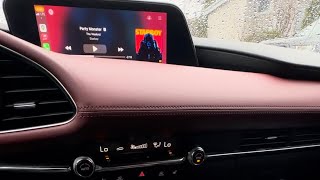
- Backed-out pin in the main infotainment computer connector. (Very Common) — Pin 6F in the connector behind the infotainment screen works itself loose due to factory wire tension, causing total connection loss to the radio tuner. This is the root cause in the vast majority of Mazda cases. 🎬 Watch: How to fix this common audio problem on newer Mazdas
- Poor connection at rear harness connectors (Mazda CX-50). (Common) — On the Mazda CX-50, this code is triggered by a poor electrical connection at the rear harness side connectors (0920-114 and/or 0920-115D) rather than the connector behind the main screen.
- Faulty Remote Tuner (RT) module. (Less Common) — Internal electronics of the tuner module fail, preventing communication on the MOST network. This is the confirmed cause when wiring and connections are verified secure.
- Damaged MOST fiber optic cable. (Rare) — Fragile MOST network fiber optic cables break or kink during unrelated dashboard repairs, breaking the 'ring' and stopping all communication.
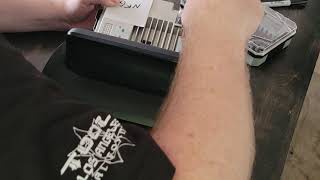
- Faulty Connectivity Master Unit (CMU). (Rare) — The CMU rarely fails. Mazda's diagnostic procedure directs technicians to replace the CMU only after exhausting all other possibilities, 🎬 Watch this walkthrough on how to replace the CMU module including wiring and the tuner module.
- Software or firmware issue. (Rare) — Infotainment system software glitches cause communication errors. A system reboot temporarily fixes it, but a manufacturer software update is the permanent solution.
- Low battery voltage. (Very Rare) — Insufficient system voltage causes electronic modules to malfunction and drop off the network. This is a general trigger for network codes, not specific to U2145.
- Internal failure of Navigation SD Card reader. (Very Rare) — A separate Mazda TSB addresses an intermittent 'beep' or 'popping' sound caused by a software error in the Navigation SD card, mimicking U2145 symptoms without setting the code.
Symptoms
- Complete loss of audio. — Sound from all sources (AM/FM radio, Bluetooth, Apple CarPlay, Android Auto) cuts out completely.
- Tapping, popping, or static noise from speakers. — A distinct, repetitive tapping or static sound comes from the dashboard as the system repeatedly fails to communicate.
- Symptom changes when tapping on the dashboard. — Tapping the dash near the central display triggers or stops the noise and audio loss, confirming a loose physical connection.
- Radio functions are disabled. — The AM/FM radio option on the infotainment screen is grayed out and unselectable.
- Infotainment system freezes, is slow, or reboots. — The infotainment system becomes slow, freezes, or randomly reboots as it repeatedly fails to communicate with the tuner.
Diagnostic Flowchart
Tap your situation to follow the diagnostic path that matches what you're seeing on this code.
Common Fixes & Costs
- Reseat Loose Pin in CMU Connector — Parts: $0, Labor: $375-$550, ~2.5 hr book time (Intermediate)
- Replace Remote Tuner Module
— Parts: $125-$450, Labor: $180-$260, ~1.2 hr book time
(Professional)
Mazda3 / CX-30: OEM
Mazda CX-50: OEM - Use a MOST Fiber Optic Bypass Loop — Parts: $10-$30, Labor: $120-$175, ~0.8 hr book time (Beginner)
- Replace Connectivity Master Unit (CMU)
— Parts: $200-$1500+, Labor: $225-$450, ~2.5 hr book time
(Professional)
Mazda3 (Gen 3): OEM - Repair or Replace Instrument Panel Wiring Harness — Parts: $500+, Labor: $1200-$1800+, ~8 hr book time (Professional)
Used vs. New Parts: Buying Guide
When a used part is worth it: Used modules from reputable salvage sources offer up to 75% savings compared to new OEM parts. This is a very common repair strategy for expensive electronic modules.
Donor-vehicle mileage cap: roughly under 100000 miles for the part to have meaningful remaining life.
Donor quality checklist:
- Verify the part number on your original unit and purchase an exact match or a dealer-confirmed compatible superseded number.
- Buy from a large, reputable seller (like LKQ) offering a warranty and return policy.
- Avoid parts from flood or fire-damaged vehicles.
Decision logic:
- If The cost of a new part is over $1000 and the vehicle is out of warranty → A used part with a warranty is a financially sound choice.
- If The part is relatively inexpensive (e.g., under $200 new) → Buy new for the longer warranty and guaranteed condition.
- If The vehicle is still under the new car or a Certified Pre-Owned warranty → The repair should be performed by the dealer with a new OEM part at no cost to you.
Warranty tradeoff: Used parts typically come with a 30-90 day functional warranty. New OEM parts installed by a dealer are covered by a 12-month/12,000-mile parts and labor warranty.
Worst-case if a used part fails: $250-500 if a used part fails after the warranty period, requiring you to pay for the replacement part and labor again.
What Happens If You Wait — Timeline
- 0-3 months: Intermittent audio loss or tapping noise triggered by bumps or temperature changes. The issue occurs weekly and is temporarily fixed by restarting the car. (MPG impact: 0%% · Added cost: $0)
- 3-6 months: Symptoms occur daily. The dashboard 'tap test' consistently reproduces the issue, pointing to the loose connection. A soft reset is ineffective. (MPG impact: 0%% · Added cost: $0)
- 6-9 months: Audio is permanently lost. The tapping noise is constant. Safety system alerts fail, creating a safety risk. (MPG impact: 0%% · Added cost: $0)
- At repair shop: The owner seeks repair. The primary financial risk is misdiagnosis leading to an unnecessary and expensive component replacement. (MPG impact: 0%% · Added cost: $1000-$2000+ (Cost of a misdiagnosed CMU or amplifier replacement))
Cost of Not Fixing It
- Immediate: Complete loss of all audio functions and a persistent, distracting tapping noise. (Added cost: Negligible)
- Ongoing: Loss of audible alerts from safety systems (e.g., parking sensors, blind-spot monitoring) playing through the main speakers, increasing collision risk. (Added cost: Potential cost of a collision.)
- Long-term: No direct mechanical damage occurs. The primary cost is the eventual repair and the inconvenience of having no audio or system alerts. (Added cost: The cost of the eventual repair, which will not increase over time due to neglect.)
Diagnosis Steps
- Verify Symptoms and Scan for Codes
Confirm the symptoms, such as audio loss or a tapping noise. Use an OBD-II scanner to read the trouble codes. Confirm U2145 is present, and check for related code U0186, which almost always appears with it.
Tools: OBD-II Scanner (Beginner) - Perform the 'Tap Test'
Firmly tap the dashboard above and around the central infotainment screen. If this causes the audio to cut in and out or triggers the tapping noise, it confirms a loose physical connection behind the CMU.
Tools: Your hand (Beginner) - Perform an Infotainment System Soft Reset
Reboot the system by pressing and holding the 'Back', 'Nav', and 'Mute' buttons together for 10 seconds. This temporarily restores communication but will not fix the underlying physical issue.
Tools: None (Beginner) - Access the Connectivity Master Unit (CMU) Connector
Carefully remove dashboard trim panels and the glove box to access the back of the Connectivity Master Unit (CMU). Locate the main instrument panel harness connector (0920-101F).
Tools: Trim removal tools, screwdriver, socket set (Advanced) - Inspect and Reseat Pin 6F
Disconnect the harness and inspect the connector face. Locate pin 6F and check if it has receded into the housing. Remove pins 6F and 6H, untwist the wires to create slack, and push them firmly back until they click.
Tools: Small pick or terminal tool (Advanced) - Pro Tip: Perform a MOST Fiber Optic Loop Test
Disconnect the fiber optic connector from the Remote Tuner and insert a MOST loop bypass tool. If audio from Bluetooth or CarPlay is restored, the Remote Tuner is confirmed faulty.
Tools: MOST fiber optic loop bypass tool (Professional) - Advanced Scan Tool Analysis
Use a professional bi-directional scan tool to access the Remote Tuner (RT) module directly. If code U3000:04 (Internal Electronic Failure) is stored, the tuner requires replacement.
Tools: Advanced Bi-Directional Scan Tool (Advanced) - Test or Replace the Remote Tuner
Swap the remote tuner module with a known-good unit. If the known-good tuner fixes the problem, replace the original tuner.
Tools: OBD-II Scanner, basic hand tools (Professional) - Pro Tip: Check MOST Enable Circuit Voltage
Check for codes like U0298:02. Using a multimeter, verify 12V B+ on the MOST control circuit wire at each module. Absence of voltage prevents the module from waking up.
Tools: Multimeter, vehicle-specific wiring diagram (Professional)
When This Code Triggers (Freeze-Frame Conditions)
- Vehicle Status: Ignition ON (The code sets during the initial network check when the vehicle starts.)
- Time Since Start: 1-10 seconds (Failure occurs when the CMU attempts to establish communication with all modules on the MOST network ring and the tuner fails to respond.)
- Battery Voltage: 11.5V - 14.5V (Normal operating voltage; the fault is due to a communication break, not a voltage issue.)
- Ambient Temperature: Any (The fault occurs at any temperature, though extreme hot or cold weather exacerbates the loose connector.)
Related Codes
- U0186 — Code U0186 ('Communication error with audio amplifier') almost always appears alongside U2145. The single loose pin (6F) disrupts communication to both modules simultaneously.
- B108D — This Mazda-specific code indicates a fault on the MOST network. Seeing B108D alongside U2145 confirms a physical connection problem like the loose pin.
- U3000 — If this generic control module fault code is present in the Remote Tuner (RT) module itself, it points strongly towards an internal failure of the tuner requiring replacement.
- U0028 — This generic code for 'Vehicle Communication Bus A' indicates a general fault on the communication network, pointing to a widespread communication problem.
Climate & Environmental Factors
- Temperature Fluctuations: Thermal expansion and contraction causes the loose pin (6F) to shift, leading to intermittent connection loss. The problem appears more frequently in extreme hot or cold weather.
- High Humidity: High humidity accelerates corrosion on exposed electrical contacts, leading to increased electrical resistance and intermittent signal loss.
How to Talk to a Mechanic About This Code
Say this: "My Mazda has a U2145 code and the classic dashboard tapping noise. Please inspect the CMU connector for a backed-out pin per TSB SA-021-24a."
This signals to the service advisor that you are well-informed about this specific issue. It directs the technician to the cheapest fix, making it harder to justify an expensive, unnecessary CMU replacement.
Avoid saying:
- 'My radio is broken.'
- 'There's a weird noise in my dash, can you fix it?'
- 'Just fix whatever is wrong with the infotainment system.'
Questions to ask before authorizing the repair:
- Did you perform the 'tap test' on the dashboard and did it reproduce the symptom?
- Have you physically inspected pin 6F on the main CMU connector (0920-101F) as per the TSB?
- If you are recommending a module replacement, can you show me proof that the connector pin is secure and that you tested the module using a fiber optic loop?
Where to Take It: Dealer vs Independent vs Chain
- Dealer:
Best Fit. The dealer is guaranteed to have access to the TSBs detailing this exact problem and the specific wiring fix. For an out-of-warranty vehicle, it's the safest bet to avoid misdiagnosis.
Best for: Vehicles still under the new vehicle warranty or the extended warranty for the Mazda Connect system., Owners who want the highest probability of a correct first-time diagnosis for a known TSB issue.
Downsides: Highest labor rate ($150-$220/hr) if the repair is out of warranty., May still attempt to upsell, though less likely to misdiagnose this specific problem. (Typical cost: +50% vs. baseline) - Independent Shop:
Acceptable, with caution. Only use an independent shop if you can verify they have access to TSB databases and you've discussed the specific loose-pin issue with them beforehand.
Best for: Out-of-warranty vehicles where the owner has a trusted relationship with a shop specializing in Japanese vehicles., Getting a second opinion on a high dealer quote.
Downsides: The shop may not have access to the specific Mazda TSBs, leading to a lengthy and expensive diagnostic process., A general mechanic may incorrectly blame the CMU or amplifier. (Typical cost: +0% vs. baseline) - Chain Shop:
AVOID. These shops are not equipped to handle a nuanced, TSB-driven electronic repair. The likelihood of a correct diagnosis is extremely low.
Best for: Simple services like oil changes or tires.
Downsides: Technicians are very unlikely to be trained on manufacturer-specific network issues., High risk of misdiagnosis and being sold expensive, unnecessary parts. (Typical cost: -10% vs. baseline)
When to Walk Away From the Repair
Pause and reconsider the repair if the estimate exceeds 40% of the vehicle's private-party value.
- Car worth $18000, fix is $500: Fix it. This is the expected cost for the common wiring repair and is a small fraction of the car's value.
- Car worth $18000, fix is $2000: Challenge the diagnosis. This quote likely includes an unnecessary CMU replacement. Get a second opinion from a dealer and reference the TSB.
- Car worth $4000, fix is $1800: Walk away or seek a cheaper fix. The repair cost is approaching 50% of the vehicle's value.
What Scan Tool You Need for This Code
Minimum: Any basic OBD-II code reader.
Basic scanners only confirm the U2145 code. Advanced diagnosis requires a bi-directional scanner to check internal module faults or see the full MOST network status.
Budget: BlueDriver Pro (~$100) — Reads and clears the U2145 code, provides freeze-frame data, and accesses enhanced manufacturer codes. It confirms the code before proceeding with the physical 'tap test'.
Mid-range: Foxwell NT510 Elite for Mazda (~$160) — Provides OE-level diagnostics for Mazda. It reads codes from all specific modules (CMU, Tuner, Amp), views live data, and performs bi-directional tests.
Professional: Autel MaxiCOM MK808S / MK808BT Pro (~$450-550) — Offers comprehensive, professional-level diagnostics. It auto-detects the VIN, scans all modules, views network topology, and performs advanced functions.
Rent vs buy: Renting a basic scanner from an auto parts store for free is a perfect first step to confirm the code. Buy a scanner only if the initial physical diagnosis fails.
How to Clear the Code After You Fix It
- Ensure the physical repair (e.g., reseating the pin, replacing the module) is complete.
- Reconnect the vehicle's battery if it was disconnected for the repair.
- Use a compatible OBD-II scan tool to access the trouble codes and select the 'Clear/Erase Codes' function.
- Cycle the ignition off, then on, and verify that the audio system functions correctly and the code does not immediately return.
Drive cycle (~15 minutes): The infotainment system recognizes the repair immediately. However, if the battery was disconnected, drive 15-30 miles to reset emissions monitors.
Readiness monitors affected: Evaporative System, Oxygen Sensor, Catalyst Monitor
Before emissions retest: drive at least 50 miles to fully set monitors.
Watch out for:
- Clearing the code with a scanner will not fix the problem; the code returns on the next ignition cycle if the physical fault remains.
- Disconnecting the battery clears the code but resets all emissions readiness monitors, causing a failed emissions test.
Will This Fail Emissions / State Inspection?
No — by itself this code doesn't fail OBD inspection (but it can keep readiness monitors from setting, which causes a separate fail).
- California: This network code does not illuminate the Check Engine Light (MIL) and will not cause an emissions failure.
- New York: New York's inspection checks for an illuminated Check Engine Light. Since U2145 does not command the light on, it will not cause a failure.
- Texas: The vehicle passes the OBD-II check if the Check Engine Light is not on and the required readiness monitors have completed their checks.
Most Commonly Affected Vehicles
- Mazda CX-30 (2020-2024) — Highly prone to the backed-out pin in the CMU connector, as documented in multiple Mazda TSBs.
- Mazda Mazda3 (2019-2024) — Shares the same infotainment platform and wiring harness design as the CX-30, making it equally susceptible to the loose pin issue.
- Mazda CX-50 (2023-2025) — A TSB notes that U2145 is caused by a poor connection at the rear harness connectors (0920-114/0920-115D), a different location than the Mazda3/CX-30.
- Mazda CX-5 (2017-2021) — Models with the Mazda Connect system experience failures of the CMU or tuner that trigger communication codes.
- Ford Various (e.g., Focus, Escape) (2012-2022) — Ford vehicles use 'U' codes for network problems, but U2145 is rare. Communication issues present as U0452 or U3000.
- Chevrolet / GM Various (2010-2020) — Older GM vehicles use U2145 for 'Lost communications with Convenience Control (PAS) System', referring to a different vehicle system.
- Land Rover Various (2015-2023) — Land Rover vehicles using the MOST fiber optic network experience similar communication failures under different 'U' codes.
- Volvo Various (2016-2024) — Volvo uses the MOST network. A break in the fiber optic ring causes a total loss of infotainment function, setting various communication codes.
Manufacturer-Specific Notes
- Mazda: Mazda TSBs SA-070-22, SA-021-24a, and SA-008-25 cover this exact issue: Pin 6F backing out of the main infotainment connector due to factory wire tension.
- Mazda: The official TSB repair procedure requires untwisting the affected wires (pins 6F and 6H) to create slack and prevent recurrence.
- Mazda: A class-action settlement provides a Limited Warranty Extension (LWE) for the Mazda Connect system on many 2014-2023 models, extending coverage for CMU repairs.
- GM / Chevrolet: On GM vehicles, U2145 relates to 'Lost communications with Convenience Control (PAS) System' and requires diagnosing an entirely different system.
- Ford: Ford does not commonly use U2145. Infotainment communication issues on Ford's SYNC systems set codes like U0198 or U0256.
Real Owner Stories
2021 Mazda CX-30 with intermittent audio failure
Owner experienced intermittent loss of all audio (FM, AM, CarPlay, Bluetooth). The volume controls stopped working during the outages. The issue occurred about half the time the car was started.
What they tried:
- Pulled and reinstalled the three audio-related fuses.
- Disconnected the battery to reset the system.
- Attempted the soft reset procedure (Mute+Nav+Back), which had no effect.
Outcome: The dealer replicated the problem. After several unsuccessful fix attempts, the dealer replaced the entire Master Control Unit (MCU), resolving the issue.
Lesson: For intermittent issues on a newer vehicle, going to the dealer is the best course of action. The root cause may be a known issue with a bad batch of components requiring full replacement.
2021 Mazda CX-30 with total audio loss
After an audio glitch between Bluetooth and CarPlay, all sound completely stopped working. The infotainment screen worked, but the audio source could not be changed.
What they tried:
- Took the car to a third-party audio repair shop.
- The shop diagnosed a faulty microcontroller on the main CMU board and quoted $1,000 for a repair.
Outcome: A Mazda tech advised the owner to go to a dealer, noting the issue was a communication failure with the separate tuner module located in the trunk, not the CMU. The tuner module is a known failure point presenting with these exact symptoms.
Lesson: Be wary of expensive CMU repair quotes. The symptoms of a CMU failure and a tuner failure are identical. Always have the dealer check the tuner module first.
2021 Mazda CX-30 with U2145 and U0186 codes
Owner had no audio and stored codes U2145 (tuner communication error) and U0186 (amplifier communication error).
What they tried:
- Checked the common loose pin behind the CMU, but it appeared secure.
- Replaced the CMU with a used unit, but the problem persisted.
- Replaced the audio amplifier, which also did not fix the issue.
Outcome: The owner was left without a solution after replacing the two most commonly suspected parts. The final remaining component in the chain was the remote tuner itself.
Lesson: Do not replace expensive components without a clear diagnostic path. A MOST fiber optic loop tool isolates the faulty module without replacing any parts.
How to Prevent This Code From Triggering
- Maintain stable battery voltage. (Every 4-5 years) — Weak batteries provide unstable voltage during startup, causing temporary glitches and stressing the CMU. Proactively replacing an aging battery prevents these issues.
- Keep the cabin interior dry. (During/after heavy rain) — Water damage destroys electronic modules. Regularly check for leaks from windshields, sunroofs, or door seals to prevent moisture from reaching the CMU or amplifier.
- Apply dielectric grease to accessible connectors. (When performing other maintenance) — Applying dielectric grease seals out moisture and prevents corrosion on pins, ensuring a reliable connection.
- Keep infotainment software updated. (Annually) — Mazda software updates fix bugs and improve system stability, resolving minor communication glitches before they become persistent problems.
Frequently Asked Questions
Can I fix U2145 myself?
The most common fix involves taking apart the dashboard to access a connector, which is an advanced-level task risking cosmetic damage. A beginner should consider using a $20 fiber optic bypass loop as a simpler, partial solution.
The dealer quoted me over $1,500 to fix this. Is that right?
That price likely includes replacing the entire infotainment computer (CMU), which is rarely necessary and considered a misdiagnosis. The most common fix is a wiring repair costing $375-$550 in labor. Always insist on having the connector pin checked first.
What are the most common misdiagnosis mistakes with code U2145?
The biggest mistake is replacing the audio amplifier or main CMU without following official diagnostic steps. The correct procedure is to first inspect connector pin 6F, then test the remote tuner using a fiber optic loop.
Is there a recall for the U2145 audio issue?
There is no safety recall, but Mazda has released multiple Technical Service Bulletins (TSBs) providing specific repair instructions. A TSB repair is covered free of charge if the vehicle is within its factory warranty period.
Will my audio come back on its own?
The audio comes and goes as you drive due to vibrations or temperature changes affecting the loose physical connection. However, the problem will not permanently fix itself and worsens over time.
I tried resetting the infotainment system and the audio is still gone. What's next?
Use an OBD-II scanner to confirm the U2145 code and perform the 'tap test' on the dash. If the noise or symptoms change, a loose connection is the cause and requires dashboard disassembly.
Why does code U0186 show up with U2145?
Both the radio tuner (U2145) and the audio amplifier (U0186) share the same fiber optic communication network. The single loose pin disrupts the signal for both modules simultaneously.
Key Takeaways
- Code U2145 indicates a communication failure with the radio tuner on the MOST fiber optic network, almost exclusively affecting 2019+ Mazda vehicles.
- A distinct tapping or static noise from the dashboard, accompanied by a complete loss of audio, is the signature symptom of this failure.
- Over 80% of U2145 codes are caused by a single loose wire (Pin 6F) in the connector behind the infotainment screen, covered under Mazda TSB SA-021-24a.
- Never authorize a $1,500+ CMU replacement without first verifying the shop performed the physical 'tap test' and inspected Pin 6F.
- A $20 MOST fiber optic bypass loop instantly isolates a faulty tuner module and restores Bluetooth and CarPlay audio.
Helpful Videos
Shop the Parts Behind U2145
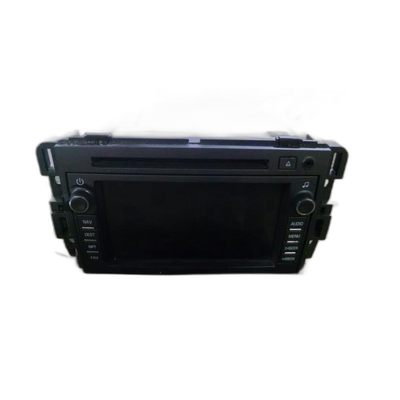
Below are the parts most often responsible for code U2145, ranked by how frequently each one is the actual culprit (per the diagnosis above). Tap any to see what we have for your vehicle.


The information in this article is provided for general reference and educational purposes only. Vehicle specifications, procedures, and part compatibility can vary by production date, trim level, and region. Always consult your vehicle's factory service manual and verify part numbers before purchasing or performing repairs. Safety-critical components such as airbags, seat belts, and braking systems should be installed by a qualified professional.
- 🧭 Diagnostic Flowchart
- 🎬 Helpful Videos
- 🛍️ Shop This Part
- What Does U2145 Mean?
- Can I Drive With U2145?
- Common Causes
- Symptoms
- Common Fixes & Costs
- Used vs. New Parts: Buying Guide
- What Happens If You Wait — Timeline
- Cost of Not Fixing It
- Diagnosis Steps
- When This Code Triggers (Freeze-Frame Conditions)
- Related Codes
- Climate & Environmental Factors
- How to Talk to a Mechanic About This Code
- Where to Take It: Dealer vs Independent vs Chain
- When to Walk Away From the Repair
- What Scan Tool You Need for This Code
- How to Clear the Code After You Fix It
- Will This Fail Emissions / State Inspection?
- Most Commonly Affected Vehicles
- Manufacturer-Specific Notes
- Real Owner Stories
- 2021 Mazda CX-30 with intermittent audio failure
- 2021 Mazda CX-30 with total audio loss
- 2021 Mazda CX-30 with U2145 and U0186 codes
- How to Prevent This Code From Triggering
- Frequently Asked Questions
- Can I fix U2145 myself?
- The dealer quoted me over $1,500 to fix this. Is that right?
- What are the most common misdiagnosis mistakes with code U2145?
- Is there a recall for the U2145 audio issue?
- Will my audio come back on its own?
- I tried resetting the infotainment system and the audio is still gone. What's next?
- Why does code U0186 show up with U2145?
- Key Takeaways
- 🎟️ Get 5% Off