

OBD-II Code U2401: Control Module Incompatible
What U2401 means, why it triggers, and how to fix it
- Code U2401 indicates a software or configuration mismatch between modules, requiring an advanced bidirectional scan tool to diagnose and fix.
- Replacing an electronic module like an APIM without performing a Programmable Module Installation (PMI) guarantees this code will trigger.
- Always test the 12V battery first; voltage drops below 12.4V during startup or OTA updates corrupt module communication.
- Before buying parts, search for Technical Service Bulletins (TSBs) like Ford's 23-2199, as a 1-hour software reflash costing $150-$300 is the most common fix.
What Does U2401 Mean?
U2401 indicates two or more vehicle control modules are failing to communicate due to mismatched software or configuration data. One module is sending data the receiving module cannot understand.
Technical definition: Defined by SAE as a communication or data mismatch. On modern Fords, it specifically means 'Ethernet Failure With Accessory Protocol Interface Module (APIM): Invalid Serial Data Received.' The Gateway Module (GWM) is receiving nonsensical data from the infotainment system over the internal network. Sub-codes like :81 (Invalid Serial Data) or :92 (Incorrect Operation) pinpoint the exact data failure.
Can I Drive With U2401?
No — Do Not Drive. This code disables critical systems like the infotainment screen (affecting the federally mandated backup camera), driver aids, and the immobilizer. Driving risks unpredictable electrical behavior, stalling, or limp mode at low speeds.
Common Causes
- Incorrect Module Programming (Very Common) — Replacing a major electronic part like the APIM or GWM without programming it to the vehicle's specific VIN causes this code. The new module lacks the 'As-Built' data required to sync with the network.
- Outdated or Failed Software Updates (Common) — Bugs in module software or interrupted Over-the-Air (OTA) updates corrupt the data handshake between modules. Ford TSB 23-2199 specifically addresses this for F-150 Gateway Modules.
- Low Battery Voltage (Common) — Control modules require at least 12.4V to initialize correctly. A weak battery or failing alternator causes modules to power up out of sync, generating data errors.
- Water Intrusion (Less Common) — Moisture corrodes critical network connectors. GM TSB 23-NA-046 highlights water leaking past A-pillar body plugs, corroding door harnesses and triggering communication DTCs.
- Damaged Wiring or Poor Connections (Less Common) — Broken, chafed, or disconnected CAN bus or Ethernet wires interrupt the signal. Hyundai models frequently suffer from poorly seated coaxial cables behind the display.
- Failed Control Module (Rare) — Internal circuit board failures or burnt components permanently disable the module. This is the least common cause and requires hardware replacement. 🎬 See this step-by-step guide for replacing a Ford APIM module
Symptoms
- Black or Frozen Infotainment Screen — The center touchscreen display goes completely black, freezes, displays a 'No Signal' message, or fails to boot up.
- Loss of Connected and Driver-Assist Features — Remote start, mobile app features (FordPass, Bluelink), lane-keeping assist, and adaptive cruise control become unavailable.
- Vehicle Will Not Start or Stalls — Incompatibility involving the anti-theft system or powertrain control prevents the engine from cranking or causes low-speed stalling.
- Multiple Warning Lights — Dashboard warning lights illuminate for ABS, traction control, or general communication failures as systems report data errors.
Diagnostic Flowchart
Tap your situation to follow the diagnostic path that matches what you're seeing on this code.
Common Fixes & Costs
- Module Software Update/Reprogramming — Parts: $0, Labor: $150-$300, ~1.5 hr book time (Professional)
- Battery Replacement — Parts: $200-$300, Labor: $50-$150, ~0.8 hr book time (DIY)
- Accessory Protocol Interface Module (APIM) Replacement
— Parts: $400-$1200, Labor: $250-$500, ~2 hr book time
(Professional)
Ford Maverick (2022-2025): OEM 14G371 Family (VIN specific) (Alt: 4D Tech, OEM Plus Upgrades)
Ford F-150 (2021-2024): OEM 14G370 / 14G371 Family (VIN specific) (Alt: Dorman, Intelligent1Tech) - Gateway Module (GWM) Replacement
— Parts: $150-$300, Labor: $200-$400, ~1.5 hr book time
(Professional)
Ford F-150 (2021-2024): OEM ML3T-14F642-CH (VIN specific) (Alt: Dorman) - Wiring or Connector Repair — Parts: $10-$50, Labor: $200-$800, ~4 hr book time (Professional)
Used vs. New Parts: Buying Guide
When a used part is worth it: A used APIM or GWM from a salvage yard is cost-effective for out-of-warranty vehicles if the part number matches exactly. It still requires professional programming.
Donor-vehicle mileage cap: roughly under 100000 miles for the part to have meaningful remaining life.
Donor quality checklist:
- Match the part number exactly.
- Ensure the donor vehicle has identical features (e.g., navigation).
- Inspect the part for corrosion on the pins.
- Buy from a seller with a return policy.
Decision logic:
- If The fix is a known software TSB on your original module → Do not replace the part; have the original module reprogrammed.
- If Vehicle is under warranty → Use a new OEM part installed by the dealer.
- If You want a plug-and-play solution with a warranty → Buy a pre-programmed refurbished module from a specialized aftermarket vendor.
Warranty tradeoff: Salvage yard parts have a 30-90 day warranty. New OEM parts have a 1-2 year warranty. Pre-programmed aftermarket units often include a 1-year warranty and technical support.
Worst-case if a used part fails: $400 - $800
What Happens If You Wait — Timeline
- 0-2 weeks: Code is set, and primary symptom appears (e.g., black screen). The issue may be intermittent. (MPG impact: 0%% · Added cost: $0)
- 2 weeks - 3 months: The symptom becomes permanent. A module fails to 'sleep' correctly, causing a parasitic battery drain. (MPG impact: 0%% · Added cost: $50-$150)
- 3-6 months: Parasitic drain weakens the battery, causing premature failure and no-start situations. (MPG impact: 0%% · Added cost: $250 - $450)
- 6+ months: Cascading failures occur. Other modules log communication codes, making the root cause harder to diagnose. (MPG impact: 0-5%% · Added cost: $1500 - $3000+)
Cost of Not Fixing It
- Immediate: Loss of critical functions including the infotainment screen, backup camera, and driver aids. The vehicle may not start. (Added cost: $0)
- 1-3 months: A module failing to 'sleep' causes a parasitic battery drain, destroying the 12V battery. (Added cost: $250 - $450)
- 3+ months: Cascading communication faults appear, turning a 1-hour software flash into a multi-hour diagnostic job. (Added cost: $300 - $600+)
Diagnosis Steps
- Scan for All Codes from All Modules
Use a high-quality OBD-II scanner to read DTCs from all modules (GWM, APIM, TCU, BCM), not just the engine computer. Note all codes, their status, and specific sub-codes (e.g., U2401:92) to identify the exact failing communication path.
Tools: Advanced OBD-II Scanner (Intermediate) - Check for Technical Service Bulletins (TSBs)
Search online for TSBs related to your vehicle's VIN and the U2401 code. Manufacturers issue bulletins for known software issues fixed with a dealer-installed update, such as Ford TSB 23-2199.
Tools: Internet access, Vehicle VIN (Beginner) - Check Battery State of Charge and Health
Ensure the battery is fully charged (at least 12.4V engine off) and healthy. Use a professional tester to verify its ability to hold a load. Low voltage is a primary cause of module communication errors.
Tools: Multimeter, Professional Battery Tester (Beginner) - Perform a Hard Reset
Disconnect the negative battery terminal for 30 minutes. Wait at least two minutes after turning the ignition off before disconnecting power to allow systems to save data. This forces a cold reboot of all modules.
Tools: 10mm wrench or appropriate socket (Beginner) - Inspect Network Wiring and Connectors
Visually inspect wiring harnesses going to the affected modules. Look for damage, corrosion, or loose connections. Pay special attention to A-pillar connectors on GM vehicles and coaxial cables on Hyundai displays.
Tools: Flashlight, trim removal tools (Intermediate) - [Pro Tip] Check Network Communication PIDs
Monitor live data PIDs for the network using an advanced scan tool. Look for the status of the APIM and TCU as seen by the Gateway Module (GWM). Check for a 'Lost Comms' status or incorrect software version reporting.
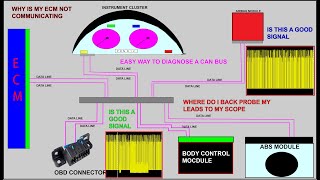
Tools: Advanced OBD-II Scanner with Live Data (Advanced) - [Pro Tip] Test CAN Bus Resistance
With the battery disconnected, measure the resistance of the communication network at the DLC. A standard High-Speed CAN bus measures 60 ohms between pins 6 and 14. 120 ohms indicates an open circuit; 0 ohms indicates a short.
Tools: Multimeter, Wiring Diagrams (Advanced) - [Pro Tip] Test Automotive Ethernet Resistance
For modern Ethernet networks, measure resistance at the module connectors with the battery disconnected. Differential characteristic impedance should be 100 Ω. Refer to the factory service manual for exact pins.
Tools: Multimeter, Wiring Diagrams (Advanced) - Perform Module Programming/Update
A dealer or qualified shop uses a proprietary tool (like Ford's FDRS) to update module software or perform a 'Programmable Module Installation' (PMI) to configure a new or existing module.
Tools: Manufacturer-specific diagnostic tool (e.g., FDRS, SPS2) (Professional)
When This Code Triggers (Freeze-Frame Conditions)
- Module Voltage: 11.8V - 12.5V (Voltage dips below the stable operating threshold during key-on or engine crank, causing modules to initialize out of sync.)
- Key-On State: N/A (Sets immediately upon turning the ignition on as the Gateway Module detects a mismatch during the initial network handshake.)
- Network Status PID: Mismatch / Invalid (The Gateway Module reports an invalid software or configuration version from the APIM or TCU.)
- Ambient Temperature: < 32°F (0°C) (Cold starts reduce battery power, triggering voltage-related communication glitches.)
Related Codes
- U0253 — Means 'Lost Communication With Accessory Protocol Interface Module'. U0253 is a silent connection; U2401 means the connection exists but the data is invalid.
- U2402 — Means 'Ethernet Failure With Telematic Control Unit Module'. Frequently appears with U2401 on Fords, suggesting a wider Gateway Module network problem.
- U0146 — Means 'Lost Communication With Gateway 'A''. Logged when a module cannot get a signal from the main Gateway Module. If present in multiple modules, the GWM is failing.
- U0401 — Means 'Invalid Data Received From ECM/PCM'. Indicates a data conflict involving core powertrain controls rather than infotainment systems.
Climate & Environmental Factors
- High Humidity / Water Intrusion: Accelerates corrosion on connector pins and circuit boards. Water leaks from blocked sunroof drains directly impact modules, triggering communication DTCs.
- Extreme Cold: Reduces battery capacity. A battery drops below the minimum voltage required for stable module operation during a cold start, triggering communication codes.
- High Heat: Accelerates the degradation of electronic components over time, leading to premature module failure.
How to Talk to a Mechanic About This Code
Say this: "I have a U2401 communication code and a black infotainment screen. Based on my research, this is often a software issue. Could you please check for any relevant TSBs for my VIN before quoting a full module replacement?"
Signals you are an informed customer, steering the conversation toward a software-first diagnosis and preventing an immediate costly hardware replacement recommendation.
Avoid saying:
- 'Just fix whatever's wrong'
- 'My check engine light is on, can you look at it?'
- 'My screen is broken, I think I need a new one.'
Questions to ask before authorizing the repair:
- Did you find any Technical Service Bulletins (TSBs) for this issue?
- Is the fix a software update, or are you recommending a hardware replacement?
- If recommending a new module, have you ruled out wiring, connector, and power supply issues first?
- Does the repair estimate for the new module include the cost of programming it to my car's VIN?
Where to Take It: Dealer vs Independent vs Chain
- Dealer:
Highly Recommended. The dealer has guaranteed access to the latest software, TSBs, and programming tools required for the fix.
Best for: Vehicles under warranty., Known software issues covered by a TSB., Complex programming issues requiring proprietary tools.
Downsides: Highest labor rates., May default to replacing a module rather than diagnosing complex wiring issues. (Typical cost: +50% vs. baseline) - Independent Shop:
Recommended with Caution. Only use an independent shop if you can verify they perform 'Programmable Module Installations' for your vehicle make.
Best for: Out-of-warranty vehicles., Shops specializing in vehicle electronics and diagnostics.
Downsides: Not all shops have the expensive subscriptions and J2534 tools needed for module programming. (Typical cost: +0% vs. baseline) - Chain Shop:
Not Recommended. Chain shops are not equipped to handle the software-intensive nature of a U2401 code.
Best for: Simple, non-electronic repairs like tires and brakes.
Downsides: Technicians are rarely equipped for complex network diagnostics or module programming. (Typical cost: -10% vs. baseline)
When to Walk Away From the Repair
If the estimated repair cost exceeds 50% of the car's private-party value, consider selling or trading in the vehicle.
- Car worth $25000, fix is $1800: Fix it. The repair cost is well below the 50% threshold.
- Car worth $8000, fix is $2200: Borderline. Get a second opinion to confirm a module replacement is truly needed versus a cheaper software flash.
- Car worth $4000, fix is $2200: Walk away. The repair cost is over 50% of the car's value.
What Scan Tool You Need for This Code
Minimum: A scanner that reads codes from ALL vehicle modules (GWM, APIM, BCM), not just the engine computer.
A basic $30 code reader only checks the engine computer and will show 'No Codes' even when U2401 is active in the Gateway Module.
Budget: FORScan with ELM327 Adapter (for Ford/Mazda) (~$30) — Reads codes from all modules, shows manufacturer-specific data, and allows advanced users to perform module configuration and resets.
Mid-range: Foxwell NT809 / Autel MaxiCOM MK808S (~$350) — Offers all-system diagnostics, reads and clears codes from the GWM and APIM, and provides live data streams.
Professional: Autel MaxiPRO MP900-BT / Launch X431 Series (~$600-1200) — Offers full bidirectional control and the ability to perform module programming (PMI) functions needed for a dealer-level fix.
Rent vs buy: Buy. Free rental scanners at auto parts stores are basic code readers insufficient for diagnosing network codes.
How to Clear the Code After You Fix It
- Reconnect battery if disconnected for repair.
- Use an advanced OBD-II scan tool to clear DTCs from ALL modules.
- Perform a network self-test using the scan tool.
- Complete a full drive cycle to allow readiness monitors to set.
Drive cycle (~30 minutes): Cold start and idle for 3 minutes. Drive in stop-and-go traffic for 15 minutes. Drive at a steady 55-60 mph for 10 minutes. Allow the vehicle to cool down for 8 hours for the EVAP monitor to run.
Readiness monitors affected: All monitors reset when codes are cleared., Clearing U2401 resets emissions monitors like Catalyst, O2 Sensor, and EVAP.
Before emissions retest: drive at least 100 miles to fully set monitors.
Watch out for:
- Clearing the code without fixing the software mismatch results in the code returning instantly.
- Basic code readers cannot clear codes stored in the Gateway Module.
- Failing to complete a full drive cycle leaves readiness monitors 'Not Ready', causing an emissions test failure.
Will This Fail Emissions / State Inspection?
Yes — this code typically fails an OBD-II emissions inspection.
- California: An active U-code causes an automatic failure. All readiness monitors must be 'Ready' before passing a re-test.
- New York: Any active DTC results in a failed NYVIP3 inspection. Only one readiness monitor is allowed to be 'Not Ready'.
- Texas: An active U2401 code causes a failure in emissions-testing counties. The check engine light must be off and readiness monitors set.
Most Commonly Affected Vehicles
- Ford F-150 (2021-2024) — TSB 23-2199 addresses a Gateway Module (GWM) software issue causing this code and related communication problems with the TCU.
- Ford Maverick (2022-2025) — Frequently logs this code alongside a black infotainment screen. Recall 24S24 addresses software failing to detect a dying battery.
- Ford Mustang Mach-E (2021-2024) — Appears after failed over-the-air or dealer software updates, causing a loss of connectivity and FordPass features.
- Ford Bronco (2021-2024) — Associated with failed software updates where the Gateway Module fails to install updates correctly.
- Chevrolet Equinox (2018-2024) — TSB 23-NA-046 describes symptoms caused by water intrusion into A-pillar connectors, leading to communication faults.
- Hyundai Elantra, Sonata, Tucson, Palisade (2020-2024) — TSB 24-BE-001H addresses software updates to fix infotainment (AVN) system crashes and communication errors.
Manufacturer-Specific Notes
- Ford: On SYNC 3/4 vehicles, U2401 almost always points to a software problem on the Ethernet network. The fix is typically a software update via TSB or module programming (PMI), not hardware replacement.
- General Motors (Chevrolet/GMC): Communication codes are frequently triggered by water intrusion. TSB 23-NA-046 points to corroded A-pillar connectors on the Equinox and Terrain.
- Hyundai/Kia: Infotainment issues like black screens are often fixed by an AVN (Audio Video Navigation) unit software update or securing a loose coaxial cable behind the display screen.
Real Owner Stories
2022 Ford Maverick with 6 weeks of ownership
The infotainment screen suddenly went black. The backup camera worked, but USB ports and other functions failed.
What they tried:
- Performed a soft reset by holding the power and skip forward buttons.
- Turned the truck off and let it sit.
Outcome: The dealership diagnosed and replaced a faulty connector piece behind the entertainment console under warranty, permanently fixing the issue.
Lesson: Intermittent screen issues on new vehicles are often hardware faults like loose connectors. Document the issue and take it to the dealer.
2023 Ford Mustang Mach-E after an Over-the-Air (OTA) update
After an OTA update, the vehicle would not accept a charge and displayed a 'Charging Paused' error.
What they tried:
- Performed a factory reset of the system.
- Attempted to use a trickle charger.
Outcome: The dealer discovered the OTA update had not fully completed. The technician manually completed all pending updates, resolving the charging problem.
Lesson: If strange electrical issues appear immediately after an update, the update was likely incomplete. Insist the dealer verify all modules are on the latest software.
2017 Ford F-150 after DIY battery replacement
After replacing the battery, the truck intermittently failed to start and stalled at stoplights with an 'Auto StartStop Manual Restart Required' message.
What they tried:
- Performed the manual Battery Monitoring System (BMS) reset procedure.
- Used FORScan to perform a BMS reset.
Outcome: The BMS needed 8 continuous hours to 're-learn' the state of charge. Driving immediately after installation interfered with this. Letting the truck sit undisturbed overnight resolved the fault.
Lesson: Simply swapping the battery is not enough. The BMS must be reset and requires an uninterrupted 8-hour period to learn the new battery's properties.
2020 Chevrolet Equinox with panoramic sunroof
After heavy rain, the rear fuse box was soaked, causing various electrical issues and communication codes.
What they tried:
- Dealer cleaned the sunroof drains, but the leak returned.
- Owner temporarily covered the sunroof with clear wrap, stopping the leak.
Outcome: The sunroof drain hoses had shrunk and popped out. The owner resolved it by applying clear silicone to the sunroof seal.
Lesson: For recurring communication codes accompanied by moisture, water intrusion is the prime suspect. Sunroof drains are a major culprit.
How to Prevent This Code From Triggering
- Maintain Battery Health and Connections (Every 6 months) — A weak battery causes voltage drops that lead to module communication errors. Clean terminals and test the battery regularly.
- Keep Vehicle Dry and Clear Debris (Every 3 months) — Clear leaves from sunroof drains and the cowl area to prevent water from backing up and corroding cabin connectors.
- Use a Battery Maintainer for Long-Term Storage (When vehicle is parked for 2+ weeks) — Prevents parasitic draw from draining the battery, ensuring modules have stable voltage on the next startup.
- Ensure Stable Power During Updates (During any software update) — A voltage drop during programming interrupts the process and 'bricks' a module. Always ensure the 12V battery is fully charged.
- Avoid Improper Jump-Starting (As needed) — Incorrectly connecting jumper cables causes a voltage surge that destroys sensitive control modules.
Frequently Asked Questions
Can a weak battery really cause a U2401 code?
Yes. Control modules require stable voltage to initialize. A weak battery causes modules to boot up out of sync, leading to data errors and communication faults.
Will clearing the code fix the problem?
No. If the root cause is a software mismatch, the code returns immediately upon the next module handshake. You must fix the underlying programming or voltage issue.
I replaced my screen and got this code. Why?
The new Accessory Protocol Interface Module (APIM) lacks your vehicle's specific 'As-Built' configuration data. A dealer or specialist must program the module to your VIN using proprietary software.
What is the difference between replacing and reprogramming?
Reprogramming updates the software on your existing hardware to fix bugs. Replacing swaps the physical part, which still requires reprogramming afterward to function.
Is this covered under warranty?
Yes, bumper-to-bumper warranties cover U2401 codes caused by software glitches or failed modules. Manufacturers also perform TSB-related software updates for free, and some offer extended Customer Satisfaction Programs for known issues.
What do sub-codes like :81 or :92 mean?
Sub-codes provide specific failure data to technicians. For example, ':81' means Invalid Serial Data Received, while ':92' indicates Performance or Incorrect Operation.
Key Takeaways
- Code U2401 indicates a software or configuration mismatch between modules, requiring an advanced bidirectional scan tool to diagnose and fix.
- Replacing an electronic module like an APIM without performing a Programmable Module Installation (PMI) guarantees this code will trigger.
- Always test the 12V battery first; voltage drops below 12.4V during startup or OTA updates corrupt module communication.
- Before buying parts, search for Technical Service Bulletins (TSBs) like Ford's 23-2199, as a 1-hour software reflash costing $150-$300 is the most common fix.
Helpful Videos
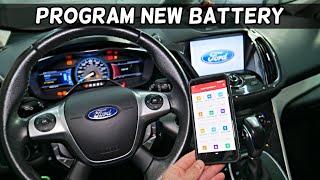
![Avoid Expensive Shop Repairs: DIY Reset the Ford Vehicle Battery Monitoring System [BMS]](https://img.youtube.com/vi/QTtb7rKaZTE/mqdefault.jpg)


Shop the Parts Behind U2401
Below are the parts most often responsible for code U2401, ranked by how frequently each one is the actual culprit (per the diagnosis above). Tap any to see what we have for your vehicle.



The information in this article is provided for general reference and educational purposes only. Vehicle specifications, procedures, and part compatibility can vary by production date, trim level, and region. Always consult your vehicle's factory service manual and verify part numbers before purchasing or performing repairs. Safety-critical components such as airbags, seat belts, and braking systems should be installed by a qualified professional.
- 🧭 Diagnostic Flowchart
- 🎬 Helpful Videos
- 🛍️ Shop This Part
- What Does U2401 Mean?
- Can I Drive With U2401?
- Common Causes
- Symptoms
- Common Fixes & Costs
- Used vs. New Parts: Buying Guide
- What Happens If You Wait — Timeline
- Cost of Not Fixing It
- Diagnosis Steps
- When This Code Triggers (Freeze-Frame Conditions)
- Related Codes
- Climate & Environmental Factors
- How to Talk to a Mechanic About This Code
- Where to Take It: Dealer vs Independent vs Chain
- When to Walk Away From the Repair
- What Scan Tool You Need for This Code
- How to Clear the Code After You Fix It
- Will This Fail Emissions / State Inspection?
- Most Commonly Affected Vehicles
- Manufacturer-Specific Notes
- Real Owner Stories
- 2022 Ford Maverick with 6 weeks of ownership
- 2023 Ford Mustang Mach-E after an Over-the-Air (OTA) update
- 2017 Ford F-150 after DIY battery replacement
- 2020 Chevrolet Equinox with panoramic sunroof
- How to Prevent This Code From Triggering
- Frequently Asked Questions
- Can a weak battery really cause a U2401 code?
- Will clearing the code fix the problem?
- I replaced my screen and got this code. Why?
- What is the difference between replacing and reprogramming?
- Is this covered under warranty?
- What do sub-codes like :81 or :92 mean?
- Key Takeaways
- 🎟️ Get 5% Off