

U3000 on 2024-2026 GMC Acadia: Control Module Fault Causes and Fixes
U3000 on a 2024-2026 GMC Acadia means an electronic module has an internal fault. It requires a professional scan tool to identify the specific module and fault type. The most common causes are software glitches in driver-assist modules (like the front camera) that a dealer must reprogram. A newly discovered issue also points to a U3000-92 code related to the AWD system, with a temporary fix involving a battery disconnect.
- U3000 is a generic code; the key to diagnosis is the two-digit symptom byte and the name of the module that set the code, which requires a professional scan tool.
- Do not replace any parts without first checking for software updates, as a simple reprogram by the dealer is the most common fix.
- A specific issue (U3000-92) related to the AWD system is known to GM and has a temporary fix while a permanent software solution is developed.
- This is not a DIY-friendly repair due to the need for advanced diagnostic tools and module programming/calibration.
- The vehicle is safe to drive, but be aware that important safety systems will likely be disabled.
What's Unique About the 2024-2026 GMC Acadia
The 2024-2026 Acadia is built on GM's latest Vehicle Intelligence Platform (VIP), also known as Global B architecture. This platform is shared with other new models like the Chevrolet Traverse, Buick Enclave, and GMC Sierra. On these vehicles, the U3000 code is frequently tied to software anomalies in the advanced driver-assistance systems (ADAS) and other new electronic systems. Unlike older vehicles where this code might point to a simple wiring issue, on this modern platform, the fix is very often a software update performed by a dealership, not a hardware replacement. The platform's sensitivity to voltage also means a weak battery can trigger these faults.
Symptoms You May Notice
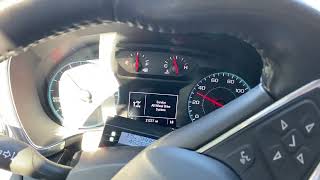
- "Service Driver Assist System" message on the instrument cluster.
- "Service All Wheel Drive" or "Service 4WD" message, particularly with code U3000-92.
- Check Engine Light or other service lamps illuminated.
- Inoperative driver-assistance features (e.g., Adaptive Cruise Control, Lane Keep Assist, Automatic Emergency Braking).
- Functions related to the specific failed module may not work (e.g., power windows, specific lights, or displays).
- In rare cases, a parasitic battery drain leading to a no-start condition if the front camera module is involved (as seen on similar GM platforms).
- Replacing a control module without first checking for software updates. Many U3000 codes on modern GM vehicles are resolved with a simple reprogram, saving hundreds of dollars on unnecessary hardware.
- Replacing the Front Camera Module without first cleaning the inside of the windshield in front of its lens, as per TSB PIT6473.
Most Likely Causes
- Control Module Software Glitch 🔴 High Probability The new VIP electrical architecture is complex and relies heavily on software. Bugs are common in early production years and are often fixed via updates. Multiple TSBs for VIP platform vehicles direct technicians to reprogram modules as the primary fix for U3000 codes.
How to confirm: A GM dealer or qualified shop must use a professional scan tool (like GM's GDS2) to check for software updates related to the specific module that set the U3000 code. TSBs like 23-NA-095 and 20-NA-190 explicitly call for reprogramming for certain U3000-related symptoms.
Typical fix: Reprogramming the affected module with the latest software version. This must be done by a dealer or a properly equipped independent shop.
Est. part cost: $0 - Faulty Control Module 🟡 Medium Probability Modules related to ADAS, like the Front Camera Module (FCM) or Side Object Detection modules, are common points of failure on similar GM platforms. TSB 24-NA-027, for example, identifies specific part numbers for the Automated Map Module (HDLM) that are known to fail and set a U3000 code.
How to confirm: After ruling out software and wiring issues, the module itself is diagnosed as faulty. This is a process of elimination. A U3000-49 code specifically points to an internal electronic failure.
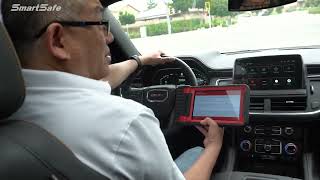
Typical fix: Replacing the failed module and performing any necessary programming and calibration. For example, a new front camera must be calibrated to function correctly. 🎬 See how a front camera dynamic calibration is performed.
Est. part cost: $250-$800 - Wiring or Connector Issue ⚪ Low Probability While U3000 typically indicates an internal module fault, a poor connection, corrosion, or damaged wire can starve a module of power or data, causing it to set this code. TSB 21-NA-243 for similar VIP platform vehicles mentions checking for loose terminals in a headliner harness connector (X270) for a U3000-49 code in a radar module.
How to confirm: Visually inspect the wiring harness and connector at the affected module. Check for proper power, ground, and data signals with a multimeter.
Typical fix: Repairing the damaged wire or cleaning/replacing the faulty connector.
Est. part cost: $10-$100
Rare But Worth Checking
- Low Battery Voltage: → Shop Vehicle Battery Modern vehicles are highly sensitive to battery voltage. A weak or failing battery can cause random, spurious communication codes to be set across various modules on the VIP platform. Always ensure the battery and charging system are healthy (resting voltage >12.4V) before diving into complex diagnostics.
- Dirty Windshield in Front of Camera: A film or haze on the *inside* of the windshield, directly in front of the Front Camera Module, can obstruct the camera's view and cause it to set a U3000 SYM49 fault. GM released TSB PIT6473 detailing a specific procedure for cleaning this small, critical area with isopropyl alcohol before considering module replacement.
Diagnosis Steps
- Connect a professional-grade scan tool capable of reading manufacturer-specific codes from ALL vehicle modules.
- Identify which module has stored the U3000 code (e.g., Front Camera Module, All-Wheel Drive Control Module, Power Steering Control Module).
- Record the two-digit symptom byte (e.g., -44, -49, -92) associated with the U3000 code. This is critical for diagnosis.
- Check for any applicable Technical Service Bulletins (TSBs) for your vehicle's VIN related to the U3000 code and the specific module. Pay special attention to PIT6479 for AWD issues and 23-NA-095 for camera issues.
- If a TSB indicates a software update is available, have a dealer perform the reprogramming. This is the most common fix.
- If the Front Camera Module (FCM) is the source, follow TSB PIT6473 to clean the inside of the windshield in front of the camera lens before proceeding.
- If an AWD module is the source (U3000-92), the temporary fix per PIT6479 is to have a dealer disconnect the 12V battery for 20 minutes to reset the module.
- If no software update is available, inspect the wiring and connector for the affected module for any signs of damage, corrosion, or loose pins. TSB 21-NA-243 points to checking headliner connector X270 for some radar module faults.
- Verify the module is receiving proper power and ground using a multimeter. Ensure the vehicle battery is fully charged and healthy.
- If wiring, connections, and software are all confirmed to be good, the module itself is likely faulty and requires replacement.
- After replacement, program and calibrate the new module as required by the service manual.
Parts You'll Likely Need
- Front Camera Module (FCM) — On similar GM platforms, this module is a frequent source of U3000 codes, often due to internal data memory or electronic failures, as detailed in TSB 23-NA-095.
Trusted brands: ACDelco
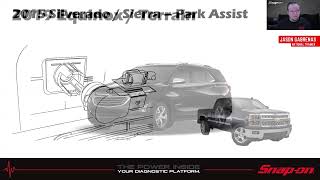
OEM price range: $250-$450 - Side Object Detection Module — These modules, located in the rear bumper, can fail and set a U3000 code, disabling blind-spot monitoring. 🎬 Watch: Professional training on GM's advanced driver-assistance systems.
Trusted brands: ACDelco
OEM price range: $300-$500
Related Codes That Often Appear With This One
- U1616: Lost Communication With an Advanced Driver Assist System Module. This code may appear alongside U3000 when a module is completely offline.
Technical Service Bulletins (TSBs) & Recalls
- PIT6479: Addresses a 'Service All Wheel Drive' message with code U3000 Sym 92 on 2024-2026 Acadias. The current fix is a module reset.
- 23-NA-095: Addresses multiple ADAS warnings, battery drain, and U3000 codes (-44, -49, -54, -57) related to the Front View Camera on VIP platforms. The fix is to check for and apply the latest software update.
- PIT6473: Details a procedure for cleaning a film from the inside of the windshield in front of the Front Camera Module, which can cause a U3000-49 code.
- 20-NA-190: For 'Service Power Steering' message with U3000-44, the fix is to reprogram the Power Steering Control Module.
- 21-NA-243 / 20-NA-233: Relate to U3000-49 in radar modules, often caused by highly reflective environments, with the fix being a software update.
- 24-NA-027: Identifies specific faulty part numbers for the Automated Map Module (HDLM) that can cause a U3000 code and SuperCruise unavailability.
Platform-Specific Known Issues
- AWD System Fault (U3000-92): A specific issue identified in Preliminary Information bulletin PIT6479 affects the 2024-2026 Acadia, causing a 'Service All Wheel Drive' message and code U3000-92. GM is investigating a permanent software fix, but the interim solution is a module reset via a 20-minute battery disconnect performed by a dealer.
Mechanic-Grade Diagnostic Values
- 12V Battery Voltage (engine off, at rest) — expected: >12.4 Volts. Failure: A reading below 12.4V indicates a weak or discharged battery that can cause spurious module faults.
- Charging System Voltage (engine running) — expected: 13.5 - 14.5 Volts. Failure: Voltage outside this range indicates a problem with the alternator or charging system, which can lead to module errors.
Hidden / Shadow Codes Worth Checking
- U3000-42: Control Module Programming Incompatible. This severe fault can be set if a module is flashed with a previous software level, rendering it non-functional. (see via GM GDS2 (Global Diagnostic System 2) scan tool.)
- U3000-44: Control Module Data Memory Malfunction. Often indicates a software anomaly that can be corrected with a reprogram, rather than a hardware failure. (see via GM GDS2 (Global Diagnostic System 2) scan tool.)
- U3000-49: Internal Electronic Failure. A general internal logic or hardware fault. On the VIP platform, TSBs often recommend a software update or reset as the first step before module replacement. (see via GM GDS2 (Global Diagnostic System 2) scan tool.)
- U3000-57: Invalid/Incompatible Software Component. This can be set by various modules, including the Front Camera and Side Object Detection modules, when software is mismatched. (see via GM GDS2 (Global Diagnostic System 2) scan tool.)
- U3000-92: Performance or Incorrect Operation. On the 2024+ Acadia, this symptom is specifically linked to the All-Wheel-Drive Control Module per TSB PIT6479. (see via GM GDS2 (Global Diagnostic System 2) scan tool.)
- U3000-97: Component or System Obstructed. This is commonly seen with radar modules (e.g., Long Range Radar) when they are blocked by dirt, snow, or ice. (see via GM GDS2 (Global Diagnostic System 2) scan tool.)
Scan Tool Commands That Help
- GDS2: Module Diagnostics > [Module Name] > Control Functions — To perform bidirectional tests on components controlled by the suspect module (e.g., command headlights on/off from the BCM). This verifies if the module can command outputs, helping to isolate the fault between the module, wiring, and the component.
- GDS2 / SPS (Service Programming System): Programming and Setup — This is required after replacing most control modules on the VIP platform. It writes the vehicle's VIN, configures RPO options, and performs security linking to allow the new module to function in the vehicle.
- GDS2: Configure/Reset Functions > Setup SDM Primary Key in BCM — This specific function is required after replacing the Body Control Module (BCM) to prevent an airbag warning light and DTC B1001 by synchronizing the BCM with the Sensing and Diagnostic Module (airbag module).
Wiring & Ground Locations
- X270 — Headliner wiring harness connector, typically on the left side.. On similar GM VIP platform vehicles, TSB 21-NA-243 notes that loose terminals in this connector can cause a U3000-49 in a Short Range Radar module, leading to 'Service Driver Assist' messages.
OEM Part Supersession History
85624159, 85624160, 87845922, 87845923, 87833362, 87833364, 87819889, 87819892→Check EPC for latest part number— These are known problematic part numbers for the Automated Map Module (HDLM) on GM Trucks/SUVs.
Heads up: TSB 24-NA-027 advises that if a vehicle presents with a U3000 in the HDLM, the module should ONLY be replaced if one of these specific part numbers is installed. If the vehicle has a different part number, the module should not be replaced, as the fault lies elsewhere.
Diagnostic Flowchart
Other Known Issues on This Vehicle
Issues unrelated to this code that are worth knowing about as an owner of this generation:
- AWD System Fault Message 🟠 Medium — An emerging issue on 2024+ models, frequent enough to warrant a preliminary TSB (PIT6479). (Ref: PIT6479)
- Infotainment System Glitches/Freezes 🟡 Low — Common complaint on early production 2024 models. Owners report blank screens, unresponsive buttons, and CarPlay issues that are temporarily fixed by a system reboot.
- Phantom ADAS Warnings / Behavior 🟠 Medium — Owners report intermittent and non-reproducible events with the adaptive cruise control and collision avoidance systems, a common symptom of software bugs in the VIP platform. (Ref: Related to TSBs like 23-NA-095)
- Premature Brake and Rotor Wear 🟡 Low — Some owners on forums have reported needing brake and rotor replacements at very low mileage, though this is anecdotal.
- Engine Oil Change for Cleanliness 🟡 Low — A specific TSB was issued for certain early-production 2024 models with the 2.5L LK0 engine requiring an immediate oil change to ensure engine cleanliness. (Ref: N242441680)
Used vs. New Parts: Buying Guide for This Vehicle
When a used part is the smart pick: For the 2024-2026 Acadia, using a used part is almost never a smart choice for any electronic control module. Due to the GM Vehicle Intelligence Platform (VIP) security and programming architecture, modules are typically VIN-locked to the original vehicle.
What to inspect on the donor part:
- Not applicable, as used electronic modules are not recommended.
OEM-only on this vehicle (don't cheap out):
- Any networked control module (BCM, ECM, TCM, ADAS modules, etc.)
- Front Camera Module (FCM)
- Automated Map Module (HDLM)
- All-Wheel-Drive Control Module
- Power Steering Control Module
- Serial Data Gateway Module (SDGM)
Aftermarket brands forum-validated for this vehicle:
- No aftermarket brands are available or recommended for programmable control modules on this platform. Use only ACDelco/GM Genuine Parts.
Brands owners have reported issues with on this vehicle:
- Any used or 'remanufactured' module from an unknown source. GM's official position is against the use of used modules, and dealer tools (SPS) will often refuse to program a module with a foreign VIN. While some third-party specialists claim to 'unlock' used modules, this is a high-risk, non-standard repair.
Real Owner Stories
Aggregated from forums and TSBs cited above. Mileages and costs reflect what owners reported in those sources.
2024 GMC Acadia
Symptoms: Infotainment screen freezes and becomes unresponsive.
What fixed it: Performed a soft reset by holding the hang-up button on the steering wheel.
Source hint: r/GMCACADIA on Reddit video demonstration
2024 GMC Acadia
Symptoms: Service All Wheel Drive message appeared on the dash with code U3000-92.
What fixed it: Dealer disconnected the 12V battery for 20 minutes to reset the module as an interim fix.
Source hint: PIT6479
2024 GMC Acadia
Symptoms: Transmission slipping, strange adaptive cruise behavior, and various service lights illuminated shortly after purchase.
What fixed it: Reprogramming the affected modules with the latest software versions via GM's GDS2 scan tool.
Source hint: r/gmc on Reddit threads regarding early production 2024 models
Related OBD-II Codes
Frequently Asked Questions
My 2024 GMC Acadia is showing a 'Service All Wheel Drive' message with code U3000-92. Is there a permanent fix?
I'm seeing 'Service Driver Assist System' and U3000-49 on my new Acadia. Could it be a hardware failure?
Does TSB 23-NA-095 apply to the 2024-2026 Acadia front camera issues?
My power steering service light is on with code U3000-44. What is the repair?
Can a U3000 code cause my Acadia's battery to die overnight?
Is the SuperCruise unavailability on my 2024 Acadia related to U3000?
Helpful Videos
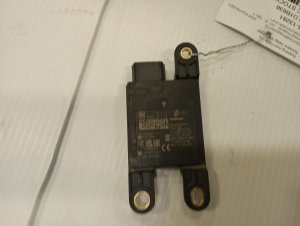
We Have This Part in Stock

The information in this article is provided for general reference and educational purposes only. Vehicle specifications, procedures, and part compatibility can vary by production date, trim level, and region. Always consult your vehicle's factory service manual and verify part numbers before purchasing or performing repairs. Safety-critical components such as airbags, seat belts, and braking systems should be installed by a qualified professional.
- GMC Acadia:
- 🧭 Diagnostic Flowchart
- 🎬 Helpful Videos
- 🛍️ Shop This Part
- What's Unique About the 2024-2026 GMC Acadia
- Symptoms You May Notice
- Most Likely Causes
- Rare But Worth Checking
- Diagnosis Steps
- Parts You'll Likely Need
- Related Codes That Often Appear With This One
- Technical Service Bulletins (TSBs) & Recalls
- Platform-Specific Known Issues
- Mechanic-Grade Diagnostic Values
- Hidden / Shadow Codes Worth Checking
- Scan Tool Commands That Help
- Wiring & Ground Locations
- OEM Part Supersession History
- Other Known Issues on This Vehicle
- Used vs. New Parts: Buying Guide for This Vehicle
- Real Owner Stories
- 2024 GMC Acadia
- 2024 GMC Acadia
- 2024 GMC Acadia
- Related OBD-II Codes
- Frequently Asked Questions
- 🎟️ Get 5% Off