

U3000 on 2017-2018 Jaguar XE: Control Module Fault Guide
On a 2017-2018 Jaguar XE, the U3000 code indicates an internal failure in a specific control module. It's most commonly logged by the Telematics (TCU), Side Object Detection (SODL/SODR), or Body Control (BCMB) modules. A software update may fix it, but often the faulty module needs to be replaced and programmed by a professional.
- U3000 is a generic 'Control Module Failure' code; on a Jaguar XE, you must find out WHICH module logged the code.
- The most common modules to fail with this code are the Telematics (TCU) and Side Object Detection (SODL/SODR) modules.
- A software issue is a very common cause for the Side Object Detection modules; a re-flash by a dealer may be the only fix needed and is much cheaper than replacement.
- This is not a DIY-friendly repair. Diagnosis and repair require specialized Jaguar diagnostic software to identify the module, update software, and program new parts.
- Before replacing any parts, ensure the vehicle's battery is fully charged and in good health, as low voltage can sometimes trigger module faults.
What's Unique About the 2017-2018 Jaguar XE

Jaguar, like many modern manufacturers, uses the generic U3000 code to signify an internal electronic failure across various unrelated control modules. What's specific to this platform are the documented patterns of failure. TSBs point directly to software glitches or failures in the Telematics and Side Object Detection modules, giving technicians a clear starting point that they wouldn't have on other makes where U3000 might point to a power steering or ABS module instead. [SSM74054, SSM73549] The XE and its platform mates (F-Pace, XF, and Range Rover Velar) share the D7a architecture and many of these same electronic modules and failure patterns.
Diagnostic Flowchart

Tap your situation to follow the diagnostic path that matches what you're seeing on this vehicle.
Symptoms You May Notice

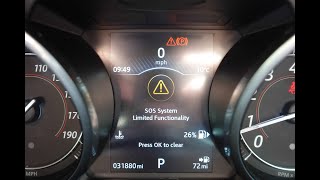
- "SOS Limited Availability" warning on the instrument clu 🎬 Watch: See how this SOS error appears on the dashboard.ster. [SSM74054]
- "Blind Spot Monitor Not Available" message on the instrument cluster.
- Blind-spot monitoring system is inoperative or warning lights in mirrors stay on.
- Central locking system may not work.
- Fuel filler door may not lock or unlock.
- Check Engine Light or other service warning lamp illuminated.
- Wi-Fi hotspot may drop out intermittently (related to TCU issue per TSB K444NAS2).
- Replacing a Side Object Detection Module when only a software update was needed. TSB SSM73549 specifically warns against this, stating 'Please DO NOT replace the SODL/SODR module if this DTC U3000 – 49 is flagged' unless there is a customer complaint and a re-flash doesn't solve it.
- Replacing the entire Telematics Control Unit (TCU) for an 'SOS Limited Availability' warning when only the inexpensive internal battery has failed.
Most Likely Causes

- Side Object Detection Module (SODL/SODR) Software Glitch 🔴 High Probability → Shop Collision Avoidance Sensor A specific TSB (SSM73549) was issued for this exact problem, where the module 'false flags' the U3000-49 code without any real hardware failure. This affects the XE, XF, F-Pace, and XJ.
How to confirm: A Jaguar dealer or specialist with access to TOPIx and the SDD/Pathfinder diagnostic system can check if the module's software is outdated. The code will be present in the SODL or SODR module, located behind the rear bumper cover.
Typical fix: If the blind spot monitor is working, the TSB advises to just clear the code. If it's not working, re-flashing both the left and right modules with the latest software is required. Module replacement is explicitly advised against as a first step.
Est. part cost: $0 - Telematics Control Unit (TCU) Internal Failure or Battery Depletion 🟡 Medium Probability → Shop Telematics Interface Module TSB SSM74054 explicitly links the U3000-49 code in the TCU with the 'SOS Limited Availability' warning. A common underlying cause is the failure of the small, non-rechargeable internal battery within the TCU, which has a finite lifespan.
How to confirm: A professional scan tool will show the U3000-49 code stored specifically in the Telematics Control Unit. The TCU is located behind the rear seats.
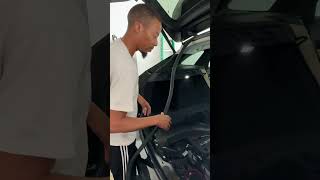
Typical fix: While the TSB implies module replacement, many owners have successfully fixed the issue by simply replacing the internal TCU battery. This involves removing the TCU, opening the case, and swapping the small battery. 🎬 Watch: This video shows how to replace the internal TCU battery. If this doesn't work, the entire module must be replaced and programmed.
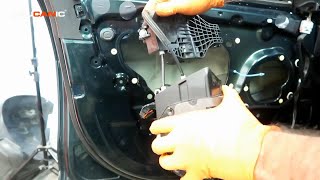
Est. part cost: $20-$50 (internal battery), $100-$250 (used module) - Body Control Module (BCMB) Internal Failure ⚪ Low Probability → Shop Body Control Module Forum discussions for the XE and platform-mate XF show the BCMB can log a U3000-49 code. This is often triggered by a short in a component it controls, most commonly a failing fuel filler door lock actuator. 🎬 See this walkthrough for replacing a Jaguar door lock actuator. The BCM enters a self-protection mode and disables the output, logging U1000-00 and then U3000-49 after repeated faults.
How to confirm: A scan tool will show U3000-49 stored in the BCMB, likely accompanied by codes like U1000-00 (Solid State Driver Protection). The primary symptom is often a non-functional fuel door.
Typical fix: The primary fault (e.g., the fuel door actuator) must be repaired first. In some cases, the BCMB output can be reset with dealer tools. If the output is permanently disabled after too many short-circuit events, the BCMB itself requires replacement and programming.
Est. part cost: $50 (actuator), $150-$300 (used BCMB) - Low Battery Voltage ⚪ Low Probability → Shop Vehicle Battery Another TSB (JTB00557NAS1) for the XE notes that a U3000-04 code can be set by the Adaptive Dynamics module during engine cranking if the battery voltage is low. While a different suffix, it shows the platform's sensitivity to voltage. These vehicles use many electronic modules that can log various faults when system voltage is unstable.
How to confirm: Test the battery's state of health and charge. A voltage reading below 12.4V at rest indicates a problem. The code may appear during a low voltage event and not return once the battery is charged or replaced.
Typical fix: Charge or replace the vehicle's 12V battery. A Battery Management System (BMS) reset using a compatible scan tool is recommended after replacement.
Est. part cost: $200-$400
Rare But Worth Checking
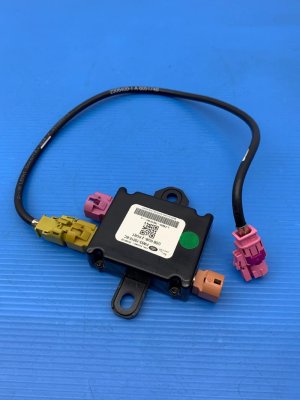
- Image Processing Module (IPMA/IPMB) Internal Failure: → Shop Collision Avoidance Sensor
Diagnosis Steps
- Connect a professional-grade OBD-II scanner capable of reading Jaguar-specific codes from all modules (e.g., a tool with JLR SDD or Pathfinder software).
- Perform a full vehicle scan and identify which specific control module has logged the U3000 code (e.g., TCU, SODL, SODR, BCMB). This is the most critical step.
- Check for the suffix number (e.g., -49, -04, -96) as this provides additional detail. U3000-49 indicates an internal electronic failure.
- If code is in SODL or SODR (U3000-49): Follow TSB SSM73549. If there are no symptoms, clear the code and take no further action. If the blind spot monitor is inoperative, re-flash both modules with updated software. Do not replace the module as a first step.
- If code is in TCU (U3000-49) with 'SOS Limited Availability' message: Suspect the internal TCU battery. Consider replacing the small battery inside the TCU module as a first, cost-effective step. If that fails, the TCU module itself likely needs replacement and programming.
- If code is in BCMB (U3000-49): Check for related codes like U1000-00 and test components controlled by the BCMB, especially the fuel filler door lock actuator. Repair the underlying shorted component first, then attempt to clear codes before condemning the BCMB.
- Before replacing any module, inspect its connectors for corrosion or damage and verify it has a stable power and ground supply. For SODL/SODR, this means inspecting the harness behind the rear bumper.
- If a module is confirmed to be faulty, replace it and use Jaguar's SDD or Pathfinder software to configure and program the new module to the vehicle.
Parts You'll Likely Need
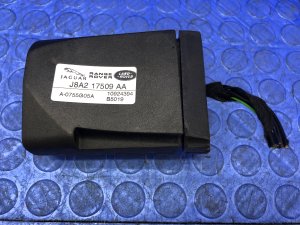
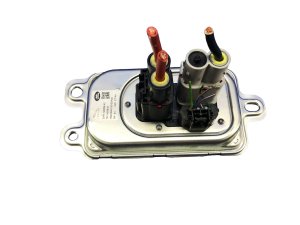
- Telematics Control Unit (TCU)
(OEM #J8A2-70178-FL)— A known failure point documented in TSB SSM74054 that causes the 'SOS Limited Availability' warning. Often, just the internal battery fails.
Trusted brands: Jaguar (OEM)
OEM price range: $500-$800
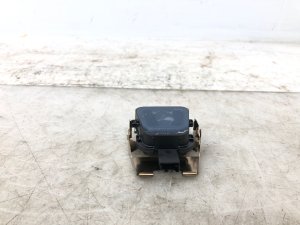
Aftermarket price range: $100-$250 (used) - Side Object Detection Module (SODL/SODR)
(OEM #T2H13133 (example, verify by VIN))— May fail and require replacement if a software re-flash does not resolve the U3000-49 code and inoperative blind-spot monitoring.
Trusted brands: Jaguar (OEM)
OEM price range: $400-$700
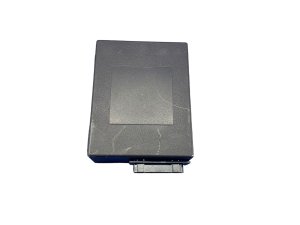
Aftermarket price range: $150-$300 (used) - Body Control Module, Rear (BCMB)
(OEM #GX73-14F041-AL (example, verify by VIN))— Can fail internally, often triggered by shorts in other components like the fuel door actuator. Replacement is a last resort after fixing the primary short and attempting a software reset.
Trusted brands: Jaguar (OEM)
OEM price range: $625
Aftermarket price range: $135-$300 (used)
Related Codes That Often Appear With This One
- U1000-00 — This code, for 'Solid State Driver Protection Activated', often appears with U3000 when the Body Control Module (BCMB) shuts down a circuit due to a short or fault (like a bad fuel door actuator), and then flags its own internal error.
Technical Service Bulletins (TSBs) & Recalls
- SSM74054: 'SOS Limited Availability' warning displayed on the IC along with Diagnostic Trouble Code (DTC) U3000-49 logged in the TCU.
- SSM73549: DTC U3000-49 'Control Module internal electronic failure' recorded in the Side Object Detection Left (SODL) or Side Object Detection Right(SODR) due to a software issue.
Platform-Specific Known Issues
- TSB SSM74054: Documents the U3000-49 code being logged in the Telematics Control Unit (TCU), causing an 'SOS Limited Availability' warning on the instrument cluster. Often caused by a dead internal TCU battery.
- TSB SSM73549: Addresses a 'false flagging' of the U3000-49 code in the Side Object Detection Left (SODL) or Right (SODR) modules due to a software issue. It advises against module replacement as the first step, recommending a software update instead.
Mechanic-Grade Diagnostic Values
- Main Vehicle 12V Battery Voltage (at rest) — expected: 12.4V or higher. Failure: A reading below 12.4V indicates a low state of charge or a failing battery, which can cause spurious U-codes in multiple modules.
- Telematics Control Unit (TCU) Internal Battery Specifications — expected: 3.6V, 1.2Ah Lithium-Ion Battery. Failure: The original battery depletes over time (typically 5-6 years), causing the 'SOS Limited Availability' warning and U3000-49 in the TCU. The battery is not rechargeable by the vehicle.
Hidden / Shadow Codes Worth Checking
- U3000-49: Control Module Internal Electronic Failure. This is the most common suffix seen with this DTC on the XE, pointing to an internal fault in the reporting module. (see via Requires a JLR-specific scan tool like SDD or Pathfinder that can read manufacturer trouble codes beyond the generic P-code level.)
- U3000-96: Control Module Component Internal Failure. Seen in a TSB for the Image Processing Module (IPMB), it can be caused by a recoverable software error and may not require action if no symptoms are present. (see via Requires a JLR-specific scan tool like SDD or Pathfinder.)
- U1000-00: Solid State Driver Protection Activated - Driver Disabled. This code is not a 'shadow code' but is frequently seen alongside U3000-49 in the BCMB. It indicates the BCMB has shut down a specific output (like the fuel door lock) to protect itself from a short circuit. (see via Visible with JLR-specific scan tools.)
Scan Tool Commands That Help
- JLR Pathfinder / SDD: Update ECU — Used when a TSB indicates a software fix is available, such as for a U3000-96 in the Image Processing Module B (IPMB). The command re-flashes the module with updated firmware.
- JLR SDD: Configure new module - Body control module rear — This function is required after physically replacing the rear Body Control Module (BCMB). It programs the new module to the vehicle's specific configuration and VIN. A live internet connection may be required.
- JLR Pathfinder / SDD: Battery reset / BMS reset — After replacing the main 12V vehicle battery, this function must be run to inform the Battery Management System of the new battery's specifications to ensure proper charging and prevent premature failure.
- JLR SDD / Pathfinder: Reset/Learn Rear BCM — In cases where a dead battery has caused the BCMB to log faults like U3000-49 and U1000-00, a special function to reset or 're-learn' the module may restore functionality without requiring module replacement.
Wiring & Ground Locations
- Telematics Control Unit (TCU) — Located behind the rear seat back. Access requires pulling the cover forward from the top to release clips, then lifting it out.. This is the module that stores U3000-49 when the 'SOS Limited Availability' warning is displayed. Its location must be known to access and replace the internal backup battery, a common fix.
- Body Control Module, Rear (BCMB) — Located in the trunk (boot), positioned to the left of the fuse box. It is typically one of two modules stacked together, with the BCMB being the one closer to the vehicle's outer body panel.. This module logs U3000-49 when it disables an output due to a short, often from the fuel door actuator. Access is required for inspection, testing, or replacement.
- Side Object Detection Modules (SODL/SODR) — Located behind the rear bumper cover, one on each side (left and right).. These modules log U3000-49 for software glitches or hardware failure related to the blind spot monitoring system. Access requires removing the rear bumper cover for inspection or replacement.
Real Owner Repair Stories
- Jaguar Forums user 'Dale_S' (2017 Jaguar XE 20d (troubleshooting for 'SOS Limited Availability' warning)) — Persistent 'SOS Limited Availability' warning message on the instrument cluster, accompanied by DTC U3000-49 in the Telematics Control Unit (TCU).
❌ Tried (didn't work) Initially considering replacing the entire TCU module as per dealer recommendation.
✅ What actually fixed it The user replaced only the small internal battery within the TCU. The process involved removing the rear seat back cover, unbolting the TCU (three 10mm nuts), opening a small access door on the TCU (one T10 Torx screw), and swapping the old battery for a new one. This completely resolved the warning message and the associated fault code. - Jaguar Forums user 'jberends' (Jaguar XF Sportbrake 2.2 (platform-mate with shared BCMB architecture)) — No-start condition where the instrument cluster would light up but the engine would not crank. Fault codes U1000-00 and U3000-49 were stored in the rear Body Control Module (BCMB).
❌ Tried (didn't work) Initially suspecting a major security system failure or a faulty BCMB itself.
✅ What actually fixed it The user identified that these codes are a classic symptom of a faulty fuel flap (filler door) actuator. The actuator shorts out, causing the BCMB to enter a self-protection mode and disable that circuit, logging U1000-00 and then U3000-49. The fix is to first replace the faulty fuel flap actuator. Afterward, the BCMB may need to be reset or reprogrammed using JLR SDD software to re-enable the permanently disabled output.
OEM Part Supersession History
GX73-14F041-AJ / AK→GX73-14F041-AL / AM— Likely internal hardware or software revisions to improve reliability.
Heads up: Modules are VIN-locked and require programming with JLR tools upon replacement. While later revisions should be compatible, they must be properly configured. Some services offer cloning data from the old module to a used donor unit to create a 'plug and play' replacement.N/A→T2R23864— This is the specific part number for the replacement internal battery for the Telematics Control Unit (TCU).
Heads up: This battery is for the TCU that causes the 'SOS Limited Availability' warning. It is also cross-referenced to Land Rover part LR089861 and manufacturer part J8A270720AA. It is a 3.6V, 1.2Ah lithium-ion battery.
Model Year Variations Within This Range
- 2017+: The diagnostic software used by Jaguar dealers and specialists transitioned from SDD (Symptom Driven Diagnostics) to Pathfinder for vehicles from the 2017 model year onwards. While SDD may still have some functionality, Pathfinder is the officially supported tool for these newer vehicles, which use different communication protocols (DoIP).
Helpful Videos

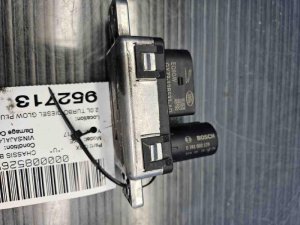
We Have This Part in Stock

The information in this article is provided for general reference and educational purposes only. Vehicle specifications, procedures, and part compatibility can vary by production date, trim level, and region. Always consult your vehicle's factory service manual and verify part numbers before purchasing or performing repairs. Safety-critical components such as airbags, seat belts, and braking systems should be installed by a qualified professional.
- Jaguar XE:
- 🧭 Diagnostic Flowchart
- 🎬 Helpful Videos
- 🛍️ Shop This Part
- What's Unique About the 2017-2018 Jaguar XE
- Symptoms You May Notice
- Most Likely Causes
- Rare But Worth Checking
- Diagnosis Steps
- Parts You'll Likely Need
- Related Codes That Often Appear With This One
- Technical Service Bulletins (TSBs) & Recalls
- Platform-Specific Known Issues
- Mechanic-Grade Diagnostic Values
- Hidden / Shadow Codes Worth Checking
- Scan Tool Commands That Help
- Wiring & Ground Locations
- Real Owner Repair Stories
- OEM Part Supersession History
- Model Year Variations Within This Range
- 🎟️ Get 5% Off