

Jaguar XF U3000 Control Module Fault: Causes and Fixes (2009-2016)
U3000 on a 2009-2016 Jaguar XF signifies a generic 'Control Module Fault.' It doesn't point to a single issue but indicates an error within one of the car's many electronic modules. Diagnosis requires a professional scan tool to identify the specific module and suffix code (e.g., U3000-49). A weak or failing battery is a very common trigger for this code, often causing a cascade of seemingly unrelated electronic problems.
- U3000 is a generic 'Control Module' fault code on a Jaguar XF; it is not a complete diagnosis on its own.
- A professional-grade scan tool is mandatory to read the specific module and suffix code (e.g., -49, -63) needed to identify the actual problem.
- Always check the vehicle's main 12V battery first. Low voltage is a very common cause of this code and many other electrical issues on this platform.
- Consult Technical Service Bulletins (TSBs) before replacing parts. Many U3000 issues are resolved by clearing the code or performing a software update.
- Do not replace any control module based on a U3000 code alone without further diagnosis.
What's Unique About the 2009-2016 Jaguar XF

The Jaguar XF, particularly in this era, is a complex vehicle with dozens of interconnected electronic modules controlling everything from the air suspension to the emergency SOS feature. This high level of integration means that a simple issue, like a drop in battery voltage, can cause a cascade of communication errors, leading various modules to log a U3000 fault code. Unlike a simple engine code, U3000 requires a deeper level of diagnostics to pinpoint the true source, which can be confusing for owners as the symptoms can be varied and seemingly unrelated, such as non-working windows or mirrors after a battery change.
Diagnostic Flowchart

Tap your situation to follow the diagnostic path that matches what you're seeing on this vehicle.
Generation note: This range covers the first generation Jaguar XF (X250, 2009-2015) and the first model year of the second generation (X260, 2016). While the specific electronic modules were updated between generations, the meaning of a U3000 code as a generic 'Control Module Fault' is consistent across both. The provided TSBs apply to both X250 and X260 models, as well as other vehicles in the JLR family like the XE and F-Pace.
Symptoms You May Notice

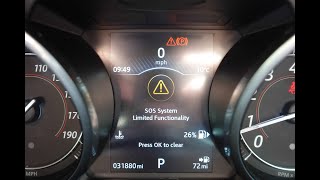
- "SOS Limited Availability" warning on the instrument cluster.
- "Air suspension not in customer mode" message.
- "Blind Spot Monitor Not Available" message on the instrument cluster.
- "Adaptive Dynamics Fault" warning message.
- Keyless entry or remote functions not working.
- Check Engine Light or other warning messages on the dash.
- Erratic behavior of electrical systems like windows, mirrors, or the fuel filler door not working, especially after a battery has gone flat.
- Car fails to start and does not recognize the key fob.
- Replacing a control module without confirming the U3000 code originated there and that the suffix code indicates a hardware failure. Many U3000 faults are due to low voltage or require a software update, not a new module.
- Mistaking the blind spot monitoring radar modules in the bumper for the parking sensors. The BSM modules are located behind the rear bumper cover, not the small round sensors on the surface.
Most Likely Causes

- Low or Failing Battery Voltage 🔴 High Probability → Shop Vehicle Battery Modern Jaguars are extremely sensitive to battery health. A battery that is weak, old, or has a low state of charge can cause modules to malfunction and log communication faults during startup or operation. Forum users frequently report that a host of mysterious electrical faults are resolved simply by replacing an aging battery.
How to confirm: Test the 12V battery with a digital multimeter or a load tester. A resting voltage below 12.4V is a sign of a weak battery. Check the charging system to ensure the alternator is providing the voltage commanded by the Battery Management System (BMS), which can vary and is not always a constant 14V.
Typical fix: Recharge or replace the 12V vehicle battery. It is critical to use the correct type (AGM) and register the new battery with the 🎬 See how to perform a BMS battery reset. Battery Management System (BMS) using a compatible scan tool to ensure proper charging and longevity.
Est. part cost: $250-$450 - Internal Failure in a Control Module (U3000-49) 🟡 Medium Probability As documented in multiple TSBs, certain modules are prone to logging internal failure codes. This can be due to software issues or actual hardware faults within the module itself.
How to confirm: Use a Jaguar-specific scan tool to confirm a U3000-49 code is present in a specific module, such as the Telematics Control Unit (TCU), Side Object Detection (SODL/SODR), or Body Control Module (BCM).
Typical fix: For the SODL/SODR modules, TSB SSM73549 advises clearing the code first; if symptoms persist, reprogramming both modules is the next step, not replacement. For the TCU, the internal backup battery (Part No. T2R23864 or T2R35220) may have failed, causing the 'SOS Limited' warning. For the BCM, this fault can appear after a main battery failure and may require a re-flash or, in rare cases, replacement.
Est. part cost: $20-$1200 - Keyless Vehicle Module (KVM) Self-Reset (U3000-63) ⚪ Low Probability → Shop Body Control Module A specific software issue can cause the KVM to perform a 'self-reset' and log this code, as documented in TSB SSM72206.
How to confirm: A Jaguar-specific scan tool will show code U3000-63 stored in the KVM (also called RFA). The owner may experience the key fob not being recognized. 🎬 Watch this guide if your smart key is not found.
Typical fix: The TSB states this has no effect on functionality and the module should not be replaced. The fix is to clear the DTC. A software update to KVM level 31.1 or higher can permanently resolve the issue. In some cases, a hard reset (disconnecting the battery) may help the system resynchronize.
Est. part cost: $0 - Air Suspension in 'Tight Tolerance Mode' (U3000-05) ⚪ Low Probability This can occur during vehicle transport or service, leaving the suspension in a non-standard mode designed for shipping.
How to confirm: The 'Air suspension not in customer mode' message will be displayed, and code U3000-05 will be logged in the Chassis Control Module (CHCM).
Typical fix: Do not replace parts. A technician must use the Jaguar diagnostic tool (like SDD) to access the CHCM's ECU functions and set the suspension back to 'Normal mode' as per TSB SSM74162. The specific path is typically ECU Diagnostics > CHCM > ECU Functions > 'Suspension geometry set-up' > 'Normal mode'.
Est. part cost: $0
Rare But Worth Checking
- Wiring or Connector Issues: Corrosion, moisture, or physical damage to the wiring harness or connectors for any given module can disrupt communication and trigger a U3000 code. Connectors in the trunk near the spare wheel for the rear bumper harness are a known area to check for blind spot monitor issues.
- Faulty Alternator / Voltage Regulator: A failing alternator or its integrated voltage regulator can fail to properly charge the main and/or auxiliary batteries, even if it shows a seemingly normal voltage at idle. This leads to chronic low voltage conditions that trigger U3000 codes.
Diagnosis Steps

- Connect a Jaguar-approved diagnostic tool (like JLR SDD or Pathfinder) to the OBD-II port. An advanced DIY tool like an iCarsoft JLR V2.0 may also work for some functions.
- Perform a full vehicle scan to identify which specific control module(s) have logged the U3000 code.
- Record the full DTC, including the two-digit suffix (e.g., -05, -49, -63). This is essential for diagnosis.
- Thoroughly test the 12V main battery and charging system. A resting voltage below 12.4V is a sign of a weak battery. Charge the battery fully before proceeding with further diagnostics.
- Based on the module and suffix, consult the relevant Technical Service Bulletin (TSB).
- For U3000-05 in the CHCM, follow the reset procedure in TSB SSM74162 using the diagnostic tool.
- For U3000-63 in the KVM, clear the code per TSB SSM72206. If it returns, check for available software updates.
- For U3000-49 in the SODL/SODR, clear the code. If symptoms persist ('Blind Spot Monitor Not Available'), re-flash both modules per TSB SSM73549. Do not replace the modules unless the flash fails.
- For U3000-49 in the TCU ('SOS Limited Availability'), suspect the internal backup battery. 🎬 Watch: How to fix the SOS system limited warning. Replacement of this small battery is a common fix.
- For U3000-49 in the BCM, especially after a battery event, check for related codes like U1000-00. Clear codes and check for software updates before considering module replacement.
- After any repair, clear all DTCs and perform a re-scan to confirm the fix.
Parts You'll Likely Need
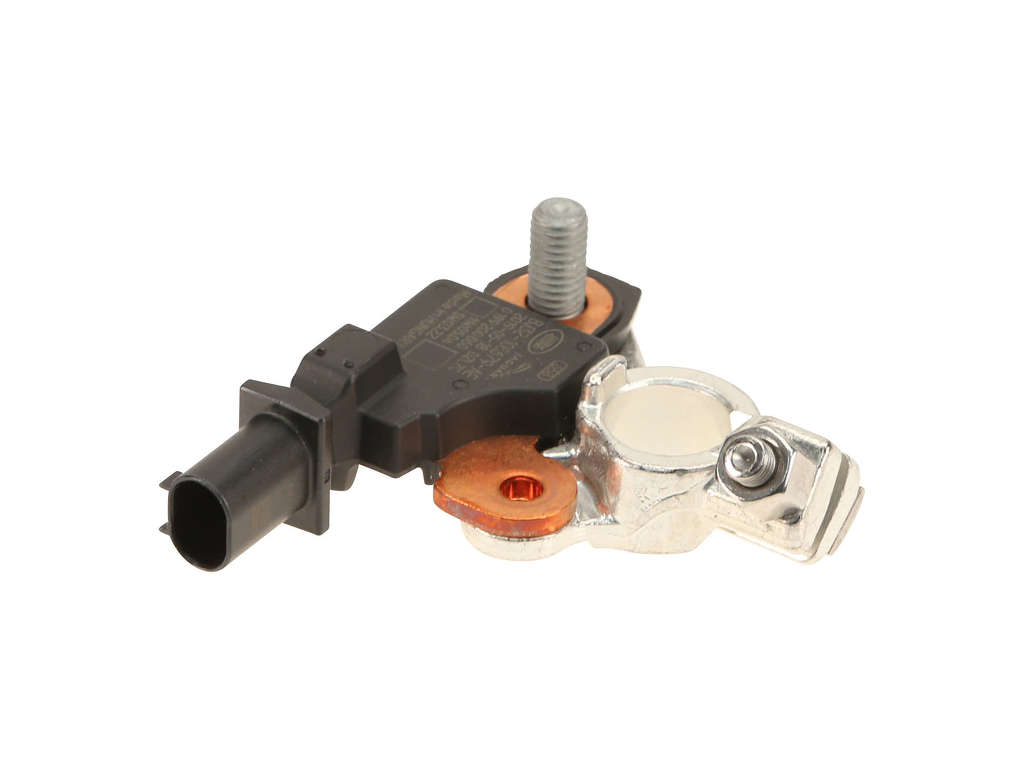
- Vehicle Battery — Low voltage is a primary cause of various U3000 codes across multiple modules. An AGM battery is required.
Trusted brands: Bosch, Interstate, Varta
OEM price range: $300-$500
Aftermarket price range: $250-$450 - Telematics Control Unit (TCU) Backup Battery
(OEM #T4N2591, LR046049)— This small internal battery fails over time, causing a U3000-49 fault in the TCU and the 'SOS Limited Availability' warning. Replacing this battery is a much cheaper alternative to replacing the entire TCU module.
Trusted brands: Jaguar (OEM)
OEM price range: $20-$50
Related Codes That Often Appear With This One
- U1000-00 — This code, 'Solid State Driver Protection Activated,' often appears alongside U3000-49 in the Body Control Module (BCM), indicating the BCM has shut down a circuit due to a perceived fault, which can be related to the internal error triggered by an event like a dead battery.
- U0233 — 'Lost Communication With The Right Side Obstacle Detection Module' can accompany a U3000-49 fault in the left-side module, indicating a total system failure of the Blind Spot Monitoring system.
Technical Service Bulletins (TSBs) & Recalls
- SSM74162: U3000-05 in Chassis Control Module (CHCM) related to air suspension mode.
- SSM72206: U3000-63 in Keyless Vehicle Module (KVM) caused by a self-reset.
- SSM74054: U3000-49 in Telematics Control Unit (TCU) causing 'SOS Limited Availability' warning.
- SSM73549: U3000-49 falsely logged in Side Object Detection (SODL/SODR) modules.
Platform-Specific Known Issues
- TSB SSM74162: An 'Air suspension not in customer mode' message with code U3000-05 in the CHCM requires a simple software reset using a diagnostic tool, not parts replacement.
- TSB SSM74054: The 'SOS Limited Availability' warning paired with U3000-49 in the TCU is very common and often points to a failure of the small, inexpensive internal backup battery within the TCU module, not the module itself.
- TSB SSM73549: A U3000-49 code in the Side Object Detection Modules (SODL/SODR) is frequently a 'false flag' caused by a software glitch. The TSB explicitly states NOT to replace the module unless a software re-flash fails to resolve a customer-reported symptom.
- TSB SSM72206: Code U3000-63 in the Keyless Vehicle Module (KVM) is considered a nuisance code caused by a self-reset. The official fix is to clear the code and, if it persists, update the KVM software. The module should not be replaced for this code.
Mechanic-Grade Diagnostic Values
- Main 12V Battery Resting Voltage — expected: 12.4V or higher. Failure: A reading below 12.4V indicates a weak or discharged battery that can cause spurious U-codes.
- Vehicle Voltage During Module Programming (JLR SDD) — expected: Maintained above 12.5V. Failure: Dropping below 12.5V during a programming or configuration session can cause the process to fail and potentially corrupt the module.
Hidden / Shadow Codes Worth Checking
- U3000-66: Indicates the non-deployment memory in the pedestrian protection module has reached its maximum stored events. (see via JLR SDD or equivalent professional scanner. Often seen with a 'Check Pedestrian System' message.)
- U3000-96: Component Internal Failure, which can be set in the Image Processing Module A (IPMA), affecting systems like Automatic Emergency Braking (AEB). (see via JLR SDD or equivalent professional scanner. A software update may resolve this if there are no functional failures.)
Scan Tool Commands That Help
- JLR SDD / Pathfinder: Battery Management System (BMS) Reset — This is a mandatory step after replacing the main 12V battery. It resets the battery's learned state of health and calibrates the charging system for the new battery, preventing undercharging or overcharging.
- JLR SDD: Configure existing module - Impact classification system — Used to clear non-deployment event memory when DTC U3000-66 is stored in the pedestrian protection module, as per TSB JTB00091v3.
- JLR SDD: Configure existing side object detection module - Left / Right — After clearing a U3000-49 code in a SODL/SODR module, if symptoms persist, this function is used to re-flash the module software. It can also be used to write the vehicle's VIN to the module.
- JLR SDD: Immobilisation — If the key is not recognized after a battery disconnect or KVM issue, this function can re-synchronize the key and immobilizer system without replacing parts.
- Vehicle Hard Reset: Disconnect negative battery cable and touch it to the positive terminal for 30 seconds. — For intermittent electronic glitches affecting modules like climate control or keyless entry. This procedure drains residual power from the modules, forcing a full reboot. Note that window and seat memory will be lost and need resetting.
Wiring & Ground Locations
- Rear Body Control Module (BCM) / Rear Junction Box (RJB) — In the trunk (boot), on the right side, behind the trim panel.. This module controls many rear body functions. A U3000-49 code can be logged here, often after a main battery failure, causing issues with windows, mirrors, and the fuel door.
- Central Junction Box (CJB) — Located centrally behind the rear seat back.. In this generation XF, the CJB acts as the primary body controller, integrating functions of older, separate BCMs. It's a central communication hub, and a poor connection to one of its large connectors can cause widespread, difficult-to-diagnose faults.
- Telematics Control Unit (TCU) — Behind the rear seat bolster trim, on the passenger side for a US vehicle.. This module logs U3000-49 and causes the 'SOS Limited Availability' warning. Its location must be accessed to replace the common failure item: the internal backup battery.
- G1D124 — A key ground point located behind the right front fender splash shield.. Ground points in wheel wells are highly susceptible to corrosion from road salt and moisture, leading to high resistance and causing intermittent, voltage-related module faults.
- G4D178 — A key ground point located on the right side of the luggage compartment (trunk).. This ground serves multiple rear-mounted modules. A loose or corroded connection here can cause faults in the BCM, SODR, or other nearby electronics.
- G2D114 / G2D115 — Ground points located behind the center of the dashboard and instrument cluster.. These grounds are critical for the instrument cluster, climate control module, and other dash-located electronics. A fault here could trigger a U3000 code in the instrument cluster itself.
Real Owner Repair Stories
- CarTechnoloGY forum user (Jaguar XF (X250)) — After the main battery went flat and was replaced, the rear windows and folding mirrors stopped working. Fault codes U1000-00 and U3000-49 were present in the Rear BCM.
❌ Tried (didn't work) Battery replacement, Reading EEPROM data (which appeared to be uncorrupted)
✅ What actually fixed it The confirmed professional advice was to re-flash the Rear BCM software using a tool like JLR SDD. The internal error was caused by the voltage drop event, corrupting the module's operational state, not its permanent memory. - Jaguar Forums user (Jaguar XF (X250)) — Key not recognized, car won't start, remote lock/unlock functions failed. This occurred after a battery disconnect.
❌ Tried (didn't work) Replacing the KVM (Keyless Vehicle Module) and keys, which is very expensive.
✅ What actually fixed it The issue was resolved by using the 'Immobilisation' service function in JLR SDD. This re-synchronizes the existing keys to the car's security system. The user noted that in cases where this doesn't work, a 'cluster reprogram' can bypass the key sequence and force the re-sync. - Jaguar Forums user (2016 Jaguar F-Type (similar TCU system to XF)) — 'SOS Limited Functionality' warning message on the instrument cluster, with code U3000-49 in the TCU.
❌ Tried (didn't work) Clearing the code (it would return), Considering replacement of the entire TCU module (estimated at over $1000)
✅ What actually fixed it The owner replaced only the small internal backup battery within the TCU module. The part was sourced online for under $50. The physical replacement involved removing the trim between the seats to access the TCU, undoing a T10 Torx screw on the battery cover, and swapping the small battery pack.
"I Checked Everything" — The Actual Cause
- For the U3000-49 code in the Side Object Detection (Blind Spot) Modules (SODL/SODR), TSB SSM73549 explicitly states that if there are no symptoms, the code should just be cleared. If symptoms are present, the next step is not replacement but a software re-flash of both modules. The modules are often replaced unnecessarily when a software update would have fixed it.
- For the U3000-63 code in the Keyless Vehicle Module (KVM), TSB SSM72206 states this code is logged after a harmless internal 'self-reset' and has no effect on functionality. The correct action is to clear the code and not replace the module. If the code repeatedly returns, a software update to version 31.1 or higher is the permanent fix.
Model Year Variations Within This Range
- 2009-2015 (X250 generation): In the X250 generation, the body control functions are managed by the Central Junction Box (CJB) located behind the rear seat, which integrated the functions of older separate BCMs. This CJB is highly VIN-specific. A unit from a post-facelift car (e.g., 2013) will not work correctly in a pre-facelift car (e.g., 2011) due to significant changes in functionality and wiring, which can lead to a no-start condition or multiple U-codes if the wrong part is installed.
Helpful Videos



We Have This Part in Stock


The information in this article is provided for general reference and educational purposes only. Vehicle specifications, procedures, and part compatibility can vary by production date, trim level, and region. Always consult your vehicle's factory service manual and verify part numbers before purchasing or performing repairs. Safety-critical components such as airbags, seat belts, and braking systems should be installed by a qualified professional.
- Jaguar XF:
- 🧭 Diagnostic Flowchart
- 🎬 Helpful Videos
- 🛍️ Shop This Part
- What's Unique About the 2009-2016 Jaguar XF
- Symptoms You May Notice
- Most Likely Causes
- Rare But Worth Checking
- Diagnosis Steps
- Parts You'll Likely Need
- Related Codes That Often Appear With This One
- Technical Service Bulletins (TSBs) & Recalls
- Platform-Specific Known Issues
- Mechanic-Grade Diagnostic Values
- Hidden / Shadow Codes Worth Checking
- Scan Tool Commands That Help
- Wiring & Ground Locations
- Real Owner Repair Stories
- "I Checked Everything" — The Actual Cause
- Model Year Variations Within This Range
- 🎟️ Get 5% Off